Disclosure: some links on this page may be affiliate links. If you sign up through them, I may earn a commission at no extra cost to you.
Plenty of freelancers start the same way I did: one bank account, one card, and every coffee, software subscription and client lunch going through it. It works fine until tax time, when you sit down with a year of statements and try to remember which of 600 transactions were business. That is the problem I wanted to test QuickBooks Solopreneur against. Not “is it good accounting software” in general, but a narrower question: if your business and personal spending are mixed together, how far can it get you toward a clean, tax-ready year, and which plan do you actually need to do it?
Below I walk through the clean-up in the order I would do it, and I flag the plan limits that get in the way at each step. Prices and limits come from Intuit’s QuickBooks Solopreneur page as it reads today. This is not tax advice, so check anything about deductions with your accountant.
See QuickBooks Solopreneur plans
What QuickBooks Solopreneur is (and is not)
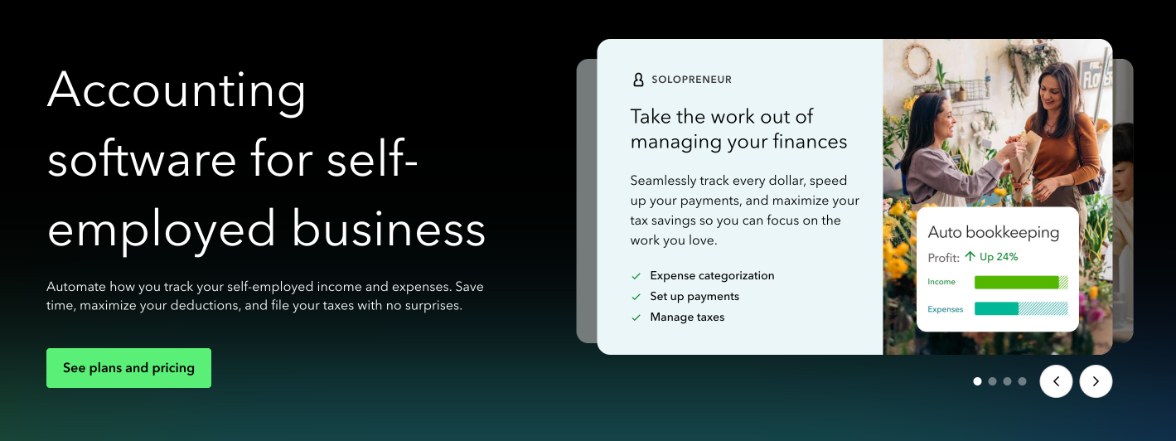
Intuit positions Solopreneur as accounting software for self-employed people running a business of one. Its FAQ says it focuses on automated transaction sorting, goals and tax-readiness instead of the team and inventory features you find in QuickBooks Online. It is also described as built around Schedule C reporting: it automates expense tracking to help you maximize deductions, keeps your books organized year-round, and lets you share records with an accountant or export what you need for filing.
That focus is exactly why it suits the mixed-card problem. You are not building a chart of accounts for a company. You are separating one person’s spending into “business” and “not business”, then putting the business part into tax-friendly categories.
The three plans, viewed through a clean-up job
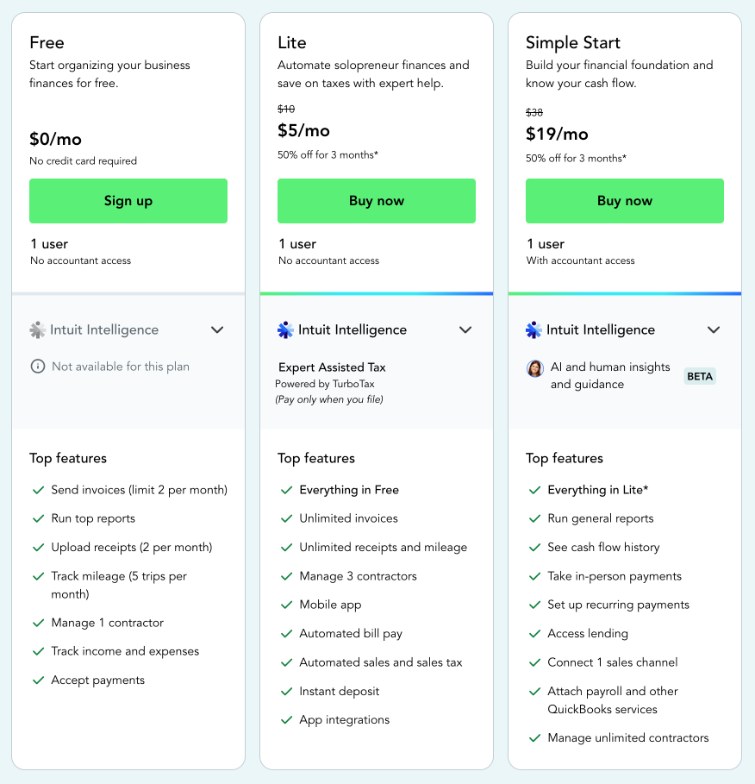
There are now three tiers on the Solopreneur page: Free, Lite and Simple Start. Each is for one user.
| Free | Lite | Simple Start | |
|---|---|---|---|
| List price | $0 | $10/mo | $38/mo |
| Invoices | 2 per month | Unlimited | Unlimited |
| Receipt uploads | 2 per month | Unlimited | Unlimited |
| Mileage tracking | 5 trips per month | Unlimited | Unlimited |
| Contractors | 1 | 3 | Unlimited |
| Mobile app | Not listed | Yes | Yes |
| Accountant access | No | No | Yes |
| Intuit Intelligence (AI) | Not available | Expert Assisted Tax via TurboTax | AI and human insights (beta) |
At the time of writing, Intuit shows Lite at $5 a month and Simple Start at $19 a month for the first three months, a 50% introductory discount. Treat that as a promotion that may change, and budget on the list prices.
Step 1: Connect the mixed account first
Start by connecting the account that carries both kinds of spending. Intuit says you connect your bank and credit card accounts directly and transactions sync automatically. Its FAQ notes that the Free tier lets you connect one bank account, so if your mixed spending is split across a checking account and a credit card, that limit is the first one you will meet.
My advice: connect the account with the most business activity first, even on Free. You will learn quickly whether the volume is manageable before you pay for anything.
Step 2: Sort business from personal, and let the software learn
This is the heart of the clean-up. Intuit says the software learns how you categorize income and expenses as you work, and over time automatically matches and records transactions in line with those patterns, which helps keep business and personal finances separate.
In practice that means the first few dozen decisions matter most. A few habits I would follow:
- Be consistent with recurring merchants. If your design software subscription is business, mark it the same way every time so the pattern sticks.
- Do not guess on mixed merchants. A supermarket charge might be printer paper or groceries. Leave those for the receipt step rather than teaching the software a wrong rule.
- Work month by month. Clearing January completely before moving to February makes it easier to spot gaps.
On Simple Start, Intuit lists AI features (in beta) that categorize expenses and look for tax deductions, plus a chat for quick questions. That is useful when you face a large backlog, but you still need to review its choices, because only you know whether a lunch was with a client or a friend.
Step 3: Attach receipts where the bank line is not enough
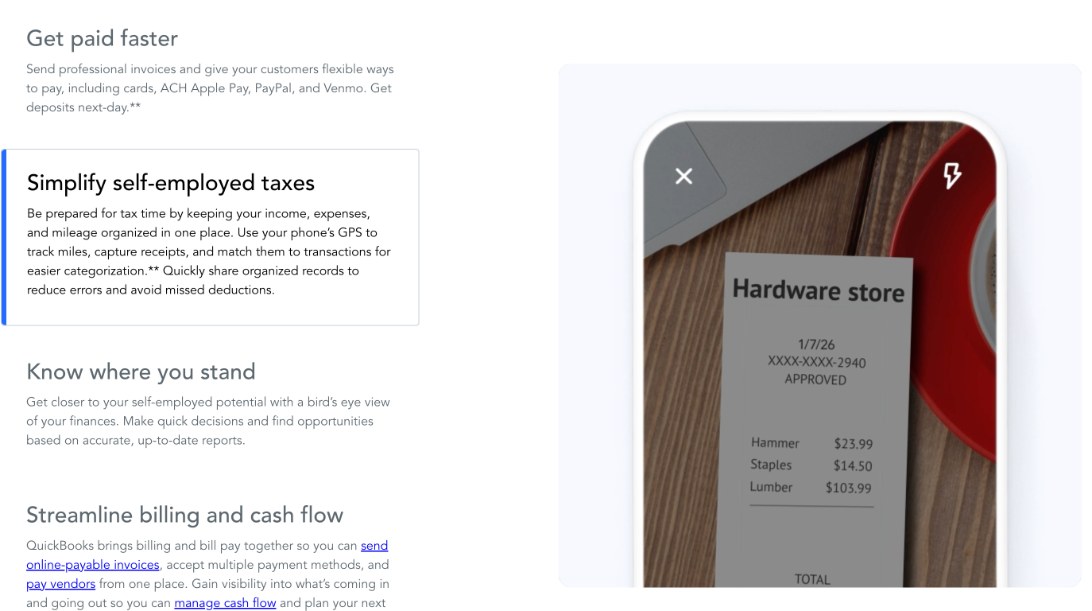
For ambiguous purchases, a receipt settles it. Intuit says you can snap receipts with the app and it matches them to transactions, and its plan cards show the mobile app on Lite and Simple Start.
This is where the Free plan stops being realistic for a catch-up. Two receipt uploads a month is fine for steady-state bookkeeping if you rarely need them. It is not enough to document a backlog of mixed purchases. If you have more than a handful of receipts to attach, Lite’s unlimited receipts are the cheapest way through.
Step 4: Start tracking mileage now, not in April
If you drive to clients, mileage is often the deduction freelancers under-record. Intuit says you can use your phone’s GPS to track miles, and the app shows each trip with a route and a business purpose.
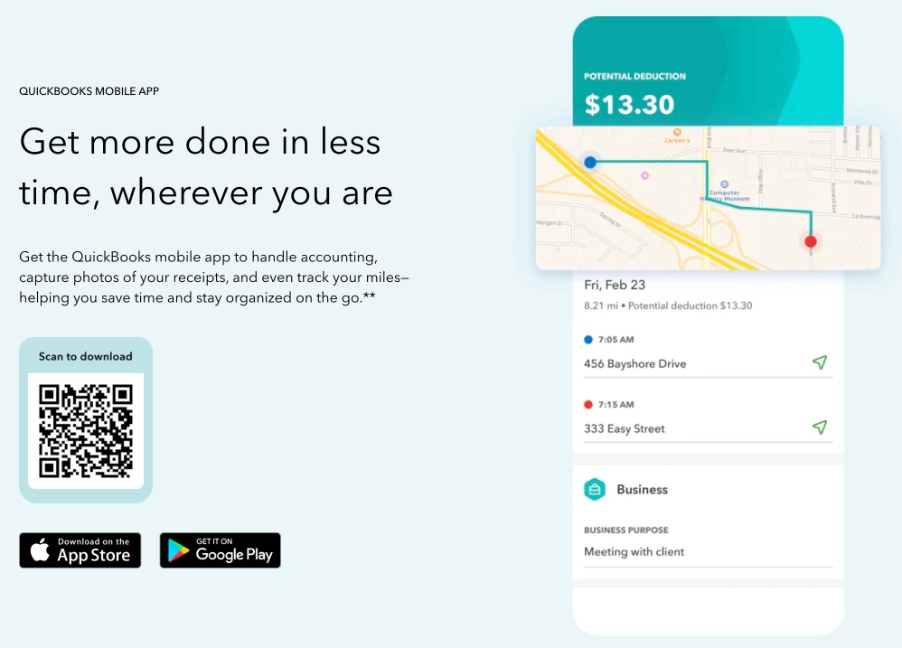
Two practical points. First, GPS tracking records trips as you drive, so it helps from the day you turn it on. For trips earlier in the year, you will need your own records, such as calendar entries, and your accountant can tell you what is acceptable. Second, the Free plan caps mileage at five trips a month. Anyone who visits clients weekly will pass that quickly, which is another nudge toward Lite.
Step 5: Stop the mixing going forward
Clean-up is only half the job. The other half is making next year easier. Two things help most.
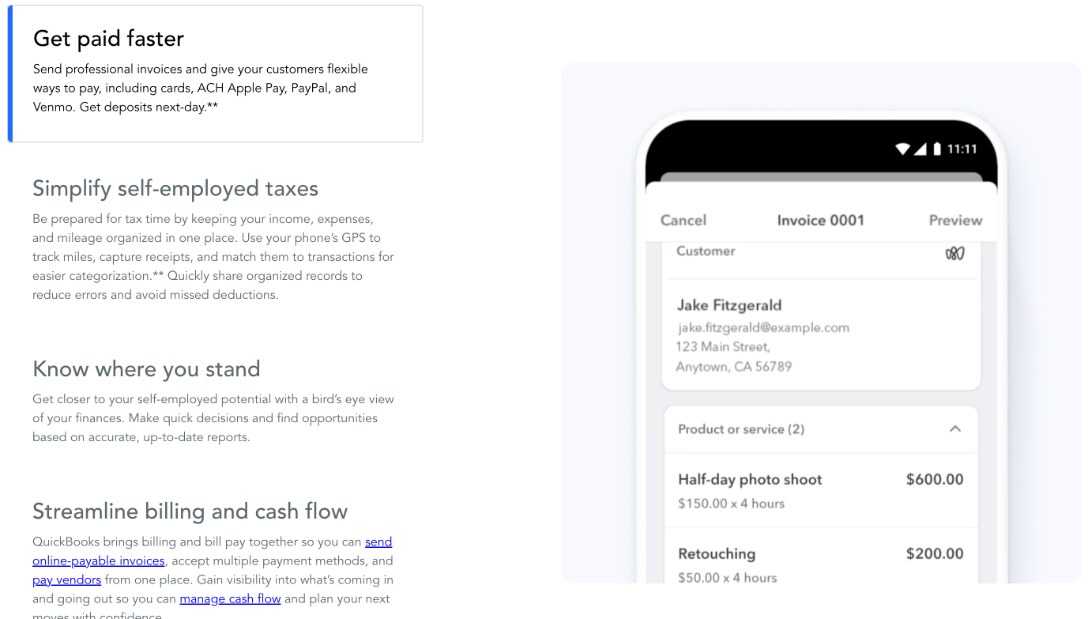
Invoice from the same system. Intuit says you can send invoices customers pay online by card, ACH, Apple Pay, PayPal or Venmo, with deposits typically as soon as the next business day. When client payments land through your invoices, income is recorded and matched without extra work. Free allows two invoices a month, so anyone with more than two clients will want Lite. If you are comparing invoicing tools, my notes on FreshBooks payment reminders and where Zoho Invoice’s limits start to bite cover two alternatives.
Consider a separate business account. Software can sort a mixed account, but it cannot make the decisions for you. Moving business spending to its own card is the single change that shrinks next year’s sorting job the most, whichever tool you use.
Step 6: Hand over to your accountant
This step decides between Lite and Simple Start, and it is easy to miss. The plan cards say Free and Lite come with no accountant access, while Simple Start comes with accountant access. Intuit’s FAQ also says you can share records with an accountant or export the documents needed for filing.
So the question is how your accountant likes to work:
- If they are happy to receive exported reports, Lite is enough.
- If they want to log in and review or adjust your books directly, you need Simple Start.
- If you plan to file yourself, Lite includes Expert Assisted Tax powered by TurboTax, which Intuit describes as pay-only-when-you-file, with built-in tax experts and an expert review of your return. Intuit also lists 20% off the base price of federal filing, subject to its terms.
Compare Free, Lite and Simple Start
So which plan should a mixed-card freelancer pick?
Free works for testing. Connect your main account, sort a month and see whether the software’s learning saves you time. It is too limited for a real catch-up because of the two-receipt and five-trip caps.
Lite is the plan I would pick for most solo freelancers doing a year-end clean-up and filing through TurboTax or sending exports to an accountant. Unlimited receipts, mileage and invoices remove every cap that matters here, and the mobile app is included.
Simple Start makes sense if your accountant needs direct access, if you have a large backlog where AI categorization would save real time, or if you pay more than three contractors. It is nearly four times the price of Lite at list price, so I would only choose it for one of those reasons.
If you are price-sensitive and want to compare a free-first alternative, I also looked at what Wave’s Pro plan really saves you.
What I like and what to watch
What works well
- Built for one-person businesses and Schedule C, without company-accounting clutter
- Learns your categorization habits and applies them to future transactions
- Receipt matching and GPS mileage in the same app
- Invoices that customers can pay by card, ACH, Apple Pay, PayPal or Venmo
- A genuinely free tier to test with, and you can cancel at any time
What to watch
- Free caps receipts at 2, mileage at 5 trips and invoices at 2 per month
- Free connects one bank account
- Accountant access starts at Simple Start
- Introductory discounts end after three months
- AI categorization on Simple Start is labelled beta and still needs your review
FAQ
Can QuickBooks Solopreneur separate business and personal transactions?
Intuit says the software learns how you categorize transactions and automatically applies those patterns over time, helping keep business and personal finances separate. You still make the initial decisions.
Is the Free plan enough for tax time?
For a light year, possibly. For a catch-up on mixed spending, the limits of 2 receipt uploads, 5 mileage trips and 2 invoices per month will usually push you to Lite.
Can my accountant log in to QuickBooks Solopreneur?
Only on Simple Start, which Intuit lists as including accountant access. Free and Lite say no accountant access, though you can share or export records.
Does QuickBooks Solopreneur track mileage?
Yes. Intuit says the app uses your phone’s GPS to track miles. Free is limited to 5 trips a month, while Lite and Simple Start are unlimited.
Is QuickBooks Solopreneur the same as QuickBooks Online?
No. Intuit describes Solopreneur as built for single-owner, self-employed businesses, focused on transaction sorting and tax-readiness rather than team and inventory features.