
Disclosure: this article may contain affiliate links. If you buy through them, I may earn a commission at no extra cost to you.
The headline feature of the Wave Pro plan is cheaper card processing: the $0.60 fixed fee on each credit card payment drops to $0. It sounds like the upgrade pays for itself. It does not, at least not on its own. The discount only applies to your first ten card transactions each month, which caps the saving at $6 a month, while Pro costs $19 a month or $190 a year.
That gap is the useful part. It forces a clearer question: which of Pro’s other features would you actually use, and are they worth the remaining difference? This guide does that math with the numbers from Wave’s own pricing and payments pages, then walks through the features that close the gap, and the situations where staying on the free Starter plan is the smarter choice.
Wave Starter vs Pro at a glance
Wave has two software plans. Starter is $0. Pro is $19 USD per month on monthly billing, or $190 USD per year on annual billing, which Wave shows as a $38 saving. In Canada the FAQ lists Pro at $25 CAD per month. The subscription is per business, not per owner: if you run three businesses in one Wave account and want all of them on Pro, you pay three times.
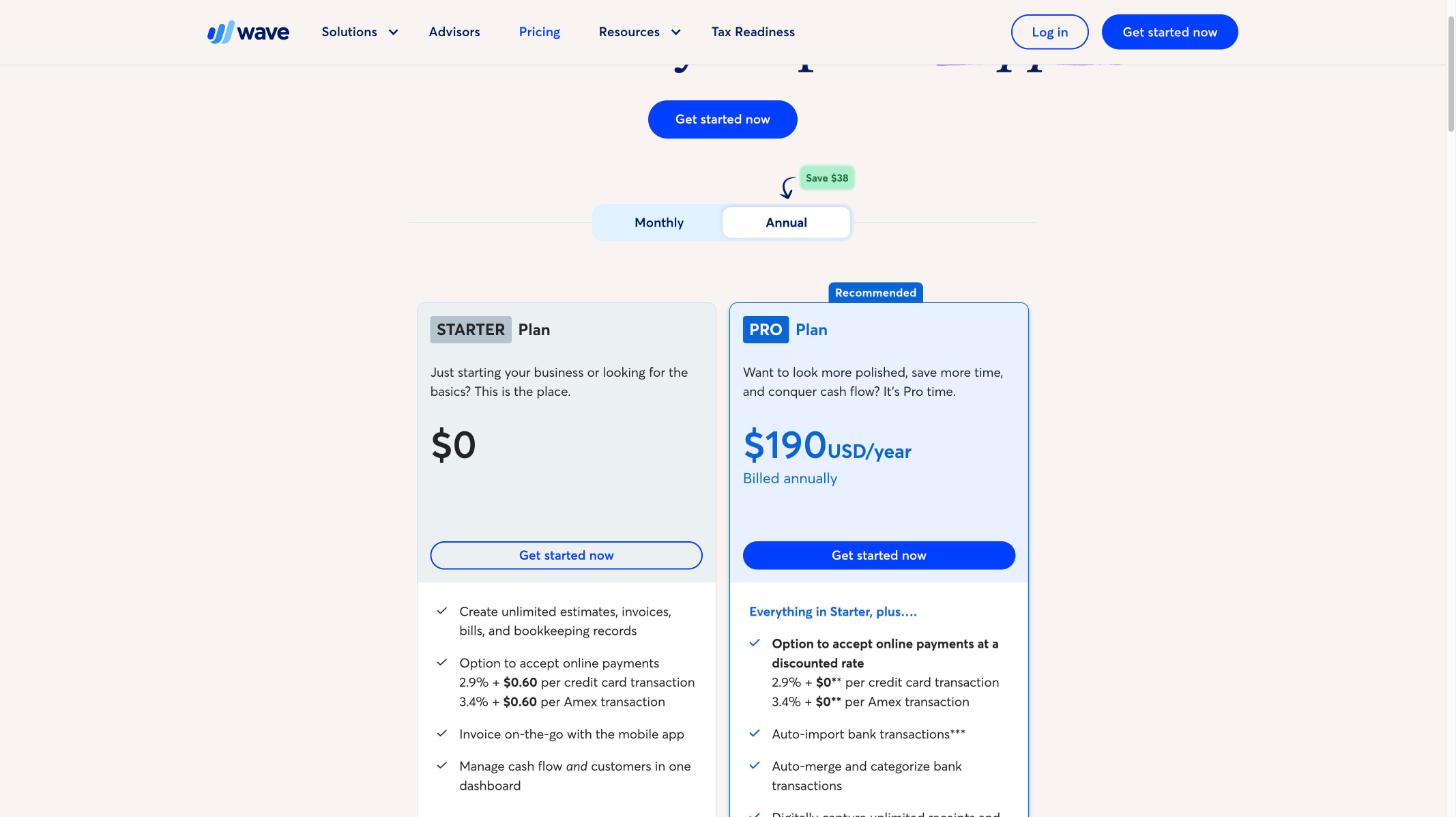
Both plans let you create unlimited estimates, invoices, bills and bookkeeping records, and invoice from the mobile app. The differences sit in payments, automation and bookkeeping, which is where the rest of this article goes.
The fee math: why the discount cannot carry the upgrade
Here are the card rates as Wave lists them:
| Payment type | Starter | Pro |
|---|---|---|
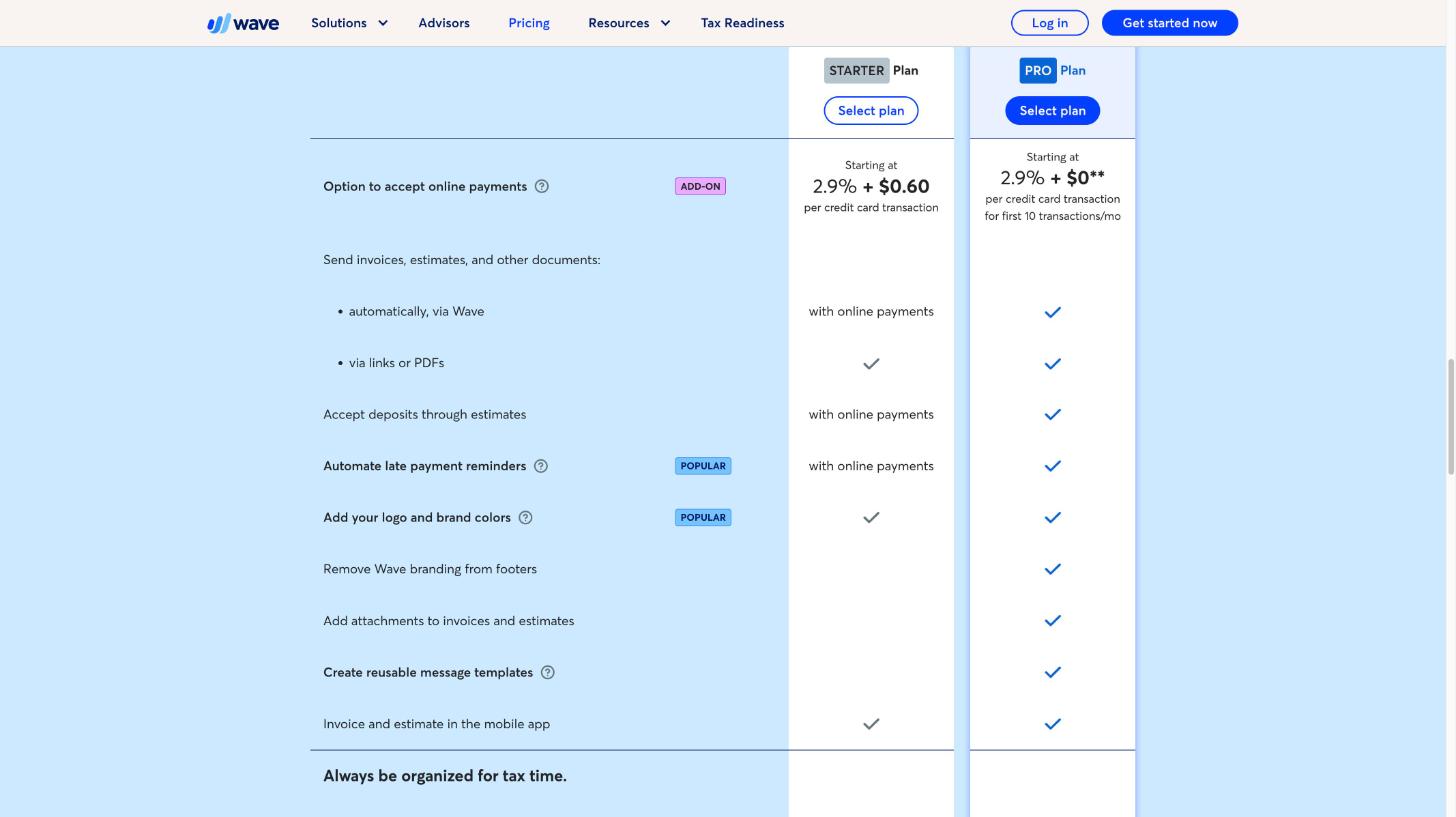
| Visa, Mastercard, Discover | 2.9% + $0.60 | 2.9% + $0 for the first 10 transactions each month, then 2.9% + $0.60 |
| American Express | 3.4% + $0.60 | 3.4% + $0 for the first 10 transactions each month, then 3.4% + $0.60 |
| Bank payments (ACH/EFT) | 1% ($1.00 minimum) | 1% ($1.00 minimum) |
Notice what does not change: the percentage. On a $1,000 invoice paid by card you pay 2.9% ($29) on either plan. Pro only removes the 60 cents, and only ten times a month. So:
- Maximum saving: 10 transactions x $0.60 = $6 a month, or $72 a year.
- Pro on annual billing: $190 a year, roughly $15.83 a month.
- Pro on monthly billing: $19 a month, $228 a year.
Even if you get ten card payments every single month, the discount covers about 38% of an annual Pro subscription. A freelancer with three or four clients paying by card each month saves $1.80 to $2.40. The rest of the price has to be justified by something else.
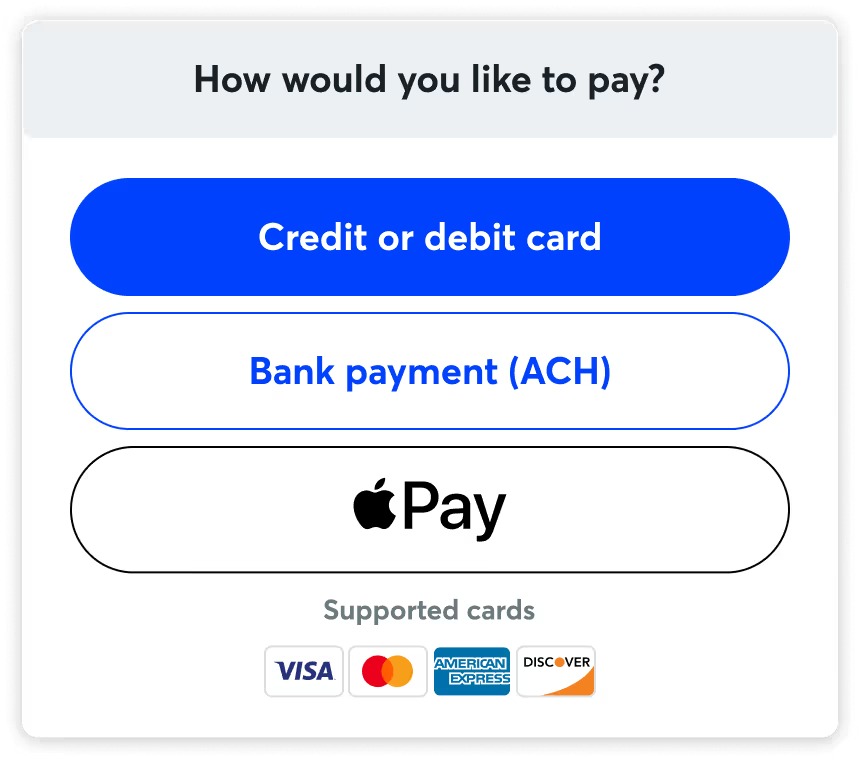
Two side notes from Wave’s pages that matter for this math. First, online payments are not automatic on either plan: approval depends on eligibility criteria, including identity verification and a credit review. Second, Wave says payouts land in 1-2 business days for card payments and 1-7 business days for bank payments. Neither of those changes between plans.
What actually closes the gap
Here are the Pro features that do the heavy lifting. Each one comes straight from Wave’s plan comparison table.
1. Automatic bank imports and categorisation
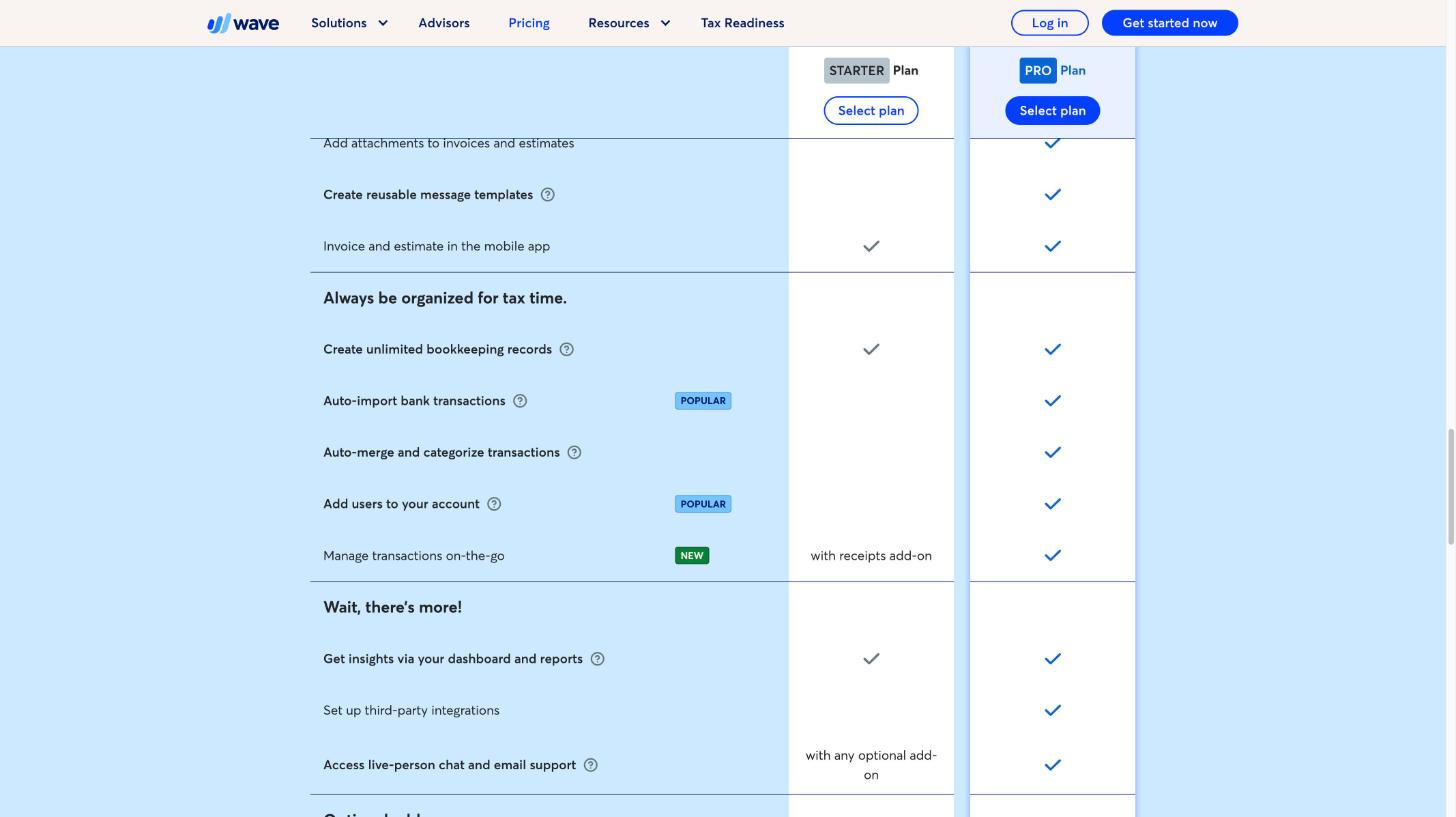
On Starter you enter or upload transactions yourself. Pro adds auto-import of bank transactions, plus auto-merge and categorisation. For anyone whose month-end routine is “download a CSV, clean it up, upload it,” this is the feature that saves real hours. Wave notes that bank connections run through Plaid and that not every financial institution is supported, so check that your bank connects during setup before you count on it.
2. Unlimited receipt capture, which Starter sells separately
This is the line most people miss. Digital receipt capture is a paid add-on on Starter at $8 a month or $72 a year. Pro includes unlimited receipt capture. Wave’s table also lists “manage transactions on-the-go” as available on Starter only with the receipts add-on, and included on Pro.
So if you would buy the receipts add-on anyway, the comparison changes completely. Starter plus receipts on annual billing is $72 a year. Pro is $190. The real price of everything else in Pro is now $118 a year, and the card-fee discount can cover up to $72 of that.
3. Late payment reminders without turning on payments
On Starter, automatic invoice sending via Wave, deposits through estimates and automated late payment reminders all come “with online payments.” Pro includes them regardless. If you prefer clients pay by bank transfer outside Wave but still want automatic reminders, that is a Pro reason. If you already accept online payments through Wave, you have these on Starter too, so this one does not count for you.
If reminders are your main pain point, I covered how another tool approaches this in FreshBooks payment reminders, late fees and deposits.
4. A more polished invoice
Both plans let you add your logo and brand colours. Pro adds removing Wave branding from invoice footers, attaching files to invoices and estimates, and reusable message templates. For a designer or consultant sending a contract PDF with each invoice, attachments alone can be a reason.
5. Extra users, integrations and live support
Adding users to your account and setting up third-party integrations are Pro features in the comparison table. If an accountant or a part-time assistant needs their own login, that decides it. Live chat and email support is included on Pro; on Starter it comes with any optional add-on.
A simple worksheet to decide
Add up what each Pro feature is worth to you per year, using annual Pro at $190 as the target:
| Item | Your value per year |
|---|---|
| Card fee discount (number of card payments per month, max 10, x $0.60 x 12) | Up to $72 |
| Receipts add-on you would otherwise buy on Starter | $72 if you need it, otherwise $0 |
| Hours saved by bank auto-import, valued at your hourly rate | Your estimate |
| Need for a second user (accountant, assistant) | Yes or no |
| Reminders without online payments, attachments, no Wave branding | Your estimate |
If the first two rows already get you close to $190, and you have any use at all for bank imports, Pro is an easy yes. If the first row is under $20 and you do not need receipts, you are paying mostly for convenience, which is fine, but go in knowing that.
Three freelancers, three answers
The copywriter with four retainer clients
Four invoices a month, clients pay by bank transfer, one business bank account with a few dozen transactions. The card discount is worth nothing here, and manual imports take ten minutes a month. Stay on Starter. If you track hours before invoicing, my Toggl Track month-end billing walkthrough pairs well with a free invoicing tool.
The photographer with many small card payments
Fifteen to twenty card payments a month, receipts for gear and travel, a part-time assistant who handles bookings. The card discount hits its $6 cap every month ($72 a year), receipts are needed ($72 value), and a second user is required. Pro, on annual billing.
The consultant who wants clean books for the accountant
Moderate invoice volume, but a busy business account with subscriptions, travel and client expenses. Bank auto-import and categorisation are the main draw, plus giving the accountant a login at tax time. Pro, mainly for bookkeeping, not for payments.
Costs beyond the plan
Wave lists three optional paid services next to its plans:
- Receipts: $8 a month or $72 a year on Starter (included in Pro).
- Payroll: from $40 a month.
- Wave Advisors bookkeeping: from $149 a month, which includes Pro plan features (Wave notes mobile receipts are not included) plus a dedicated bookkeeper and monthly financial statements.
If you are comparing Wave with an all-in-one client tool, my breakdown of HoneyBook pricing against the tools it replaces uses a similar approach.
How to test before paying
Wave’s FAQ suggests starting on Starter and upgrading when you are ready, and says you can cancel at any time, with cancellation taking effect at the end of the billing period. That makes a low-risk test easy:
- Set up your business on Starter and send your next few invoices from Wave.
- Count your card payments for one month. That number, capped at ten, times $0.60 is your real fee saving.
- Check whether your bank appears in the connection list before you upgrade for bank imports.
- If you upgrade, start on monthly billing for a month or two, then switch to annual once you know you will keep it.
My verdict
The Wave Pro plan is good value, but not for the reason on the front of the pricing page. The card-fee discount is capped at $6 a month and will never cover the subscription by itself. Pro earns its price through bank auto-import and categorisation, included receipt capture (otherwise $72 a year), extra users, and reminders that work without online payments. If two of those matter to you, upgrade. If none do, Wave Starter remains one of the best free invoicing and bookkeeping options for freelancers.
FAQ
How much is the Wave Pro plan?
$19 USD per month on monthly billing or $190 USD per year on annual billing. Wave’s FAQ lists $25 CAD per month in Canada. The fee is charged per business.
How much does Wave Pro save on card fees?
Pro removes the $0.60 fixed fee on the first ten card transactions each month, so the maximum saving is $6 a month. The percentage fee stays the same.
Is receipt scanning free on Wave?
It is included in Pro. On Starter, unlimited receipt capture is an add-on at $8 a month or $72 a year.
Do bank payments cost less on Pro?
No. Wave lists bank payments (ACH/EFT) at 1% with a $1.00 minimum on both plans.
Can I cancel Wave Pro anytime?
Yes. According to Wave’s FAQ, you can unsubscribe at any time, and the cancellation takes effect at the end of the current billing period.