
Disclosure: this article may contain affiliate links. If you buy through them, I may earn a commission at no extra cost to you.
Most articles about HoneyBook pricing compare its three plans with each other. That is the wrong comparison for a freelancer. Nobody is choosing between HoneyBook Starter and HoneyBook Essentials in a vacuum. You are choosing between HoneyBook and the handful of separate tools you already pay for, or would otherwise pay for: something to send invoices, something to book calls, something for intake forms, something for contracts and signatures, and a spreadsheet pretending to be a CRM.
So this guide does the math the other way around. I list what each HoneyBook plan actually includes, map each feature to the separate tool it would replace, and give you a simple worksheet to decide whether the bundle is cheaper and simpler for your business, or whether you are paying for features you will never open. All plan prices and features below come from HoneyBook’s own pricing page as it reads today.
HoneyBook pricing in one table
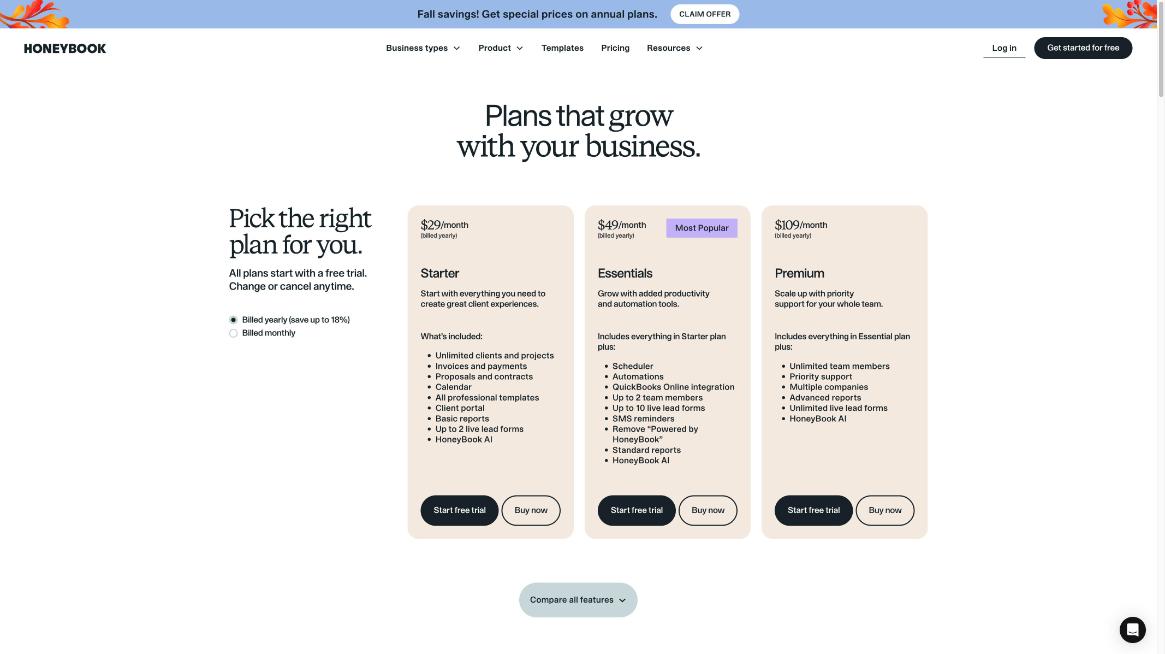
HoneyBook sells three plans. Every plan starts with a free trial, and you can change or cancel at any time, according to the pricing page. Yearly billing saves up to 18% compared with monthly billing.
| Plan | Billed yearly | Billed monthly | Best for |
|---|---|---|---|
| Starter | $29/month | $36/month | Solo freelancers who mainly need proposals, contracts and invoices |
| Essentials | $49/month | $59/month | Freelancers who want scheduling, automations and QuickBooks sync |
| Premium | $109/month | $129/month | Studios and agencies with a team or several brands |
When I checked, HoneyBook was also showing a seasonal promotion on annual plans. Promotions change, so confirm the current offer on the pricing page before you pay.
What each plan replaces in a typical freelance stack
Here is the core idea of this guide. Each HoneyBook feature lines up with a category of tool that many freelancers pay for separately. If you already use a tool in that category and are happy with it, HoneyBook only saves you money if you actually cancel it.
Starter: the paperwork bundle
HoneyBook’s pricing page lists these in Starter:
- Unlimited clients and projects
- Invoices and payments
- Proposals and contracts
- Calendar
- All professional templates
- Client portal
- Basic reports
- Up to 2 live lead forms
- HoneyBook AI
Mapped to separate tools, Starter covers an invoicing app, a proposal tool, an e-signature service for contracts, a basic form builder for inquiries, and a lightweight client CRM. HoneyBook’s own description of proposals is that clients can book, sign and pay from a single file, which is the real time saver: one link instead of three separate steps.
What Starter does not replace is your scheduling tool. The Starter card does not list the Scheduler; it first appears on Essentials. If clients book calls with you through a booking link today, Starter alone will not let you cancel that subscription.
Essentials: adds booking and automation
Essentials includes everything in Starter, plus:
- Scheduler
- Automations
- QuickBooks Online integration
- Up to 2 team members
- Up to 10 live lead forms
- SMS reminders
- Removal of the “Powered by HoneyBook” branding
- Standard reports
This is the plan that can replace a scheduling app as well, and the automations can stand in for some of the simple follow-up work people otherwise wire together with a separate automation tool. The QuickBooks Online sync matters if your accountant works in QuickBooks; without it, you would be exporting payments by hand.
Premium: for teams and multiple brands
Premium adds unlimited team members, priority support, multiple companies, advanced reports and unlimited live lead forms. It replaces more seats, not more tool categories. If you run two brands, for example a photography business and a separate workshop business, the multiple companies feature is the main reason to look at it.
The cost that does not appear in the plan price: payment fees
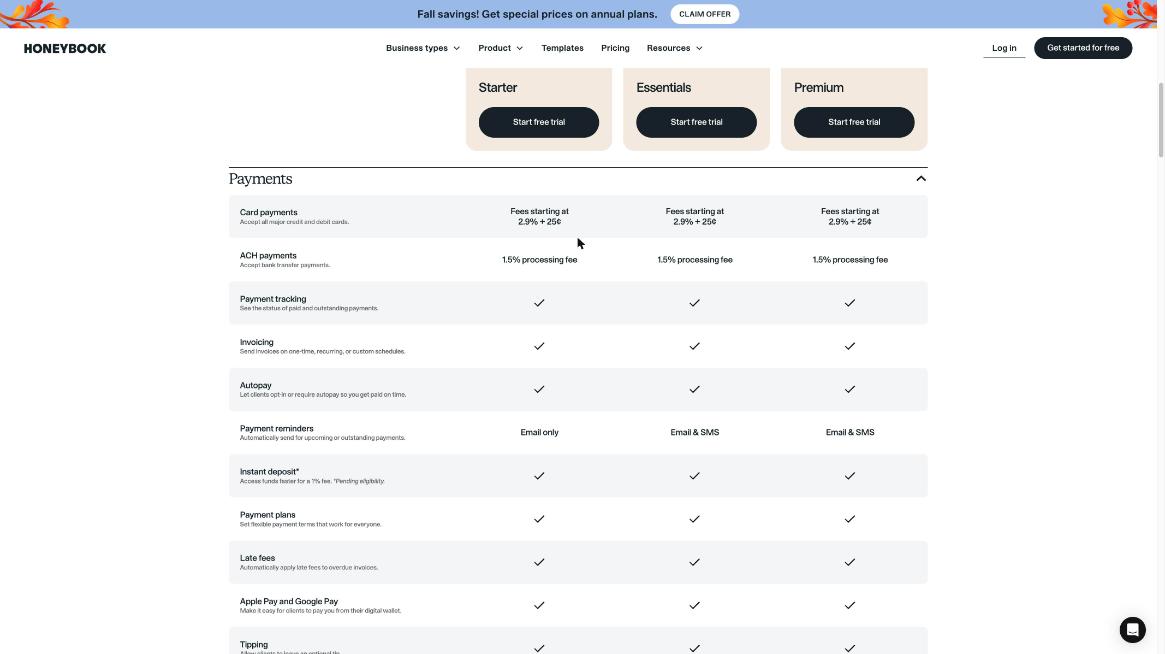
Your subscription is only part of what HoneyBook costs. If clients pay through HoneyBook, processing fees come out of every payment. According to the pricing page’s comparison table, the rates are the same on all three plans:
- Card payments: fees starting at 2.9% + 25¢
- ACH bank transfers: 1.5% processing fee
- Instant deposit: access funds faster for a 1% fee, pending eligibility
Processing fees are not a HoneyBook quirk; any tool that takes card payments charges them. But they change the comparison. If your current invoicing tool uses a payment processor with different rates, compare the fee on your average invoice, not just the monthly price. A practical trick: for large project invoices, encourage clients to pay by bank transfer, because a percentage fee on a big invoice adds up quickly.
The same table lists a set of payment features included on all plans: autopay, payment reminders, payment plans, automatic late fees, Apple Pay and Google Pay, tipping, discounts and fraud monitoring. If you already rely on automatic payment reminders, my guide to FreshBooks payment reminders, late fees and deposits shows how a dedicated invoicing tool handles the same job, which is useful for comparison.
A worksheet: is HoneyBook cheaper than your current stack?
I deliberately do not quote other tools’ prices here, because they change often and depend on your plan. Instead, fill in your own numbers. It takes five minutes with your bank statement.
| Job | Tool you use now | Your monthly cost | Replaced by HoneyBook plan |
|---|---|---|---|
| Invoices and online payments | $ | Starter and up | |
| Proposals | $ | Starter and up | |
| Contracts and e-signatures | $ | Starter and up | |
| Inquiry or intake forms | $ | Starter (2 forms), Essentials (10), Premium (unlimited) | |
| Client portal or file sharing | $ | Starter and up | |
| Booking calls | $ | Essentials and up | |
| Follow-up automations | $ | Essentials and up | |
| Accounting sync | $ | Essentials and up (QuickBooks Online) |
Then apply three rules:
- Only count tools you will actually cancel. If you love your form builder and plan to keep it, its cost does not belong in the “saved” column.
- Add the plan you need, not the cheapest plan. If booking calls is on your list, compare against Essentials, not Starter.
- Add the switching time. Rebuilding templates, contracts and forms takes hours. If you bill $60 an hour and setup takes six hours, that is a one-time cost of $360 in your own time.
If the “saved” column is bigger than the HoneyBook plan price, and you are comfortable with the payment fees, the bundle makes sense. If it is close, the deciding factor is usually not money but how much you value having one client record instead of five.
Where the bundle wins, and where it does not
HoneyBook wins when your process is linear
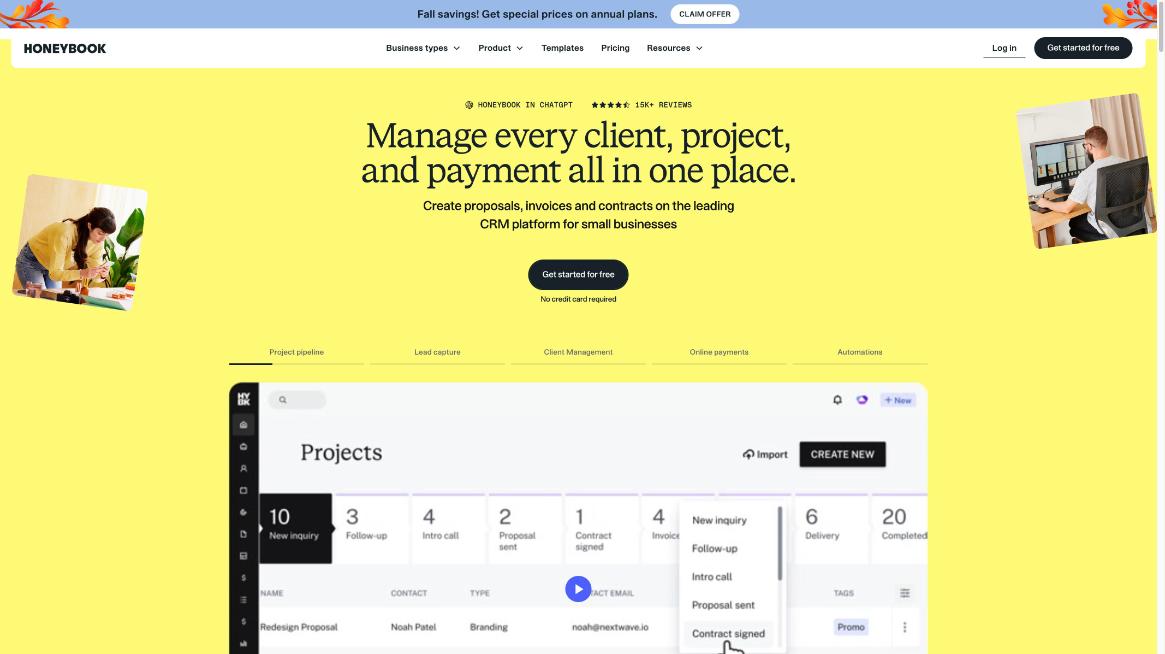
If almost every client follows the same path, inquiry, call, proposal, contract, deposit, project, final invoice, HoneyBook fits naturally. The pipeline on its homepage shows exactly that shape, with stages such as new inquiry, follow-up, proposal sent and contract signed. One project record holds the whole history.
Separate tools win when one piece needs to be excellent
If your intake form needs complex logic, a dedicated form builder will do more. My guide to designing a client intake form in Jotform shows the kind of branching that is easier in a specialist tool. The same goes for scheduling: if you run paid sessions with buffers, routing and multiple event types, a dedicated scheduler may be the better fit, as I covered in setting up Calendly for freelancers.
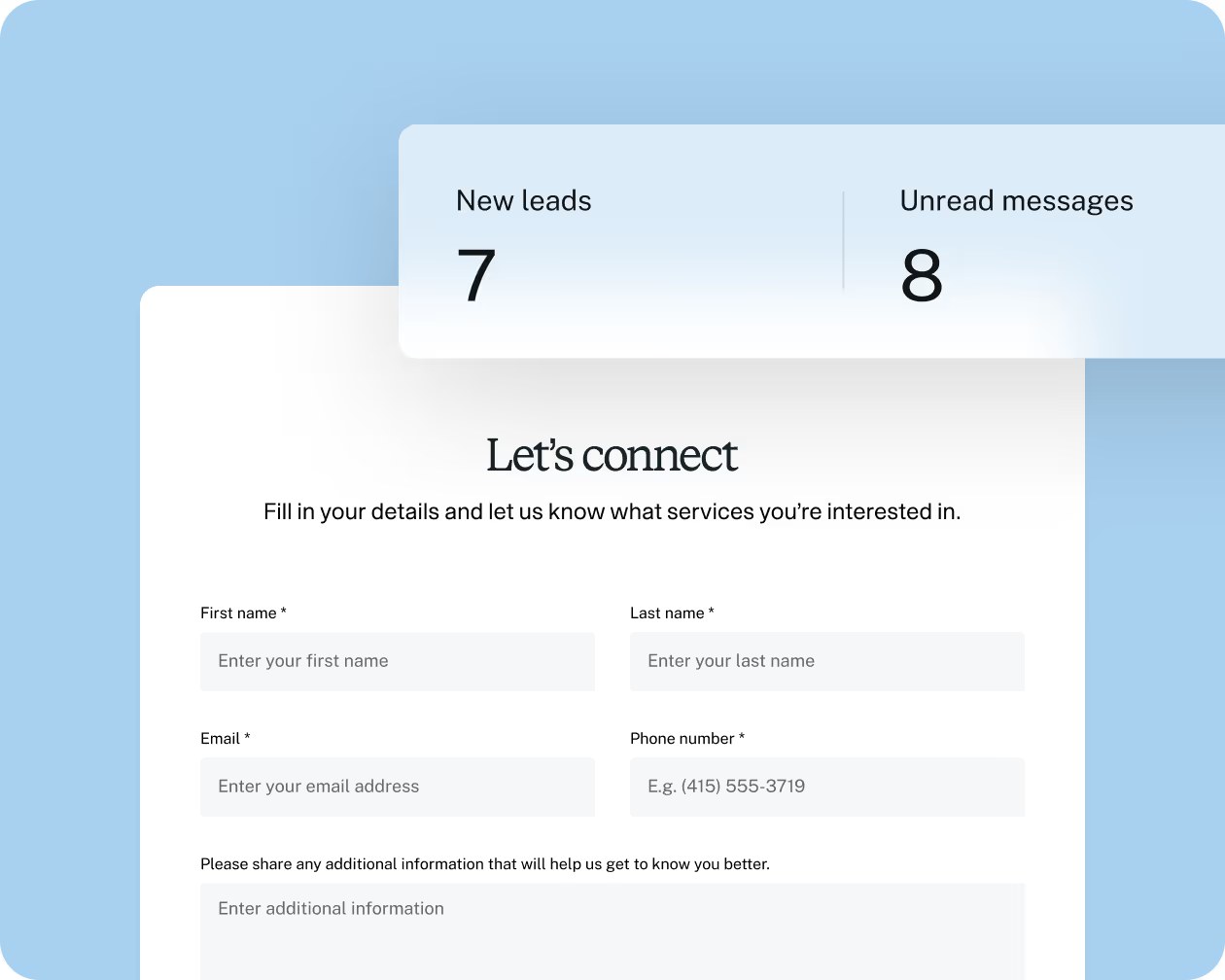
The lead form limit is the Starter trap
Two live lead forms sounds like plenty until you want one for each service, plus a general contact form. If you offer three or more distinct services with different questions, Essentials is the realistic starting plan.
HoneyBook AI features worth knowing about
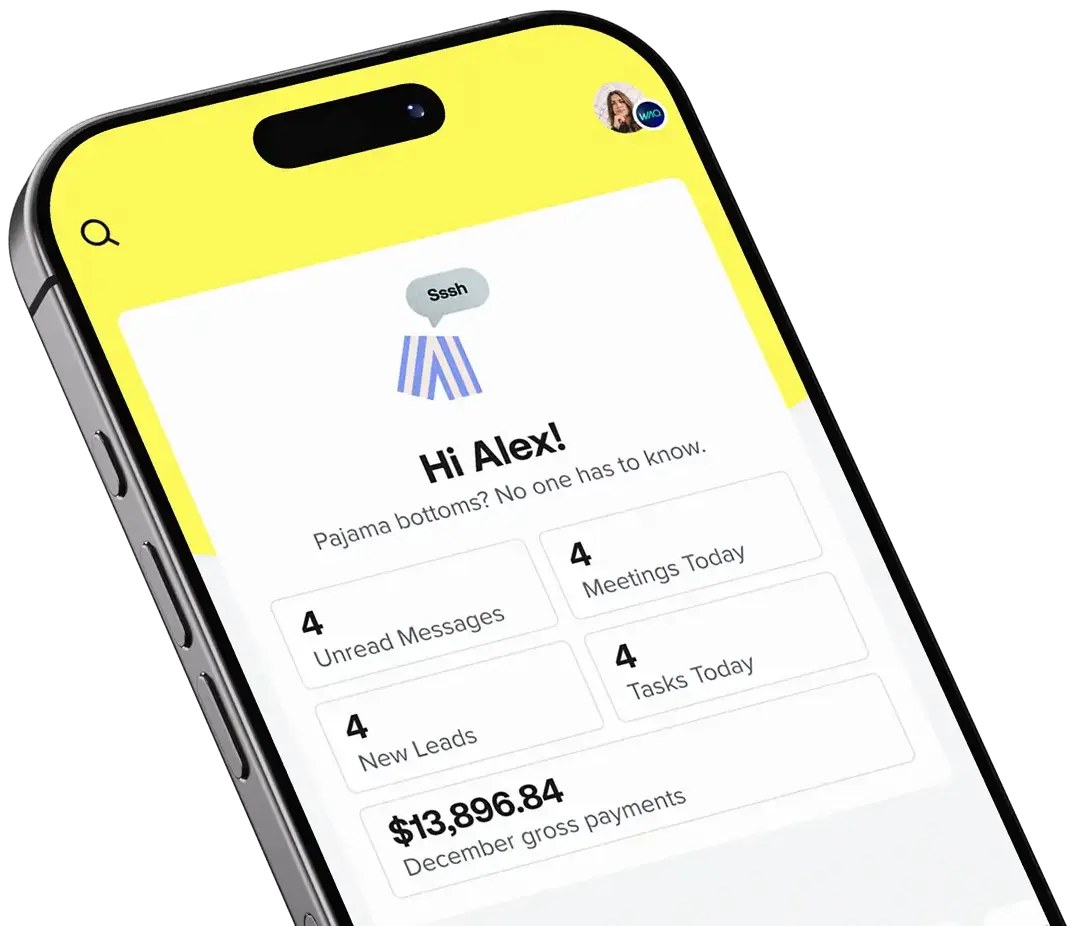
HoneyBook includes HoneyBook AI on its plans. On its homepage, the company lists AI chat, an AI automations builder, email drafts, a meeting notetaker, meeting prep, priority lead notifications and project recaps. For a solo freelancer, email drafts and project recaps are the most practical: they cut the time spent catching up on a client before a call. I would not choose HoneyBook for the AI alone, but it is a useful extra if you are already paying for the bundle.
Who should skip HoneyBook
- Freelancers with one or two retainer clients. If you send the same invoice every month and never write proposals, a simple invoicing tool is enough.
- Anyone whose clients refuse portals. HoneyBook’s value comes from clients using its files and portal. If your clients only want a PDF by email, you lose much of the benefit.
- Businesses outside HoneyBook’s supported regions. Check availability for your country before you rely on its payment features.
My recommendation
Start the free trial and rebuild just one real client journey: your most common inquiry form, your standard proposal, your contract and your deposit invoice. If that journey feels faster than your current set of tools, and your worksheet shows real savings, choose the plan that covers every job on your list. For most solo freelancers who book calls, that is Essentials. If you only need proposals, contracts and invoices, Starter is enough. Premium only makes sense when you have a team or more than one business.
Frequently asked questions
How much does HoneyBook cost?
HoneyBook’s pricing page lists Starter at $29/month, Essentials at $49/month and Premium at $109/month when billed yearly, or $36, $59 and $129 per month when billed monthly.
Does HoneyBook have a free trial?
Yes. HoneyBook says all plans start with a free trial and that you can change or cancel at any time.
What are HoneyBook’s payment processing fees?
The pricing page lists card payment fees starting at 2.9% + 25¢ and a 1.5% processing fee for ACH bank transfers on all plans. Instant deposit costs a 1% fee, pending eligibility.
Which HoneyBook plan includes the Scheduler?
The Scheduler is listed on Essentials and Premium. Starter does not list it on its plan card.
Does HoneyBook integrate with QuickBooks?
Yes, QuickBooks Online integration is included from the Essentials plan up.
Can I use HoneyBook with a team?
Essentials allows up to 2 team members and Premium allows unlimited team members. The Starter plan card does not list team members.