Disclosure: some links on this page may be affiliate links. If you sign up through them I may earn a commission at no extra cost to you.
Most comparisons of Dropbox Plus vs Standard start with storage: 2 TB against 3 TB. For a freelancer, storage is rarely what decides it. What decides it is the moment you send a client their final files and want a password on the link, an expiry date, your own logo on the page, or a way to stop a draft from being downloaded before the invoice is paid. On Dropbox, those controls sit almost entirely on the Standard side of the line. This article maps that line so you can see which side your client work falls on.
Prices and features below come from the Dropbox plans page and its comparison table as they read today.
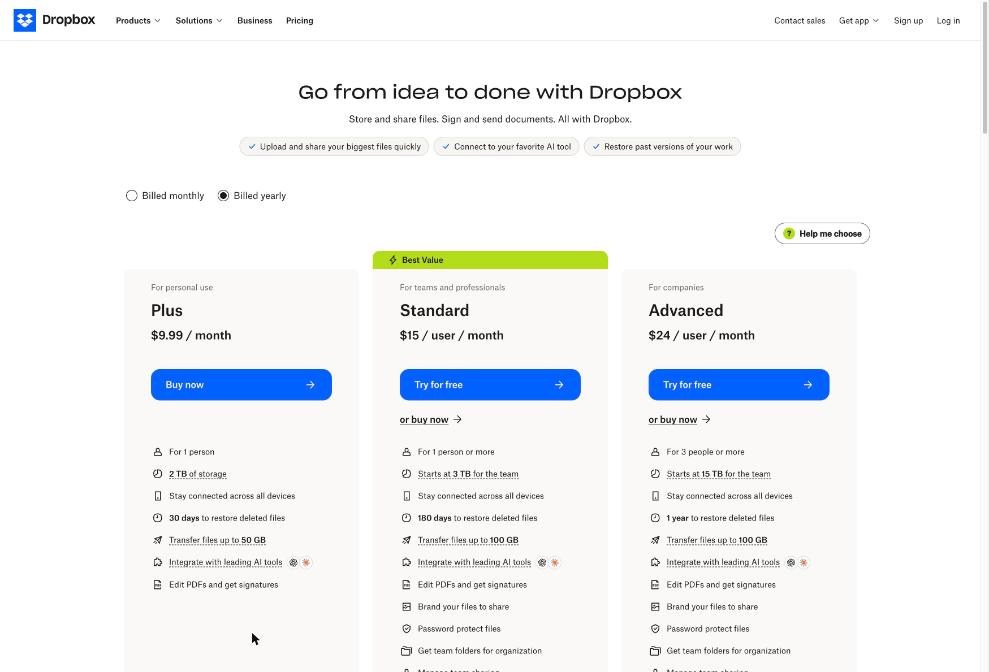
Dropbox Plus vs Standard at a glance
| Plus | Standard | |
|---|---|---|
| Price, billed yearly | $9.99 / month | $15 / user / month |
| Price, billed monthly | $11.99 / month | $18 / user / month |
| Users | 1 person | 1 person or more |
| Storage | 2 TB | Starts at 3 TB for the team |
| Restore deleted files and version history | 30 days | 180 days |
| One-way transfer size | Up to 50 GB | Up to 100 GB |
| Password-protected links | No | Yes |
| Custom expiration dates on links | No | Yes |
| Disable downloads | No | Yes |
| Branded transfers | No | Yes |
| Watermarking | No | Yes |
| Viewer history | No | Yes |
| Video commenting | No | Yes |
One detail changes the old advice. Standard is now listed “for 1 person or more,” so a solo freelancer can buy it without paying for empty seats. That makes the comparison a straight question of whether the client-facing controls are worth about $5 a month more on yearly billing.
What stays the same on both plans
Plenty of freelancers are fine on Plus, and it is worth knowing why. Both plans include syncing across all your devices, PDF editing and signatures, and integrations with AI tools. Both let you share a link to a file or folder with anyone, even if that person has no Dropbox account. And both include Dropbox Transfer, which delivers a copy of your files and lets you track downloads.
If your client work is mostly “here is the folder, have a look,” Plus already covers it. The difference shows up only when you need control over what happens after you hit send.
The client-delivery features that only Standard has
The comparison table on the plans page marks each of the following as not included in Plus and included in Standard.
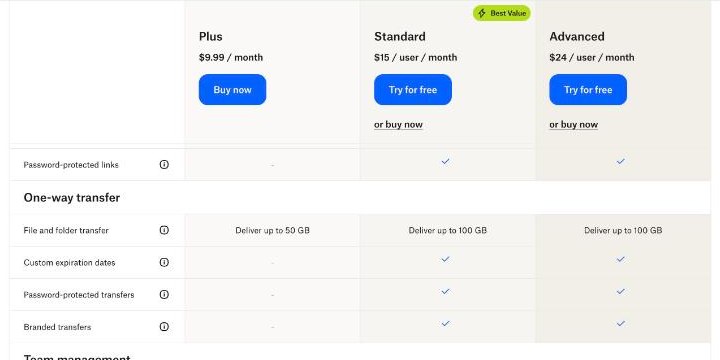
Password-protected links and transfers
If you deliver contracts, financial documents, unreleased product shots or anything under an NDA, a password on the link is the simplest extra layer. Standard adds it to shared links and to transfers. Send the password through a different channel than the link, such as a message instead of the same email.
Custom expiration dates
Expiry dates matter more than they seem. A delivery link from two years ago still sitting in a client’s inbox is a link anyone they forward it to can open. On Standard you can set expiration dates on shared links and on transfers, so review copies stop working after the review window and final deliveries close after a reasonable download period.
Disable downloads
This is the feature designers, photographers and video editors ask about most. With downloads disabled, a client can view a draft but cannot simply save the file. It is not a perfect protection, since screenshots exist, but it changes the default: drafts are for looking, finals are for downloading, and finals come after payment.
Watermarking
Watermarking pairs well with disabled downloads for proofs. A watermarked proof can still be shared around an agency for feedback without becoming a usable final file.
Branded transfers
Branded transfers let your delivery page carry your own branding instead of looking like a generic download page. If presentation is part of what you sell, this is a small but visible upgrade, especially for photographers and studios that deliver large final packages.
Viewer history and video commenting
Viewer history shows viewing activity on a shared file, which can end the “did you get a chance to look?” email loop. Video commenting is aimed at video freelancers who want feedback on the file itself instead of a long email with timestamps.
Dropbox’s own tutorial on sharing links and setting permissions is a quick way to see how these settings look in practice:
Transfer size: 50 GB vs 100 GB
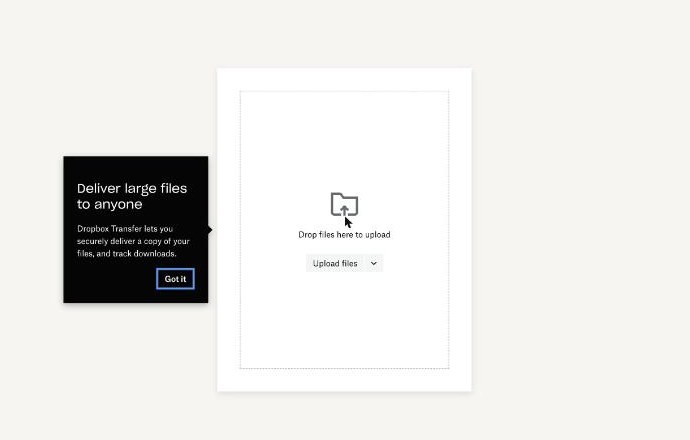
Dropbox Transfer sends a copy of your files rather than access to your folders, which is the cleaner way to hand over finals. Plus can deliver up to 50 GB per transfer and Standard up to 100 GB.
For writers, developers, consultants and most designers, 50 GB per delivery is more than enough. Video editors and photographers delivering full raw sets are the ones likely to hit it. If that is you, the bigger limit plus password protection and expiry dates on transfers make Standard an easy call.
Recovery window: 30 days vs 180 days
Plus lets you restore deleted files and earlier versions for 30 days. Standard extends that to 180 days. This sounds like a backup detail, but it is also a client-relations detail. Clients come back months later asking for “the version before the last changes,” and 30 days is often not long enough to cover a project’s whole life.
If you work on long engagements, retainers or projects that get revisited after launch, the 180-day window alone can justify Standard. If your projects close within a month and you archive finals elsewhere, it matters less.
Which freelancers should stay on Plus
- Writers, translators and consultants who send documents and do not need to restrict downloads.
- Freelancers whose clients provide the storage, for example agencies that invite you into their own Dropbox or another platform.
- Anyone who already uses a separate delivery or signing tool for sensitive files and only needs Dropbox for sync and backup.
For them, Plus at $9.99 a month on yearly billing gives 2 TB, device sync, PDF editing and 50 GB transfers, which is plenty.
Which freelancers should move to Standard
- Designers, photographers and video editors who send proofs before payment and want watermarks, disabled downloads and expiry dates.
- Freelancers under NDAs who need password-protected links and transfers.
- Studios with a brand to present, where branded transfers make deliveries look like part of the service.
- Long-project freelancers who want 180 days of version history instead of 30.
- Two-person teams, since Standard adds team folders, team sharing management and admin controls.
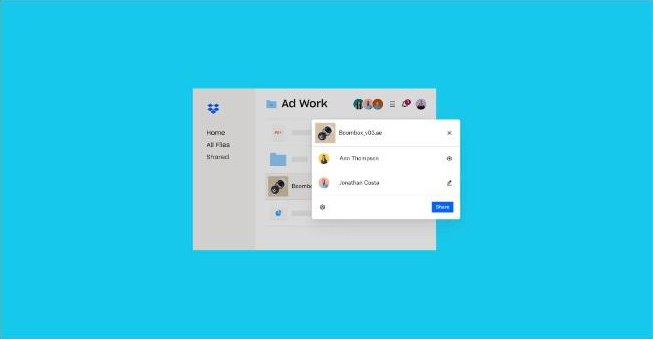
A simple delivery routine on Standard
If you upgrade, set a routine so the features actually get used:
- Proofs: share a link with downloads disabled, a watermark and an expiry date at the end of the review window.
- Finals: send a branded, password-protected transfer once the invoice is paid, with an expiry date that gives the client enough time to download.
- Follow-up: check viewer history before chasing feedback.
- Archive: keep the project folder until the 180-day recovery window has passed, then archive it your usual way.
If you are still choosing a storage tool for deliveries, I compared a different approach in my guide to pCloud for freelancers who deliver big files. And because a delivery link is only as safe as the account behind it, it is worth pairing any storage plan with a password manager, as covered in my look at what Bitwarden Premium covers for freelancers.
The cost difference over a year
On yearly billing, Plus is $9.99 a month and Standard is $15 per user a month, so a solo freelancer pays about $60 a year more for Standard. On monthly billing the gap is $11.99 against $18. Standard also has a “Try for free” option on the plans page, so you can test the sharing controls with a real client delivery before paying.
Whether the difference is worth it comes down to one question: how many client deliveries a year would be safer, cleaner or more professional with a password, an expiry date, a watermark or your logo on them? For a photographer delivering every week, the answer is obvious. For a copywriter sending Google Docs links, it probably is not.
Verdict
Choose Plus if Dropbox is your personal storage and sync tool and client deliveries are simple. Choose Standard if Dropbox is how you hand over paid work, because the controls that protect that work, password links, expiry dates, disabled downloads, watermarks, branded transfers and 180-day recovery, are not on Plus. You can start with Plus and upgrade later, but if your business runs on deliverables, starting on Standard saves you from changing the way you deliver in the middle of a client project.
FAQ
Can a solo freelancer buy Dropbox Standard?
Yes. The plans page lists Standard as “for 1 person or more,” so you do not need multiple users.
Does Dropbox Plus have password-protected links?
No. In the comparison table, password-protected links, custom expiration dates and disabled downloads are marked for Standard and Advanced, not Plus.
How big a transfer can I send with Dropbox Plus vs Standard?
Plus can deliver up to 50 GB per transfer. Standard and Advanced can deliver up to 100 GB.
How long can I restore deleted files on each plan?
Plus keeps 30 days of deleted files and version history, Standard keeps 180 days, and Advanced keeps one year.
Is there a free Dropbox plan?
Yes. Dropbox Basic is free with 2 GB of storage, which is fine for trying the apps but small for client deliveries.