
Disclosure: some links on this page may be affiliate links. If you sign up through them I may earn a commission at no extra cost to you.
Count how many times this week you typed some version of “Thanks for the brief, here’s what happens next”, “Just a friendly reminder that invoice #…”, or “That request is outside the agreed scope, but I’m happy to quote it separately”. For most freelancers the answer is: a lot. Each one takes a couple of minutes, and each one is a chance to forget a detail, sound curt on a busy day, or quote a different deposit than last time.
TextExpander for freelancers is a fix for exactly that. You save a block of text as a Snippet, give it a short abbreviation, and it expands wherever you type. The part that makes it useful for client work, though, is not the expansion itself. It is fill-ins: blanks, dropdowns and date pickers that let one Snippet produce a personalised email every time.
In this guide I’ll build a small client-communication library around fill-ins, show which parts work on the free plan and which need Pro, and help you decide whether $5 a month is worth it for a one-person business. Prices and limits come from TextExpander’s official pricing page and help center as they read today.
What TextExpander does, in one paragraph
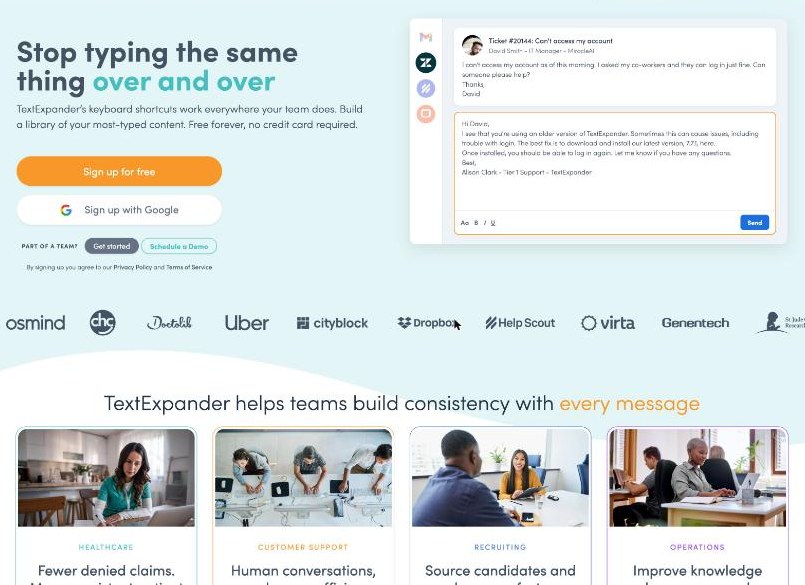
TextExpander stores reusable text (emails, clauses, links, sign-offs) as Snippets. Each Snippet has an abbreviation such as ;kickoff. When you type the abbreviation in an email, a form, a chat window or a document, TextExpander replaces it with the full text. One account works on Mac, Windows, iPhone and iPad and through the Chrome extension, and your Snippets sync across all of them on every plan, including Free.
Why fill-ins matter more than the Snippets themselves
A plain Snippet is a fixed block of text. That’s fine for your bank details or a portfolio link, but client emails are never quite the same twice. The name changes, the date changes, the project type changes. Without fill-ins you end up either editing the expanded text by hand (which defeats the point) or keeping ten near-identical versions.
TextExpander’s help center lists five fill-in types:
- Single line field for a name, a project title or an invoice number.
- Multi-line field for a sentence or paragraph that changes each time.
- Date picker to choose a date from a calendar.
- Popup menu to pick from a fixed list of options.
- Optional section to include or leave out a block of text.
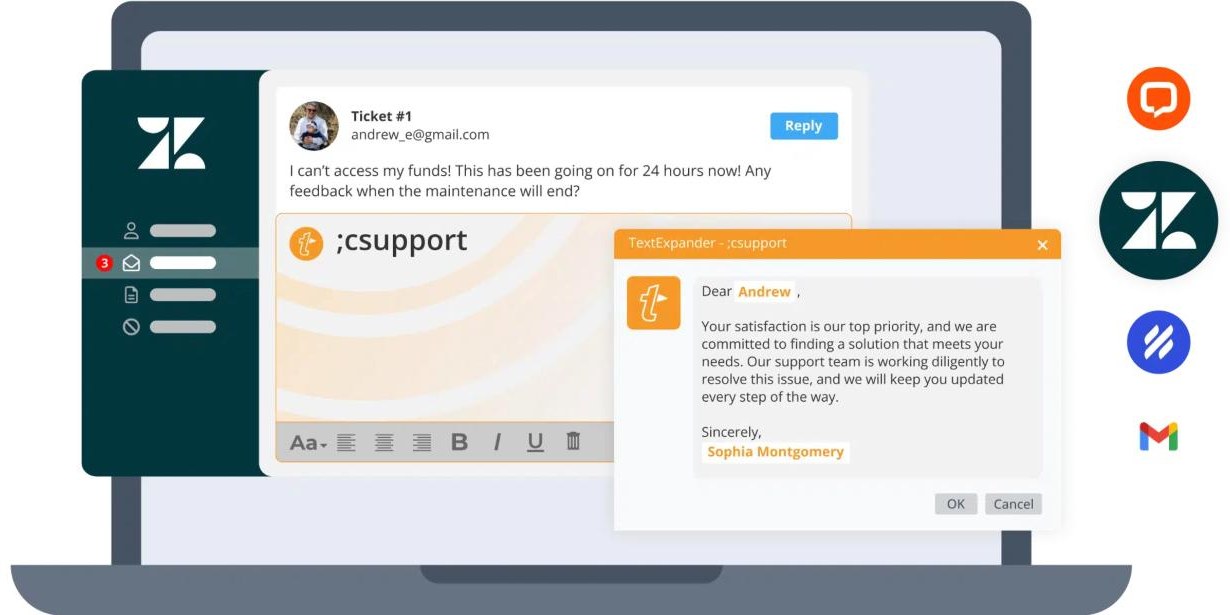
Two tips from the help center are especially handy for client emails. If several single line fields share the same name, you type the value once and it repeats everywhere in the Snippet, so a client’s name in the greeting and the closing line stays consistent. And if a Snippet has many fields, the “Show at Top” option puts all of them at the top of the fill-in window so you don’t miss one.
A freelancer’s starter library: six Snippets
Here is the set I’d build first. Each one is built around fill-ins, so one Snippet covers every client.
1. ;thanks – brief received
A single line field for the client’s first name, another for the project name, a date picker for when they’ll hear back, and a popup menu for the next step (“a proposal”, “a call invite”, “a short questionnaire”). One abbreviation, four decisions, a reply that sounds personal.
2. ;scope – out-of-scope request
This is the one that pays for itself in nerves. A multi-line field to restate what they asked for, then fixed text that explains it’s outside the agreed scope and offers a separate quote. Writing this calmly once, on a good day, means you never write it angrily at 11 p.m. If scope creep is a regular problem, my guide to tracking quoted versus actual hours in Paymo pairs well with it.
3. ;nudge – payment reminder
Single line fields for the invoice number and amount, a date picker for the original due date, and an optional section with a late-fee sentence you include only on the second reminder. One Snippet, two levels of firmness.
4. ;kickoff – project start
Client name, start date, a popup menu for your preferred channel (email, Slack, a weekly call) and fixed text covering how feedback rounds work. This sets expectations before anyone has a chance to assume otherwise.
5. ;handoff – final delivery
Links to the files, a short note on what’s included, and an optional section asking for a testimonial. Keep the testimonial ask optional so you only send it when the project went well.
6. ;sig – your signature and booking link
The simplest one: no fill-ins, just your name, role, booking link and payment details. It’s also a good candidate for a Snippet inside other Snippets once you’re on a paid plan.
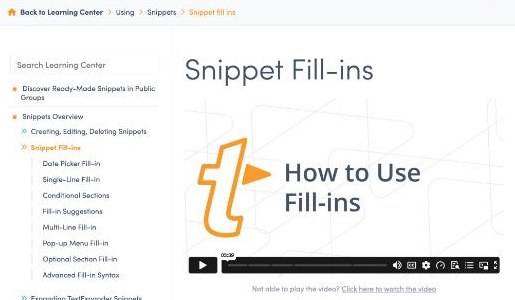
Adding a fill-in takes a few clicks: open the Snippet, place your cursor, click the Fill-ins button in the Snippet editing bar, choose the type, name it and set its options. When you later type the abbreviation, the fill-in window opens, you complete it, click OK and the text appears.
If your client emails live in Gmail, these Snippets drop straight into the workflow I described in running a freelance pipeline in Streak CRM for Gmail: Streak tracks the stage, TextExpander writes the message.
TextExpander pricing, and the free plan’s real limit
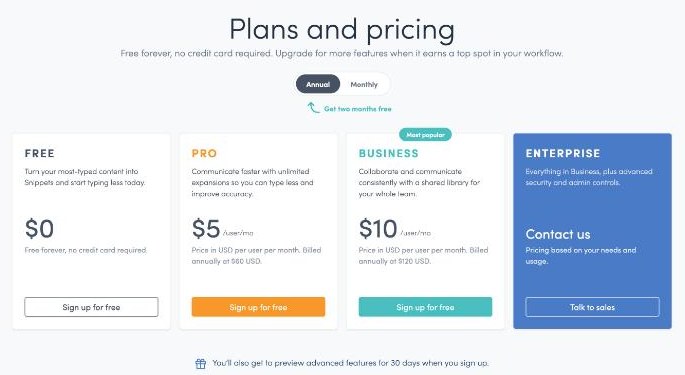
| Plan | Annual billing | Monthly billing | Key limits |
|---|---|---|---|
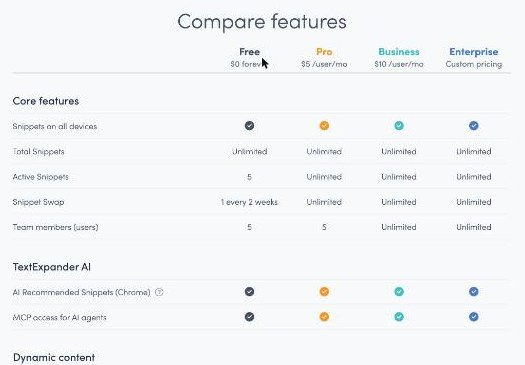
| Free | $0 | $0 | 5 active Snippets, 1 Snippet swap every 2 weeks, up to 5 team members |
| Pro | $5/user/mo ($60/year) | $6/user/mo | Unlimited active Snippets, up to 5 users, dynamic content |
| Business | $10/user/mo ($120/year) | $12/user/mo | Unlimited users, Snippet Requests, guest sharing, Google SSO |
| Enterprise | Custom | Custom | SSO for all providers with SCIM, custom reporting, invoiced billing |
Prices exclude tax; VAT or GST may be added depending on where you are. New accounts also get a 30-day preview of paid features.
The free plan’s important number is not the price, it’s five active Snippets. You can store as many Snippets as you like, but only five work at once, and you can swap one of them for another every two weeks. My six-Snippet starter library above is already one over the limit.
What happens after the 30-day preview is worth knowing too. According to the pricing FAQ, your account moves to Free automatically, all your Snippets are kept, and five stay active. Upgrading later makes them all active again.
What Free includes for fill-ins, and what needs Pro
The comparison table lists basic fill-ins, dates and times, and the date picker on the Free plan. That covers most of the Snippets above. Pro adds the more advanced dynamic content: date math, time math and nested Snippets, conditional sections in fill-ins, the delay macro, JavaScript Snippets, and on macOS, AppleScript and shell script Snippets.
For a freelancer, the Pro features that actually matter are usually:
- Date math – “payment due 14 days from today” calculated automatically.
- Nested Snippets – your
;siginside every other Snippet, so you update your booking link once. - Conditional sections – text that changes based on a choice in the fill-in.
Is Pro worth $60 a year for a freelancer?
Here’s a simple way to decide during the 30-day preview:
- Build your library with everything unlocked and use it normally for three weeks.
- At the end, list the Snippets you actually expanded. Most people find a handful do most of the work.
- If that list is five or fewer and none of them depend on date math or nested Snippets, stay on Free.
- If it’s longer, or your payment reminders depend on calculated dates, Pro at $5 a month billed annually is the cheaper option than paying monthly at $6.
The rough time maths is easy to do yourself: if your Snippets save even a few minutes a day on emails you’d otherwise type, $60 a year is a small fraction of one billable hour for most freelancers. The bigger benefit, in my view, is consistency. Your deposit terms, scope wording and feedback rules read the same way to every client.
You’d only need Business if you work with more than five people sharing one library, or need features like guest sharing and Google SSO. Pro covers up to five users, which is plenty for a freelancer working with a couple of subcontractors.
Who should skip it
- Freelancers who mostly type on Android. TextExpander lists Mac, Windows, iPhone and iPad, and the Chrome extension. If your client messages happen on an Android phone, check support before you commit.
- People who send very few repeat messages. If you have two or three standard emails, the Free plan’s five active Snippets are enough, and you may not need a paid plan at all.
- Anyone who wants templates to live inside one app. If all your client communication happens in a single tool with its own templates (some freelance CRMs and proposal tools have them), a separate expander may be one tool too many.
My take
TextExpander is most useful to freelancers when you stop thinking of it as a shortcut tool and start treating it as the place where your client communication rules live. Fill-ins are what make that work: one Snippet per situation, personalised in a few seconds, worded the way you’d write it on your best day.
Start on the free plan, use the 30-day preview to build a proper library, and let your actual usage decide. If you end up with more than five Snippets you use every week, or you want reminders that calculate their own dates, Pro at $60 a year is an easy decision.
FAQ
Is TextExpander free for freelancers?
Yes, there’s a free plan with no credit card required. It includes unlimited stored Snippets but only five active at once, with one Snippet swap every two weeks.
How much does TextExpander Pro cost?
Pro is $5 per user per month billed annually ($60 a year), or $6 per user per month on monthly billing. Prices are in USD and exclude tax.
What are TextExpander fill-ins?
Fill-ins are fields inside a Snippet (single line, multi-line, date picker, popup menu and optional section) that you complete when the Snippet expands, so one Snippet can produce a personalised message each time.
What happens when the 30-day preview ends?
Your account moves to the Free plan automatically. All your Snippets are kept and five stay active; upgrading makes the rest active again.
Does TextExpander work on Mac and Windows?
Yes. One account works on Mac, Windows, iPhone and iPad and through the Chrome extension, and Snippets sync on every plan.