
Disclosure: some links on this page may be affiliate links. If you sign up through them I may earn a commission at no extra cost to you.
Most freelancers do not hate taxes. They hate the pile: a year of card transactions, a folder of receipts, three 1099s that arrive in January, and the nagging sense that something deductible slipped through. The Keeper tax app is built to shrink that pile. It connects to your accounts, flags likely write-offs, and ends the year with a return a tax pro reviews and signs.
But “handled in one place”, as Keeper puts it, does not mean you disappear from the process. This article sorts Keeper’s work into two columns: what you can actually hand off, and what still stays on your desk. Plan details and prices come from Keeper’s pricing page as it reads today. Keeper is built around US federal and state returns, so this is written for US-based freelancers and 1099 contractors.
What You Can Hand Off to the Keeper Tax App
Expense tracking across every account
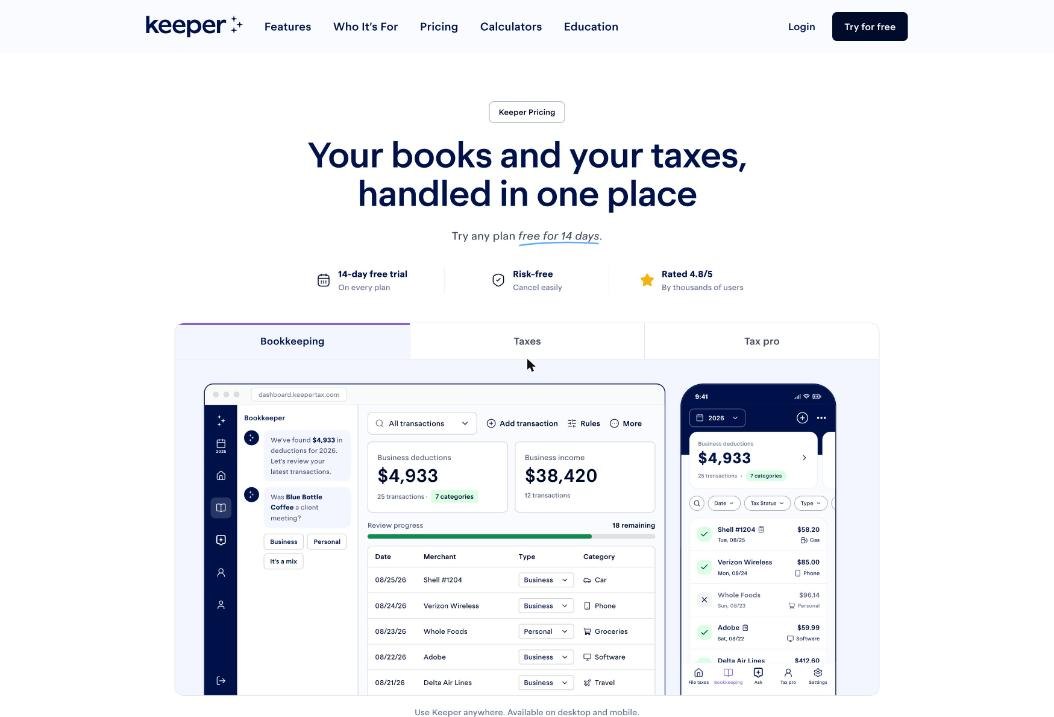
Keeper tracks expenses automatically from connected bank and card accounts, and every plan allows unlimited accounts. For a freelancer who pays for software on one card, travel on another and the odd client lunch from a personal account, that matters more than any single feature. You stop exporting statements; the transactions arrive on their own.
Spotting and sorting deductions
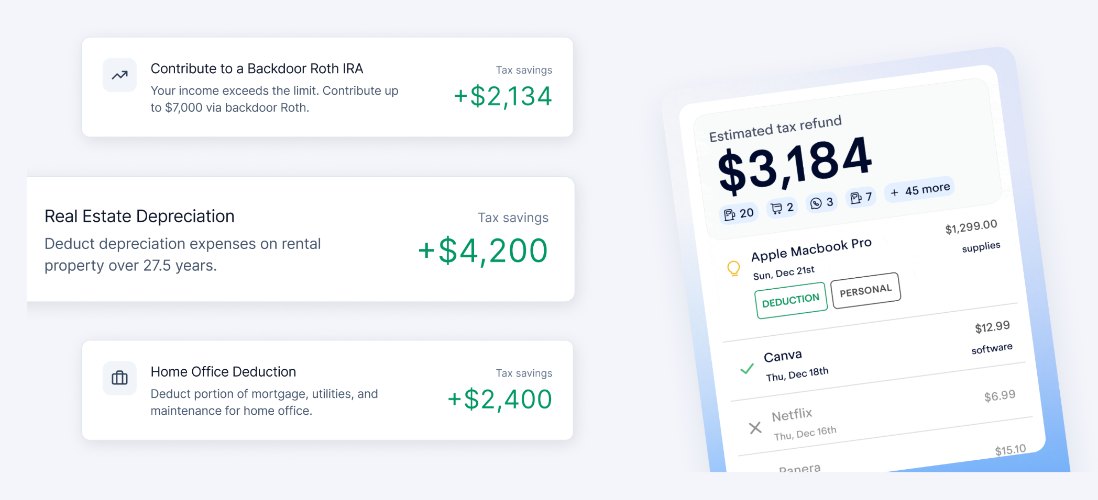
Keeper’s AI finds write-offs and categorizes them for your taxes. Its own description is that it “finds write-offs you’d miss”. Two related tools take repetitive work off your plate:
- Recurring rules. Tell Keeper once how to treat a merchant, and it applies that rule to future expenses. Your monthly design software subscription only needs a decision once.
- Itemizing mixed orders. Keeper can split orders from retailers like Amazon into business and personal items, which is where many freelancers either over-claim or give up.
Receipts
You can snap a receipt to add an expense or match it to an existing transaction. That turns the shoebox into a habit that takes seconds, right after you pay.
Preparing and filing the return
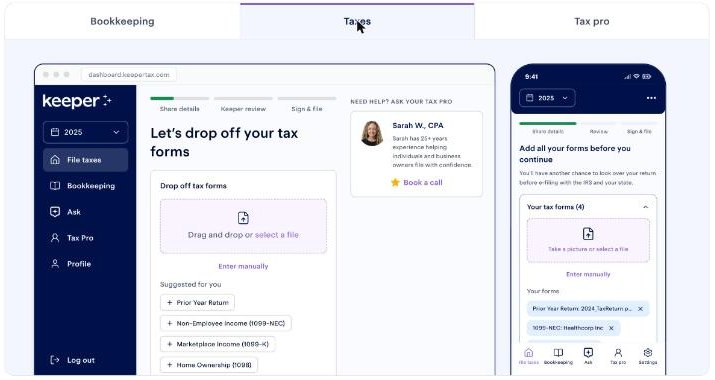
On every yearly plan, Keeper files your federal return plus up to two state returns, and a tax pro reviews and signs the return before it is filed. You upload your forms, such as 1099-NEC and 1099-K, in the taxes area of the app.
What Stays on Your Desk
This is the column most reviews skip, and it is the one that decides whether Keeper feels like help or like another inbox.
Answering the “was this business?” questions
Keeper suggests; you confirm. Its bookkeeping view literally asks questions such as whether a coffee purchase was a client meeting, with buttons for Business, Personal or “It’s a mix”. The AI reduces the number of decisions, but the decisions are still yours, and so is the responsibility for them. Plan on a short weekly review rather than a marathon in March.
Getting paid
Keeper’s plan pages are about bookkeeping and taxes. They do not list invoicing or payment collection, so your invoicing tool stays. Keeper tracks the income once it lands in a connected account. If you are still choosing how to bill clients, my notes on the Wave Pro plan cover one option.
Mileage, for now
Mileage tracking is listed as “coming soon” on Keeper’s comparison table. If you drive to clients, keep your current mileage log until it ships.
Quarterly payments on the Standard plan
Freelancers usually owe estimated taxes during the year. Scheduling quarterly payments in Keeper is a Premium feature. On Standard, you still calculate and pay estimates yourself (Keeper does offer a free quarterly tax calculator on its site).
Anything outside the plan’s scope
Standard covers federal plus up to two states. More states, rentals, K-1s or investor situations need Premium. An S-Corp or partnership return needs Business. If your situation is outside your plan, that work stays with you or moves up a tier.
See what Keeper finds in your accounts
Keeper Plans and Prices

| Plan | Price | What it adds |
|---|---|---|
| Bookkeeping Only | $20/month | Expense tracking and deduction finding. No tax filing. |
| Standard | $199/year ($16.58/month billed yearly) | Year-round bookkeeping, federal plus up to 2 state returns, reviewed and signed by a tax pro. |
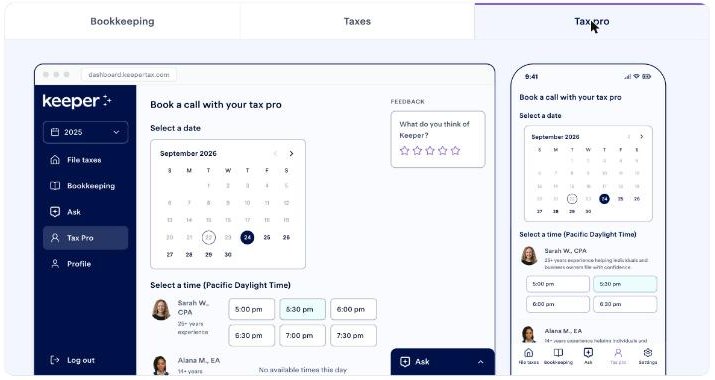
| Premium | $399/year ($33.25/month billed yearly) | Audit protection, 3+ state returns, rentals, K-1s and investors, quarterly tax payments, meetings with a tax pro, amended returns, late returns up to 5 years back. |
| Business | $1,199/year ($99.92/month billed yearly) | Everything in Premium plus S-Corp (Form 1120-S) and partnership (Form 1065) filing and a year-end book review and close. |
Every plan starts with a 14-day free trial, and Keeper says you can cancel anytime from your account.
Which Plan Matches How Much You Want to Hand Off
Here is how I would match plans to the two columns above:
- Bookkeeping Only suits a freelancer who already has an accountant for the return and just wants clean, categorized books to send them.
- Standard fits a single-member freelancer in one or two states with mostly 1099 income who is comfortable paying quarterly estimates on their own.
- Premium is the plan for handing off more: quarterly payments, a call with a tax pro, audit protection and the ability to fix past returns. If you have missed a filing year, the late-return coverage alone may justify it.
- Business is only for freelancers who have elected S-Corp status or run a partnership.
A Weekly Routine That Keeps Your Side Small
The work that stays with you shrinks a lot if you do it little and often. This is the routine I would use:
- Monday, five minutes: answer Keeper’s business-or-personal questions from the past week.
- Whenever you pay: snap the receipt right away.
- New recurring charge: create a rule the first time it appears.
- Once a quarter: check your estimated tax, and pay it (or let Premium schedule it).
- January: upload your 1099s as they arrive instead of waiting for all of them.
If your bigger problem is separating business and personal spending in the first place, my notes on QuickBooks Solopreneur for mixed business and personal accounts cover the same issue from a bookkeeping-software angle.
Keeper Versus a Spreadsheet and Self-Filing
The honest comparison for many freelancers is not Keeper against another app. It is Keeper against what they do now: a spreadsheet, a bank export and do-it-yourself tax software in April. Here is how the work shifts:
| Task | Spreadsheet and self-filing | Keeper Standard |
|---|---|---|
| Collecting transactions | Export statements from each account | Pulled in automatically from connected accounts |
| Spotting deductions | Your own memory and research | AI suggestions you confirm |
| Repeat merchants | Categorize every time | One rule, applied going forward |
| Mixed Amazon orders | Split by hand or skip | Itemized into business and personal |
| Return review | Nobody, unless you hire someone | Reviewed and signed by a tax pro |
| Quarterly estimates | You calculate and pay | You calculate and pay (Premium schedules them) |
The biggest change is not speed. It is that the year-end pile never forms, because categorizing happens a few transactions at a time. The second change is the review: on a spreadsheet, a missed deduction or a wrong category simply goes unnoticed. With Keeper, a tax pro looks at the return before it is filed.
Where the spreadsheet still wins is control and cost. If you have very few transactions and enjoy doing your own return, $199 a year may buy you convenience you do not need. Keeper earns its price when your transactions are many, spread across accounts, and mixed between business and personal use.
My Take
Keeper is strongest at the tedious middle of freelance taxes: pulling in transactions, suggesting deductions, remembering your rules, and ending the year with a return a tax pro signs. What it does not do is make decisions for you, send invoices, or (yet) track mileage, and some of the most useful hand-offs, such as quarterly payments and tax pro calls, sit on Premium rather than Standard.
For a typical US freelancer with 1099 income in one state, Standard at $199 a year is the sensible starting point. Move to Premium if you want quarterly payments handled or a person to talk to. Use the 14-day trial to connect your accounts and see what Keeper flags before you decide.
FAQ
How much does the Keeper tax app cost?
Standard is $199 a year, Premium $399 a year and Business $1,199 a year. Bookkeeping Only is $20 a month and does not include tax filing.
Does Keeper file state returns?
Yes. Standard includes a federal return plus up to two state returns. Premium and Business cover three or more states.
Does a real person check my return?
Yes. On every yearly plan, a tax pro reviews and signs your return before it is filed.
Can Keeper pay my quarterly estimated taxes?
Scheduling quarterly tax payments is included on Premium and Business, not on Standard.
Does Keeper track mileage?
Not yet. Mileage tracking is listed as coming soon on Keeper’s plan comparison, so keep a separate log for now.
Is there a free trial?
Yes. Every Keeper plan starts with 14 days free, and you can cancel before the trial ends without being charged.