
Disclosure: some links on this page may be affiliate links. If you sign up through them I may earn a commission at no extra cost to you.
For years, the Asana free plan was an easy recommendation for freelancers: free, polished, and roomy enough to invite a few clients. That has changed. Asana’s current free tier, called Asana Personal, is now described as a plan for one or two people, and Asana’s help center says the older Personal plan, which allowed up to 10 seats, is being phased out. If you run client work on Asana for free, or you are about to start, the question is no longer “is it enough?” but “how do I fit my freelance business into two seats?”
This guide works through that question practically. It covers what the free plan still includes, what the two-seat limit actually blocks, a setup that keeps you inside it, and the exact moment the $10.99 Starter plan becomes the cheaper option in time and sanity.
What the Asana free plan includes today
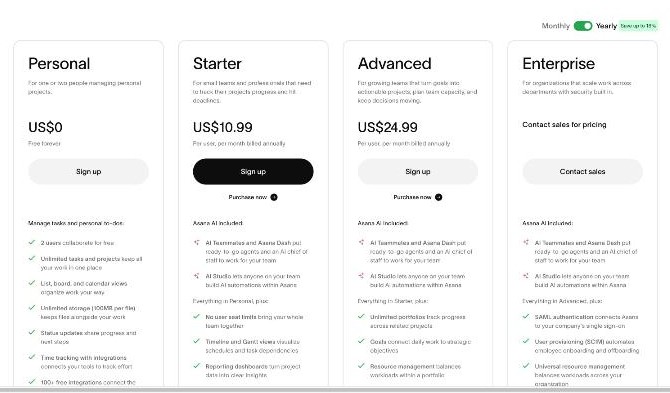
Asana’s pricing page lists the Personal plan at US$0, “free forever”, with these features:
- 2 users collaborating for free
- Unlimited tasks and projects
- List, board and calendar views
- Unlimited storage, with a 100MB limit per file
- Status updates to share progress and next steps
- Time tracking through integrations
- More than 100 free integrations
The help center adds mobile and desktop apps to that list. For a solo freelancer, this covers the core of project management: a project per client, tasks with due dates, a board for your pipeline and a calendar for deadlines. Unlimited projects and tasks mean you will not hit a content limit, and 100MB per file is plenty for most briefs, drafts and contracts.
The two-seat limit, explained without the marketing
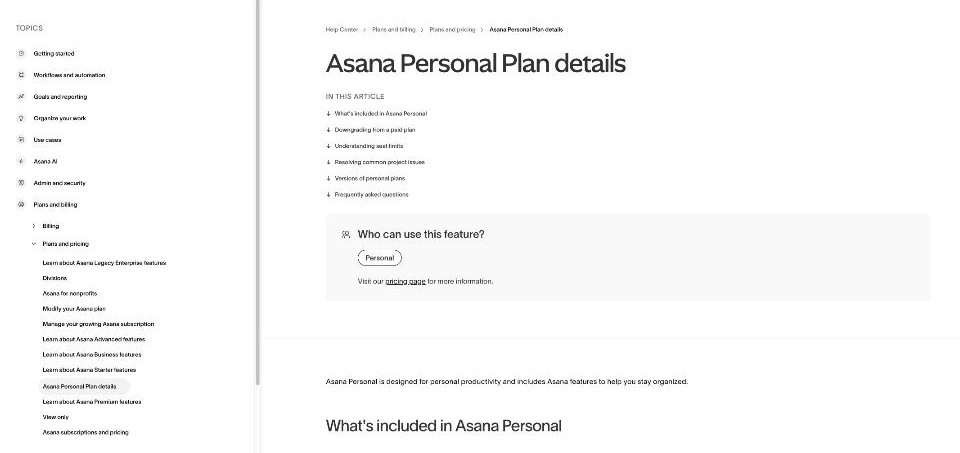
Asana’s help article on the Personal plan is unusually direct about the limits. Three of them shape how a freelancer can use it.
1. Two seats in total, not two per client
Personal includes up to two seats, and the help center says a project with more than two members shows an error until you remove members or upgrade. If you downgrade from a paid plan with more than two users, you are prompted to remove people to fit the limit. In practice, that means you plus one other person. If you have five clients, you cannot invite all five into Asana on the free plan.
2. No guests on the free plan
Unlimited free guests, the feature that made Asana attractive for client collaboration, appears in the Starter plan’s list on the pricing page, not in Personal. So the usual trick of inviting clients as guests is not part of the free tier.
3. Paid features lock whole projects
This one catches people out. If a project contains paid features such as custom fields, start dates or dependencies, the help center says you will see a message that the project uses a paid feature and needs an upgrade. Asana’s suggested workaround is to export the project as CSV, delete the columns for the paid features, and import it into a new project.
The help center also lists what you lose when moving from a paid plan to Personal: Asana AI and AI Studio, public projects, the timeline (Gantt) view, workflow builder and automation rules, advanced reporting and dashboards, forms, advanced search and admin console features.
If you are on an older account, check which version you have. Asana’s help center notes that legacy Personal accounts may be prompted to upgrade or adjust the workspace to the two-seat limit.
Who the second seat should go to
With only one seat to give away, choose deliberately. These are the three realistic options for a freelancer, with my take on each.
Option A: a subcontractor or assistant
If you regularly hand work to one person, such as a virtual assistant, a designer you partner with or a developer who takes overflow, give the seat to them. Asana is at its best when both people work inside the same tasks every day, and a long-term collaborator gets that value. Your clients stay outside Asana and receive updates another way.
Option B: your largest retainer client
If most of your income comes from one ongoing client who likes visibility, invite them. They see their project and its due dates in real time, and you avoid weekly “where are we?” emails from the account that matters most. Keep other clients’ projects private so this client does not see them.
Option C: nobody, for now
Plenty of freelancers use Asana as a private system. If you work alone and clients are happy with email updates, keeping both seats unused costs nothing and leaves room for later.
What does not work well is rotating the seat between clients. Each time you remove someone to add another, you are doing admin work the plan was never designed for, and the removed person loses access in the middle of a relationship.
A free-plan setup for a one-person freelance business
Here is a structure that stays inside the Personal plan’s rules and still keeps client work organized.
One project per client, kept private
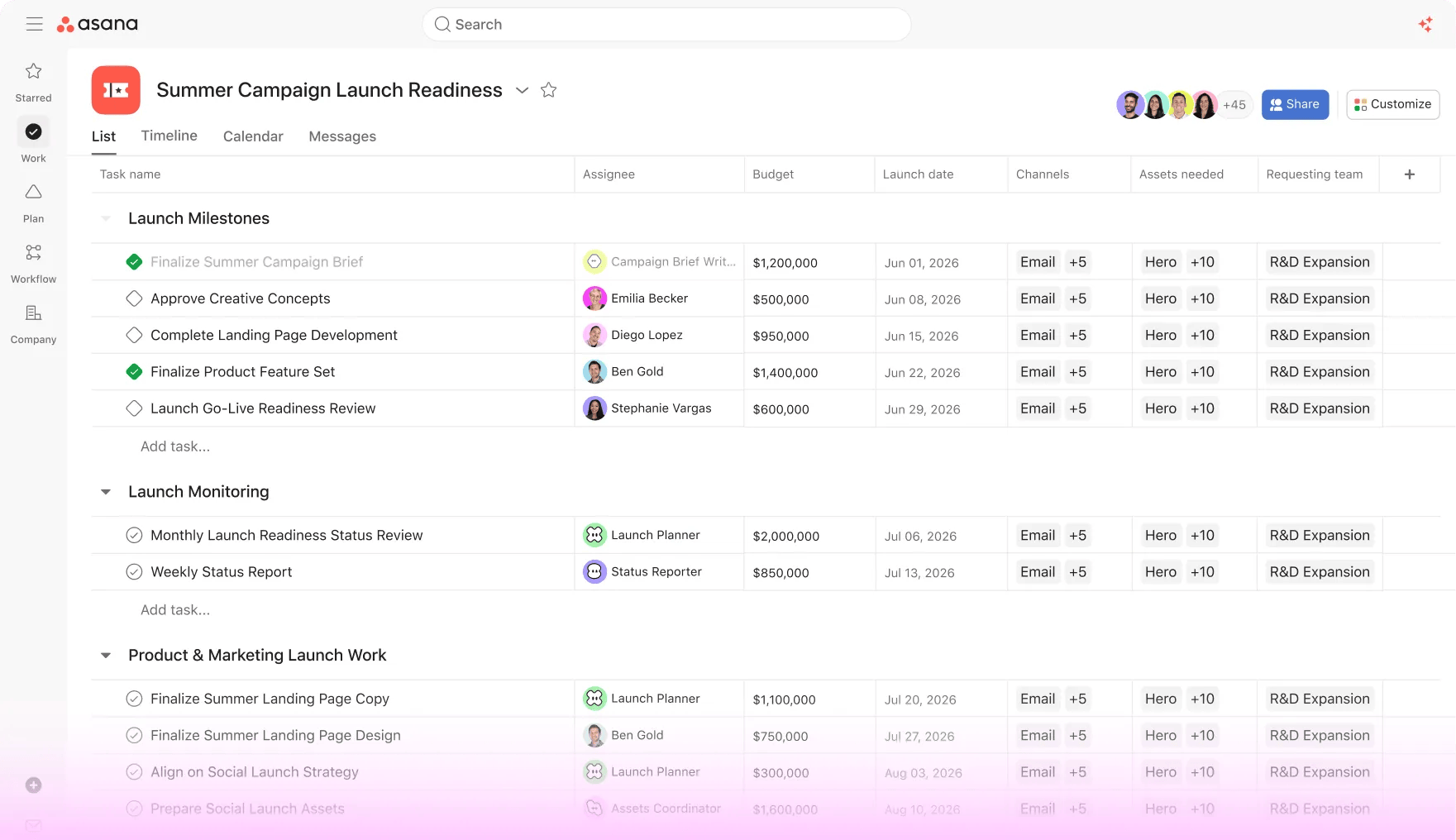
Create a project for each client, set it to private, and use sections for phases such as Brief, In progress, Review and Delivered. Board view turns those sections into columns you can drag tasks across. Avoid custom fields, start dates and dependencies, so the project never gets locked as a paid-feature project if your plan changes.
Put the important details in the task, not in fields
Without custom fields, use the task name and description. A consistent naming pattern, for example “[Client] Deliverable – round 2”, keeps the list readable, and the description holds the brief, links and agreed scope. Due dates still work as normal, and the calendar view shows every deadline across a project.
A pipeline board for leads
Add one more private project for your sales pipeline with sections like Lead, Proposal sent, Signed and Paid. Board view makes it a simple visual pipeline. It will not replace a CRM, but it keeps the next action for each lead visible next to your delivery work.
Client updates without inviting the client
Use Asana’s status updates to write a short weekly summary for each project, then paste or forward it to the client by email. You keep one record of progress in Asana, and the client gets a clean update without needing an account.
Time tracking through an integration
Asana Personal lists time tracking through integrations rather than a built-in timer. If you bill hourly, connect the time tracker you already use, and check that it works with the free plan before you rely on it for invoices.

When Starter becomes the cheaper choice
Starter costs US$10.99 per user per month on annual billing; the pricing page says yearly billing saves up to 18% compared with monthly. As a solo user you pay for one seat, which works out to about US$131.88 a year on annual billing.
Here is what that seat adds that matters to a freelancer:
- Unlimited free guests, so every client can see their own project without paying for a seat
- No seat limit, if you later add a partner or assistant
- Forms that turn requests into tasks, useful for client intake or change requests
- Custom fields for budgets, priorities or invoice status
- Custom templates to start every client project with the same structure
- Unlimited automations for routine handoffs
- Timeline and Gantt views and reporting dashboards
- Asana AI, including AI Teammates, Asana Dash and AI Studio
My rule for switching is simple. Upgrade when one of these becomes true:
- Two or more clients want to see their projects inside Asana at the same time.
- You need a third person in the workspace, for example a client plus a subcontractor.
- You catch yourself rebuilding the same project structure by hand for every new client, which a custom template would solve.
- You want intake through a form instead of emails.
If none of those apply, the free plan is doing its job and there is no reason to pay.
Alternatives if two seats feel too tight
If guest access for clients is the main thing you need, compare how other tools handle it before upgrading. I looked at ClickUp guests for freelancers in an earlier article, which is the closest like-for-like comparison. If you prefer a lighter, board-first tool, my notes on Trello for freelancers cover how far a simple board can take client work.
FAQ
Is the Asana free plan still free?
Yes. Asana Personal costs US$0 and is listed as free forever, with unlimited tasks and projects, list, board and calendar views, and more than 100 integrations.
How many users can the Asana free plan have?
Two. The pricing page says two users collaborate for free, and the help center describes a two-seat limit. Projects with more than two members need members removed or an upgrade.
Can I invite clients as guests on Asana’s free plan?
Unlimited free guests are listed under the Starter plan, not Personal. On the free plan, any client you invite uses one of the two seats.
Why does Asana say my project uses a paid feature?
Projects with paid features such as custom fields, start dates or dependencies cannot be used on Personal. Asana suggests exporting to CSV, deleting those columns and importing the file into a new project.
How much is Asana Starter for one freelancer?
US$10.99 per user per month billed annually, so roughly US$131.88 a year for one seat. It adds unlimited free guests, forms, custom fields, templates, automations and Asana AI.
Final thoughts
The Asana free plan is still a strong private workspace for a freelancer, with unlimited projects, three useful views and plenty of integrations. What it no longer does is double as a free client portal. Treat the second seat as a scarce resource, give it to the one person you work with most, keep projects free of paid features, and send clients your status updates by email. The day you need several clients inside Asana at once, Starter’s free guests are the real reason to pay, and at one seat it is a modest cost for a tidy client experience.