Disclosure: some links on this page may be affiliate links. If you sign up through them I may earn a commission at no extra cost to you.
Picture this: it is 11 p.m., a client delivery is due at 9 a.m., and your laptop will not turn on. Maybe it was a spilled coffee, maybe a dead SSD, maybe it was stolen from a café. The question that decides how bad your morning is will not be “which laptop do I buy next?” It will be “where is the latest copy of the client’s files?” Backblaze Personal Backup is one answer to that question, and in this article I look at it through exactly that scenario: what you can get back, how fast, and what it costs a freelancer to have that safety net running quietly in the background.
All prices and limits below come from Backblaze’s own pricing, feature and documentation pages as they read today.
Sync is not backup, and that matters for client work
Most freelancers already use Dropbox, Google Drive or a similar sync folder, and it is easy to assume that counts as a backup. It covers part of the risk, but sync tools are built to keep the same files in several places. If a file gets corrupted, overwritten or deleted on your laptop, that change can sync everywhere. Sync also only protects what lives inside the synced folder, while real client work tends to sprawl: a Downloads folder full of briefs, a desktop full of exports, a video project on an external drive.
Computer backup works differently. Backblaze backs up the data files on your computer, plus external drives you select, and keeps previous and deleted versions for a period of time. I compared the sync side of this in Dropbox Plus vs Standard for freelancers; think of Backblaze as the layer underneath that catches what sync misses.
What Backblaze Personal Backup costs
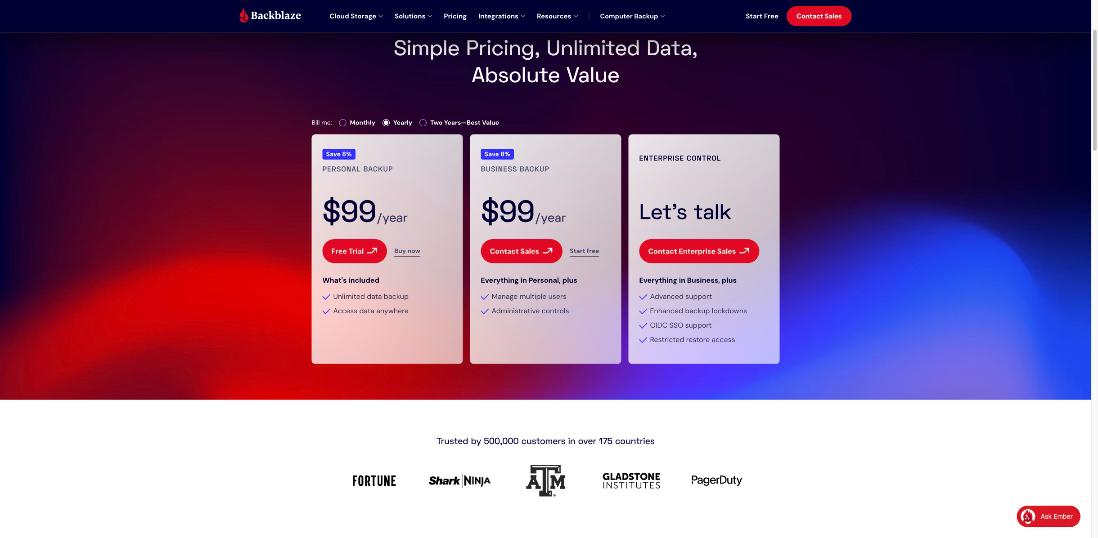
The pricing page lists Personal Backup with three billing options:
| Billing | Price | Effective monthly cost |
|---|---|---|
| Monthly | $9/month | $9.00 |
| Yearly | $99/year | about $8.25 |
| Two years | $189 for two years | about $7.88 |
Each plan includes unlimited data backup, with no restrictions on file type or size, and access to your files from anywhere. Backblaze also offers a Business Backup plan, shown at the same $99 a year, which adds management of multiple users and administrative controls. A solo freelancer backing up one machine will usually not need those admin features; if you are unsure which plan fits your situation, read Backblaze’s terms before buying.
The dead-laptop scenario, step by step
1. Getting tonight’s files: the free web download
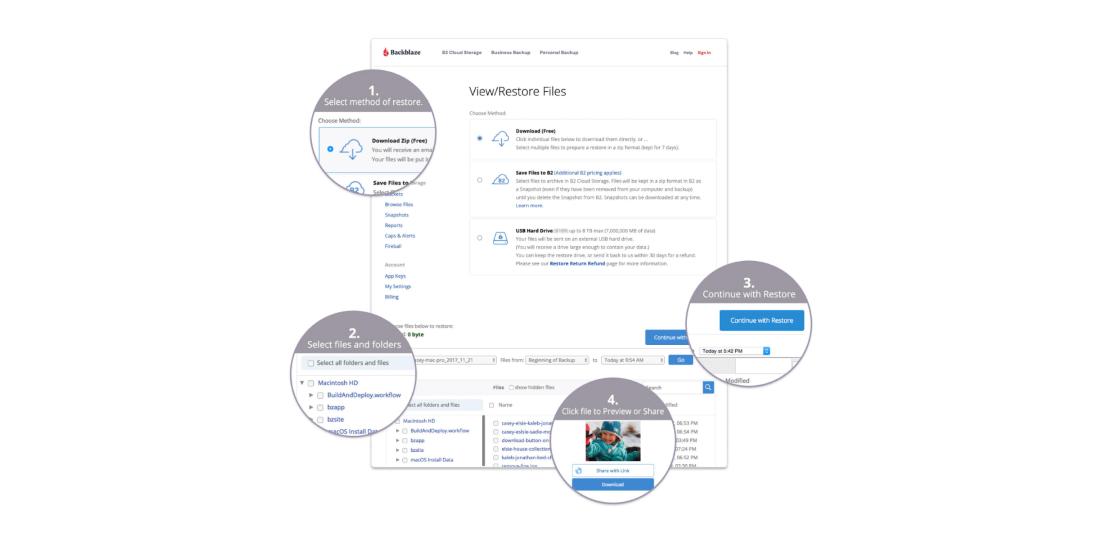
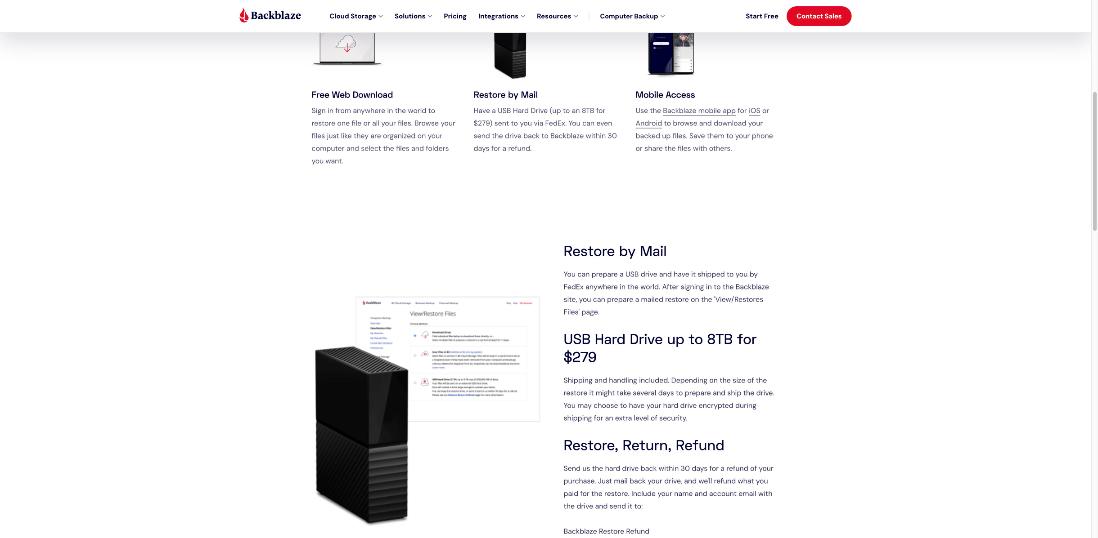
From any working browser, you sign in to your Backblaze account, browse your files just as they were organized on your computer, and select the files or folders you need. Backblaze prepares them as a download, and the web restore is free. For a deadline, this is the path that matters: borrow a computer, pull down the client folder, finish the job.
The practical tip here is to know your folder structure. If your client work lives in one clearly named folder, finding “everything for Client X” takes seconds. If it is scattered across Desktop, Downloads and three drives, you will be hunting at midnight.
2. Getting everything back: restore by mail
Once the deadline is met, you need your whole machine back, and downloading hundreds of gigabytes over a home connection can be slow. Backblaze offers a USB hard drive restore: a drive of up to 8TB, sent by FedEx, for $279 including shipping and handling. The restore page says you can send the drive back within 30 days for a refund of the purchase. Backblaze also notes that preparing and shipping can take several days depending on the size of the restore, and you can choose to have the drive encrypted for shipping.
3. Grabbing one file from your phone
The Backblaze mobile app for iOS and Android lets you browse and download backed-up files, save them to your phone or share them. That is handy if a client asks for “that logo file from last month” while you are away from any computer.
4. If the laptop was stolen
Backblaze lists a feature to find a lost or stolen computer. It will not bring the laptop back on its own, but combined with a full backup it means the theft costs you hardware, not work.
Version history: the setting every freelancer should change on day one
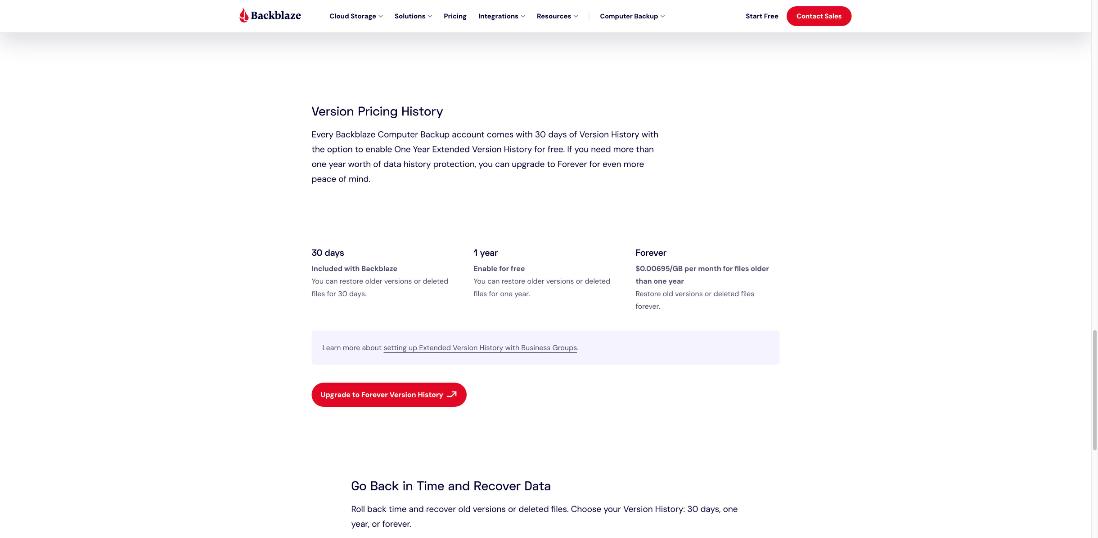
This is the part I would not skip. By default, Backblaze keeps a 30-day version history. If a file is changed or deleted, the previous version stays in your backup for 30 days, then it is removed, leaving only the current version.
Thirty days is short for client work. A client comes back two months later asking for “the version before the last round of edits,” or you realize a file was quietly overwritten weeks ago. Backblaze lets you extend version history on client version 7.0 or newer:
- 30 days: included.
- 1 year: Backblaze’s documentation says you can add one-year version history with no additional cost for storage, and the feature page describes it as “enable for free.”
- Forever: the feature page lists $0.00695 per GB per month for files older than one year.
For most freelancers, switching to one year is the obvious move, since it costs nothing extra according to Backblaze’s own pages. Forever makes sense only if you have a reason to keep old versions indefinitely, and since it is billed per GB, it is worth estimating how much older data you would actually keep.
Security: what protects your clients’ data
If you hold client files, you are partly responsible for how they are stored. Backblaze lists encryption with an optional private encryption key, and two-factor authentication by SMS or authenticator app (TOTP) for all accounts. Its personal page also states that private encryption means only you can access your files.
Two practical notes. First, turn on two-factor authentication, because a backup that anyone with your password can download is a risk of its own. Second, if you set a private encryption key, store it somewhere safe that does not depend on the same laptop. A password manager is the natural place; I covered why that matters in the locked-out freelancer problem and Bitwarden Premium. Lose the key, and your encrypted backup is of no use to you either.
A 15-minute setup checklist for freelancers
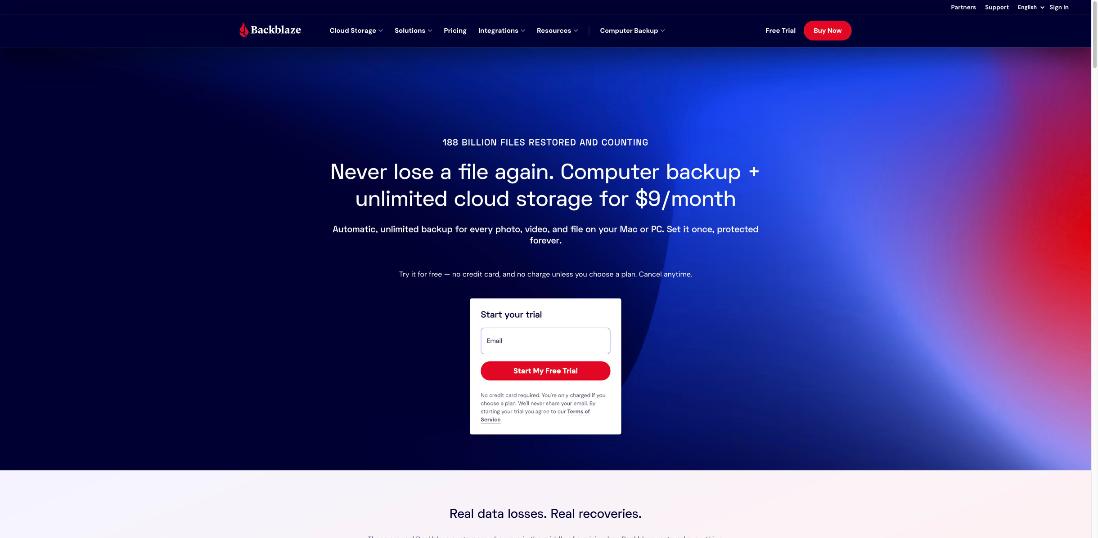
- Start the free trial from the Backblaze site. The personal page says no credit card is required and you are only charged if you choose a plan.
- Let the first backup run. The first upload of a full laptop can take a while, depending on how much data you have and your upload speed. Leave the computer on and connected where you can.
- Extend version history to one year in your settings.
- Enable two-factor authentication.
- Add external drives that hold client projects, and plug them in regularly so they stay current. Backblaze’s documentation explains how long a disconnected drive’s data is kept, so check it if you archive projects on drives you rarely connect.
- Do a test restore of one small folder through the web. A backup you have never restored from is a backup you are trusting blindly.
- Pick your billing. After the trial, yearly at $99 is the simplest choice; two years at $189 saves a little more if you are sure you will keep it.
Is $99 a year worth it for a freelancer?
I think about it as a cost per project. If you deliver even one paid project a month, $99 a year is a small fraction of what a single lost deliverable would cost in redone hours and client trust. The value is not in features you use every day; most days you won’t think about Backblaze at all. The value is in that one bad night when the laptop dies.
Where Backblaze is a weaker fit:
- You need to collaborate on files. Backblaze is backup, not file sharing for teams. Keep a sync tool for collaboration.
- Your work lives entirely in cloud apps. If everything is in Google Workspace, Figma or a similar web tool, a computer backup protects less of your real work. Check what export or backup options those services offer.
- You are on a slow upload connection. Unlimited backup is only useful once the first upload has finished.
My take
Backblaze Personal Backup is the kind of tool a freelancer should set up once and then forget about until the day it saves a deadline. At $99 a year for unlimited data, with a free web restore, a mail-in drive option and one-year version history at no extra storage cost, it covers the dead-laptop scenario well. Pair it with a sync tool for day-to-day sharing, enable one-year history and two-factor authentication on day one, and run a test restore so you know the process before you need it.
FAQ
How much does Backblaze Personal Backup cost?
The pricing page shows $9 a month, $99 a year, or $189 for two years, with unlimited data backup.
Does Backblaze keep deleted files?
Yes, for a time. By default, Backblaze keeps a 30-day version history. You can extend it to one year with no additional storage cost, or to Forever for a per-GB monthly fee on files older than one year.
How do I restore files if my laptop dies?
Sign in to Backblaze from any browser and download the files or folders you need for free. For a full restore, you can order a USB hard drive of up to 8TB for $279, which Backblaze refunds if you return the drive within 30 days.
Is Backblaze the same as Dropbox or Google Drive?
No. Sync services keep the same files in several places, so a deletion or bad edit can spread. Backblaze backs up your computer and selected external drives and keeps previous versions for the version history period you choose.
Is there a free trial?
Yes. Backblaze’s personal page says you can start a free trial without a credit card and are only charged if you choose a plan.