
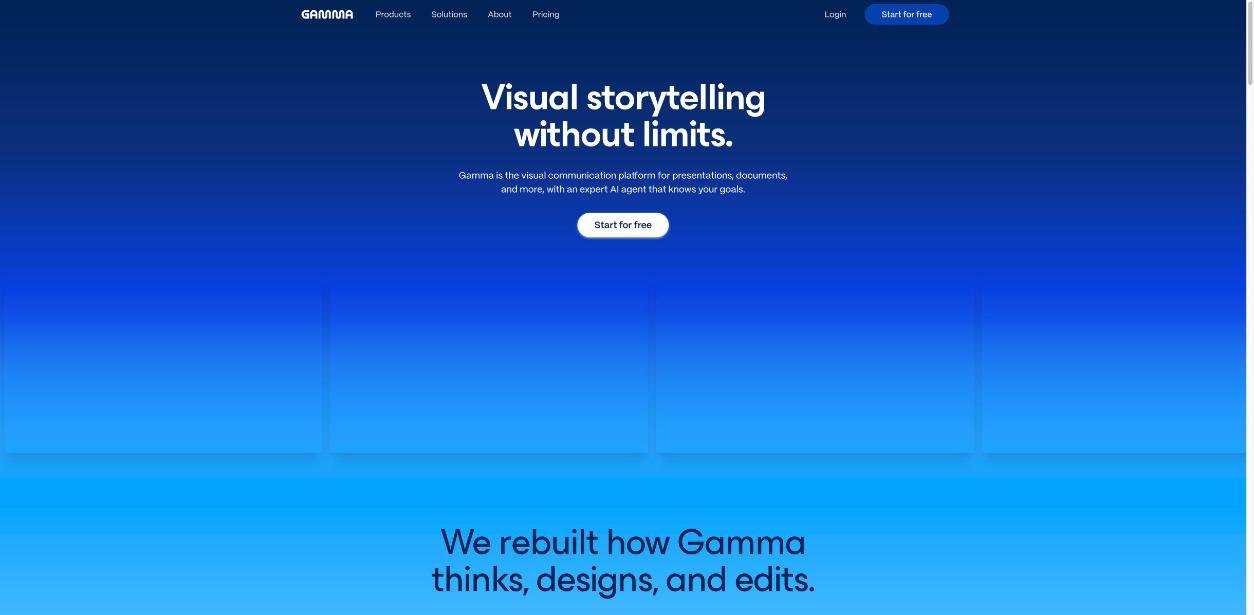
Most freelancers I know have the same unfinished job on their list: “fix my portfolio site.” The old one is out of date, rebuilding it in a website builder feels like a week of work, and meanwhile the real selling happens in pitch decks and PDFs sent after discovery calls. That is why a Gamma portfolio website is an interesting idea. Gamma started as an AI tool for presentations, and it can now publish the same kind of content as a website, on a free gamma.site address or on your own domain.
So can it replace a freelance portfolio site? I went through Gamma’s current plans and help documentation to answer a narrower, more practical question: what does each plan actually let you publish, and where does the free route stop being good enough for a freelancer who wants to look professional to clients?
Why a Gamma portfolio website makes sense for freelancers
A freelance portfolio has a simple job. It needs to show who you are, what you do, a few examples of work, proof that clients were happy, and a clear way to get in touch. It rarely needs a blog engine, a shop or complex page logic.
Gamma fits that shape well, for three reasons:
- You already make this content. If you send clients a capabilities deck or a case-study PDF, that is most of your portfolio. Gamma can convert an existing gamma into a site, and it can import PDF and PPTX files on every plan, including Free.
- Hosting is handled. Gamma’s help center says plainly that you do not need hosting: you choose a domain and publish.
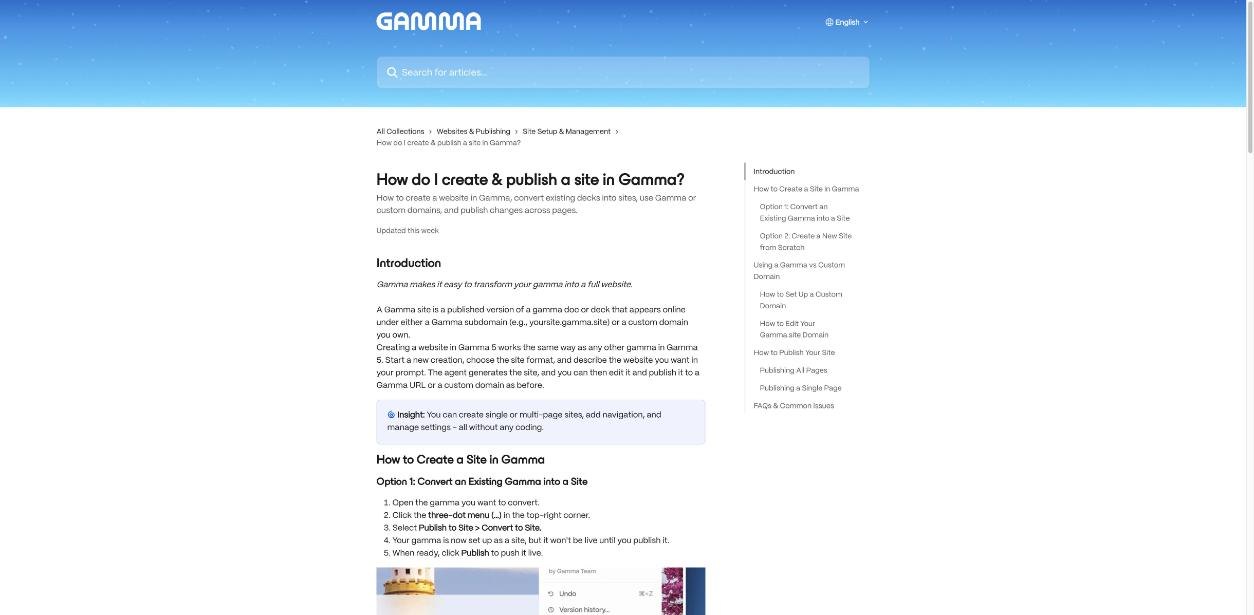
- The AI does the first draft. In Gamma 5, you start a new creation, choose the site format and describe the website you want. The agent generates it, and you edit from there.
There are trade-offs, and I will get to them. But for a solo freelancer, “one tool for the deck and the website” is a genuinely useful promise.
Two ways to build the site
Gamma’s help article on sites describes two routes. Which one you choose depends on whether you already have material.
Route 1: convert something you already have
If you have a strong pitch deck or case-study presentation in Gamma, open it, click the three-dot menu in the top-right corner and choose Publish to Site > Convert to Site. The gamma becomes a site, but it is not live until you publish it.
One warning from the same help article: Gamma currently does not support turning a site back into a presentation. If you still need the deck for client calls, duplicate it first and convert the copy. Otherwise you will be copying slides back out by hand.
Route 2: start from a prompt
From the Sites tab in the dashboard, you can create a new site from a prompt or start blank, then choose a theme and template and generate. For a portfolio, I would give the agent a structured brief rather than a vague request. For example: “A one-page portfolio for a freelance brand designer. Sections: short intro, three services with one line each, three case studies with the problem, what I did and the result, two client quotes, and a contact section with a booking link.”
The output will still need your real case studies and real numbers. AI is good at layout and structure; it cannot know what you delivered for a client.
What each plan lets you publish
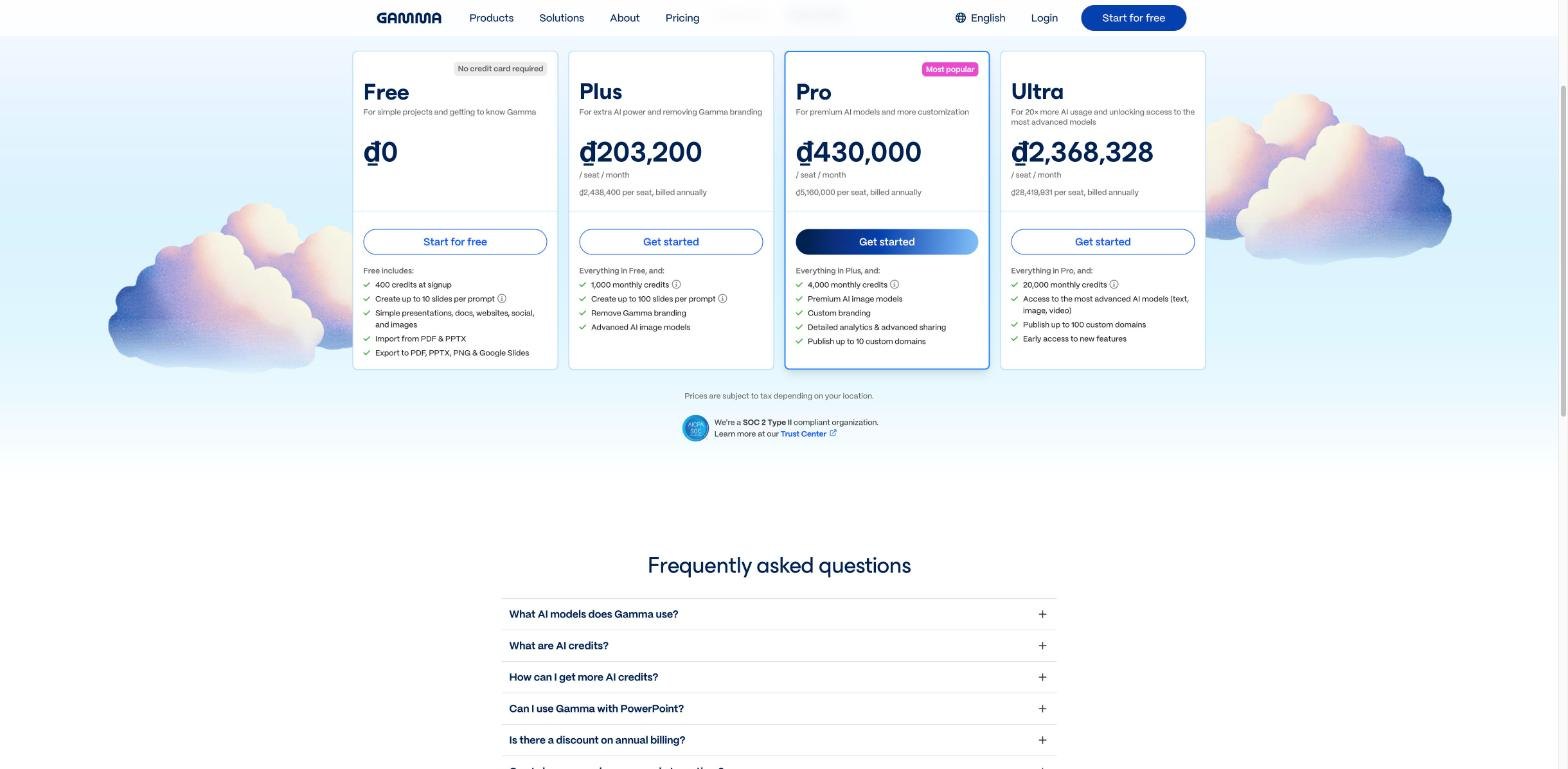
This is the part that decides whether the free route is enough. Here is what Gamma’s pricing page and help center list today, focused on what matters for a portfolio.
| Plan | AI credits | Branding | Domain | Useful extras for a portfolio |
|---|---|---|---|---|
| Free | 400 credits at signup; they do not refresh | “Made with Gamma” badge stays | gamma.site subdomain | Up to 10 slides or cards per prompt, import PDF and PPTX, export to PDF, PPTX, PNG and Google Slides |
| Plus | 1,000 per month | Badge removed | gamma.site subdomain | Up to 100 slides per prompt, advanced AI image models |
| Pro | 4,000 per month | Badge removed, custom branding | Up to 10 custom domains | Detailed analytics on individual viewers, password protection, headers and footers, premium image models, API access |
| Ultra | 20,000 per month | Badge removed, custom branding | Up to 100 custom domains | Access to the most advanced AI models, early access to new features |
A few notes. Prices are per seat, and Gamma’s help center says two users on a plan are billed twice. The pricing page offers savings of up to 28% with annual billing. Gamma shows prices in local currency, so check the pricing page from your own country for the exact figure, and note that tax may be added depending on location.
Free vs Plus vs Pro for a freelance portfolio
Free: fine for a test, weak as a shop window
On Free you can build and publish a real site on a gamma.site subdomain, which is enough to test whether Gamma suits you. The limits show up quickly, though. Your 400 signup credits do not refresh (you can earn 200 more per referral, up to 2,000 held at once), and the “Made with Gamma” badge stays on shared content. For a portfolio, that badge is the bigger issue: you are asking clients to pay you for professional work, and the site itself carries another company’s name.
Plus: removes the badge, keeps the subdomain
Plus removes the badge and gives you 1,000 credits every month, which is plenty for building and revising one portfolio. But the address is still yourname.gamma.site. For some freelancers that is acceptable, especially if most clients reach you through referrals or a marketplace profile. For anyone who puts their website on proposals and invoices, a branded subdomain on someone else’s domain looks temporary.
Pro: the first plan that works as your main website
Pro is where the portfolio idea becomes complete. Custom domains are only available on Pro and above, according to Gamma’s help center, and Pro allows up to 10 multi-page sites on your own domains. You can connect a domain bought from any major provider, or buy one inside Gamma’s site settings.
Pro also adds two features I think are underrated for freelancers. Detailed analytics lets you see individual viewer engagement, which is useful when you send a portfolio link before a sales call. And password protection lets you share a private case study that a client asked you not to publish openly.
If you already pay for Pro for client decks, the website effectively comes free. That is the strongest argument for this whole setup.

Publishing and updating without breaking things
Gamma gives you two publishing options. Publish at the top of the site pushes changes across all pages and settings. Or you can open the Pages panel, use the three-dot menu beside a page and choose Publish This Page. The single-page option is handy when you add one new case study and do not want half-finished edits on other pages to go live at the same time.
Before publishing, use Preview to check the site on desktop, tablet and mobile. Clients will open your link on a phone more often than you expect, usually right after a call. If you ever need to take the site down, Gamma lets you disable it from Site Settings.
Where Gamma falls short as a portfolio site
- No blog. Gamma’s help center says sites do not currently support blogging. If content marketing is part of how you win clients, keep a separate blog, or use a builder that has one.
- No e-commerce. You cannot sell productized services or templates directly on a Gamma site. Link out to your checkout or booking tool instead.
- Forms and booking live elsewhere. For a contact form or intake questions, embed or link a dedicated tool. I covered a simple option in Carrd for freelancers and its forms.
- One-way conversion. As mentioned, a site cannot be reverted to a presentation, so duplicate before converting.
- Credits run out on Free. Every AI regeneration spends credits, and Free credits do not refresh. Plan your edits, or do small changes by hand.
A simple Gamma portfolio structure that works
Whatever plan you choose, keep the site short. This is the structure I would start with:
- Intro: one sentence on who you help and with what.
- Services: three at most, each with who it is for.
- Case studies: three, each with the problem, what you did and a concrete result. Use a separate page per case study if they are long.
- Proof: two or three short client quotes. If collecting them is the hard part, my Senja testimonials routine fits neatly at the end of each project.
- Contact: one clear action, such as a booking link.
That fits comfortably in a multi-page Gamma site, and it is the same content you will reuse in pitch decks, which is the whole point.
My verdict
A Gamma portfolio website is a good fit for freelancers whose selling already runs on decks and case studies, and who want one tool to produce both. On Free and Plus it works well as a test or a secondary link, but the gamma.site address, and on Free the badge, make it a weak main website. On Pro, with your own domain, viewer analytics and password protection, it becomes a credible replacement for a simple portfolio site.
Skip it if you rely on a blog for leads or need to sell directly from your site. In that case, use Gamma for decks and keep a proper website builder for the rest.
FAQ
Can I make a website with Gamma for free?
Yes. All Gamma users can publish a site to a free gamma.site subdomain. Free accounts get 400 AI credits at signup, which do not refresh, and shared content keeps the “Made with Gamma” badge.
Which Gamma plan supports a custom domain?
Custom domains are available on Pro and above. Pro lets you publish up to 10 sites on custom domains, and Ultra up to 100.
Can Gamma sites have a blog or sell products?
Not currently. Gamma’s help center says sites do not support e-commerce or blogging features.
Can I turn my Gamma pitch deck into a portfolio site?
Yes. Open the gamma, choose Publish to Site and then Convert to Site. Duplicate the deck first, because Gamma does not support converting a site back into a presentation.
Do I need separate hosting for a Gamma site?
No. Gamma handles the hosting. You choose a gamma.site subdomain or connect your own domain on Pro and above, then publish.