Most freelancers do not lose work because they are bad at it. They lose it in the quiet months, when past clients forget they exist and the pipeline is one referral deep. A short, automated email series to people who already know your work is one of the cheapest fixes, and it is exactly what Kit email sequences are built for, even though Kit (formerly ConvertKit) markets itself mainly to newsletter creators.
This guide looks at Kit from that one angle: how a freelancer can use it to keep past clients and warm leads in touch, which plan that needs, and where the free plan stops. All prices and plan details come from Kit’s official pricing page and its Visual Automations and Landing Pages feature pages as they read today.
What a freelancer’s email list is actually for
A freelancer’s list is not a media business. You are not trying to reach 50,000 readers or sell sponsorships. The list has three small groups of people, and each one needs something different:
- Past clients who were happy with the work and might hire you again or refer you.
- Warm leads who asked for a quote, downloaded a resource or booked a call but did not buy.
- Referral partners, such as agencies or other freelancers who pass work along.
Each group might be a few dozen people. That is fine. The job of the list is to make sure that, when one of them has a project, your name is the most recent one they saw. A sequence does that without you having to remember to write.
Which Kit plan email sequences need
Kit has three plans. The prices below are for 1,000 subscribers, which is more than most freelance lists will need in their first year.
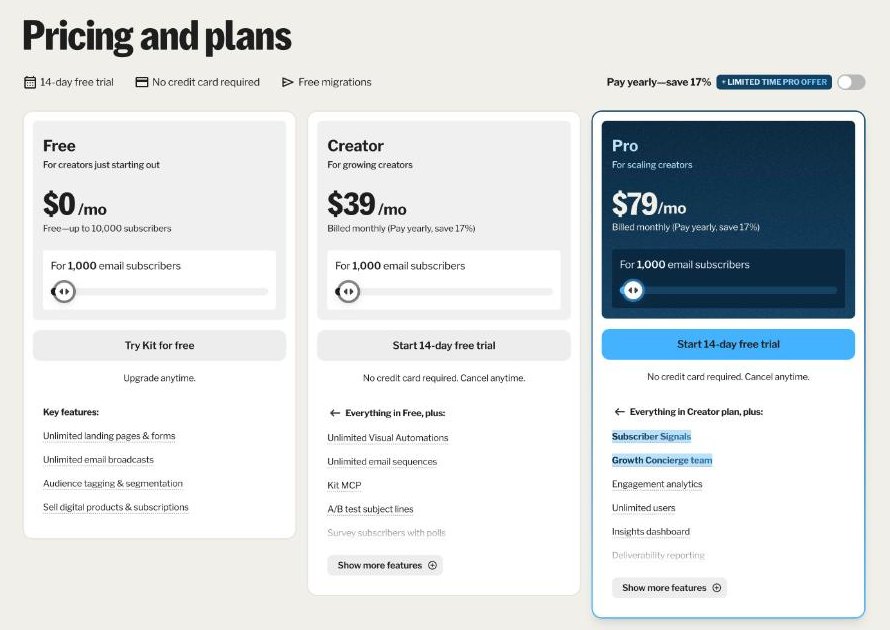
| Plan | Monthly billing | Annual billing | Sequences and automations | Users |
|---|---|---|---|---|
| Free | $0 (up to 10,000 subscribers) | $0 | Not included | 1 |
| Creator | $39/mo | $33/mo ($390/yr) | Unlimited | 2 |
| Pro | $79/mo | $66/mo | Unlimited | Unlimited |
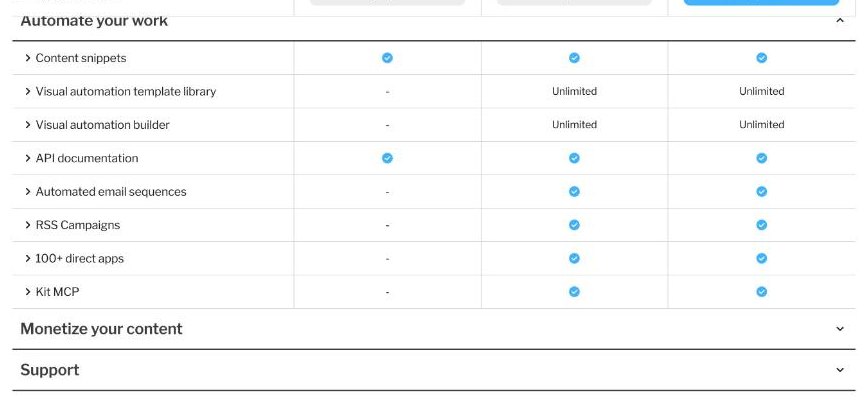
The key line is in Kit’s comparison table: automated email sequences, the visual automation builder and the automation template library are all marked as not included on Free. So the free plan gives you forms, landing pages, unlimited broadcasts and tagging, but not the automatic follow-up that this guide is about. Creator is the plan you need.
At the time of writing, Kit is also running a limited-time offer on Pro annual: 25% off the first year, shown as $50 a month and $593 billed for the first year, ending November 7, 2026. The discount applies to the first year only. For a freelancer, Pro’s extras (engagement scoring, deliverability reporting, unlimited users) are rarely needed, so I would not upgrade for the discount alone.
Creator and Pro both come with a 14-day free trial that needs no credit card, and Kit’s FAQ says it refunds monthly or annual plans within the first 30 days after signup.
The setup, step by step
This is the setup I would build for a freelance designer, writer or developer. It takes an afternoon, and most of that time is writing the emails.
1. One landing page and one form
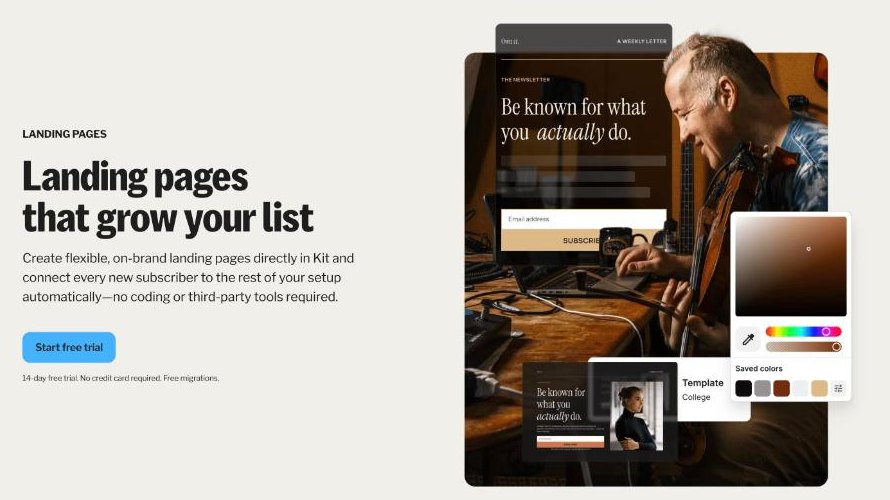
Kit’s Free plan includes unlimited landing pages and forms, and you can use a free Kit domain or connect your own. A freelancer needs two entry points: a simple landing page you can link from a proposal or invoice (“Get my monthly notes on [your specialty]”), and an inline form on your portfolio site.
Past clients will not fill in a form, so add them yourself, with their permission. The simplest way to ask is in your project wrap-up email: “I send a short note every few weeks with ideas for [type of business]. Want me to add you?” Only add people who say yes.
2. Tag people by relationship, not by interest
Kit’s subscriber tagging lets you label people by entry point, interest or action. Newsletter creators usually tag by topic. A freelancer gets more from tagging by relationship: past-client, lead and referral-partner. Add a second tag for the service, such as web-design or copywriting, if you offer more than one.
Tags are what let the automation send the right sequence to the right person, and they let you send a one-off broadcast to just one group later.
3. Write the past-client sequence
This is the part that keeps work coming in. A sequence is a series of emails sent on a schedule. I would keep the past-client sequence short and spaced out, because these people already trust you and do not need persuading:
- Two weeks after the project ends: a thank-you, a link to the finished work if it is public, and one tip for getting more out of what you delivered.
- Six weeks later: a short case note about a similar problem you solved for someone else, with no pitch.
- Three months later: a check-in. “Anything coming up this quarter I can help with?” and a booking link.
- Five months later: a referral ask, kept light: who else might need this kind of work.
- Seven months later: what is new in your services or availability, and the booking link again.
After the sequence ends, the person simply stays on your list for regular broadcasts. Kit’s Creator plan includes unlimited sequences, so you can write a separate, shorter one for leads, focused on answering the objections that stopped them from hiring you.
4. Connect it with a visual automation
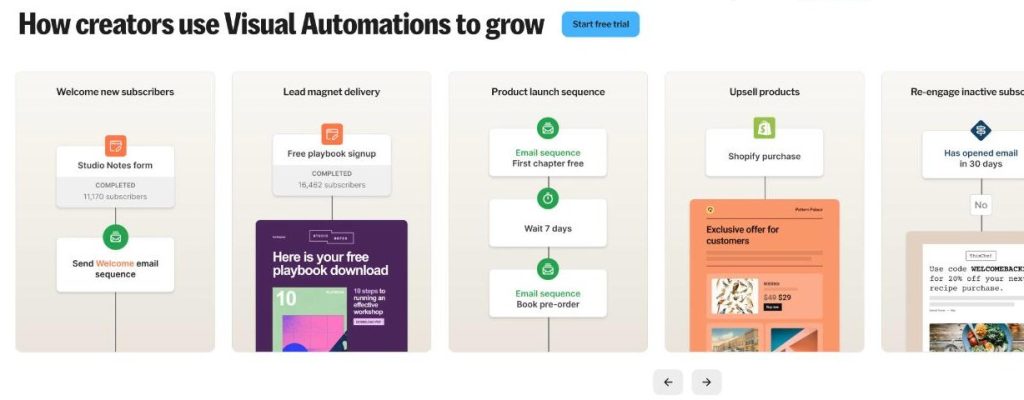
Kit’s Visual Automations connect the pieces. According to Kit’s feature page, automations can be triggered when someone signs up, clicks a link, buys a product, goes inactive or meets custom criteria, and they can send emails, apply tags, adjust segments and add delays.
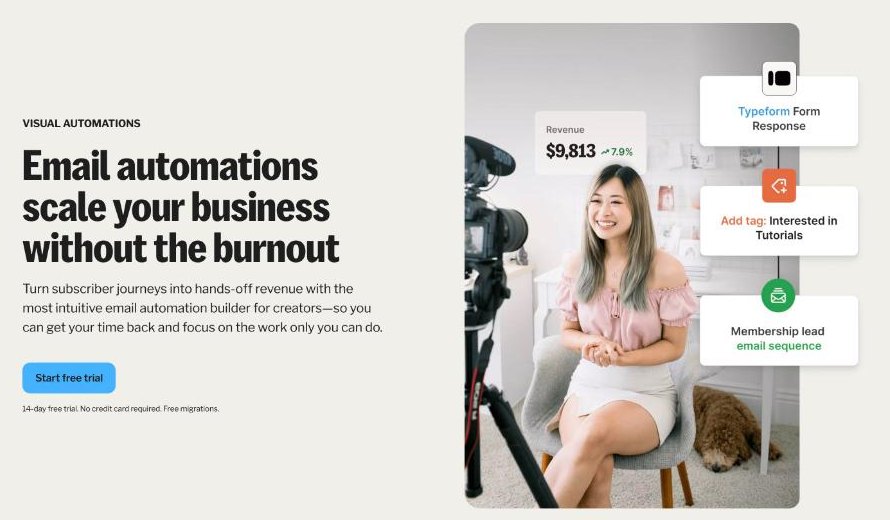
For this setup, two small automations are enough:
- Tag added: past-client → start the past-client sequence. When you tag someone at the end of a project, the follow-up starts on its own.
- Link clicked: booking link → add tag hot. When anyone clicks your booking link in an email, tag them so you can see who is showing intent and follow up personally.
Kit also says it integrates with more than 100 platforms through the Kit App Store, and lists Calendly among them. If you book discovery calls through Calendly, check whether that integration can tag people who book, so they leave the lead sequence instead of receiving another nudge after they have already scheduled.
5. Use broadcasts for everyone else
Broadcasts are one-time emails, and they are unlimited on every plan, including Free. Once a month, send a short note to the whole list: one useful idea, one recent project, and your availability. Because of the tags, you can also send a broadcast only to referral partners when you have capacity to take on overflow work.
What it costs a freelancer over a year
On Creator, a freelancer with up to 1,000 subscribers pays $39 a month on monthly billing, or $390 a year on annual billing. Kit’s FAQ says that if you go over your plan’s subscriber limit, it automatically moves you to the next subscriber tier, and that downgrading after cleaning your list currently needs an email to Kit’s support team. Prices rise as the list grows, so check the slider on the pricing page if you plan to import a larger contact list.
If you sell anything through Kit, such as a template pack or a paid mini-guide, Kit lists a transaction fee of 3.5% plus 30 cents on all plans.
Is that worth it? One extra project a year from a past client usually covers the cost many times over. The more honest question is whether you will write the emails. A sequence that never gets written costs $390 a year and earns nothing.
Where Kit is overkill for freelancers
- If you only want a monthly newsletter. The Free plan covers broadcasts, forms and tagging for up to 10,000 subscribers. You do not need Creator until you want automation.
- If your clients are a handful of retainers. With five long-term clients, a personal email every quarter beats any sequence.
- If your CRM already sends follow-ups. If you track deals in a sales CRM with email automation, adding Kit means two systems emailing the same people. I covered that kind of setup in Pipedrive for freelancers who sell retainers.
Kit fits best when your follow-up problem is many small, warm relationships rather than a few big deals. It pairs well with a booking tool, and if you are deciding how to protect your calendar from those calls, see how Acuity Scheduling keeps client calls out of deep-work hours.
Pros and cons for freelancers
Pros
- Free plan covers landing pages, forms, broadcasts and tagging for up to 10,000 subscribers.
- Creator includes unlimited sequences and visual automations.
- Tag-based automations suit relationship-based lists.
- 14-day free trial without a card, and a 30-day refund window.
Cons
- Email sequences are not available on the Free plan.
- Pricing scales with subscribers and plans auto-upgrade when you pass a tier.
- Most templates and examples are written for creators, not service businesses.
- Downgrading after a list clean-up needs a request to support.
Verdict
Kit is not built for freelancers, but its core idea, tag people and let sequences follow up automatically, solves the quiet-month problem better than most freelance CRMs. Start on the Free plan to collect emails and send monthly broadcasts. Move to Creator when you are ready to write a past-client sequence, because that is where Kit starts earning its fee.
FAQ
Can I use Kit email sequences on the free plan?
No. Kit’s comparison table marks automated email sequences and the visual automation builder as not included on Free. They start on the Creator plan.
How much does Kit Creator cost?
For 1,000 subscribers, Creator is $39 a month billed monthly, or $33 a month billed annually ($390 a year). Prices rise with subscriber count.
Is ConvertKit the same as Kit?
Yes. Kit’s site describes itself as formerly ConvertKit.
Does Kit have a free trial?
Yes. Creator and Pro include a 14-day free trial with no credit card required.
Does Kit work with Calendly?
Kit lists Calendly among the 100+ platforms it integrates with through the Kit App Store.
How many people can use one Kit account?
Free includes 1 user, Creator 2 users and Pro unlimited users.