Disclosure: some links in this guide are partner links. If you sign up through them, this site may earn a commission at no extra cost to you. It does not change the facts or the advice below.
Once a freelancer looks after more than a handful of client websites, hosting stops being a technical choice and becomes an access problem. Who logs in where? Can a client see their own site without seeing everyone else’s? If one client’s plugin gets hacked, does it touch the others? Hostinger Agency hosting is built around exactly those questions: one plan for up to 100, 200 or 300 sites, with per-site access sharing, site isolation and an optional unbranded client dashboard.
This guide is not a speed test or a general Hostinger review. It walks through how I would set up an Agency plan as a freelancer: which plan fits, how client and collaborator access works, what the migration does and does not move, and the features Agency plans currently lack compared with Hostinger’s Cloud plans. All plan details come from Hostinger’s Agency hosting page and its help center as they read today.
What Hostinger Agency hosting is
Hostinger describes agency hosting as a service for web developers, freelancers and agencies who look after multiple client websites from one account and one dashboard. The Agency page highlights four things: full website isolation, access sharing per site, a server tuned for up to 40% faster sites, and unbranded client dashboards.

Every site on the plan runs in its own environment. Hostinger’s point is that a problem on one site, such as a compromised plugin, should not spread to the other sites on the same plan. For a freelancer hosting fifteen small business sites, that is the main difference from stacking everything on a regular shared hosting account.
The three plans and how many client sites each holds
Hostinger sells three Agency tiers. The resources come from the plan selector on the Agency page; the PHP worker figures come from Hostinger’s getting-started guide.
| Plan | Websites | CPU / RAM | NVMe storage | Inodes | PHP workers |
|---|---|---|---|---|---|
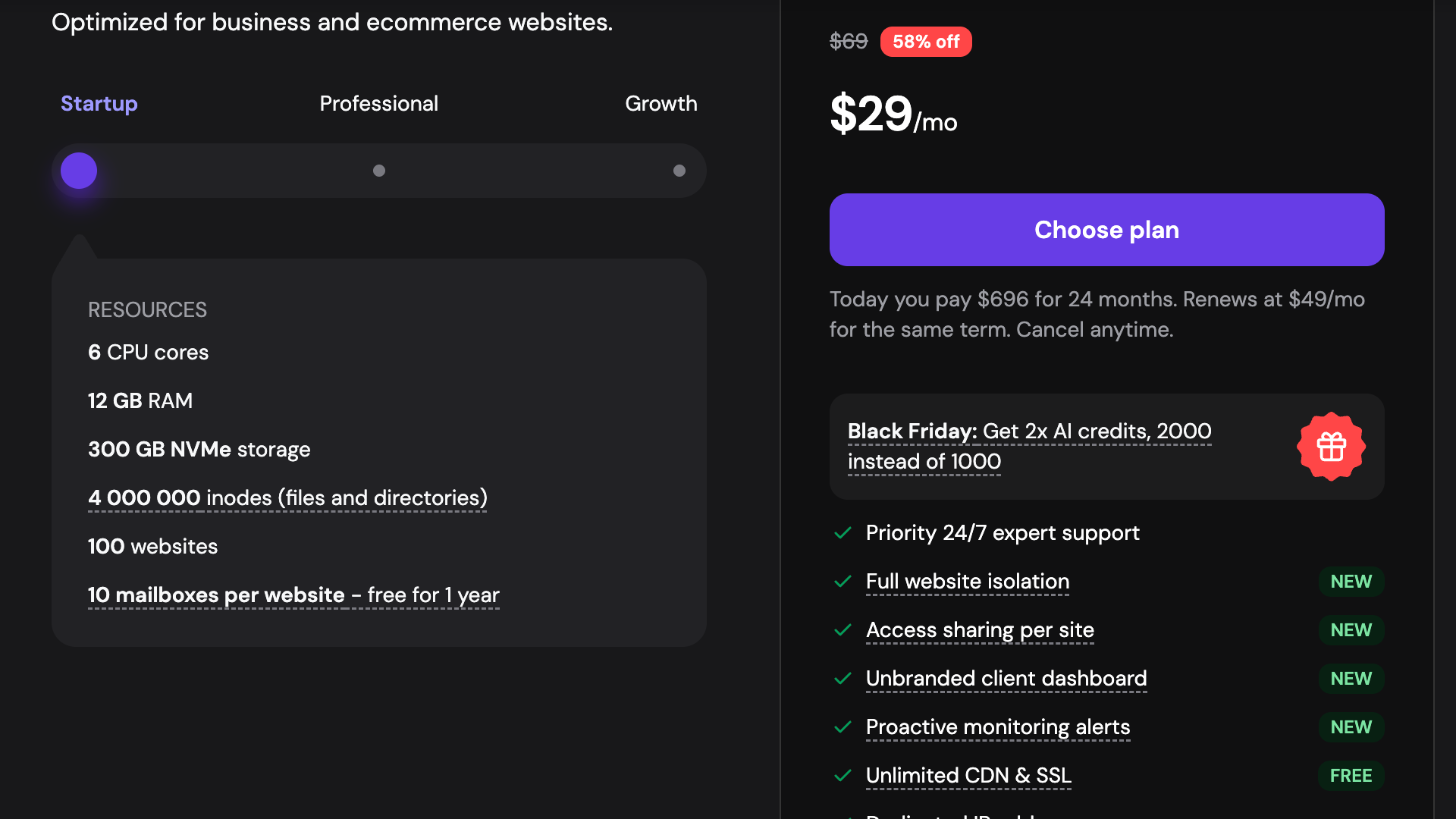
| Agency Startup | 100 | 6 cores / 12 GB | 300 GB | 4,000,000 | 4,800 |
| Agency Professional | 200 | 8 cores / 20 GB | 500 GB | 6,000,000 | 9,600 |
| Agency Growth | 300 | 10 cores / 30 GB | 700 GB | 8,000,000 | 14,400 |
Each plan also lists mailboxes per website (10, 20 and 30), free for the first year.
Prices, and the line to read under them
At the time of writing, Hostinger is running a Black Friday promotion. On a 24-month term the page shows:
- Agency Startup: $29/mo (list $69), $696 paid today for 24 months, renews at $49/mo
- Agency Professional: $44/mo (list $89), $1,056 paid today, renews at $69/mo
- Agency Growth: $64/mo (list $109), $1,536 paid today, renews at $89/mo
Two things to note. The promotional price is paid upfront for the whole term, plus any taxes. And the renewal price is much closer to list than to the promo. If you charge clients a monthly hosting and care fee, price it against the renewal rate, not the launch offer. Every plan comes with a 30-day money-back guarantee.
For most solo freelancers, Agency Startup is the realistic plan. A hundred sites is far more than one person can maintain well, so the limits that matter are RAM and PHP workers when several client sites get busy at the same time. Move up a tier when you host a few WooCommerce stores or other sites with real traffic, not just because the site count grows.
Setting up access: collaborators, clients and the unbranded dashboard
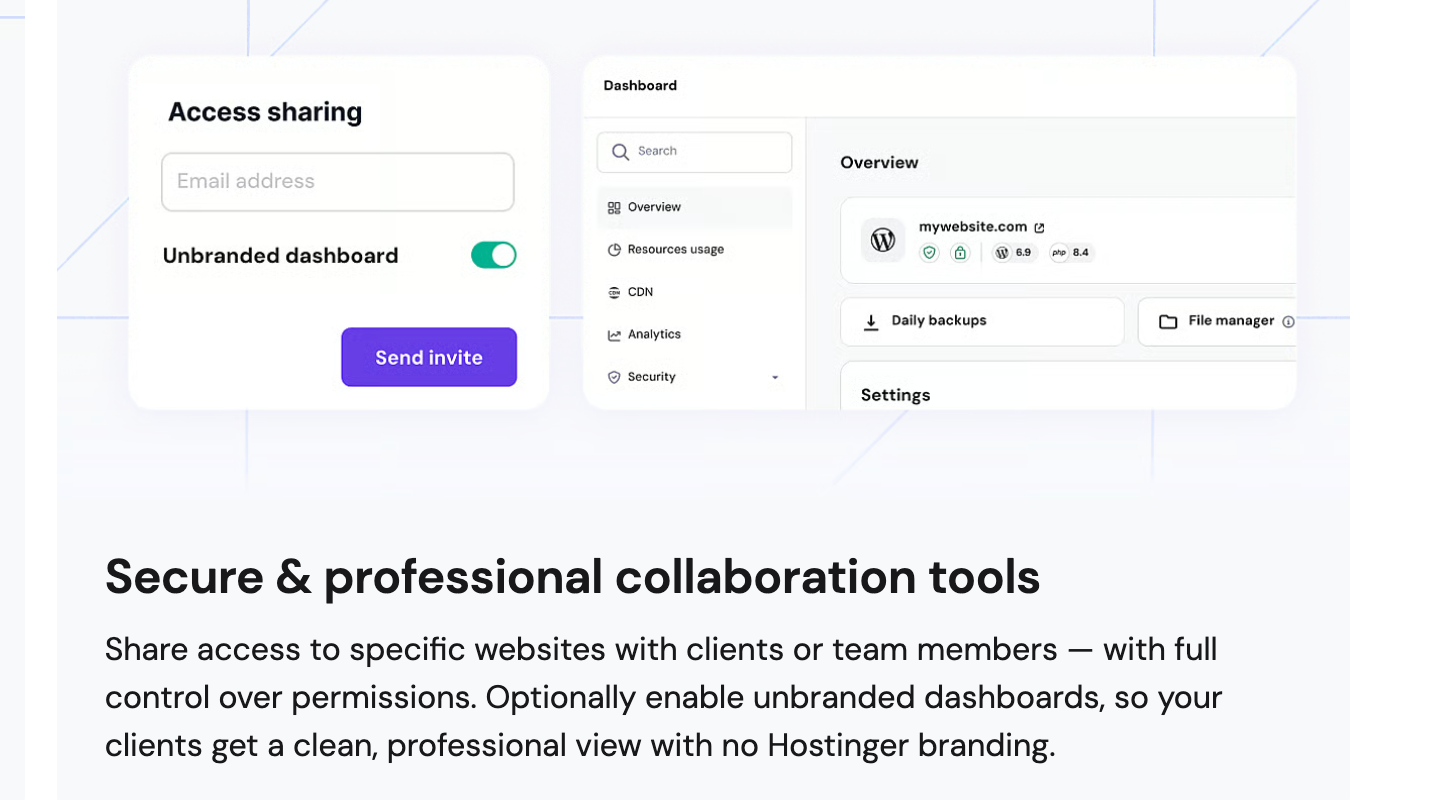
This is the part that makes an Agency plan different from Hostinger’s other hosting. You manage access with the Access Manager, and you can share access to specific websites, not just to the whole hosting order.
Here is how I would organise it:
- Collaborators for your team. If you work with a subcontractor or a part-time developer, invite them as a collaborator on the sites they work on. Hostinger lists unlimited collaborators on Agency plans, so you do not pay per seat.
- Clients on their own site only. Invite each client to their specific website. They can log in and see that site, while the other sites on your plan stay out of view.
- Unbranded dashboard where it helps. Turn on the unbranded dashboard for clients who expect a service from you rather than a hosting account. They get a clean view without Hostinger branding.
There is also a second, separate way to work: the client owns their own Hostinger account and gives you access. Hostinger’s FAQ explains that once you add a client, the client has to verify your access request, and then you manage their services and websites from your own hPanel. Depending on the access level, you do not need to log into the client’s account at all.
Which model to choose
- Host on your Agency plan when you sell hosting plus maintenance as one monthly package. You control renewals and updates, and the client sees only their site.
- Client-owned account with shared access when the client wants to own the bill, or when a project is a one-off build with no ongoing care plan. Handover is simpler later because nothing needs to move.
Write whichever model you pick into your contract, including what happens to the site if the client stops paying or leaves. It is the conversation most freelancers skip until it becomes a problem.
Moving existing client sites in
Hostinger offers free unlimited migrations on Agency plans, and you can choose migration during onboarding. The help center lists a few limits that are worth planning around:
- Files and databases move; some settings do not. The migration does not include cron jobs, DNS records, custom SSL configuration or FTP accounts.
- Email is a separate job. You need to migrate email services manually.
- Point DNS last. Hostinger asks you not to point a site’s domain to Hostinger DNS until the migration is complete.
The email point is the one that catches freelancers out. If a client’s email lives with their old host, moving the website can quietly break their inbox when DNS changes. Decide where email will live before you switch anything. If you want email kept separate from hosting altogether, I compared one option in my guide to Fastmail custom domain email for freelancers.
My checklist per site: export a list of existing DNS records, note any cron jobs and FTP users, migrate, test on a temporary domain, recreate cron jobs and DNS records, confirm SSL, then change DNS. Hostinger provides temporary domains on Agency plans, which makes the test step easy.
What Agency plans do not include yet
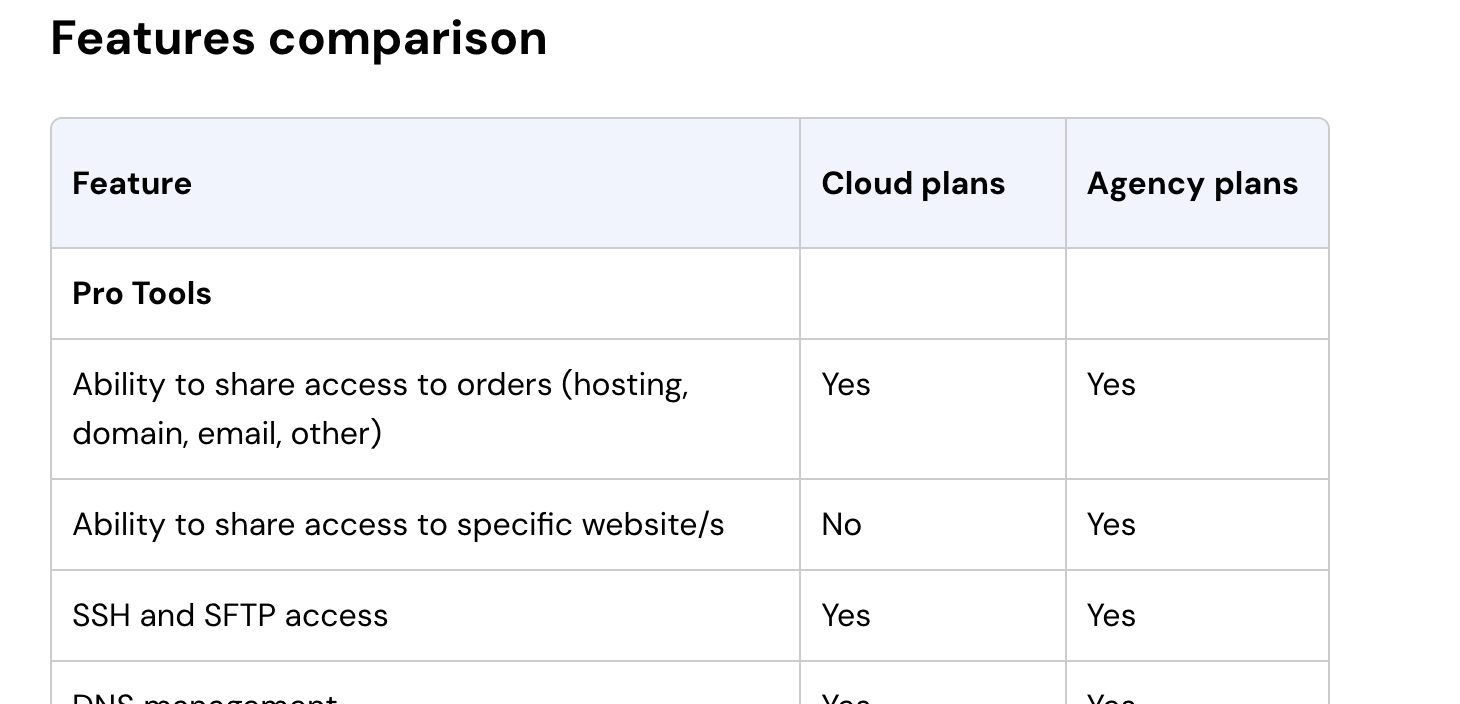
Hostinger’s help center has a comparison between Agency plans and its Cloud plans, and it is honest that Agency plans may lack some features from standard hosting. The full table is worth reading before you buy.
From that comparison, Agency plans currently show:
- No: Git access, WordPress multisite, React.js support
- Not yet: pre-built templates, the vulnerabilities scanner, the compatibility checker, WordPress AI tools, the resources boost feature
- Soon: smart WordPress auto updates, on-demand backups, Node.js support
Agency plans do include SSH and SFTP, WP-CLI, staging, daily backups with restore and download, malware scanning, multiple PHP versions, custom PHP and Cloudflare-protected nameservers. They also add managed core WordPress files, which Cloud plans do not.
Who should think twice: if your workflow deploys client sites from a Git repository, or you build on WordPress multisite, the Agency plan does not support that today. Check the comparison again before buying, because several rows are marked “soon”.
The referral program, briefly
Agency customers can join Hostinger’s partner program. The Agency page FAQ describes a commission equal to 20% of the plan price when a referred client signs up for an annual plan, with the client getting a 20% discount too. The help center describes it as earning up to $200 per referral, with special promos raising that to $400. The partner section also lists a 20% discount on the Agency plan, a partner badge and an agency directory listing.
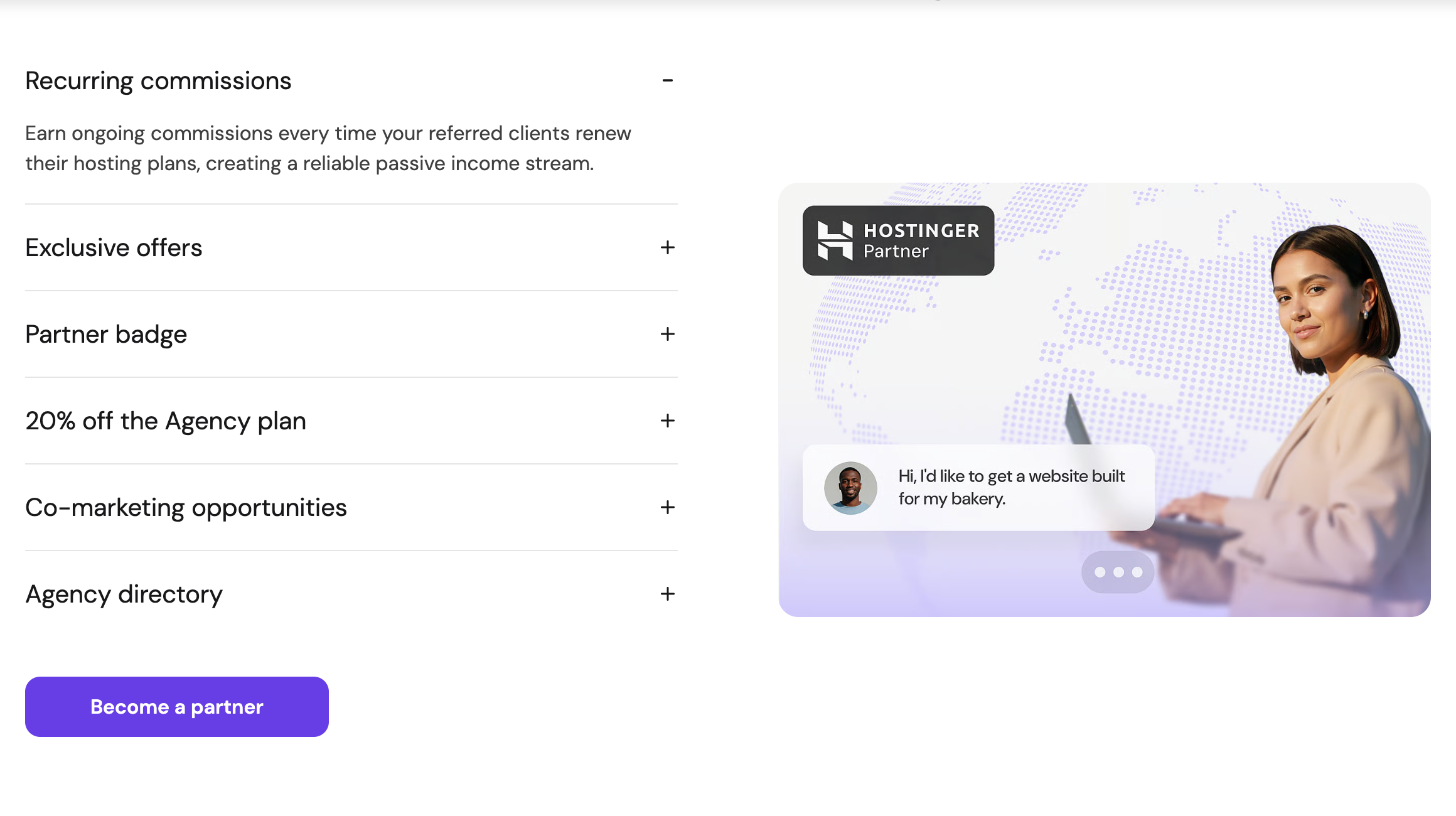
The two help pages describe the payout differently, so read the current program terms when you sign up. The practical use for a freelancer: when a client wants to own their own hosting account, sending them through your referral link gives them a discount and you a commission, and you can still manage the site through shared access.
Who Hostinger Agency hosting suits
- Good fit: freelancers and small studios who maintain many small WordPress or WooCommerce sites, sell monthly care plans, and want clients to log in without seeing each other’s sites.
- Also a fit: freelancers who work with subcontractors and need per-site access without sharing one master login.
- Poor fit: developers who deploy from Git, run multisite networks or host Node.js or React apps today.
- Poor fit: anyone with two or three client sites. A regular hosting plan is simpler and cheaper until access control becomes a real problem.
If you are weighing Hostinger against keeping client sites on a site builder’s own hosting, I worked through the cost side of that in my piece on Webflow site plan pricing for freelancers.
FAQ
How many websites can I host on a Hostinger Agency plan?
Agency Startup allows 100 websites, Agency Professional 200 and Agency Growth 300.
Can a client see only their own website?
Yes. Agency plans let you share access to specific websites, so a client or collaborator can manage the sites you invite them to without access to the rest of the plan.
What is the unbranded client dashboard?
It is an optional setting when you share access. Clients see a clean dashboard without Hostinger branding.
Does Hostinger migrate client sites for free?
Yes, Agency plans include free unlimited migrations. Files and databases are moved, but cron jobs, DNS records, custom SSL and FTP accounts are not, and email must be migrated separately.
Does Hostinger Agency hosting support Git or WordPress multisite?
Not at the moment. Hostinger’s comparison with Cloud plans lists Git access and WordPress multisite as not available on Agency plans.
How much does Hostinger Agency hosting cost after the promotion?
On the 24-month term shown today, Startup renews at $49/mo, Professional at $69/mo and Growth at $89/mo.