
Disclosure: some links in this guide are partner links. If you sign up through them, this site may earn a commission at no extra cost to you. It does not change what Filestage charges you.
Filestage is built for marketing teams with legal reviewers and packaging departments, and its paid plans are priced that way. But there is a Filestage free plan, and for a freelancer who sends designs, PDFs or videos to clients for sign-off, it can replace the “v7_final_FINAL.pdf” email thread. The question is how far it stretches. One active project and five new files a month sounds tiny, until you set it up the way the limits are actually written.
This guide works through those limits with a freelancer’s workload in mind: one client approval at a time, an archive that doubles as your proof of sign-off, and a clear point where the free plan stops being enough. Spoiler: for most solo freelancers, that point is not “upgrade to Starter”.
What Filestage does for a freelancer
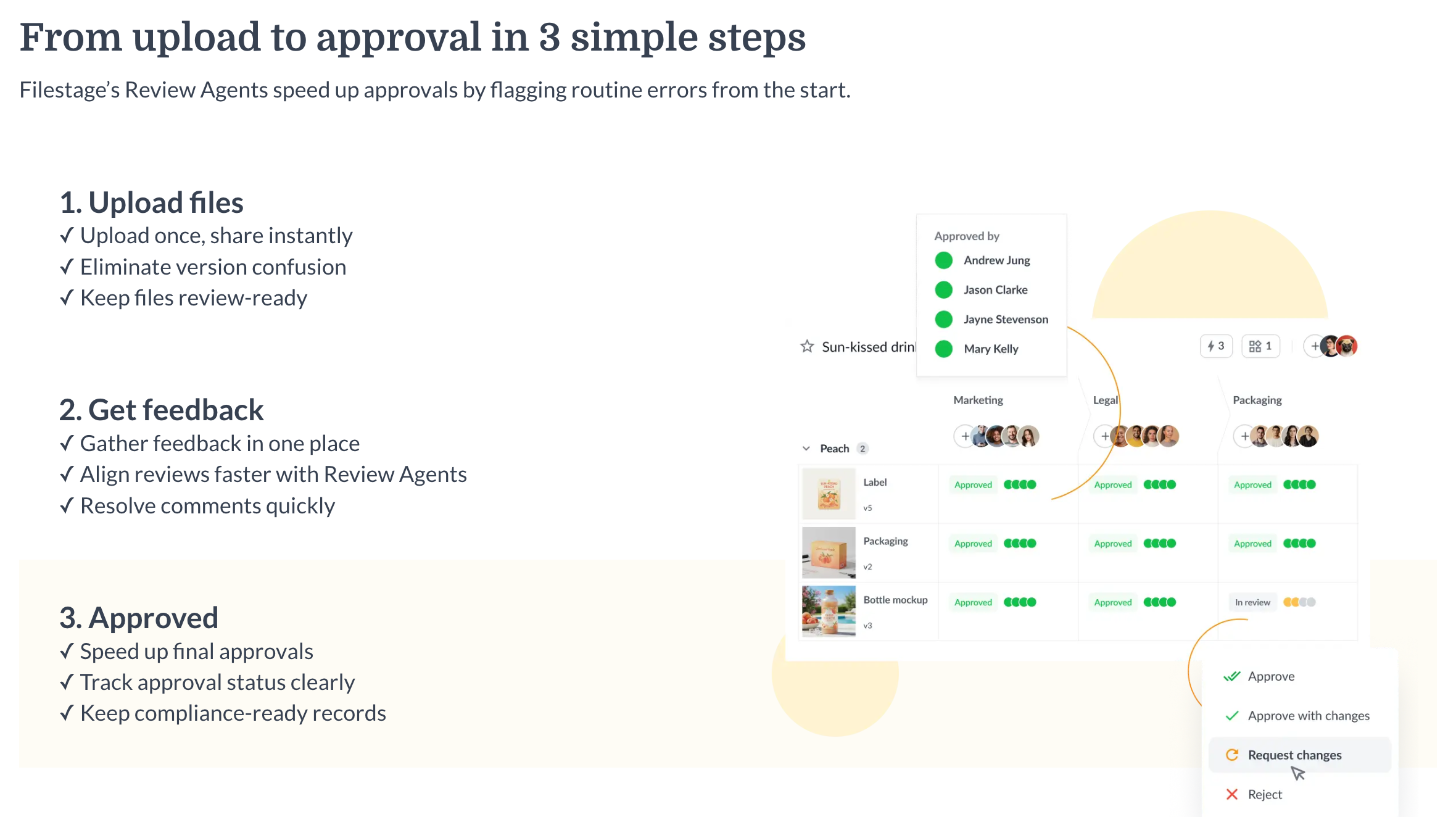
Filestage is online proofing software. You upload a file, share it with reviewers, and they leave comments directly on the file: pinned to a spot on a design, a line in a PDF or a timestamp in a video. When you upload the next version, it stacks on top of the previous one, so nobody reviews an old draft by mistake. Reviewers then give a decision on each version instead of replying “looks good I think” in an email.
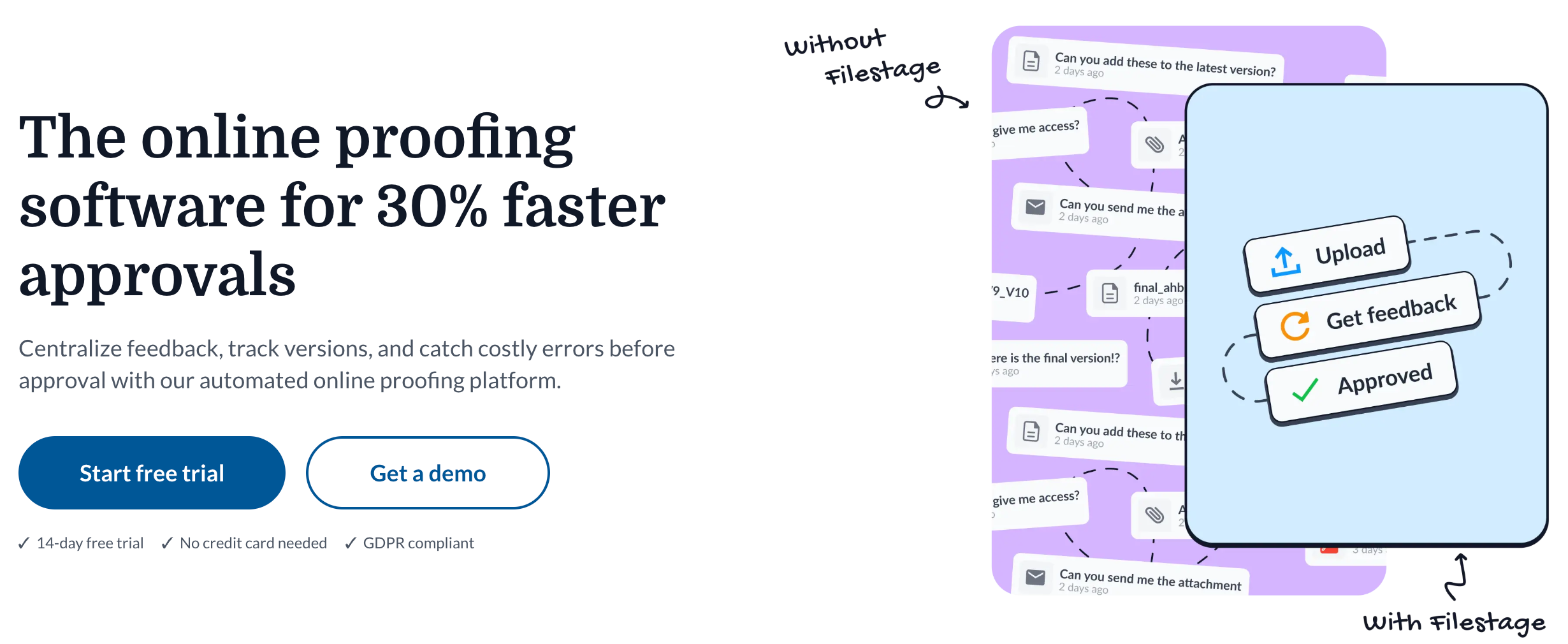
For freelancers, the value is less about speed and more about clarity. Every comment is attached to the exact version it was made on, and the decision history shows who approved what. If you’ve ever had a client claim they “never approved that logo”, that history is the point. It pairs naturally with the handoff tools I’ve covered before, like WeTransfer for final deliveries and a Tella walkthrough video at the end of a project.
The Filestage free plan, limit by limit
Filestage’s pricing page lists the Free plan at $0 with these inclusions: 1 active project, 5 new files per month, 2 reviewer groups, 10 team members, internal and external reviews, unlimited reviewers, all file types, annotation tools and basic integrations.
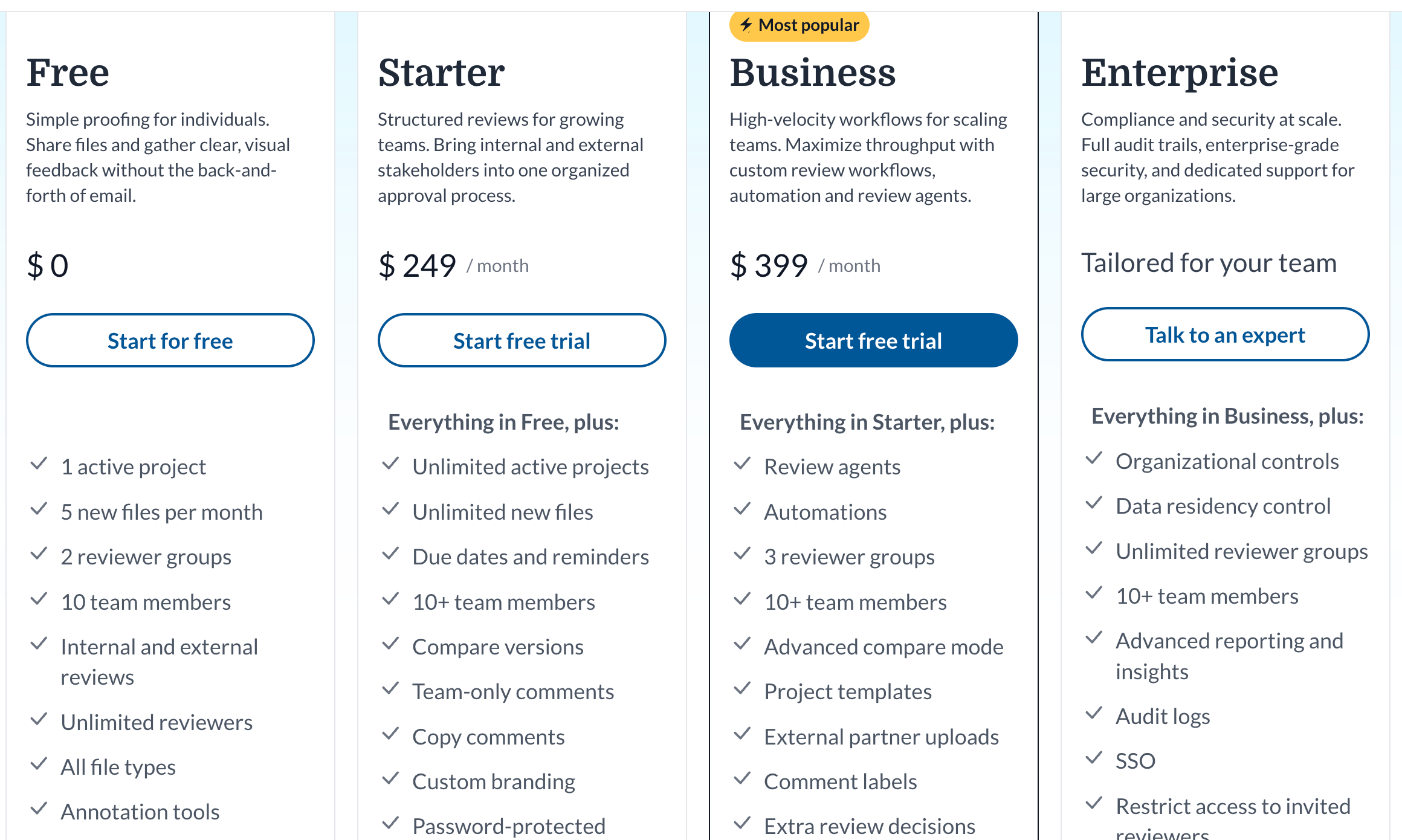
Here’s what each line means in freelance terms.
Unlimited reviewers
This is the generous part. Your client can bring their marketing lead, their boss and their co-founder into the review without you paying per head. For freelancers who deal with “I just need to run it past three people”, it’s the most useful line on the card.
Two reviewer groups
Reviewer groups let you separate who sees what. With two, you can run an internal check (you plus a subcontractor or copywriter) before the client group sees the file. That’s a small but real quality step on a free plan.
One active project
This is the main constraint. You can only have one project open for review at a time. Filestage’s help center says that once you hit your project limit, you can’t create a new project until you delete or archive one, or upgrade. It also notes that extra projects can no longer be bought as an add-on; the only way to more active projects is a paid plan.
Five new files per month
Five files is enough for a logo round, a brochure and a few social graphics, but not for a content calendar of 30 posts. One thing the pricing page does not spell out is whether uploading a new version of an existing file counts as a new file. I couldn’t confirm that from Filestage’s published material, so treat it as something to test during the trial before you rely on it.
The archive is the trick that makes Free usable
The one-project limit applies to active projects. Filestage’s help center is clear about what happens when you archive:
- Archived projects don’t count against your project limit, so you can store an unlimited number of them.
- They are read-only, which Filestage describes as a way to keep accurate documentation because nothing can be changed later.
- They still count against your storage limit.
- You can unarchive a project later and it returns to its previous state.
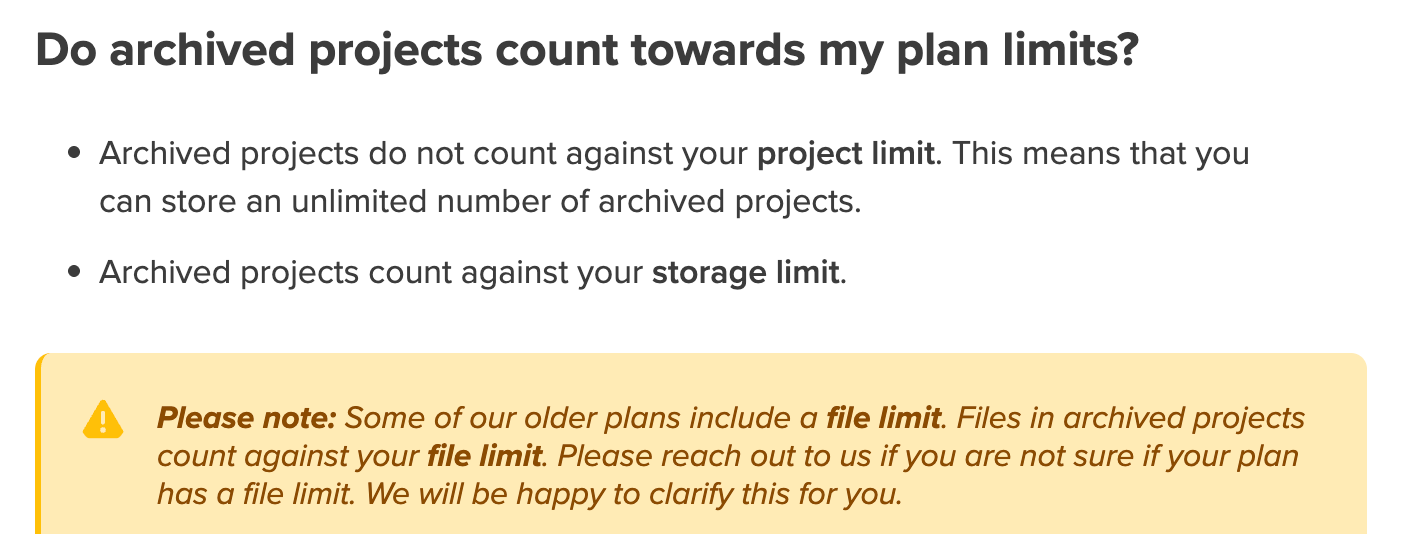
That changes how a freelancer should think about the free plan. It isn’t “one project forever”. It’s one approval room at a time, with an unlimited, read-only filing cabinet behind it.
The read-only part is a bonus for freelancers. Once a client has approved the final version and you archive the project, the comments and decisions are frozen. If a scope dispute comes up months later, you have a record that neither side edited after the fact.
A one-room workflow for client approvals
Here’s how I’d run client sign-offs on the free plan.
Step 1: One project per deliverable, not per client
Because only one project can be active, name projects after the deliverable and the client: “Acme – brand guidelines PDF” rather than “Acme”. When that deliverable is approved, archive it and open the next one. Clients rarely need two approvals running in parallel from a solo freelancer, and if they do, that’s a signal you’ve outgrown Free.
Step 2: Use the two reviewer groups deliberately
Set up one group for your own side (you, plus a copywriter or developer if you subcontract) and one for the client. Upload the file, check it internally, then share with the client group. Keeping the client out of your internal comments saves awkward conversations.
Step 3: Name files so versions stack automatically
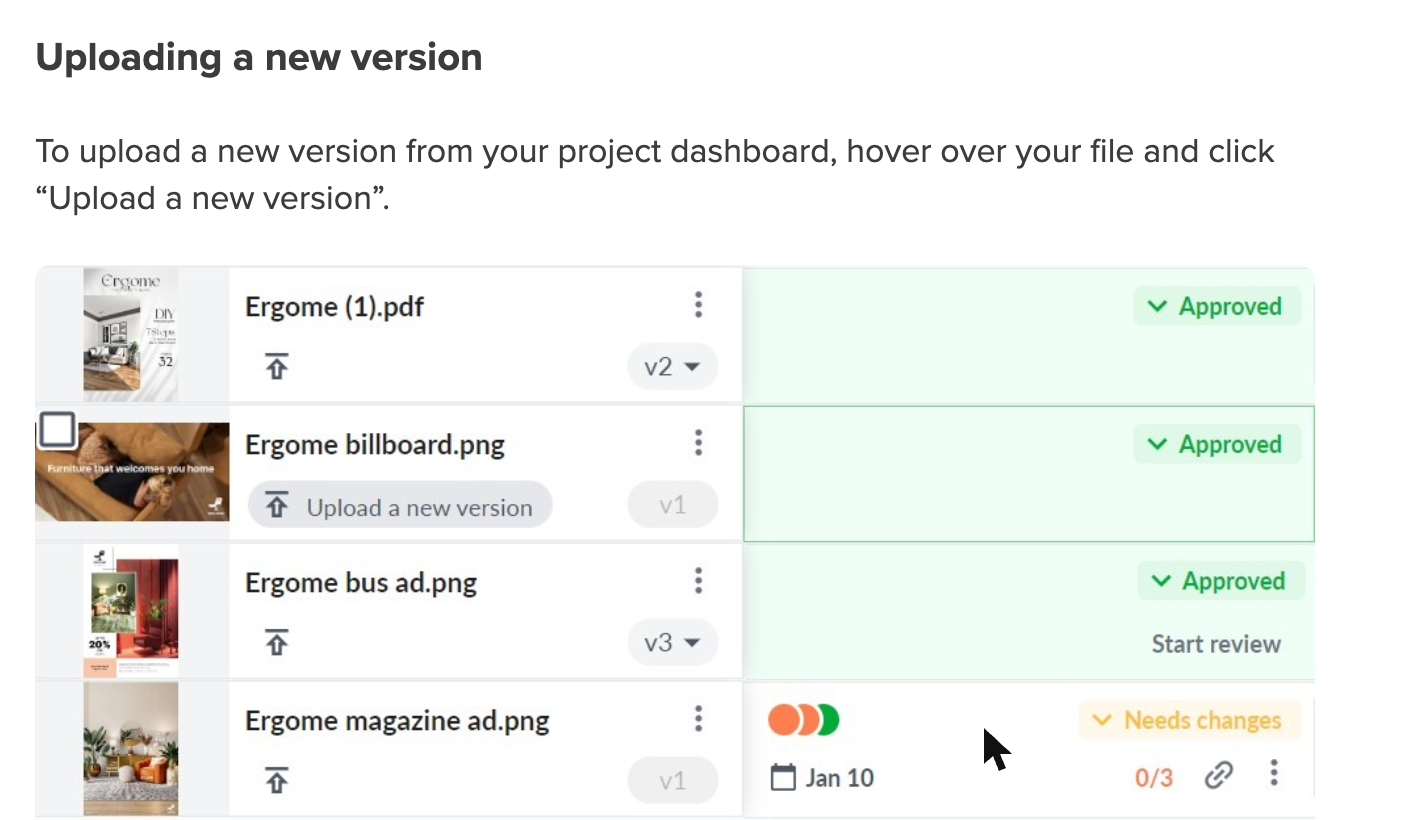
Filestage’s guide to managing versions says new versions stack on top of the existing file, and that Filestage auto-matches new versions when the file name is the same or ends in a version number like “file_name_v2”. Keep that naming habit and every round lands on the right file without manual sorting.
Step 4: Count your five files before the month starts
Plan the month’s deliverables against the five-file budget. A logo project might be one file across many versions. A social media pack could burn all five in a day. If a month looks heavy, combine related pieces into a single multi-page PDF for review. Reviewers can still comment on each page.
Step 5: Archive on approval, the same day
Make archiving part of your “project done” routine, right after the final export and before you send the invoice. It frees the active slot for the next client and freezes the approval record. If you also send signed agreements through a tool like Dropbox Sign, you end up with the contract in one place and the approval trail in another, both read-only.
The 14-day trial, and the switch back to Free
Filestage’s pricing FAQ says the free trial lasts 14 days and lets you test all features without limits. At the end, you automatically switch to the Free plan unless you choose to upgrade. The homepage adds that no credit card is needed.
Two practical points for freelancers:
- Use the trial to answer your open questions. Upload a file, then a second version, and check whether your monthly file count changes. Invite a test reviewer from a personal email and see the experience from the client side.
- Tidy up before day 14. During the trial you can open as many projects as you like. Free allows one active project, so archive anything finished before the switch rather than finding out how a downgrade handles extra active projects mid-client.
What you give up by staying on Free
The Starter card lists what it adds on top of Free: unlimited active projects, unlimited new files, due dates and reminders, more team members, compare versions, team-only comments, copy comments, custom branding and password-protected review links.
For a freelancer, three of those are worth noticing:
- Compare versions. Side-by-side comparison, including Filestage’s auto-compare text for documents, is a Starter feature. On Free you can still open earlier versions, but you compare them yourself.
- Password-protected review links. If you work on unreleased products or anything under NDA, this matters. On Free, treat review links as something to share only with the right people.
- Due dates and reminders. On Free, chasing a slow reviewer is still your job.
Why Starter is usually the wrong upgrade for a solo freelancer
Starter is $249 a month on monthly billing, or $199 a month billed yearly. Business is $399 a month, or $329 billed yearly. Filestage says every plan starts with 10 included team members, and extra seats come in bundles of five, each adding 1 TB of storage.
Those prices make sense for an in-house marketing team or an agency running dozens of reviews a month. For a solo freelancer, even the yearly Starter price is well above what most of us spend on our whole software stack. A quick sanity check: if one avoided revision round saves you a couple of hours, Starter needs to save you that many hours every single month just to break even at a typical freelance rate.
So the realistic paths are:
- Stay on Free and run one approval at a time with the archive workflow above.
- Use a lighter tool for the job Free can’t do. For website feedback, a dedicated tool such as Pastel is built around live pages rather than files. For video, a recorded walkthrough often settles questions faster than written comments.
- Upgrade only when you’re really a small studio: several designers, several clients reviewing at once, and a need for branded, password-protected links.
Who should not use Filestage at all
- Freelancers whose clients refuse new tools. Filestage only helps if reviewers actually comment inside it. If your client will print the PDF and scribble on it, a proofing tool won’t change that.
- High-volume content freelancers. If you deliver 20 or more separate files a month, five new files on Free won’t cover it, and Starter’s price is hard to justify for one person.
- Web designers reviewing live sites. Filestage is file-based. Feedback on a staging website fits better in a website annotation tool.
Who it suits
- Brand and graphic designers with one main client deliverable in review at a time.
- Freelance writers and editors sending long PDFs to several stakeholders.
- Video freelancers who want timestamped comments instead of “at about 1:20, the bit with the logo”.
- Anyone who wants a frozen, read-only record of what the client approved.
FAQ
Is the Filestage free plan really free?
Yes. Filestage lists the Free plan at $0. It includes 1 active project, 5 new files per month, 2 reviewer groups, 10 team members, unlimited reviewers, all file types and annotation tools.
Do archived projects count toward the one-project limit?
No. Filestage’s help center says archived projects don’t count against your project limit, so you can store an unlimited number of them. They do count against your storage limit and become read-only.
Do clients need a paid account to review files?
No. The Free plan includes unlimited reviewers and both internal and external reviews, so clients can review without you paying for extra seats.
What happens when the 14-day trial ends?
According to Filestage’s pricing FAQ, you switch automatically to the Free plan unless you choose to upgrade. The trial gives access to all features during those 14 days.
How much is Filestage Starter?
Starter is $249 a month on monthly billing or $199 a month on yearly billing. Business is $399 monthly or $329 a month yearly. Enterprise pricing is tailored.
Can I compare versions side by side on Free?
Compare versions is listed as a Starter feature. On Free, new versions still stack on the same file, so you can open earlier versions, but side-by-side comparison needs a paid plan.