
Disclosure: this article may contain affiliate links. If you buy through them, I may earn a commission at no extra cost to you.
Most freelancers who try Trello make the same move first: one board per client. It feels tidy for a month. Then the fifth client arrives, the boards multiply, and nobody can see the whole week in one place. On the free plan it also runs into a hard wall, because Trello’s Free plan allows up to 10 boards per Workspace.
After looking at how Trello for freelancers actually holds up, I think the better structure is the opposite: three boards that each answer one question. Where is new work coming from? What am I delivering this week? What does the business itself need from me? This guide shows the lists, labels and automations for each board, and where the Free plan stops and Standard starts. All plan details come from Trello’s pricing page, checked today.
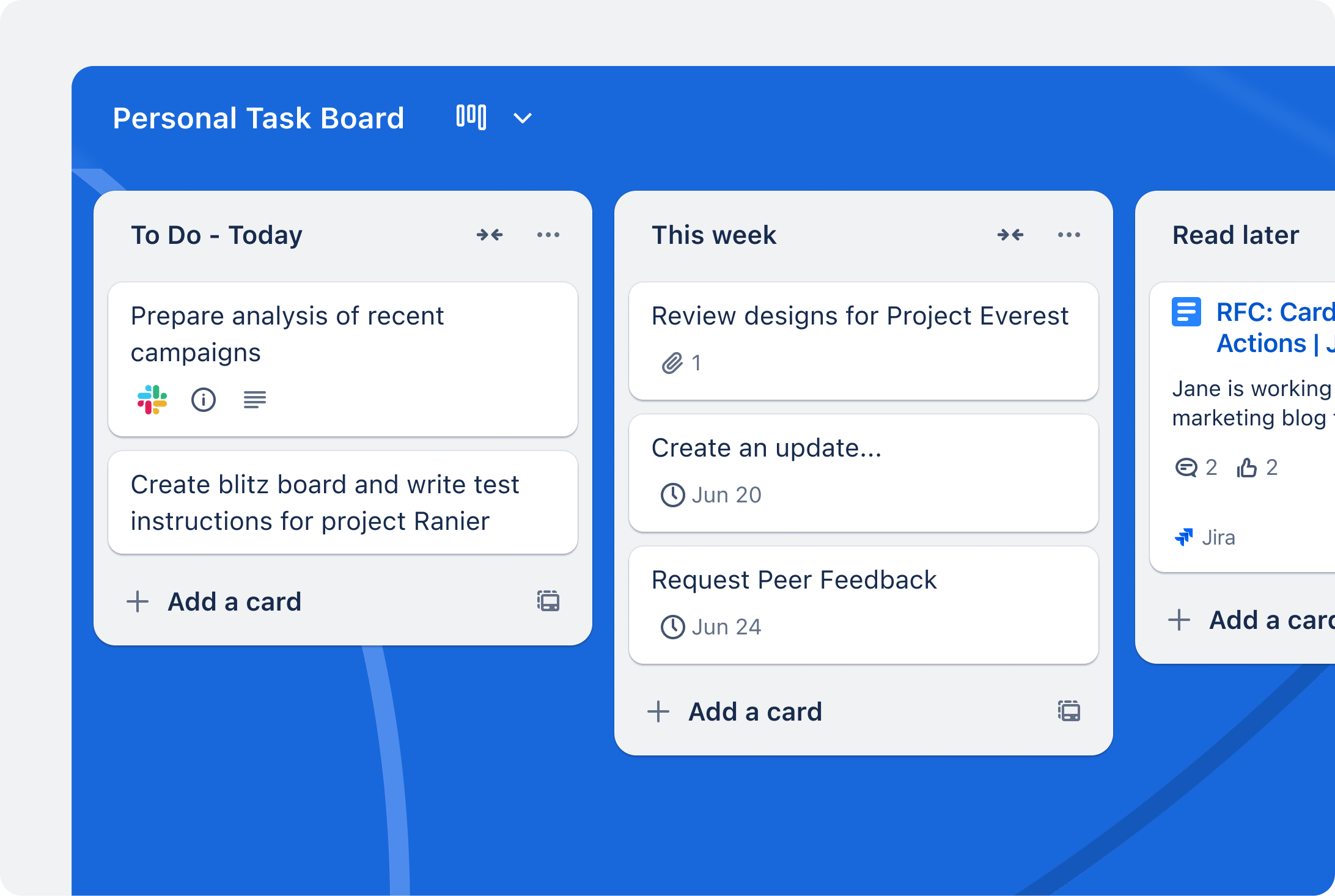
Trello for freelancers: why three boards beat one board per client
Trello’s model is simple: a board holds lists, and lists hold cards. The question is what a board should represent. Making it “a client” mirrors your invoices, but not your working day. You do not work client by client; you work task by task across several clients at once.
Three boards built around questions solve that:
- Board 1, Pipeline: every potential project from first message to signed agreement.
- Board 2, Delivery: every active task for every client, organized by when it happens.
- Board 3, Back office: invoicing, taxes, marketing and the admin that keeps the business alive.
Clients become labels on cards, not boards. You can still filter Delivery to one client in a second, and you keep seven board slots free on the Free plan for templates, archived years or a personal board.
Board 1: Pipeline
This board replaces the scattered notes, emails and DMs where new work usually hides. Each card is one potential project.
Lists
- Inquiries: anything that might become work.
- Talking: you are in an active conversation or have a call booked.
- Proposal sent: the ball is with the client.
- Agreed: the client said yes and the deposit or contract is pending.
- Won and Not this time: two archive lists that tell you, at the end of the quarter, what you won and what you lost.
Cards and fields
On each card, put the client name in the title, the source (referral, website, marketplace) as a label, and the proposal value in the description. Due dates work on every plan, so set one on every card in Proposal sent: that date is your follow-up day.
Trello’s Free plan includes quick capture from email, Slack and Microsoft Teams, plus an Inbox. That is useful here. When an inquiry arrives by email, capture it straight into Trello instead of leaving it starred in your mailbox.
If your inquiries come through a form, design the form around what this board needs. I covered that in designing a client intake form in Jotform.
Board 2: Delivery
This is the board you live in. Every task for every active client sits here, and the lists are about time, not clients.
Lists
- Backlog: agreed work with no date yet.
- This week: what you have committed to finishing.
- Today: three to five cards, no more.
- Waiting on client: feedback, assets, approvals.
- Done this week: cleared every Monday.
The “Waiting on client” list is the one freelancers usually miss. Without it, blocked tasks sit in “This week” and make your plan look worse than it is. With it, you can see at a glance which clients owe you something, and that is your Monday morning email list.
Client labels
Give each active client a colored label. Filtering the board by label shows one client’s work instantly, which covers almost everything a per-client board would have given you. When a client finishes, delete or rename the label rather than creating new boards.
Planner and calendars
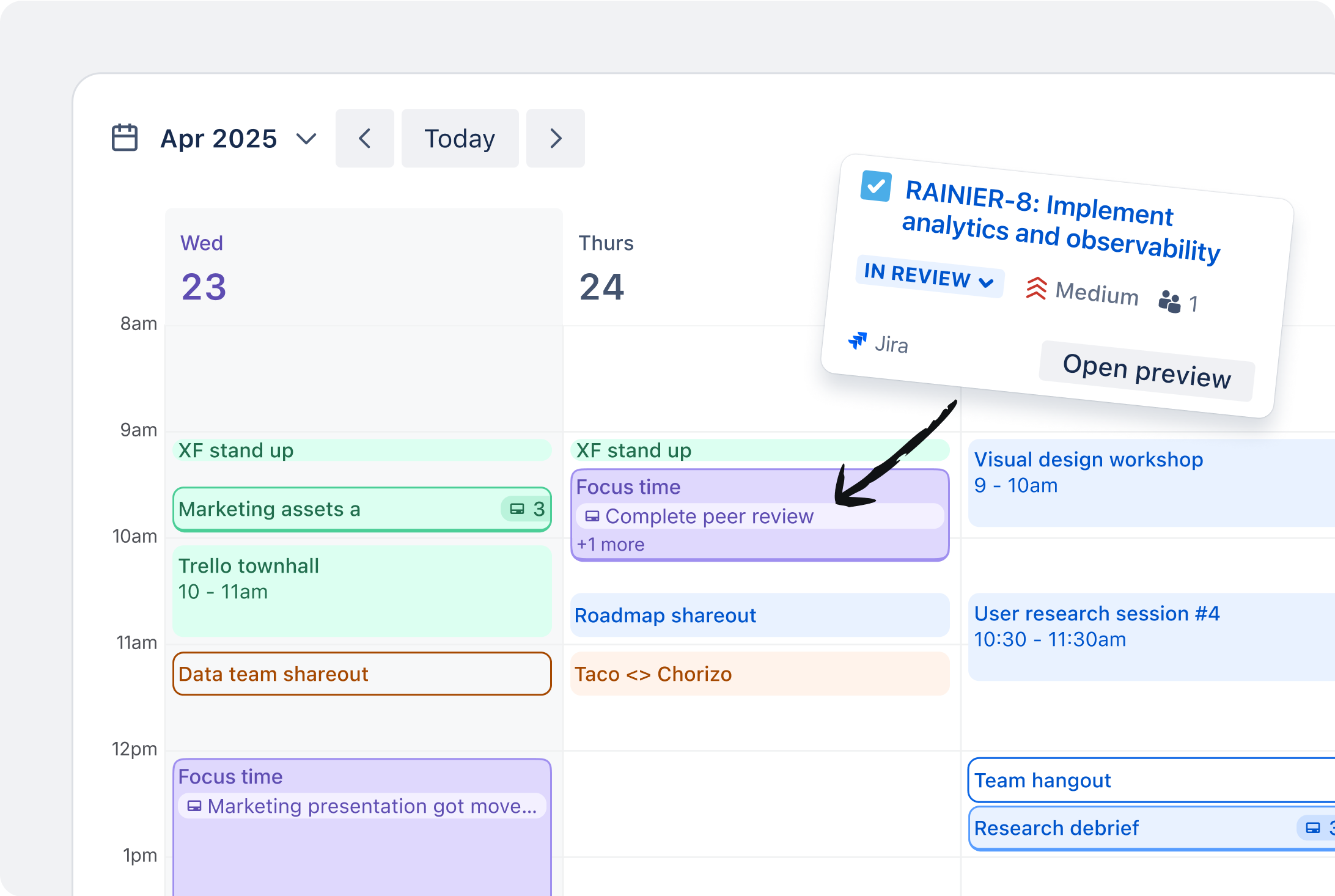
Trello’s Planner shows scheduled cards on a calendar and can sync events from other tools. According to Trello’s comparison table, the Free plan gets Planner in view-only form, and the full Planner arrives on Standard. For a freelancer who time-blocks the week, that difference is real: view-only lets you see your cards against your calendar, while full Planner is meant for planning inside it.
Board 3: Back office
Freelancers tend to treat admin as the thing they do when there is time left over. There is never time left over. A dedicated board gives it a place.
Lists
- Recurring: monthly invoicing, quarterly tax set-aside, software renewals.
- To invoice: finished work that has not been billed.
- Invoiced, unpaid: each card has the due date of the invoice.
- Marketing: portfolio updates, posts, outreach.
- Someday: ideas that are not urgent.
The “To invoice” and “Invoiced, unpaid” pair is the most valuable part of the whole system. When a Delivery card for a billable milestone hits Done, copy or move a card here. Overdue invoices then show up the same way overdue tasks do. If you track time for billing, I walked through a full month-end run in Toggl Track client invoicing, and that workflow plugs neatly into this list.
Automations that do the boring part
Trello says no-code automation is built into every board, on every plan. The difference between plans is how many times automations can run each month: 250 Workspace command runs on Free, 1,000 on Standard, and unlimited on Premium and Enterprise.
For a solo freelancer, a handful of rules covers most of the busywork:
- Monthly recurring cards on the Back office board: create “Send monthly invoices” on the first working day of each month.
- Move to Done: when a card’s checklist is complete, move it to “Done this week”.
- Weekly reset: every Monday, archive the cards in “Done this week”.
- Follow-up reminder: when a card enters “Proposal sent”, set its due date a few days ahead.
Keep an eye on the 250 command runs on Free. A few weekly and monthly rules will not get close, but a rule that fires on every card movement across a busy Delivery board can add up over a month.
Free or Standard: where the line falls
| Plan | Price | Most relevant for freelancers |
|---|---|---|
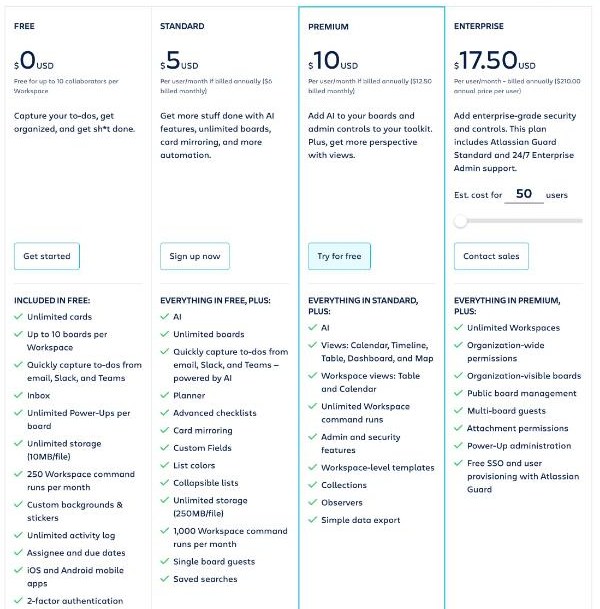
| Free | $0, up to 10 collaborators per Workspace | Up to 10 boards per Workspace, unlimited cards, Inbox and quick capture, unlimited Power-Ups per board, 10MB per file, 250 command runs a month, view-only Planner |
| Standard | $5 per user/month billed annually ($6 monthly) | Unlimited boards, full Planner, Custom Fields, advanced checklists, card mirroring, 250MB per file, 1,000 command runs, single board guests, AI features |
| Premium | $10 per user/month billed annually ($12.50 monthly) | Calendar, Timeline, Table, Dashboard and Map views, unlimited command runs, Workspace templates, simple data export |
With the three-board system, the Free plan covers a solo freelancer comfortably. Three boards leave plenty of the ten-board allowance, labels replace client boards, and the automation allowance handles a few recurring rules.
Standard starts to make sense when one of these becomes true:
- You want Custom Fields. Project value, hourly rate or invoice number as proper fields on Pipeline and Back office cards make the system much more useful. Custom Fields are not on the Free plan.
- You plan inside your calendar. Full Planner is Standard and above.
- You share boards with clients. Free counts up to 10 collaborators per Workspace. Standard adds single board guests, which suits inviting a client to one board without opening up everything.
- You send large files. The Free plan caps files at 10MB; Standard raises it to 250MB.
For one person, Standard costs $5 a month on annual billing. If Custom Fields alone save you from a separate tracking spreadsheet, it pays for itself quickly.
A weekly routine that keeps the boards honest
The system only works if you look at it. This routine takes about twenty minutes on a Monday:
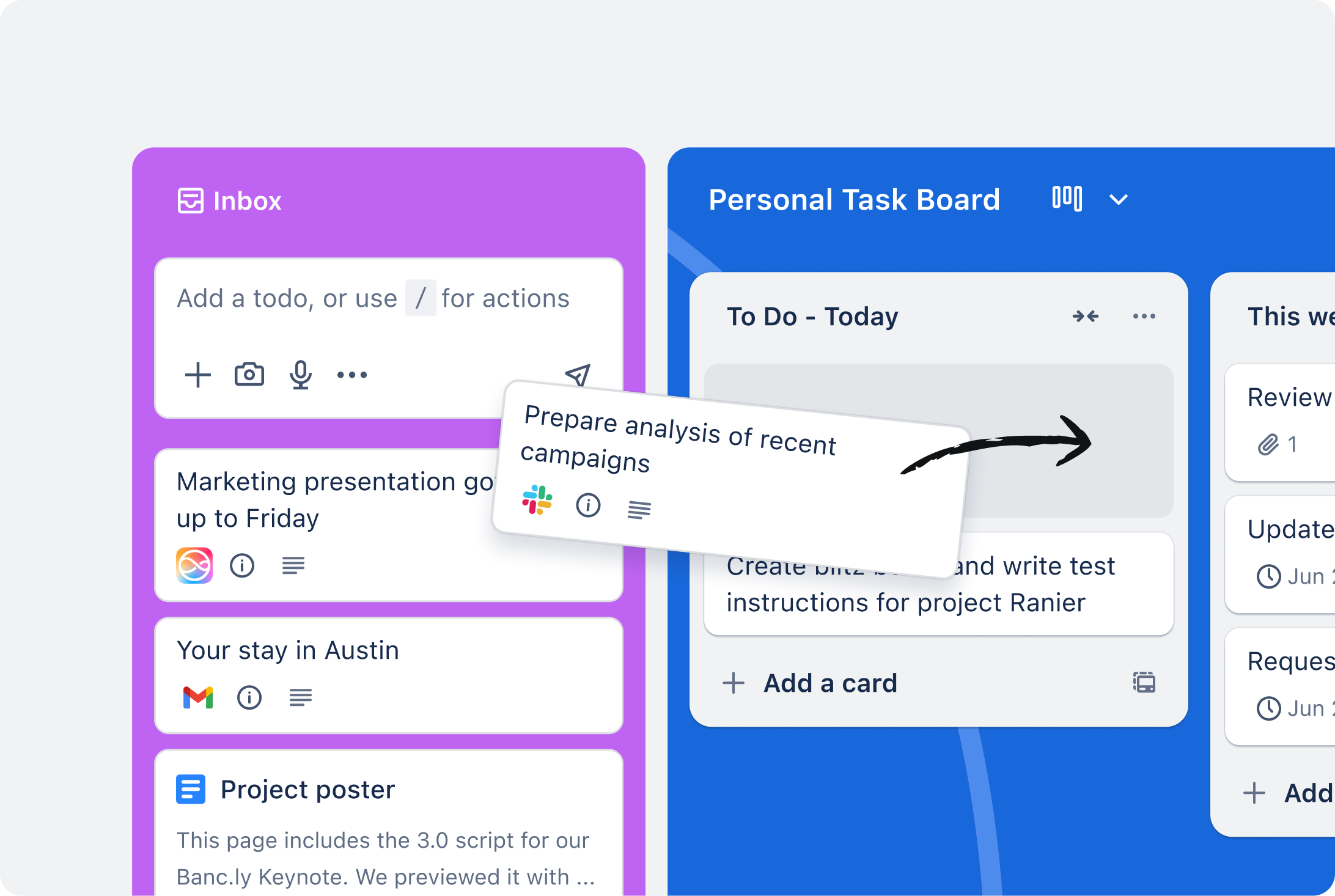
- Empty the Inbox. Sort every captured item onto one of the three boards or delete it.
- Pipeline: follow up on every card in Proposal sent whose due date has passed. Move dead leads to “Not this time”.
- Delivery: pull cards from Backlog into This week until the week is full, then stop. Email every client with a card in Waiting on client.
- Back office: check Invoiced, unpaid for anything overdue, and move finished milestones into To invoice.
Mistakes I would avoid
- Building boards before you have the habit. Start with three boards and five lists each. Add more only when something has no home.
- Using lists as clients. Lists should be stages or time. Clients belong on labels.
- Inviting every client to your Delivery board. It shows them your whole workload. If a client needs visibility, give them a separate small board.
- Too many Power-Ups. They are unlimited per board on Free, but each one adds clutter. A calendar sync and maybe one time tracker are usually enough.
My verdict
Trello is a very good fit for freelancers, as long as you resist the urge to give every client a board. Three boards, Pipeline, Delivery and Back office, give you a complete view of a one-person business, and they fit easily inside the Free plan’s limits. Upgrade to Standard when you want Custom Fields, the full Planner or guest access for clients, which for many freelancers happens within a few months of serious use.
FAQ
Is Trello free for freelancers?
Yes. Trello’s Free plan costs $0 and allows up to 10 collaborators and up to 10 boards per Workspace, with unlimited cards. A solo freelancer using a three-board system can run comfortably on it.
How many boards can I have on Trello’s free plan?
Trello’s pricing page lists up to 10 boards per Workspace on the Free plan. Standard and higher plans have unlimited boards.
Should a freelancer make one Trello board per client?
Usually not. One board per client hides your total workload and uses up the Free plan’s board limit. Using colored labels for clients on a shared Delivery board lets you filter by client while still seeing the whole week.
Does Trello’s free plan include automation?
Yes. Trello says automation is built into every board. The Free plan includes 250 Workspace command runs per month, Standard 1,000, and Premium unlimited.
Do Trello’s free plan users get Custom Fields?
No. According to Trello’s comparison table, Custom Fields start on the Standard plan, which costs $5 per user per month billed annually or $6 billed monthly.