Almost every freelancer has a folder of work that clients paid for once and nobody will ever use again: a proposal template that took a weekend to polish, a Notion dashboard built for onboarding, a set of Lightroom presets, a checklist for launching a WordPress site. Turning that material into a small product is one of the few ways to earn from work you have already done. Gumroad for freelancers is the obvious starting point, because it charges nothing upfront and handles checkout, delivery and sales tax for you. This guide is about doing it with clear numbers: what the fees take at different prices, how and when the money reaches you, and the setup choices that matter before you publish.
All fees, payout rules and features below come from Gumroad’s own pricing page, features page and help center as they read today. Gumroad changes its rules from time to time, so check the linked pages before you set your prices.
Which client leftovers make good products
The best candidates share three traits: they solved a problem many people have, they can be used without you, and you own them outright. Good examples for freelancers:
- Templates: proposal and contract outlines, onboarding questionnaires, content calendars, Notion or spreadsheet systems.
- Kits: design assets, icon sets, presets, slide layouts or code snippets you built for your own process.
- Guides and checklists: the step-by-step process you follow for a type of job, written up as a PDF or short course.
Before anything goes on sale, strip out every client name, logo, data point and piece of copy. If a deliverable was created under a contract that assigns the rights to the client, it is not yours to sell, even with the names removed. Rebuild the idea from your own blank version instead. That rebuild usually produces a better product anyway, because you write it for a stranger rather than for one client.
Gumroad for freelancers: what the fees actually take
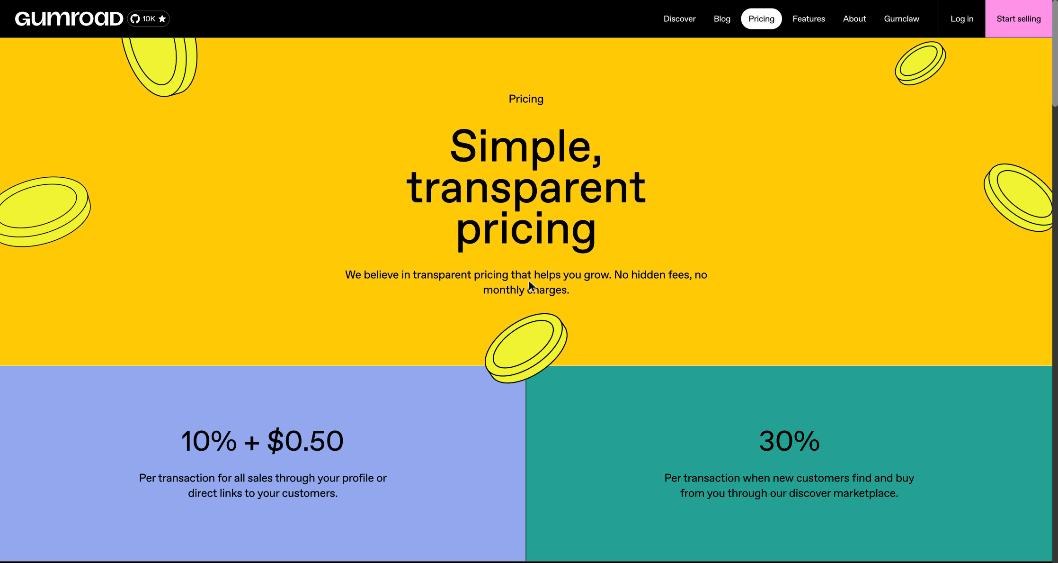
Gumroad has no monthly plan. It takes a cut of each sale, and the cut depends on how the buyer found you:
- 10% + $0.50 per transaction for sales through your Gumroad profile or a direct link you share.
- 30% per transaction when a new customer finds and buys from you through Gumroad’s Discover marketplace.
The fixed 50 cents matters more than it looks, because it weighs heavily on cheap products. Here is the published fee applied to a few price points. These are calculations from the rates above, not quotes, and your payout report will show the exact deductions.
| Price | Direct sale fee (10% + $0.50) | You keep (direct) | Effective fee | Discover sale fee (30%) | You keep (Discover) |
|---|---|---|---|---|---|
| $5 | $1.00 | $4.00 | 20% | $1.50 | $3.50 |
| $15 | $2.00 | $13.00 | 13.3% | $4.50 | $10.50 |
| $29 | $3.40 | $25.60 | 11.7% | $8.70 | $20.30 |
| $49 | $5.40 | $43.60 | 11% | $14.70 | $34.30 |
Two lessons fall out of the table. First, very low prices lose a fifth of every sale to fees, so a $5 product needs to be something you can sell in volume. For most freelancer templates, a price in the $15 to $49 range keeps the effective fee close to 10%. Second, Discover sales cost roughly three times as much as direct sales, which changes how you should think about the marketplace (more on that below).
Sales tax: what merchant of record changes for you
Since January 1, 2025, Gumroad has acted as the merchant of record for its sellers. In practice, Gumroad collects and remits sales tax, VAT and GST on your sales in the regions where it has tax obligations, and the old tax settings in the seller dashboard were switched off. For a freelancer selling to buyers in many countries, this removes the most tedious part of selling digital products: registering for and filing VAT in places you have never been.
Two caveats. Gumroad handling sales tax at checkout does not handle your income tax; the money you receive is still income you report where you live. And if you already have your own indirect tax filing obligations, Gumroad provides a Reseller Certificate you can download to report Gumroad sales as sales for resale. If either point applies to you, a short conversation with your accountant is worth it before launch.
Getting paid: the threshold, the hold and your payout day
This is where freelancers used to client invoices get surprised, so it is worth reading Gumroad’s “Getting paid” article closely. The key rules:
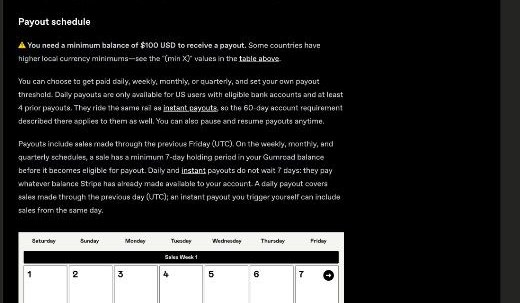
- Minimum balance: you need at least $100 USD in your balance to receive a payout, and some countries have higher minimums in local currency.
- Schedule: you can choose weekly, monthly or quarterly payouts and set your own threshold. Daily payouts exist only for eligible US bank accounts with a track record of previous payouts. You can pause and resume payouts at any time.
- Holding period: on weekly, monthly and quarterly schedules, each sale sits in your balance for at least seven days before it can be paid out. Payouts cover sales made through the previous Friday (UTC).
- Payout day depends on where you are paid: Tuesday for bank accounts in many countries (Gumroad lists the Philippines, India, Japan, Mexico, Nigeria and others), Wednesday for euro accounts and countries such as the UK, Australia, Canada and Singapore, Thursday for US accounts, and Friday for PayPal.
Put the threshold and the fee table together and you get a useful planning number. At $29 a copy sold directly, you keep $25.60, so four sales clear the $100 minimum. At $5, you need 25 sales before anything is paid out.
Check payout methods early. Gumroad pays by direct bank deposit in local currency in most supported countries and by PayPal where bank deposits are not available. It states that it does not pay out to Payoneer, Wise, cheques or wire transfers. If you already receive client money through a multi-currency account, as described in our guide to getting paid from abroad with a Wise Business account, plan for Gumroad to pay into your local bank account or PayPal instead. Also note Gumroad’s warning that changing your payout country can forfeit unpaid amounts held on a country-specific account, so settle your payout details before the first sale.
Every payout comes with a downloadable CSV that breaks down Gumroad’s fees and customer data, which is handy for your bookkeeping.
Setting up the product so it sells
Gumroad’s features page lists more options than most first-time sellers use. These are the ones that matter for a freelancer’s side product:
- Multiple versions: sell a basic and an extended version of the same template, or different file formats, at different prices.
- Pay what you want: useful for a first release, letting early buyers pay above a minimum while you collect feedback.
- Memberships and subscriptions: monthly, quarterly, twice-yearly or yearly billing if you plan to keep adding templates to a library.
- License keys: generated automatically if your product is software, a plugin or a script.
- Multiple currencies: buyers can pay from around the world.
- Your own storefront or your own site: build a Gumroad profile page, connect a custom domain, or embed Gumroad’s checkout and follow button on your existing website.
- Audience tools: import an existing email list, export your followers and customers at any time, send broadcasts, and set up automated workflows.
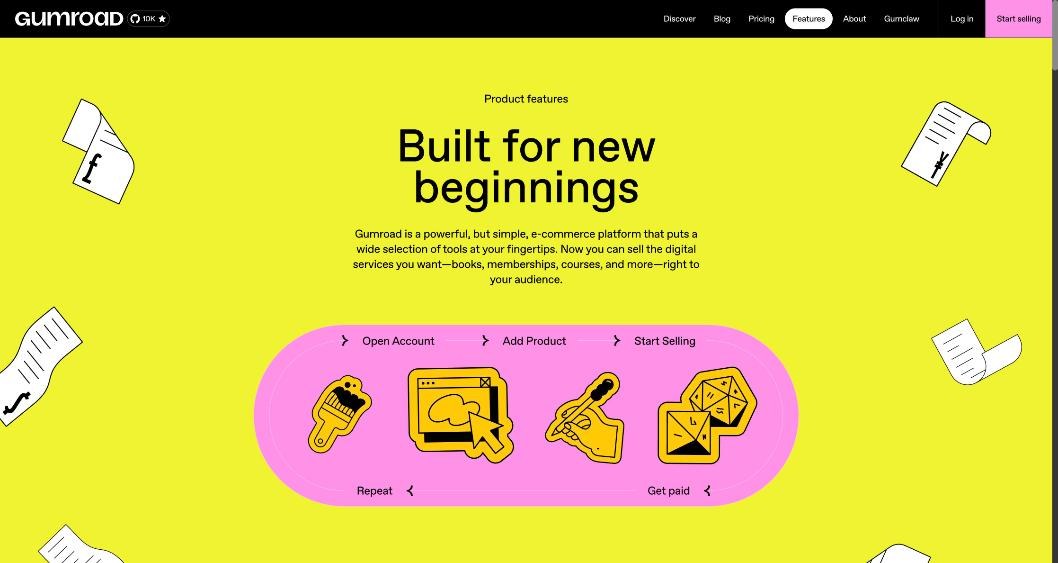
If you already have a portfolio site, the embed option is usually the better choice than sending people to a separate profile. Put the product on your services page, next to what you offer as done-for-you work, so visitors who are not ready to hire you have a cheaper way to start. Our guide to building a services page for freelancers covers how to structure that page.
Is Discover worth the 30%?
Discover is Gumroad’s marketplace, where buyers browse products by category such as design, software development, business and money, and education. A Discover sale costs you 30% instead of about 10%, but it is a sale to someone who would never have found you otherwise.
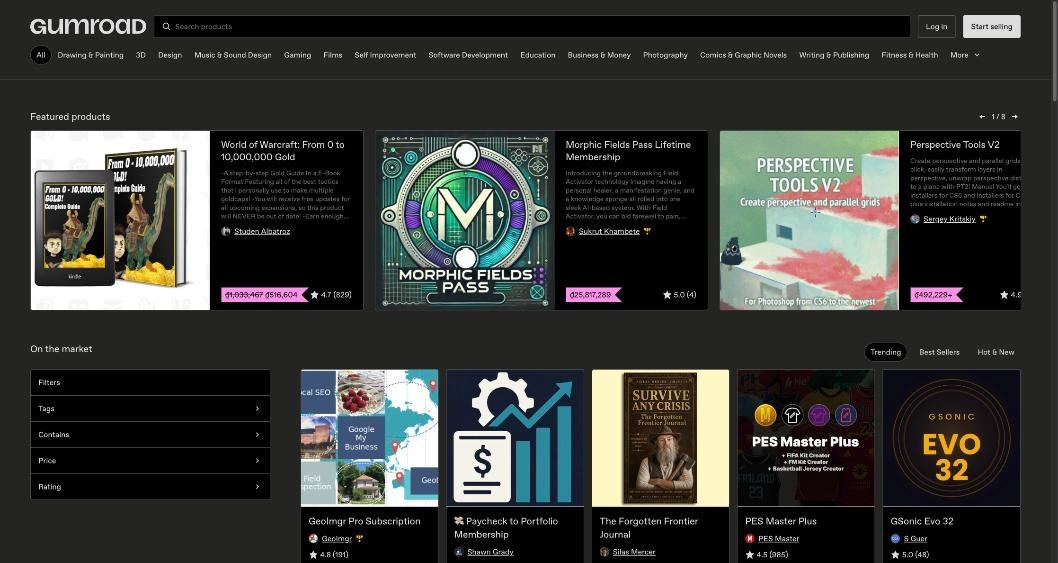
A sensible way to think about it: treat the extra 20 points as a marketing cost. If you have no audience yet, paying it only when a sale happens is cheaper than most advertising. Once you have your own traffic, from your site, a newsletter or social profiles, send people to your direct link so they are charged the lower rate. The pricing page applies the 30% to new customers who find you through Discover, so build the habit of capturing those buyers’ interest in your other products and your services.
A launch checklist for your first product
- Pick one leftover asset you own outright and rebuild it as a clean, client-free version.
- Write a one-page “how to use this” guide and include it in the download.
- Price it at $15 or more unless you expect volume, and check the fee table above.
- Set up payouts first: country, bank account or PayPal, and your schedule.
- Create two versions if it makes sense, for example “template only” and “template plus walkthrough video”.
- Embed the product on your website and link it from your email signature and proposals.
- Decide whether you want Discover exposure, knowing those sales cost 30%.
- After the first ten sales, read your payout CSV and adjust the price if fees are eating too much.
When Gumroad is the wrong fit
Gumroad works best for digital products, memberships and courses with simple delivery. It is a weaker fit if your payout options are limited to methods Gumroad does not support, if you plan to sell at very low prices where the fixed 50 cents dominates, or if you need a full course platform with cohorts and community features. Sellers with high, steady volume may also find that a percentage fee adds up to more than a flat monthly plan elsewhere. For a freelancer testing a first side product, though, paying nothing until something sells is hard to beat.
FAQ
How much does Gumroad charge freelancers?
Gumroad has no monthly fee. It takes 10% + $0.50 per transaction on sales through your profile or direct links, and 30% when a new customer buys through the Discover marketplace.
Does Gumroad handle VAT and sales tax?
Yes. Since January 1, 2025, Gumroad acts as merchant of record and collects and remits sales tax in the regions where it has tax obligations. Your own income tax is still your responsibility.
What is the minimum payout on Gumroad?
You need a balance of at least $100 USD to receive a payout, and some countries have higher local-currency minimums. Sales on weekly, monthly and quarterly schedules are held for at least seven days first.
Can Gumroad pay out to Wise or Payoneer?
No. Gumroad says it pays by direct bank deposit in most countries and by PayPal where bank deposits are not available, and does not support Payoneer, Wise, cheques or wire transfers.
Can I sell client work on Gumroad?
Only work you own. Remove all client material, and do not sell anything whose rights you assigned to a client in your contract. Rebuilding the idea from scratch is the safe route.