Disclosure: this article contains affiliate links. If you sign up through them, we may earn a commission at no extra cost to you.
Most reviews of Higgsfield AI read like a feature list. That misses the point. Higgsfield is no longer one video model you can judge by a single demo clip. It has become a marketplace of more than 30 image and video models, wrapped in its own studios, and sold through one currency: credits. So the useful question is not “is the video good?” It is “what does one credit actually buy, and which plan stops you from burning money?”
This Higgsfield AI review answers that with numbers. We went through the public product, the generator interfaces and the full official credit table, then converted credits into dollars so you can price a real project before you pay for anything.
Quick verdict
- Best for: performance marketers, UGC and ad creators, social teams and indie filmmakers who want many top models under one login.
- Not ideal for: casual users who want a flat, predictable monthly bill, or anyone who only needs one specific model.
- Sweet spot plan: Plus. Starter costs almost twice as much per credit and locks out several models.
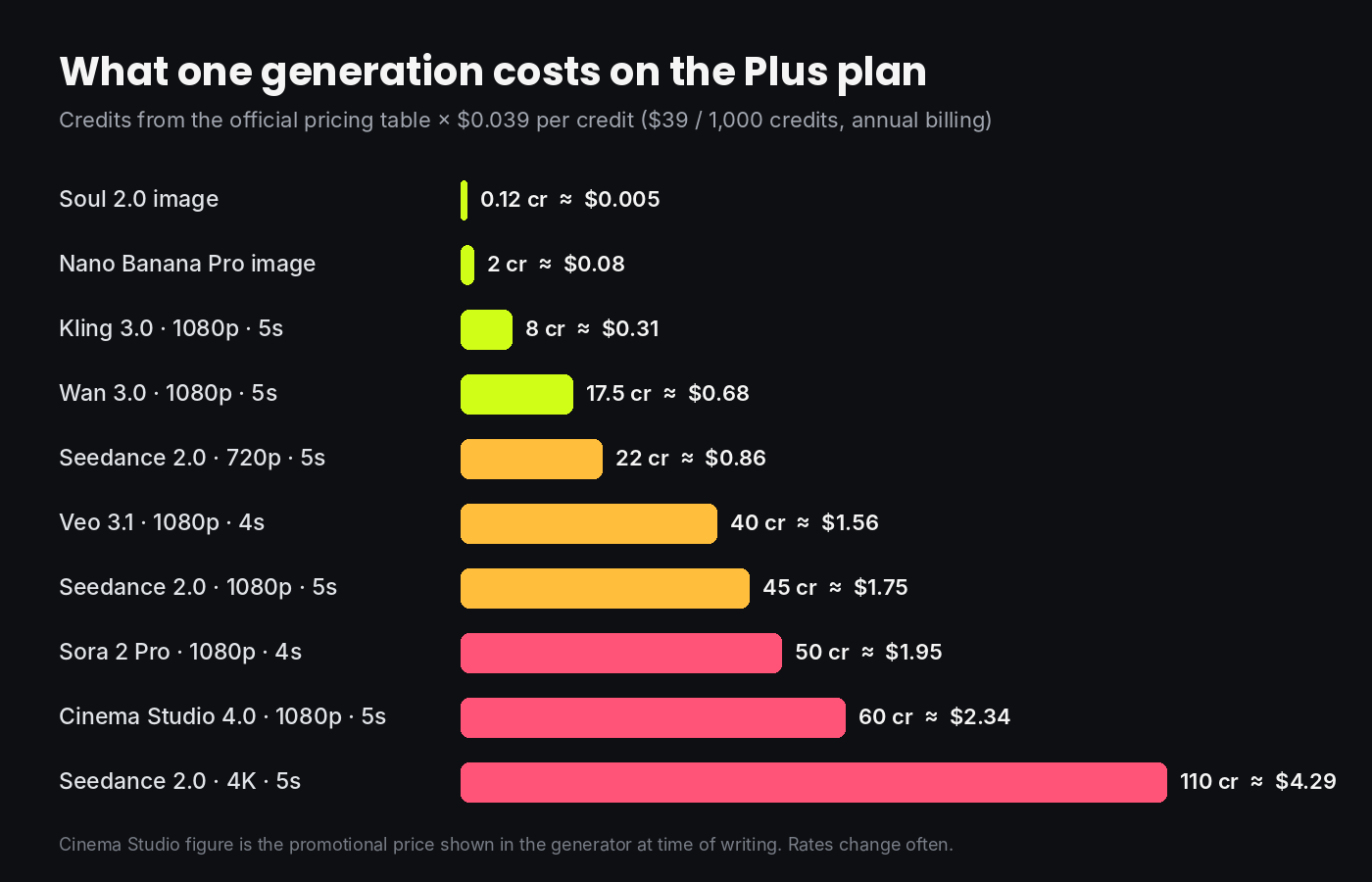
- Biggest risk: picking the expensive model by default. The same five-second shot can cost $0.31 or $4.29.
What is Higgsfield AI?
Higgsfield is a browser and mobile platform for generating and editing AI video, images and audio. It was founded by Alex Mashrabov, who previously led generative AI at Snap, together with CTO Yerzat Dulat. The company started with its own camera-motion video model and has since turned into something closer to a creative operating system: you pick a job (an ad, a cinematic shot, a talking avatar, a restyled clip) and the platform routes it to the model that fits.
The growth numbers explain why it keeps showing up in your feed. In August the company announced a $400 million Series B at a $5.4 billion valuation, with a reported $700 million annualized revenue run rate and around 30 million users. That matters for buyers for a practical reason: a platform with that much cash can afford to license every major model on day one, which is exactly what it does.
The part other reviews skip: Higgsfield is a model supermarket
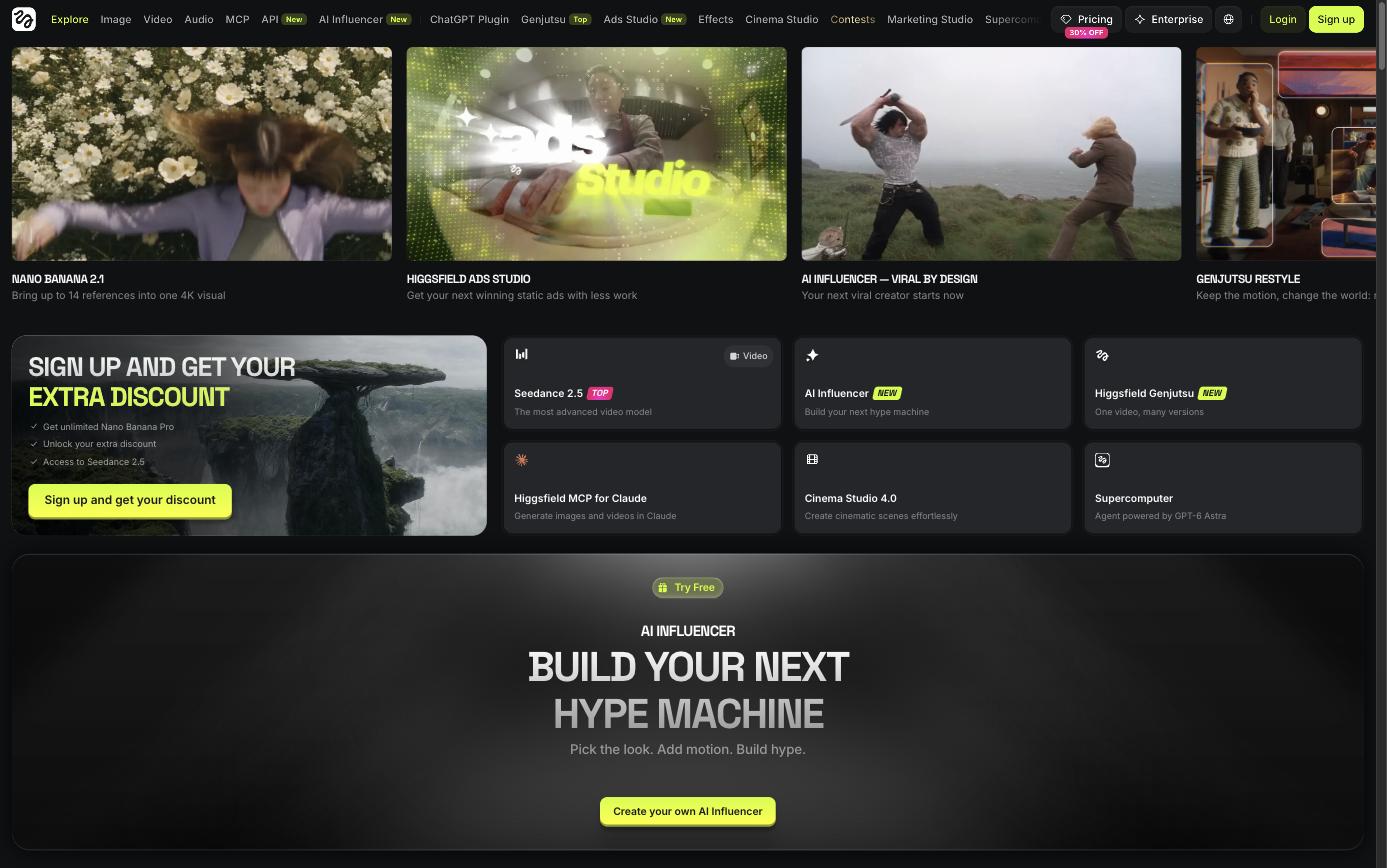
Inside one account you can generate with Sora 2, Google Veo 3.1, Kling 3.0, Seedance 2.0 and 2.5, Wan 3.0, Minimax Hailuo, Grok Video, Nano Banana Pro, FLUX.2, GPT Image and Seedream, alongside Higgsfield’s own Soul 2.0 image model and DoP video model. Buying those separately would mean five or six subscriptions and five or six prompt styles.
The trade-off is that every shelf in the supermarket has a different price tag, and the tag is written in credits rather than dollars. That is where people overspend. So let us translate it.
Credit math: what one generation really costs
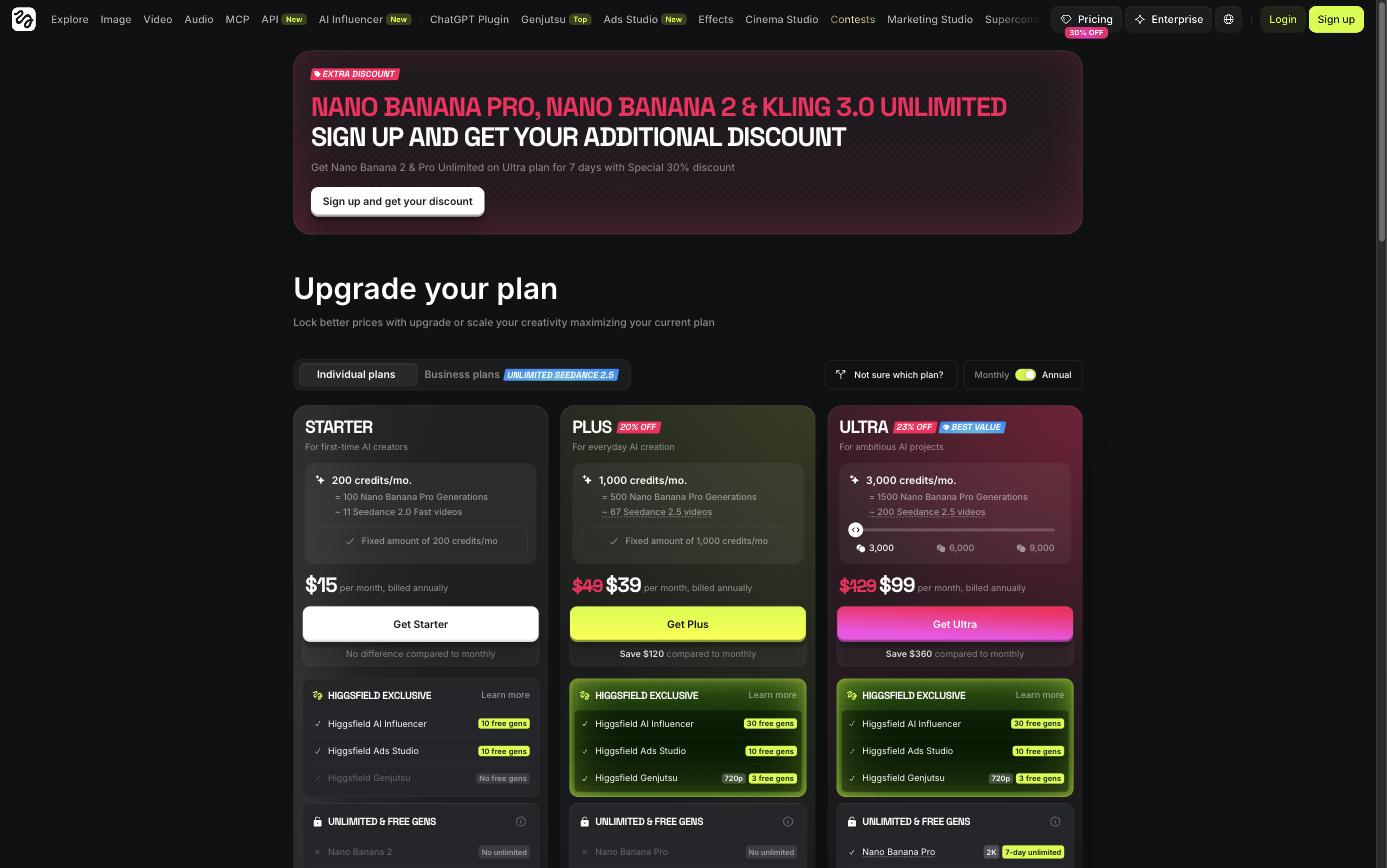
On annual billing the three individual plans work out like this:
| Plan | Price (annual billing) | Credits / month | Cost per credit |
|---|---|---|---|
| Starter | $15 / month | 200 | $0.075 |
| Plus | $39 / month ($49 monthly) | 1,000 | $0.039 |
| Ultra | $99 / month ($129 monthly) | 3,000 (up to 9,000) | $0.033 |
Now apply the Plus rate to the official per-model credit prices:
Three things jump out.
1. Resolution is the real price lever, not the model name. Seedance 2.0 costs about 22 credits for five seconds at 720p, 45 at 1080p and 110 at 4K. Same model, same prompt, five times the price. Draft at 720p, upscale only the take you keep.
2. Kling 3.0 is the budget workhorse. At roughly 8 credits for a 1080p five-second clip, a 30-second ad built from six shots costs about 48 credits, or under $2 on Plus. The same ad in Seedance 2.0 4K is 660 credits, around $26. Before retakes.
3. Images are nearly free by comparison. Soul 2.0 is priced at 0.12 credits per image, about half a cent. That makes a smart workflow obvious: lock your character, framing and lighting as still images first, then spend video credits only on frames you already like.
A practical rule we would budget with: assume three to four attempts per usable shot. Multiply the chart by that number and you have an honest production cost.
How “unlimited” actually works
The pricing page advertises unlimited Kling 3.0 and Nano Banana. Read the small print before you plan around it. On Plus and Ultra these are 7-day unlimited windows, not a permanent allowance. They apply only inside higgsfield.ai, not through MCP, the CLI, Canvas or Supercomputer, and Higgsfield states that unlimited usage can be slowed during busy periods. Starter gets no unlimited models at all. Treat unlimited as a launch bonus for batch-producing drafts in your first week, not as the reason to subscribe.
The studios worth your time
Cinema Studio 4.0
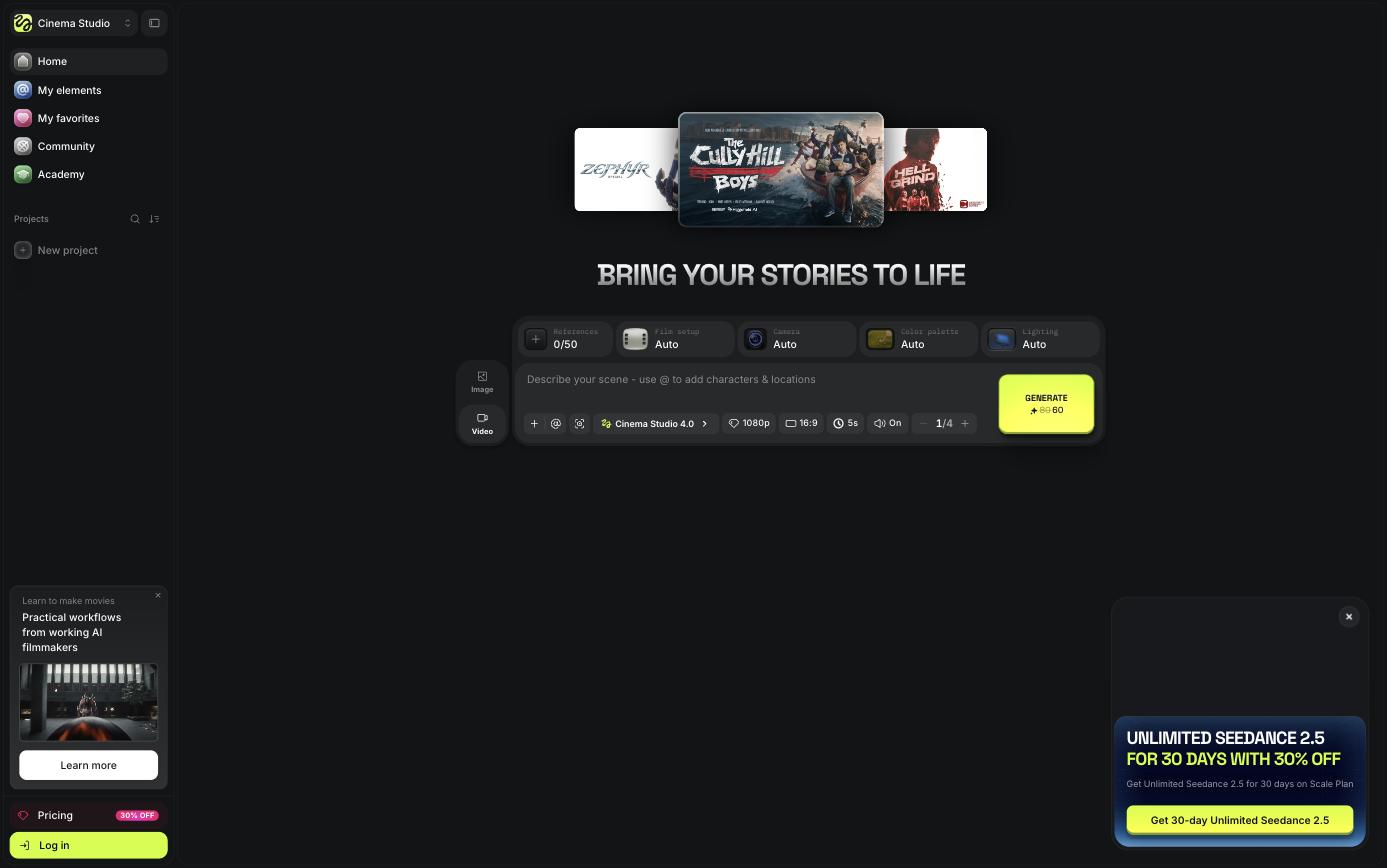
This is the tool that made Higgsfield’s name. Instead of typing “cinematic” and hoping, you set the shot like a director: film setup, camera, color palette and lighting each have their own control, and you can attach up to 50 references and tag saved characters and locations with an @ mention. Output goes up to 1080p with audio. It is also the priciest way to generate on the platform, so use it for hero shots rather than B-roll.
AI Influencer
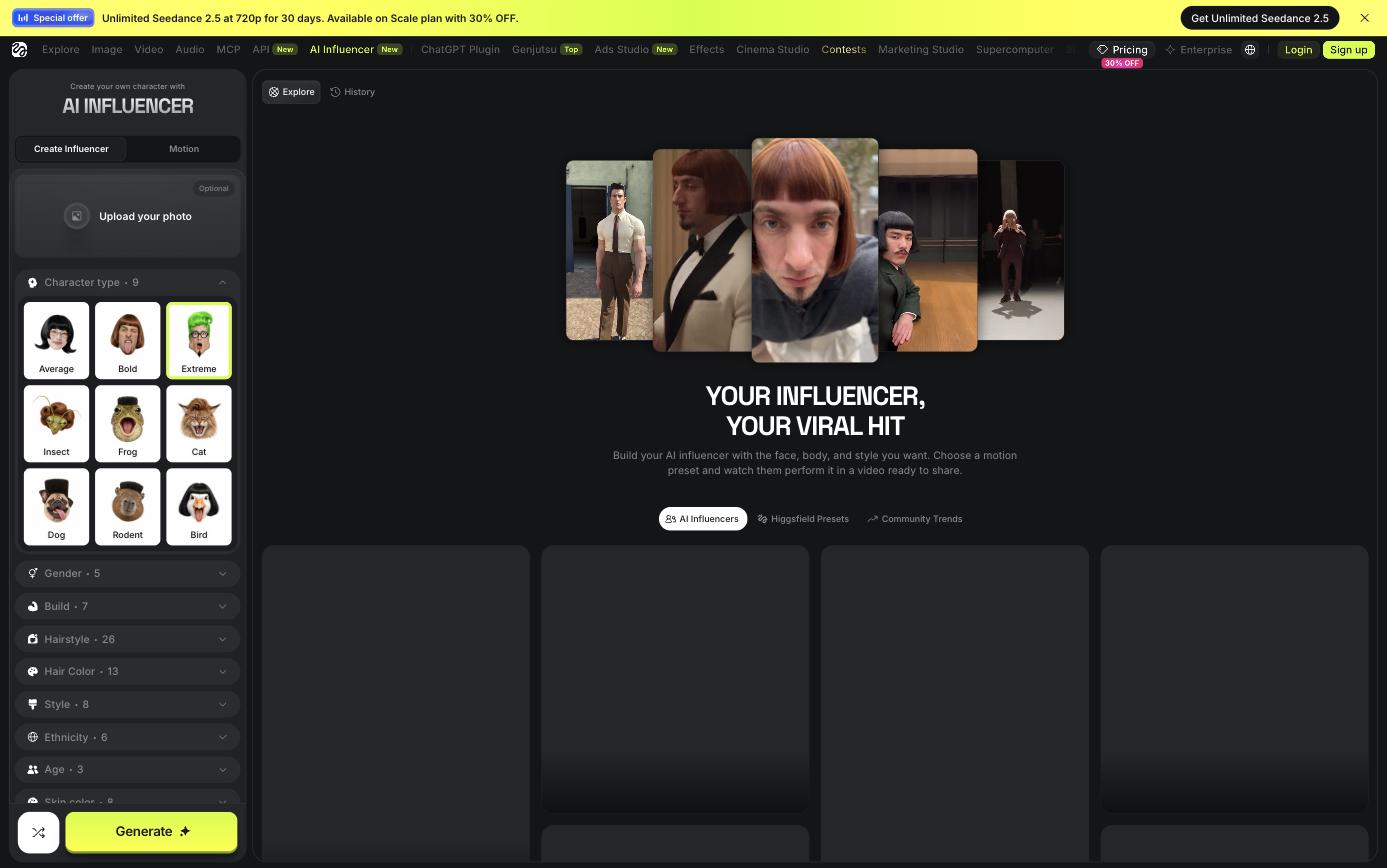
A character builder with a surprising amount of depth: 26 hairstyles, 25 facial feature options, 14 distinctive features, body build, age, even non-human types. You design the persona once, pick a motion preset, and get a share-ready video. For affiliate and UGC marketers this is the fastest route to a consistent on-screen face without hiring talent. Every paid plan includes free generations here (10 on Starter, 30 on Plus and Ultra).
Ads Studio and Marketing Studio
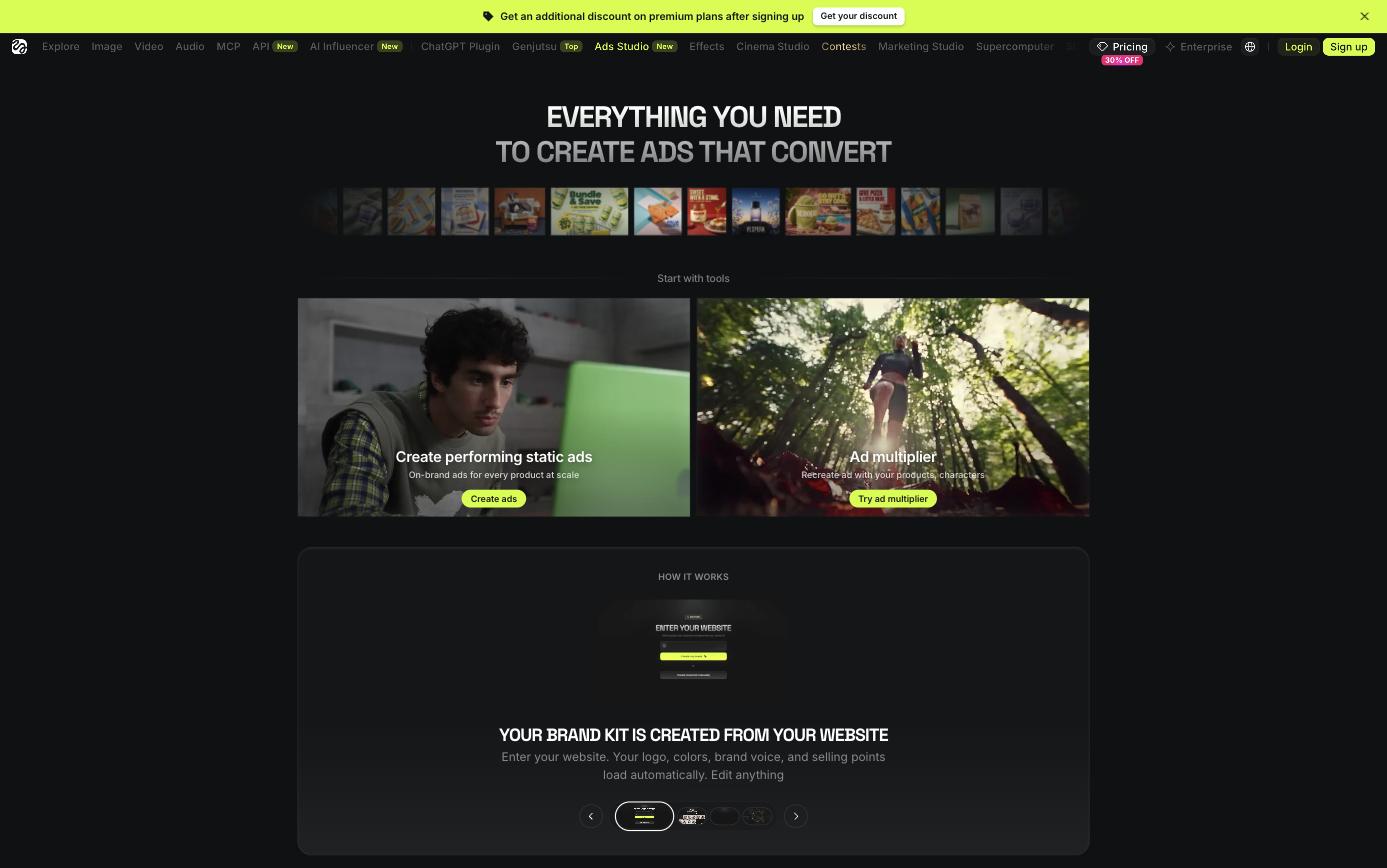
Paste your website and Ads Studio builds a brand kit automatically: logo, colors, brand voice and selling points. From there it produces static ads at scale, and the Ad Multiplier recreates a winning ad with your own product and characters. If you run paid traffic, this is the feature with the clearest return, because creative volume is usually the bottleneck in testing.
Genjutsu
Genjutsu restyles existing footage. Upload a clip, swap the character or the whole world, and the original motion, camera move and lip sync stay intact. It is a different job from text-to-video: you shoot something rough on a phone and let the model do the costume, set and VFX. Plus and Ultra include three free 720p generations to try it.
Supercomputer and MCP
Supercomputer is a chat-style agent. You describe the outcome (“turn my podcast into a 9:16 reel”) and it plans the shots, chooses models and chains the steps. The MCP server goes one step further and lets you generate from inside Claude or ChatGPT with no API key. Both are convenient, but remember the unlimited windows do not apply there, so agent runs always draw down credits.
See it in action
This video from the official Higgsfield channel puts the tools against a professional VFX artist, which is a fair way to judge where the output holds up and where it does not.
Start creating with Higgsfield →
Which plan should you pick?
- Starter ($15): a paid trial. 200 credits is roughly 25 Kling 3.0 clips at 1080p, two parallel video jobs, selected models only and no unlimited windows. Fine for learning the interface, weak for real output.
- Plus ($39 annual): the plan most people should buy. All models, all Seedance versions, six concurrent video jobs and a per-credit price nearly half of Starter. 1,000 credits covers roughly 125 Kling clips or about 22 Seedance 2.0 1080p clips.
- Ultra ($99 annual): for people publishing daily or working in 4K. The per-credit saving over Plus is small (about 15%), so upgrade for the volume and the eight concurrent jobs, not for the discount.
If you are unsure, start on Plus monthly for one cycle, track how many credits a finished video really costs you, then switch to annual once you know your number.
Pros and cons
What we like
- Almost every leading video and image model in one account and one prompt box.
- Real directing controls in Cinema Studio instead of prompt guesswork.
- Marketing-first tools (Ads Studio, AI Influencer, Ad Multiplier) that map to actual ad workflows.
- Very cheap image generation, which makes pre-visualising a shot almost free.
- Commercial use is included on every paid plan.
What to watch
- Credit prices vary by more than 10x between models and resolutions, and they change often.
- “Unlimited” is time-boxed and excludes the agent, MCP and Canvas.
- Starter is restricted enough that it works better as a test than a plan.
- The product moves fast. Menus and model versions shift every few weeks, so tutorials go stale quickly.
- Generation can slow down at peak times.
Five ways to make your credits last
- Build the frame as a Soul 2.0 or Nano Banana image first, then animate it. Image-to-video wastes far fewer takes than text-to-video.
- Draft in 720p. Re-render only the keeper at 1080p or 4K.
- Default to Kling 3.0 for B-roll and save Veo, Sora and Cinema Studio for shots that carry the story or need native audio.
- Use your 7-day unlimited window deliberately: plan the batch before you subscribe, not after.
- Keep clips short. Most models bill per four or five seconds, and editors cut shots shorter than that anyway.
Frequently asked questions
Is Higgsfield AI free?
You can sign up and explore for free, and the platform regularly offers free generations on specific tools, but sustained work needs a paid plan. Paid plans start at $15 per month.
Can I use Higgsfield videos commercially?
Yes. Commercial use is listed as included on Starter, Plus and Ultra.
Do unused credits matter when choosing a plan?
Plans grant a fixed number of credits each month, so buy for the volume you will really use. Extra credits can be purchased if you run out, and Ultra can be scaled to 6,000 or 9,000 credits.
Is Higgsfield better than using Kling, Veo or Sora directly?
If you only ever use one model, going direct can be simpler. Higgsfield wins when you switch between models per shot, want consistent characters across them, or need the ad and influencer tooling built on top.
Next step: see our step-by-step Higgsfield workflow for making video ads.
Final verdict
Higgsfield AI is the most complete single place to make AI video right now, and its marketing tools are a real advantage if you produce ads for a living. It is also a platform where an uninformed click can cost fourteen times more than an informed one. Go in with the credit math above, start on Plus, draft cheap and render expensive only once, and it is very good value.
Get Higgsfield AI with the current discount →
Prices and credit rates were taken from the official Higgsfield pricing page at the time of writing and exclude VAT and local taxes. Promotions change frequently, so confirm the current rate at checkout.