Disclosure: some links in this guide are partner links. If you sign up through them, I may earn a commission at no extra cost to you.
Most freelance web projects don’t have one client. They have a client company with a founder, a marketing lead, an office manager who “just has a few notes”, and sometimes an outside consultant. When five people review the same staging site, the hard part isn’t collecting feedback; it’s stopping four people from pinning the same typo and two people from asking for opposite things without seeing each other’s comments.
That’s the lens I used to compare BugHerd plans. Every plan collects visual feedback well. What changes between them is mostly about how clients see each other’s comments, and for a multi-stakeholder review that turns out to be the deciding feature. Prices and features below come from BugHerd’s pricing page and FAQ as they read today.
How BugHerd works in a client review
BugHerd sits on top of the website you’re building. You install it on the site with a one-line JavaScript snippet, or use the browser extension if you can’t add code. BugHerd recommends the snippet for staging and internal sites, and the extension for live sites where you don’t want to touch the code.
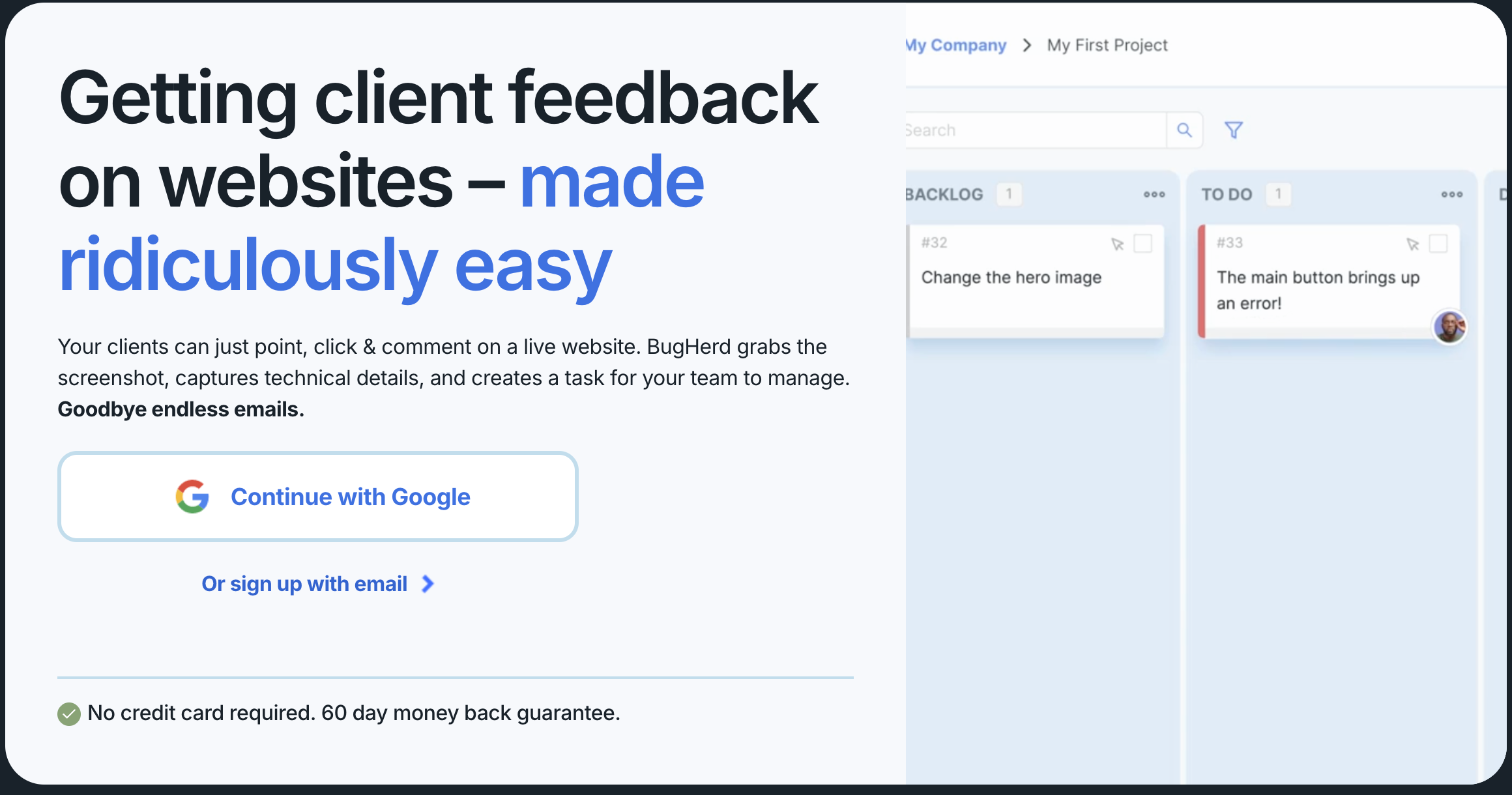
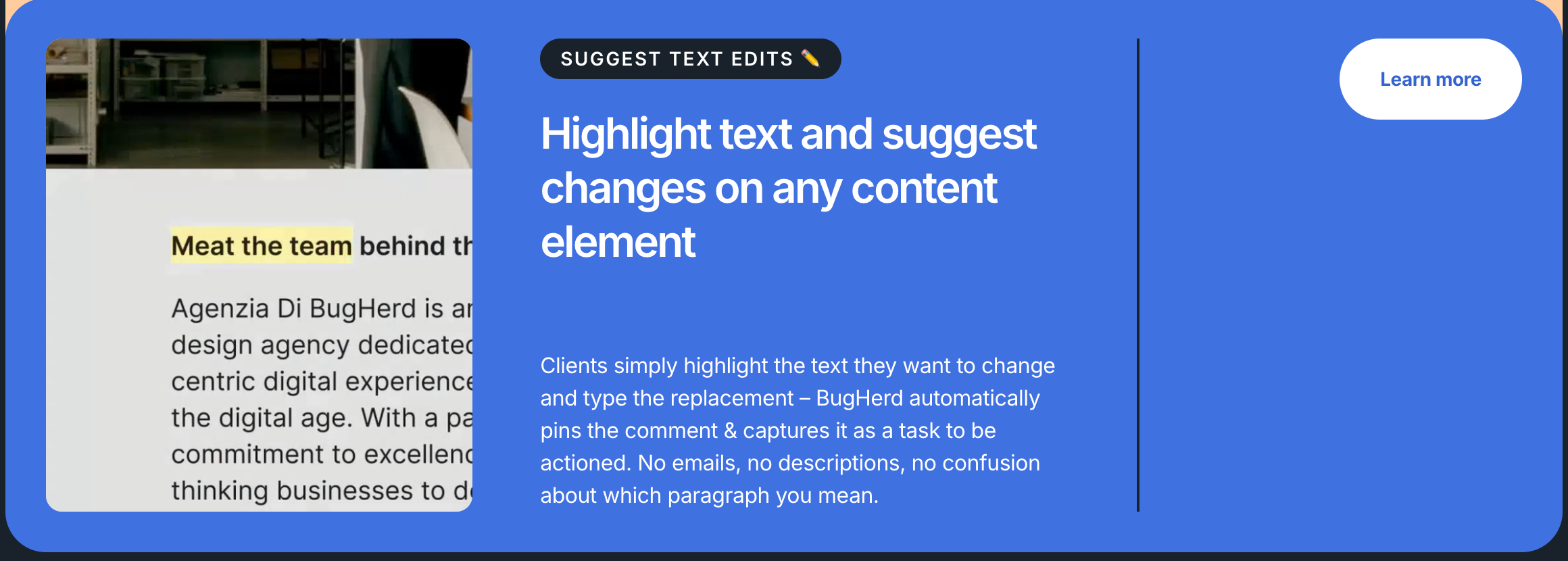
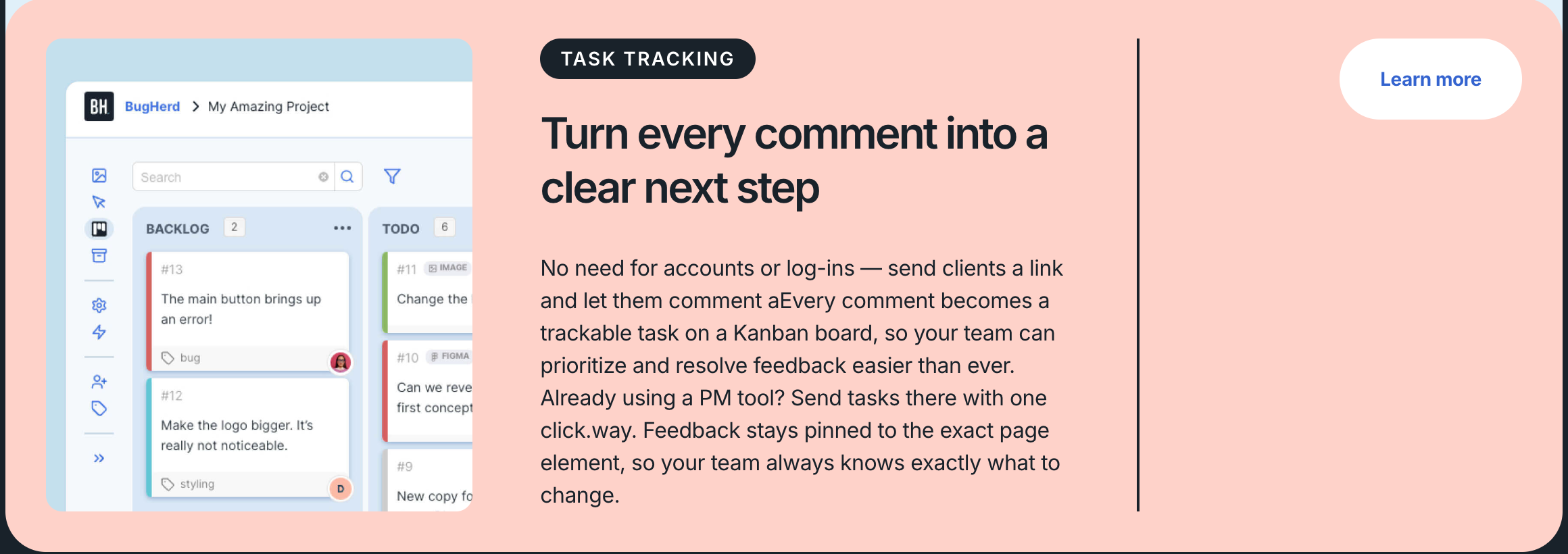
Clients don’t need an account. You send them a link, they click on any element of the page and leave a comment, and BugHerd pins it to that element. Each comment arrives with a screenshot and technical details such as browser, operating system and screen resolution, then lands as a task on a Kanban-style board for your team. Clients can also highlight text and type the replacement, which BugHerd captures as a “suggest text edit” task.
BugHerd separates two kinds of user:
- Members are your side: you, a developer, a designer, a subcontractor. Members see the task board and all feedback.
- Clients (guests) are the people reviewing. On every plan you can invite unlimited clients. By default, BugHerd’s FAQ says guests can only leave feedback and respond to comments on the items they reported.
That last line is where multi-stakeholder reviews get messy, and it’s what the plan choice is really about.
BugHerd plans and prices
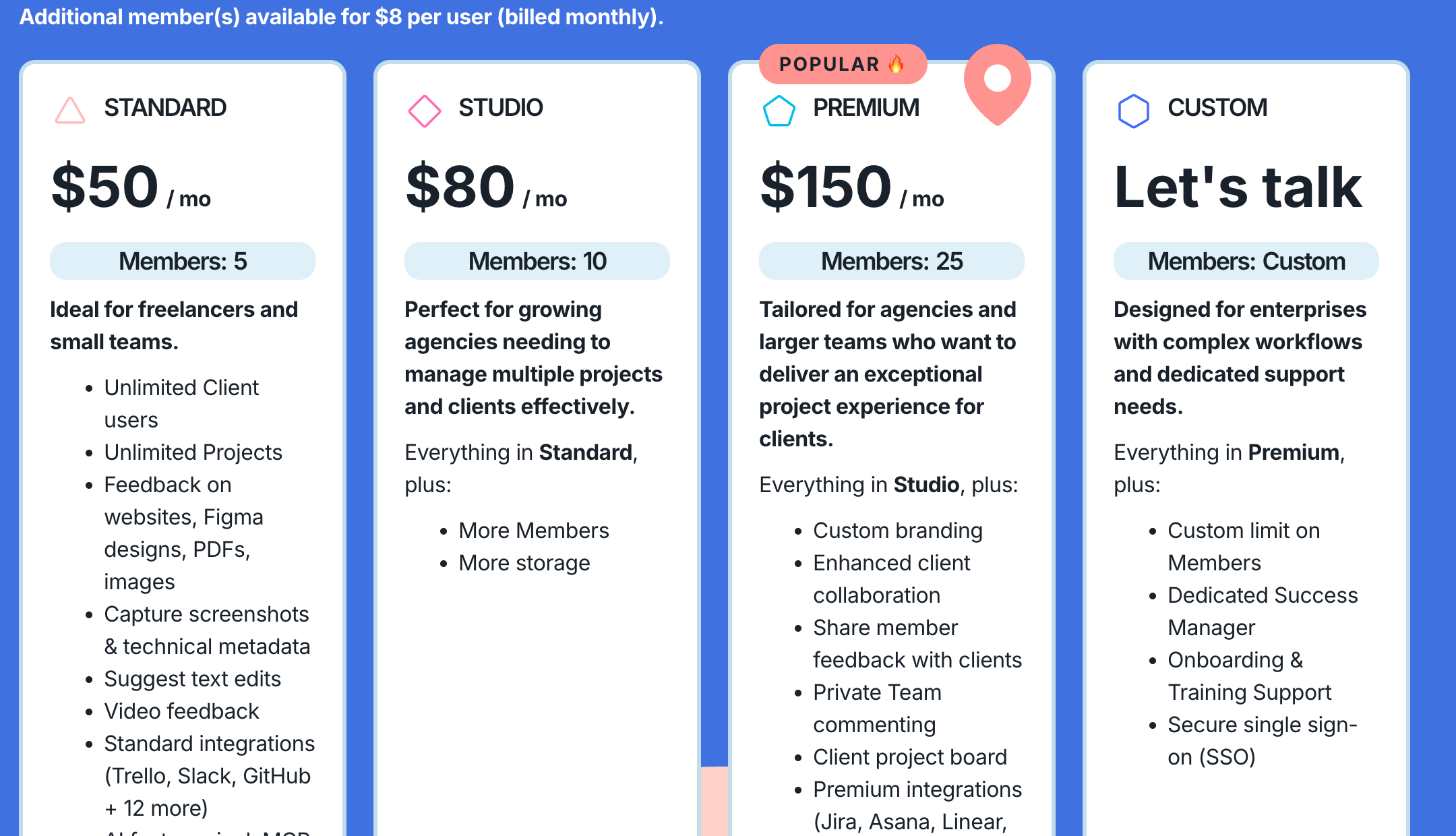
| Plan | Billed monthly | Billed yearly | Members | Storage |
|---|---|---|---|---|
| Standard | $50/mo | $500/yr (about $42/mo) | 5 | 10GB |
| Studio | $80/mo | $800/yr (about $67/mo) | 10 | 25GB |
| Premium | $150/mo | $1,500/yr (about $125/mo) | 25 | 50GB |
| Custom | Contact sales | Contact sales | Custom | Unlimited |
Yearly billing gives you two months free. Extra members cost $8 per user per month on monthly billing, or $80 per user per year on yearly billing. Every plan includes unlimited clients and unlimited projects, feedback on websites, Figma designs, PDFs and images, screenshots with technical metadata, suggested text edits, video feedback, a public feedback widget, standard integrations such as Trello, Slack and GitHub, and AI features including BugHerd’s MCP connection and automatic task titles.
BugHerd’s homepage FAQ says there’s a free 7-day trial, sign-up doesn’t need a credit card, and paid plans come with a 60-day money-back guarantee.
The five-stakeholder problem
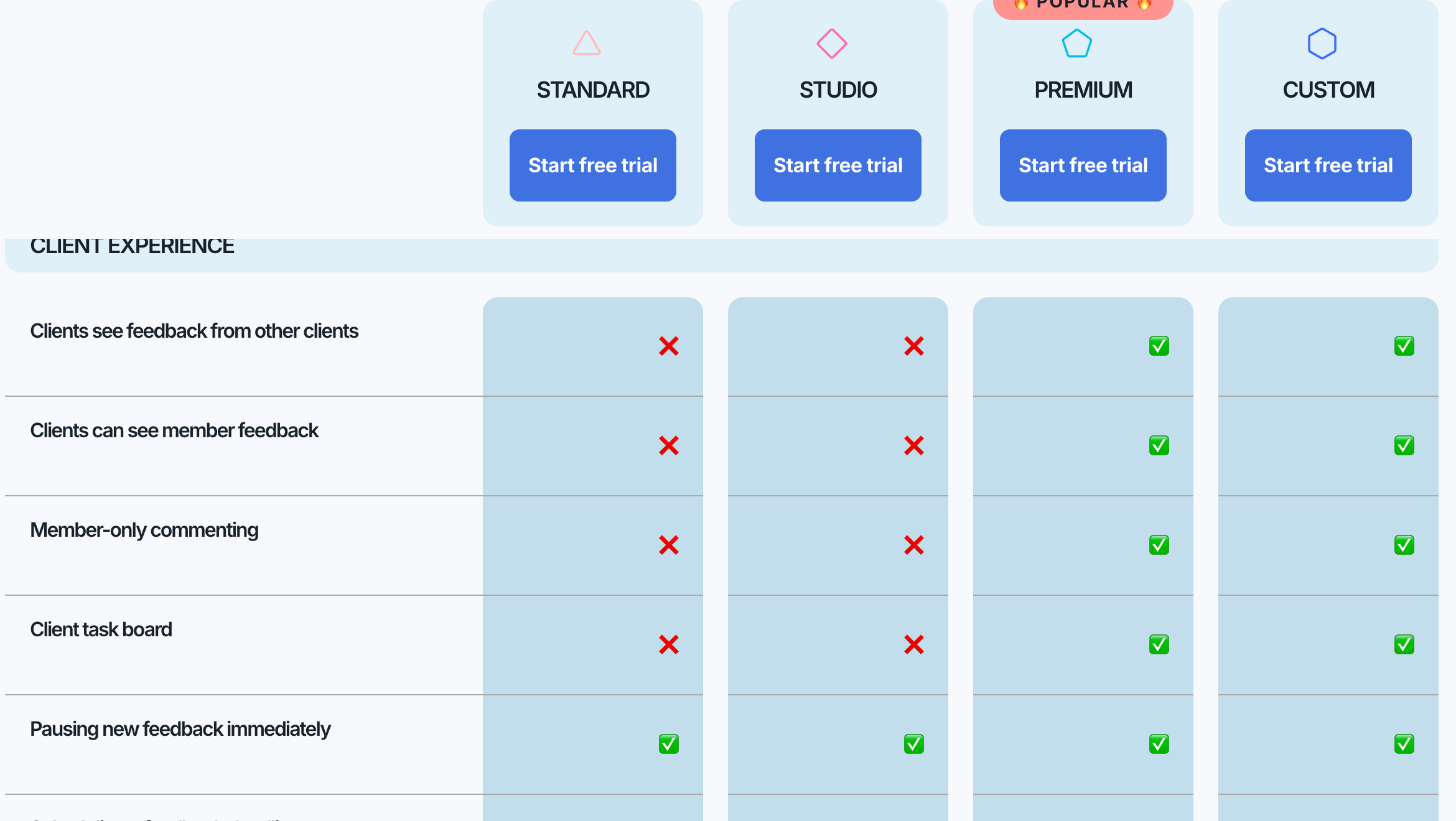
Picture a homepage review with five people from the client side. On Standard and Studio, BugHerd’s comparison table shows that clients can’t see feedback from other clients, and can’t see member feedback either. Each person reviews the page as if they’re the only one. In practice that means:
- Duplicates. The same broken button or typo gets pinned by several people, and you close the same task several times.
- Silent conflicts. The founder asks for a bigger hero image while the marketing lead asks for a shorter hero. Neither sees the other’s request, so the conflict lands on you.
- No visible answers. If you reply to one person’s question, the others don’t see the answer and may ask again.
On Premium, the client experience changes. The pricing table lists these as Premium (and Custom) features:
- Clients see feedback from other clients.
- Clients can see member feedback, and you can share member feedback with clients.
- Member-only commenting, so your team can discuss a task privately.
- A client version of the task board.
- Scheduling a feedback deadline.
Pausing new feedback immediately is available on every plan, which is useful once a round is closed.
Running a multi-stakeholder review on Standard
Standard is $50 a month and five members is plenty for most freelancers, so it’s worth knowing how to make it work before paying three times as much. This is the process I’d use:
1. Name one feedback owner on the client side
Ask the client to choose one person who collects everyone’s notes and leaves them in BugHerd. You still get pinned, screenshotted tasks, and the duplicates and conflicts get resolved inside the client’s company instead of on your board. Put this in the proposal, alongside the number of revision rounds, so it isn’t a surprise.
2. Split the review by page
If several people need to review, give each one a section of the site: the founder reviews the homepage and About page, marketing reviews landing pages, operations reviews the contact and booking pages. Overlap drops a lot when nobody reviews everything.
3. Close each round with a pause
When the review window ends, pause new feedback so late comments don’t arrive while you’re building. BugHerd offers this on every plan. Reopen it for the next round.
4. Summarise answers outside BugHerd
Because clients on Standard can’t see your replies to other people, send one short round-up email at the end of each round: what you’ll change, what you won’t, and why. It takes ten minutes and prevents the same question from coming back.
If you already use a tool to collect client content before the build, the same “one owner” rule helps there too. I wrote about sizing that side of the project in my Content Snare plan guide.
When Premium is worth $150 a month
Premium is three times the price of Standard on monthly billing, so I’d only move up when the client side can’t be organised into one voice. That usually means:
- Larger organisations where several departments must sign off and won’t route comments through one person.
- Agencies working with a client’s in-house team, where both sides need to see the conversation.
- Projects with a fixed feedback deadline, since scheduling a deadline is a Premium feature.
- Freelancers who resell under their own brand. Custom branding and logo are Premium features.
Premium also adds the premium integrations (Jira, Asana, Linear, ClickUp, Monday.com and Teamwork) and enhanced AI features such as auto-tagging and similar task detection. Similar task detection is the AI counterpart to the duplicate problem above, so it’s another reason Premium suits bigger review groups.
A practical approach for a freelancer: stay on Standard by default, and switch to monthly Premium only for the months a big multi-stakeholder project is in review. BugHerd’s pricing page doesn’t spell out how plan changes are prorated, so check that with BugHerd before relying on it.
What about Studio?
Studio sits between the two at $80 a month, and its listed additions over Standard are more members (10 instead of 5) and more storage (25GB instead of 10GB). It doesn’t include any of the client experience features. If you only need a couple of extra team seats, adding members to Standard at $8 each per month is cheaper: Standard plus five extra members is $90 a month on monthly billing, so the break-even sits around four extra seats. Studio makes sense when you regularly need more than five team members or more storage; it does nothing for the multi-stakeholder problem.
Fitting BugHerd into a freelance project
Where BugHerd fits in my project timeline:
- Design review. BugHerd accepts feedback on Figma designs, PDFs and images on every plan, so the same tool can cover the mockup stage.
- Staging review. Install the JavaScript snippet on the staging site and invite the client. This is where most feedback happens.
- Pre-launch QA. Use BugHerd yourself for a final pass across browsers and devices; the technical metadata on each task helps here.
- After launch. Remove the snippet from the live site or switch to the extension, and pause feedback until the next change request.
If you offer ongoing maintenance, BugHerd can also be the channel for small change requests on a care plan. I built care plan tiers in my ManageWP care plan pricing article, and a visual feedback tool fits naturally into the higher tier.
When the project ends, BugHerd lets you export data as CSV, XML or JSON on all plans, and there’s an API. I’d export the final task list as a record of what the client approved, alongside the handover notes.
Who shouldn’t buy BugHerd
- Freelancers with single-decision-maker clients who are happy reviewing over a call. A recorded screen share may be all you need.
- Anyone who only needs a free comment widget. BugHerd has no free plan, only a trial.
- Teams that live in Jira or Asana but won’t pay for Premium. Those integrations are Premium-only, though Trello, Slack, GitHub, Zapier and Make work on Standard.
FAQ
How much does BugHerd cost?
On monthly billing, Standard is $50, Studio $80 and Premium $150 a month. On yearly billing they’re $500, $800 and $1,500 a year. Custom pricing is by quote.
Do clients need a BugHerd account?
No. BugHerd says clients don’t need accounts or logins; you send them a link and they can start leaving feedback.
Can clients see each other’s feedback in BugHerd?
Only on Premium and Custom. On Standard and Studio, clients can’t see feedback from other clients or member feedback.
Does BugHerd work on staging sites?
Yes. BugHerd says it works on live and staging websites; for staging or internal sites you install a JavaScript snippet, and for live sites you can use the browser extension.
Is there a BugHerd free trial?
Yes. BugHerd’s FAQ mentions a free 7-day trial with no credit card required, plus a 60-day money-back guarantee on paid plans.
My take
For most freelancers, BugHerd Standard is the right plan, as long as you set one rule in the proposal: one person on the client side owns the feedback. That keeps the duplicates and conflicts out of your board for $50 a month, or about $42 billed yearly. When a project has several stakeholders who all need to see the conversation, Premium is the plan that fixes it, because client-to-client visibility, a client task board and feedback deadlines live there. Studio is the plan I’d skip unless your own team outgrows five people.