Disclosure: this article contains affiliate links. If you sign up through them, we may earn a commission at no extra cost to you.
Anyone running paid traffic knows the real constraint is rarely budget or targeting. It is creative. Platforms reward accounts that feed them fresh ads every week, and most small teams cannot shoot that fast. Higgsfield AI is one of the few AI video platforms built with that problem in mind, with a dedicated Ads Studio, a Marketing Studio and an agent that ships ad-specific skills.
This guide is not another feature tour. It is a production workflow: the order to do things in so you make more ads and waste fewer credits. If you want the full breakdown of plans and per-model costs first, read our Higgsfield AI review.
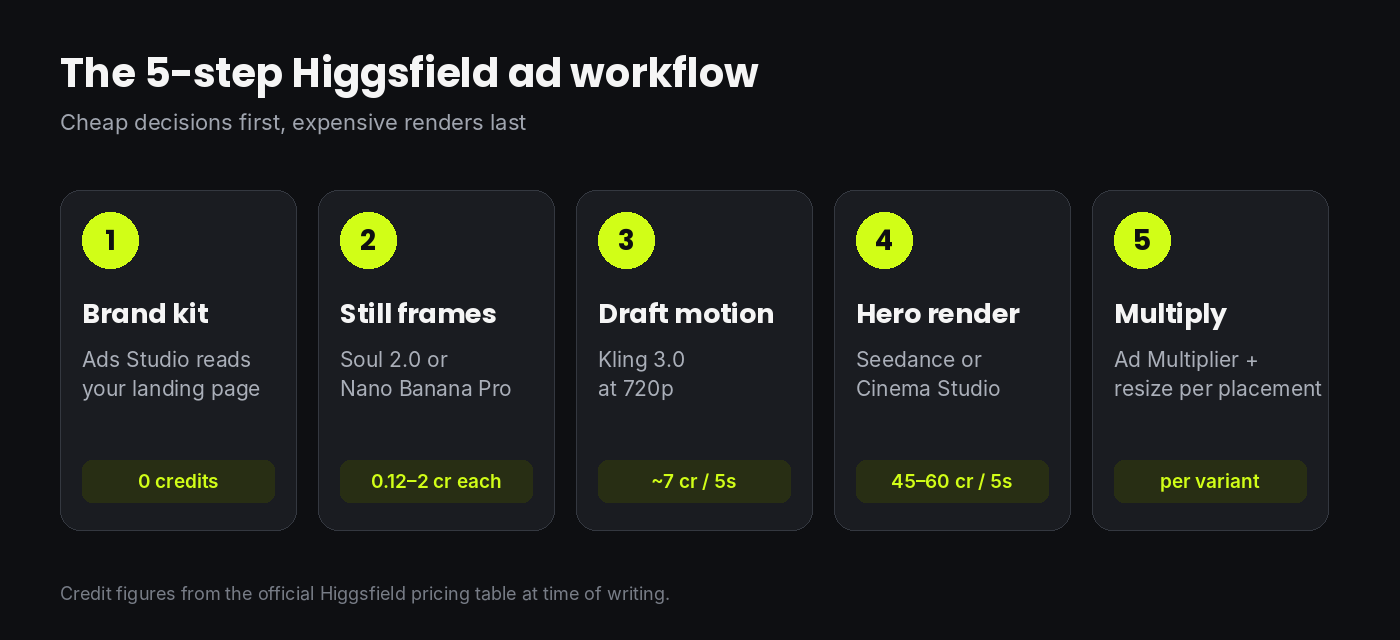
The core idea: decide cheap, render expensive
Every AI video platform charges most for the same thing: high-resolution video from a top model. Higgsfield charges least for images. So the whole workflow is built around one rule. Make every creative decision (product angle, character, framing, lighting, hook) while it costs cents, and only pay for a premium render once nothing is left to decide.
Step 1: Build your brand kit from the landing page
Start in Ads Studio and paste the URL you are sending traffic to. Higgsfield pulls your logo, colors, brand voice and selling points into a brand kit you can edit. Spend ten minutes here correcting it, because everything downstream inherits these settings.
Two edits pay off most:
- Rewrite the selling points as claims you can actually run. Auto-extracted copy tends to be generic. Replace it with the three angles you want to test, for example price, speed and proof.
- Upload a clean product image. A sharp cut-out with neutral lighting gives the models far less to hallucinate.
Step 2: Create the frames as stills
Move to Marketing Studio. It has modes for UGC, product shots, motion, ads, posters and marketplace listings, each with templates, plus slots for an avatar and a product so both stay consistent from frame to frame.
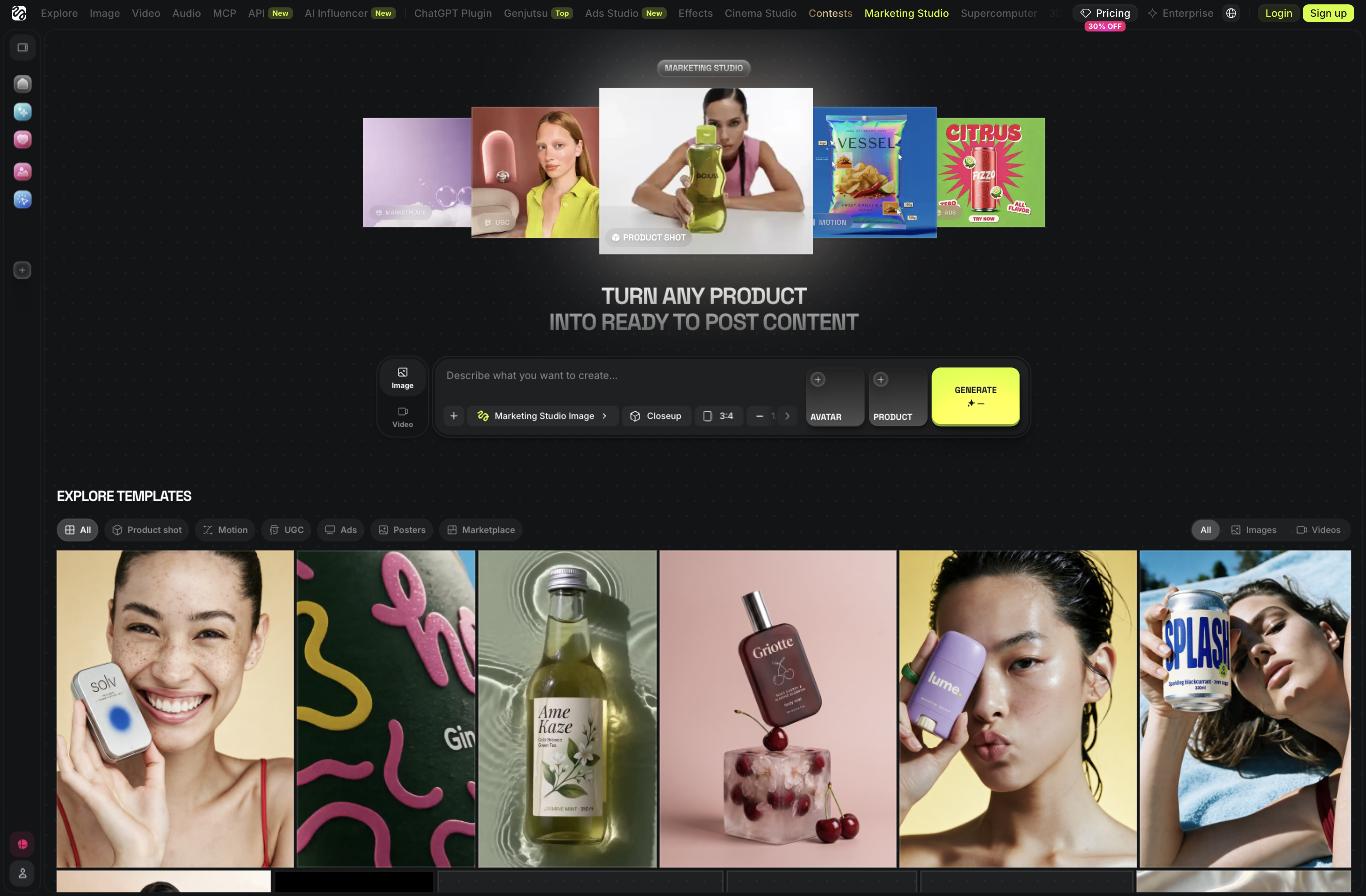
Generate the opening frame of each ad as an image first. Aim for three hooks per angle, so nine frames for three angles. On current pricing a Nano Banana Pro image is 2 credits and a Soul 2.0 image is 0.12, so even fifty attempts cost less than a single premium video clip.
What to check before you approve a frame:
- Is the product label legible and correct? Text on packaging is where models still slip.
- Does the first frame work with the sound off? Most feeds autoplay muted.
- Is there empty space where your caption or price sticker will go?
Step 3: Draft the motion on a cheap model
Take the approved frames into the video generator and animate them with image-to-video. Higgsfield offers more than 250 presets for camera control, framing and VFX, and a general mode for manual prompting.
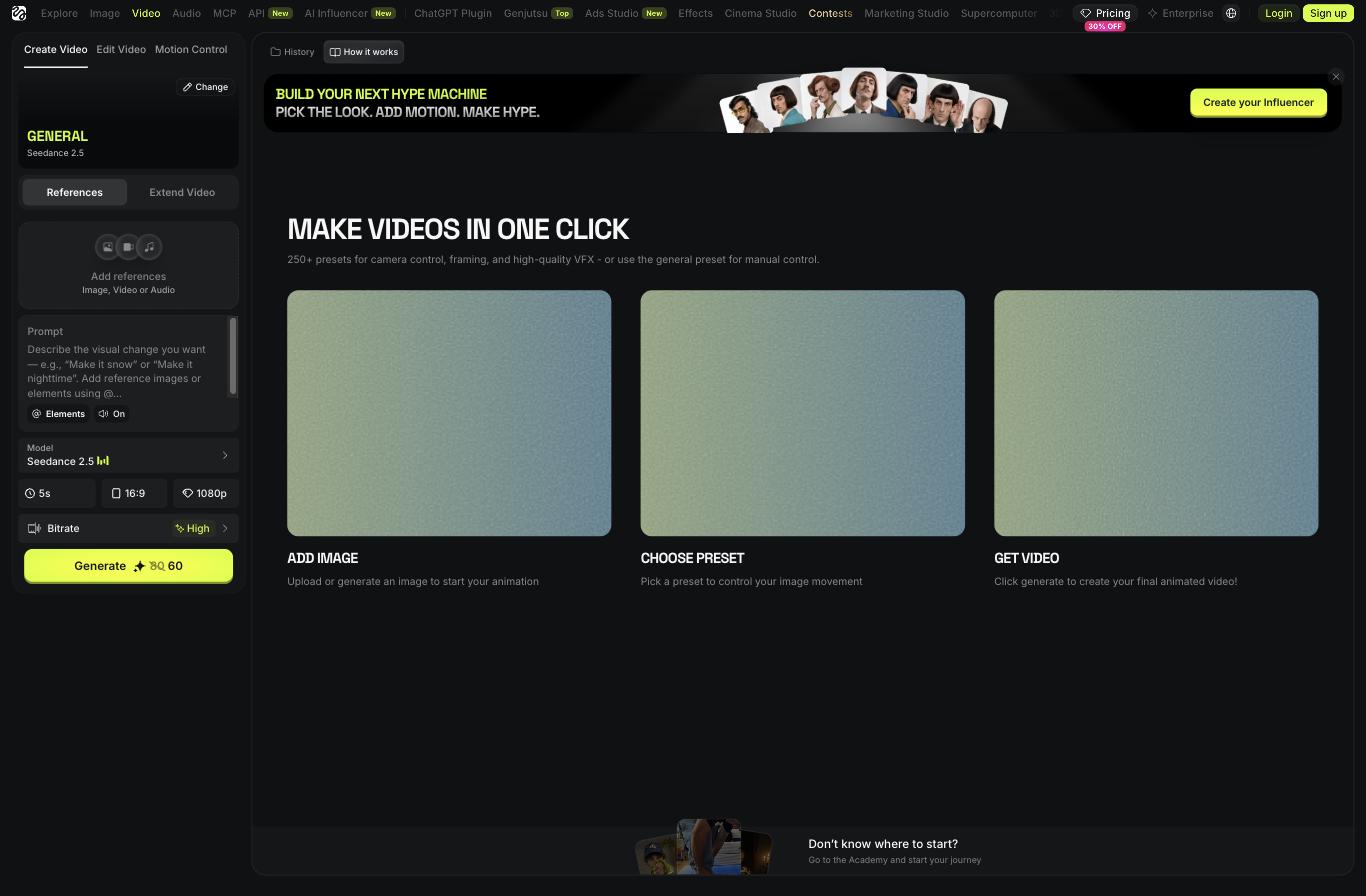
For drafts, switch the model to Kling 3.0 and the resolution to 720p. That is roughly 7 credits for five seconds, against 45 or more for a premium model at 1080p. You are not judging beauty yet. You are judging three things: does the motion sell the hook, does the product stay on model, and does anything look broken in the hands, face or text.
Prompting tips that save retakes:
- Describe one camera move and one subject action. Two of each is where clips fall apart.
- State what must not change (“label stays readable, bottle shape unchanged”).
- Keep clips to five seconds. You will cut them shorter in the edit anyway.
Step 4: Render only the winners in high quality
Now pay for quality, but only on drafts that passed. Re-run the winning frame and prompt on Seedance at 1080p, or in Cinema Studio if the shot needs specific lens, film stock and lighting control. If the ad needs a spoken line, use a model with native audio or the Lipsync Studio rather than fixing it in the edit.
This is the step where budgets disappear, so apply a hard rule: no premium render without an approved draft. One retake at this tier costs as much as six drafts.
Step 5: Multiply and adapt
A winning ad should become ten. The Ad Multiplier recreates an existing ad with your own product and characters, which is useful both for cloning your own winners into new angles and for studying formats that already work in your niche. Then produce a 9:16, a 1:1 and a 16:9 version for each placement.
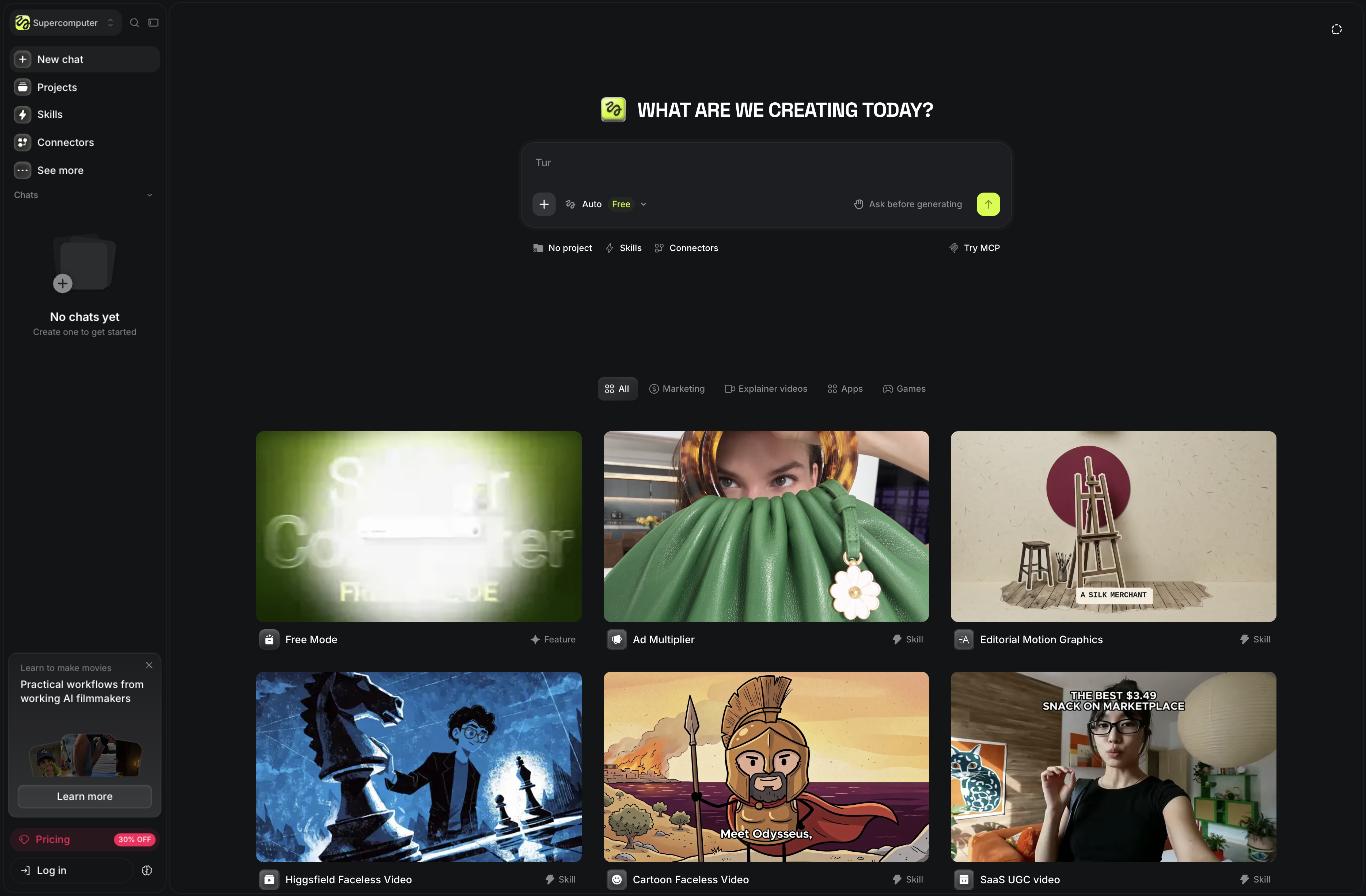
If you prefer to delegate the sequence, Supercomputer is Higgsfield’s chat agent. It has ready-made skills such as Ad Multiplier, SaaS UGC video and faceless video, and an “ask before generating” switch that makes it confirm the plan before it spends credits. Leave that switch on.
Watch: how Higgsfield approaches Meta ads
This walkthrough from the official Higgsfield channel shows the agent-driven ad process end to end.
A realistic monthly budget
Here is how the 1,000 credits on the Plus plan ($39 per month on annual billing) could be split for an account testing four new video ads a week.
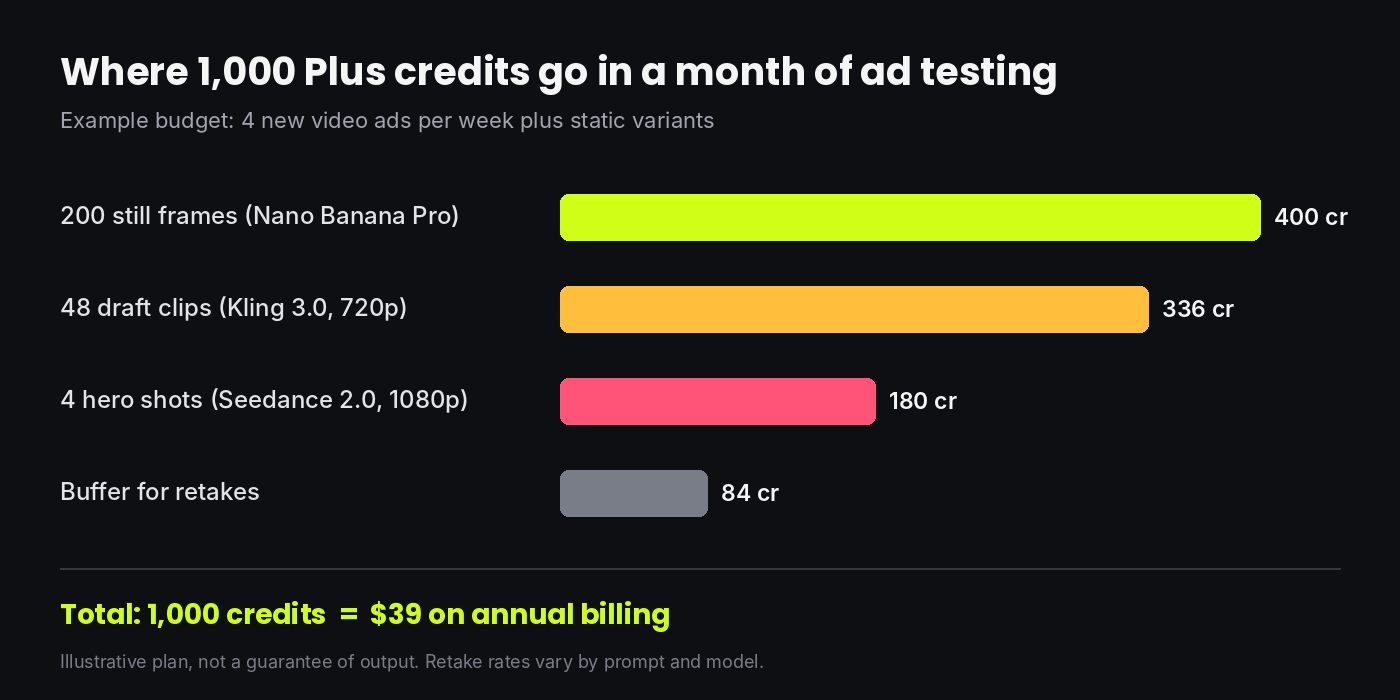
The pattern matters more than the exact numbers: most of the volume sits in stills and drafts, and the premium tier gets a small, deliberate slice. Flip that ratio and the same plan produces a fraction of the ads.
Also note what “unlimited” means before you plan around it. On Plus and Ultra the unlimited Kling 3.0 and Nano Banana access is a 7-day window, works only on higgsfield.ai, and does not apply inside Supercomputer, MCP or Canvas. The best use of it is to batch a month of stills and drafts in your first week.
Mistakes that burn credits
- Going straight to text-to-video. You pay video prices to discover the framing is wrong.
- Leaving the resolution on the default. The generator often opens at 1080p on a premium model.
- Testing ten ideas in one clip. One hook per clip keeps your ad tests readable.
- Letting the agent run without confirmation. Agent runs always draw credits.
- Skipping the compliance check. AI avatars presented as real customers can break ad platform rules and consumer protection law. Label AI-generated people where required and never invent testimonials.
Who this workflow suits
It fits affiliate marketers, e-commerce and dropshipping stores, app marketers and agencies that need a steady flow of short ads and are comfortable editing the final cut themselves. It is less suited to brands that need one polished 60-second film with exact continuity; that still takes a more careful, shot-by-shot process in Cinema Studio and a real editor.
Frequently asked questions
Which Higgsfield plan is enough for ads?
Plus is the practical starting point. Starter has 200 credits, only two parallel video jobs and a restricted model list, which runs out quickly when you are testing.
Can I run Higgsfield videos as paid ads?
Commercial use is included on the paid plans. You are still responsible for meeting each ad platform’s policies on AI-generated content and claims.
Do I need editing software?
For simple ads, no. For anything with captions, music timing or multiple shots, a basic editor will give you much better results than relying on single generated clips.
How long does one ad take?
Once the brand kit exists, the stills and drafts for one ad can be done in under an hour. Generation speed varies with server load, so batch your jobs and use the parallel slots your plan allows.
Bottom line
Higgsfield does not make ads for you. It removes the shoot. Used in the right order, with stills and cheap drafts doing the thinking and premium models reserved for the final pass, it lets a one-person team test creative at a pace that used to need a studio.
Start your first ad on Higgsfield →
Credit prices come from the official Higgsfield pricing page at the time of writing and change frequently. Confirm current rates before you subscribe.