Most comparisons of Adobe Express free vs Premium list every feature side by side and leave you to work out what matters. I find that backwards. If you run a small business, a shop page or a side project, the real question is simpler: which of the jobs you do every week actually hit a wall on the free plan? This article is the test I use to answer that, based on Adobe’s official plan comparison as it stands today.
Short version: the free plan is genuinely usable for one-off graphics. The upgrade starts paying for itself when you publish the same brand across several channels every week, edit video, or work with PDFs regularly.
What each plan costs right now
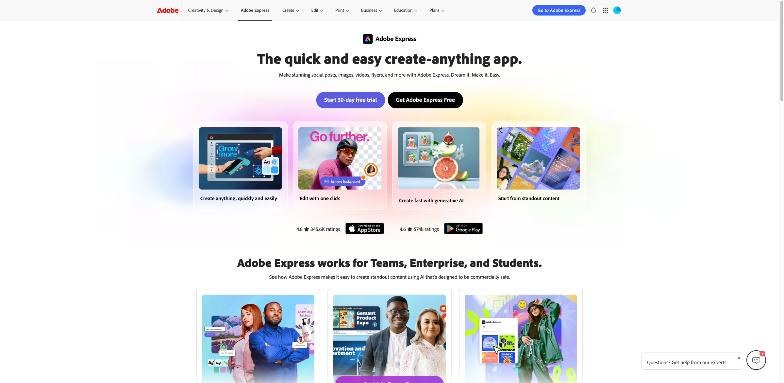
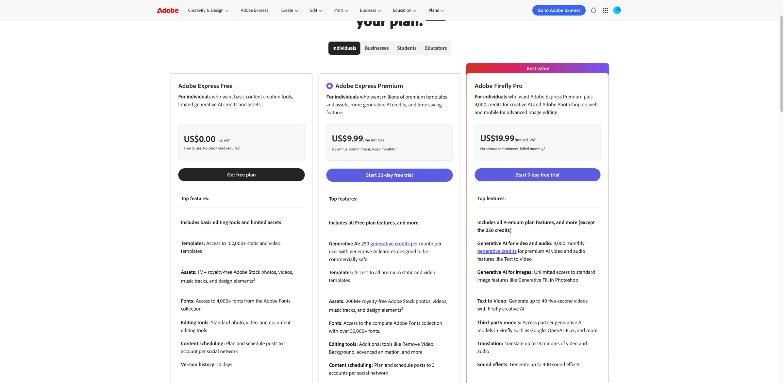
Adobe currently lists three plans for individuals on its Adobe Express pricing page (US prices; your local price may differ):
| Plan | Price | Headline differences |
|---|---|---|
| Adobe Express Free | US$0 | Basic editing tools, limited generative AI, 5GB storage, 10-day version history, scheduling to 1 account per social network |
| Adobe Express Premium | US$9.99/month | 250 generative credits per month, all premium templates, the full Adobe Fonts collection, brand kits, one-click resize, 100GB storage, 30-day version history, scheduling to 3 accounts per network |
| Adobe Firefly Pro | US$19.99/month | Premium features plus 4,000 monthly credits for premium AI video and audio, Photoshop on web and mobile, and access to partner AI models |
Premium is billed monthly with no annual commitment according to the plan card, and Adobe offers a 30-day free trial on it. Firefly Pro shows a 7-day trial.
The upgrade test: five questions
Instead of reading the full comparison table, answer these five questions about your actual week. If you answer “yes” to two or more, Premium is very likely worth the US$9.99. If you answer “yes” to none, stay on Free.
1. Do you post the same design in more than two sizes?
One-click Resize is a Premium feature in Adobe’s comparison table. On Free, you rebuild or manually adjust the design for each format. If you make one Instagram post a week, that’s fine. If every promotion becomes a square post, a story, a banner and an email header, resize is the feature that saves the most time.

2. Do other people need to make on-brand designs?
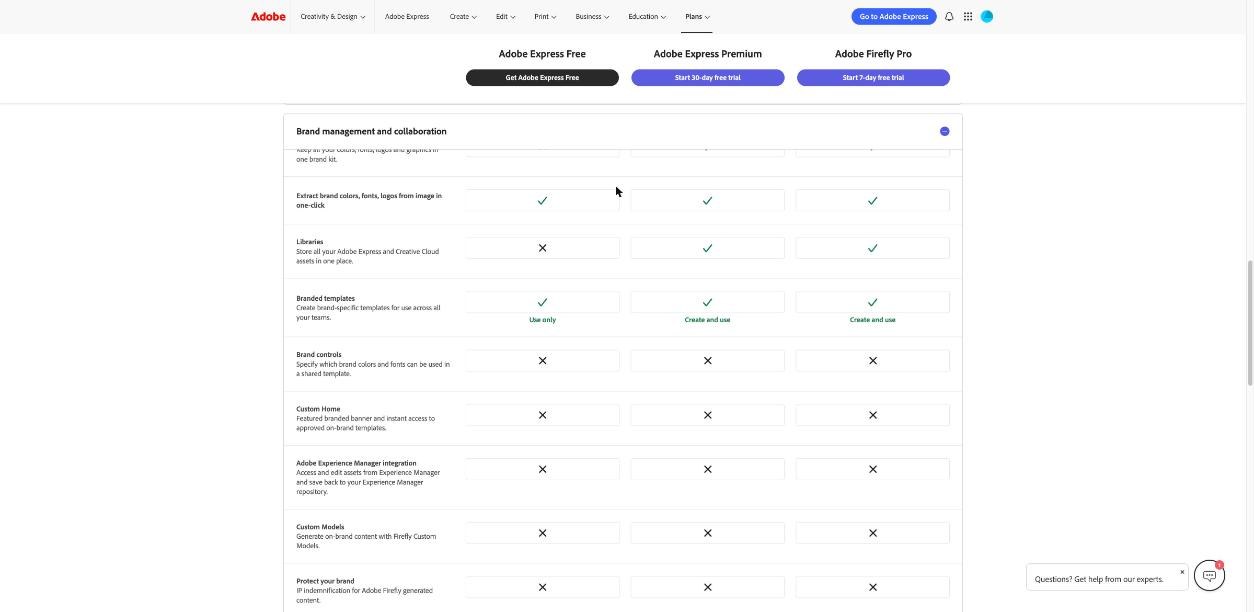
Brand Kits and Libraries are marked as Premium-only. Free users can use branded templates but cannot create them. If a helper, a VA or a co-founder makes graphics too, a brand kit with your colours, fonts and logos keeps everything consistent without you checking every post.
3. Do you edit video more than occasionally?
The comparison table lists several video limits on Free: projects up to 30 minutes (2 hours on Premium), no 4K export, no Remove Video Background and no Enhance Speech. For short social clips the free tools are workable. For product demos, talking-head videos with poor audio, or anything you want to export in 4K, Premium removes the friction.
4. Do you work with PDFs every month?
This is the limit people discover late. Free includes PDF import and 10 PDF Quick Actions per month (edit, combine, organise and similar). Premium makes them unlimited. If you combine invoices, edit price lists or assemble proposals regularly, you’ll hit ten quickly.
5. Will you use generative AI weekly?
Free gets “free daily generations” for features like generating images, text effects and inserting or removing objects, plus a handful of lifetime trial uses for heavier features: Adobe lists 5 free lifetime uses for Generate Presentations and 2 for generating 5-second videos. Premium includes 250 generative credits per month, the Erase tool, access to partner AI models, and the AI Assistant (beta), which the table marks as still in development for Free. If AI is a daily habit, Premium is the floor. If AI video and audio are central to your work, look at Firefly Pro instead.

Where the free plan is honestly enough
I don’t want to oversell the upgrade. The free plan covers a lot:
- Templates and stock: the Free plan card lists access to more than 100,000 static and video templates and over a million royalty-free Adobe Stock photos, videos, music tracks and design elements.
- Fonts: 4,000+ fonts from Adobe Fonts. That’s plenty for one brand.
- Standard editing: photo, video and document editing tools that cover typical social posts, flyers and simple videos.
- Scheduling: you can plan and schedule posts to one account per social network.
- Devices: it works in desktop browsers and on mobile phones, with no credit card needed to start.
If you’re a solo seller posting a few times a week to one account per network, with no video and no PDFs, Free does the job. Spend the money on ads or stock instead.
Where Premium earns its price
Premium makes sense when your design work is repetitive rather than occasional. The features that matter most for small businesses, in my view, are:
- Resize for multi-channel campaigns.
- Brand kits and libraries when more than one person designs.
- Unlimited PDF Quick Actions for document-heavy work.
- Video upgrades: background removal, speech enhancement and 4K export.
- Scheduling to 3 accounts per network, useful if you run a personal brand and a business page, or several shops.
- Storage and history: 100GB and 30 days of version history instead of 5GB and 10 days.
Premium also unlocks the full Adobe Fonts collection (30,000+ fonts according to the plan card) and all premium templates. Nice to have, but rarely the reason a small business upgrades.
When to skip Premium and go to Firefly Pro
Firefly Pro costs twice as much as Premium and includes Premium features except the 250 Express credits. In their place you get 4,000 monthly generative credits aimed at premium AI video and audio features such as Text to Video, unlimited standard image generation features like Generative Fill in Photoshop, full Photoshop on web and mobile, and partner models. Adobe lists examples such as generating up to 40 five-second videos, translating up to 13 minutes of video and audio, and up to 400 sound effects.
It’s the right plan if you make AI video ads or need Photoshop-level edits. If your work is templates, social posts and PDFs, it’s more than you need.
Three small-business scenarios
The online shop owner posting product photos
You post new products a few times a week to Instagram and Facebook, and occasionally make a sale banner. You work alone and rarely touch video. Here the five-question test usually comes back with one “yes” at most, often for resizing during sales. Free is enough most of the year; consider a month of Premium around big campaigns, since it’s billed monthly.
The local service business with a part-time helper
A salon, a tutor or a cleaning company with someone else helping on social media. Two “yes” answers are typical: brand consistency and multiple sizes. Brand kits stop the helper from inventing new colours and fonts, and resize turns one offer into posts, stories and a flyer. Premium pays for itself in saved review time alone.
The consultant who lives in documents
Proposals, price lists, one-page reports and the occasional short video explaining a service. The PDF limit is the first wall: ten Quick Actions a month disappears in a busy week. Add speech enhancement for recorded explainers, and Premium is the obvious choice.
Notice what doesn’t appear in any scenario: the number of templates or fonts. Those headline numbers are what most comparisons lead with, but they’re rarely what decides the upgrade for a small business.
My recommendation
Start on Free and run the five-question test for two weeks of real work. Note every time you rebuild a design in a new size, hit the PDF limit, or wish you could clean up audio. If those moments happen weekly, take the 30-day Premium trial at a busy time, not a quiet one, so the trial tests your real workload.
If you’re still deciding between Adobe and Canva, my Canva review covers the alternative, and if you’re weighing a full Adobe setup, my guide to Adobe Creative Cloud explains the bigger suite.
FAQ
Is Adobe Express really free?
Yes. Adobe Express Free costs US$0 and doesn’t require a credit card. It includes basic editing tools, templates, stock assets, 4,000+ fonts, 5GB of storage and limited generative AI.
How much does Adobe Express Premium cost?
Adobe lists Premium at US$9.99 per month, billed monthly with no annual commitment, and offers a 30-day free trial. Prices can differ by country.
How many generative credits do I get on Adobe Express Premium?
Premium includes 250 generative credits per month. The Free plan gets free daily generations for some AI features and a few lifetime uses for heavier ones.
Can I resize designs on the free plan?
One-click Resize is listed as a Premium feature in Adobe’s comparison table, so on Free you need to adjust each format yourself.
What’s the difference between Adobe Express Premium and Adobe Firefly Pro?
Firefly Pro (US$19.99/month) includes Premium features except the 250 Express credits, and adds 4,000 monthly credits for premium AI video and audio, Photoshop on web and mobile, and partner AI models.