Most freelancers do their bookkeeping in a panic: once a year, the week before taxes are due, with a shoebox of receipts and a bank export that makes no sense. A month-end close in Xero is the opposite habit. It is one short session at the end of each month where you match the bank feed, chase what clients owe you, sort contractor paperwork and look at a couple of reports. Done monthly, the year-end becomes a formality.
This guide walks through that routine for a US-based freelancer or one-person business using Xero, and then answers the question most Xero reviews skip: which of the three US plans this routine actually needs. Plan prices and features below are taken from Xero’s US pricing page and feature pages as they appear today.

Why a monthly close suits freelancers
Freelance income is lumpy. One month three clients pay at once; the next month nothing lands until the 28th. If you only look at your books occasionally, you lose track of who owes what, which expenses were business and which were personal, and how much you should be setting aside. A monthly close fixes three things at once:
- Cash clarity. You know what was earned, what was paid and what is still outstanding.
- Cleaner tax prep. Expenses are coded while you still remember what they were.
- Earlier warnings. A late payer shows up after 30 days, not after 90.
If your bigger problem is business and personal spending tangled on the same card, I covered that situation separately in QuickBooks Solopreneur with mixed cards; the same logic applies in Xero, so it is worth sorting before you start closing months.
Before your first close: a 30-minute setup
The routine only stays short if a few things are set up once:
- Connect your business bank account and card so transactions flow into Xero automatically.
- Add your invoice template with your logo and payment terms.
- Turn on online payments so invoices carry a Pay now button. Xero says clients can pay by credit card, debit card, ACH debit, Apple Pay or Google Pay through providers such as Stripe and GoCardless.
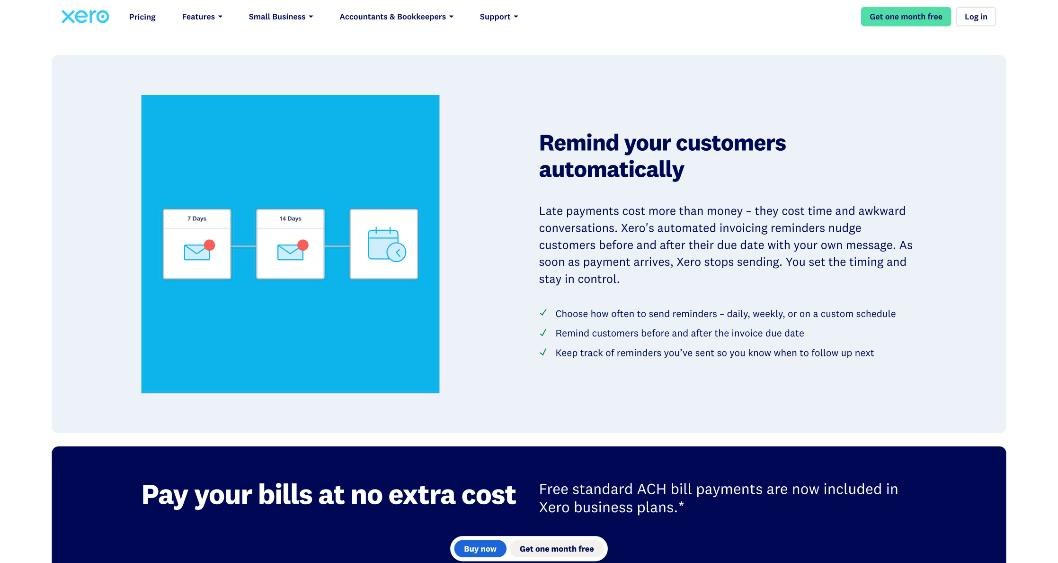
- Set up automatic invoice reminders. Xero lets you choose when they go out, before or after the due date, and stops sending once the invoice is paid.
- Collect W-9s from any contractors you pay, so 1099 time is not a scramble.
Xero also offers a free product specialist, which it calls a Xero coach, to help with setup during your first 90 days. If you are new to accounting software, that is worth booking before your first close.
The five-step month-end close in Xero
Block an hour on the last working day of the month, or the first day of the next. Once you have done it a few times, it usually takes far less.
Step 1: Reconcile the bank feed
Open the reconciliation screen for each connected account and work through the unmatched lines. Each bank transaction should end up matched to an invoice, a bill or a coded expense.
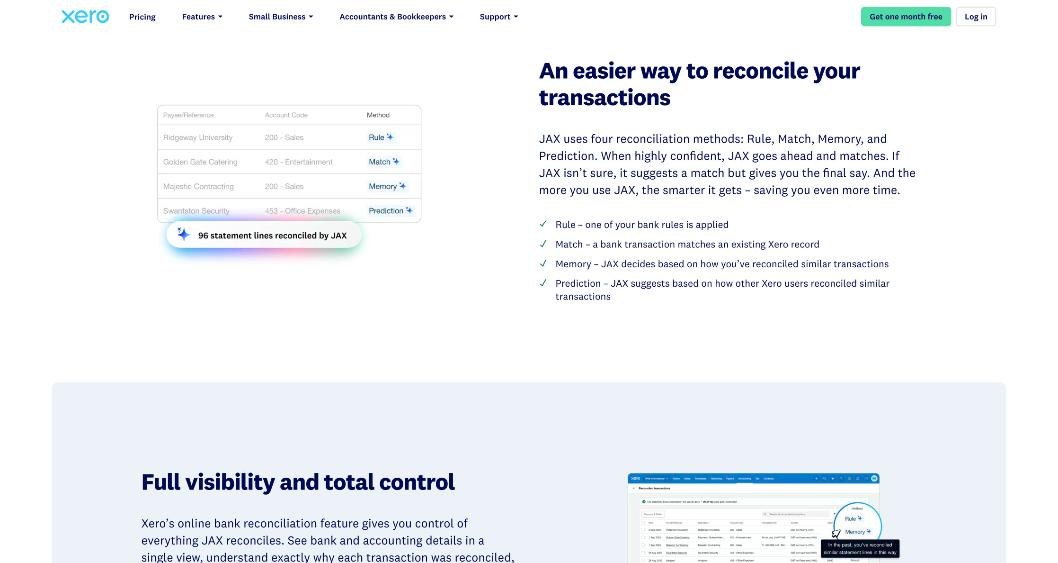
Two features make this quick. First, bank rules: tell Xero once that a recurring charge from your design software is a software subscription, and it codes future charges the same way. Second, Xero’s AI assistant JAX can reconcile automatically using four methods Xero names Rule, Match, Memory and Prediction. When it is confident, it matches; when it is not, it suggests and you decide. Xero says this automatic reconciliation is available on the Growing plan and above. On Early you still reconcile, you just click through the suggestions yourself, and bulk coding helps there.
A freelancer habit worth building: code expenses directly from the bank feed rather than entering every purchase as a bill first. That keeps the work in one place, and it matters on Early, which limits how many bills you can enter.
Step 2: Attach the paperwork
For anything over your personal threshold, attach the receipt to the transaction. Xero’s plans include Smart Document Capture for pulling details from documents, and the reconcile screen lets you find receipts and add documents as you go. Doing this monthly is far easier than hunting through email in April.
Step 3: Review invoices and chase what is overdue
Open your list of outstanding invoices. For each one past due:
- Check whether the automatic reminders have gone out. Xero keeps track of reminders already sent.
- Look at invoice tracking. Xero tells you when a client has opened an invoice, which helps you decide whether a polite nudge or a phone call is needed.
- Send a personal follow-up for anything more than a few weeks late. Automated reminders are good at the first two nudges; a human message works better after that.
Then issue anything you should have invoiced this month but did not, such as a retainer or the final milestone of a project. Recurring invoices save time here if you bill the same client the same amount every month.
If you get paid by clients abroad, this is also the step where you check that payments from your foreign account landed and were recorded at the right amount. I described the receiving side of that in my guide to getting paid from abroad with a Wise Business account.
Step 4: Update contractor and tax records
If you paid other freelancers this month, make sure each payment is recorded against the right contact and that you have their W-9 on file. Xero lists W-9 and 1099 management on every US plan, so by January the information you need for 1099s is already there.
This is also a good moment to move your estimated-tax set-aside. A simple rule many freelancers use is a fixed percentage of every payment received, moved to a separate savings account. How much is right for you is a question for your accountant, not your software.
Step 5: Read two reports, then lock the month
You do not need a dashboard full of charts. Two reports cover most freelancers:
- Profit and loss for the month: did you earn more than you spent, and which expense lines grew?
- Accounts receivable or your outstanding invoices list: how much money is owed to you, and by whom?
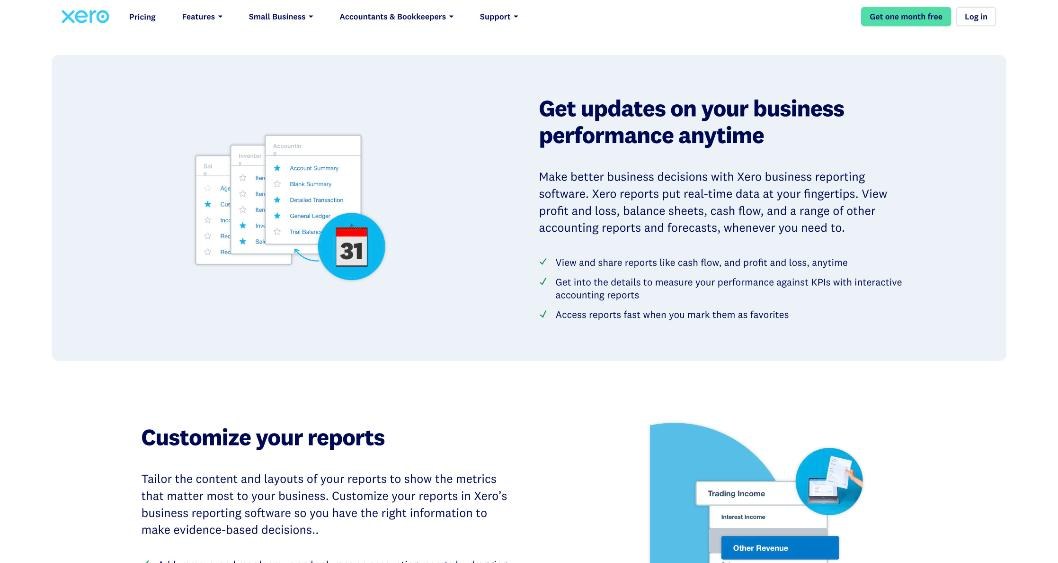
Xero lets you mark reports as favorites so they are one click away next month, customize rows and columns, and share them with your advisor. On Growing and above you can also build a budget from past actuals and run a budget variance report, which is useful once your income is steady enough to plan around.
Finally, once you are happy the month is right, stop it from changing by accident. Xero’s reporting FAQ covers how to stop changes being made to transactions during a reporting period; ask your accountant which date they prefer you to lock.
Which Xero plan does this routine need?
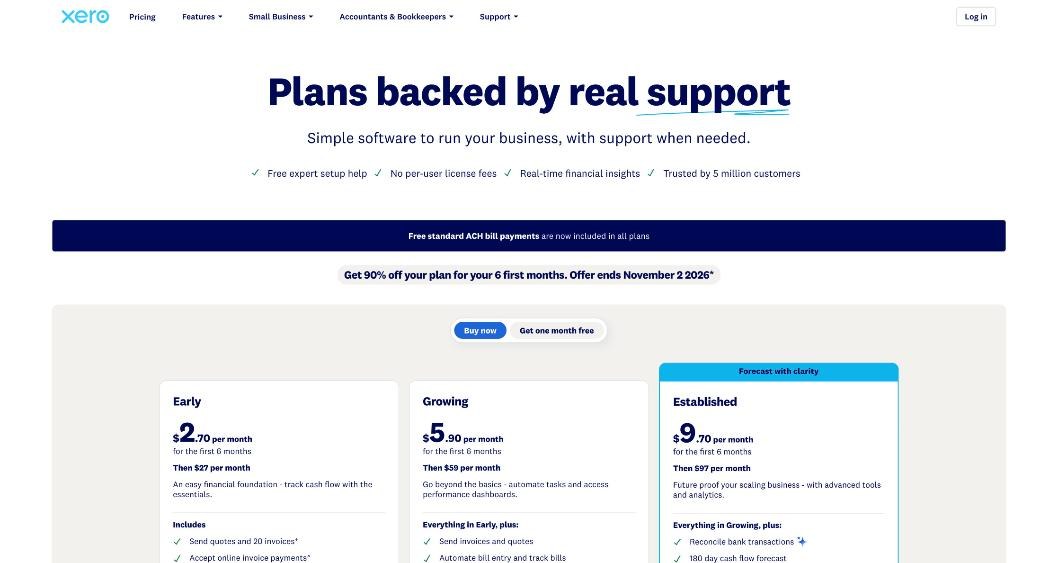
Here is how the three US plans line up against the five steps, using Xero’s current list prices.
| Routine need | Early ($27/month) | Growing ($59/month) | Established ($97/month) |
|---|---|---|---|
| Reconcile bank transactions | Yes | Yes | Yes |
| Automatic reconciliation with JAX | No | Yes | Yes |
| Invoices | Quotes and 20 invoices | Send invoices and quotes | Send invoices and quotes |
| Bills | 5 bills | Automated bill entry and tracking | Automated bill entry and tracking |
| Online invoice payments | Yes | Yes | Yes |
| W-9 and 1099 management | Yes | Yes | Yes |
| Cash flow forecast | 30 days | 60 days | 180 days |
| Budgets | No | Yes, with smart suggestions | Yes |
| Multiple currencies | No | No | Yes |
| Project time and cost tracking | No | No | Yes |
| Expense and mileage claims | No | No | Yes |
Early fits if
You send a modest number of invoices, all in US dollars, and you code expenses from the bank feed instead of entering bills. Many solo freelancers with a handful of regular clients sit comfortably here. The 20-invoice and 5-bill limits on the plan card are the two numbers to watch.
Growing fits if
You regularly send more invoices than Early allows, you receive enough supplier bills that entering them matters, or you want JAX to do the reconciliation for you. Budgets also arrive at this level, which helps freelancers who want to plan around an uneven income.
Established fits if
You invoice clients in another currency or want time and costs tracked against projects inside Xero. Multi-currency is only listed on Established, which is the main reason an internationally paid freelancer might need it. If you only receive foreign payments into a separate account and invoice in dollars, Growing or even Early may still be enough.
Costs to plan for beyond the subscription
- Payment processing. Online card and wallet payments go through providers such as Stripe, which charge their own fees.
- Bill payments. Xero says standard domestic ACH bill payments are free, with fees for other payment methods and for cross-border payments.
- Payroll. If you ever hire, Xero Payroll powered by Gusto is an optional add-on at $36 a month plus $6 per employee or contractor.
- Renewals. Xero says subscriptions auto-renew monthly until cancelled.
At the time of writing, Xero’s US site is also running a promotion of 90% off your plan for the first six months, ending November 2, 2026, with an alternative option of one month free. Terms apply, so read the offer details on Xero’s site before you sign up.
Who should not use Xero for this
If you invoice a couple of clients a month and have almost no expenses, a dedicated invoicing tool may be all you need. I looked at where that kind of tool runs out of room in Outgrowing Zoho Invoice. Xero earns its subscription when you want real accounting: reconciled bank accounts, proper reports and records your accountant can work with directly.
Final thoughts
Xero is not magic, but it makes a monthly habit easy to keep. Reconcile, attach, chase, update contractors, read two reports and lock the month. Pick the plan by the routine you actually run: Early for a lean, dollar-only business; Growing when invoice volume or reconciliation time grows; Established when you invoice in other currencies or track project costs.
FAQ
Is Xero good for freelancers?
Xero works well for freelancers who want full accounting rather than just invoicing: bank reconciliation, expense coding, reports and 1099 records in one place. Very small freelancers with few expenses may find a simpler invoicing tool is enough.
How much does Xero cost in the US?
Xero lists Early at $27 per month, Growing at $59 per month and Established at $97 per month, with no per-user license fees. Promotions change, so check the pricing page for current offers.
How many invoices can I send on Xero Early?
Xero’s plan card lists quotes and 20 invoices for Early, along with 5 bills. Growing and Established remove those caps on the plan card.
Which Xero plan supports multiple currencies?
On Xero’s US pricing page, multiple currencies are listed only on the Established plan.
Does Xero handle 1099s?
W-9 and 1099 management is listed on all three US plans.
How long does a month-end close in Xero take?
It depends on how many transactions you have and how many bank rules you have set up. The first few closes take longer; once rules and reminders are in place, the routine becomes much quicker.