Disclosure: some links on this page may be affiliate links. If you sign up through them I may earn a commission at no extra cost to you.
Most password manager advice for freelancers is about sharing logins with clients. That matters, and I covered it in my guide to 1Password for freelancers who juggle client logins. This article is about a different risk, one that gets far less attention: what happens to your business if you cannot log in.
A one-person business usually has a single point of failure. If your phone with the authenticator app is lost, if you are in hospital for two weeks, or if something worse happens, nobody else can reach your invoicing tool, your bank’s business portal, your domain registrar or the client accounts you manage. Work stops, and clients wait.
Bitwarden Premium is one of the cheapest ways to reduce that risk. It costs $19.80 a year, and three of its features map directly onto the “locked-out freelancer” problem: emergency access, an integrated authenticator, and encrypted file attachments. Below I go through what each one does, what the free plan already covers, and when a freelancer should look at Families or Teams instead.
What Bitwarden Premium costs
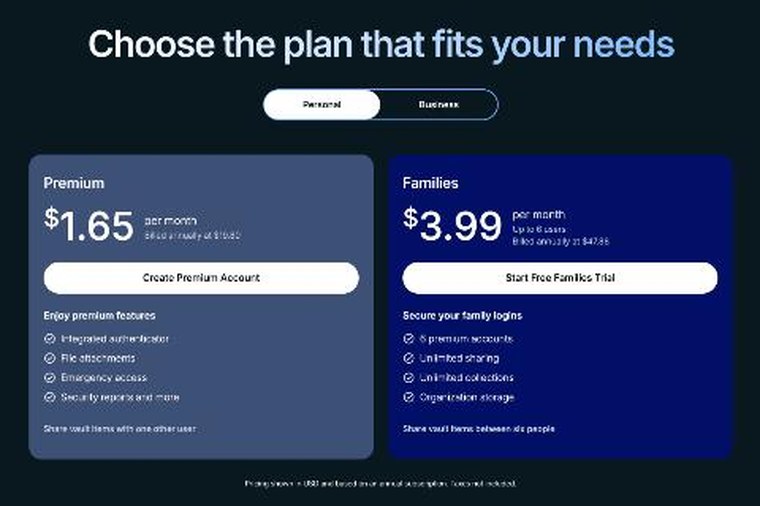
Bitwarden’s pricing page lists these plans (USD, before tax):
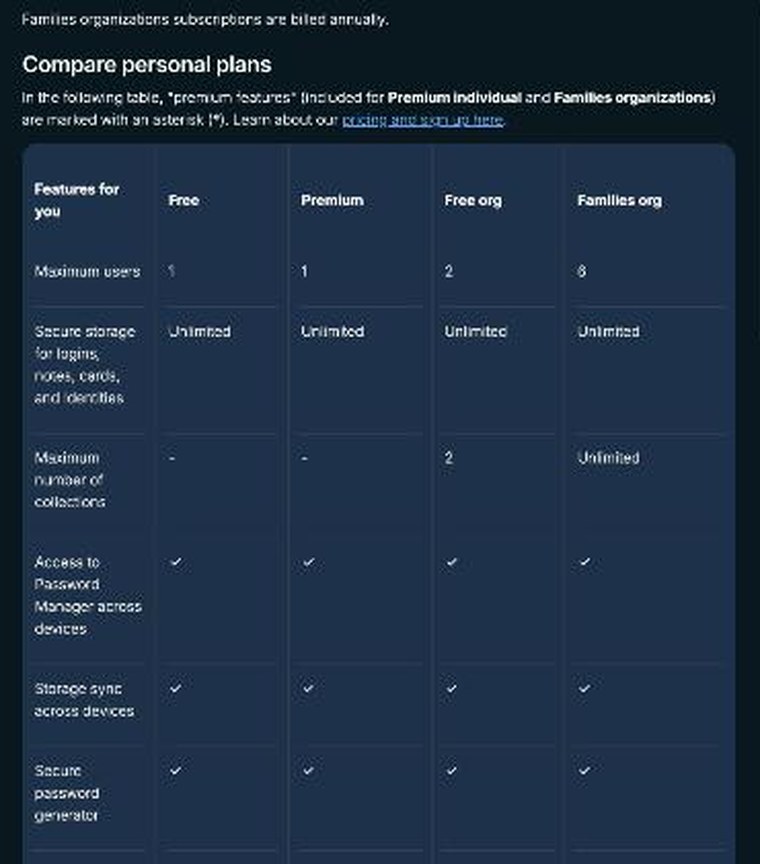
- Free: $0. Unlimited passwords on unlimited devices, the password generator, encrypted export, text-only Bitwarden Send, and free sharing with one other user through a Free organization.
- Premium: $1.65 a month, billed annually at $19.80. Adds the integrated authenticator, file attachments, emergency access, security reports and more. One person.
- Families: $3.99 a month, billed annually at $47.88. Six premium accounts, unlimited sharing and unlimited collections.
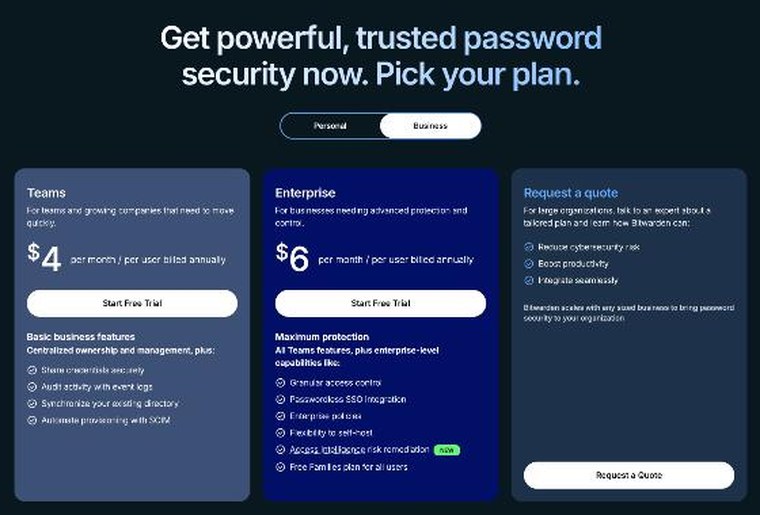
- Teams: $4 per user per month, billed annually. Business features such as event logs, directory sync and SCIM provisioning.
- Enterprise: $6 per user per month, billed annually, adding SSO, enterprise policies and a self-host option.
For a solo freelancer, the realistic choice is between Free and Premium. The rest of this article is about whether the $19.80 is worth it.
What the free plan already covers
Bitwarden’s free plan is generous, and it is worth being clear about that before paying for anything. Its core features are free: unlimited storage of logins, notes, cards and identities, access on any device, a secure password generator and more. You also get two-step login for your Bitwarden account itself with a hardware security key, an authenticator app or email.
You can also create a Free organization, which lets you share items with one other user in up to two collections. And you can send encrypted text to anyone with Bitwarden Send, even people without a Bitwarden account.
If all you need is a secure place for your own passwords, Free is enough. The gaps appear when you think about continuity: who gets in if you cannot, where your two-factor codes live, and where you keep the documents that prove you own your business accounts.
Gap 1: nobody can get in if you cannot
This is the feature that justifies Premium for most freelancers. Emergency access lets you appoint trusted contacts who can request access to your vault if something happens to you.
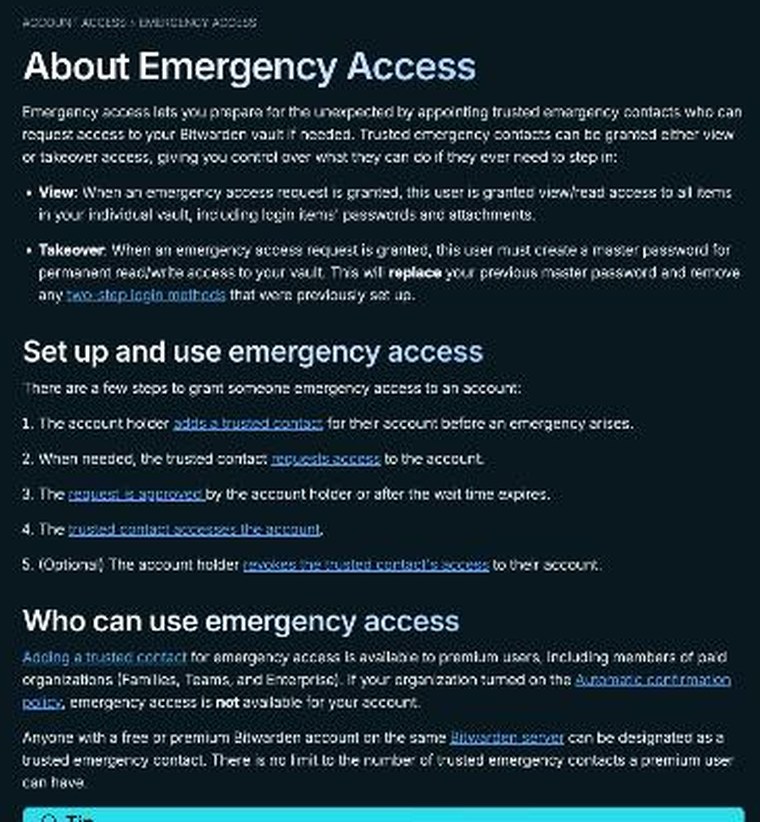
Here is how Bitwarden describes the process:
- You add a trusted contact before any emergency, and choose their access level and a wait time.
- They accept the invitation (it is valid for five days), and you confirm them.
- If they ever need in, they submit a request. You get an email.
- You can approve or reject the request. If you do nothing, access is granted when your chosen wait time runs out.
- You can revoke a trusted contact’s access later.
There are two access levels, and the difference matters:
- View gives read access to all items in your individual vault, including passwords and attachments.
- Takeover lets the contact create a new master password and get permanent read and write access. It replaces your master password and removes the two-step login methods you had set up.
For a freelancer, I would start with View for a partner, family member or trusted colleague. It lets them pay a supplier, email clients from your business account, or renew your domain while you are out, without taking over the vault. Use Takeover only for someone you would want to run your affairs long term.
The wait time is your safety valve. Because you are emailed when a request is made and can reject it, a contact cannot quietly get in while you are fine. Pick a wait time short enough to be useful in a real emergency and long enough that you would notice an unexpected request.
Two practical details from Bitwarden’s documentation: the trusted contact only needs a Bitwarden account, free or premium, on the same Bitwarden server region; and there is no limit to the number of trusted contacts a Premium user can add. Only the person granting access needs Premium.
Get Bitwarden Premium for $19.80 a year
Gap 2: your two-factor codes live on one phone
Freelancers turn on two-factor authentication everywhere, which is good. But if every code lives in an authenticator app on one phone, losing that phone can lock you out of dozens of accounts at once.
Premium adds Bitwarden’s integrated authenticator, which can store the time-based one-time codes (TOTP) for your logins inside the vault. Because the vault syncs across your devices, the codes are available on your laptop as well as your phone, and they are covered by emergency access too.
There is a trade-off to think about. Keeping passwords and their second factor in the same vault is more convenient, but it puts more weight on that vault. My approach for a freelance business is:
- Protect the Bitwarden account itself with a strong master password and two-step login that does not live inside Bitwarden, such as a hardware key or a separate authenticator.
- Use the integrated authenticator for everyday business tools where being locked out costs you work.
- Decide case by case for the most critical accounts (your main email and your bank), following the bank’s own guidance.
Gap 3: the documents that prove the business is yours
When you need to recover an account, or someone needs to act for you, the password is often not enough. You need documents: your business registration, tax IDs, domain transfer codes, recovery codes printed when you set up two-factor, signed contracts, insurance policies.
Premium includes encrypted file attachments, with 5 GB of storage. You can attach a scan or PDF to the relevant vault item, so the recovery codes sit next to the login they recover, and the registration document sits next to the government portal login. With emergency access set to View, a trusted contact can read those attachments too.
Keep it tidy. Name items clearly (for example “Domain registrar, main business domain”) and use the notes field to explain what someone else would need to do. Your future self will thank you as well.
Gap 4: knowing which logins are weak or exposed
Premium also includes vault health reports. These help you find reused, weak or exposed passwords in your vault. For a freelancer who has signed up for dozens of tools over the years, it is a quick way to find the old account that still uses a password from 2015. It is not the main reason to pay, but it is a useful extra once you have the plan.
Bitwarden Send: sending things without leaving a copy in email
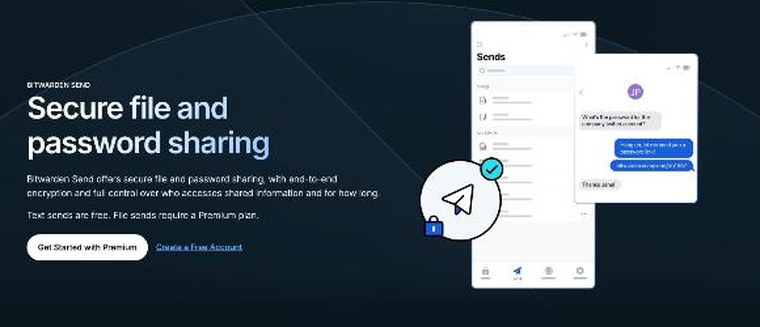
Bitwarden Send lets you share encrypted text or files through a link, with anyone, including people who do not use Bitwarden. It is useful for continuity too: you can send your accountant a document or a colleague temporary instructions without leaving them sitting in an email thread.
The plan split is simple:
- Text Sends are available to all users, including Free.
- File Sends and sharing a vault item through a link need Premium or a paid organization (Families, Teams or Enterprise). Your account email must be verified.
Useful controls include a deletion date (seven days by default, 30 days at most), a password, a limit on how many times the Send can be viewed, or restricting it to specific email addresses. Text Sends are limited to about 1,000 encrypted characters, and file Sends can be up to 500 MB (100 MB on mobile).
When Free organization, Families or Teams makes more sense
You work with one assistant
A Free organization lets you share items with one other user in up to two collections. That can cover a virtual assistant who needs your scheduling and social media logins. Note that Bitwarden says Premium on its own does not include organization sharing; sharing comes from the organization. So Free organization plus Premium for yourself is a sensible combination.
Your partner helps with the business
If your partner or family helps with bookkeeping or would be the one to step in during an emergency, Families is worth a look. At $47.88 a year it gives six people premium features, including emergency access for each, and unlimited sharing and collections. For a household where one person runs a business, it can cost less than two separate Premium plans plus the hassle.
You subcontract regularly
Once you have subcontractors who need ongoing access to shared client tools, look at Teams at $4 per user per month on annual billing. It adds event logs, so you can see who accessed what, plus user groups and API access. For a small studio, that audit trail is the real upgrade.
A one-hour continuity setup
If you decide to try Premium, here is the setup I would do in a single sitting:
- Upgrade to Premium and confirm two-step login on your Bitwarden account with a method that does not depend on the vault.
- Add one trusted emergency contact with View access and a wait time you are comfortable with. Tell them, in person, how to request access.
- Move the TOTP codes for your core business tools into the integrated authenticator.
- Attach recovery codes and key business documents to the matching vault items.
- Write a short secure note called “If I am unavailable” listing your active clients, what is due, and which accounts matter most.
- Run the vault health report and fix the worst reused passwords.
- Set a reminder to review the vault and your emergency contact once a year.
Start with Bitwarden’s free plan
Who should skip Bitwarden Premium
- You already pay for another password manager with emergency access and a built-in authenticator, and you are happy with it.
- Your business accounts are all owned by an agency or employer who controls recovery.
- You only store a handful of personal passwords and have no clients depending on your access.
My verdict
For a freelancer, Bitwarden Premium is less about storing passwords, which the free plan already does well, and more about removing the single point of failure in a one-person business. Emergency access means someone you trust can step in. The integrated authenticator means one lost phone does not lock you out. File attachments keep the proof of ownership next to the logins it unlocks. At $19.80 a year, that is one of the cheapest pieces of insurance a freelancer can buy.
FAQ
How much is Bitwarden Premium?
Bitwarden Premium is $1.65 a month, billed annually at $19.80 (USD, taxes not included).
Is emergency access available on the free plan?
No. Adding a trusted emergency contact requires Premium or a paid organization. The trusted contact can use a free account.
What is the difference between View and Takeover?
View gives read access to your individual vault, including passwords and attachments. Takeover lets the contact set a new master password for permanent read and write access, replacing yours and removing your two-step login methods.
Can I share passwords with an assistant on the free plan?
Yes. A Free organization lets you share items with one other user in up to two collections.
Can free users send files with Bitwarden Send?
No. Free users can create text Sends. File Sends need Premium or a paid organization.
How much file storage does Premium include?
Premium includes 5 GB of encrypted file attachments.