
Disclosure: some links on this page may be affiliate links. If you sign up through them I may earn a commission at no extra cost to you.
Most freelance projects are not paid in one go. A website build, a brand identity or a three-month content package usually follows the same pattern: a deposit to start, a payment at the halfway point, and a final bill on delivery. Square Invoices is one of the few invoicing tools that is free to start and can handle that pattern, but the free plan and the paid Square Plus plan draw the line in a specific place.
This guide is about that line. I will go through which parts of milestone billing work on Square Free, what Square Plus adds for $49 a month, how the processing fees change between them, and when the upgrade actually pays for itself. All plan details and fees below come from Square’s US invoices and pricing pages as they read today.
Open a free Square Invoices account
Square Invoices plans at a glance
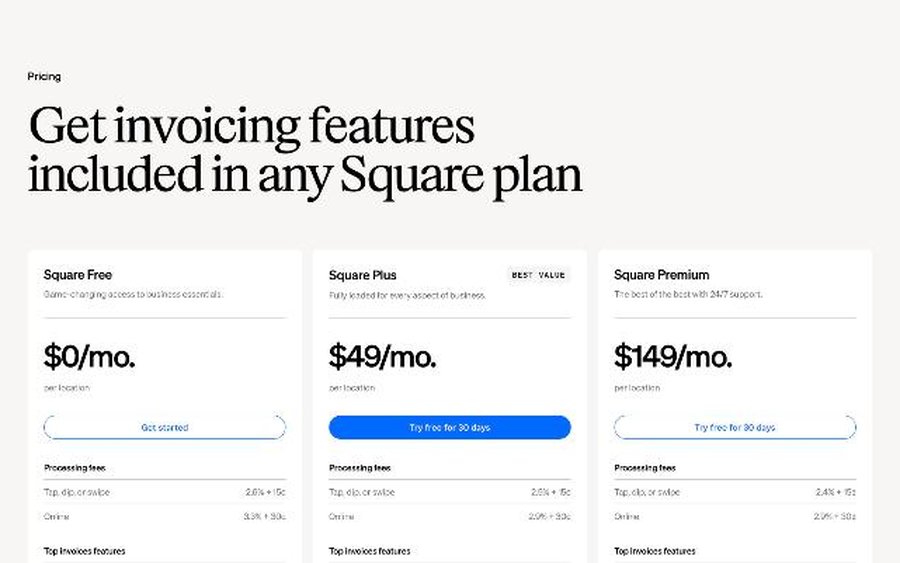
Square no longer sells invoicing as a separate product tier. Invoicing features are included in every Square plan, and the plan you choose decides which invoice features and processing rates you get.
| Plan | Monthly price | Online / invoice card rate | ACH bank transfer |
|---|---|---|---|
| Square Free | $0 per location | 3.3% + 30¢ | 1%, $1 minimum |
| Square Plus | $49 per location | 2.9% + 30¢ | 1%, $1 minimum, $10 cap |
| Square Premium | $149 per location | 2.9% + 30¢ | 1%, $1 minimum, $10 cap |
Square Plus and Square Premium both come with a free 30-day trial. A few fees are the same on every plan: manual entry or card on file is 3.5% + 15¢, Afterpay is 6% + 30¢, and cash or check payments you record are free. Premium adds the lowest in-person processing fees and 24/7 phone support, but for a freelancer billing by invoice, the online rate is the same as Plus.
What milestone billing looks like on Square Free
The free plan covers more than most people expect. According to Square’s feature comparison, Square Free includes:
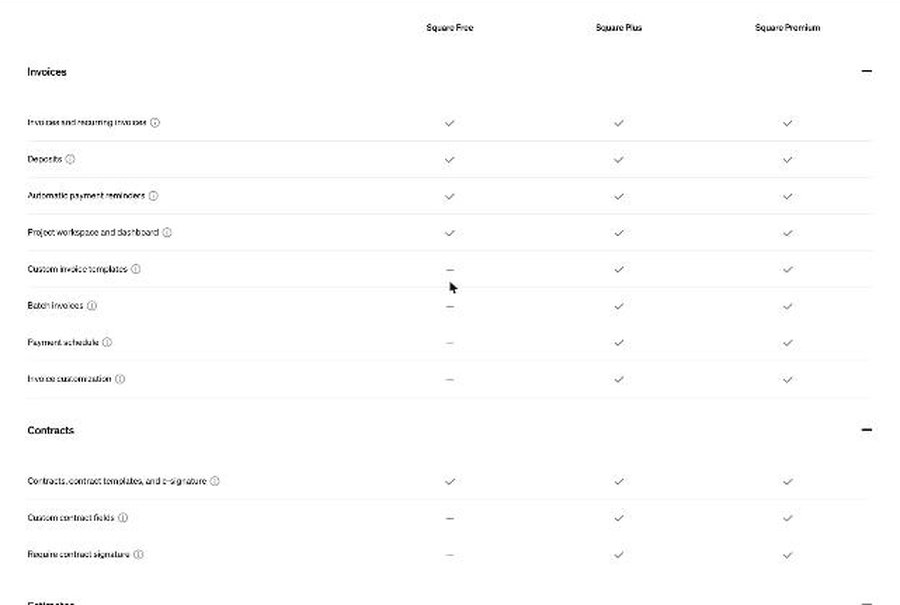
- Invoices and recurring invoices, with recurring schedules that can be daily, weekly, monthly or yearly.
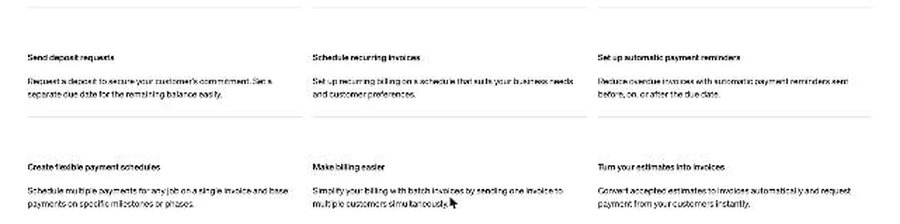
- Deposits. Square describes this as requesting a deposit to secure the customer’s commitment, with a separate due date for the remaining balance.
- Automatic payment reminders that can go out before, on or after the due date.
- A project workspace and dashboard.
- Contracts, contract templates and e-signature.
- Estimates.
So on Free, a two-stage project works well: a deposit plus a balance due on delivery, on one invoice. You send the estimate, the client accepts, you send a contract to sign, and you issue the invoice with a deposit request. Reminders chase both due dates for you.
The workaround for three stages on Free
If you need a deposit, a midpoint payment and a final payment but want to stay on Free, you can split the project into two invoices: one invoice with a deposit and a midpoint balance, then a second invoice for the final payment when you deliver. It works, but the client sees two documents, and your project total is spread across them. For small projects this is fine. For larger ones it is the moment the paid plan starts to make sense.
What Square Plus adds for milestone billing
The feature comparison marks these invoice and contract features as Plus and Premium only:
- Payment schedule. Square describes it as scheduling multiple payments for any job on a single invoice and basing payments on specific milestones or phases. This is the real milestone feature.
- Require contract signature. You can require an unsigned contract to be signed before an invoice payment can be made. For freelancers, this closes the gap where a client pays the deposit but never signs your terms.
- Auto-convert estimates to invoices, so an accepted estimate becomes an invoice without retyping.
- Multi-package estimates, useful for offering a basic, standard and premium version of the same project.
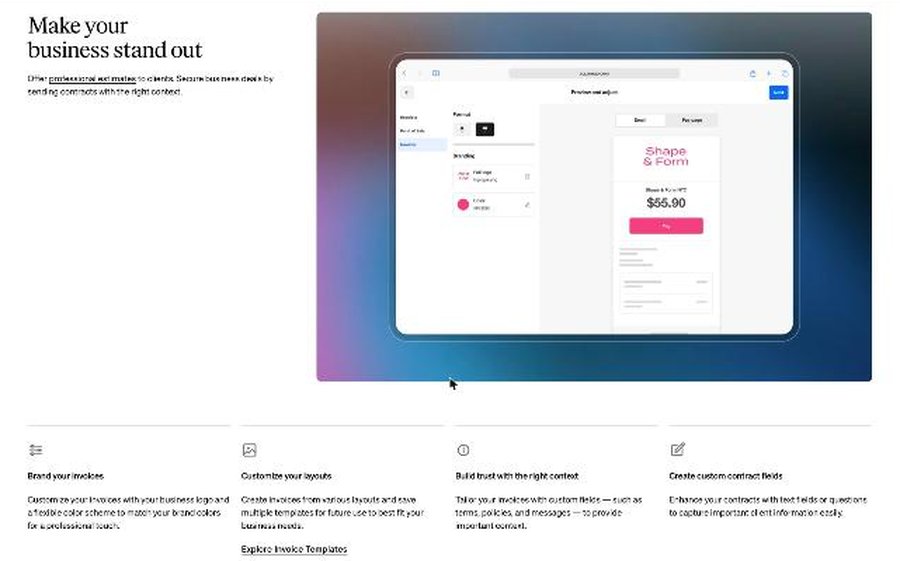
- Custom invoice templates, batch invoices and invoice customization, including custom fields for terms, policies and messages.
- Custom contract fields to collect client information inside the contract.
Put together, Plus turns a project into one clean flow: multi-package estimate, accepted estimate converts to an invoice, contract must be signed before payment, then the payment schedule handles deposit, midpoint and final payment on a single invoice.
Try Square Plus free for 30 days
Running the numbers on a $6,000 project
Features are one side. Fees are the other, and here the two plans differ in two places: the online card rate and the ACH cap. Here is a $6,000 project billed in three payments of $2,000.
If the client pays every milestone by card
- Square Free: 3.3% + 30¢ on each $2,000 payment is $66.30, so $198.90 in total.
- Square Plus: 2.9% + 30¢ on each payment is $58.30, so $174.90 in total.
Plus saves $24 in card fees on this project. That does not cover one month of Plus on its own. The card-rate difference is 0.4%, so you would need about $12,250 a month in card payments through invoices before the lower rate alone covers the $49 subscription.
If the client pays every milestone by bank transfer
- Square Free: 1% of each $2,000 payment is $20, so $60 in total.
- Square Plus: 1% with a $10 cap, so $10 per payment and $30 in total.
The ACH cap is where Plus helps freelancers with larger invoices. On Plus, any bank payment above $1,000 costs the same $10. If your clients pay big invoices by bank transfer, the cap can matter more than the card rate. A single $8,000 ACH payment costs $80 on Free and $10 on Plus, which covers most of a month’s subscription on its own.
The simple rule
Stay on Free if your projects fit a deposit-plus-balance structure and most clients pay modest amounts by card. Move to Plus if you regularly bill three or more milestones, want signatures enforced before payment, or receive large bank transfers where the $10 cap saves real money. Use the 30-day trial on a real project before you decide.
A milestone workflow you can copy
- Estimate. Send an estimate with the scope. On Plus, use multi-package estimates to offer two or three options.
- Contract. Attach your contract and have the client sign it electronically. On Plus, turn on the requirement that the contract is signed before payment.
- Invoice. On Plus, an accepted estimate converts automatically. Add a payment schedule, for example 40% on signing, 30% at the midpoint review and 30% on delivery, with a due date for each.
- Reminders. Set automatic reminders before and after each due date so you never have to send the awkward email yourself.
- Payment options. Let the client choose card or bank transfer. If the payments are large, point out bank transfer in your invoice message.
Where Square Invoices fits, and where it does not
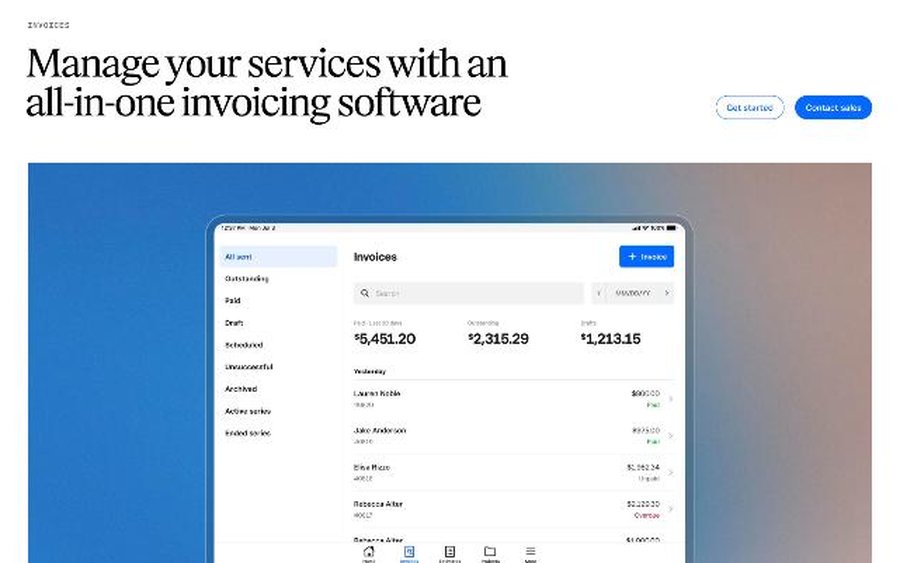
Square Invoices suits freelancers who want to start free, need contracts and estimates in the same place as invoices, and bill a few projects a month. The project workspace and dashboard on every plan give you one view of outstanding and paid invoices.
It is a weaker fit if:
- Your clients are mostly outside the US. The pricing in this guide is for Square US; check Square’s site for your country before relying on these numbers.
- You need full accounting. Square Invoices handles invoicing and payments, not bookkeeping. You may still need an accounting tool alongside it.
- You charge cards on file often. Card on file costs 3.5% + 15¢ on every plan, higher than a standard online invoice payment.
If you are comparing options, I have looked at the same problem from other angles in Stripe Invoicing for freelancers and in my guide to FreshBooks payment reminders.
Verdict
Square Invoices is one of the better free starting points for freelancers who bill by project. On Square Free you already get deposits, reminders, estimates and signed contracts. The real milestone feature, a payment schedule on a single invoice, starts with Square Plus at $49 a month, along with enforced contract signatures and the $10 ACH cap. For most freelancers the decision comes down to two questions: do you bill in three or more stages, and do your clients pay large invoices by bank transfer? If both answers are yes, Plus is worth a 30-day trial on your next project.
FAQ
Is Square Invoices free?
Yes. Square Free costs $0 per month and includes invoices, recurring invoices, deposits, automatic reminders, estimates and contracts with e-signature. You pay processing fees when clients pay: 3.3% + 30¢ for online card payments and 1% (minimum $1) for ACH bank transfers.
Can Square Invoices split a project into milestone payments?
Yes, with the payment schedule feature, which lets you schedule multiple payments on a single invoice based on milestones. It is included in Square Plus and Square Premium, not Square Free. Square Free supports a deposit with a separate due date for the balance.
How much is Square Plus?
Square Plus is $49 per month per location, with a free 30-day trial. It lowers the online card rate to 2.9% + 30¢ and caps ACH fees at $10.
Can I require a client to sign a contract before paying?
Yes, on Square Plus and Premium. Contracts and e-signature are available on Free, but requiring the signature before payment is a paid-plan feature.
Does Square send automatic payment reminders?
Yes. Automatic reminders can be sent before, on or after the due date, and they are included in Square Free.