
Disclosure: some links on this page may be affiliate links. If you sign up through them I may earn a commission at no extra cost to you.
A lot of freelancers end up on Stripe without ever building a checkout. They do not have an online shop, their website is a portfolio, and every project has a different price. What they need is simple: send a client a bill, let the client pay by card or bank, and see who still owes money. Stripe Invoicing for freelancers does exactly that from the Stripe Dashboard, with no code and no website required.
This guide follows one invoice from the moment you create it to the moment the money lands, and explains which Stripe fees apply at each step. It also covers the case most guides skip: when a Payment Link is the cheaper way to bill a fixed-price job. All prices are Stripe’s US standard pricing as published today on its pricing and Invoicing pages.
Send Your First Invoice With Stripe
What Stripe Invoicing Does for a One-Person Business
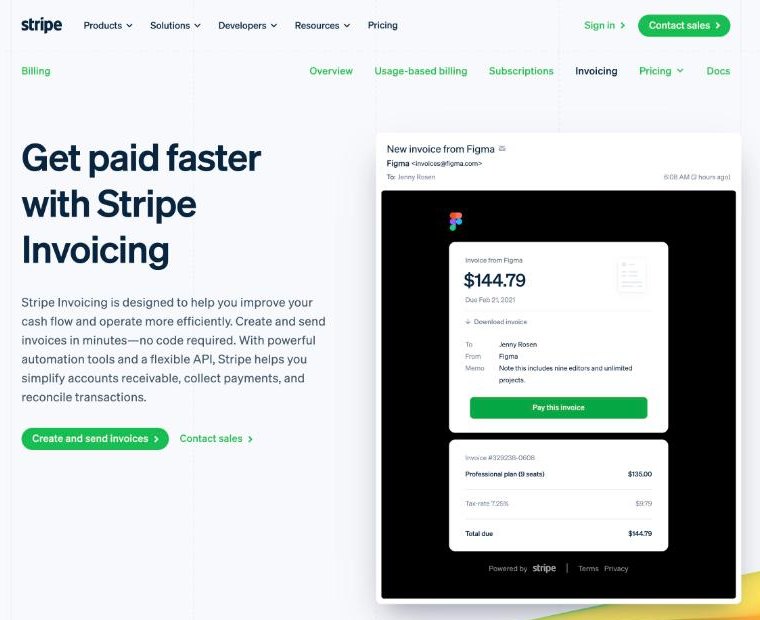
Stripe describes Invoicing as a way to create and send invoices in minutes with no code required. For a freelancer, the useful parts are:
- Dashboard invoices. You build a custom invoice directly in the Stripe Dashboard: client, line items, due date, memo.
- A hosted invoice page. Stripe emails your client a unique link to a Stripe-hosted page where they can view, download and pay the invoice.
- Automatic collection. Stripe can send email reminders when an invoice is due or past due, and use Smart Retries for failed payments.
- Accounts receivable tools. Credit notes, a customer portal and invoice reconciliation for bank transfers.
- International reach. Stripe says you can invoice in 25+ languages and 135+ currencies with 100+ payment methods.
If you have read my piece on FreshBooks payment reminders and late fees, the idea is similar. The difference is that Stripe is the payment processor itself, not an accounting app that connects to one.
The Two Invoicing Plans and What They Cost
Stripe Invoicing has no monthly fee and no setup cost. Instead it charges a percentage of each paid invoice, on top of normal payment processing.
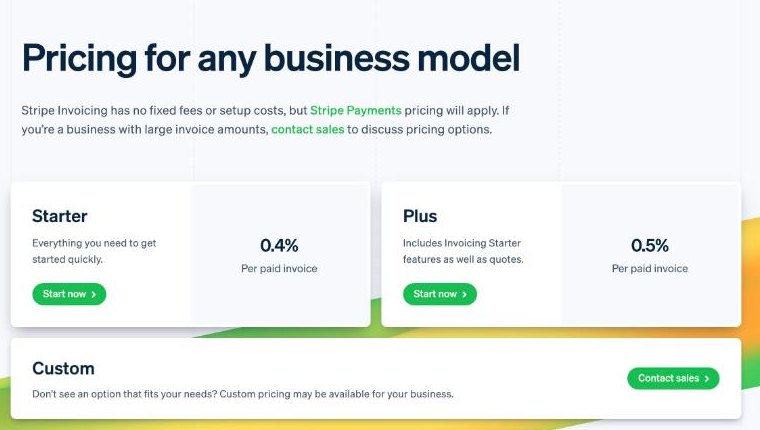
| Invoicing Starter | Invoicing Plus | |
|---|---|---|
| Price | 0.4% per paid invoice | 0.5% per paid invoice |
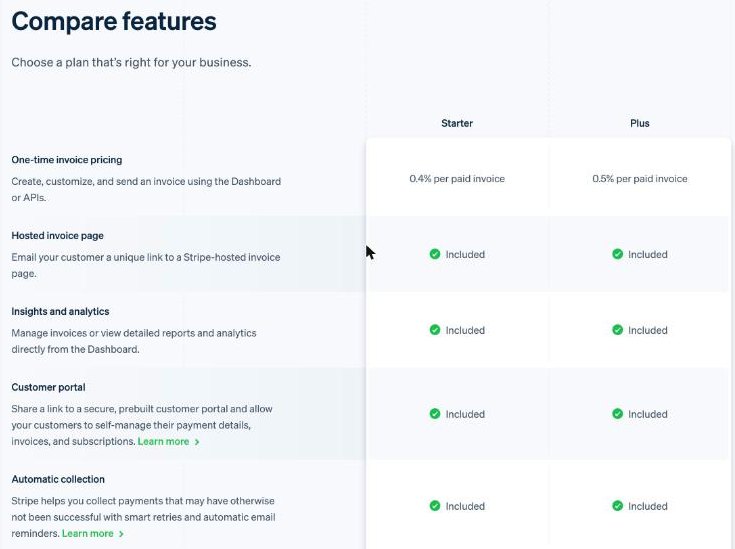
| Hosted invoice page | Included | Included |
| Insights and analytics | Included | Included |
| Customer portal | Included | Included |
| Automatic collection (reminders, Smart Retries) | Included | Included |
| Auto-reconciliation of bank transfers | Included | Included |
| Quotes | Not included | Included |
In Stripe’s comparison table, quotes are the only row that separates the two plans. For most freelancers who send a proposal from another tool, Starter is enough.
Stripe’s support centre adds three rules that matter for cash flow:
- The Invoicing fee applies only to one-time invoices. Recurring invoices fall under Stripe Billing, which Stripe says starts at 0.7% of recurring transactions.
- You are only charged when an invoice is paid through Stripe.
- You are not charged for unpaid, voided or uncollectible invoices, or invoices marked as paid outside Stripe.
The Payment Fees That Sit Underneath
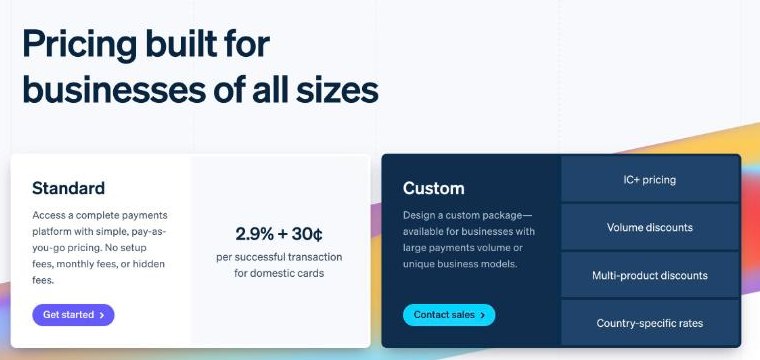
The Invoicing percentage is the small part. Most of what you pay is Stripe’s standard payment processing, which depends on how the client pays:
- Domestic cards: 2.9% + 30¢ per successful transaction.
- International cards: an extra 1.5%.
- Currency conversion: an extra 1% if conversion is required.
- Manually entered cards: an extra 0.5%.
- ACH Direct Debit: 0.8%, capped at $5.00.
One $1,200 invoice, three ways to pay
Here is a single $1,200 design invoice on Invoicing Starter, using only the published rates above:
| Client pays by | Processing | Invoicing Starter (0.4%) | Total fees |
|---|---|---|---|
| US card | $34.80 + $0.30 = $35.10 | $4.80 | $39.90 |
| International card | 4.4% + $0.30 = $53.10 | $4.80 | $57.90 |
| ACH Direct Debit | 0.8% = $9.60, capped at $5.00 | $4.80 | $9.80 |
Add 1% more on the international card line if currency conversion is needed. The lesson is clear: for a US client paying a large invoice, ACH Direct Debit is the cheapest route by a wide margin, because of the $5 cap. It is worth mentioning on your invoice that bank payment is welcome.
Three Decisions to Make Before Your First Invoice
The Dashboard makes invoicing quick, but a few choices made once save confusion later.
Which plan to start on
Start on Invoicing Starter. Quotes are the only difference in Stripe’s comparison table, and if you already send proposals from a document tool, paying 0.1% more on every paid invoice for quotes rarely makes sense. You can revisit it if clients start asking for a formal quote that converts into an invoice.
Which payment methods to offer
Card payments are the most familiar for clients, but they are also the most expensive for you on large amounts. For US clients, offering ACH Direct Debit next to cards gives them a choice and gives you the $5 cap. For overseas clients paying by card, remember the extra 1.5% for international cards and 1% if currency conversion is required, and price your work with that in mind.
How your invoices will look and read
Stripe mentions custom fields and a custom email domain for invoice emails. Use them. Clear line items, your business name in the sender address and a memo describing the deliverable reduce the number of invoices that sit unpaid because someone in accounts did not recognise them. Add a short note that bank payment is welcome if you want to steer clients toward the cheaper method.
From Email to Paid: The Invoice Journey
1. Create the customer and invoice in the Dashboard
Add the client as a customer with their billing email, then create the invoice with line items, a due date and a memo. A short memo explaining what the work was saves you a “what is this for?” email from the client’s accounts team.
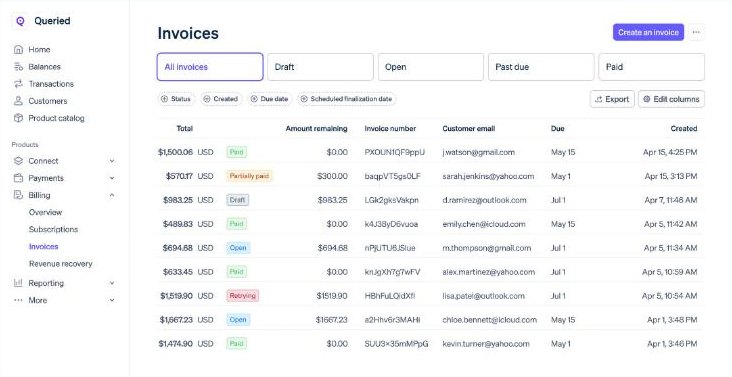
2. Send the hosted invoice link
Stripe emails the client a link to the hosted invoice page. Stripe notes this email can come from your own custom email domain or from stripe.com. For freelancers, a custom domain makes the email look less like a generic notification and more like it came from you.
3. Let reminders do the chasing
Turn on automatic reminders for invoices that are due and past due. Stripe says its Smart Retries and reminders recover 38% of failed payments on average. That is Stripe’s own figure, but even a fraction of that is time you are not spending writing awkward follow-up emails.
4. Fix mistakes with a credit note
If you overbilled or the scope shrank, issue a credit note instead of voiding and recreating the invoice. Your records stay clean and the client sees exactly what changed.
5. Reconcile and pay yourself
Card and ACH payments land in your Stripe balance and pay out to your bank. If a client pays by bank transfer instead, Stripe’s auto-reconciliation for ACH credit and wire transfers matches the payment to the invoice for you.
When a Payment Link Beats an Invoice
Not every job needs an invoice first. If you sell a fixed package, such as a logo for a set price or a monthly retainer paid upfront, a Stripe Payment Link can be cheaper. Payment Links let you accept payments without a website and are included at no extra charge on standard pricing.
If the client also needs an invoice document for their records, Stripe offers post-payment invoices for Payment Links at 0.4% of the transaction total, capped at $2.00 per invoice. On a $1,200 package that is $2 instead of the $4.80 Invoicing Starter fee. On a $3,000 package, it is $2 instead of $12.
The trade-off is timing. A Payment Link is paid upfront, so you lose the due date, the reminders and the “pay later” flexibility an invoice gives the client. My rule of thumb:
- Fixed-price package, paid before work starts: Payment Link plus post-payment invoice.
- Variable project billed after delivery or in milestones: Stripe Invoicing.
- Same amount every month: a recurring invoice through Stripe Billing.
Who Should Skip Stripe Invoicing
- Freelancers who need proposals, contracts and time tracking in one place. Stripe handles billing and payment, not the client workflow around it. An all-in-one tool like the ones in my HoneyBook pricing breakdown may suit you better.
- People whose clients mostly pay by international bank transfer and want low-cost currency handling. Compare it with a multi-currency account like the one in my guide to getting paid from abroad with Wise Business.
- Anyone who needs bookkeeping and tax reports. Stripe’s invoices and reports help, but they are not an accounting system.
My Verdict
Stripe Invoicing is a clean fit for freelancers who bill different amounts to different clients and want card and bank payments without building a checkout. Starter at 0.4% per paid invoice covers the features most freelancers need, including the hosted invoice page, reminders and Smart Retries. The bigger cost is payment processing, so steer US clients toward ACH Direct Debit on larger invoices, and use Payment Links with post-payment invoices for fixed-price packages paid upfront.
FAQ
How much does Stripe Invoicing cost?
Invoicing Starter is 0.4% per paid invoice and Invoicing Plus is 0.5%. There is no monthly or setup fee, but Stripe’s payment processing fees also apply, starting at 2.9% + 30¢ for domestic cards.
Do I need a website to use Stripe Invoicing?
No. You create invoices in the Stripe Dashboard and Stripe emails your client a link to a Stripe-hosted invoice page where they can pay.
Am I charged for invoices that are never paid?
No. Stripe says you are only charged the Invoicing fee when an invoice is paid through Stripe, not for unpaid, voided, uncollectible or paid-outside-Stripe invoices.
What is the cheapest way for a US client to pay a Stripe invoice?
ACH Direct Debit is 0.8% capped at $5.00, which is far cheaper than card processing on larger invoices.
What does Invoicing Plus add?
In Stripe’s comparison table, the difference is quotes. Plus includes quotes; Starter does not.