Disclosure: some links on this page may be affiliate links. If you sign up through them I may earn a commission at no extra cost to you.
Every few months I open my card statement and count the small Mac subscriptions: a screenshot tool here, a clipboard manager there, a time tracker, something for invoices. None of them is expensive on its own. Together they are a line item I never decided to have. That is the problem the Setapp membership claims to solve: one monthly or yearly fee for a catalog of Mac (and iOS) apps instead of a dozen separate subscriptions.
Most Setapp write-ups list the “best apps on Setapp” and stop there. This one is different. I am going to audit a typical one-person freelance business, job by job, and ask a narrower question: which of those jobs can Setapp actually cover, what does it cost compared with buying just the one or two apps you need, and what happens to your client records if you ever cancel?
What Setapp is, in one paragraph
Setapp is a subscription service from MacPaw. You pay for a membership and get access to a curated catalog of Mac, iOS and web apps for as long as the membership is active. The pricing page describes it as “hundreds” of apps; Setapp’s own blog currently puts the number at over 270. There is also a newer Setapp Marketplace, where you can buy a single app on its own (monthly, yearly or one-time, depending on the developer) without taking the full membership. That second option matters more for freelancers than most reviews admit, and I will come back to it.
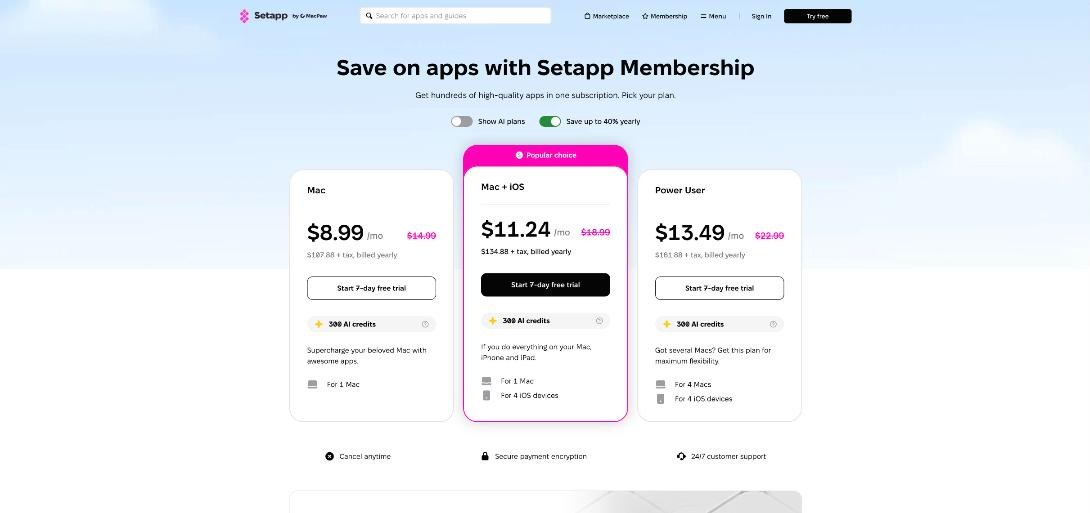
Setapp membership pricing as shown today
When I checked the official pricing page, these were the three standard plans (prices in USD, plus tax):
| Plan | Monthly billing | Yearly billing | Devices |
|---|---|---|---|
| Mac | $14.99/mo | $107.88/yr (shown as $8.99/mo) | 1 Mac |
| Mac + iOS | $18.99/mo | $134.88/yr (shown as $11.24/mo) | 1 Mac + 4 iOS devices |
| Power User | $22.99/mo | $161.88/yr (shown as $13.49/mo) | 4 Macs + 4 iOS devices |
Every plan starts with a 7-day free trial, and the page says you can cancel anytime. There is also a “Show AI plans” switch that reveals two AI-focused tiers, AI Enthusiast and AI Expert, which mostly differ in how many AI credits you get (3,750 and 7,500 on the yearly view, with AI Expert covering 4 Macs and 4 iOS devices). One detail worth reading twice: on the monthly view the standard plans list 1,000 or 2,000 AI credits, while the yearly view I saw listed 300 AI credits per plan. If the AI features are part of why you are signing up, check the credit line for the exact plan and billing period before you pay.
Setapp’s blog also mentions a 20% educational discount on the Mac + iOS annual plan. If you freelance while studying, that is worth checking on the official education page.
The audit: a freelancer’s Mac, job by job
Here is the method I used. Instead of browsing the catalog and getting excited, I wrote down the recurring jobs in a small freelance business and looked for the Setapp app that does each one. A job only counts if I would use the app at least weekly. Everything below is in the Setapp catalog today.
1. Knowing where the hours went: Timing
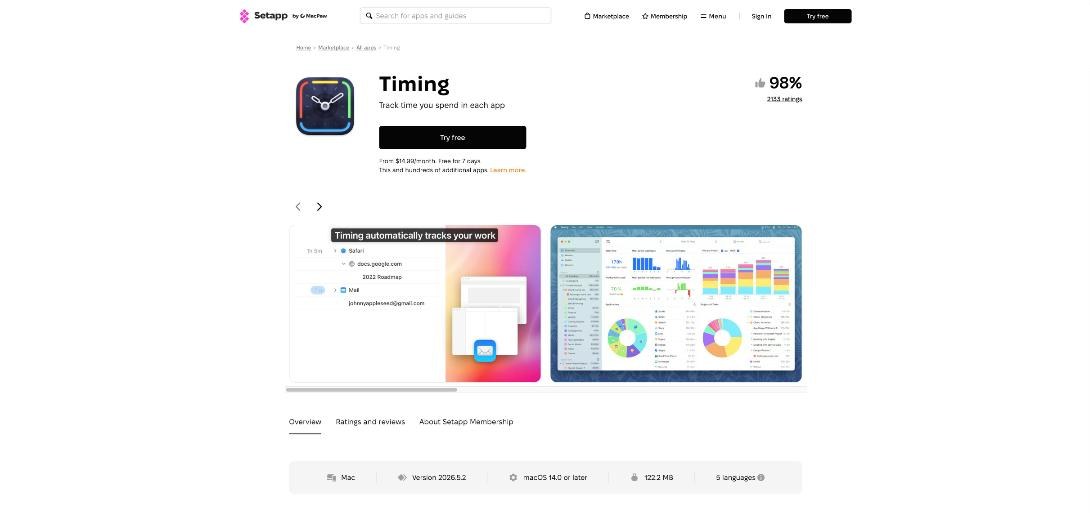
If you bill hourly, or even if you only want to know whether a fixed-price project was worth it, automatic time tracking is the first thing I would test. Timing records how long you spend in each app, document and website, then lets you turn that timeline into tasks and client reports. The Setapp listing specifically mentions creating activity reports for clients, which is the part freelancers care about.
If you already track time manually, I compared a more routine-based approach in my post on reviewing Rize time data before invoicing. The question for this audit is simpler: would you pay for an automatic tracker separately? If yes, that is one subscription Setapp replaces.
2. Sending the invoice: Invoice Rex
Invoice Rex is an invoicing app for Mac and iOS from the developer behind Downie and Permute. The listing describes custom invoice templates, bank statement handling and expense tracking in one place. It is a local app, not a full client portal, so it suits freelancers who want to design and send invoices themselves rather than run payments through a platform.
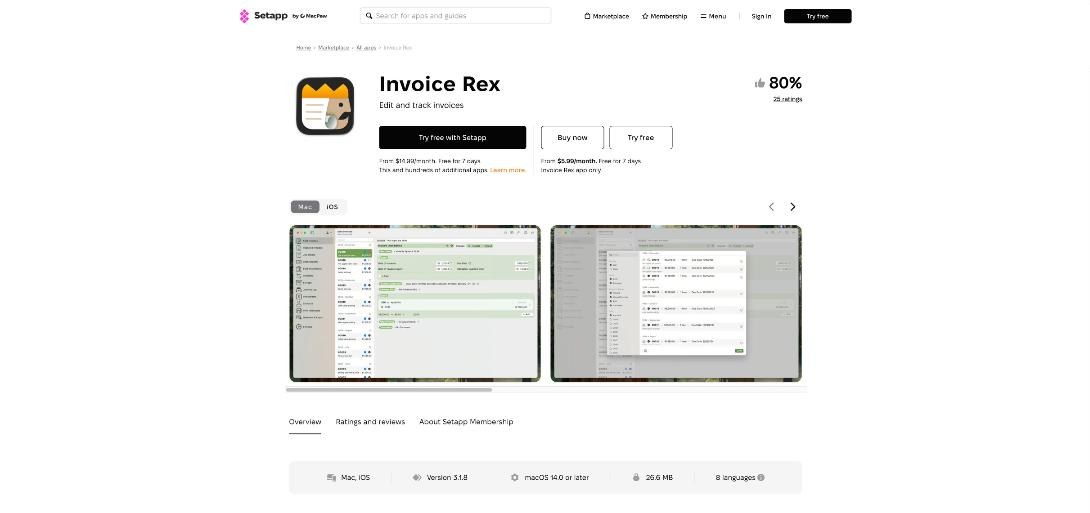
Look at the screenshot above. This page shows the decision this whole article is about: “Try free with Setapp” from $14.99 per month for the whole catalog, or “Buy now” for Invoice Rex alone from $5.99 per month. If invoicing is the only thing you need, the single app is cheaper. If you would also pay for three or four other tools, the membership starts to win.
3. Showing clients what you mean: CleanShot X
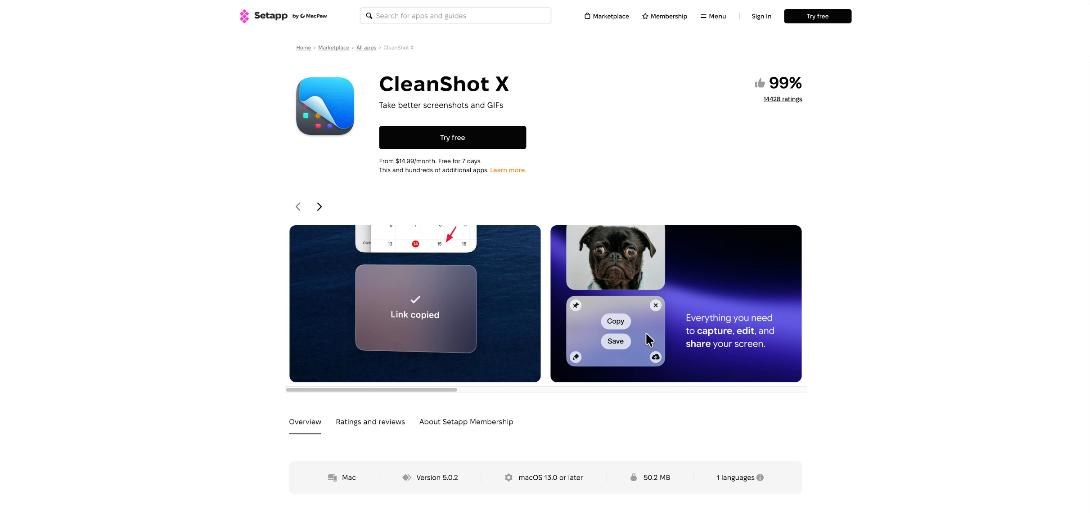
Freelance work is full of “can you move this a bit to the left” messages. A good screenshot and recording tool saves a lot of back-and-forth. CleanShot X handles scrolling screenshots, GIFs, screen recordings, annotation and cloud links. The Setapp listing says membership includes the CleanShot X plus Cloud Pro version, which matters because sharing a link instead of an attachment is the part I use most with clients.
4. Watching your own subscriptions: Chronicle
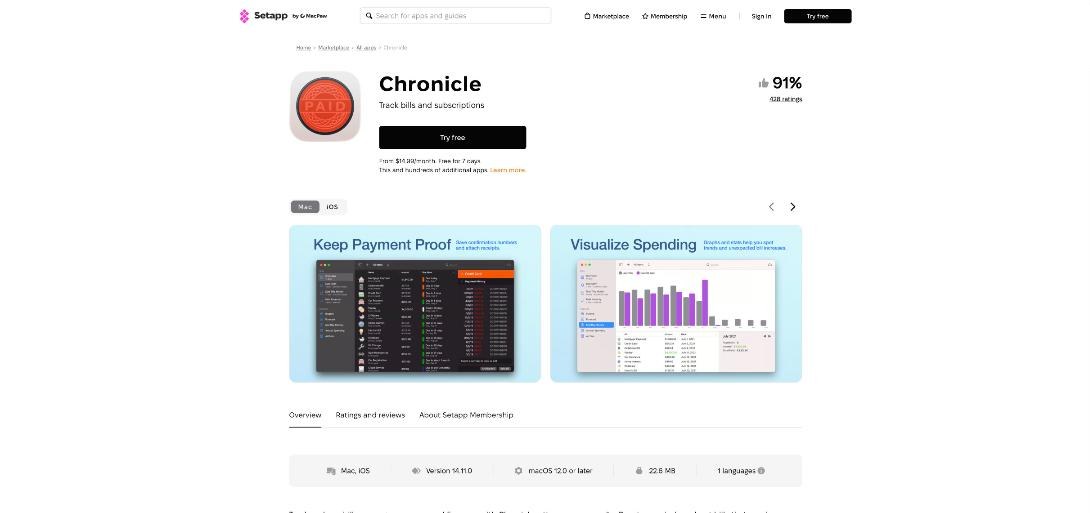
A bit ironic in an article about subscriptions, but useful. Chronicle is a bill and subscription tracker for Mac and iOS: due date reminders, payment history and spending charts. For a freelancer, the practical use is keeping software, hosting and tax payments in one place so nothing renews by surprise.
5. The everyday utilities
These are the apps that rarely make a “best of” list but get opened every day:
- Paste, a clipboard history manager (Mac and iOS). Handy when you reuse the same snippets in proposals and emails. For heavier templating, I still prefer a text expander, as I covered in my TextExpander fill-ins setup.
- Spark Mail, an email client for Mac and iOS.
- Bartender, which tidies the menu bar once you have too many utilities running.
- PDF Search and Nitro PDF Pro for finding and editing things in contracts and briefs.
- Craft and Ulysses for documents and long-form writing.
- Be Focused, a simple timer-based to-do app.
Not all of these will be on your list. The point of the audit is to mark only the ones you would really use every week.
Membership or single apps: a simple break-even rule
I will not invent a “you save $X” number, because standalone prices change and differ by developer. Instead, use this rule with the prices you see today:
- List only weekly-use apps. Be strict. “I might try it” does not count.
- Price each one on its own. Check the developer’s site or the Setapp Marketplace “Buy now” price, like the $5.99 per month shown for Invoice Rex.
- Compare against the yearly Mac plan ($107.88 per year) if you only use one Mac, or the Mac + iOS plan if you really need the iPhone versions too.
- Add a “switching cost” note for any app that holds client records (time logs, invoices). More on that below.
In practice, the pattern is easy to see. One or two paid apps: buy them separately. Three or more weekly apps that you would otherwise pay for: the membership usually starts to make sense, especially on yearly billing.
The part most reviews skip: what happens when you cancel
Setapp’s FAQ says you can cancel at any time and you will not be charged from the next billing cycle, and it describes app access as lasting while your subscription is active. So treat Setapp apps as rented tools, not purchased ones. For screenshots or menu bar tidying, that does not matter. For apps that store client data, it does.
Before you build your business on a Setapp app, check three things:
- Can you export your data? Make sure your time entries and invoices can be exported to a common format (CSV or PDF) from inside the app.
- Where is the data stored? A local app keeps records on your Mac. Back it up like any other client file. My checklist in Backblaze personal backup for client files applies here too.
- Is there a standalone path? If you leave Setapp, can you buy that one app directly or through the Marketplace and keep working? For a few key apps, the answer is yes.
Who should skip Setapp
- Windows or Linux users. Setapp is built around the Mac, with iOS and some web apps as extras.
- Freelancers who need only one tool. If your only gap is invoicing, the single-app price is lower.
- Teams that need shared client data. Many Setapp apps are personal productivity tools. For shared pipelines or client portals, dedicated platforms fit better.
- Anyone who hates trials. The 7-day trial is short. Run the audit before you start it, not during it.
How I would run the 7-day trial
- Day 1: Install only the apps from your audit list. Ignore the rest of the catalog.
- Days 2 to 5: Do real client work with them. Track one project in Timing, send one real invoice from Invoice Rex, share at least two CleanShot links with a client.
- Day 6: Test exporting your time log and invoice. If export is painful, note it.
- Day 7: Count the apps you used three or more times. If it is three or more paid tools, choose yearly billing. If not, cancel and buy the one or two apps you liked on their own.
My take
Setapp is a good deal for one specific type of freelancer: someone working on a Mac who would otherwise pay for several small utilities. The value is not in the size of the catalog. It is in how many of the apps you actually open each week. Run the audit, check the Marketplace price for your one essential app, and treat any app that holds client records as rented. Done that way, the Setapp membership can replace several separate bills with one, without locking your business data inside it.
Check current Setapp plans and the 7-day trial
FAQ
How much does the Setapp membership cost?
On the official pricing page the Mac plan is $14.99 per month billed monthly or $107.88 per year billed yearly, Mac + iOS is $18.99 per month or $134.88 per year, and Power User is $22.99 per month or $161.88 per year, all plus tax.
Is there a free trial?
Yes. Each standard plan starts with a 7-day free trial.
Can I buy just one app instead of the whole membership?
Yes, through the Setapp Marketplace for apps that offer it. For example, Invoice Rex was listed from $5.99 per month for that app alone.
Do I keep the apps if I cancel Setapp?
Setapp describes access as lasting while your subscription is active, so plan to export important data and back it up before you cancel.
Is Setapp worth it for freelancers?
It is worth it if you use three or more paid Mac apps from the catalog every week. If you need only one or two, buying them separately is usually cheaper.