
Disclosure: some links on this page may be affiliate links. If you sign up through them I may earn a commission at no extra cost to you.
A lot of freelance work today is “embedded”: you are not handed a brief and left alone, you are added to the client’s Asana, ClickUp or Jira and work from their board like a part-time team member. Sooner or later the client asks you to log hours there too, and someone suggests Everhour. That raises a question most reviews never touch: should you join the client’s Everhour account, or pay for your own? This guide looks at Everhour pricing from that angle, because the answer changes what you pay, who owns your time data, and how you invoice.
What Everhour Does, Briefly
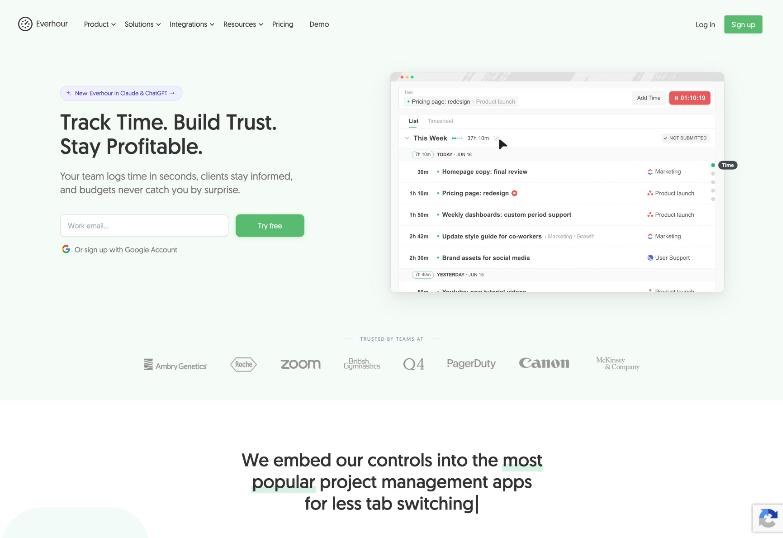
Everhour is a time tracker built to live inside project management tools. Its pitch is that the timer, estimates and budget controls appear directly in apps like Asana, so people log hours on the task they are already looking at. On top of tracking, it adds budgets, reports, expenses and invoicing from tracked time.
For a freelancer, the important detail is where those controls live: in the client’s workspace. That is great for the client, and it is the reason the “whose account?” question matters.
Everhour Pricing, Checked Today
Here is what Everhour’s official pricing page showed when I checked:
| Plan | Price | What you get |
|---|---|---|
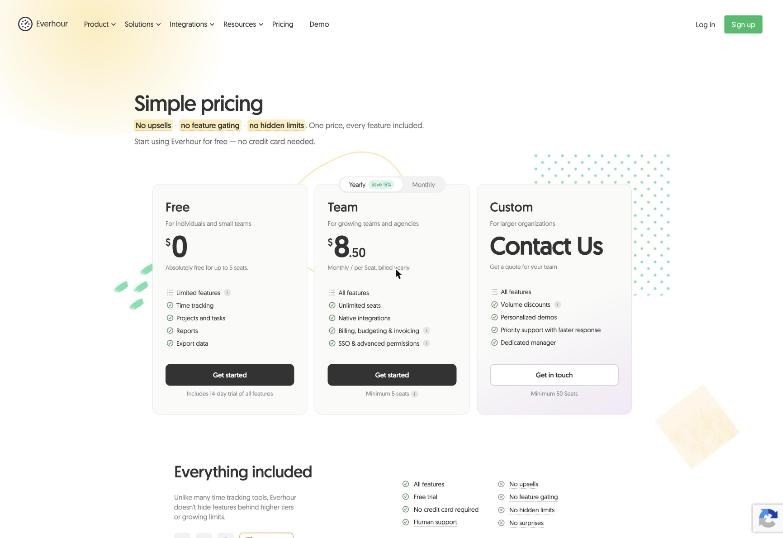
| Free | $0, up to 5 seats | Limited features: time tracking, projects and tasks, reports, data export |
| Team | $8.50 per seat per month billed yearly, or $10 per seat billed monthly | All features, unlimited seats, native integrations, billing, budgeting and invoicing, SSO and advanced permissions. Minimum 5 seats. |
| Custom | Quote | All features, volume discounts, priority support, dedicated manager. Minimum 50 seats. |
Three lines in the FAQ change everything for a solo freelancer:
- The free plan has no integrations. Everhour says integrations are only on the paid plan. If you connect one during the trial, you need a paid plan after the trial to keep using it.
- Team has a 5-seat minimum. Everhour says even with 2 or 3 users you are charged for at least 5 seats.
- Yearly billing saves 15 percent, but unused months are not refunded. On monthly billing you can cancel before the next period, but partial use is not refunded either.
Put those together and the cheapest way for one person to get the Asana or ClickUp integration on their own account is 5 seats on Team: $42.50 a month billed yearly ($510 a year), or $50 a month billed monthly.
Option 1: Join the Client’s Everhour Account
If the client already pays for Everhour Team, the easiest path is that they add you as a user. Everhour explains that a user and a seat are basically the same thing, except that removing a user does not automatically remove the seat. That flexibility is aimed at teams that swap people in and out, and it works in a freelancer’s favour: a client who has a spare seat can add you without changing their bill.
What works well
- Zero cost to you. The seat is the client’s.
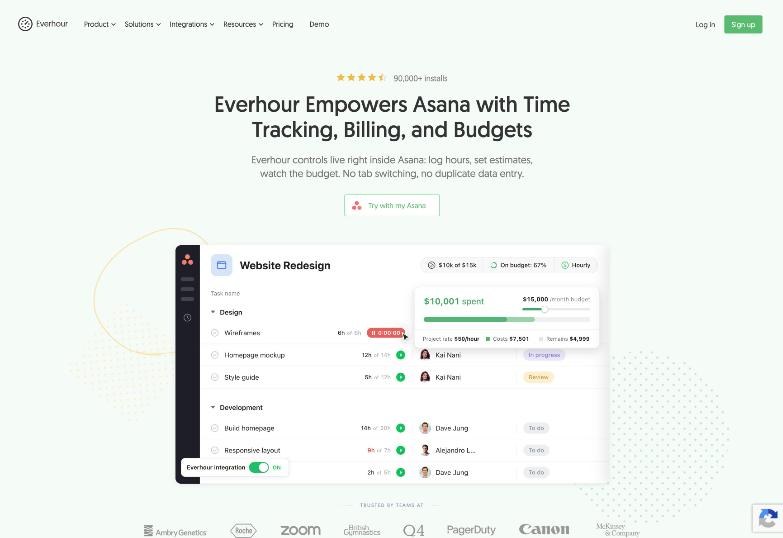
- You log time where the work is. Everhour describes its Asana controls as living inside Asana: log hours, set estimates and watch the budget, without switching tabs.
- Estimates keep scope honest. If the client sets an estimate on each task, you both see when a task runs over before the invoice arrives, not after.
- No dispute about the numbers. The client is looking at the same timesheet you are.
What to watch
- The data is theirs. When the contract ends, your access can end with it. Export your own timesheet regularly, at least before each invoice. The free plan lists data export, and so does Team, but you need access to use it.
- Their rates, their budget view. If the client’s account shows billing rates or budgets, decide with them what you should and should not see. Some clients will not want a contractor looking at the project budget.
- You still need your own invoicing. Everhour’s invoicing in a client’s account invoices their clients. You will usually bill the client from your own tool, using the hours exported from theirs.
For most embedded freelancers, this is the right answer. It is also worth putting in the contract: “Time is logged in the client’s Everhour; the contractor exports a timesheet before each invoice.”
Option 2: Run Your Own Everhour Free Account
The free plan covers up to 5 seats with time tracking, projects and tasks, reports and export. For a freelancer who works alone and tracks time in Everhour’s own interface, that is a usable timesheet tool at no cost.
What you lose is exactly what makes Everhour different: the integrations. On the free plan, the timer does not sit inside the client’s Asana or ClickUp, and billing, budgeting and invoicing are part of the paid plan. So the free plan works for your own records, but it is a plain timesheet, not the embedded experience.
A workable pattern: use the free plan for your own cross-client record, and log time in the client’s Everhour when they have one. Yes, that means some double entry. If you only have one or two embedded clients, it is still cheaper than paying for five seats.
Option 3: Pay for Your Own Team Account
Buying Team yourself makes sense in a narrower set of cases, because of the 5-seat minimum. It can be worth $42.50 to $50 a month if:
- You run a small studio with 3 to 5 people, so the minimum is not wasted.
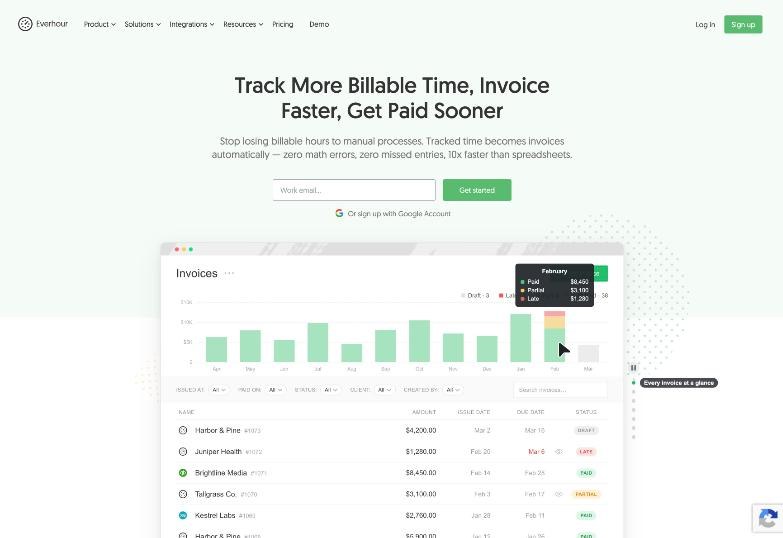
- You want to invoice from tracked time inside Everhour. The invoicing page describes picking a client, projects and a period, including time and expenses, grouping lines, adding notes and payment links, sending the invoice, recording payments, and exporting PDF or UBL.
- You use QuickBooks or Xero. Everhour says invoices can be copied to QuickBooks or Xero with one click, with status syncing back.
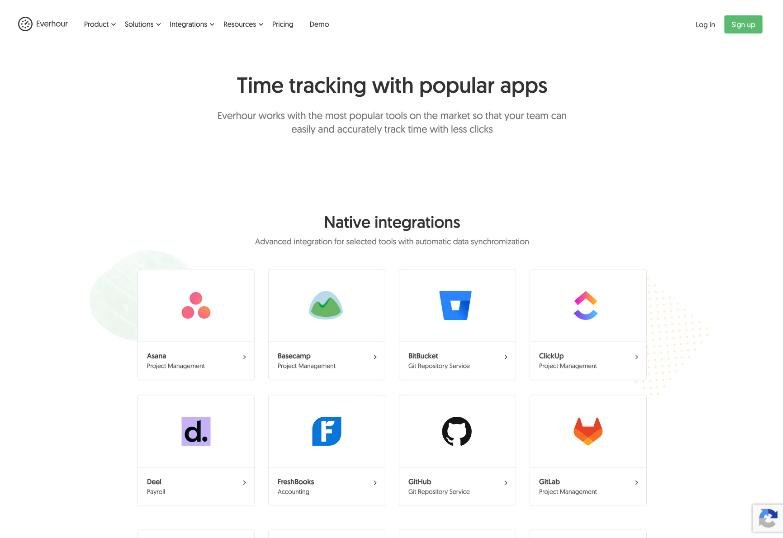
- You need several of the native integrations for your own projects. The integrations page lists Asana, Basecamp, ClickUp, Jira, Linear, Monday, Notion, Todoist, Trello, Wrike, GitHub, GitLab, Bitbucket, Slack, Zapier and others, plus a browser extension for sites like Figma, Canva, Airtable and Gmail.
Before you pay, think about the one-way door: if you choose yearly to save 15 percent, Everhour says unused months are not refunded on cancellation. Run the 14-day trial on real work first.
A Quick Cost Comparison
| Setup | Your monthly cost | Integration inside client’s board? | Who owns the time data? |
|---|---|---|---|
| Seat in client’s Everhour | $0 | Yes, if the client’s plan has it | Client (export your copy) |
| Your own Free plan | $0 | No | You |
| Your own Team, yearly | $42.50 (5-seat minimum) | Yes, for your own workspace | You |
| Your own Team, monthly | $50 (5-seat minimum) | Yes, for your own workspace | You |
One subtlety in the third and fourth rows: your own Team account connects to your Asana or ClickUp. If the work happens in the client’s workspace, the integration you can use there depends on how the client has set things up. Ask before you buy.
How to Run the 14-Day Trial Without Locking Yourself In
Everhour’s trial gives a fully working account for two weeks with all features, needs no credit card, and sends a reminder email a few days before it ends. To get a clear answer from it:
- Day 1: Track your own work in Everhour’s interface only. This is what the free plan will feel like.
- Days 2 to 10: Connect the project tool you actually use and track from inside it. Note how much time you save not switching tabs.
- Day 11: Build one invoice from tracked time and compare it with how you invoice today.
- Day 12: Export your timesheet so you have it regardless of what you decide.
- Day 13: Decide. If the integration did not save real time, drop to free. Remember that integrations connected during the trial need a paid plan afterwards.
How Everhour Fits With the Rest of a Freelancer’s Stack
Everhour answers “how long did this take?” well. It does not answer “where did my week go?” in a planning sense, and it is not built for monitoring contractors. If planning is your problem, my piece on mapping client hours with Sunsama covers that side. If a client wants activity monitoring rather than simple time logs, that is a different category, and my notes on the settings talk to have before using Hubstaff apply. And if the client’s Asana itself is on a tight free plan, read fitting freelance projects into the Asana free plan before adding more tools to it.
Who Should Skip Everhour
- Solo freelancers with no embedded clients. You would pay for five seats to use integrations alone, or use a free plan that is a basic timesheet.
- Freelancers who bill fixed fees only. If you never bill by the hour and nobody asks for timesheets, time tracking software is overhead.
- Anyone who needs monthly flexibility and a refund cushion. There are no partial refunds on either billing cycle.
Pros and Cons
Pros
- Timer, estimates and budgets inside tools like Asana, ClickUp and Jira.
- Free plan for up to 5 seats with tracking, reports and export.
- Team plan includes all features, with no feature tiers above it.
- Invoicing from tracked time and expenses, with QuickBooks and Xero sync.
- 14-day trial with no credit card required.
Cons
- No integrations on the free plan.
- 5-seat minimum on Team makes solo use expensive.
- No refunds for unused months or partial use.
- In a client’s account, your time data lives with them.
Verdict
Everhour is a strong tool with an awkward price shape for one person. For embedded freelancers, the best deal is usually the one where you pay nothing: a seat in the client’s account, plus a regular export of your own timesheet. Run your own free account if you want a personal record, and only buy Team when you have a small team or want invoicing from tracked time badly enough to cover five seats.
FAQ
How much does Everhour cost?
The Free plan is $0 for up to 5 seats. The Team plan is $8.50 per seat per month billed yearly, or $10 per seat billed monthly, with a minimum of 5 seats. Custom pricing starts at 50 seats.
Does the Everhour free plan include integrations?
No. Everhour says integrations are only on the paid plan. The free plan covers time tracking, projects and tasks, reports and export.
Can a freelancer buy a single Everhour seat?
Not on Team. Everhour charges for a minimum of 5 seats even if you have fewer users, so one person pays for five.
Is there a free trial, and do I need a card?
Yes, a 14-day trial with all features, and no credit card is required. Everhour sends a reminder a few days before it ends.
Can I cancel Everhour any time?
Yes, before your next billing period. Everhour does not refund partial use or remaining time, and yearly plans are not refunded for unused months.
What currency does Everhour charge in?
US dollars. Everhour notes that the actual debit currency depends on your card and bank.