Disclosure: some links in this guide are partner links. If you sign up through them, I may earn a commission at no extra cost to you. Plan details come from Content Snare’s pricing page and product tour as they read today.
Every freelance web designer knows the stage of a project where the design is ready and the client’s content is not. The About page copy is “almost done”, the team photos are in someone’s phone, and the logo arrives as a screenshot of a PDF. The build stalls, the invoice waits, and you spend your mornings writing polite chasers.
Content Snare is built for exactly that stage. It turns your content checklist into a structured request that the client fills in through a link, and it sends the reminders for you. This guide is about one decision that most reviews skip: how Content Snare counts usage, and how a freelancer should pick a plan around it. The short answer is that it counts open requests, not clients, so the right plan depends on your busiest month, not your client list.
What Content Snare does
Content Snare describes itself as a way to collect information and documents from clients without the back-and-forth of email. You build a request (think of it as a structured form with sections, questions and upload areas), send it to a client, and Content Snare follows up automatically until it is complete.
The features that matter for freelance client work, from its product tour and pricing page:
- Request builder. Drag-and-drop sections, text fields, rich text and file uploads. There is also an AI option: describe what you need or upload an existing form, and Content Snare generates the questions, grouped into sections.
- No login for clients. Clients open a link on any device, answers auto-save, and they can come back and continue later.
- Automatic reminders on a schedule you choose, with pre-made email templates.
- Approval system. You approve each answer or send it back for changes.
- Comments next to a section, so a client can ask “what size should the hero image be?” right where the question is, instead of starting a new email thread.
- Audit trail of emails sent and activity, for when a client says they never got the reminder.
- Templates. Content Snare says it comes with 110+ templates.
The counting rule: requests, not clients
This is the part of the pricing page I would read twice. Content Snare’s FAQ explains it like this:
- Your plan includes a number of active requests and team members.
- The people you send requests to do not count toward your limit, and every plan allows unlimited clients and recipients.
- A request is like a form. If you send the same request to two people, that is two requests.
- Once a request is completed, it no longer counts toward your limit.
For a freelancer, that changes how you think about cost. Ten past clients sitting in your account cost nothing. What costs you is how many requests are open at the same time, and open requests pile up in exactly the weeks you are busiest: several new projects starting, each waiting on content.
Two habits that keep the count down
- One request per project, not per page. Content Snare requests can hold any number of questions and upload areas, so a whole website’s content can live in one request with a section per page.
- Send to one contact. If the client’s marketing lead and CEO both need to contribute, sending the request separately to each counts as two. Agree on one person who owns it and gathers input internally.
Content Snare pricing for freelancers
There are four tiers. Annual billing is cheaper; you can switch the toggle on the pricing page to see monthly prices.
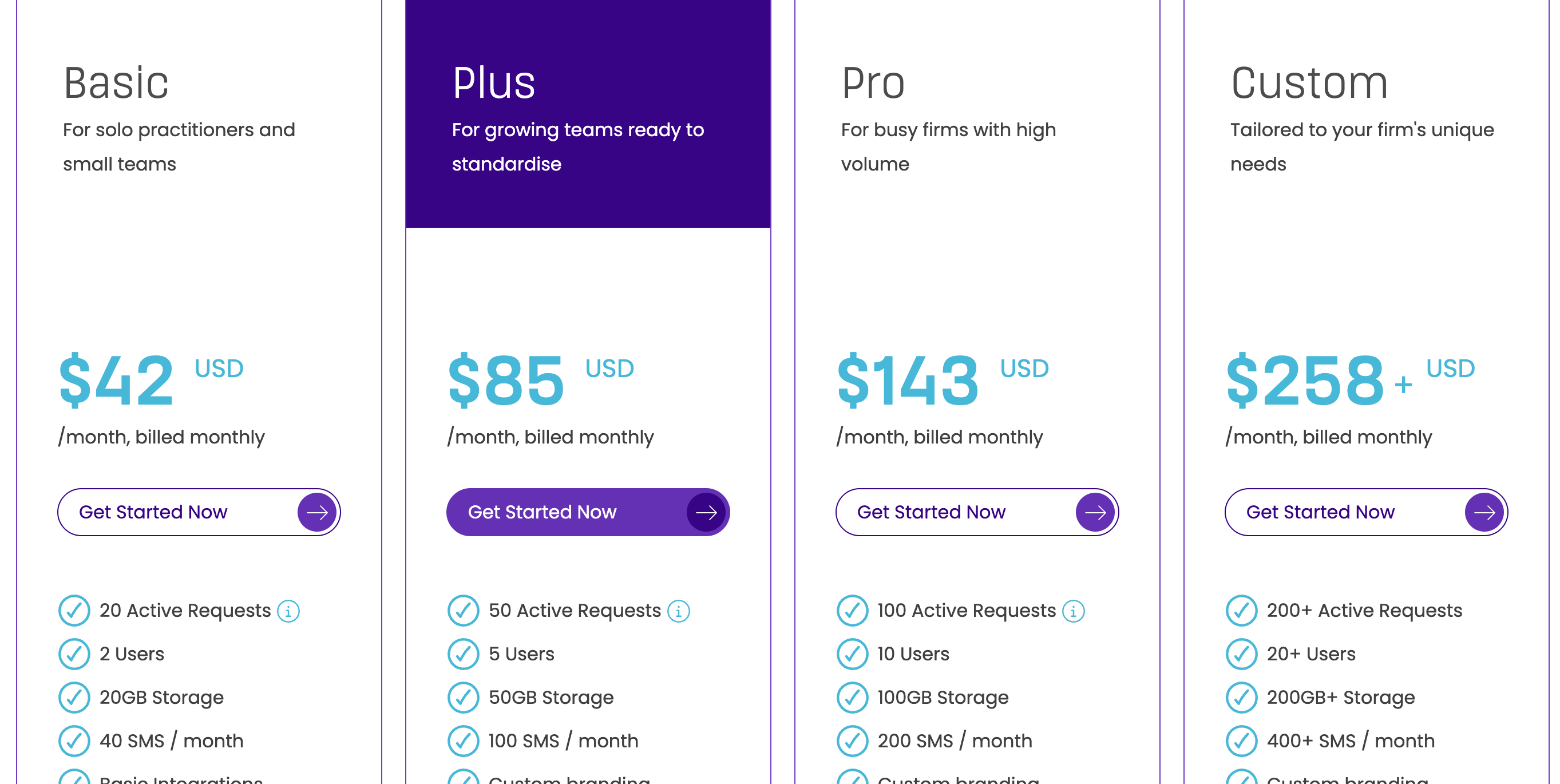
| Plan | Billed annually | Billed monthly | Active requests | Users | Storage | SMS/month |
|---|---|---|---|---|---|---|
| Basic | $35/month | $42/month | 20 | 2 | 20 GB | 40 |
| Plus | $71/month | $85/month | 50 | 5 | 50 GB | 100 |
| Pro | $119/month | $143/month | 100 | 10 | 100 GB | 200 |
| Custom | from $215/month | from $258/month | 200+ | 20+ | 200 GB+ | 400+ |
All plans include unlimited clients, unlimited reminders, unlimited questions and upload areas, unlimited templates, the drag-and-drop builder, a simple client portal, the approval system, pre-made email templates and a Zapier integration. Prices are in USD.
The differences that matter for a freelancer:
- Custom branding starts at Plus. On Basic, clients see Content Snare’s look rather than your own. If your brand is part of the client experience you sell, this is the line that pushes you up a tier, not request volume.
- Premium integrations and free migration also start at Plus; Basic has basic integrations.
- Basic includes two users, which covers you plus one subcontractor or assistant.
Sizing it: count your busiest month
Here is the quick method I would use. Look back at your busiest month and count how many projects were waiting on client input at the same time. Add any recurring requests you would send in that month (monthly reports, onboarding forms for retainer clients).
A solo web designer starting three or four sites a month, with one website-content request and one onboarding request per project, plus a few retainer check-ins, will rarely have more than a dozen requests open at once. That fits inside Basic’s 20 with room to spare. You only outgrow Basic if requests stay open for months because clients stall, which is a process problem the reminders are meant to fix.
And if a launch season spikes your volume, the FAQ says you can upgrade or downgrade at any time, with fees prorated, including moving up for one month and back down later.
A website content request, built the Content Snare way
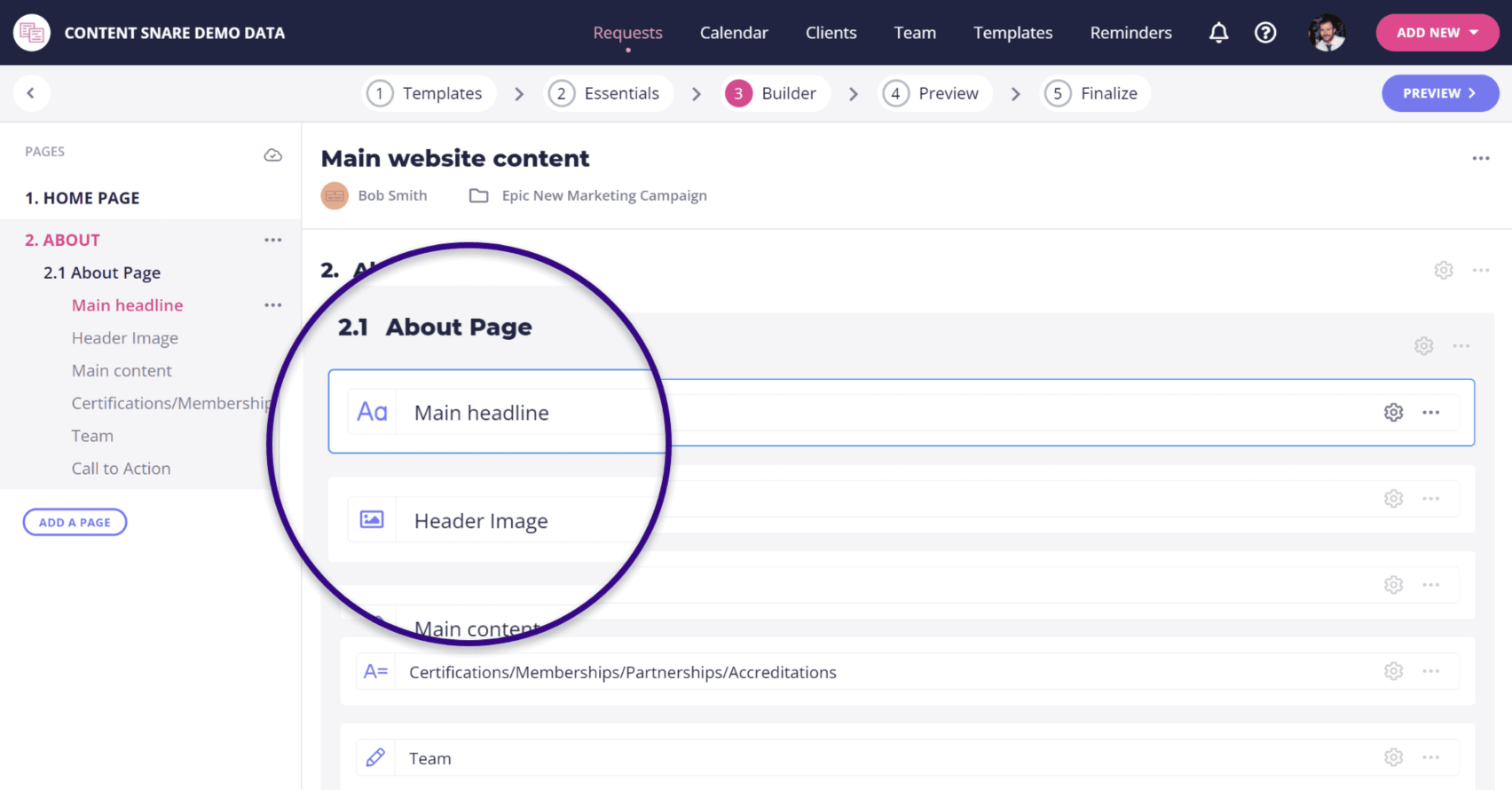
Content Snare’s own demo shows a “Main website content” request split into pages, with fields for the headline, header image, main content, certifications, team and call to action. That is close to the structure I would use for a small business site.
How I would set it up for a five-page site:
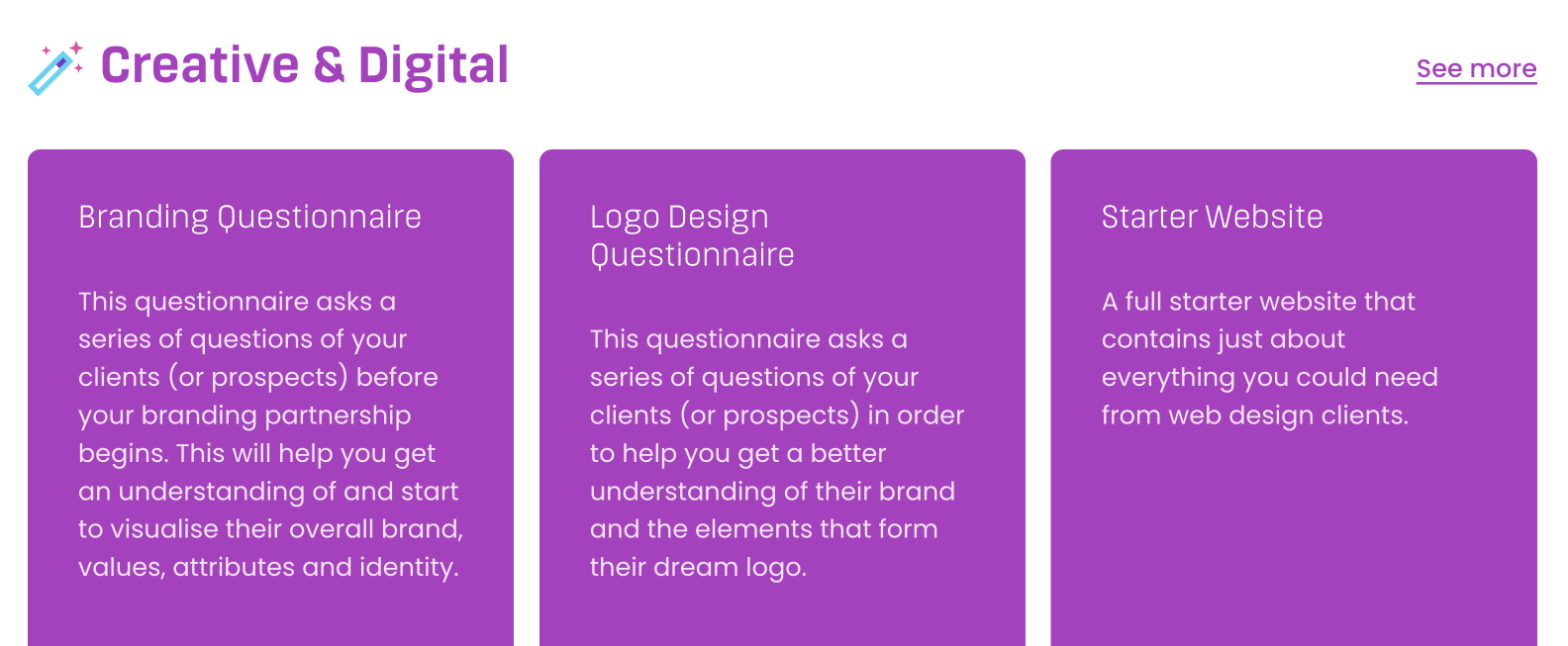
- Start from a template. Under Creative & Digital, Content Snare lists a Branding Questionnaire, a Logo Design Questionnaire, a Starter Website template and a Web Design Questionnaire. The Starter Website one is described as containing just about everything you could need from web design clients.
- One section per page. Home, About, Services, Contact and any landing page.
- Use upload areas for anything visual. Logo files, team photos and brand guidelines go into their own upload fields, so nothing arrives as an email attachment.
- Write instructions into each field. “Headline: under 10 words” saves a revision round.
- Turn on approvals so you can send back the About text that came in as a single line.
If you already use a form tool to collect a project brief and deposit before work starts, as in my Tally form setup, Content Snare fits the next step: the brief gets you hired, the content request gets the site built.
Reminders: the feature you are really paying for
Chasing is the hidden cost of waiting on content. Content Snare lets you choose a reminder schedule for each request when you publish it, using default email templates or your own.
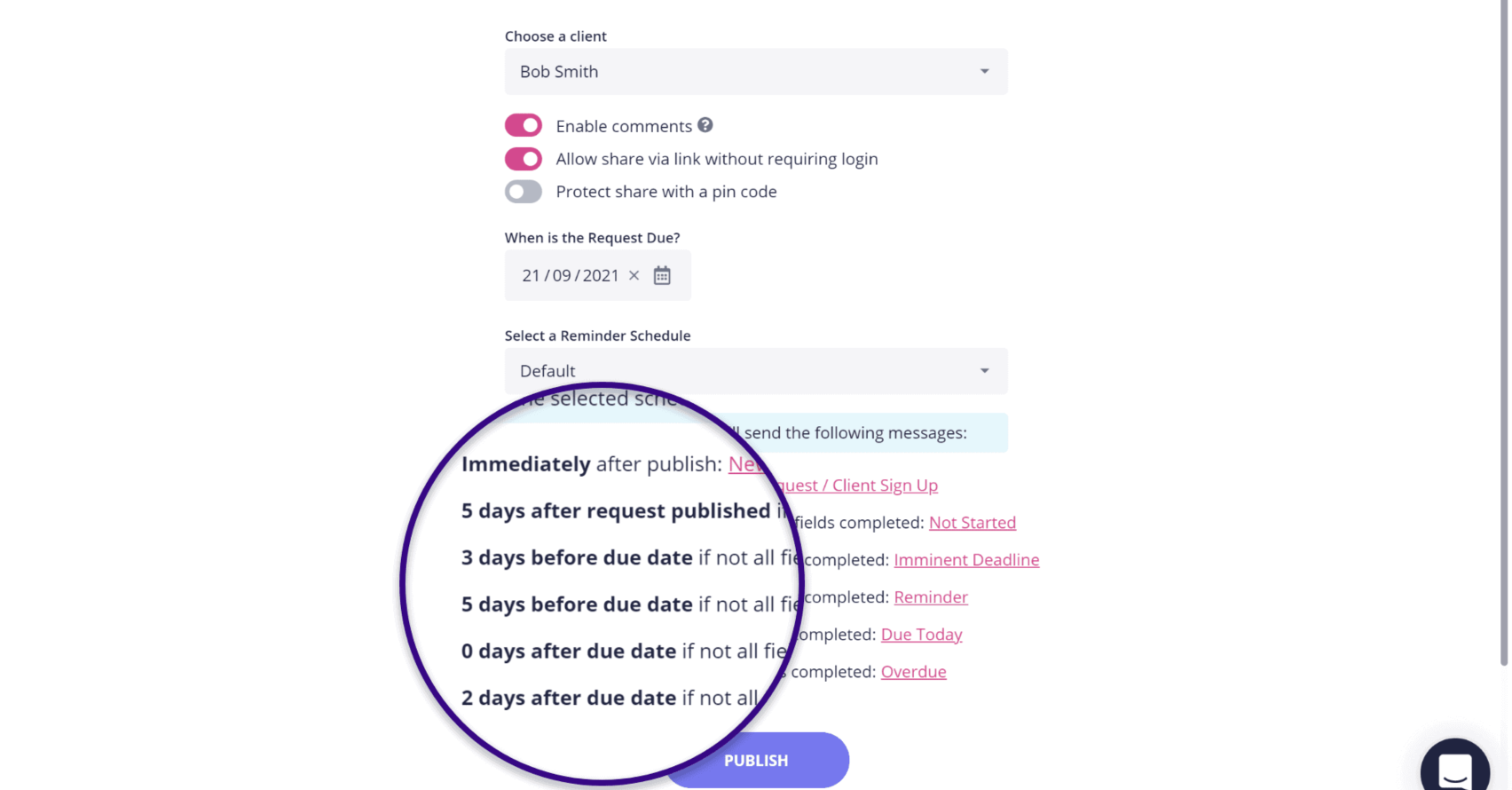
In Content Snare’s example, the schedule sends a message immediately after publishing, then follow-ups days after publishing, before the due date and after it, each only if fields are still incomplete. Two tips:
- Always set a due date. Without one, the schedule has nothing to count toward, and “whenever you get a chance” is how content ends up three weeks late.
- Put the due date in your contract. If content arrives late, the project timeline moves, and the reminder log gives you a record of what was sent and when.
SMS is metered separately (40 a month on Basic), so I would keep reminders on email and save SMS for the final nudge on a stalled project.
What to know before you subscribe
- Trial and refunds. There is a 14-day free trial with no credit card. Content Snare says it does not offer refunds except in rare circumstances, so use the trial for a real project, not a test form.
- Cancellation. You can cancel inside the app at any time and keep access to your data until the end of the period you paid for.
- Hitting limits. If you go over, the app shows a message and you upgrade from inside the account.
- Security. Content Snare states that it is ISO 27001 certified, which is useful to mention if a client hesitates about uploading documents.
- Nonprofit discount. Available on request through chat.
Who should use Content Snare, and who can skip it
A good fit if you build websites, run onboarding for retainer clients, or regularly wait on documents and assets before you can start. It is especially useful when the client side involves several people or less technical clients, since there is no login and answers auto-save.
Probably not needed if you take on one or two small projects a month and a simple form already gets you what you need. A client portal tool that already includes forms, like the setup I described in my Moxie front desk guide, may cover simple intake. Content Snare earns its fee when chasing content costs you hours every month.
Verdict
Content Snare solves the most frustrating stage of client work: waiting for content. Its pricing counts open requests rather than clients, so a solo freelancer with tidy, one-request-per-project habits will usually fit on Basic. The more likely reason to move up is branding, which starts at Plus. Run your next real project through the 14-day trial, count how many requests you had open at once, and choose the plan from that number.
FAQ
How much does Content Snare cost?
Basic is $35 a month billed annually or $42 monthly, Plus is $71 or $85, Pro is $119 or $143, and Custom starts at $215 billed annually or $258 monthly. Prices are in USD.
What counts as an active request in Content Snare?
A request is like a form sent to one person. Sending it to two people counts as two requests. Once a request is completed, it no longer counts toward your plan limit.
Do my clients need an account?
No. Clients open the request from a link, without a login or an app, on any device, and their answers auto-save.
Does Content Snare have a free trial?
Yes, 14 days with no credit card. Refunds are only offered in rare circumstances, so test it during the trial.
Can I use my own branding?
Custom branding is included from the Plus plan up. Basic does not list it.
Is Content Snare good for web designers?
Yes, if you regularly wait on website copy, images and logins. It includes web design templates such as Starter Website and Web Design Questionnaire, and its reminders do the chasing for you.