
Disclosure: some links on this page may be affiliate links. If you sign up through them I may earn a commission at no extra cost to you.
A Tally form can do two jobs that most freelancers handle in two separate tools: it can collect a project brief, and it can take a card payment at the end. Put them together and a new client fills in the scope, sees a deposit calculated from the package they picked, and pays it before your first call. No chasing an invoice, no “I’ll send the brief later”.
This guide walks through building that single form on Tally’s free plan, using only features Tally lists as free: conditional logic, calculated fields, Stripe payments, file uploads and the Notion integration. Plan details and limits come from Tally’s pricing page and help center as they read when I checked.
Why a Tally form works for brief-plus-deposit
Tally’s pitch is generosity. Its pricing page says you get “unlimited forms and submissions, completely free, as long as you stay within our fair usage guidelines.” The free feature list includes the pieces this build needs:
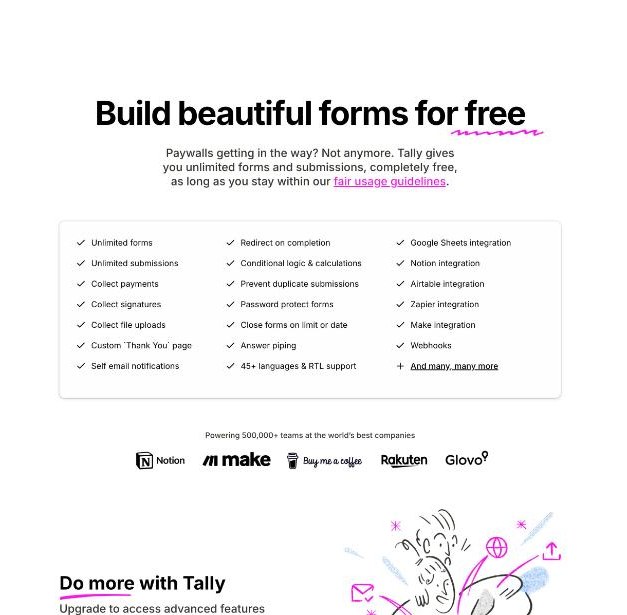
- Collect payments
- Collect file uploads
- Collect signatures
- Conditional logic and calculations
- Redirect on completion and a custom thank-you page
- Notion, Google Sheets, Airtable, Zapier and Make integrations, plus webhooks
Most form builders put payments or logic behind a paywall. Here, a solo freelancer can build the whole flow without paying Tally anything. Stripe’s own fees still apply.
What you need before you start
- A Tally account. The free plan is enough.
- A Stripe account. Tally’s payment help page says you need “a free or Tally Pro account and a free Stripe account”.
- Your packages and deposit rule. For example: Starter $800, Standard $1,500, Premium $2,800, with a 30% deposit on booking. Write these down first. The form only does the arithmetic you give it.
- Optional: a Notion database to receive each brief as a new row.
Step 1: Build the brief section
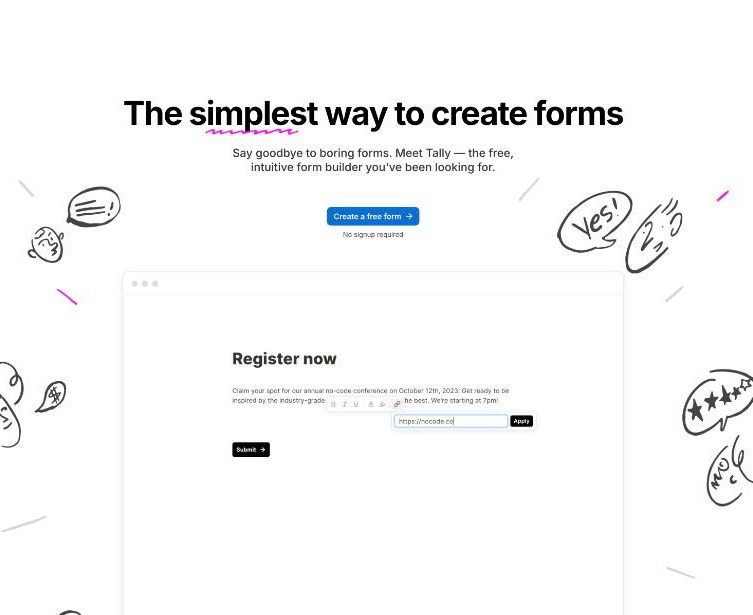
Tally’s editor works like a document: you type and add blocks. Start with the questions you ask on every discovery call:
- Name, business name and email.
- What the project is, in one or two sentences.
- Deadline, and whether it is fixed.
- Links to examples they like.
- A file upload block for logos, brand guides or existing copy.
- A multiple-choice question for the package: Starter, Standard or Premium.
On file uploads, Tally’s help center says uploads are free on all plans, with individual files up to 10 MB on the free plan. Pro removes that per-file limit. If clients tend to send large video or design files, ask for a shared-drive link instead of an upload.
Step 2: Use conditional logic for package-specific questions
Different packages need different follow-up questions. A Premium client might need to tell you how many pages, languages or revisions they expect, while a Starter client should not have to wade through all of that.
Add those extra questions below the package choice and use conditional logic to show them only when the matching package is picked. Tally lists “conditional logic and calculations” as a free feature. Keep it simple: one block of extra questions per package is easier to maintain than a web of rules.
This is also the place to filter out poor fits. If someone chooses a deadline of “next week” on a Premium package you cannot deliver in a week, a conditional message can tell them so and suggest booking a call instead of paying.
Step 3: Calculate the deposit
This is the step that makes the form feel professional. Tally’s calculated fields “perform automatic calculations inside your form”, and its help center says calculated fields are free for all users.

The setup I use:
- Create a calculated field called Package price and set it to your package price with conditional logic (if Starter, set 800; if Standard, set 1500; and so on).
- If you sell add-ons, such as extra revisions or a rush fee, add them to Package price when they are ticked.
- Create a second calculated field called Deposit and set it to Package price multiplied by 0.3.
- Show both numbers to the client on a summary page before the payment step, so the amount is never a surprise.
Tally’s help center describes this pattern directly: build a form where “the total updates live as respondents choose products, quantities, or add-ons” and “feed the result directly into a payment block”.
Step 4: Add the payment block
Add a payment block on the last page and connect Stripe. When you set the price, Tally lets you type an amount or “choose a calculated price or any other variable from the dropdown menu”. Pick your Deposit field and set your currency.
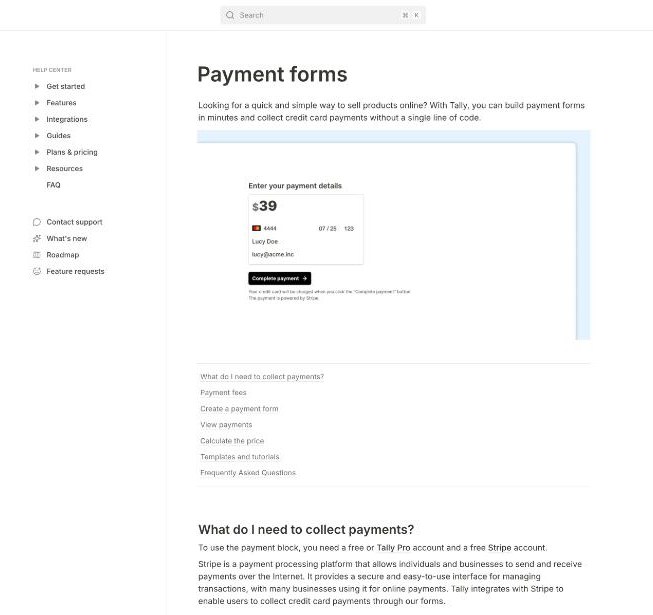
Three rules from Tally’s payment documentation to know before you go live:
- Fees: “All standard Stripe fees apply”, and Tally says it does not add any extra fees on top of Stripe’s pricing.
- One-time only: Tally does not support recurring payments, so this works for deposits and fixed fees, not monthly retainers.
- Receipts, not invoices: Stripe receipts are sent for collected payments, but invoices are not generated automatically. If a client needs a formal invoice for the deposit, issue one separately.
For the balance after the project, a proper invoicing tool is the better fit. I compared options in Stripe Invoicing for freelancers, and if you bill in stages, Square’s milestone billing is worth a look.
Build your Tally payment form →
Step 5: Send every brief to Notion
A brief that lives only in a form dashboard gets forgotten. Tally’s Notion integration sends each submission to a Notion database. The help center calls it “completely free for all Tally users with unlimited submissions.”
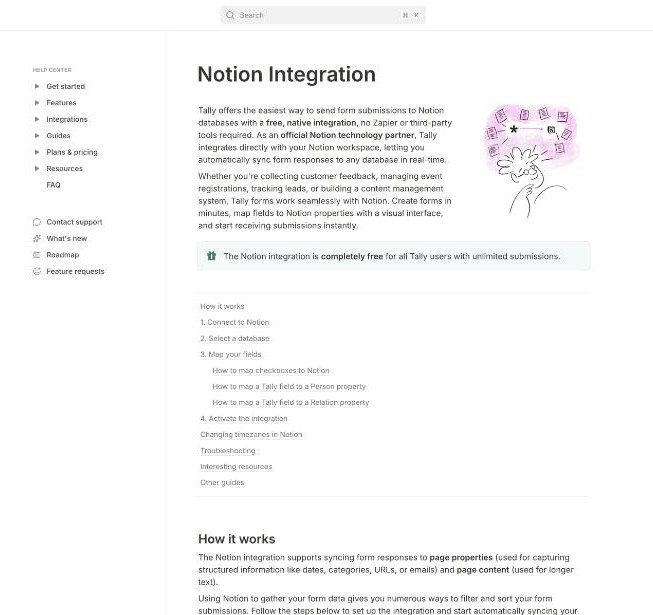
Create a Notion database with properties for client name, email, package, deadline and deposit, then map the Tally fields to them. A few details from Tally’s help page:
- A payment price maps to a Notion Number property.
- You can map only one Tally field to each Notion property.
- Person and Relation properties are not supported natively.
Add a “Status” select property in Notion yourself (New, Call booked, In progress, Delivered). Each paid brief then arrives as a row you can move through your pipeline.
Step 6: Finish with a redirect to your booking page
After payment, send the client straight to your calendar. Tally’s redirect on completion is free and can pass data into the URL, so the client’s name and email can carry over to your booking tool. Tally notes that respondents do not see the thank-you page when a redirect is on, and that redirects do not work in preview mode, so test with a live link.
If you also want a confirmation email to yourself, Tally’s free plan lists self email notifications.
Free plan or Tally Pro?
| Plan | Price | What changes for this build |
|---|---|---|
| Free | $0 | Everything above, with Tally branding and a 10 MB per-file upload limit |
| Pro | $24/month (pay yearly for 2 months off) | Removes Tally branding, adds custom domains, unlimited team members, partial submissions and removes the 10 MB file limit |
| Business | $74/month | Adds data retention control and email verification |
For most solo freelancers, the free plan is enough to run this form. Upgrade to Pro when you want the form on your own domain without Tally branding, or when clients regularly need to upload files larger than 10 MB. Partial submissions are also useful on Pro: you can see who started the brief and dropped off before paying.
Tally form or a full client portal?
This setup covers the front door: brief, deposit and booking. It does not handle contracts, project files or ongoing invoicing. If you want all of that in one place, an all-in-one tool may suit you better. If you prefer a more traditional intake form with templates, my guide to building a client intake form in Jotform covers that route.
Where the Tally approach wins is cost and speed. You can build it in an afternoon, it costs nothing beyond Stripe fees, and every client who pays the deposit has already given you a complete brief.
A quick pre-launch checklist
- Fill in the form yourself with each package and check the deposit maths.
- Read your summary page as a client would: is the price, what it covers and your refund policy clear?
- Make one real low-value payment with your own card, then refund it in Stripe. Tally’s help center says Stripe test cards are not supported.
- Confirm the submission landed in Notion with every property filled.
- Check the redirect opens your booking page with the client’s details.
FAQ
Can a Tally form take payments on the free plan?
Yes. Tally’s payment help page says you need a free or Pro Tally account and a free Stripe account. Standard Stripe fees apply, and Tally says it adds no extra fees.
Can the payment amount change based on the client’s answers?
Yes. Tally lets you set the payment price to a calculated field, so the amount can update based on the package and add-ons chosen. Calculated fields are free.
Can I take recurring retainer payments with Tally?
No. Tally’s documentation says it does not support recurring payments. Use it for deposits and one-time fees.
Does Tally send invoices for payments?
Stripe receipts are sent, but Tally does not generate invoices automatically. Issue a separate invoice if the client needs one.
What is the file upload limit on Tally’s free plan?
Individual files can be up to 10 MB on the free plan. Tally Pro removes the per-file limit.
Is Tally’s Notion integration free?
Yes. Tally’s help center says the Notion integration is free for all users with unlimited submissions.