Ask a freelancer where their best projects came from and the answer is rarely a job board. It is a client from two years ago who comes back with a bigger budget, or someone that client recommended. Yet most of us track leads carefully and forget past clients the day the final invoice is paid. There is no system for them, so they only come back when they happen to remember us. A CRM like folk CRM can change that, if it is set up for this job.
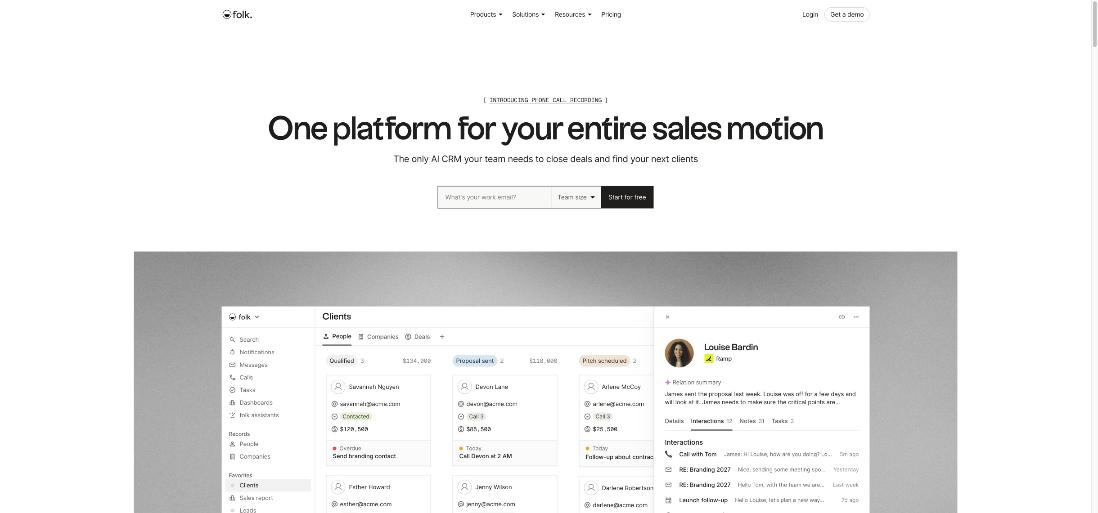
This article is about fixing that with folk CRM. folk is a lightweight CRM that syncs your email, calendar, WhatsApp and LinkedIn, and it now ships a set of AI assistants that remind you to follow up and summarize where each relationship stands. On paper it sounds like the perfect past-client tool. In practice there is one detail in folk’s own help docs that changes how you should set it up, and almost nobody mentions it: the AI follow-up feature is built for conversations that are still active, not for clients you last spoke to six months ago.
Below I go through what folk costs a solo freelancer, what its AI assistants actually do, and the setup I would use to keep a past-client list warm without it turning into another inbox to manage. Pricing and feature details come from folk’s pricing page and help center as they read today.
Why past clients need a different system from leads
A lead pipeline is about speed: reply fast, send the proposal, follow up until you get a yes or a no. A past-client list is about timing and memory. You want to reach out when it makes sense for them (a new quarter, a product launch, the anniversary of the project) and you want to remember what you built together, what they said about their plans, and who else on their team you met.
That second job is where most freelancers fail, and it is not laziness. The context is scattered across a Gmail thread, a WhatsApp chat, a LinkedIn message and your own notes from the final call. A CRM is only useful here if it pulls those together without you copying anything in by hand.
What folk CRM costs a freelancer
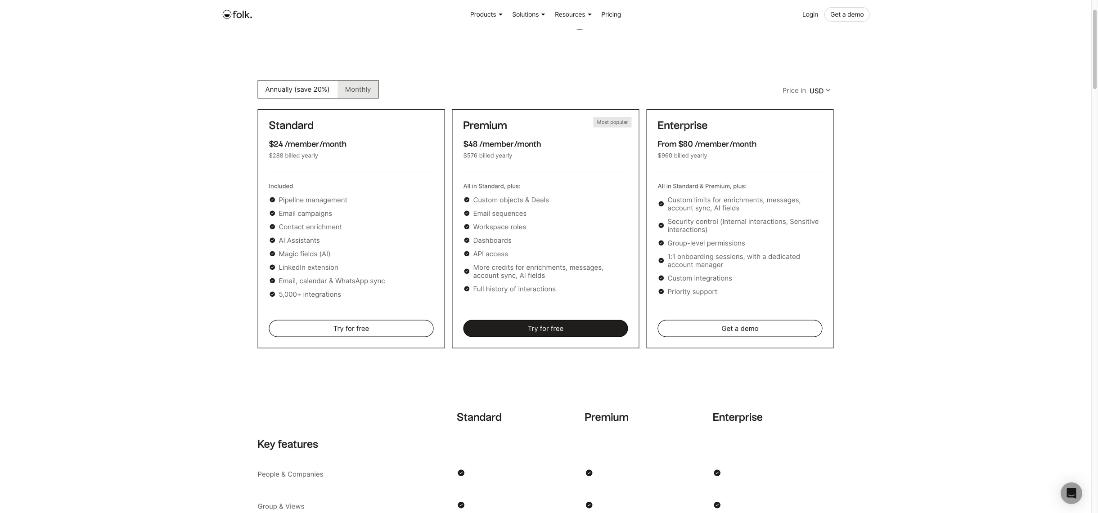
folk does not list a free plan on its pricing page. It offers a 2-week free trial with all premium features, and it does not ask for a credit card during the trial. Paid plans are priced per member per month:
- Standard – $24 per member per month billed yearly ($288 per year), or $30 billed monthly. Includes pipeline management, email campaigns, contact enrichment, AI assistants, AI “magic fields”, the LinkedIn extension, email, calendar and WhatsApp sync, and integrations.
- Premium – $48 per member per month billed yearly ($576 per year), or $60 billed monthly. Adds custom objects and deals, email sequences, workspace roles, dashboards, API access, more credits and the full history of interactions.
- Enterprise – from $80 per member per month billed yearly, or from $100 monthly, with custom limits and security controls.
Two billing details matter for a one-person business. folk only accepts credit cards. And if you do not upgrade at the end of the trial, your account is blocked, although folk says the data is not deleted immediately and you can ask for a one-week extension. Put the trial end date in your calendar before you import anything.
The folk AI assistants, and the limit that matters for past clients
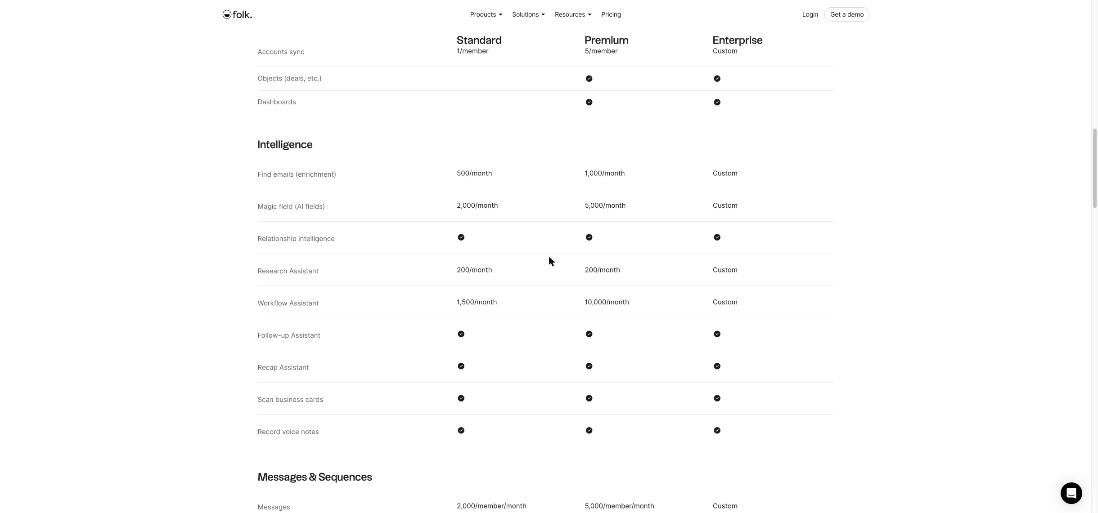
The plan comparison table lists five assistants. Two of them are the heart of a past-client system, and both are included on Standard.
Follow-up Assistant
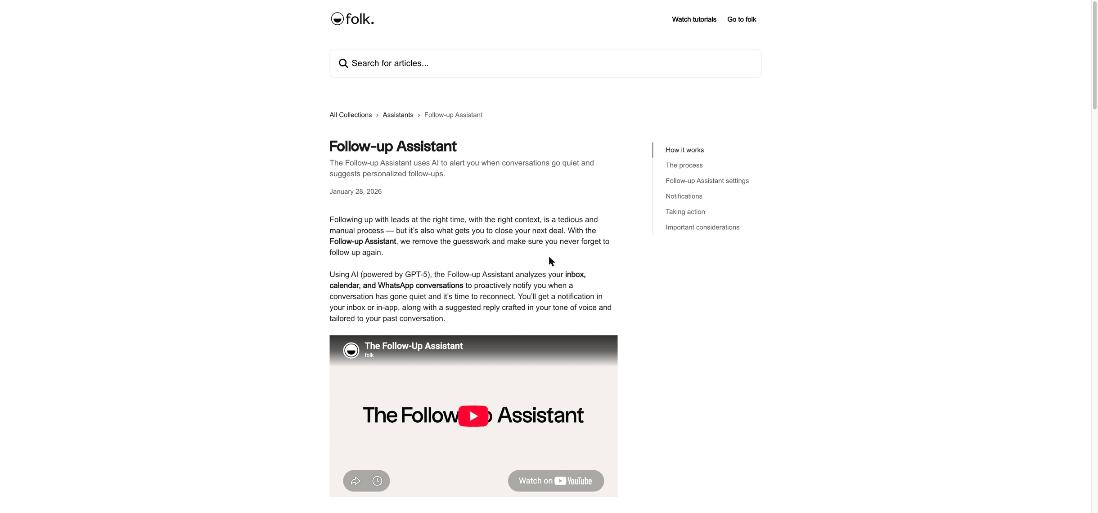
folk’s help article says the Follow-up Assistant analyzes your inbox, calendar and WhatsApp conversations, notices when a conversation has gone quiet and there is a pending action, and suggests a follow-up with a draft written in your tone of voice. You can set when a conversation counts as inactive (from 3 days up to 2 months), limit it to people you have met in a calendar meeting, and filter it to specific contact groups. Suggestions arrive in folk’s notification center, by email and as a banner on the contact’s profile.
Here is the detail. The same article says the assistant only looks at email conversations with at least two exchanges in the last two months, at least one from you and one from the contact. A client whose project ended in spring and who has not written since is outside that window. The Follow-up Assistant will not flag them, however valuable they are.
That is not a flaw. The feature is built for deals in progress. It just means you should not expect AI to remember your past clients for you. You need a simple structure on top.
folk’s own video on the Follow-up Assistant, from the official folk YouTube channel.
Recap Assistant
The Recap Assistant is the part that solves the memory problem. Open a person, company or deal, click to generate a recap, and folk scans the latest emails, meetings, call notes, WhatsApp messages and LinkedIn interactions to write a short summary: who last interacted and through which channel, what was discussed or decided, and any pending next steps. folk’s help center lists “re-engaging a dormant lead” and “quarterly check-ins” among its use cases, which is exactly the past-client job.
A few limits from the docs are worth knowing. A recap needs at least one tracked interaction or note. Recaps are generated on demand, not continuously, so you click again to refresh. They are private to the person who generated them. And they cannot be edited; to fix the context, you update your notes and regenerate.
The Standard plan’s 30-interaction cap
One more detail from folk’s help center on tracking interactions: on Standard you can see a maximum of 30 interactions per contact, with three years of history. Premium shows unlimited interactions. For most past clients, 30 emails and meetings is plenty. For a client you have worked with on retainer for years, the oldest context will drop out of view on Standard, and a recap can only use what folk can see. If your best clients are long-term ones, that is a real reason to consider Premium.
How I would set up a past-client list in folk
Step 1: connect only the accounts where clients talk to you
Standard includes one synced account per member; Premium includes five. Connect the inbox your clients actually use. If half your clients prefer WhatsApp, connect that too, since folk’s help center says it imports 1:1 WhatsApp chats into contact profiles. Interactions stay private unless you choose to share them with workspace members.
Step 2: create a “Past clients” group
Pull in every client whose project ended in the last two or three years. Add a few fields that make outreach easier later: project type, end date, what they said about future plans, and who referred them. folk’s magic fields (AI fields) can fill some of these from existing data, and Standard includes 2,000 a month.
Step 3: write a short note at every project’s end
This takes two minutes and makes every future recap better. Write what you delivered, what they liked, what they wished they had budget for, and when they expect their next push. The Recap Assistant reads notes along with emails, so your own words become part of its summary.
Step 4: use reminders for the dormant window
Because the Follow-up Assistant will not catch quiet relationships, set a reminder on each past client instead. I like three months after the project ends, then every six months. Tie the reminder to something real: their fiscal quarter, a seasonal campaign, or the date your work went live.
Step 5: run a monthly 20-minute check-in
Once a month, open the Past clients group, sort by last interaction, and generate a recap for the three or four contacts you have not spoken to longest. Read the recap, then send a short personal note that refers to something specific. Once they reply, the conversation is active again, and from then on the Follow-up Assistant will watch it for you.
How folk compares with what you may already use
If you live in Gmail, I have also looked at Streak as a CRM inside Gmail for a freelance pipeline. Streak keeps everything in your inbox, which is great for active deals. folk sits outside the inbox and pulls in WhatsApp and LinkedIn too, which suits past clients whose history is spread across channels. And if your past clients are also your best source of social proof, pair the check-in routine with the testimonial habit from my Senja handoff routine.
Is folk CRM worth it for freelancers?
It depends on where your work comes from. If most of your income is repeat work and referrals, Standard at $24 a month billed yearly is a modest cost against even one returning project a year, and the Recap Assistant saves real time before every reconnect. If you are mostly chasing new leads from platforms, folk’s past-client strengths matter less and a simpler pipeline tool may be enough.
Who should not use it:
- Freelancers who want a free CRM. folk has a trial, not a free plan.
- Anyone expecting AI to chase old clients automatically. The Follow-up Assistant only watches conversations active in the last two months.
- Long-retainer freelancers on a tight budget. The Standard plan’s 30-interaction view per contact may hide the history you care about most.
Verdict
folk is one of the better CRMs for a freelancer whose business runs on relationships rather than volume. The Recap Assistant turns scattered emails, chats and notes into a usable brief before you reach out, and the Follow-up Assistant keeps active conversations from going cold. Just set it up knowing its limits: the AI follow-ups cover active threads, so past clients need a group, a note at project end and a reminder schedule. Do that, and folk becomes the system that brings repeat work back instead of waiting for it.
FAQ
Does folk CRM have a free plan?
The pricing page does not list a free plan. folk offers a 2-week free trial with all premium features and no credit card required.
How much does folk cost per month?
At the time of writing, Standard is $24 per member per month billed yearly or $30 monthly, Premium is $48 billed yearly or $60 monthly, and Enterprise starts at $80 billed yearly or $100 monthly.
Will folk’s Follow-up Assistant remind me about old clients?
Not on its own. According to folk’s help center, it analyzes email conversations with at least two exchanges in the last two months. For older relationships, use reminders and the Recap Assistant.
Is the Recap Assistant included on the Standard plan?
Yes. The plan comparison lists the Follow-up Assistant and the Recap Assistant on Standard, Premium and Enterprise.
How many past interactions can I see on folk Standard?
folk’s help center says Standard shows up to 30 interactions per contact with three years of history, while Premium shows the full history.