Disclosure: some links on this page may be affiliate links. If you sign up through them I may earn a commission at no extra cost to you.
A freelance website project usually ends with a happy launch email and one awkward question a week later: “So who’s paying for the hosting?” With Framer, that question has a more specific shape, because Framer charges per site, per extra editor and, after launch, to whoever owns the project. Get the Framer client handoff wrong and you either end up quietly paying for a client’s site out of your own pocket, or you hand over a site and lose the ability to make the small fixes you promised in your maintenance retainer.
This post is not a general Framer review. It is about one moment in a freelance project: the point where the site moves from your hands to your client’s, and the money that moves with it. I will go through Framer’s plans as they apply to client work, the three ways freelancers usually set up billing, how Framer’s Project Transfer actually works, and what the Expert program changes. Every price and rule here comes from Framer’s pricing page and help centre as they read today.

First, what exactly is being paid for
Framer bills by site plan. Each published site that needs a custom domain or more capacity gets its own plan. On top of that, the workspace pays for extra people who edit. The two numbers that matter for client work are the site plan and the editor seats.
Site plans
| Plan | Billed yearly | Billed monthly | Who Framer says it is for |
|---|---|---|---|
| Free | $0 | $0 | Non-commercial use; free Framer domain only |
| Basic | $10/mo | $15/mo | Students, freelancers and small studios |
| Pro | $30/mo | $45/mo | Teams at agencies, startups and scale-ups |
| Enterprise | Custom | Custom limits and dedicated support | |
Basic includes a free custom domain connection, 30 pages, 2 CMS collections with 1,000 items, 50 GB of bandwidth and built-in SEO. Pro raises that to 150 pages, 10 CMS collections, 2,500 CMS items and 100 GB, and adds site redirects, a staging environment and branching with previews. Framer also notes a complimentary domain is included on yearly billing for both paid plans.
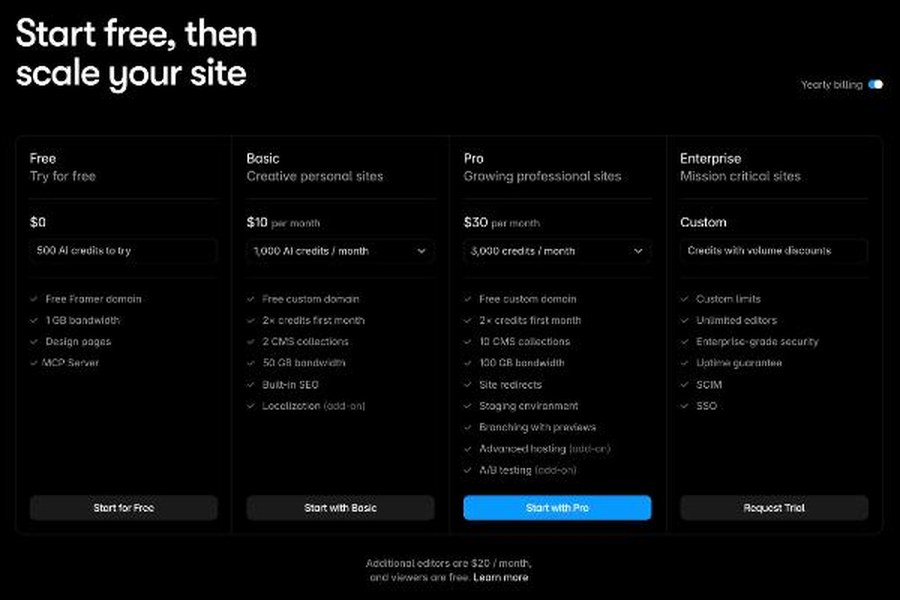
For a typical small-business brochure site, Basic is usually enough. The line that pushes many client sites to Pro is not pages but site redirects. If you are rebuilding an existing site, old URLs need to point to new ones to keep search rankings, and Framer lists redirects on Pro, not Basic. Check that before you quote.
Editor seats
The second cost is people. Framer’s comparison table lists the workspace owner as free, viewers (who can view and comment) as free, additional editors at $20 per editor per month, and content editors (who update CMS content and use on-page editing) at $10 per editor per month. Basic and Pro both allow up to 10 seats.
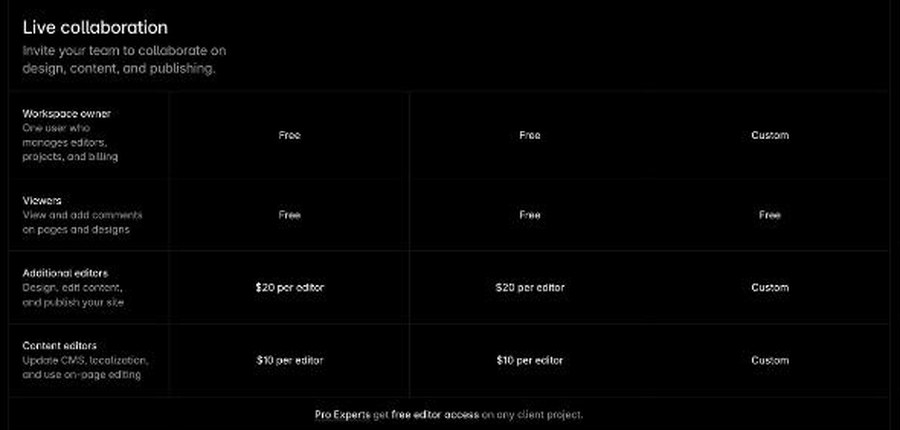
That $20 seat is the number freelancers forget. If the client owns the site and you remain on it as a full editor to handle changes, someone pays for your seat, unless you qualify for the Pro Expert benefit covered below.
The three billing setups freelancers use
In practice, every freelance Framer project ends up in one of three arrangements. None is wrong, but each puts the cost and the control in a different place.
Setup A: You keep the site and bill the client
You build in your own workspace, pay for the site plan yourself, and charge the client a monthly or yearly fee that covers it plus your maintenance time. You keep full control, and there is no seat cost for you, because you are the owner.
The downside is responsibility. If your card fails, their site’s plan is at risk. If the relationship ends, you need to transfer the site anyway. And you are effectively reselling hosting, so your contract needs to say what happens if you stop working together. This setup suits retainer clients who never want to log into anything.
Setup B: Build on your account, then transfer
You build in your workspace, show the client a preview, and when the project is approved you transfer ownership. After the transfer, the client chooses and pays for their own site plan. This is the cleanest separation of costs and it is the arrangement Framer’s own help centre is designed around.
Setup C: The client owns it from day one
The client creates the Framer account and workspace, and adds you as an editor. Every cost is theirs from the start, including your $20 editor seat. This suits larger clients with procurement rules or an in-house team, but it means asking a client to set up software before you have shown them anything, which can slow the start of a project.
For most solo freelancers, Setup B is the default, so the rest of this post focuses on how the transfer works and what it costs.
How a Framer Project Transfer works
Framer’s help article on transferring a project describes the process step by step. In the project, you click the Framer logo in the top navigation bar, choose File, then Transfer Project, enter the recipient’s email address, choose whether you want to remain an editor, and click Transfer. The client receives an email invitation, signs in or creates a Framer account, and confirms the transfer. The project is then added to their workspace.
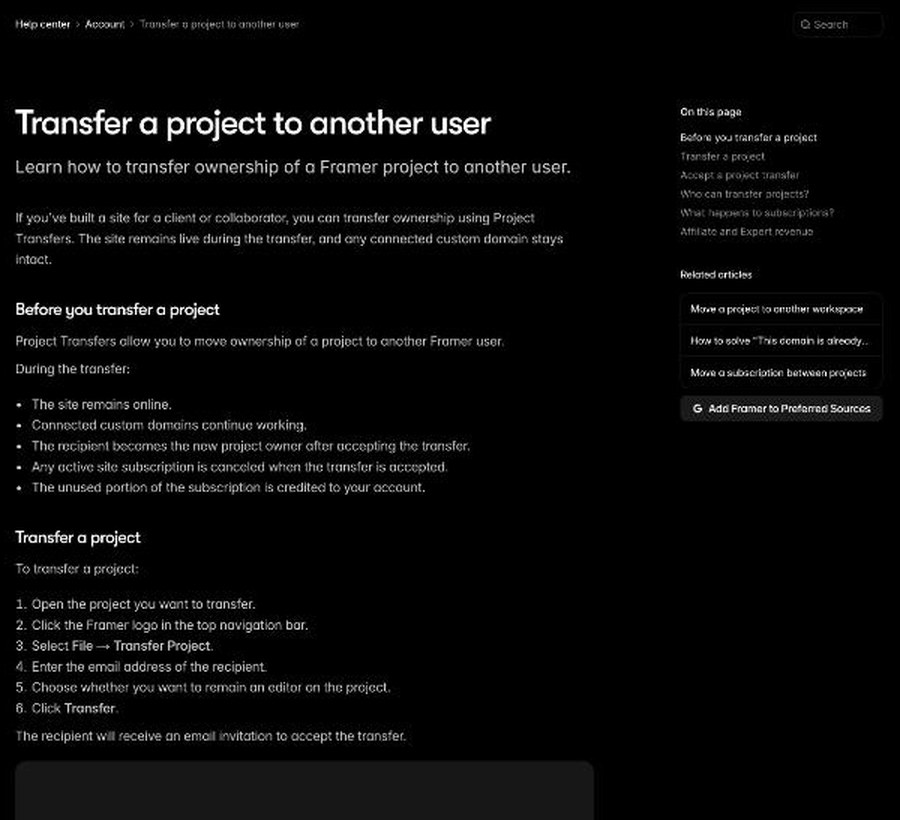
Four details in that article matter to your client relationship:
- The site stays online during the transfer, and a connected custom domain keeps working.
- Your site plan is cancelled automatically when the client accepts, and the unused portion is credited to your Framer account as account credit, not refunded to your card.
- The client must pick and pay for a site plan if the project uses paid features, such as a custom domain or localization. Framer prompts them to do this.
- Only the project owner or a workspace admin can start a transfer. A freelancer who is only an editor cannot.
The timing question
That second point affects how you build. If you buy a yearly site plan in your workspace so the client can see the site on their real domain before launch, then transfer a month later, the remaining value comes back as Framer credit in your account. That is useful if you build more Framer sites, and less useful if this was a one-off. A simpler approach is to build and preview on the free Framer domain, and let the client buy their own plan at transfer, connecting the domain then.
The “remain an editor” checkbox
During the transfer you choose whether to stay on the project as an editor. If you are offering ongoing maintenance, you will usually want to stay. But remember the seat pricing: on the client’s side, an additional editor is a paid seat. Put that $20 a month in your maintenance quote, or agree that the client pays it, so it does not surprise anyone on their first invoice.
Where the Expert program changes the maths
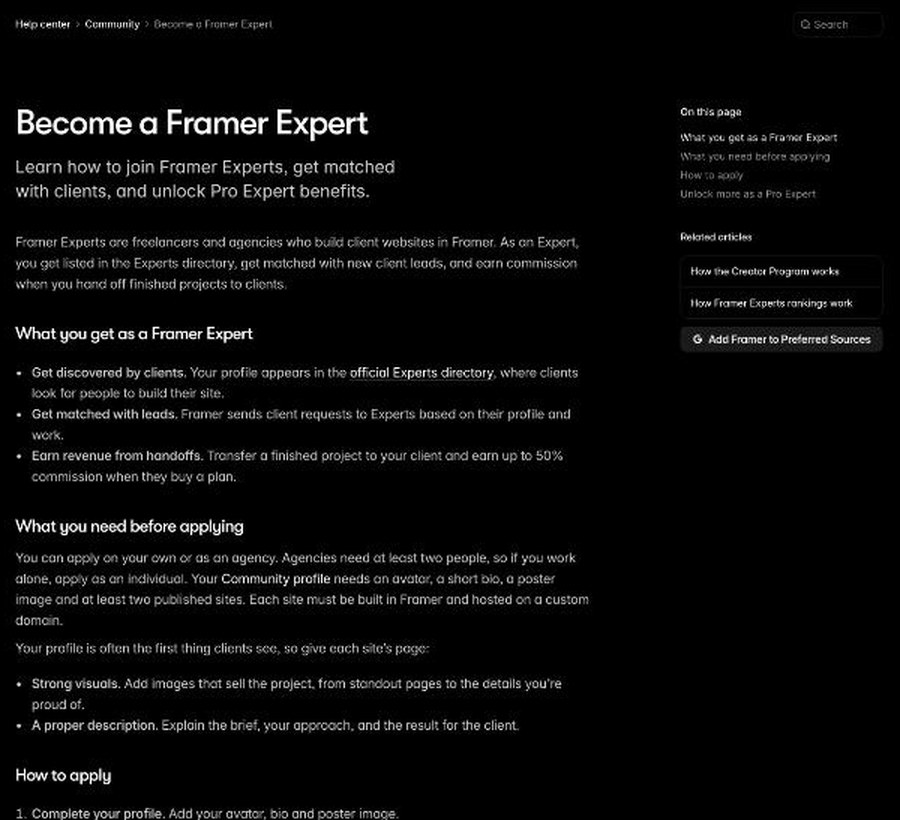
Framer runs an Expert program for freelancers and agencies who build client sites, and two parts of it are directly about handoff money.
Commission on handoffs
According to Framer’s help centre, Experts earn a commission of up to 50% when a client accepts a Project Transfer and buys a plan. The transfer article also notes that members of Framer’s Affiliate Program can earn revenue when transferred projects are upgraded to paid site plans. If you are using Setup B anyway, there is no reason not to be set up to earn on it. As with any commission, mention it in your terms; clients rarely mind, but they do mind finding out later.
Free editor access as a Pro Expert
Once you have earned $500 in commission from one or more client handoffs, Framer says you become a Pro Expert automatically. The benefit that matters most for maintenance work is free project access: you can join client projects as a full editor at no cost, so the client does not pay for your seat. Pro Experts also get higher placement in the Experts directory, more and faster client matches, and use 50% fewer Agent credits per prompt.
Getting in
The requirements are modest but specific. You can apply alone or as an agency of at least two people. Your Framer Community profile needs an avatar, a short bio, a poster image and at least two published sites, each built in Framer and hosted on a custom domain. Framer says the application form only opens once your profile meets those requirements, and once you submit it you are an Expert straight away.
The two-sites rule is the hurdle for someone new: your own portfolio site on a custom domain can count as one, and your first paid client project can become the second.
A handoff checklist for your next Framer project
Here is how I would put all of this into a freelance process, from proposal to launch.
- In the proposal: state which plan the site needs (Basic or Pro) and why, especially if you need redirects for a rebuild. Quote the plan price separately from your fee, and say who pays it after launch.
- During the build: work in your own workspace and preview on the free Framer domain, so you are not paying for a plan you will cancel at transfer.
- Before transfer: walk the client through creating a Framer account with the email they will keep long-term, not a personal address that might leave with an employee.
- At transfer: decide on “remain an editor” based on your maintenance agreement, and make sure the seat cost is in that agreement.
- After transfer: help the client choose the plan, connect the custom domain, and check that forms, redirects and SEO settings survived the move.
- For content updates: if the client’s team only edits blog posts or CMS items, a content editor seat at $10 a month is cheaper than a full editor seat.
If you send proposals with a template, my walkthrough of building a freelancer’s proposal template in Better Proposals shows where a “hosting and platform costs” section fits. And launch day is a good moment to ask for a testimonial; my Senja testimonial routine at project handoff covers that step.
Common mistakes I would avoid
Launching a commercial site on the Free plan
Framer describes the Free plan as ideal for non-commercial use, and it cannot connect a custom domain. It is a good place to build and preview, not a place to leave a client’s business site.
Forgetting refunds work differently by region
Framer’s FAQ says customers in the EU or Turkey are legally eligible for a refund within 14 days of purchase. Outside those regions, it does not describe a general refund policy. If you buy a plan for a client project and then transfer it, the credit-to-your-account rule applies, not a refund to the client.
Ignoring bandwidth on busy sites
Basic includes 50 GB and Pro 100 GB of monthly bandwidth. Framer says that for some limits, such as bandwidth, it lets you exceed the limit for one month and sends an email so you can upgrade. For a site that gets press coverage or runs a big campaign, mention this to the client in advance.
My take
Framer’s handoff tools are better designed than many freelancers realise. Project Transfer keeps the site live, keeps the domain connected and sends the bill to the right person. The costs that catch freelancers out are not hidden, but they sit in different places: the plan you cancel at transfer comes back as credit rather than cash, Pro is the first plan with redirects, and staying on as an editor costs $20 a month unless you are a Pro Expert. If you build Framer sites regularly, joining the Expert program is worth the effort, both for handoff commission and, once you reach Pro Expert status, for the free editor seat that makes maintenance retainers cleaner. Put the plan, the seat and the transfer in your proposal from day one, and the “who’s paying for hosting” email never needs to be written.
FAQ
Who pays for Framer after I transfer a site to my client?
The client. When they accept a Project Transfer, your site plan is cancelled and the client is responsible for selecting and paying for any site plan the project needs, such as one that supports a custom domain.
What happens to the Framer plan I already paid for?
Framer cancels it when the transfer is accepted and converts the unused time into account credit for you, the original owner.
Does my client pay for me to stay on as an editor?
Additional editors are listed at $20 per editor per month. Pro Experts get free editor access on client projects, so the client does not pay for their seat.
Will the website go offline during a Framer handoff?
No. Framer says the site stays online throughout the transfer, including any connected custom domain.
Which Framer plan do most freelance client sites need?
Framer describes Basic as the plan for students, freelancers and small studios. Sites that need URL redirects, staging or more pages and CMS collections will need Pro.