
Disclosure: some links on this page may be affiliate links. If you sign up through them I may earn a commission at no extra cost to you.
Every freelance designer, copywriter or video editor has sent the same email: “Here’s the direction I’m thinking, let me know what you think,” followed by a PDF, three image attachments and a link to a folder. The client replies to the wrong version, forwards it to a colleague who cannot open the folder, and the feedback arrives in four separate threads.
This review looks at Milanote for freelancers from one specific angle: using it as the place where a client sees your ideas and reacts to them. Not as a general notes app, not as a project manager, but as a presentation and feedback surface. The part that makes it interesting for that job is easy to miss on the pricing page. A client can open a shared board without creating an account, and if they do sign up to comment or edit, what you put on the board does not count against their free limit.
What Milanote is (and what it is not)
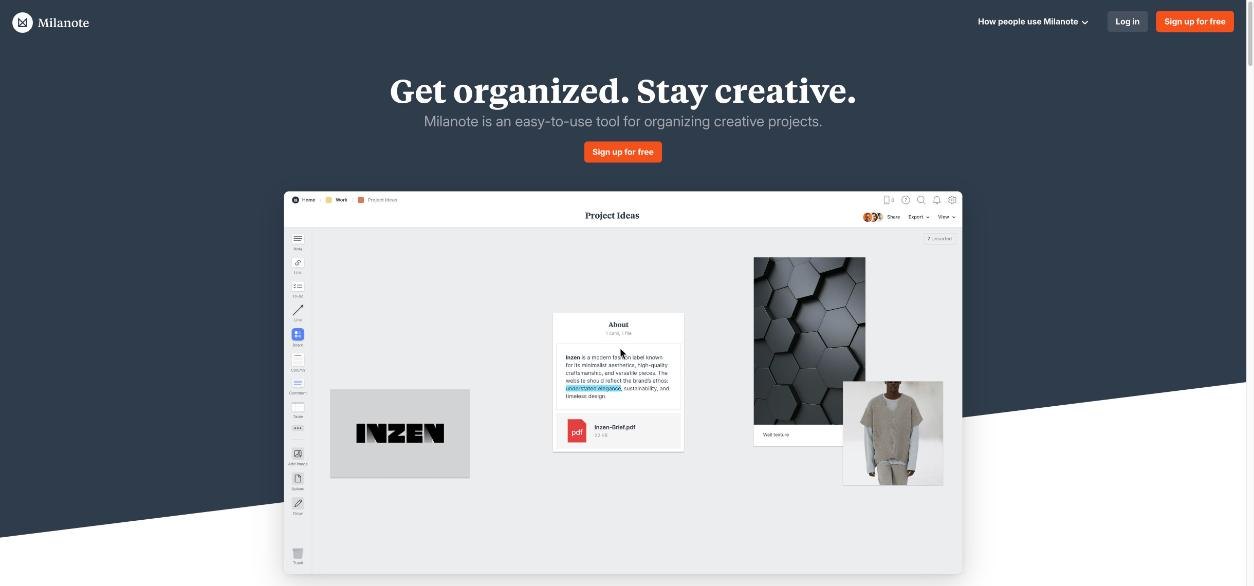
Milanote describes itself as an easy-to-use tool for organizing creative projects. In practice it is a visual board. You drop notes, images, links, files, to-do lists and columns onto a canvas and arrange them however you like. Boards can sit inside other boards, so one client can have a main board with sub-boards for the brief, the moodboard, the copy drafts and the final assets.
It is not a task manager with due dates and dependencies, and it is not a file storage service in the Dropbox sense. If you need proper version history for final deliverables, keep using your storage tool for that; I compared the client-delivery side of that in Dropbox Plus vs Standard for freelancers. Milanote is the room where ideas are shown and discussed before anything is final.
Milanote has apps for mobile, iPad and desktop, plus a web clipper for saving images and links from the browser straight onto a board. For moodboards, the clipper is where most of the material comes from.
The four ways to share a board, and which one to send a client
According to Milanote’s help center, there are four ways to share a board. Choosing the right one is most of the trick.
1. Invite someone to edit
Editors can add and change content on the board. They need a free Milanote account to do this. You can invite them by email, or turn on a shareable editor link. Be careful with the second option: Milanote warns that once the editor link is on, any Milanote user with the URL can see and edit the board. For a client, I would only use editor access when they genuinely need to add material themselves, such as dropping in their own reference images.
2. Invite a group of editors with a link
Useful for a client team, for example pasting the link into their Slack channel. Same warning applies: anyone with the link and a Milanote account can edit. Turn it off when the round is over.
3. Invite someone to comment
This is the option I would use for most feedback rounds. You turn on the read-only link, which by default allows comments, reactions and drawing. Clients can leave comments, react, and use the drawing tool to mark up the board, but they cannot move or delete your work. Commenters also need a free Milanote account.
4. Share a read-only board (no login needed)
Turn on the read-only link and switch off comments, reactions and drawing. Now anyone with the link sees a clean view of the board, without the editing tools and without signing up. Milanote points out that viewers’ email addresses stay private because they never create an account.
Both read-only options come with three extras that matter for client work: a welcome message at the top of the board, an optional password, and embed code if you want to put the board inside a website or app.
Two details worth knowing before you click Share. Sharing a board also shares every sub-board inside it, so keep internal notes in a separate board, not nested under the client one. And your Home board cannot be shared at all; move the content into a new board first.
A client review routine built around those options
Here is how I would set up a typical branding or campaign project in Milanote, using the sharing options deliberately at each stage.
Stage 1: the brief board (comment access)
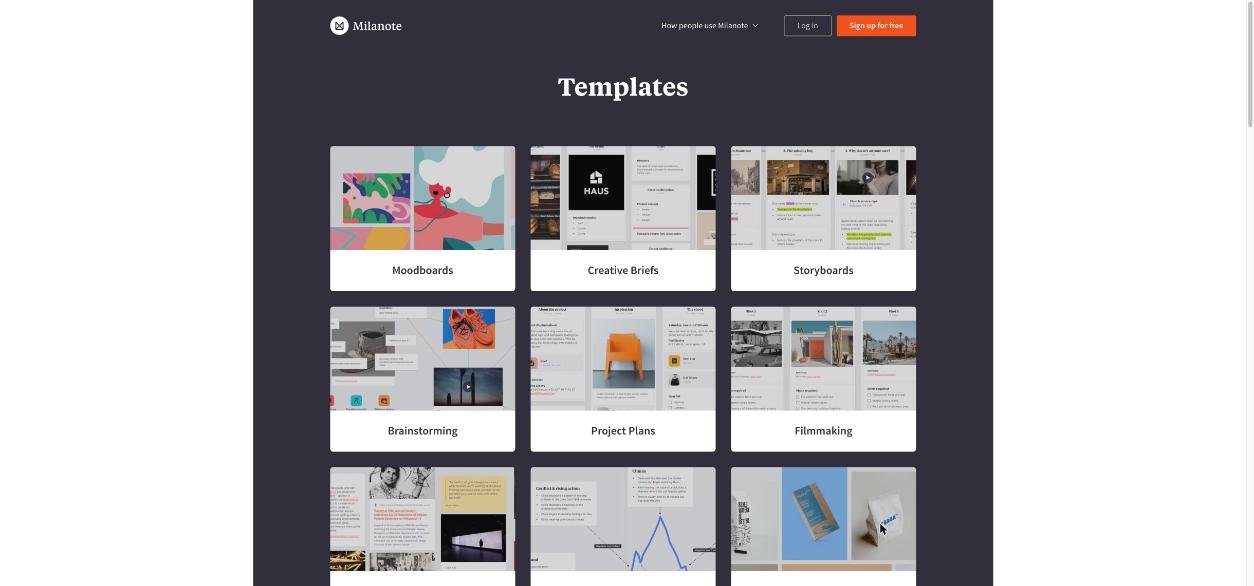
Start from one of Milanote’s creative brief templates. The template library lists more than 20 creative brief templates, including an advertising campaign brief with sections for the client, the brand, objectives, audience, insight, deliverables and references.
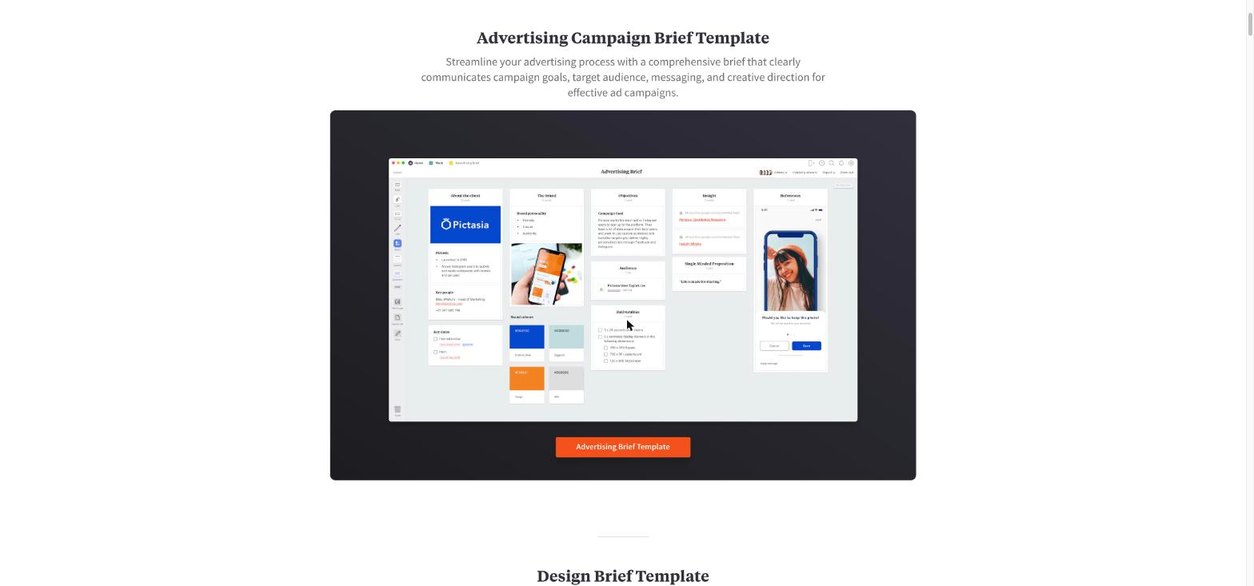
Fill in what you already know from the discovery call, then send the client a comment link with a short welcome message: “Please check the objectives and audience columns and comment on anything that is wrong.” Asking them to confirm two columns gets a faster, more useful reply than asking them to “review the brief”. If you collect briefs through a form, you can paste those answers straight in; I covered that intake step in one Tally form that collects a project brief and a deposit.
Stage 2: the moodboard (comment access, password on)
Build the moodboard in a sub-board of your own workspace, not inside the brief board, so you can share it separately. Milanote’s moodboard templates give you a starting layout; the graphic design moodboard template is a loose grid of images, colour swatches and type samples.
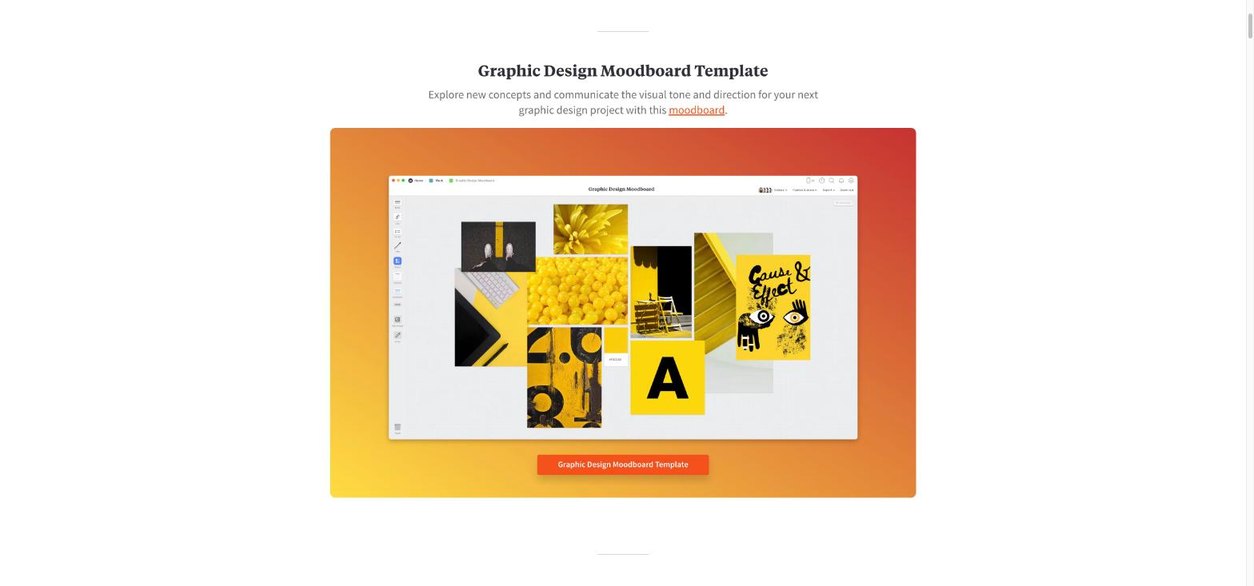
Two directions on one board work better than one. Put them side by side with a short note above each (“Direction A: warm, editorial” and “Direction B: bold, high contrast”). Turn on the password if the moodboard uses unreleased product images or anything the client would not want indexed or forwarded. Then ask the client to drop a reaction on the direction they prefer and comment on individual images they love or hate.
Stage 3: the presentation (read-only, no login)
Once a direction is agreed and you have something closer to final, switch to a read-only link with comments off. This is the version the client forwards to their boss. Nobody has to sign up, nobody can accidentally drag an image off the board, and your welcome message can explain what they are looking at. If the client’s website or intranet needs it, use the embed code instead of a link.
Stage 4: handoff
Milanote is not where final files should live long-term. Export or link the final assets from your delivery tool, add that link to the board, and turn off any editor links you created along the way.
What Milanote costs
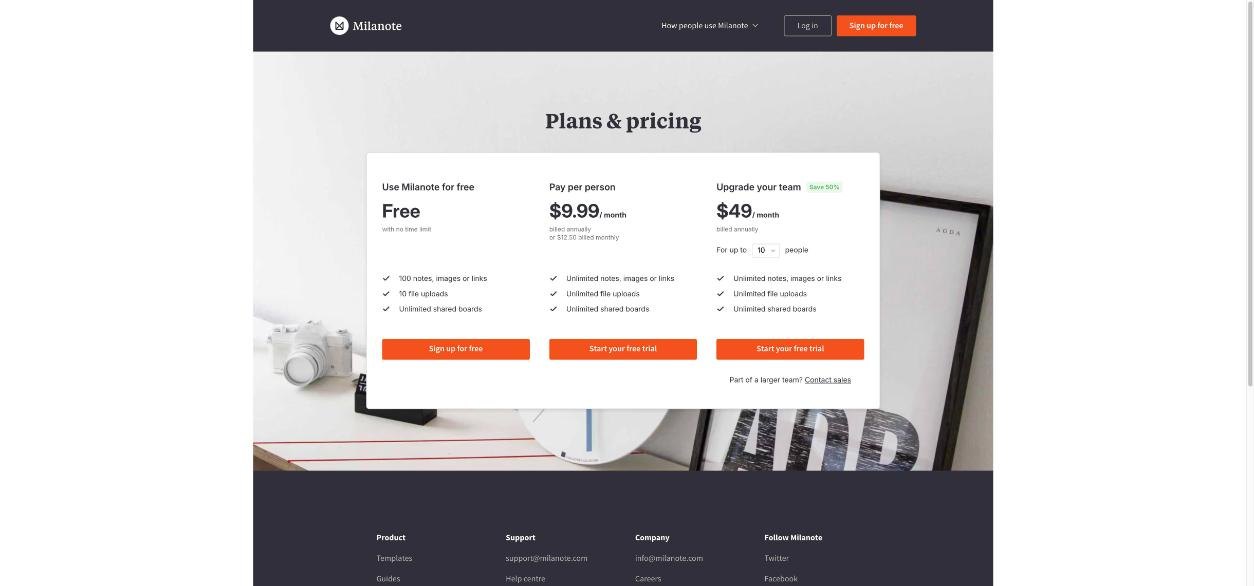
These prices were on Milanote’s official plans page on the day I checked.
| Plan | Price | What you get |
|---|---|---|
| Free | $0, no time limit | 100 notes, images or links; 10 file uploads; unlimited shared boards |
| Pay per person (Pro) | $9.99/month billed annually, or $12.50 billed monthly | Unlimited notes, images or links; unlimited file uploads; unlimited shared boards |
| Team | $49/month billed annually for up to 10 people (larger sizes available) | Same unlimited limits for the whole team |
The free plan math for you and for your client
For the freelancer, the free plan is a trial in disguise. A single moodboard can easily use 40 or 50 cards once you count images, notes and swatches, and 10 file uploads goes quickly if you attach brief PDFs and logo files. If you plan to run every client through Milanote, expect to need Pro.
For the client, the free plan is usually all they need, and this is the detail I like most. Milanote’s help center says that when a Pro user shares a board with someone on the free plan, none of the content the Pro user adds counts toward the free user’s card total. The free user can see and edit everything on the shared board, and only the cards they add themselves count against their 100. For a client leaving comments and the odd reference image, that limit is rarely an issue. You are the only one paying.
Annual or monthly?
Pro is $9.99 a month on annual billing and $12.50 on monthly billing, so the annual plan saves you about $30 over a year. If your client work is seasonal, or you are not yet sure Milanote will stick in your process, paying monthly for the first couple of months is a reasonable trade.
Where Milanote fits next to the tools you already use
Against a shared folder: a folder shows files; a board shows how they relate. If your work is visual and the client needs to understand a direction, not just download files, a board wins.
Against a slide deck: decks are linear and good for a single presentation. Boards are better for the messy middle of a project, when the client is reacting to options and you are adding material between calls.
Against an all-in-one workspace like Notion: Notion is stronger for documents, databases and client portals with structured pages. Milanote is stronger for free-form visual arrangement and has the lighter sharing model described above. Many freelancers will end up using one for project admin and the other for creative review.
What could be better
- The free plan is small for the person doing the work. 100 cards and 10 uploads is fine for testing, not for an ongoing client roster.
- Editor links are wide open. Anyone with a Milanote account and the URL can edit. That is convenient, but it means you need the discipline to switch links off after each round.
- Sub-boards share with their parent. Easy to forget, and the reason I keep internal notes in a separate board.
- It does not replace delivery or project management tools. You still need somewhere for final files, invoices and deadlines.
Who should use it
Milanote makes the most sense for freelancers whose work is presented visually and decided by reaction: brand and graphic designers, illustrators, photographers planning shoots, video editors working from storyboards, and copywriters who pitch campaign concepts with reference images. It is less useful if your deliverables are mostly text documents or code, where a document tool or issue tracker does the job better.
Verdict
As a client review surface, Milanote is one of the more thoughtful options for a solo creative. The four sharing modes map neatly onto the stages of a project, the read-only link removes the “please create an account” friction for clients, and the rule that your content does not count toward a free client’s limit means clients almost never have to pay. The free plan is too small to run a business on, so budget for Pro at $9.99 a month (annual) or $12.50 (monthly) if you adopt it. Start with one live project, use the comment link for the brief and moodboard rounds, and see whether your feedback emails get shorter.
FAQ
Do clients need a Milanote account to see my board?
Not for a read-only board. If you share a read-only link with comments turned off, anyone with the link can view it without signing up. To comment or edit, they need a free Milanote account.
Does my shared content count against a client’s free plan?
No. Milanote says content added by a Pro user to a shared board does not count toward a free user’s card total. Only the cards the free user adds count against their 100.
How much does Milanote cost?
The free plan is $0 with 100 notes, images or links and 10 file uploads. Pro is $9.99 a month billed annually or $12.50 billed monthly. Team is $49 a month billed annually for up to 10 people.
Can I password-protect a shared board?
Yes. When you enable a read-only link, you can require a password to view, set a welcome message and generate embed code.
Can I share my Home board?
No. The Home board is the only board that cannot be shared. Move its content into a new board and share that one instead.