Disclosure: some links on this page may be affiliate links. If you sign up through them I may earn a commission at no extra cost to you.
Most invoicing tools give a freelancer one decision: which plan. Invoice Ninja self-hosted adds a second, bigger one: do you rent the software from Invoice Ninja, or run the same app on a server you control? The hosted Free plan caps you at five clients, the hosted Pro plan costs a monthly fee, and the self-hosted route promises everything for the price of a server and some of your time.
I wanted to know which of those actually makes sense for a one-person business, so I went through Invoice Ninja’s current pricing page, its official self-hosting documentation and the company’s own answers on its support forum. This guide compares the two setups honestly, including the costs that do not show up on a pricing table.
The two ways to run Invoice Ninja
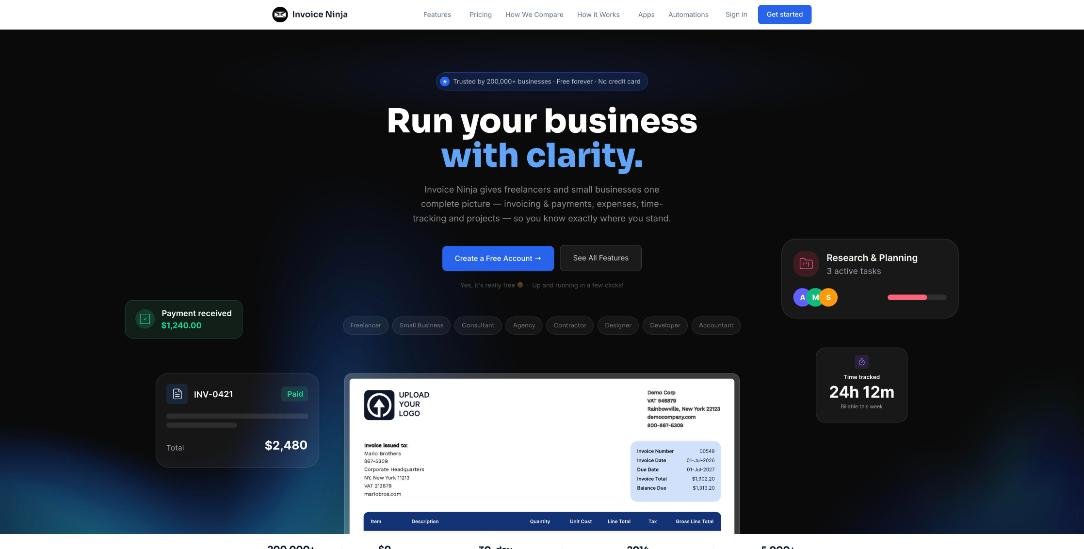
Invoice Ninja is invoicing software for freelancers and small businesses that covers invoices and payments, expenses, time tracking and projects. You can use it in two ways:
- Hosted: you sign up at invoiceninja.com and the company runs everything. You pick Free, Pro, Enterprise or a custom Premium Business plan.
- Self-hosted: you install the application on your own server or hosting account and maintain it yourself.
The interesting part is the feature gap, or rather the lack of one. On Invoice Ninja’s support forum, a member of the Invoice Ninja team answered the question directly in October 2025: all Pro and Enterprise features from the hosted app are included in the self-hosted version, and the company offers a $30 per year white-label license to remove Invoice Ninja branding from the client-facing parts of the app.
That is a rare offer in this category. The question is what it costs you in time and risk.
What the hosted plans cost today
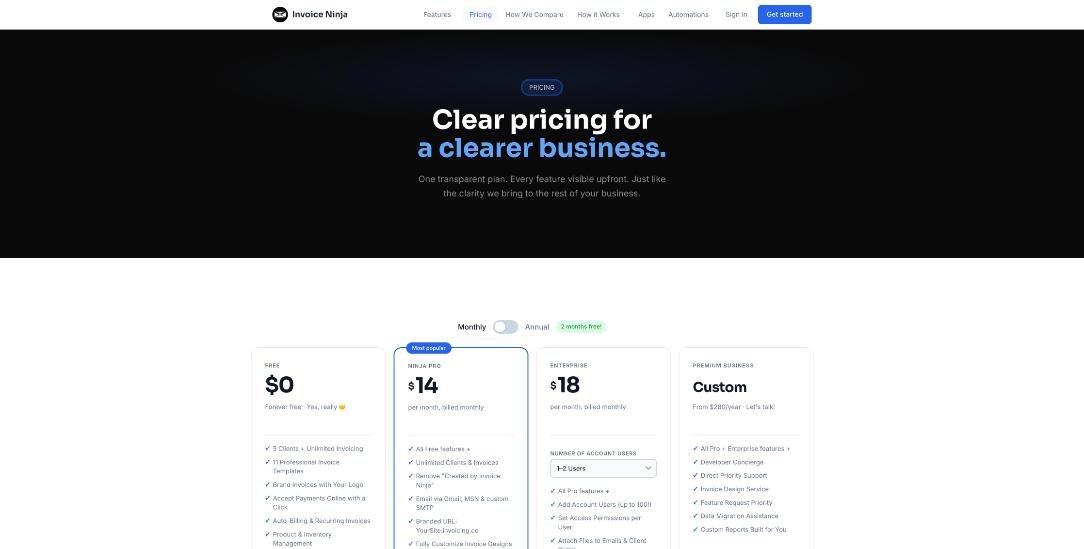
Here is the current hosted pricing from the official pricing page.
| Plan | Price | Key limits and extras |
|---|---|---|
| Free | $0 | 5 clients, unlimited invoicing, 11 invoice templates, online payments, recurring invoices, projects and time tracking, client portal |
| Ninja Pro | $14/month, or $140/year | Unlimited clients and invoices, removes “Created by Invoice Ninja,” custom SMTP or Gmail sending, branded URL, custom invoice designs, API, auto late-payment reminders, reports, up to 10 linked companies |
| Enterprise | From $18/month for 1-2 users, up to $300/month for 51-100 users | Extra users with permissions, file attachments, branded portal on your own domain, bank account sync, e-invoicing and PEPPOL access with 250 credits included |
| Premium Business | Custom, from $280/year | Priority support, invoice design service, data migration help, custom reports |
Annual billing gives two months free, and paid hosted plans come with a 30-day money-back guarantee. For a solo freelancer, the realistic comparison is Free versus Pro at $140 a year.
What self-hosting actually requires
Invoice Ninja’s self-host installation guide lists the server requirements plainly:
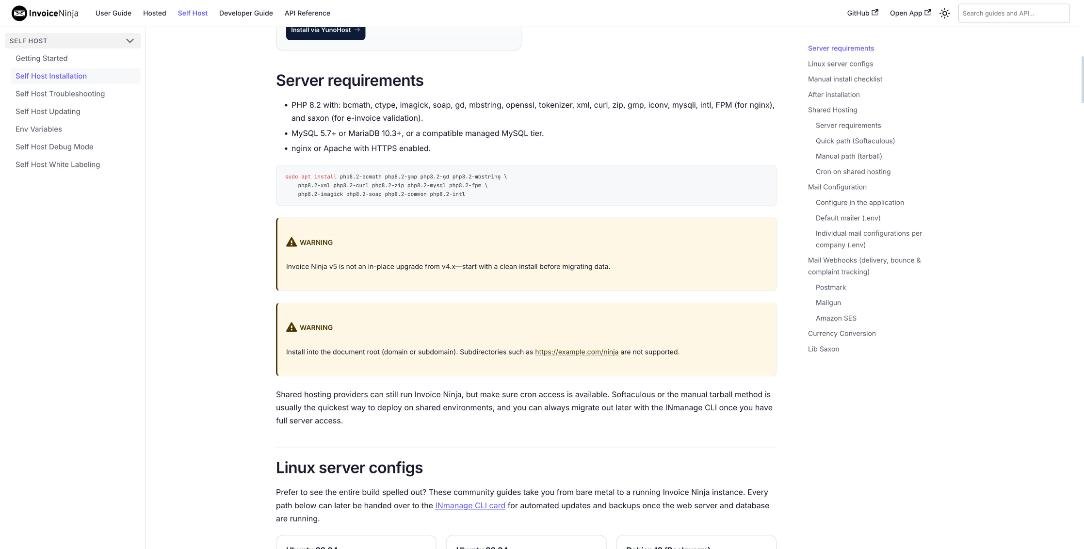
- PHP 8.2 with a long list of extensions (including bcmath, gd, imagick, soap, mbstring, intl and others).
- MySQL 5.7+ or MariaDB 10.3+.
- nginx or Apache with HTTPS enabled.
- Installation in the document root of a domain or subdomain. Subdirectories such as example.com/ninja are not supported.
- Cron access, which the docs call out specifically for shared hosting.
There are three install routes in the documentation: Docker images, a manual install on a Linux server, and shared hosting via Softaculous or the manual tarball. The docs also note an INmanage CLI for moving and updating installs later.
Two warnings in the docs are worth reading twice. First, v5 is not an in-place upgrade from v4, so old installs need a clean install and a data migration. Second, mail delivery is your job. The self-host guide has a whole section on configuring mail, including providers such as Postmark, Mailgun and Amazon SES. If invoice emails land in spam, that is now your problem rather than Invoice Ninja’s.
White-labelling on a self-hosted install
The official white-labelling page explains that for a “nominal annual fee” you can remove Invoice Ninja branding from all client-facing pages and PDFs. The admin interface and admin notification emails keep the Invoice Ninja branding. The license is applied from Settings > Account Management, and if you use e-invoicing you also add the license key to your .env file.
The real cost comparison for one person
On paper, self-hosting wins easily: $30 a year for white-labelling versus $140 a year for hosted Pro, with Enterprise features thrown in. But the honest comparison includes three costs that are not on any pricing page.
1. The server
You need hosting that meets the requirements above. If you already pay for a VPS or a shared hosting plan with cron and PHP 8.2 for your portfolio site, the marginal cost may be close to zero. If you would be buying hosting just for invoicing, add that to the self-hosted column.
2. Your time
Updates, backups, PHP upgrades and the occasional broken cron job all fall to you. For a developer this is an evening a few times a year. For a designer or writer who has never used SSH, it can be a stressful afternoon every time something changes. Price that time at your own hourly rate and the hosted plan often looks cheap.
3. The risk of losing invoices
Your invoicing system holds your payment history, client records and tax evidence. On hosted plans, backups are the provider’s job. On a self-hosted install, an untested backup is the same as no backup. If you self-host, schedule database backups off the server and test a restore before you rely on it.
A quick decision guide
Stay on hosted Free if: you have five or fewer active clients, you are happy with Invoice Ninja branding on your invoices, and you do not need custom sending or reminders. It is genuinely free, and you avoid every maintenance task.
Choose hosted Pro if: you have more than five clients, want late-payment reminders and reports, and would rather not touch a server. At $140 a year with annual billing, it is cheaper than many competitors for unlimited clients.
Choose self-hosted if: you are comfortable with Linux or Docker, already run a server, want features that sit in the hosted Enterprise tier (such as more users or a portal on your own domain), or have data-location reasons to keep financial records on infrastructure you control.
A simple test: if the phrase “set up a cron job and configure SMTP” makes you want to close this tab, choose hosted.
Features that work the same either way
Whichever route you choose, the day-to-day tools are the same app. Two are worth highlighting for freelancers.
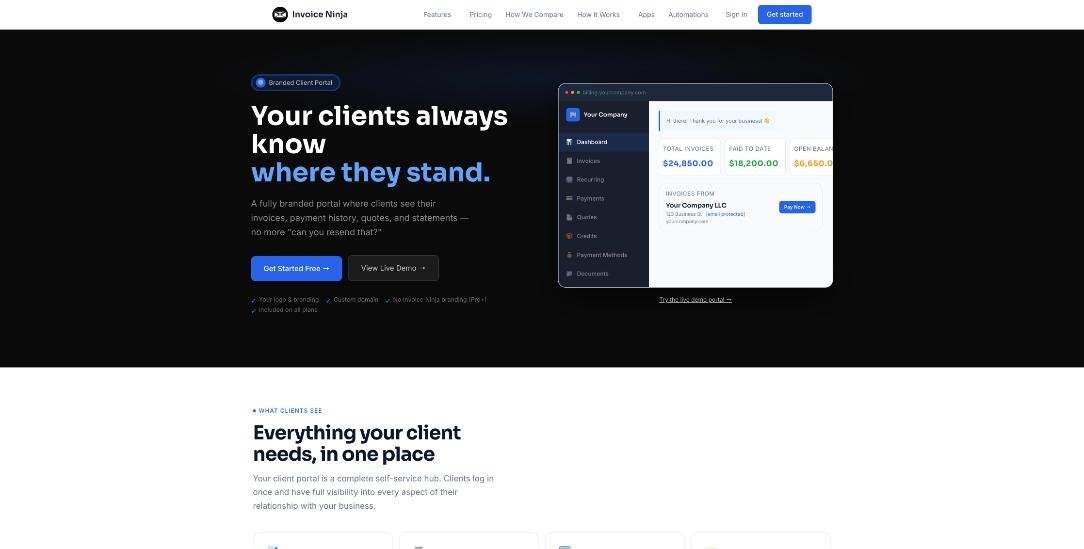
The client portal. Invoice Ninja gives clients a portal where they can see invoices, payment history, quotes and statements, and pay online. The company presents it as a branded portal with your logo, custom domain support and no Invoice Ninja branding on Pro.
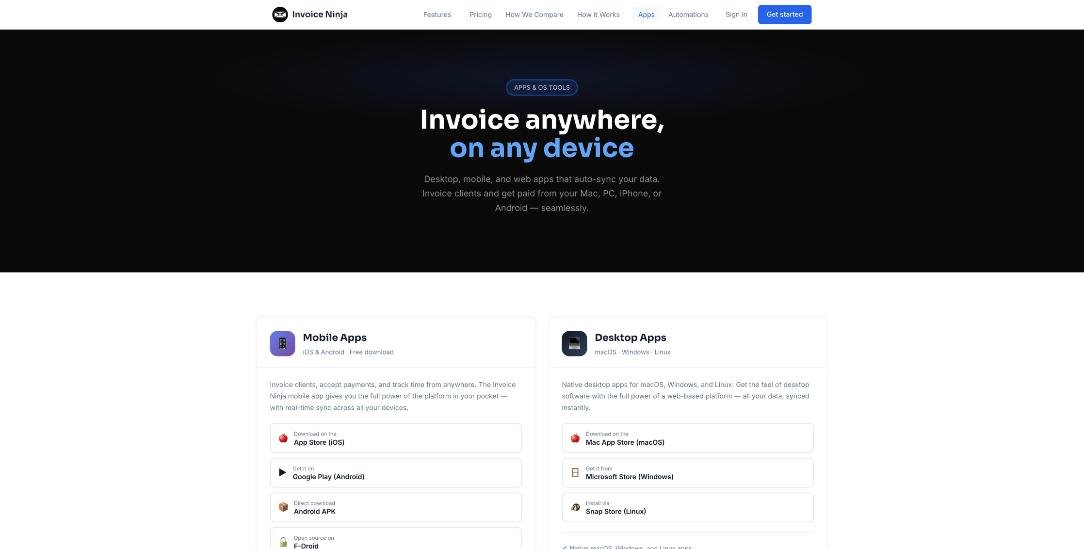
The apps. Invoice Ninja offers native apps for macOS, Windows, Linux, iOS and Android. They work with both hosted and self-hosted accounts, so you can send an invoice from your phone either way.
Payment gateways also work in both setups. You connect Stripe, PayPal, Square, GoCardless or another supported gateway, and clients see a Pay Now button on the invoice. Gateway fees are charged by the payment provider, not Invoice Ninja, so they are the same on either route.
How Invoice Ninja compares with tools I have covered
If you are weighing Invoice Ninja against paid alternatives, it helps to know where those tools draw their own lines. FreshBooks counts clients against plan limits, which I explained in working within the FreshBooks client limit. Zoho Invoice has its own caps for small businesses, covered in my Zoho Invoice limits guide. Invoice Ninja’s hosted Free plan is stricter on clients than some of these, but its Pro plan and self-hosted route are more generous on features per dollar.
My take
For most freelancers, hosted Invoice Ninja is the sensible default: start on Free while you have five clients or fewer, and move to Pro at $140 a year when you outgrow it. You get unlimited clients, reminders and branding control without owning a server.
Invoice Ninja self-hosted is a strong choice for a narrower group: technical freelancers who already run servers, want Enterprise-level features at almost no software cost, and will actually test their backups. For that person, a $30-a-year white-label license on top of hosting they already pay for is hard to beat. For everyone else, the money saved is rarely worth the maintenance.
You can compare plans and create a free account on the official Invoice Ninja website.
FAQ
Is Invoice Ninja self-hosted really free?
The software can be self-hosted without a subscription. You pay for your own server, and Invoice Ninja offers a white-label license (stated by the team as $30 per year) if you want to remove its branding from client-facing pages.
Does self-hosted Invoice Ninja include Pro features?
According to the Invoice Ninja team on its support forum, all Pro and Enterprise features from the hosted app are included in the self-hosted version.
How many clients does the free hosted plan allow?
The hosted Free plan allows up to 5 clients with unlimited invoicing. Pro and Enterprise unlock unlimited clients.
What server do I need to self-host Invoice Ninja?
The official docs list PHP 8.2 with specific extensions, MySQL 5.7+ or MariaDB 10.3+, nginx or Apache with HTTPS, cron access, and installation in a domain or subdomain root.
How much is Invoice Ninja Pro?
Ninja Pro is $14 per month billed monthly, or $140 per year with annual billing.
Can I move from hosted to self-hosted later?
Plan for a data migration rather than a switch. Test your export and import on a copy first, and keep the hosted account until you have confirmed every client, invoice and payment came across correctly.