Disclosure: some links in this guide are partner links. If you sign up through them I may earn a commission, at no extra cost to you. It does not change which license I recommend.
WP Rocket has a Black Friday offer running right now, and the countdown on the pricing page is the kind of thing that makes freelancers buy first and think later. I have seen that go wrong: a Single license bought for “my main client”, then a second client, then a third, each with its own renewal date and its own login.
This guide is about choosing the right WP Rocket license for a freelance client roster before the offer ends, and setting it up so the license still makes sense the day a client leaves. It covers the current prices, what counts as one site, what happens if a license expires on a client site, and how to hand a site over cleanly.
What the offer is, and what it is not
WP Rocket’s pricing page currently shows “up to 60% off” with an end date of November 28, 2026. There are two terms to pick from: 1 year at 40% off, or 3 years at 60% off.

The important line is in the FAQ: the Black Friday discount applies when you buy WP Rocket for the first time. When the initial license period ends, the license renews annually at the regular renewal price. So the discount is a first-term price, not a permanent rate. Whatever you charge clients for “speed optimisation”, base it on the renewal price, not on this week’s number.
WP Rocket license prices right now
These are the prices shown on the pricing page today. They are displayed as a monthly figure, but billing is yearly (1-year term) or upfront for the full term (3-year term).
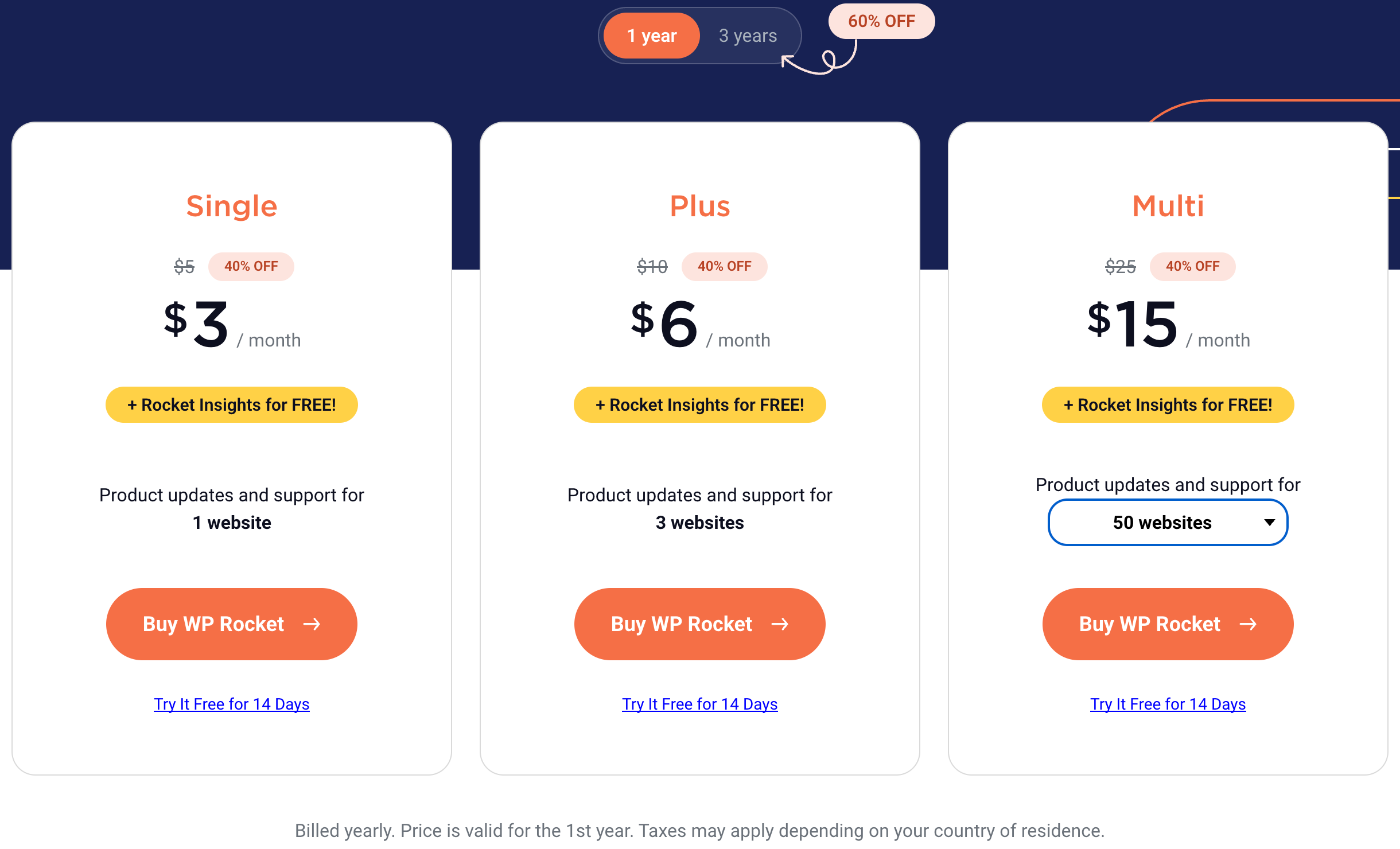
| License | Sites | Crossed-out price | 1 year (40% off) | 3 years (60% off) |
|---|---|---|---|---|
| Single | 1 | $5/month | $3/month | $1.95/month |
| Plus | 3 | $10/month | $6/month | $3.91/month |
| Multi | 50 (also 100 or 500) | $25/month | $15/month | $9.79/month |
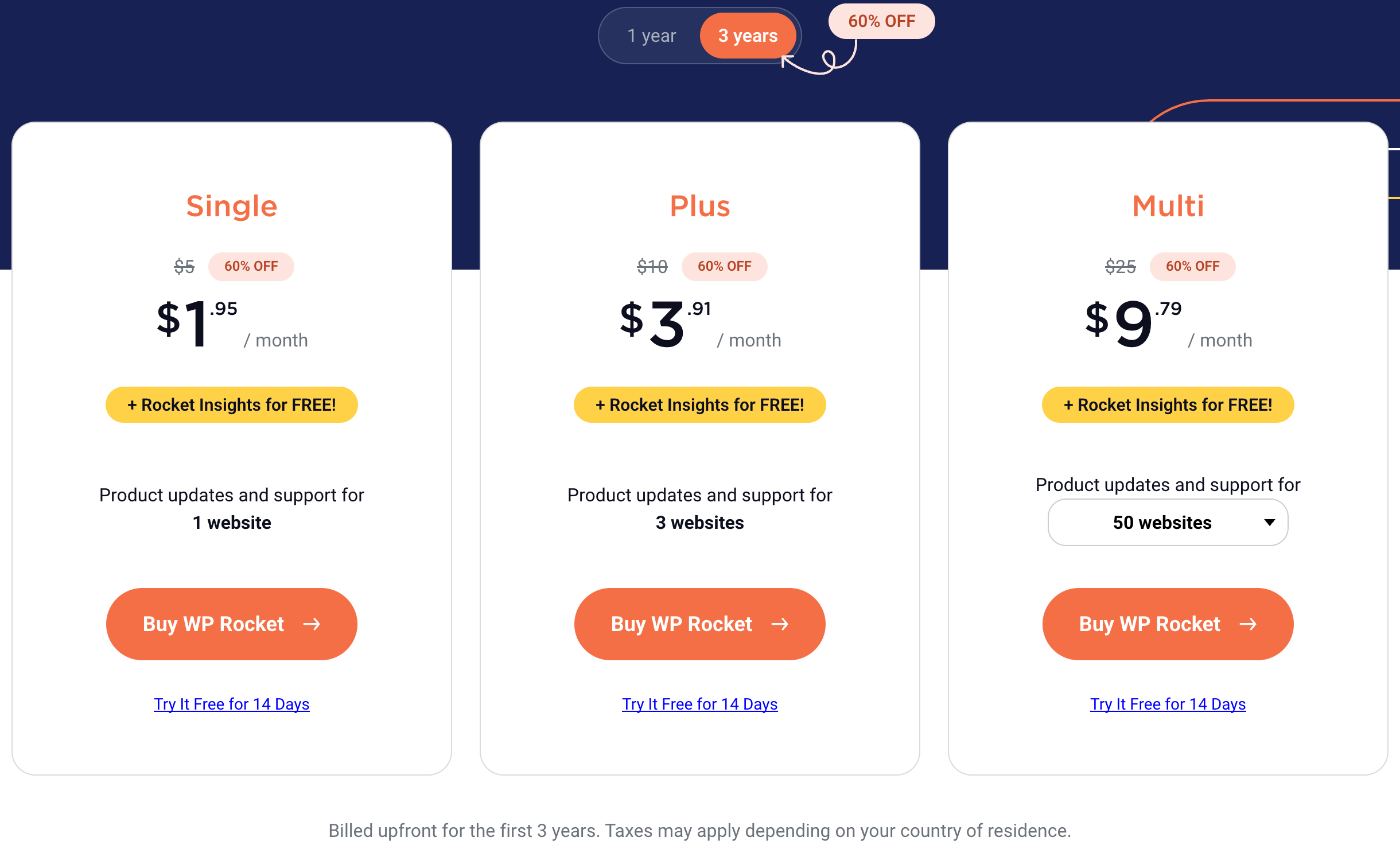
Turned into what leaves your bank account (my arithmetic from the displayed monthly figures, before tax):
- Multi, 1 year: $15 × 12 = about $180 for up to 50 sites.
- Multi, 3 years: $9.79 × 36 = about $352 upfront.
- Plus, 1 year: $6 × 12 = about $72 for 3 sites.
- Single, 1 year: $3 × 12 = about $36 for 1 site.
All three include Rocket Insights, the built-in performance hub that tracks key pages and suggests which features to enable. If you own more than 500 sites, WP Rocket asks you to contact them for a custom license.
Match the license to your client roster
This is the decision that matters. Count the live client sites where you will install and maintain WP Rocket over the next year, then add the sites you expect to win.
| Your situation | License I would pick | Why |
|---|---|---|
| Your own site only | Single | No reason to pay for unused slots. |
| Your site plus 1–2 care-plan clients | Plus | Three sites covers you and two clients. |
| 4 to 7 sites you maintain | Plus plus Singles, or Multi | On price alone, combinations of Plus and Single cost the same as or less than Multi at this size, but you juggle several keys and renewal dates. |
| 8 or more sites you maintain | Multi (50) | From eight sites, Multi is the cheapest option and gives you one key, one renewal and room to grow. |
| Clients who want to own their tools | Client buys a Single | Their license, their renewal, no handover problem later. |
The arithmetic behind that split, at 1-year offer prices: two Plus licenses cover six sites for about $144, and two Plus plus one Single cover seven for about $180, the same as Multi. At eight sites the cheapest combination of smaller licenses costs about $216, so Multi wins from there. Below that line, I would still choose Multi if I expect to add clients during the year, because one key is easier to manage than three.
At the 1-year offer prices, Multi works out to about $3.60 per site per year if you fill all 50 slots. Even with 10 clients it is about $18 per site per year, which is easy to fold into a monthly care plan. I built my own care tiers on the same idea in three WordPress care plan tiers from ManageWP pricing: the tools are a line item inside the plan, not a separate invoice.
Is Multi allowed on client sites?
Yes. WP Rocket’s FAQ says you can use the Multi license to set up WP Rocket on your customers’ websites, with a note to respect their intellectual property. The exception is hosting companies: they cannot use Multi for their clients and are pointed to a Reseller Program instead. If you are a freelancer who also hosts client sites on your own server, read that line carefully and ask WP Rocket if you are unsure which side you fall on.
What counts as one site
This is where the license goes further than most people expect. According to WP Rocket’s documentation, “1 site” means the top-level domain in your WordPress Site URL.
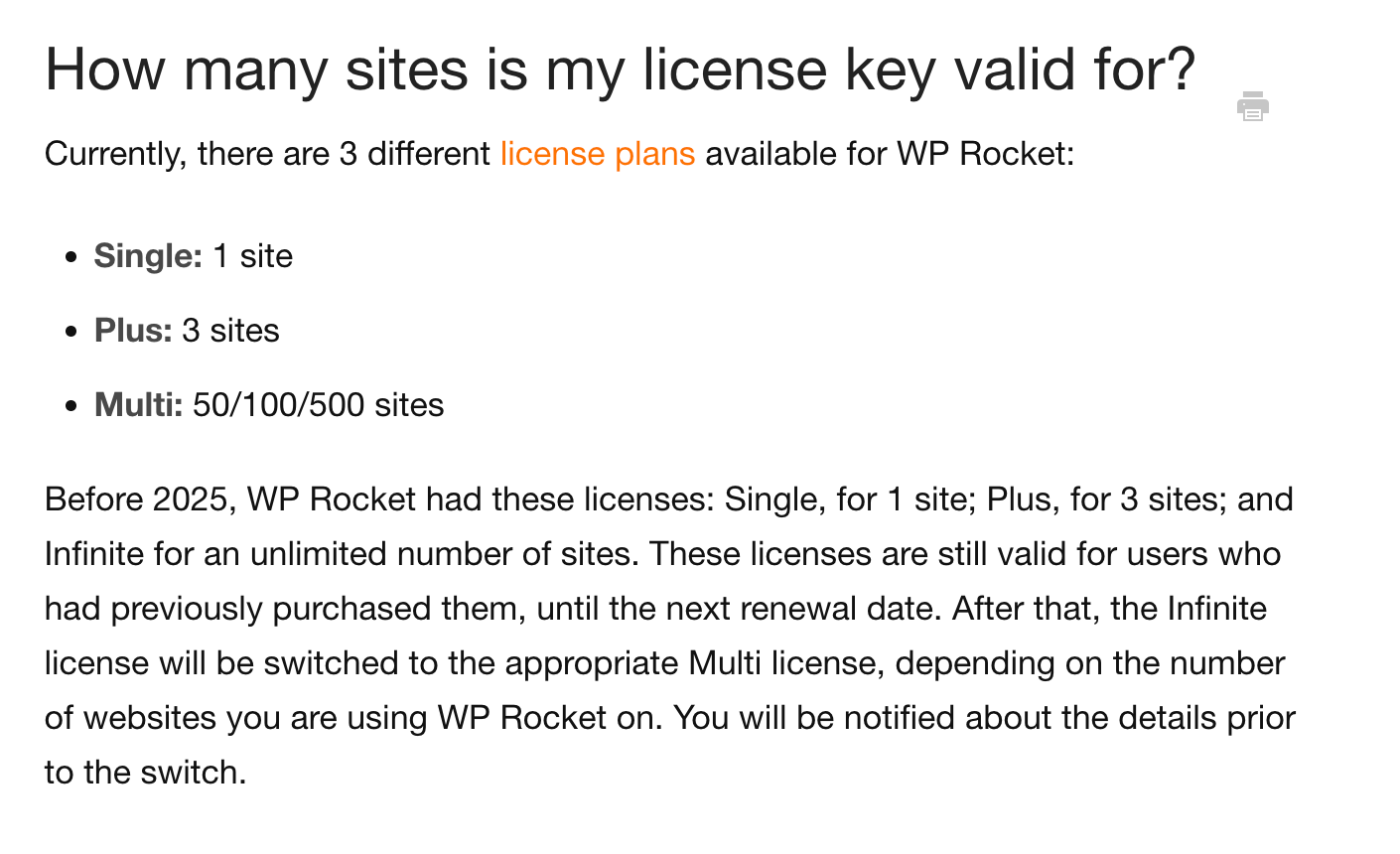
- Subdomains and subfolders of the same domain (www, dev, demo, or /dev/) share the license and count as one site.
- A different base domain needs another slot.
- Local domains do not count at all, even if they appear in your account.
For client work this means a staging subdomain like dev.clientsite.com does not eat an extra slot. A staging site on your domain or on a host’s temporary domain is a different base domain, so check how your staging is set up before assuming it is free.
The same documentation notes that the old “Infinite” license from before 2025 is switched to the appropriate Multi license at its next renewal, based on how many sites use it. If you are an existing Infinite customer, expect a change at renewal.
Who should hold the license?
I wrote about the same question for page builders in who should hold the Elementor Pro license on a client site, and the answer is similar here. There are two clean models:
- You hold it (Multi): cheaper per site, one renewal, and you control updates. Best when the client pays you a monthly care plan.
- The client holds it (Single): the client owns the renewal and keeps the license if they leave you. Best for one-off builds with no maintenance contract.
What I avoid is a third, messy model: your Multi license on a site the client thinks they own outright, with nothing in the contract about it. Write one sentence in the proposal saying which model applies.
If a license expires on a client site
This is the part clients never ask about and always care about later. WP Rocket’s documentation is specific.
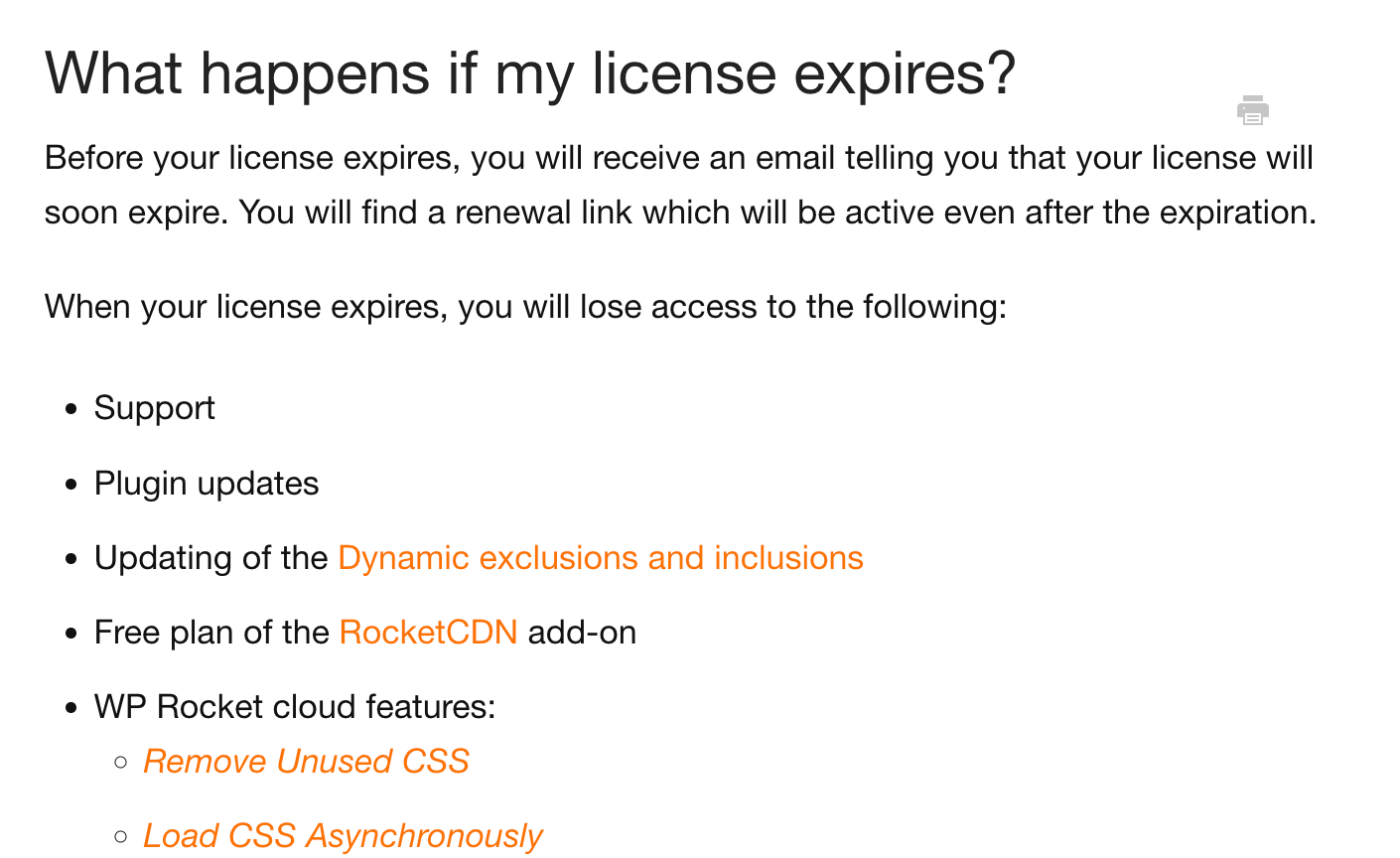
When a license expires, you lose support, plugin updates, updates to the dynamic exclusions and inclusions, the free plan of the RocketCDN add-on, and the cloud features: Remove Unused CSS, Load CSS Asynchronously, Rocket Insights, and the pre-warmup process for Priority Elements. The plugin itself keeps working, but the cloud features stop 15 days after expiration.
In practice, an expired license does not break the site, but it slowly gets worse: no security or compatibility updates, and the CSS optimisations that often make the biggest speed difference switch off. If you stop paying for a client’s slot, tell them, and give them time to buy their own.
A clean handover when a client leaves
Sites move. A client switches agencies, or you hand over a finished build. WP Rocket’s transfer documentation describes the steps, and I follow them in this order:
- The client buys their own license (a Single is enough for one site).
- In your WP Rocket account, open the Websites tab and click Remove next to the client’s domain.
- On the client site, delete the WP Rocket plugin. The documentation warns that removing the domain from your account alone does not stop the old site using the license if the plugin is still installed.
- Install and activate WP Rocket with the client’s own key. Validation happens in the background.
I pair this with the rest of my handover checklist from handing a client site over with a Kinsta site transfer, so hosting, plugins and licenses all leave in the same week.
1 year or 3 years?
The 3-year term has the lower monthly figure, but you pay it all upfront. My rule:
- Take 3 years if WP Rocket is already on your standard stack and you have used it on client sites for a while. You lock the first-term price for longer.
- Take 1 year if you are new to it or your client count could shrink. You can upgrade later and, per the FAQ, you only pay the difference.
Either way, the 14-day free trial applies. WP Rocket says it emails a reminder before the trial ends, and if you do not cancel, it charges your payment method automatically. Its “Speed Guaranteed” note also says you can cancel the trial or get a full refund if you are not satisfied.
A quick pre-purchase checklist
- Count client sites you will maintain in the next 12 months.
- Check that your staging sites share the client’s domain.
- Confirm you are not acting as a host reselling to clients.
- Decide, per client, who holds the license, and put it in the contract.
- Price your care plan on the regular renewal, not the offer.
- Diary the renewal date so cloud features never lapse by accident.
FAQ
When does the WP Rocket Black Friday offer end?
The pricing page shows an end date of November 28, 2026.
Does the discount apply to renewals?
No. WP Rocket says the Black Friday discount applies to the first purchase, and the license then renews annually at the regular renewal price.
Can I use one WP Rocket license on several client sites?
Yes, with Plus (3 sites) or Multi (50, 100 or 500 sites). WP Rocket’s FAQ explicitly allows Multi on customer websites, but not for hosting companies, which have a separate Reseller Program.
Does a staging subdomain use another license slot?
Not if it is on the same top-level domain. WP Rocket counts subdomains and subfolders of one domain as one site, and local domains do not count.
What happens to the site if the license expires?
WP Rocket keeps running, but you lose updates and support, and cloud features like Remove Unused CSS stop 15 days after expiry.
Is there a free trial?
Yes, 14 days. You are charged automatically at the end unless you cancel.
My take
For a freelancer maintaining eight or more client sites, or fewer but growing, the Multi license is the clear pick, and the current offer makes the first term cheap. The real work is not the purchase; it is deciding who owns each license and writing down the handover steps before you need them. Do that, price your care plan on the renewal rate, and the Black Friday timer stops being pressure and becomes a simple discount.