Every freelancer knows the silence after sending a proposal. You hit send on Tuesday, and by Friday you are rereading the email, wondering whether the client opened it, forwarded it to a partner, or forgot it exists. Qwilr proposal analytics is built for exactly that gap. Instead of guessing, you see when the proposal was opened, which parts got attention, and whether someone stalled halfway through signing.
This article is not a full Qwilr review. It focuses on one job: using the signals Qwilr gives you after you hit send to decide when to follow up and what to say. I will cover what the analytics actually track, a simple follow-up playbook built on those signals, where QwilrPay fits, and whether the Starter plan makes sense for one person.
Why a PDF proposal leaves you guessing
A PDF attached to an email gives you one data point: you sent it. You do not know if it was opened, read to the end, or passed to the person who actually signs off on budgets. So most freelancers follow up on a fixed rhythm, such as “three days later, then a week later”, and hope the timing is right.
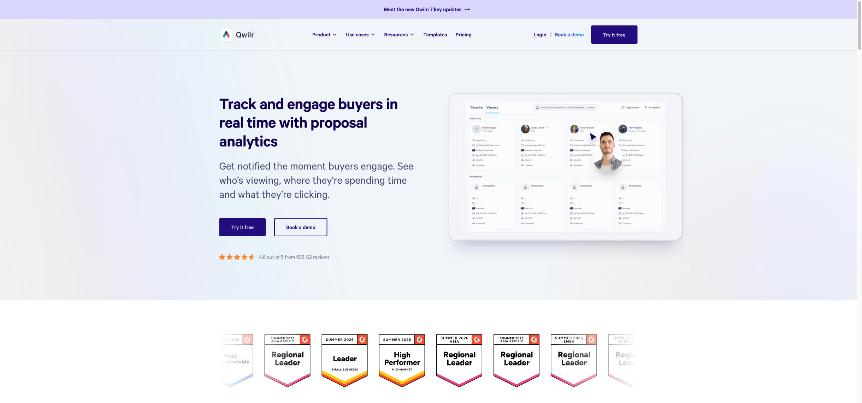
The problem with fixed timing is that it ignores what the client is doing. A follow-up that lands while the client is reading your pricing feels helpful. The same email sent two days after they lost interest feels like chasing. Qwilr turns the proposal into a web page, and a web page can tell you what happened to it.
If you already put a price range in front of leads before the first call, as in my Typeform quote calculator setup, the proposal stage is where those warm leads either commit or drift. That is where better signals pay off.
What Qwilr proposal analytics actually track
Here is what Qwilr says its analytics and notifications cover, grouped by the question each one answers.
Did they open it, and how often?
Qwilr tracks opens: when the proposal was viewed and how often the buyer came back to it. Repeat visits are one of the most useful signals a freelancer can get. One quick view is polite curiosity. Three visits in two days usually means a decision is being made.
What did they look at?
Qwilr says you can see what buyers are reading and clicking, with “block-by-block” detail on where they spend time. It also says you can see whether they “played with pricing” or skipped important information. For a freelancer, that tells you whether the client is stuck on scope, timeline or price.
Who else is reading it?
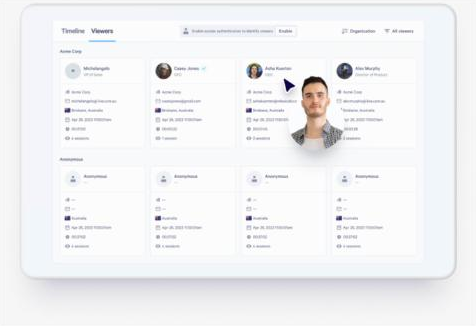
Freelance proposals often get forwarded: to a co-founder, a finance person or a manager. Qwilr says it can identify these “hidden buyers” by collecting a viewer’s name and email to track their sessions and what they viewed. It can also notify you when a completely new person views the page.
Where did things stall?
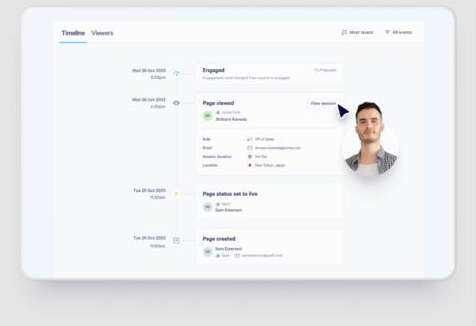
According to Qwilr, notifications can fire when a quote is changed, when the proposal is shared with other buyers, when it is signed, and when a buyer abandons or stalls while signing. The proposal timeline shows the full history of interactions, so you can see when interest rose and when it dropped.
A follow-up playbook built on Qwilr signals
Signals are only useful if they change what you do. This is the simple playbook I would set up for a one-person service business. Each row pairs a signal with a follow-up that respects what the client is actually doing.
| Signal in Qwilr | What it probably means | My follow-up |
|---|---|---|
| Not opened after 2 working days | It got buried, or went to spam | Short check that it arrived, with the link again. No pressure. |
| Opened once, briefly | Skimmed, not yet read properly | Wait. Do not follow up the same day. |
| Several visits in a short time | Actively deciding | Offer a 15-minute call to answer questions. |
| Long time on pricing, or quote changed | Price or scope is the question | Offer a smaller first phase or a different option. |
| A new viewer appears | Forwarded to a decision-maker | Send a one-paragraph summary the client can pass on. |
| Stalled while signing | A last doubt, or a practical blocker | Ask if anything in the terms needs a change. |
Rules that keep this from getting creepy
Tracking is useful, but clients should never feel watched. Two rules matter:
- Never quote the data back. Do not write “I saw you spent ten minutes on pricing.” Write “Happy to walk through options if budget is a question.” The signal shapes your timing and message; it does not appear in it.
- Do not react instantly. A message that arrives five minutes after someone opens your proposal feels like surveillance. Give it a few hours at least.
Set up the notifications once
Qwilr lets you choose which buyer events trigger notifications. For a freelancer, I would switch on the high-value ones (signed, stalled while signing, new viewer, quote changed) and skip the noisy ones. The aim is fewer, better nudges, not an alert every time someone scrolls.
Closing the loop: payment inside the proposal
The last step of a good proposal is the deposit. Qwilr’s payment feature, QwilrPay, puts payment tools inside proposals and quotes. Qwilr says you can collect upfront or partial payments, set account-wide payment rules (such as when buyers pay and instalment options), and accept credit card, direct debit and bank transfer/ACH. A payments dashboard tracks completed and upcoming payments.
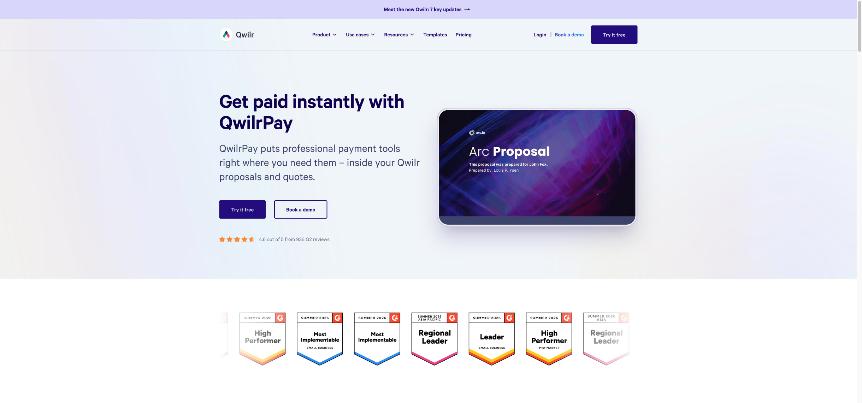
For freelancers, this matters because the most common stall is the gap between “yes” and “paid”. If accepting, signing and paying the deposit happen on the same page, the client has fewer chances to drift. This fits nicely with e-signature too; if you are still counting envelopes in a separate tool, I compared that cost in my Docusign envelope breakdown.
The fee to know about
QwilrPay is not free on the entry plan. Qwilr says you pay Stripe’s processing fees, plus a QwilrPay application fee of 0.09% per transaction on Starter. Growth and Scale show 0%. On a $2,000 deposit, 0.09% is $1.80 on top of Stripe’s own fees, which is small, but worth knowing before you promise a client a specific amount.
Qwilr pricing for a one-person business
Qwilr’s pricing page lists three plans. For a solo freelancer, only one is realistic.
| Plan | Price | Users | Billing |
|---|---|---|---|
| Starter | $35 per user/month billed annually, or $49 billed monthly | 1 included | Annual or monthly |
| Growth | $55 per user/month | Minimum 5 | Annual only |
| Scale | $75 per user/month | Minimum 10 | Annual only |
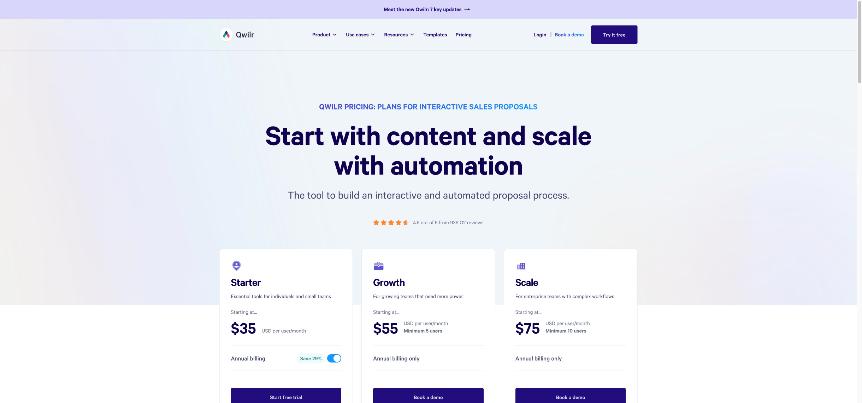
Starter lists e-sign, analytics, QwilrPay, HubSpot, Zoho and Pipedrive integrations, an AI assistant integration (MCP) and API access (usage costs apply). The comparison table shows unlimited pages and one included user on Starter. There is a 14-day free trial, and Qwilr says no credit card is required.
What Starter does not include
A few features in Qwilr’s plan list sit above Starter, and two may matter to freelancers:
- Custom branding is listed as a Growth feature. Check what branding control you need before committing, especially if your proposals are part of your brand.
- Automations and template-level settings are also listed under Growth.
Because Growth needs at least five users on annual billing, it is not realistic for a solo business. If those features are deal-breakers, Qwilr may not be the right fit.
Is $35 to $49 a month worth it?
The maths is simple. Annual Starter costs $420 a year; monthly is $588. If better-timed follow-ups help you close one extra project a year, or close one project a week sooner, most freelancers will cover that. If you send one or two proposals a month at small values, a well-designed PDF and a calendar reminder may be enough.
I would use the 14-day trial on a real proposal, not a test document. Send it to an active lead, switch on the notifications above, and see whether the signals change how you follow up. That is the only test that matters.
Who should skip Qwilr
- Freelancers who send very few proposals. Under a handful a year, a subscription is hard to justify.
- Anyone who needs full custom branding on a budget. Custom branding is listed on Growth, which requires five users.
- Clients in industries that dislike tracking. Some clients may be uncomfortable with tracked documents. Be ready to send a PDF export when asked.
Verdict
Qwilr proposal analytics turns the silence after “send” into signals you can act on: opens, repeat visits, time on pricing, new viewers and stalled signatures. Used with restraint, those signals make follow-ups better timed and more relevant, and QwilrPay closes the loop by taking the deposit on the same page.
For a solo freelancer, Starter is the plan to consider, at $35 a month on annual billing or $49 monthly. It is worth it if you send proposals regularly and lose deals to slow follow-up. If you rarely send proposals, or need custom branding, look elsewhere. You can start the free trial on the official Qwilr website.
FAQ
What do Qwilr proposal analytics show?
Qwilr says it tracks when proposals are opened and how often, what buyers read and click block by block, who is viewing (including new viewers), and events like quote changes, sharing and stalled signing.
Does Qwilr notify me when a client opens a proposal?
Yes. Qwilr offers notifications when proposals and quotes are viewed, signed, stalled while signing, or opened by a new viewer, and you can choose which events trigger them.
How much does Qwilr cost for one freelancer?
Starter costs $35 per user per month billed annually or $49 per month billed monthly, with one user included. Growth and Scale require at least 5 and 10 users on annual billing.
Can clients pay a deposit inside a Qwilr proposal?
Yes, with QwilrPay you can collect upfront or partial payments by card, direct debit or bank transfer/ACH. On Starter, a 0.09% QwilrPay fee applies per transaction, plus Stripe processing fees.
Is there a Qwilr free trial?
Yes. Qwilr offers a 14-day free trial, and its site says no credit card is required.