
Disclosure: some links on this page may be affiliate links. If you sign up through them I may earn a commission at no extra cost to you.
SuiteDash has an unusual trial. It does not matter which “Free Trial” button you click on its pricing page: for 14 days you are on Pinnacle, the $99-a-month plan with almost every feature switched on. That is generous, but it creates a trap for solo freelancers. Most of us are looking at the SuiteDash Start plan at $19 a month, and a trial on Pinnacle lets you build a client setup that quietly depends on features Start does not include.
This guide is a test plan for avoiding that trap. I will lay out what each plan includes according to SuiteDash’s pricing page today, which features a freelancer is most likely to fall for during the trial, and a 14-day routine that tells you, before you pay, whether Start is enough or whether you really need Thrive.
What SuiteDash Is For a Freelancer
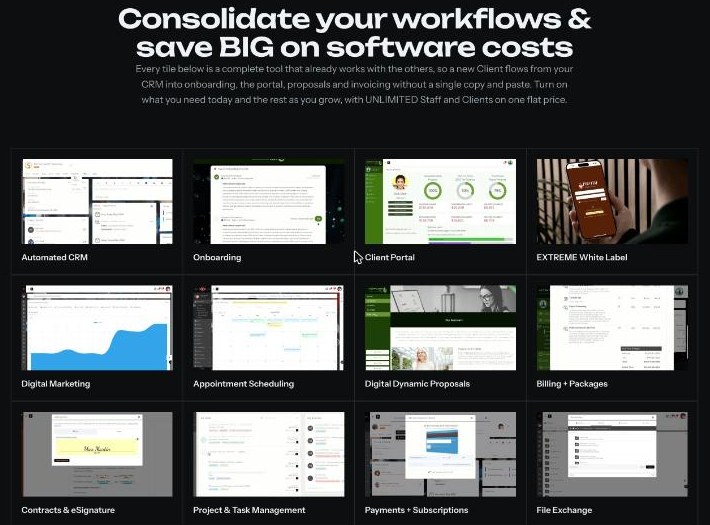
SuiteDash calls itself all-in-one business software: CRM, client portal, onboarding, projects and tasks, time tracking, invoicing and billing, estimates, proposals, contracts and e-signing, scheduling, email marketing, file exchange, secure messaging, support tickets and a learning management system, all on one shared client record. The idea is that a client added to the CRM is immediately available to invoices, projects and the portal, without copying data between apps.

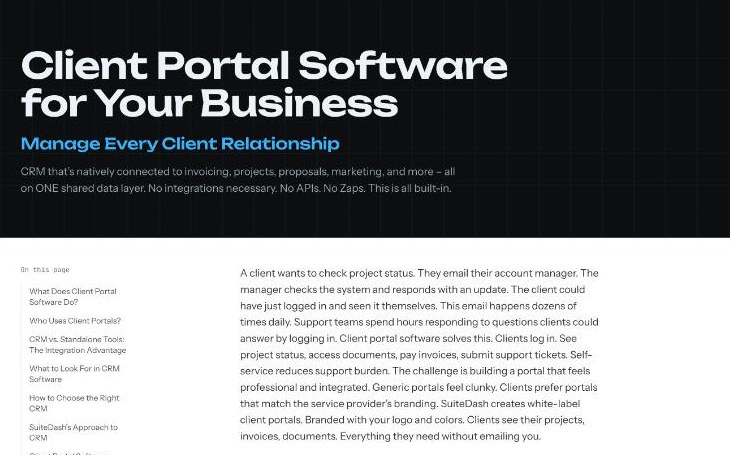
For a freelancer, the selling point is the client portal. Instead of emailing files, invoices and status updates, you give each client a login where they see their projects, documents and invoices, branded with your logo and colours. SuiteDash also prices by plan, not by user: every plan includes unlimited clients and unlimited staff, which matters if you work with subcontractors.
SuiteDash Plans and Prices Today
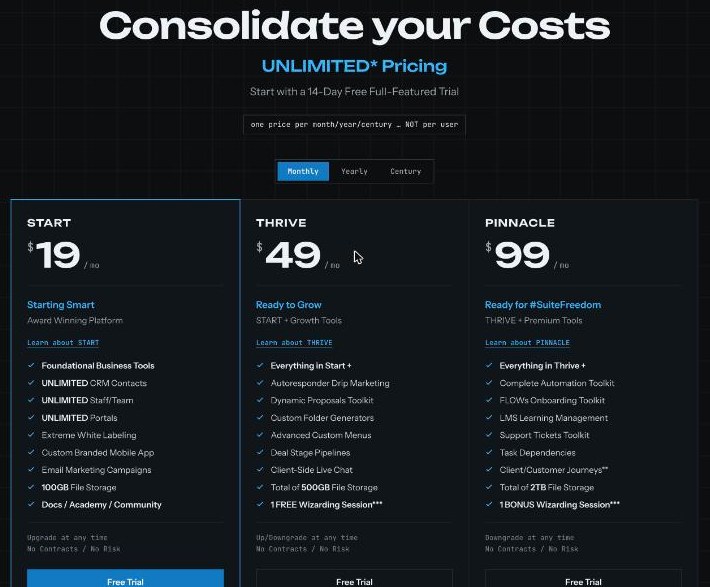
| Plan | Monthly | Yearly | “Century” (one-time) | File storage |
|---|---|---|---|---|
| Start | $19/month | $180/year | $2,240 | 100GB |
| Thrive | $49/month | $480/year | $3,940 | 500GB total |
| Pinnacle | $99/month | $960/year | $6,840 | 2TB total |
The yearly prices work out to $15, $40 and $80 a month. The “Century” option is SuiteDash’s one-time payment, described on the page as covering the next 100 years. Extra storage costs $5 a month ($60 a year) per 250GB. There is also a SuiteDreams package (Pinnacle plus every current and future Power-Up) at $1,499 one-time plus $49 a month, which is far beyond what a solo freelancer needs.
What each plan adds
- Start: foundational business tools, unlimited CRM contacts, staff and portals, “extreme” white labeling, a custom branded mobile app, email marketing campaigns, 100GB storage and access to SuiteDash’s docs, academy and community.
- Thrive adds: autoresponder drip marketing, the Dynamic Proposals toolkit, custom folder generators, advanced custom menus, deal stage pipelines, client-side live chat, 500GB storage and one free session with a certified SuiteDash “Wizard”.
- Pinnacle adds: the complete automation toolkit, the FLOWs onboarding toolkit, LMS, the support tickets toolkit, task dependencies, client/customer journeys (marked as coming soon), 2TB storage and one bonus Wizard session.
SuiteDash’s own platform summary also lists a white-label domain among Pinnacle’s premium tools, while the trial FAQ says the trial includes the branded domain and login screen option. If a custom portal domain matters to you, treat it as a Pinnacle feature until you confirm otherwise with SuiteDash.
Why the Pinnacle Trial Can Mislead a Start Buyer
The pricing FAQ is clear about it: everyone starts on a Pinnacle trial, with nearly all features available, and chooses a plan when the trial ends. Upgrades are prorated, and downgrades become account credit. Nothing is hidden. The problem is human: in two weeks of setting things up, you will naturally use whatever looks useful, and several of the most attractive freelancer features sit above Start.
The five I would watch most closely:
- Dynamic Proposals (Thrive). If you plan to send proposals from SuiteDash and have clients accept them in the portal, Start will not cover it.
- Autoresponder drip marketing (Thrive). Start includes email marketing campaigns, but timed drip sequences need Thrive. The FAQ also says marketing autoresponders only work on paid plans, so you cannot fully test them in the trial anyway.
- FLOWs onboarding and the full automation toolkit (Pinnacle). Automated client onboarding is one of SuiteDash’s headline features, and it is a $99 feature.
- Support tickets (Pinnacle). SuiteDash’s client portal page lists ticket submission among portal capabilities, but the tickets toolkit is a Pinnacle line on the pricing page.
- Deal stage pipelines and client-side live chat (Thrive). Handy for tracking leads, but not part of Start.
None of these is a reason to avoid SuiteDash. They are a reason to decide your target plan on day one and build only with that plan’s features.
A 14-Day Test Plan for the SuiteDash Start Plan
Days 1 to 2: Write down your Start-only rules
Before you create anything, make a short list of the Thrive and Pinnacle features above and stick it next to your screen. Your rule for the trial: if a screen belongs to one of those toolkits, skip it. You are testing whether your business runs on Start, not what SuiteDash can do in general.
Days 3 to 5: Build one client’s portal
Add one real or realistic client to the CRM. Create a project, upload two or three files, write a short portal page with next steps, and set your branding (logo and colours). Then log in as the client, or ask a friendly client to, and look at it from their side. Ask yourself one question: would this replace the email thread I send this client today?
Days 6 to 9: Run one billing cycle
Create an invoice for the test client and walk through how it appears in the portal and how payment would work with your payment processor. SuiteDash says clients can view and pay invoices from the portal. Check that the invoice layout, numbering and currency fit how you bill today. The pricing page groups Start’s tools under “Foundational Business Tools” rather than listing invoicing line by line, so this is also the moment to confirm with SuiteDash support that the billing features you are testing stay available on Start after the trial. If you bill retainers, test a recurring setup as well.
Days 10 to 12: Count your manual steps
On Start, onboarding and follow-ups are mostly manual. Write down every step you repeated by hand during the test: welcome email, folder setup, first invoice, reminder. If the list is short and you take on a few clients a month, Start is fine. If it is long and you onboard clients every week, that is exactly the work Thrive’s drips and Pinnacle’s FLOWs automate, and the upgrade may pay for itself.
Days 13 to 14: Decide and pick billing
If Start passed, choose monthly for the first few months, then move to yearly ($180, or $15 a month) once you are sure. Upgrades are prorated, so starting on Start costs nothing if you later need Thrive.
When Start Is Enough, and When to Pay for Thrive
Start is usually enough if:
- You have a handful of active clients at a time.
- Your main goals are a branded portal, file sharing, project visibility and invoices in one place.
- You send proposals as documents from another tool or by email.
- Your email marketing is occasional newsletters rather than automated sequences.
Thrive is worth it if:
- You send several proposals a month and want clients to accept them in the portal.
- You want automated drip emails for leads or new clients.
- You track a sales pipeline with stages, or want live chat in the client portal.
- You need more than 100GB of storage (Thrive totals 500GB; extra storage on Start is $5 a month per 250GB).
Pinnacle is for freelancers who have turned their work into a repeatable service with structured onboarding, support tickets or a course, or who need the white-label domain. At $99 a month it is a business-system decision, not a portal purchase.
How SuiteDash Compares With Tools You May Already Use
If you are coming from a freelancer-focused CRM, the main trade-off is breadth versus polish. SuiteDash covers more ground in one subscription with unlimited clients and staff, while tools like HoneyBook, Dubsado or Bonsai are narrower and often quicker to set up for proposals and contracts. I have covered several of them here: HoneyBook pricing for freelancers and what Dubsado’s free trial covers are good comparisons if proposals are central to your work.

My Take
SuiteDash’s Start plan is a strong deal on paper: $19 a month, unlimited clients and staff, a branded portal and a custom branded mobile app. The risk is not the price, it is the trial. Fourteen days on Pinnacle make it easy to fall in love with proposals, drips and onboarding FLOWs that cost $49 or $99 a month. Build your trial setup with Start’s features only, run one client and one invoice through it, and you will know exactly which plan you need before your card is charged.
FAQ
How much is the SuiteDash Start plan?
$19 a month, $180 a year, or $2,240 as a one-time “Century” payment, according to SuiteDash’s pricing page. All plans include unlimited clients and staff.
Which plan is the SuiteDash free trial on?
Pinnacle. SuiteDash says every trial runs on Pinnacle for 14 days with no credit card required, whichever trial button you click. You choose a plan when the trial ends.
Does the SuiteDash Start plan include proposals?
The Dynamic Proposals toolkit is listed under Thrive ($49 a month), not Start.
Can I upgrade from Start later?
Yes. SuiteDash prorates upgrades on monthly and yearly plans, and downgrades become account credit. Century plans work differently: upgrading means paying the difference between Century rates.
Is SuiteDash good for solo freelancers?
It can be, especially if you want a branded client portal with files, projects and invoices in one place. If you mainly need proposals and contracts, a narrower freelancer tool may be quicker to set up.