A growing share of freelance work happens across a language gap. Your client in Madrid explains the brief in Spanish, their developer joins in English, and the decision maker in Munich only reads German. You can follow the call, but you cannot take careful notes in two languages at once, and the details that matter later (a deadline, a scope limit, a “we don’t need that”) are the first things to slip. That is the specific job this guide looks at: using tl;dv for freelancers who run client calls in more than one language.
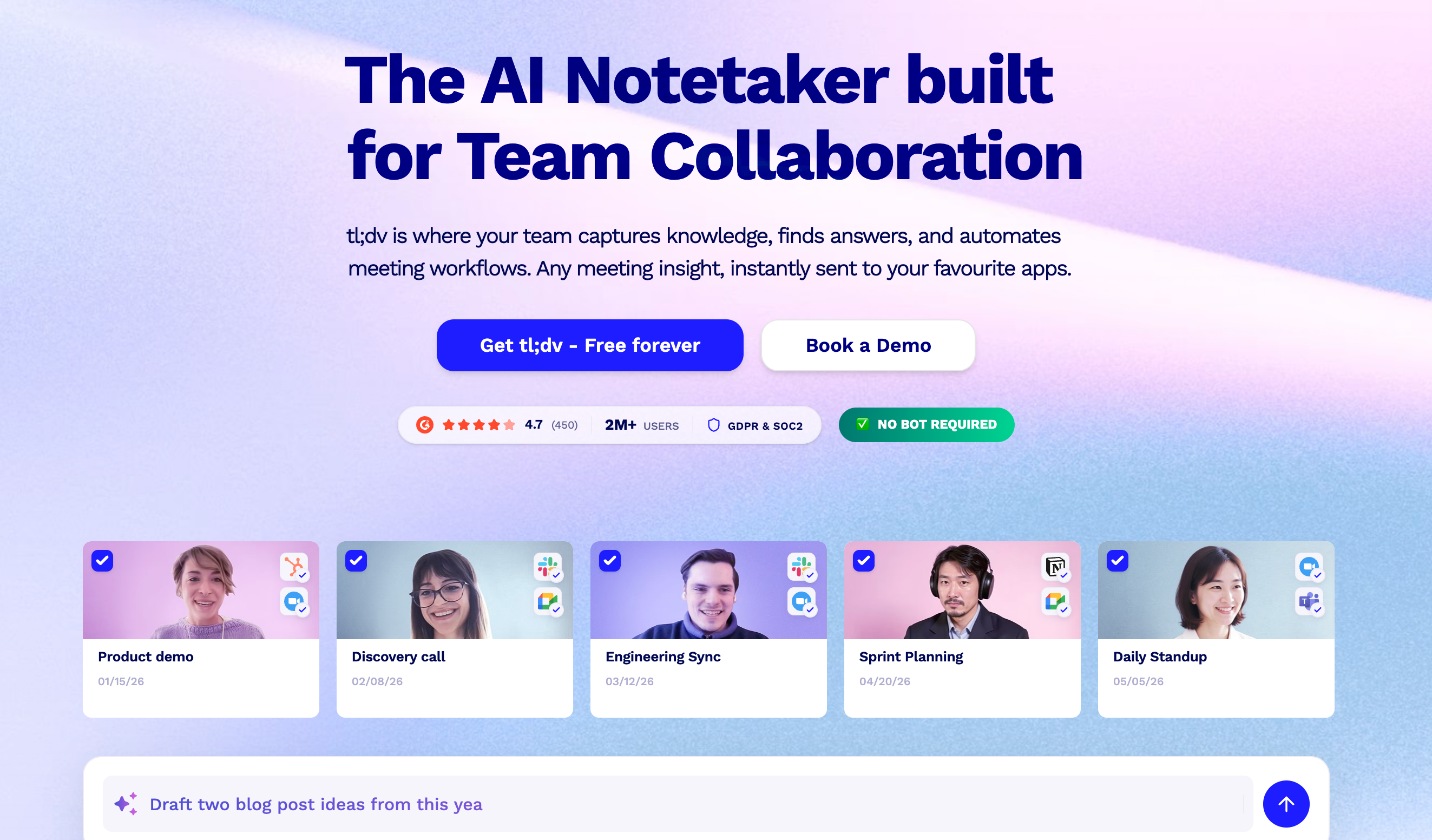
tl;dv is an AI notetaker for Zoom, Google Meet and Microsoft Teams. It records the call, writes a transcript, and produces AI notes you can share. What makes it interesting for cross-border work is that it transcribes in more than 30 languages and can translate the transcript and the meeting summary. Below you will find what the free plan really covers for multilingual calls, where the paid Pro plan starts to matter, and a simple setup for working with clients who do not share your first language. Prices and limits come from tl;dv’s official pricing page and homepage as they read today.
Why language changes the notetaker decision
Most freelancers pick a meeting recorder for one reason: they want to stop typing during calls. When every call is in your own language, almost any notetaker does that job. When calls switch languages, three new problems appear:
- Transcription quality drops if the tool expects one language and hears another.
- Mixed-language calls (Spanish questions, English answers) confuse tools that only handle one language per meeting.
- Your summary must be readable by people who were not on the call, and they may not read the language the meeting was held in.
tl;dv addresses each of these, but not all of them on the free plan. That split is the most important thing to understand before you rely on it with a client.
What tl;dv does with multilingual calls
According to tl;dv’s homepage, as soon as a call ends you get a video recording, a translatable transcript and a shareable summary. Whether the meeting is in English, Spanish, German, Japanese or another supported language, tl;dv says it can translate your transcript and meeting summary with AI.
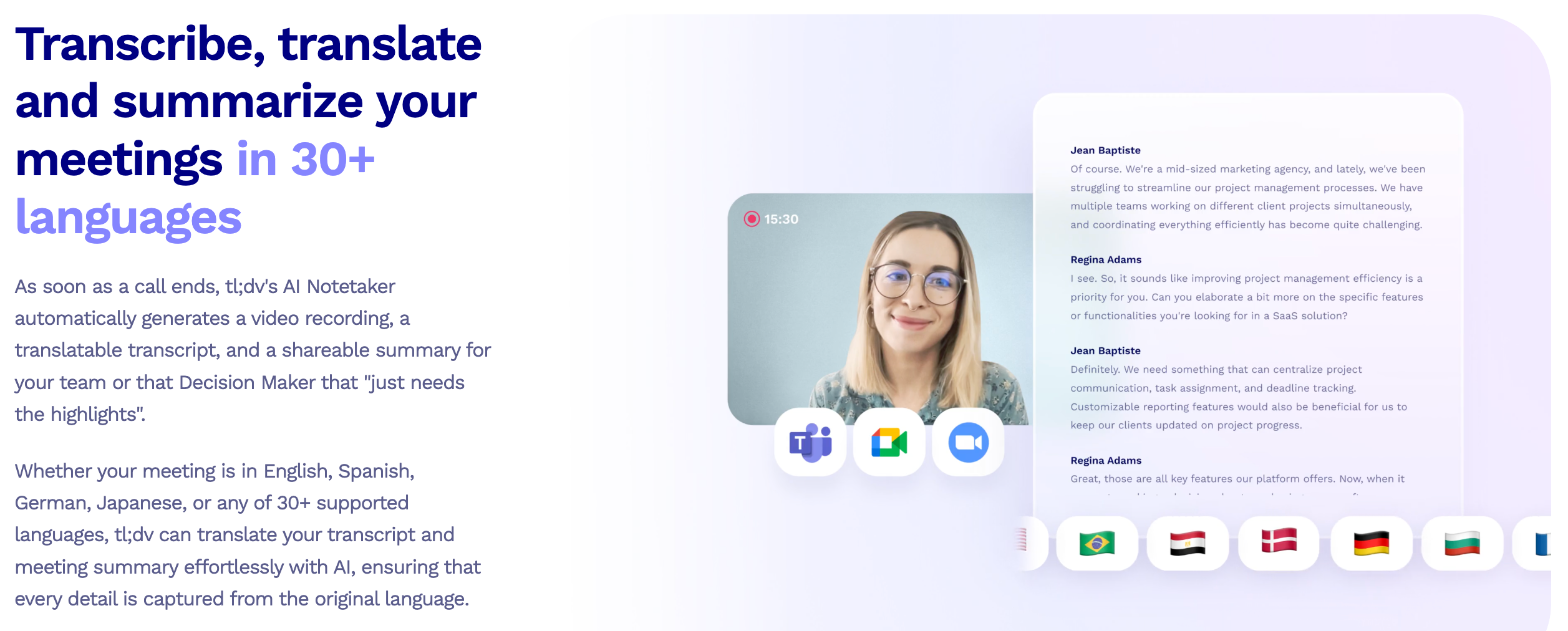
The supported languages listed on the homepage include English (US, UK, Australia, Hindi), Spanish (Mexico, Spain), Portuguese (Brazil, Portugal), French, German, Greek, Italian, Dutch, Russian, Chinese (Mandarin), Korean, Japanese, Hindi, Filipino, Thai, Ukrainian, Turkish, Romanian, Polish, Hungarian, Czech, Hebrew, Norwegian and Catalan. The app interface itself is localized in seven languages.
If your client work runs mostly between English and one of those languages, you are covered. If your clients speak a language that is not on the list, test a short call before you depend on it.
Free plan vs Pro for cross-border freelancers
tl;dv’s free plan is generous on recording and weak on the features that matter most for mixed-language calls. Here is how the official comparison table splits them:
| Feature | Free | Pro |
|---|---|---|
| Recordings and transcription in 30+ languages | Unlimited | Unlimited |
| AI meeting notes | Up to 10 meetings | Unlimited |
| Auto-detect meeting language | No | Yes |
| Multi-language meeting | No | Yes |
| Premium transcript quality | No | Yes |
| Download recording | No | Yes |
| Data retention | Up to 3 months | Custom |
| Weekly web recording capacity | 40 per week | 80 per week |
| Uploads of existing recordings | Up to 5 | Unlimited |
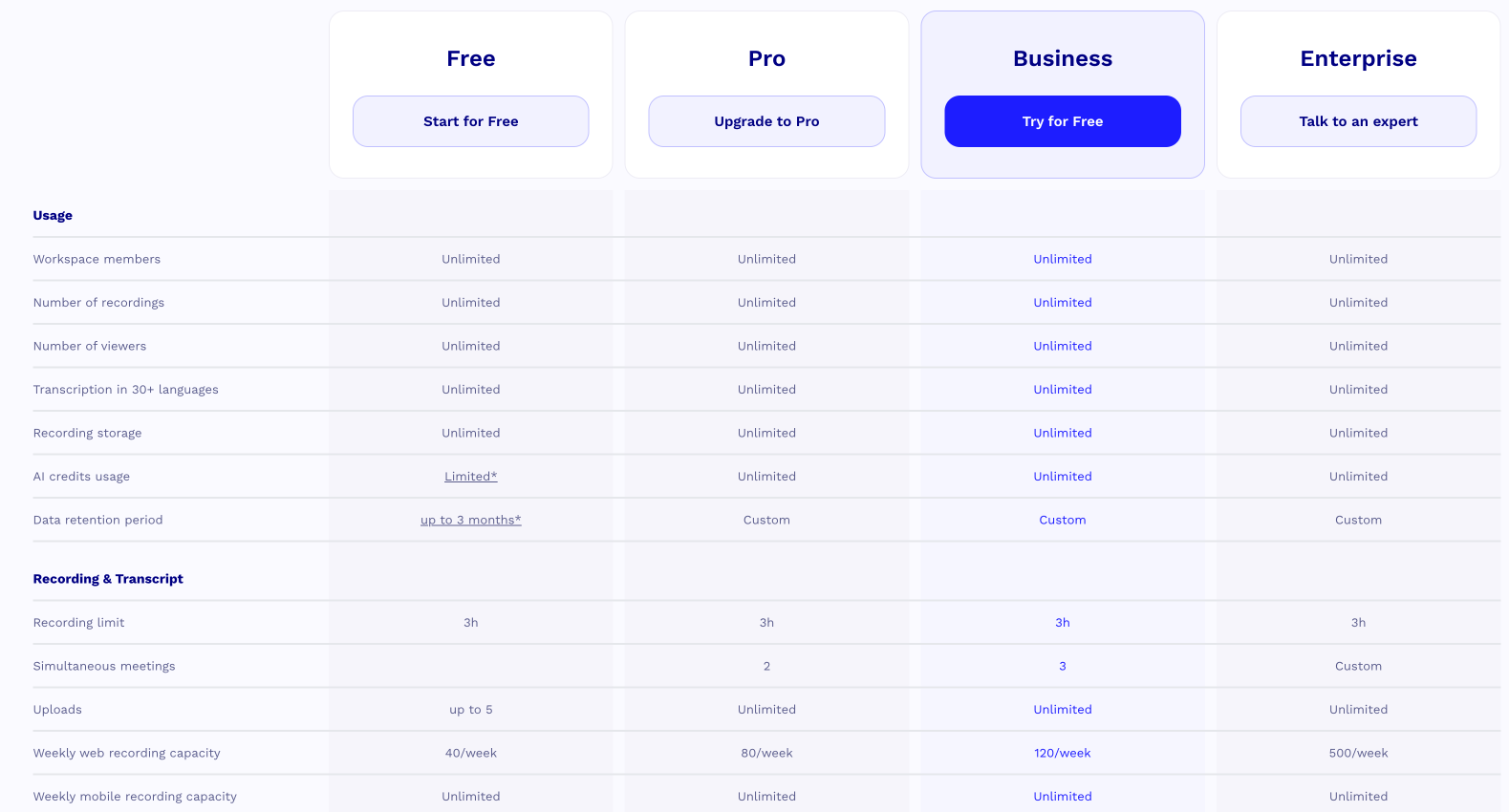
Read the table from a freelancer’s point of view:
- If every call is in one language, even a non-English one, the free plan works. You set the language, tl;dv transcribes, and you get AI notes for your first 10 meetings.
- If calls switch languages mid-meeting, you want the multi-language meeting feature, which starts on Pro.
- If you need recordings as evidence later, the free plan’s retention of up to three months and the lack of a download option are real limits. A project that runs six months can outlive its own kickoff recording.
What tl;dv costs
The pricing page lists four plans. On annual billing, Pro is $18 per seat per month and Business is $29 per seat per month. Billed monthly, Pro is $29 and Business is $39 per seat. Enterprise is custom. The page displayed prices in US dollars at the time of writing, and its structured data lists the same figures in euros, so expect the currency to follow your location.
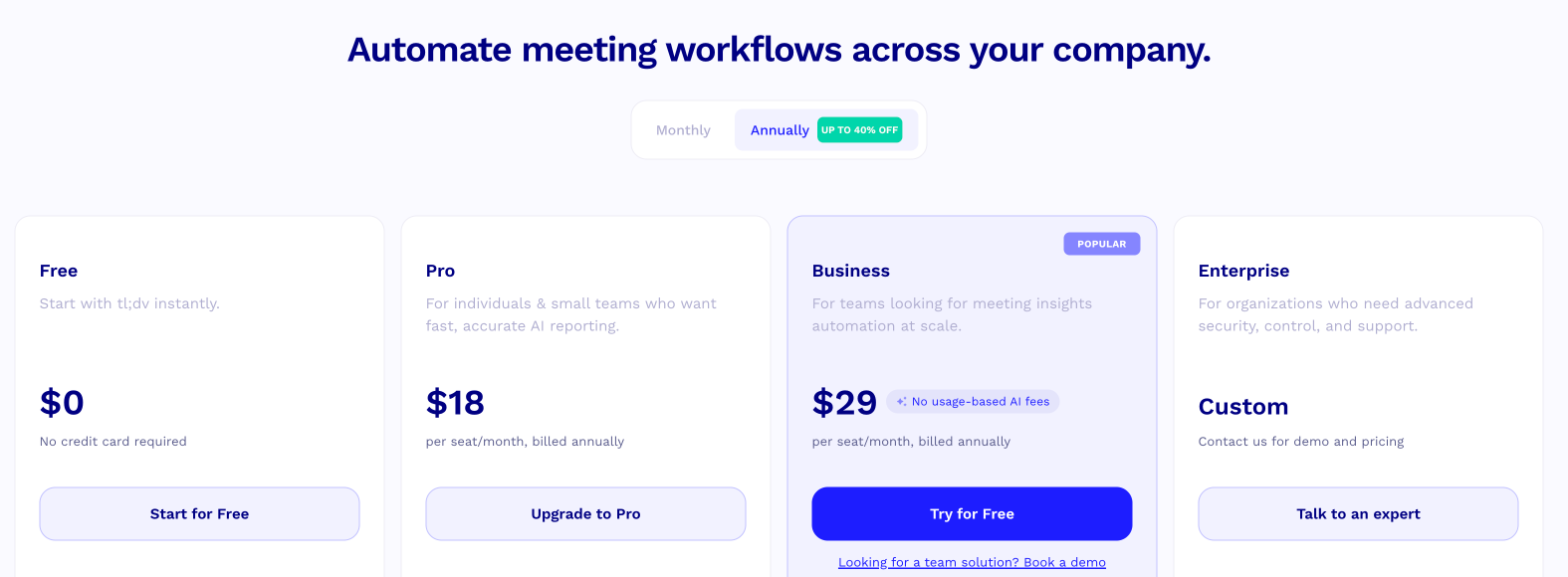
For a solo freelancer, Pro is the only paid plan that makes sense. Business adds features built for sales teams, such as playbook monitoring and AI objection handling, plus a custom words dictionary and team-wide integrations. The custom dictionary could help if your niche uses a lot of technical terms in two languages, but it is a lot to pay for one feature. Pro on annual billing costs $216 a year, compared with $348 if you pay $29 month to month.
A setup for multilingual client calls
Here is a practical routine that works on either plan, with notes on where Pro changes it.
1. Tell the client before the call
Recording rules differ between countries, and clients in the EU tend to expect clear consent. Put a line in your meeting invite saying the call will be recorded and transcribed by tl;dv, and say it again at the start of the call. tl;dv includes GDPR and consent management on all plans and personal recording-consent settings, and it states that recordings are hosted and stored in the EU. It also says it never uses your recordings and transcripts to train AI, which is a useful answer when a cautious client asks.
2. Set the meeting language, or let Pro detect it
On the free plan, set the language the call will mostly be held in. If the client switches between languages, accept that some passages will be weaker, or move to Pro, where auto-detect meeting language and multi-language meetings are included.
3. Use AI notes as the shared record
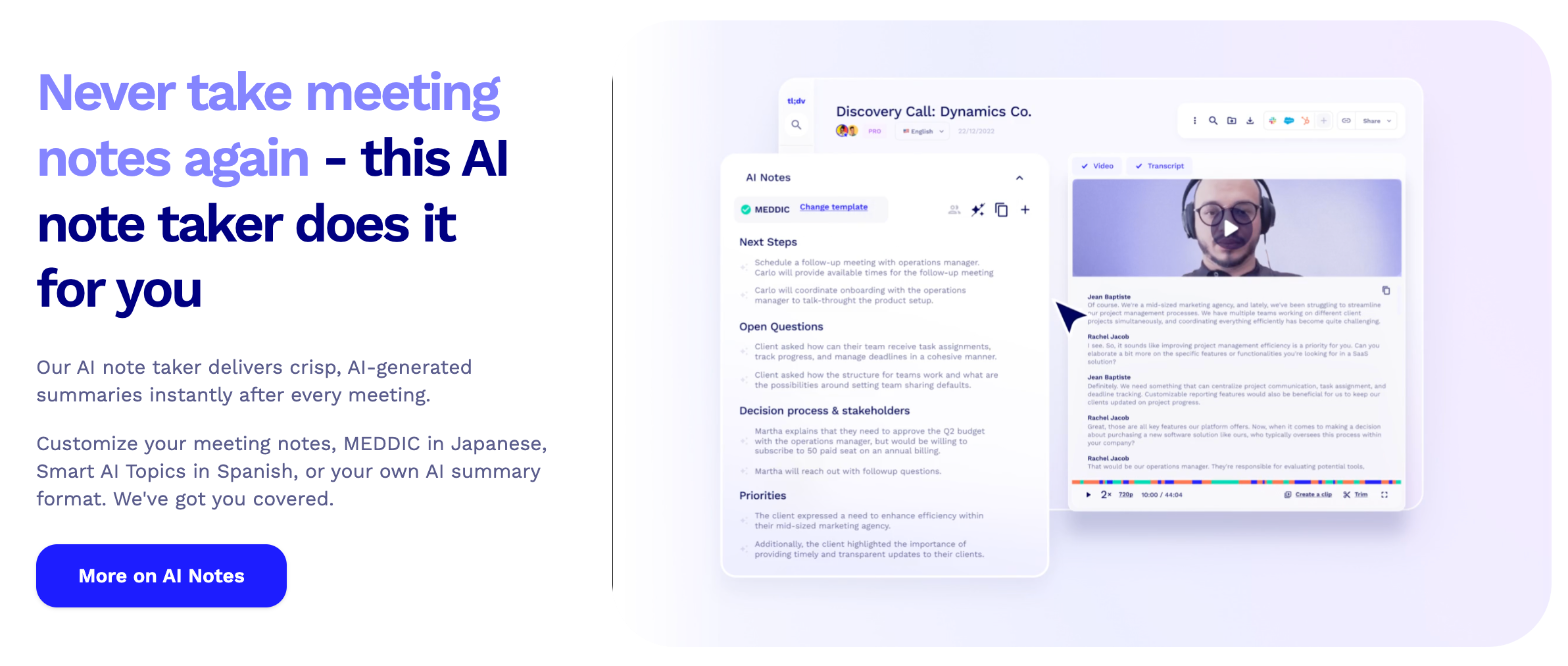
After the call, open the AI notes. tl;dv’s notes can follow templates (the homepage shows a sales template with next steps, open questions, decision process and priorities), and you can set your own summary format. For client work, the sections you care about are next steps, open questions and anything that sounds like scope.
4. Translate the summary for the people who were not there
This is where tl;dv earns its place in cross-border work. If the call happened in Spanish but the decision maker reads German, translate the summary before you send it, then add a line asking them to confirm the next steps. You now have a written record in the reader’s language, which is far more useful than a recording they will never watch.
One caution: machine translation can soften or change the meaning of numbers, dates and negatives. Before you send a translated summary, check every figure, date and “not” against the original transcript.
5. Send the follow-up from the notes
tl;dv lists follow-up email drafting on all plans. Use the draft as a starting point, rewrite it in your own voice, and send it the same day. If you already use a proposal or contract tool, paste the confirmed next steps into it so the scope you agreed on the call matches the document the client signs.
Connecting tl;dv to the rest of your stack
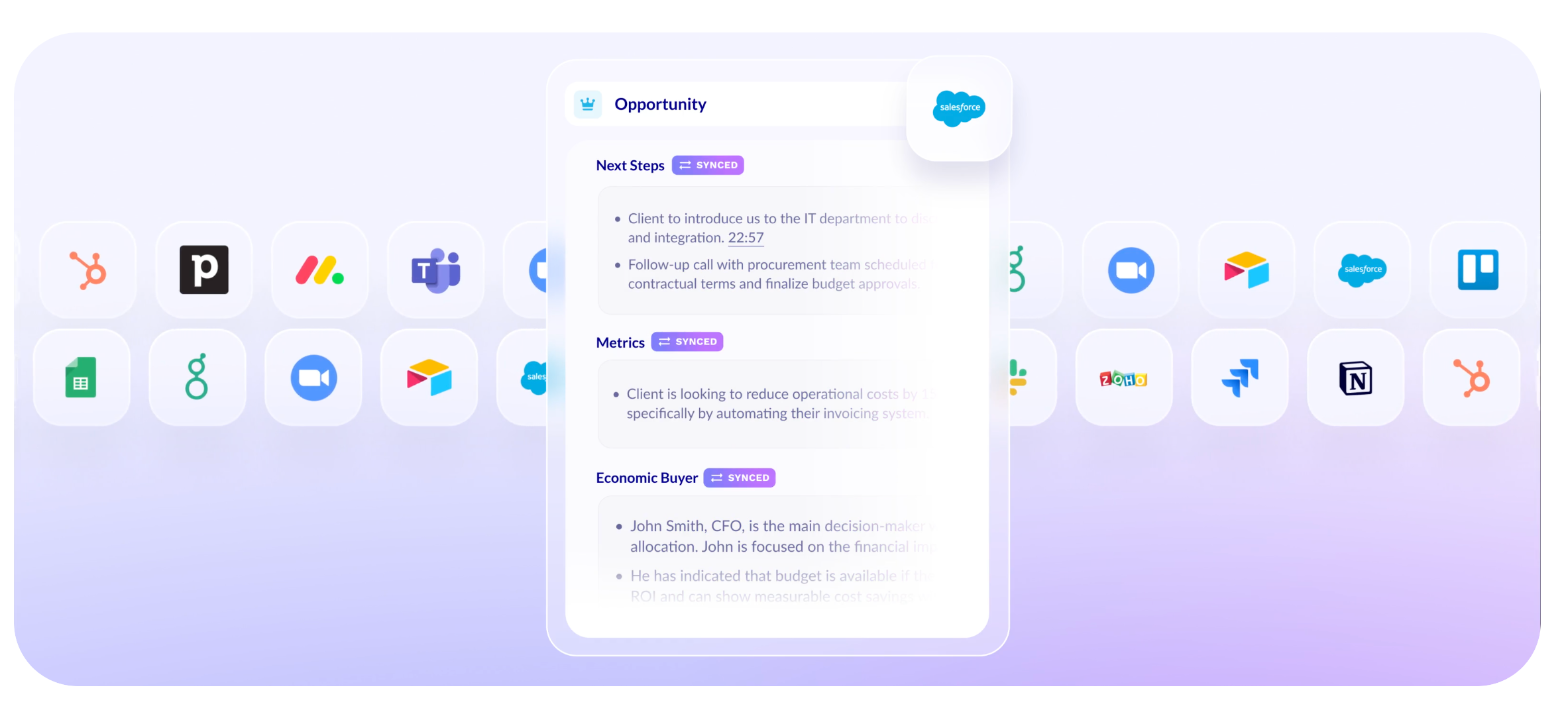
On the free plan you get email and calendar integrations. Pro adds 5,000+ integrations via Zapier, CRM integrations and field mapping, and access to tl;dv’s API, webhooks and MCP server. For a freelancer, the realistic use is sending notes to wherever you keep client records, such as a CRM, Notion or a project board.
If you are deciding between notetakers more broadly, it is worth reading how other tools handle client calls. The guide to Fathom’s free plan as a record of client calls covers a tool with a different free-plan trade-off, and Granola for discovery calls covers a notetaker built around your own notes during the call.
Limits to know before you rely on it
- Three-hour recording limit. Every plan lists a 3h recording limit per meeting. Long workshops need to be split.
- Weekly capacity. The free plan allows 40 web recordings a week, Pro 80. Most freelancers will not hit this, but agencies with many seats might.
- Retention on free. Data retention is up to three months on the free plan. Export or summarize anything you need to keep longer.
- No download on free. Download recording is a Pro feature, so you cannot keep your own copy of a free-plan recording.
- Translation is not certified. AI translation is fine for working notes. For contracts or legal terms in another language, use a professional translator.
Who should use tl;dv, and who should not
tl;dv is a strong fit if you work with clients in two or more languages, run regular calls on Zoom, Google Meet or Teams, and need summaries that people outside the call can read. Start on the free plan if your calls stay in one language per meeting, and move to Pro at $18 a month (billed annually) once calls switch languages or you need to keep recordings beyond three months.
It is a weaker fit if your clients will not accept recorded calls, or if most of your work happens in languages not on tl;dv’s list. In those cases, a notetaker that only transcribes your own microphone, or plain manual notes followed by a written recap, may be safer.
You can try tl;dv for free with no credit card at tldv.io.
FAQ
Is tl;dv free for freelancers?
Yes. tl;dv has a free plan with unlimited recordings and unlimited transcription in 30+ languages. AI meeting notes are limited to 10 meetings, and data retention is up to three months.
Can tl;dv translate meeting transcripts?
tl;dv says it can translate your transcript and meeting summary with AI across its 30+ supported languages.
Does tl;dv handle calls in two languages at once?
The multi-language meeting feature and auto-detect meeting language are listed on Pro and higher plans, not on the free plan.
How much does tl;dv Pro cost?
Pro is $18 per seat per month billed annually, or $29 per seat billed monthly, according to tl;dv’s pricing page.
Which meeting platforms does tl;dv support?
tl;dv works with Google Meet, Zoom and Microsoft Teams.
Where does tl;dv store recordings?
tl;dv states that data is hosted and stored in the EU, that it is GDPR and SOC 2 compliant, and that it does not use recordings and transcripts to train AI.