Disclosure: some links on this page may be affiliate links. If you sign up through them I may earn a commission at no extra cost to you.
Every freelancer has had the call. The project is half done, and the client remembers the kickoff meeting differently: the extra landing page was “always part of it”, the second round of revisions was “agreed”, the deadline was “the 10th, not the 20th”. Nobody is lying. Memory is just bad at details, and a kickoff call is where most of the details live.
The Fathom free plan is a cheap fix for this, because it does one thing most freelancers never do: it keeps a full recording and transcript of every client call, without a monthly fee. This guide is not a general Fathom review. It is about using the free plan as a call record you can point to when scope is in question, and about the point where the $16 Premium plan starts to pay for itself.
Everything below is based on Fathom’s pricing page and plan comparison table as they read when I checked.
What the Fathom free plan actually includes
Fathom’s pricing page lists the free plan for individuals at $0, “free forever”, with four headline features:
- Unlimited recordings and transcriptions
- A choice of bot-free capture (in beta, on Mac) or a meeting bot
- Instant AI call summaries
- Clips, playlists and search across your calls
The plan comparison table adds detail that matters for this use: recordings and call storage are unlimited, transcription is unlimited, and call downloads and clips are unlimited on Free as well as on paid plans. Fathom works with Google Meet, Zoom and Microsoft Teams, which covers the platforms most clients send invites for.
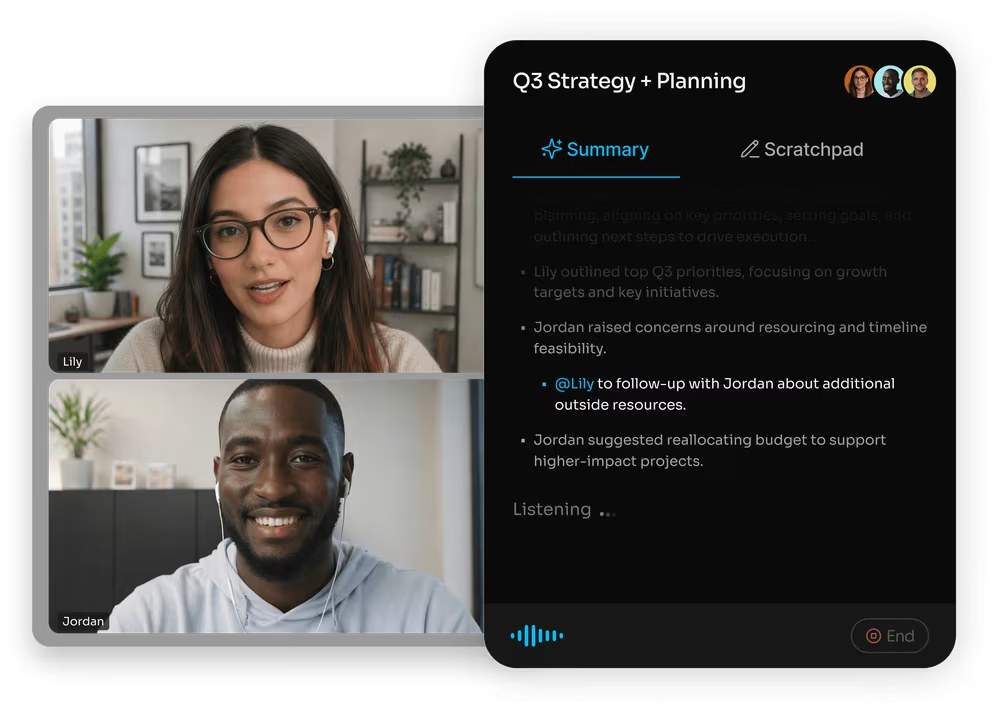
One piece of news worth knowing: the Fathom site now carries a banner saying Fathom is part of Superhuman. The free plan is still listed as free forever on the pricing page.
Why a call record beats meeting notes
Most freelancers already take notes on calls. The problem with notes is that they record what you thought was important, in your words. When a client disagrees with your summary, your notes are your version against theirs.
A recording and transcript are different. They are what was said, in both voices, with timestamps. In practice you rarely need to show anyone the recording. Just knowing you can check it changes the conversation: you look up the moment, quote the exact sentence back in an email, and the disagreement usually ends there, politely, because nobody’s memory is on trial.
Two things to set up before you rely on this:
- Tell clients you record. Recording laws differ by country and state, and some require everyone’s consent. Put a line in your proposal or contract (“Calls may be recorded and transcribed for accuracy”) and say it again at the start of the call. A meeting bot that joins as a visible participant also makes it obvious the call is being recorded.
- Decide where the record lives. The transcript in Fathom is your source, but the agreement should end up in writing somewhere the client has seen, such as a recap email or an updated scope document.
A simple workflow: from kickoff call to written scope
1. Record the kickoff and every scope conversation
Make Fathom part of every discovery call, kickoff call and any call where budget, deadlines or deliverables come up. If you book calls through a scheduling tool (I compared a few options in my TidyCal pricing guide), the meeting link carries straight into your calendar, so you do not have to remember to start anything.
2. Clip the moments that define the job
After the call, open the recording and clip the three or four moments that matter: the list of deliverables, the number of revision rounds, the deadline and the budget. Clips are unlimited on the free plan, and Fathom lets you organise clips into playlists. A simple habit is one playlist per client called “Scope”, so if a question comes up three months later I can find the exact moment in a few seconds instead of scrubbing through an hour of video.
3. Send a recap email the same day
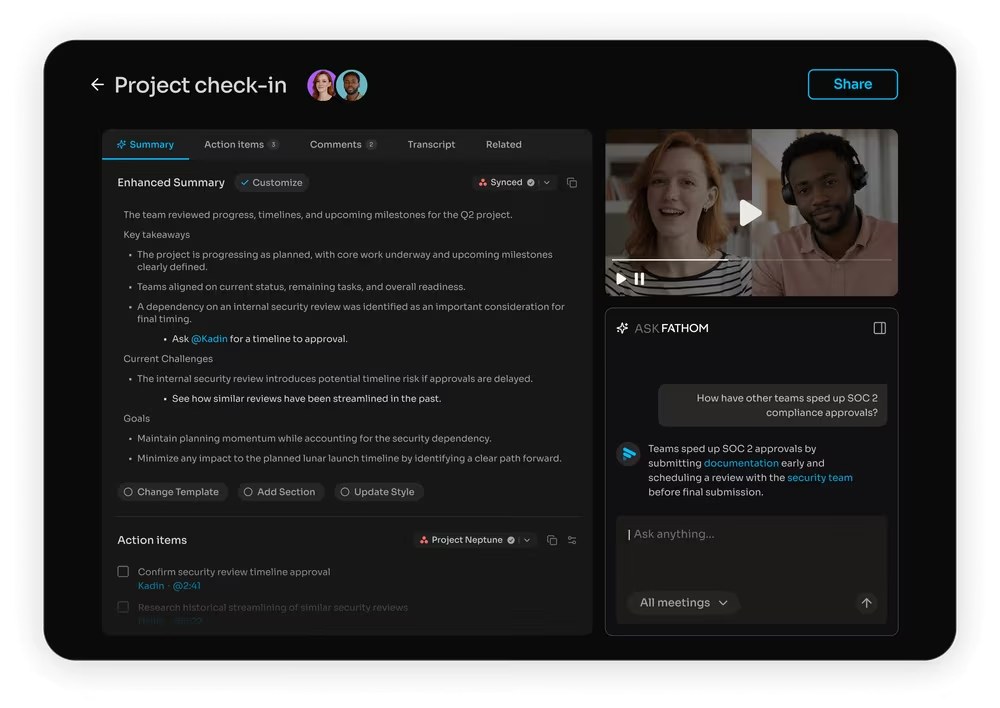
Use the AI summary as a starting point, then rewrite it as a short recap: what we agreed, what is not included, what happens next. End with “Let me know if I have missed anything”. Once the client replies or simply does not object, you have a written scope that matches a recorded conversation. If you send proposals through a tool like PandaDoc, the same recap can feed the proposal; my PandaDoc proposal walkthrough covers that step.
4. Search before you argue
When a client says “we agreed on X”, search your calls for the keyword before replying. The free plan includes search across your calls. If you find the moment, quote it. If you do not, you have learned something too, and you can treat the request as a change order rather than a dispute.
Where the free plan runs out
The free plan is generous on capture and storage. It is limited on the AI work that happens after the call. In the comparison table:
| Feature | Free | Premium |
|---|---|---|
| Recordings, storage, transcription | Unlimited | Unlimited |
| Call downloads and clips | Unlimited | Unlimited |
| Automated summaries | Included | Included |
| Advanced summaries | Limited use | Included |
| AI action items | Not included | Included |
| AI follow-up emails | Not included | Included |
| Ask Fathom within a single call | Limited use | Included |
| Account-wide Ask Fathom (beta) | Limited use | Unlimited for “My Calls” |
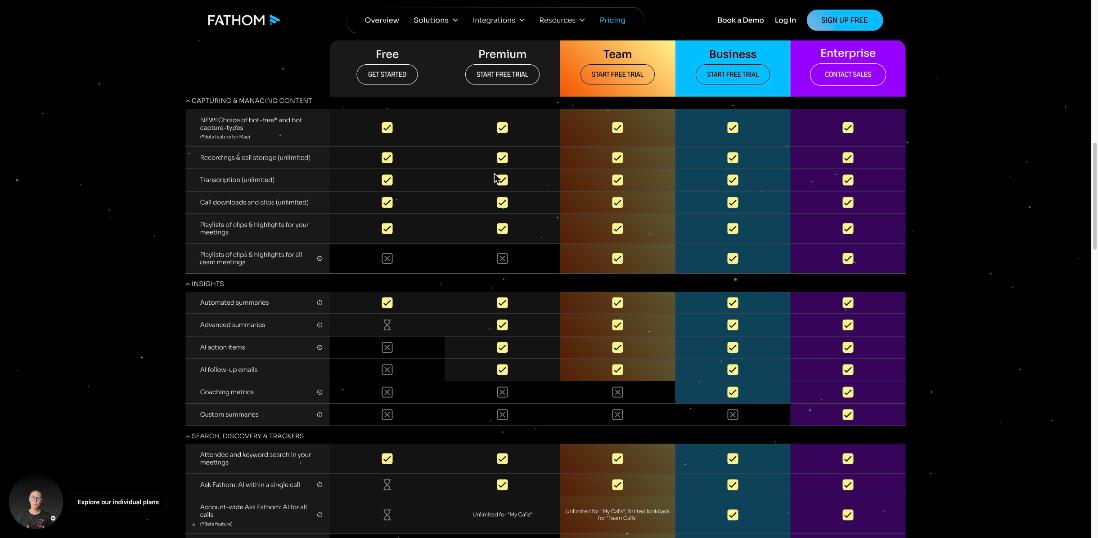
For the call-record workflow above, none of those limits stop you. The recording, transcript, clips and search are what protect you, and they are unlimited. What you give up is convenience: the free plan will not draft your follow-up email or pull out action items for you, and you can only ask Fathom questions about your calls a limited number of times.
When Premium is worth $16 a month
Here are the individual prices on Fathom’s pricing page when I checked:
| Plan | Billed annually | Billed monthly | Notes |
|---|---|---|---|
| Free | $0 | $0 | Free forever |
| Premium | $16/month per user | $20/month per user | Advanced summaries, AI action items, conversational assistant, custom meeting bot |
| Team | $15/month per user | $19/month per user | 2-user minimum, adds team search, shared playlists and collaboration |
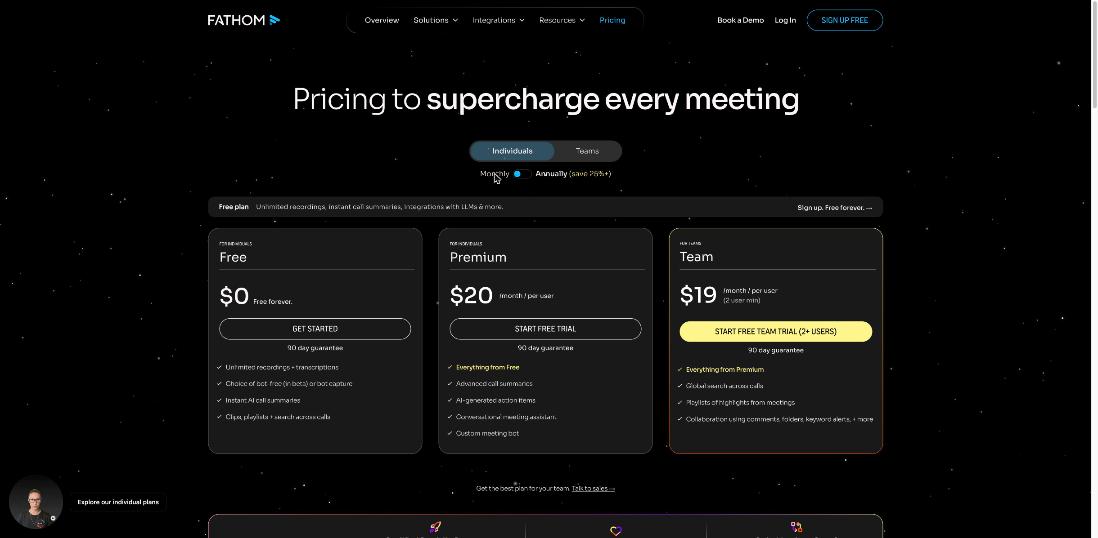
Fathom shows a 90-day guarantee under each plan, and its page description calls it a 90-day money-back guarantee. Check the current terms before you rely on it.
I would upgrade from Free to Premium when one of these is true:
- You take more than a few client calls a week. Writing recap emails by hand gets old fast, and AI follow-up emails plus action items turn each call into a ready-to-edit draft.
- You run long retainers. Asking questions across months of calls (“what did this client say about the logo colours?”) is where account-wide Ask Fathom earns its keep, and Premium removes the limit for your own calls.
- You want your own branding on the bot. Premium lists a custom meeting bot, which looks more professional on client calls.
If you only have one or two scope calls per project, stay on Free. The record is the valuable part, and it does not cost anything.
What the AI summary is good for (and what it is not)
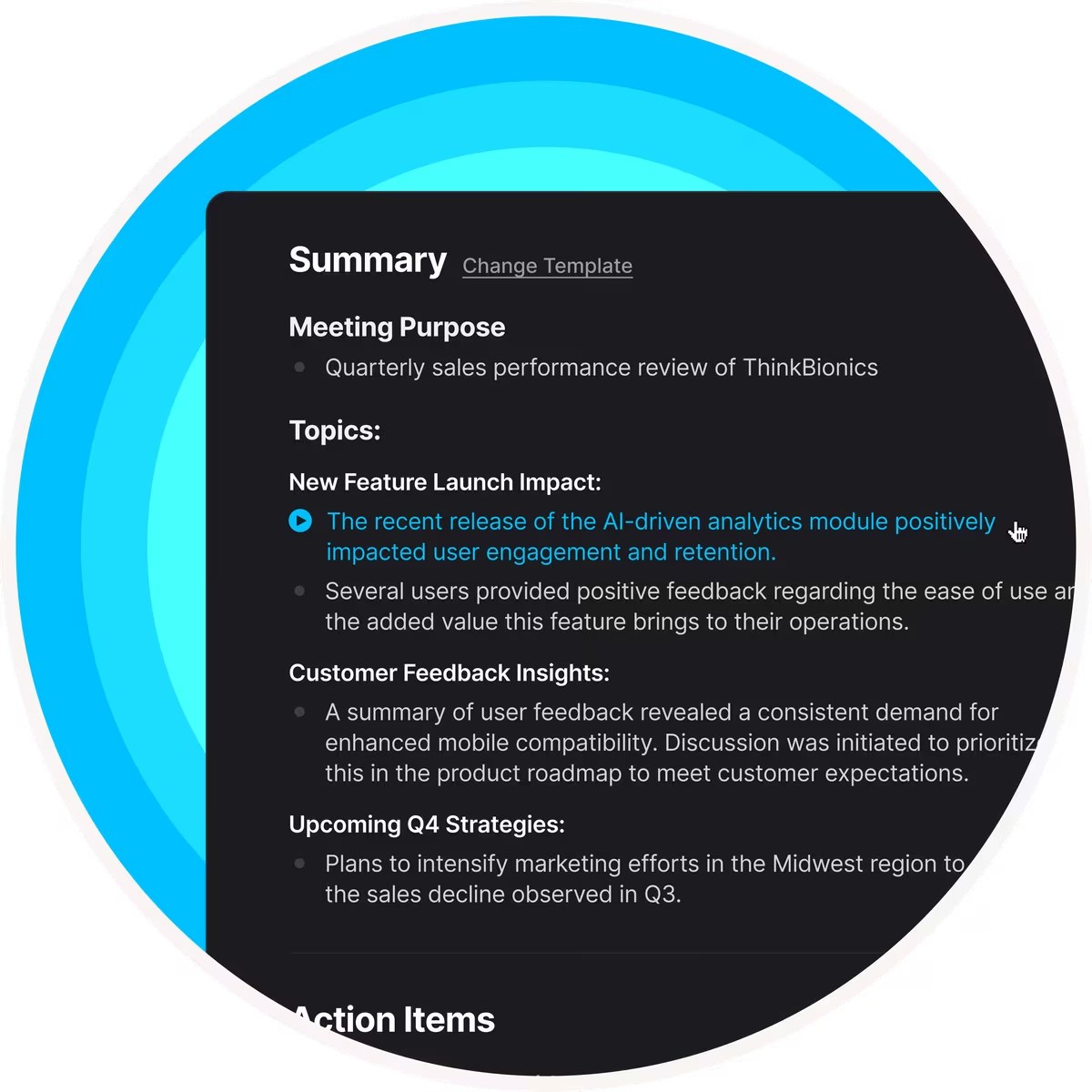
Fathom’s summaries are a good first draft of a recap. They are not the record. A summary is the AI’s interpretation, and the whole point of this workflow is to avoid relying on anyone’s interpretation. So I treat it this way:
- Use the summary to find the scope moments quickly.
- Use the transcript and clip to confirm what was said.
- Use your own recap email to agree it in writing with the client.
If you already use another transcription tool and want to compare, I looked at how Otter handles imported recordings in my Otter AI transcription guide. Otter’s strength there is uploading files; Fathom’s is capturing live calls with no effort and keeping them searchable.
Privacy and client trust
Clients are handing you their plans, prices and sometimes confidential data on these calls, so it is fair to ask where it goes. Fathom’s homepage lists SOC 2 Type II, GDPR and HIPAA compliance. That does not remove your own duties: respect a client who asks you not to record, follow any NDA you signed, and do not share a recording outside the project. For sensitive clients, ask before the first call rather than during it.
My take
For freelancers, the Fathom free plan is one of the few free tools that quietly prevents expensive arguments. Unlimited recording, transcription, clips and search are enough to build a call record for every client, and that record is what settles “we agreed on that” in your favour, or tells you early that you did not. Premium adds convenience rather than protection: follow-up emails, action items and unlimited questions across your own calls. Start free, use it on every scope call for a month, and upgrade only when writing recaps by hand becomes the bottleneck.
Start with Fathom’s free plan →
FAQ
Is the Fathom free plan really unlimited?
Recordings, call storage, transcription, call downloads and clips are listed as unlimited on the free plan. Some AI features, such as advanced summaries and Ask Fathom, have limited use, and AI action items and follow-up emails are not included.
How much is Fathom Premium?
Premium is $16 per user per month billed annually, or $20 billed monthly, according to Fathom’s pricing page.
Which meeting apps does Fathom work with?
Fathom lists Google Meet, Zoom and Microsoft Teams.
Do I need to tell clients I am recording?
You should. Recording consent laws vary by location, and some require every participant’s consent. Mention recording in your contract and at the start of each call.
Can Fathom record without a bot joining the call?
Fathom lists bot-free capture as a beta feature for Mac, alongside the standard meeting bot.