
Disclosure: some links in this guide are partner links. If you sign up through them, I may earn a commission at no extra cost to you.
Most freelancers look at Vultr as a cheap place to host a client’s finished website. I think its best use for a freelance web designer is earlier in the project: staging and demo servers that exist only while a client is reviewing work. Vultr bills servers by the hour, so a review server that lives for two weeks costs a couple of dollars, and when the client signs off, you take a snapshot and destroy it.
This guide walks through that workflow, what it costs at today’s prices, how to give a subcontractor access without sharing your login, and the one billing rule that catches people out.
Why hourly billing suits client projects
Vultr’s FAQ says all servers on an account are billed hourly. For standard Cloud Compute plans, billing is capped at 672 hours a month, so a server that runs all month never costs more than its listed monthly price. A server that runs for a few days costs only those hours.
That changes how you can run client work. Instead of keeping one staging site on your own hosting for every project (and forgetting to delete it), you can give each project its own clean server in the client’s region, for exactly as long as the review lasts.
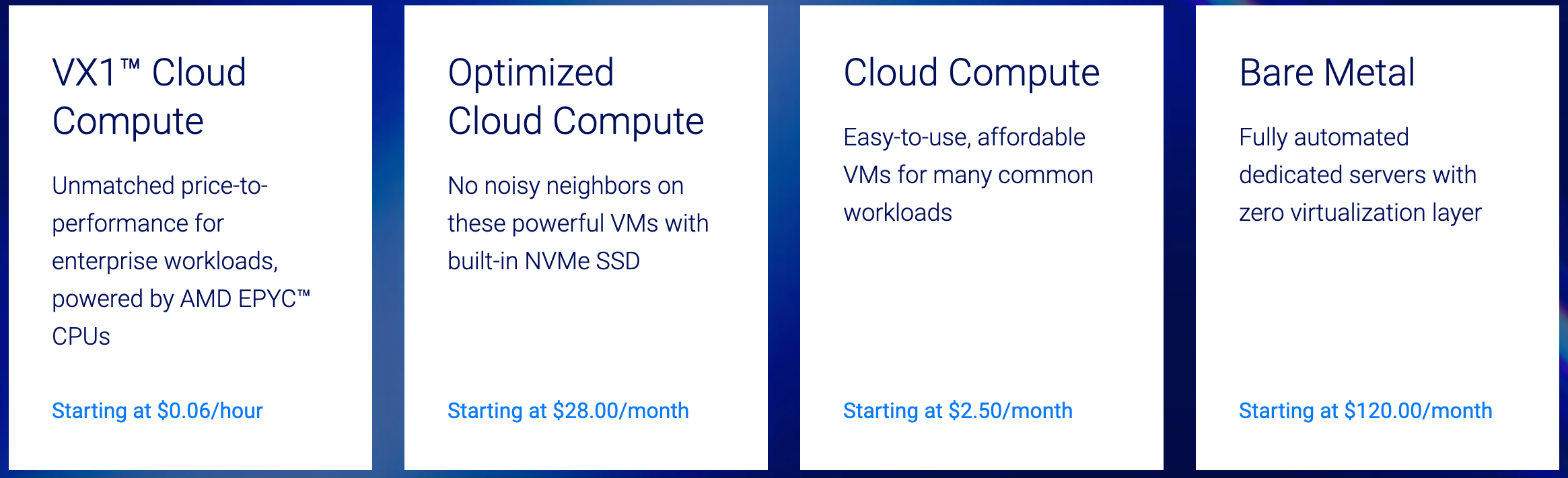
For staging WordPress or a small web app, regular Cloud Compute is the product to use. Optimized Cloud Compute and Bare Metal are for heavier, production workloads.
What a review server costs
Vultr’s High Performance Cloud Compute plans run on newer AMD EPYC or Intel Xeon CPUs with NVMe SSD. These are the ones I’d use for a client demo, because a slow staging site makes a client doubt the design.
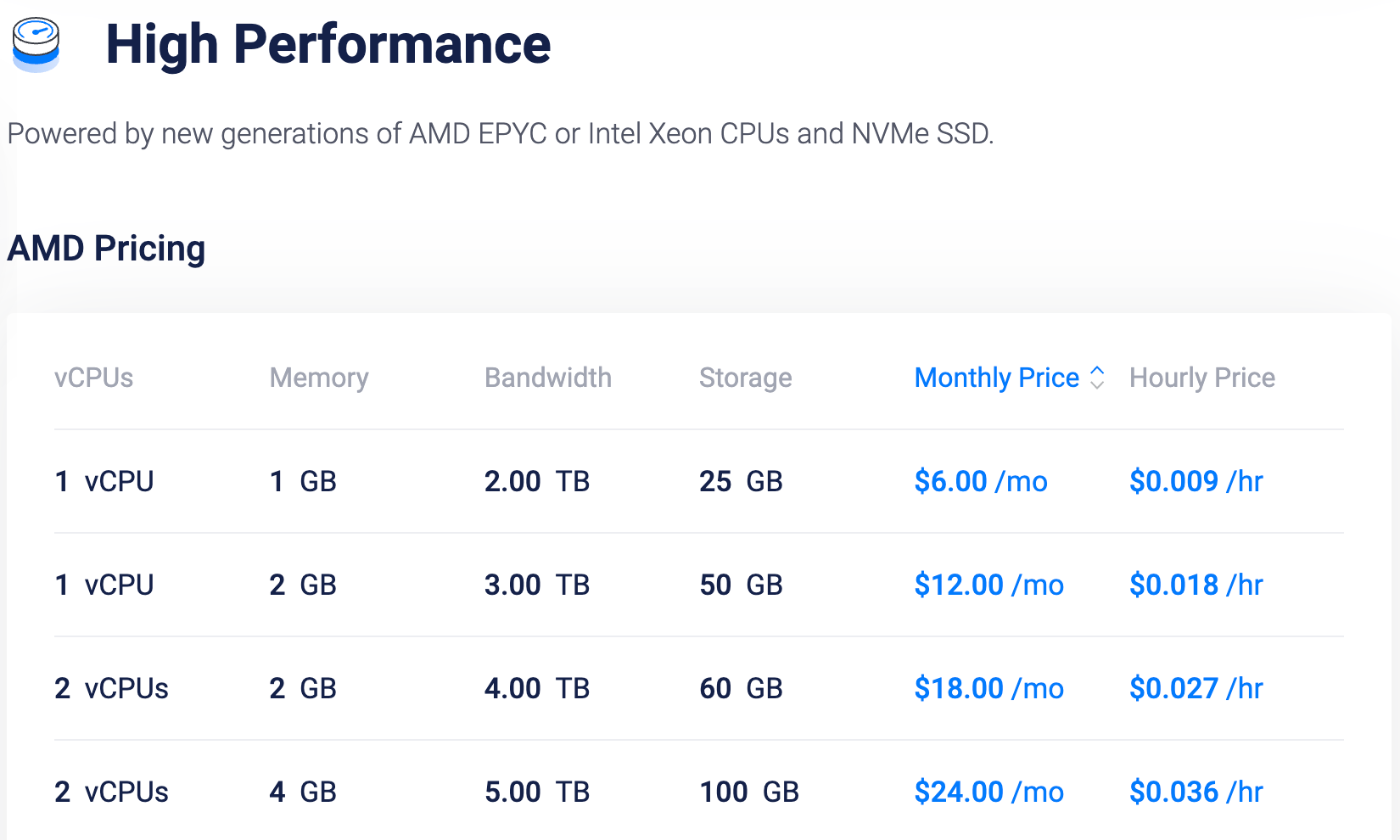
| Plan (High Performance) | Monthly | Hourly | Two-week review (336 hours) |
|---|---|---|---|
| 1 vCPU, 1 GB, 25 GB NVMe | $6.00 | $0.009 | about $3.02 |
| 1 vCPU, 2 GB, 50 GB NVMe | $12.00 | $0.018 | about $6.05 |
| 2 vCPU, 4 GB, 100 GB NVMe | $24.00 | $0.036 | about $12.10 |
The two-week column is simple math from the listed hourly price. For most WordPress demo sites, the 1 vCPU / 2 GB plan is enough. You can bill it to the client as a line item, or absorb it as a project cost, which is easier than explaining hosting at all.
If you also want to test the cheapest tier, Vultr’s Regular Performance plans start at $5 a month for 1 vCPU and 1 GB on previous-generation Intel CPUs. There’s a $2.50 plan, but it’s IPv6-only, which isn’t practical for a client who’ll open the link from any network.
The workflow: spin up, review, snapshot, destroy
1. Deploy in the client’s region
Vultr lists 34 cloud data center regions. Deploy the demo server close to the client, not close to you, so the site feels fast when they open it. A client in Singapore judging a site served from Europe will notice the delay, even if they can’t name it.
2. Install WordPress from the Marketplace
Vultr’s Marketplace has a one-click WordPress app on Ubuntu 24.04, maintained by Vultr. It includes the WordPress admin, the Cockpit server panel on port 9080 and phpMyAdmin. Until you add a Let’s Encrypt certificate, it uses a self-signed one, so add a real certificate before sending a client the link. A browser warning is not the first impression you want.
3. Manage everything from one panel
Vultr’s control panel lists instances, snapshots, ISOs, startup scripts, DNS, block storage, firewall and load balancers in one place, with current charges visible. That running total is the number to check before you invoice.
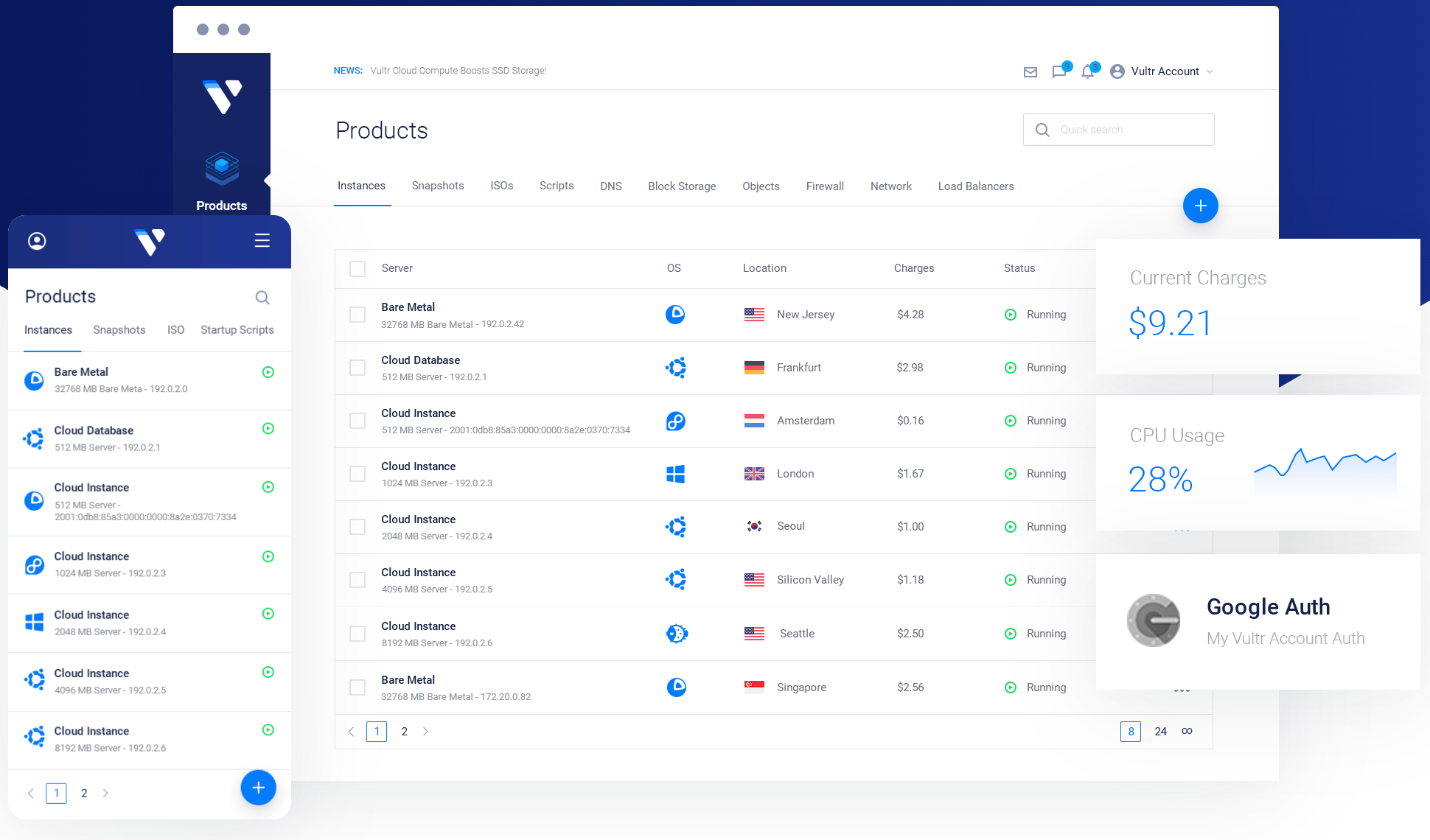
I name each server after the client and project, for example “acme-redesign-review”. When a project ends, it’s obvious which servers can go.
4. Snapshot before you destroy
When the client approves the work, take a snapshot of the server. Vultr’s FAQ says stored snapshots cost $0.05 per GB per month. A small WordPress demo takes up a few gigabytes, so keeping it as a snapshot costs cents a month, and you can restore it to a new server if the client comes back with changes.
5. Destroy the server, don’t just stop it
This is the rule that catches freelancers out. Vultr’s FAQ says stopped instances still reserve RAM, storage, IP addresses and vCPUs, and keep incurring charges until you destroy them. A stopped server is not a paused bill. If you want the hourly savings, destroy the server and keep only the snapshot.
Giving a subcontractor access without sharing your login
If you work with a developer or a second designer, Vultr’s team management lets you add sub-users with restricted access to your account. According to Vultr’s control panel page, you can toggle specific privileges such as billing, systems access, API access and server creation.
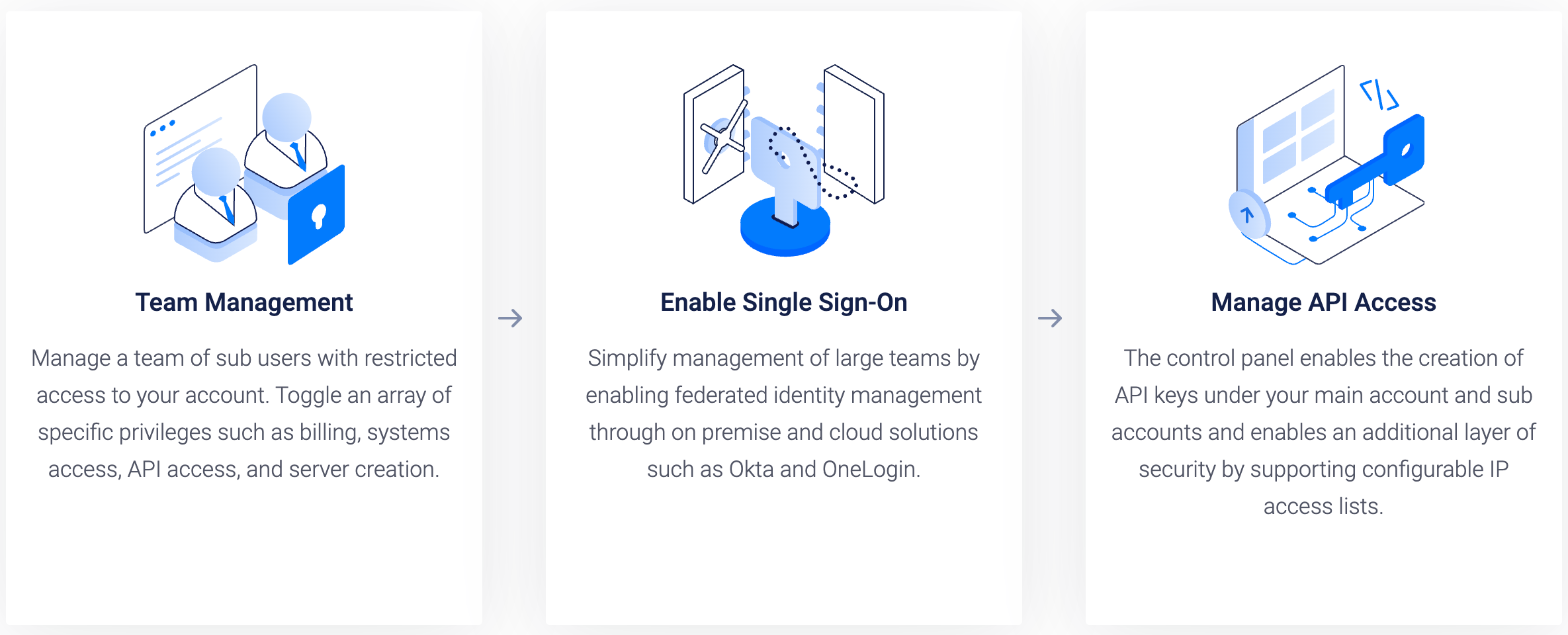
For a subcontractor, I’d give systems access and nothing else: no billing, no server creation. They can work on the demo servers you’ve set up, and you stay in control of costs. Vultr also lets you create API keys with IP access lists, which is useful if your deploy scripts run from a fixed office or CI address.
For client access to hosting itself, a different setup usually fits better. I compared that in setting up Hostinger agency hosting with many client logins, which suits clients who want to log in to their own hosting panel.
Backups, firewall and DDoS: what to switch on
For short-lived review servers, I’d keep the extras minimal. For anything that becomes a client’s live site, they matter.
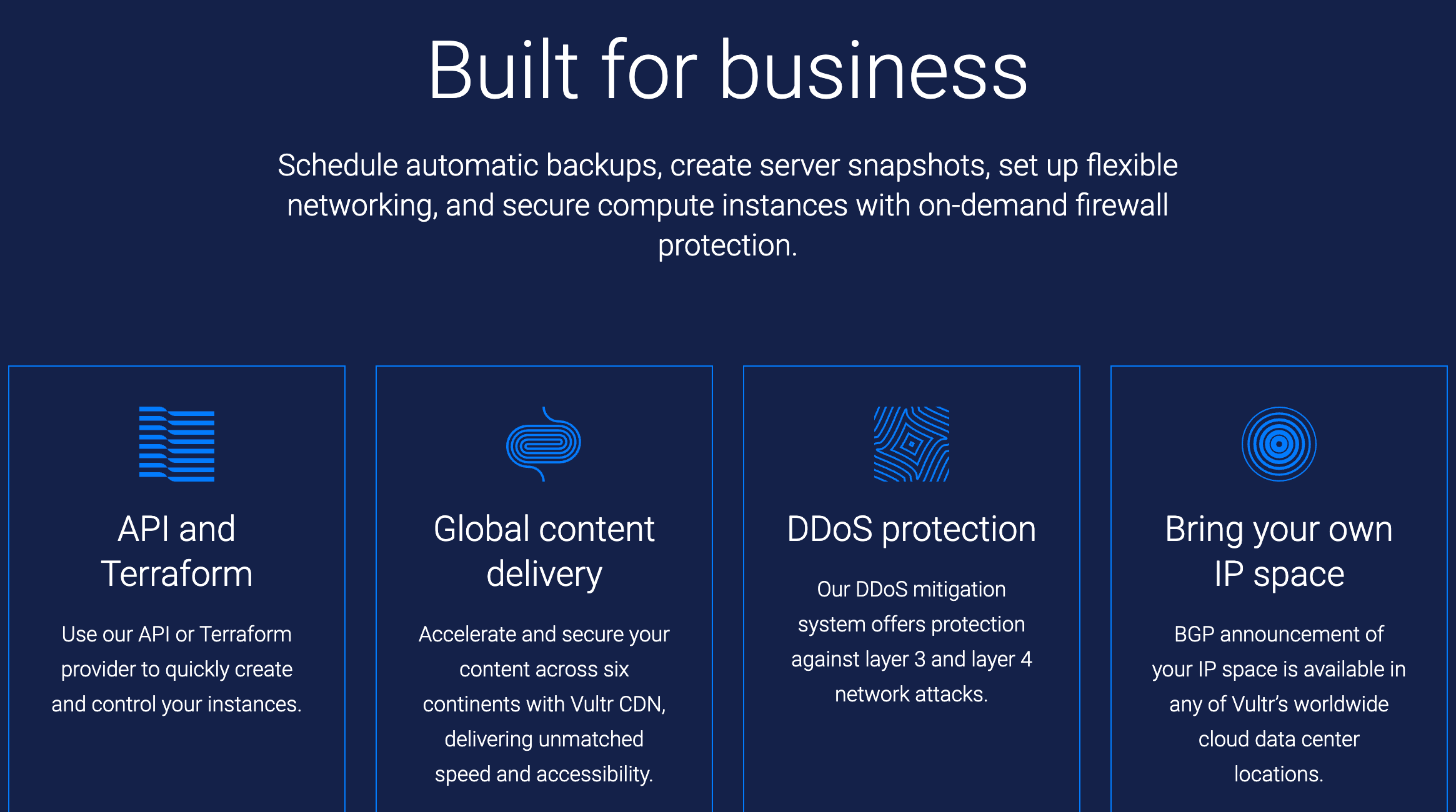
- Automatic backups add 20% to the instance’s base price, according to Vultr’s FAQ. Skip them on a two-week review server; use them on a live site.
- Firewall: Vultr’s firewall is part of the platform. If you keep the Marketplace WordPress app’s Cockpit panel, remember to allow port 9080, or disable Cockpit if you don’t need it.
- DDoS protection costs an extra $10 a month per instance and adds 10 Gbps of mitigation capacity. It’s not needed for a demo, but worth considering for a client site that has been targeted before.
- API and Terraform: if you deploy the same stack for every project, Vultr’s API or Terraform provider can create servers for you. That’s where this workflow starts saving real time.
Should you host the finished client site on Vultr too?
Sometimes. A Vultr server is unmanaged: you’re responsible for updates, security patches, SSL renewals and fixing things when they break. If you already sell a care plan that covers that work, hosting the client on a Vultr server you manage can be cheaper and faster than shared hosting, and you control the stack.
If you’d rather hand the site off and walk away, managed hosting with a clean ownership transfer fits better. My guide to client handoffs with a Kinsta site transfer covers that path.
Trying it with the $300 credit
Vultr currently advertises $300 in free credit for new customers on its sign-up page and coupons page. The terms say the credit is for new customers only, applies to select products only and can’t be combined with other offers. The coupons page doesn’t list how long the credit lasts, so check the expiry date in your billing area right after signing up.
At the hourly prices above, that credit covers a lot of review servers. It’s a good way to run this workflow on your next two or three projects before deciding whether it belongs in your process.
FAQ
How does Vultr billing work?
All Vultr servers are billed hourly. Standard Cloud Compute plans are capped at 672 hours a month, so a server running all month costs its listed monthly price.
Does Vultr charge for a stopped server?
Yes. Stopped instances keep reserving resources and are charged until you destroy them. To stop paying, take a snapshot and destroy the server.
How much do Vultr snapshots cost?
Vultr’s FAQ lists stored snapshots at $0.05 per GB per month.
Can I give a subcontractor access to my Vultr account?
Yes. Vultr’s team management lets you add sub-users and toggle privileges such as billing, systems access, API access and server creation.
Is there a Vultr free trial?
Vultr advertises $300 in free credit for new customers. It applies to select products, can’t be combined with other offers, and other terms apply.
My take
Vultr is a strong fit for the part of freelance work nobody budgets for: the temporary servers you need while a client reviews a site. Hourly billing, NVMe High Performance plans from $6 a month, 34 regions and sub-users with limited privileges make it easy to give every project a clean, fast demo and pay only while it exists. Just remember the one rule: destroy, don’t stop.