Three new clients a month sounds like a perfect match for the SignWell free plan, which allows 3 documents a month. That’s the trap. In most freelance businesses, one new client rarely means one signature. There is the contract, sometimes an NDA, often a change order halfway through the project, and occasionally a renewal or a separate statement of work. The free plan counts documents, not clients, so the real question is how many signing requests your month actually produces.
This guide sizes the SignWell free plan against a realistic freelance month. It walks through what the free plan includes, how to count your own signing volume, which free plan gaps show up first, and when the Light or Business plan is worth paying for. All plan details come from SignWell’s pricing page as it reads today.
What the SignWell free plan includes
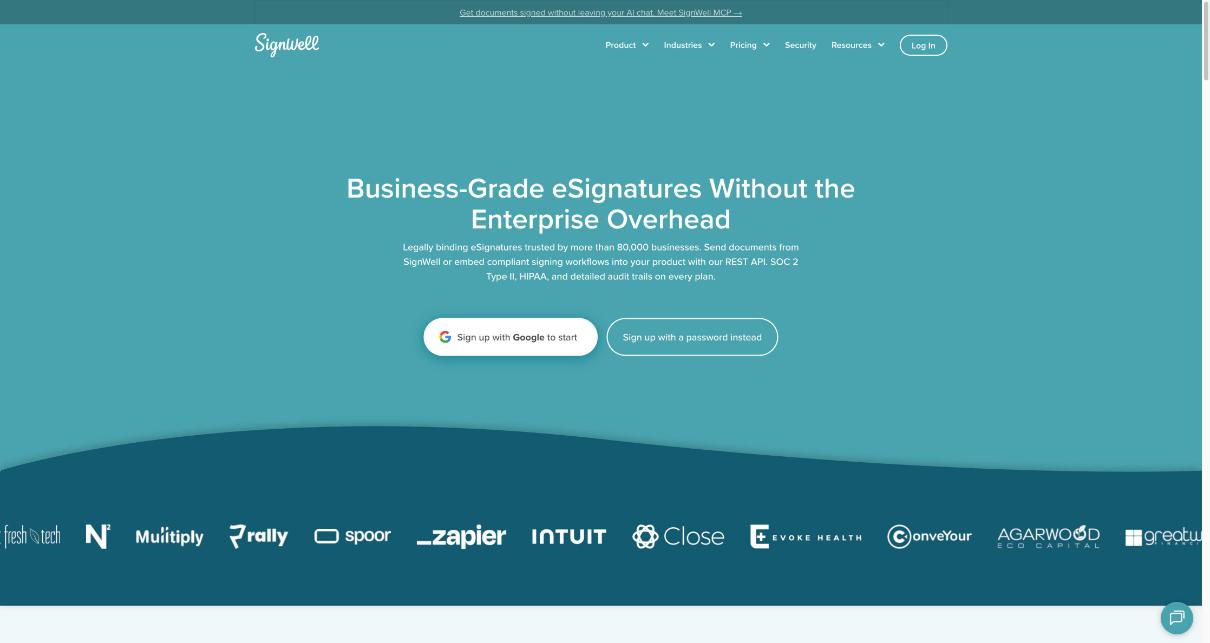
SignWell’s free plan is a real working plan, not a time-limited trial. According to the pricing page, it gives you:
- 1 sender, meaning one person on your side who sends documents.
- 1 template you can reuse.
- 3 documents a month.
- Legally binding eSignatures, an audit trail and tamper-evident documents.
- Multiple signers and a signing order, so a client and their manager can both sign in sequence.
- Signing links, autofill fields, multiple languages, and reminders and notifications.
- Integrations, including native ones and thousands more through Zapier.
- API access, with 25 free API documents a month before pay-per-document pricing applies.
Two details matter for freelancers. First, your clients do not need a SignWell account to sign; SignWell says recipients can sign online from any desktop or mobile device. Second, SignWell does not charge by the number of people who sign. On paid plans, pricing is based on the number of senders on your account.
Count documents, not clients: a quick volume check
Before deciding whether the SignWell free plan is enough, list every document that needs a signature in a normal month. For a typical solo freelancer, it often looks something like this:
- New client contract or service agreement: one per new client.
- NDA: some clients send their own, others expect you to send one.
- Statement of work for a second project with an existing client.
- Change orders when scope grows and you want it signed, not just agreed in an email.
- Subcontractor agreements if you bring in help.
- Renewals for retainers that roll over.
Now run the numbers for the “three new clients a month” freelancer. Three contracts already use the full allowance. If even one client needs an NDA or a change order, you’re at four documents. A single subcontractor agreement takes you to five. In other words, three new clients a month usually means somewhere between three and six signing requests, and only the lowest end fits the free plan.
A simple rule of thumb: if you can say “I sign two or fewer documents in a normal month”, the free plan gives you a buffer. If you regularly sign three, you’re living at the limit and one extra change order will push you over.
The free plan gaps you’ll notice first
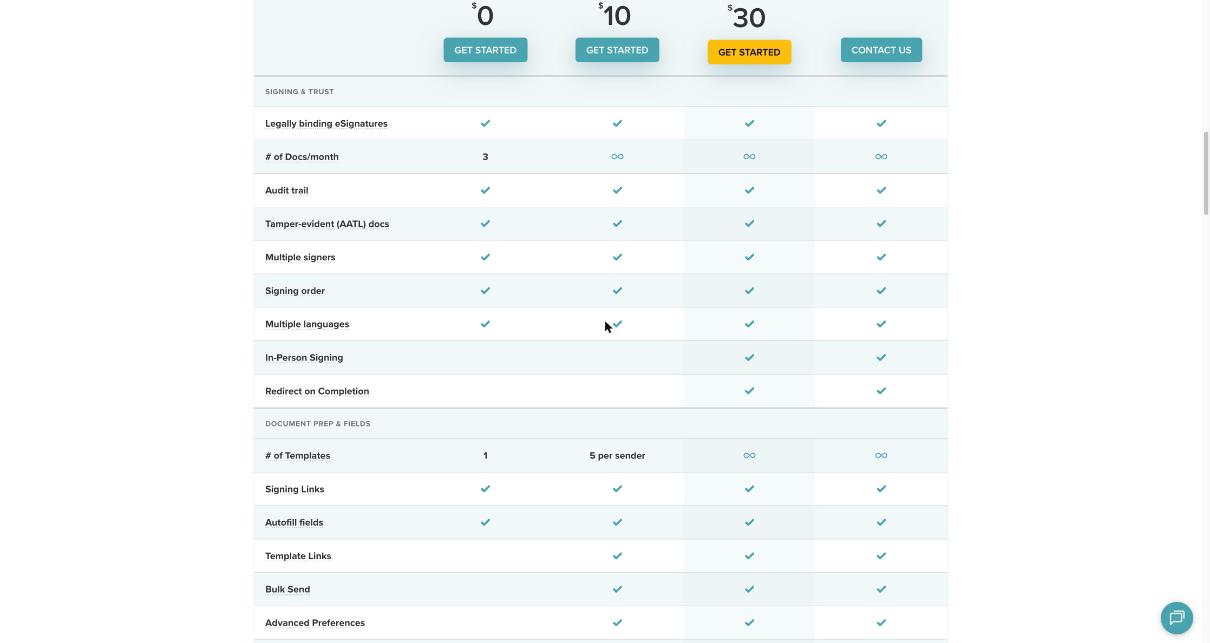
The document count is the obvious limit, but it isn’t the only one. Comparing the plan columns on SignWell’s pricing page, these are the gaps a freelancer is most likely to notice on the free plan.
Only one template
One template is enough for a single standard contract. It’s not enough if you keep separate templates for a service agreement, an NDA and a change order. You’ll end up uploading the same files again and placing fields by hand.
No template links or bulk send
Template Links and Bulk Send are marked as Light and up. Template links are handy if you want a “sign here” link on a booking page or in an onboarding email, and bulk send matters if you ever send the same agreement to many people, such as workshop participants.
No branding or attachment requests
Your own logo, request attachments, data validation, conditional field rules, in-person signing and redirect on completion are marked as Business and up. Request attachments is the one I’d miss most as a freelancer, because it lets a client upload a document, such as a purchase order or ID, as part of signing.
SignWell pricing for freelancers: Free, Light and Business
Here’s how SignWell lists its plans today. Yearly billing applies a 20% discount; the pricing page shows both options.
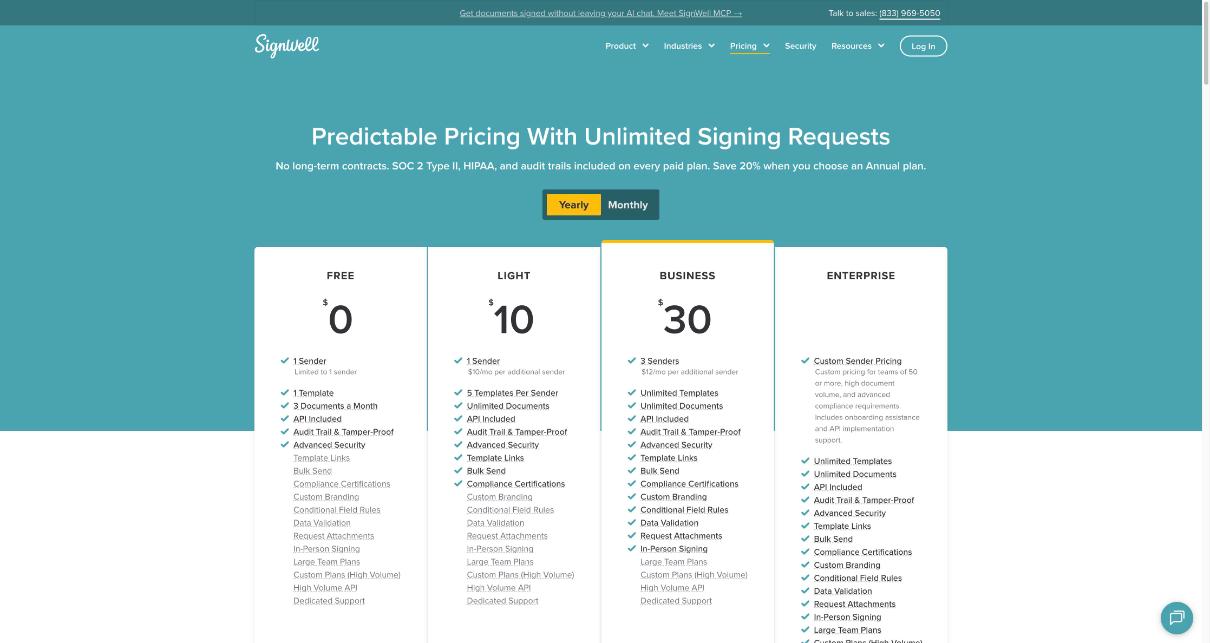
| Plan | Price | Senders | Templates | Documents |
|---|---|---|---|---|
| Free | $0 | 1 | 1 | 3 a month |
| Light | $10/month billed yearly, $12 billed monthly | 1 (extra senders $10/month yearly, $12 monthly) | 5 per sender | Unlimited |
| Business | $30/month billed yearly, $36 billed monthly | 3 (extra senders $12/month yearly, $15 monthly) | Unlimited | Unlimited |
| Enterprise | Custom | Teams of 50 or more | Unlimited | Unlimited |
SignWell says there are no long-term contracts and no cancellation fees, so you can pay monthly and cancel any time. The pricing page also states that SOC 2 Type II, HIPAA support and audit trails are included on every paid plan.
Which plan fits which kind of freelancer
Stay on Free if…
You sign two or fewer documents in a normal month, you use one standard contract, and your clients are fine with a plain signing experience. Many freelancers who work with a few long-term retainer clients fit here, because they sign once and then invoice for months. In that case the SignWell free plan can cover you for a long time.
Move to Light if…
You regularly hit three or more documents, or you want separate templates for contracts, NDAs and change orders. Light removes the document cap and gives you five templates, plus template links and bulk send. For a solo freelancer, this is usually the right paid step: one sender, unlimited documents, and enough templates for a tidy paperwork setup.
Jump to Business if…
You work as a small studio with up to three people sending documents, you want your logo on the signing experience, or you need features like request attachments, conditional fields and redirect on completion. If you’re a one-person business, Business is usually more than you need unless branding or attachments are important to how you onboard clients.
A simple SignWell setup for a freelance month
If you start on the free plan, a little structure helps you get the most from three documents and one template:
- Make your one template the contract. It’s the document you send most, so it deserves the saved fields.
- Combine documents where you sensibly can. A confidentiality clause inside your main contract can sometimes replace a separate NDA. Check with your own legal adviser before changing contract terms.
- Use change orders deliberately. For small scope changes, a written confirmation by email may be enough for you. Save signed change orders for changes that affect price or deadlines.
- Track your monthly count. If you hit the limit two months in a row, that’s your sign to upgrade rather than juggling documents.
If your contract is part of a bigger proposal flow, it’s worth reading how a PandaDoc proposal for freelancers is structured, since some freelancers prefer to send a proposal and agreement in one tool. If you’d rather have contracts, invoices and scheduling under one roof, my look at HoneyBook pricing against the tool stack it replaces shows the trade-off between an all-in-one platform and a focused tool like SignWell.
SignWell compared with the bigger names
SignWell positions itself against DocuSign and Adobe Sign. On its own comparison page, it says it offers a free plan and unlimited documents on all paid plans, and it lists a starting price of $12 per user per month against figures it quotes for the other two. That’s SignWell’s own marketing, so treat it as their framing rather than an independent test, and check current prices on each vendor’s site before deciding.
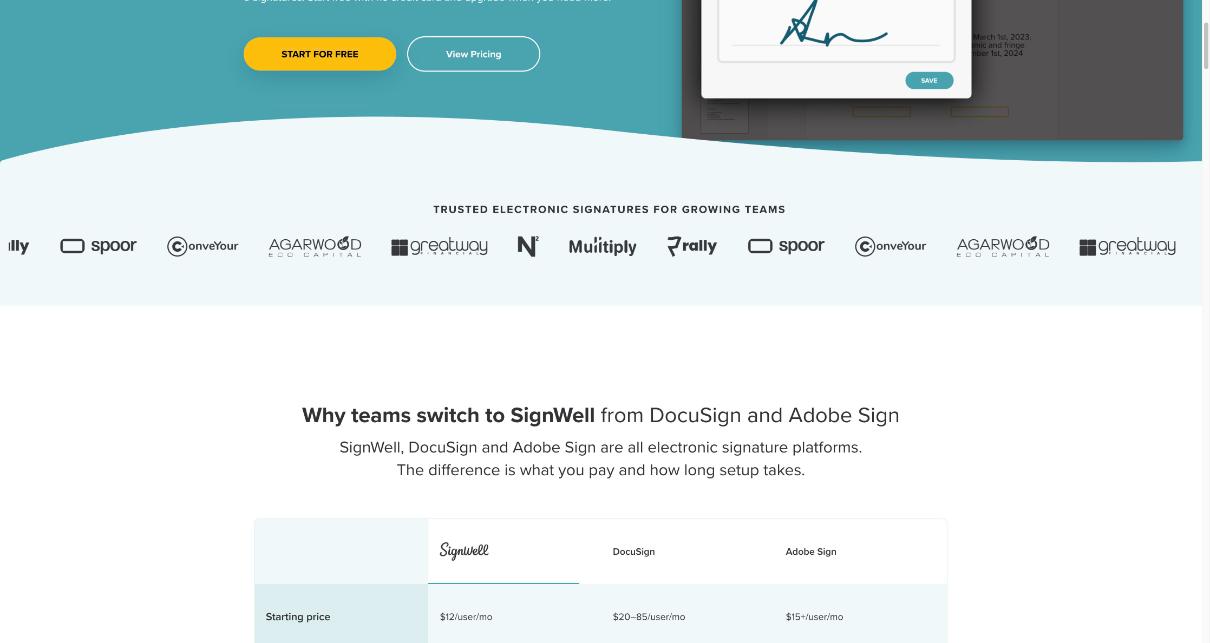
For freelancers, the more useful point is structural: paid SignWell plans charge by sender, and SignWell says it doesn’t charge per document or per signer on paid plans. If you’re one person sending many agreements, that model works in your favor.
Who should look elsewhere
SignWell is a focused eSignature tool. It’s not the best fit if you want proposals with pricing tables and payment collection in the same document, or a full client portal with invoicing and scheduling. In those cases, a proposal tool or an all-in-one client management platform may save you from running several apps. It’s also worth noting that this guide isn’t legal advice. If you work in a regulated field or across countries, check what signature requirements apply to your contracts.
Start with the SignWell free plan and count your documents for a month before you pay for anything.
FAQ
How many documents can I send on the SignWell free plan?
The SignWell free plan includes 3 documents a month, with 1 sender and 1 template.
Do my clients need a SignWell account to sign?
No. SignWell says recipients don’t need an account and can sign on any desktop or mobile device.
Does SignWell charge per signer?
No. SignWell says it doesn’t charge by the number of people who sign. Paid plans include unlimited documents and are priced by the number of senders.
How much is SignWell Light?
Light is $10 a month billed yearly or $12 billed monthly for one sender, with unlimited documents and 5 templates per sender.
Can I cancel SignWell any time?
Yes. SignWell says there are no contracts and no cancellation fees, and you can pay monthly and cancel any time.
Is the SignWell free plan enough for a freelancer?
It’s enough if you sign two or fewer documents in a normal month and use one standard contract. If you regularly send contracts, NDAs and change orders, the Light plan is usually the better fit.