Disclosure: some links on this page may be affiliate links. If you sign up through them I may earn a commission at no extra cost to you.
Most freelancers do not decide to pay for Zoom Workplace Pro after reading a feature list. They decide halfway through a client call, when the 40-minute warning appears and they have to send a second link and apologise. The real question is not whether Pro is better than Basic. It is which of your calls actually need it.
This guide sorts a freelancer’s typical client calls into types (discovery calls, weekly check-ins, recorded workshops, group kick-offs) and looks at which ones the free plan handles, which ones push you to Pro, and when even Pro is the wrong tool. Plan limits come from Zoom’s own pricing and comparison pages as they read today.
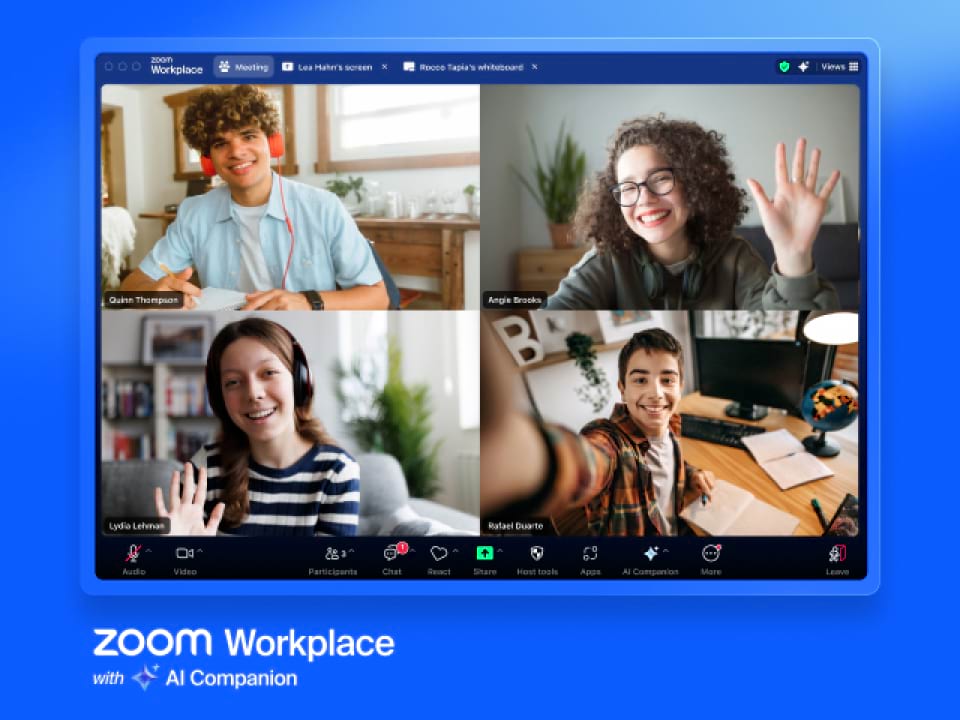
Zoom Workplace Basic vs Pro: the limits that matter to freelancers
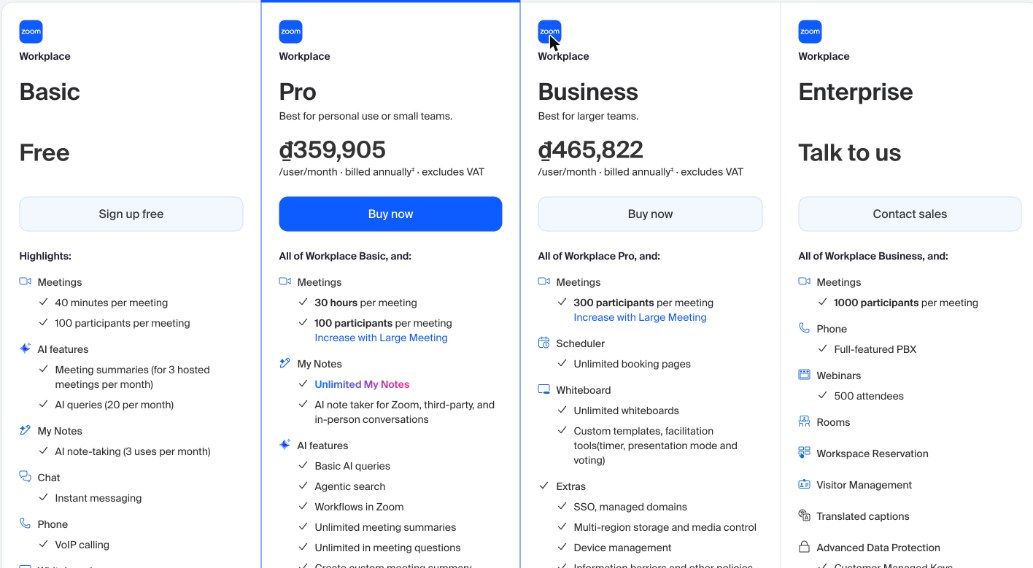
Zoom’s pricing page lists a lot of features. For client work, these are the lines that change your day:
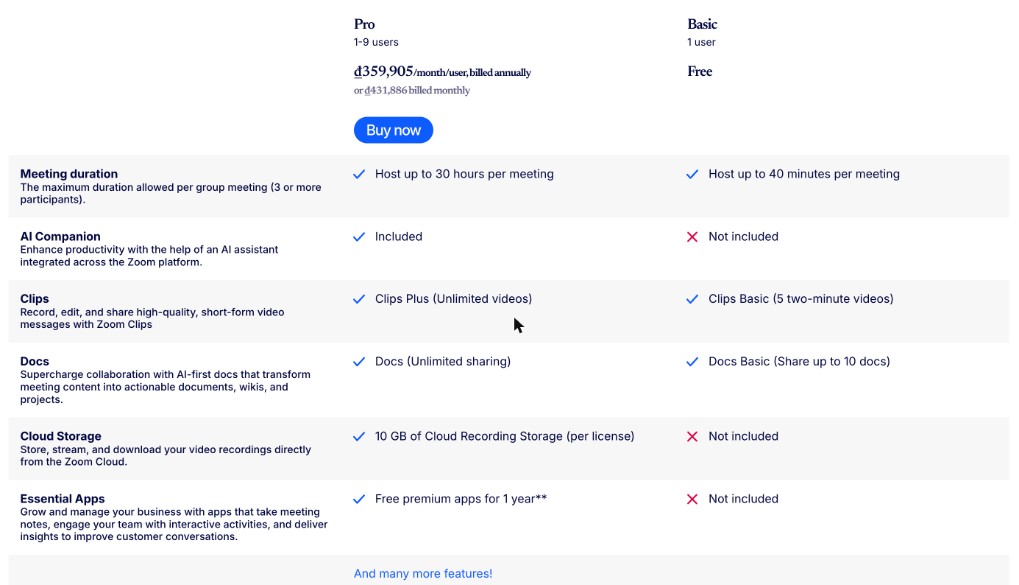
| What you need | Workplace Basic (free) | Workplace Pro |
|---|---|---|
| Meeting length | 40 minutes per meeting | 30 hours per meeting |
| Participants | 100 per meeting | 100 per meeting (more with the Large Meeting add-on) |
| Cloud recording storage | Not included | 10 GB per license |
| AI meeting summaries | For 3 hosted meetings per month | Unlimited |
| AI note-taking (My Notes) | 3 uses per month | Unlimited, for Zoom, third-party and in-person conversations |
| Clips | 5 two-minute clips | Unlimited clips |
| Docs | Share up to 10 docs | Unlimited sharing |
| Users | 1 | 1 to 9 |
One detail on the 40-minute limit is worth reading carefully. Zoom’s Pro vs Basic comparison table describes meeting duration as “the maximum duration allowed per group meeting (3 or more participants)”, while the main pricing page simply says 40 minutes per meeting on Basic. I would plan every free-plan call around 40 minutes, whether it is one client or five, and treat anything longer as a bonus rather than a promise.
What Zoom Workplace Pro costs
Zoom shows prices in local currency, and they exclude VAT. When I checked from Vietnam, Pro was listed at ₫359,905 per user per month billed annually, or ₫431,886 billed monthly. Business, the next tier up, was ₫465,822 per user per month billed annually. Zoom does not publish one global price list, so open its pricing page from your own country before you budget, and remember that local tax comes on top.
Call type 1: The discovery call
A first conversation with a potential client is usually 20 to 30 minutes. That fits inside Basic, and for many freelancers it is the call they have most often.
Where Basic gets awkward is not length but notes. You get AI summaries for three hosted meetings a month and three uses of My Notes. If you take more than three discovery calls a month and rely on AI notes to write proposals, you will hit that cap well before the 40-minute one.
Verdict: Basic is fine for discovery calls if you take notes yourself. If you want an AI summary of every call to turn into a proposal, that alone can justify Pro.
If you book these calls through a scheduling link, my guide to booking links on the Cal.com free plan covers how to keep them short and on-topic.
Call type 2: The weekly client check-in
Weekly or fortnightly check-ins with retainer clients tend to start at 30 minutes and creep upward. Once a client adds a colleague and an agenda item or two, 40 minutes goes quickly, and restarting a meeting in front of a paying client looks unprofessional.
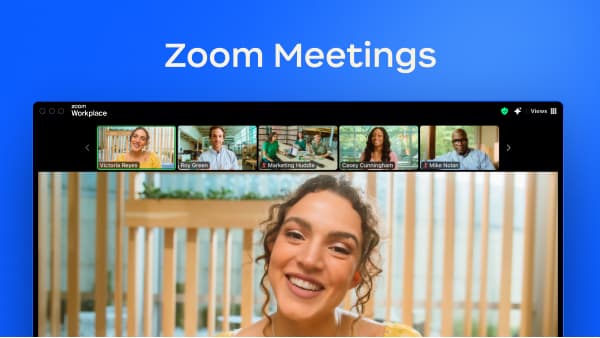
This is the call type that pushes most freelancers to Pro, and the reason is simple: Pro hosts meetings for up to 30 hours each. Nobody needs 30 hours, but removing the clock means the meeting ends when the work is done.
Verdict: If you host recurring calls with clients who run past 40 minutes even occasionally, Pro pays for itself in avoided awkwardness. If clients always host their own calls on their own paid accounts, you may not need it at all, because their plan’s limits apply, not yours.
Call type 3: The recorded workshop or handover
Training a client’s team on a website you built, walking through a brand guide, or handing over an ad account are calls the client will want to rewatch. Here the deciding line is cloud recording storage.
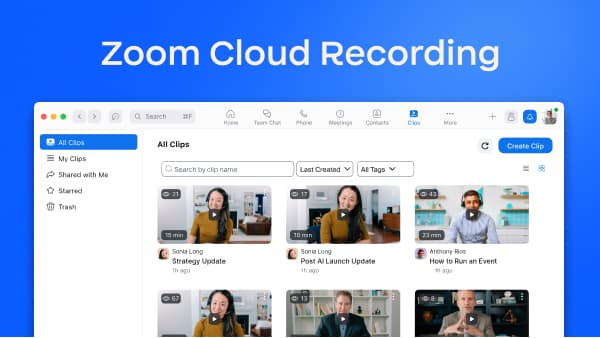
Zoom’s comparison table lists 10 GB of cloud recording storage per license on Pro and none on Basic. Cloud recordings can be stored, streamed and downloaded from the Zoom Cloud, which makes sharing a handover video with a client a matter of sending a link rather than uploading a large file somewhere else.
Ten gigabytes is not unlimited. If you record many long workshops, you will want a routine: download finished recordings, deliver them to the client through your file-sharing tool, and clear space. My pCloud guide for freelancers who deliver big files covers the delivery side of that workflow.
Verdict: If recorded training or handovers are part of what you sell, Pro’s cloud storage is the feature you are paying for.
Call type 4: The group kick-off
Project kick-offs can involve a client’s marketing team, a developer and a designer. Both Basic and Pro allow 100 participants per meeting, so headcount is rarely the issue for a freelancer. Length is: kick-offs with several stakeholders often run an hour or more, which is exactly where Basic’s 40-minute limit bites.
Pro’s AI features also help here. Unlimited meeting summaries and unlimited in-meeting questions mean you can catch up on what was decided without rewatching a recording. Zoom also lists custom meeting summary templates on Pro (eight per month), which is handy if you want every kick-off summary to follow the same structure: goals, deliverables, owners, dates.
Verdict: For occasional kick-offs, Pro is worth it. If you run large webinars for clients rather than meetings, look at Zoom’s webinar products instead; on the main Workplace plans, webinars are listed under Enterprise.
When Pro is the wrong upgrade
Pro is a good fit for most solo freelancers who host their own calls, but there are cases where it is not the right spend:
- Your clients always send the link. If clients host on their own paid Zoom, Teams or Meet accounts, their limits apply. Paying for Pro only matters for meetings you host.
- You need scheduling built in. Zoom lists unlimited booking pages under Scheduler on the Business plan, not Pro. A separate booking tool may be cheaper than jumping to Business.
- You work with a small team that needs admin controls. Business adds things like SSO, managed domains and device management. Pro covers 1 to 9 users, but it is designed for personal use and small teams rather than managed organisations.
- You need more than 100 people in a meeting. Business raises it to 300 participants per meeting; Pro needs the Large Meeting add-on.
- Your client email lives elsewhere. Pro includes Zoom Mail and Zoom Calendar, but if your business email already runs on another platform, those extras add little. My Google Workspace guide for freelancers covers that setup.
A simple decision rule
Count the calls you hosted last month and sort them into the four types above:
- If every call you host is under 40 minutes and you take your own notes, stay on Basic.
- If you host any recurring client call that can run past 40 minutes, move to Pro.
- If you want AI summaries of more than three calls a month, move to Pro.
- If you deliver recorded training or handovers, move to Pro for the cloud storage.
- If you need unlimited booking pages, unlimited whiteboards or SSO, compare Business before upgrading.
Zoom’s pricing page also offers annual billing at a lower monthly equivalent. Since most freelancers who upgrade keep the plan for the whole year, I would pay monthly for the first month or two to confirm you really use the longer meetings, then switch to annual.
Check Zoom Workplace plans and local pricing on Zoom’s website
FAQ
How long can a meeting be on Zoom Workplace Basic?
Zoom’s pricing page lists 40 minutes per meeting on Basic. Its Pro vs Basic table describes this as the limit for group meetings with three or more participants. Plan for 40 minutes.
How long can a meeting be on Zoom Workplace Pro?
Up to 30 hours per meeting, with up to 100 participants (more with the Large Meeting add-on).
Does Zoom Workplace Pro include cloud recording?
Yes. Zoom lists 10 GB of cloud recording storage per license on Pro. Basic does not include cloud storage.
How much does Zoom Workplace Pro cost?
Zoom shows prices in local currency, excluding VAT. From Vietnam, Pro was ₫359,905 per user per month billed annually or ₫431,886 billed monthly when I checked. Check Zoom’s pricing page from your own country.
Is Zoom Workplace Pro worth it for a freelancer?
It is worth it if you host client calls that run past 40 minutes, want AI summaries of more than three meetings a month, or deliver recorded workshops. If clients always host the calls, you may not need it.