Disclosure: some links on this page may be affiliate links. If you sign up through them I may earn a commission at no extra cost to you.
Most freelancers sell time one invoice at a time. A prospect asks for “a quick call to pick your brain,” you agree, and an hour of expertise leaves the building for free. The alternative is to put a price on that call and let people book and pay for it on their own. If you want to sell coaching on Payhip, you can do exactly that, and you can sell the templates, checklists and mini-courses that naturally grow out of those calls from the same store.
This guide is not a general Payhip review. It covers one setup: a paid strategy call as the front door, a digital product as the follow-up, and the fee math that decides which Payhip plan you should be on. Every price and feature below comes from Payhip’s own pricing and feature pages.
Start selling on Payhip for free
Why sell coaching on Payhip instead of invoicing for calls
Invoicing works for projects. It works badly for small, repeatable sessions. Each call means a quote, an invoice, a payment reminder and a calendar back-and-forth. A product page with a fixed price removes all four steps: the client reads what they get, pays, and books.
Payhip is a store builder for digital products, and its feature pages list coaching alongside digital downloads, online courses, memberships and physical products. For a freelancer, the useful part is not any single feature. It is that the call and the products it inspires can live in one place, under one checkout, with one set of tax rules handled for you.
What Payhip’s coaching feature actually includes
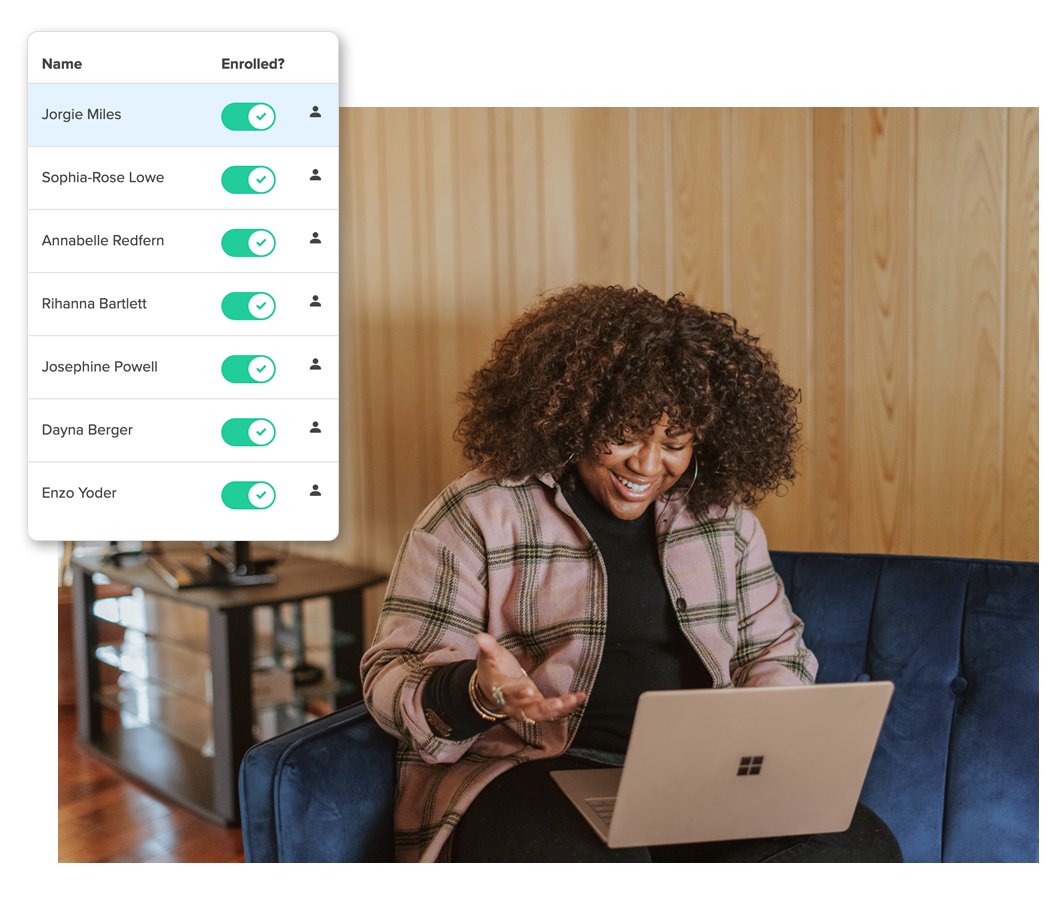
According to Payhip’s “Sell coaching” page, the coaching system lets you schedule meetings, set up video calls, share upcoming events and communicate with clients from one place. Payhip says it integrates directly with Calendly for scheduling and Zoom for video calls, and that you can connect other services instead.
That is a light-touch setup, which suits most freelancers. Payhip handles the sale and the client relationship; your existing calendar and video tools handle the meeting itself. If you already use Zoom for client calls, my guide on when Zoom Workplace Pro pays off for a freelancer covers the meeting side. If you prefer an open-source booking tool, the Cal.com free plan booking links I set up earlier can sit next to a Payhip product as the “other service” Payhip mentions.

The setup: one paid call, one follow-up product
Here is the structure I would build. It takes an afternoon and does not require a website of your own, because Payhip includes a store builder.
1. Define the call as a product, not as time
“60-minute consultation” sells poorly. “Landing page teardown: a 45-minute call plus a written list of fixes” sells better, because the buyer knows the outcome. Write the product page around the problem you solve, what happens before the call (a short intake form or a link to review), what happens during it, and what the client walks away with.
2. Connect scheduling and video
Use the Calendly or Zoom integration, or another service you already use. The goal is that a paying client never has to email you to find a time.
3. Build the follow-up product from your call notes
After ten calls on the same topic, you will notice that you repeat the same advice. That repetition is a product: a checklist, a template pack, a swipe file or a short course. Payhip lets you sell digital downloads and online courses from the same store, so the product can sit right next to the call.
4. Link the two with a discount
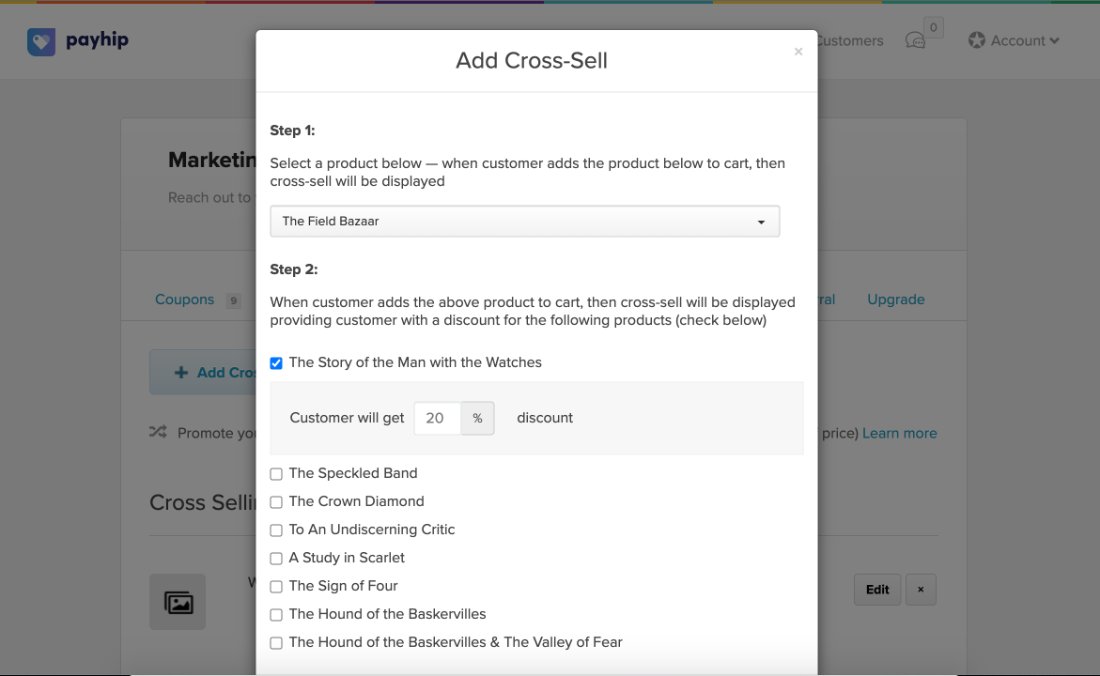
Payhip’s marketing tools include cross-selling and upsells, which it describes as promoting additional products to buyers with the incentive of a discount. Offer call buyers a discount on the template pack, or offer template buyers a discount on a call. Either direction turns a single sale into a small funnel.
5. Add a launch coupon
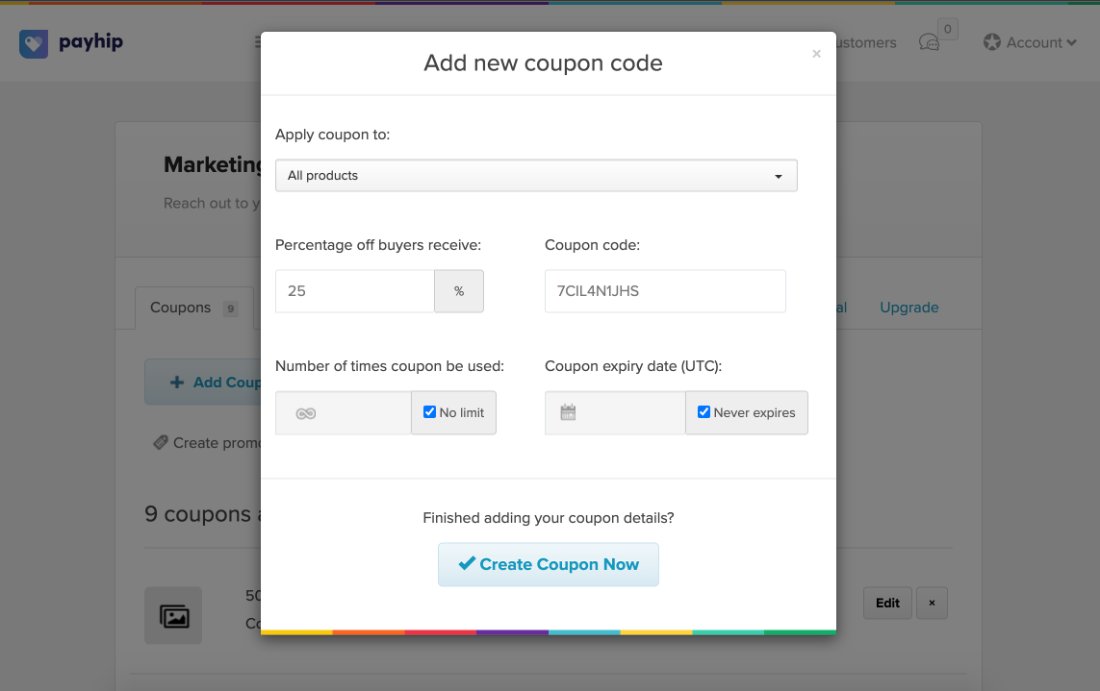
Payhip’s coupon tool lets you limit how often a code is used, apply it to specific products and set an expiry date. A limited coupon for your newsletter or past clients is an easy way to get the first few bookings and testimonials.
Create your coaching product on Payhip
Payhip pricing: what you actually pay per sale
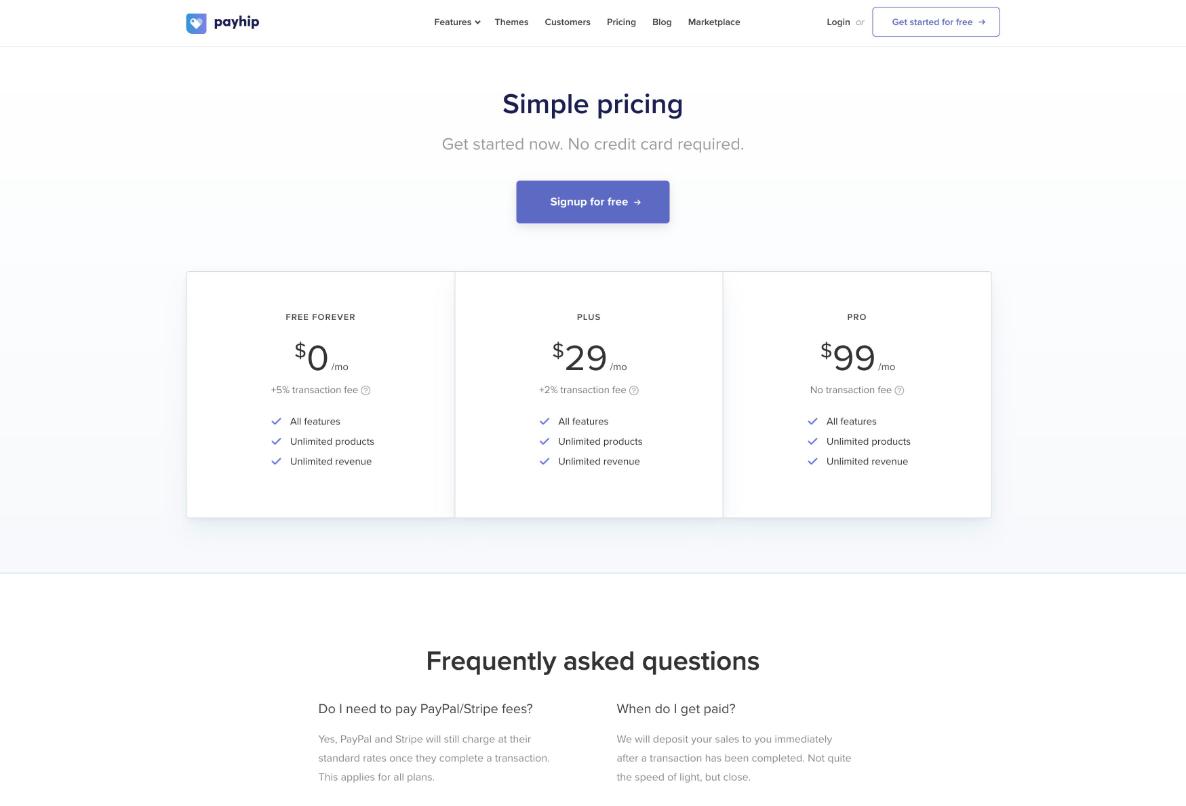
Payhip’s pricing is unusual: every plan has the same features. The plans differ only in the monthly fee and the transaction fee Payhip keeps.
| Plan | Monthly price | Payhip transaction fee |
|---|---|---|
| Free Forever | $0 | 5% |
| Plus | $29 | 2% |
| Pro | $99 | 0% |
Payhip also states that PayPal and Stripe still charge their standard processing fees on every plan, so those come on top. Customers can pay by PayPal or card, and Payhip says sales are deposited to you right after a transaction completes.
The break-even points
Because the features are identical, the plan choice is pure arithmetic. Ignoring payment processor fees, which apply equally on every plan:
- Free vs Plus: Plus saves 3% of sales and costs $29. It pays off once your Payhip sales pass about $967 a month.
- Plus vs Pro: Pro saves another 2% and costs $70 more. It pays off once sales pass $3,500 a month.
Some quick examples for a freelancer selling a $150 strategy call:
| Monthly Payhip sales | Free (5%) | Plus ($29 + 2%) | Pro ($99) |
|---|---|---|---|
| 4 calls = $600 | $30 | $41 | $99 |
| 8 calls = $1,200 | $60 | $53 | $99 |
| 20 calls = $3,000 | $150 | $89 | $99 |
| 30 calls = $4,500 | $225 | $119 | $99 |
For most freelancers testing paid calls, Free is the right start. Move to Plus when you are reliably selling around $1,000 a month through Payhip, and only think about Pro when your store alone is past $3,500 a month. Count template and course sales too, since the fee applies to everything in the store.
Taxes: the quiet reason to use a platform
Selling digital products and services online to international buyers can create VAT and sales tax obligations. Payhip says it automatically collects, reports and remits digital EU and UK VAT as well as US and Canadian sales tax on your behalf, and lets you set up other taxes that it reports to you. Check how this applies to your own situation and your coaching product type with an accountant, but for small digital products it removes a real headache.
Payhip vs Gumroad for this setup
I covered Gumroad for a similar idea in turning client leftovers into a paid download. If your plan is only a downloadable product, both work. Payhip’s case for freelancers is the coaching product type with Calendly and Zoom integrations, the cross-sell and coupon tools, and a pricing model where every feature is available on the free plan. Compare current fees on both sites before you decide, since a few percentage points matter more than any single feature at small volumes.
When this setup is not right for you
- Your calls are part of a larger project. If a call leads into a custom quote, invoice it with the project instead.
- You need complex packages. Multi-session programmes with custom schedules may fit a dedicated client portal better.
- You only sell a few calls a year. A simple payment link may be enough. My guide to Stripe Invoicing without a website covers that route.
Verdict
If you want to sell coaching on Payhip as a freelancer, the strongest use is not the call on its own. It is the pairing: a clearly scoped paid call at the front, a template or mini-course built from what you keep repeating, and a discount linking the two. Start on the free plan, track your monthly sales, and switch plans at roughly $967 and $3,500 a month. Everything else is the same on every tier.
FAQ
Can I sell coaching on Payhip for free?
Yes. Payhip’s Free Forever plan includes all features, including coaching, with a 5% transaction fee on sales. PayPal or Stripe processing fees apply on top.
Does Payhip integrate with Calendly and Zoom?
Payhip’s coaching page says it integrates directly with Calendly for scheduling and Zoom for video calls, and that you can connect other services.
Which Payhip plan should a freelancer choose?
Since all plans have the same features, choose by sales volume. Plus beats Free above about $967 a month in sales, and Pro beats Plus above $3,500 a month.
Does Payhip handle VAT?
Payhip says it collects, reports and remits digital EU/UK VAT and US/Canadian sales tax on your behalf.
When do I get paid on Payhip?
Payhip states that sales are deposited to you immediately after a transaction is completed through PayPal or Stripe.
Can I sell templates and calls in the same Payhip store?
Yes. Payhip supports digital downloads, online courses, coaching, memberships and physical products in one store.