Disclosure: some links on this page may be affiliate links. If you sign up through them I may earn a commission at no extra cost to you.
Almost every freelancer starts the same way: a client asks for a phone number, you give them your personal cell, and a few months later that number lives on invoices, contracts, Google profiles and a dozen phones you will never control. Quo, the business phone app formerly known as OpenPhone, is one of the simplest ways to separate the two. This guide covers Quo for freelancers working alone: what the Starter plan includes, the setup steps worth doing on day one, and the small costs that are easy to miss.
I am not going to compare every plan feature by feature. Instead, think of this as a setup checklist for one person with one business number, written from the official Quo pricing page as it stands today.
What Quo Is, in Plain Terms
Quo gives you an additional phone number that runs over the internet on top of the devices you already own. You download the app on iOS or Android, or use it on desktop and the web, and make and receive calls and texts from your business number. According to Quo’s FAQ, it does not use your phone plan’s minutes; it uses Wi-Fi or mobile data. When you call a client, they see your Quo number, and your personal number stays private.
Quo for Freelancers: Which Plan a Solo Business Needs
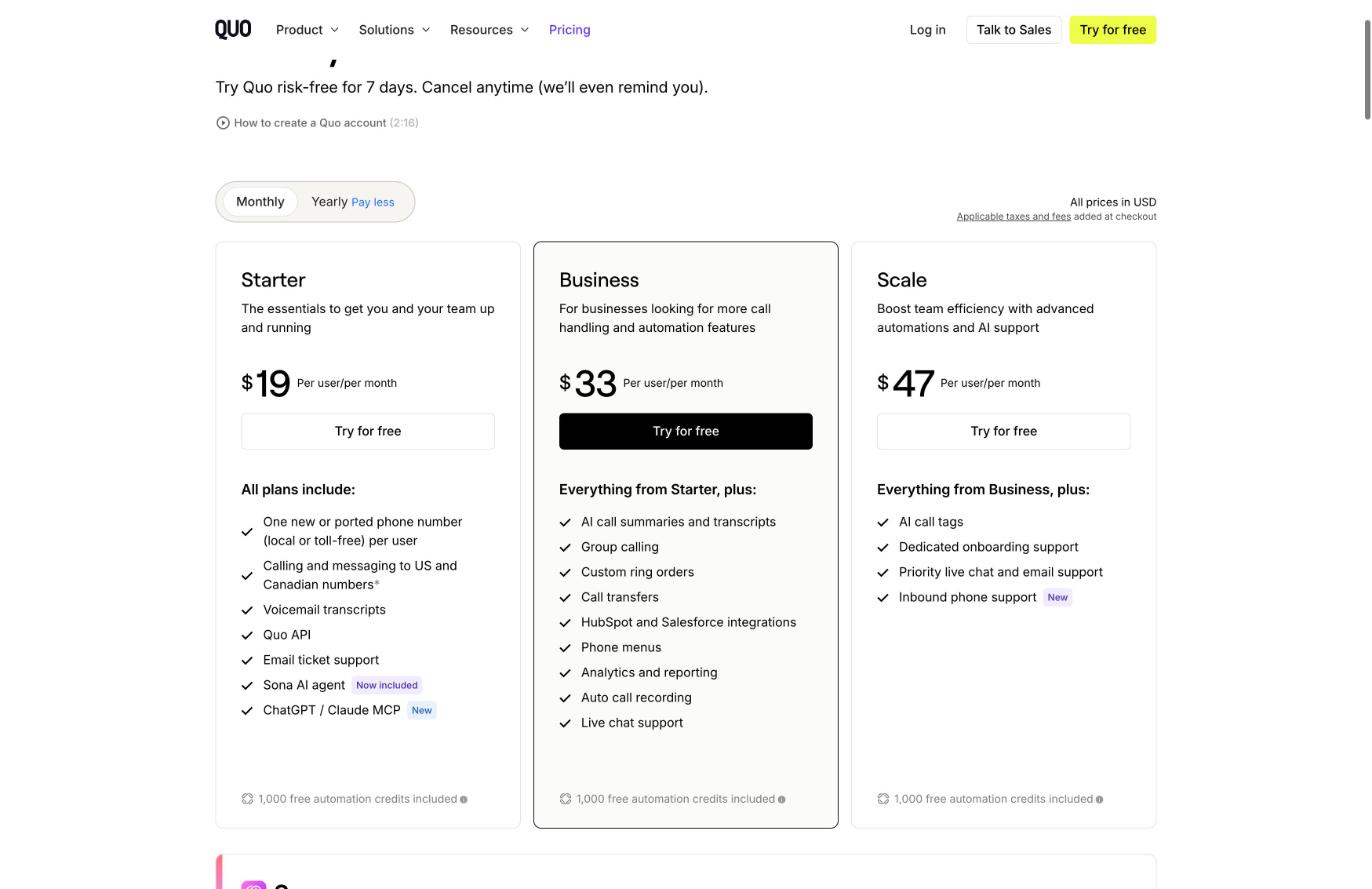
Quo has three self-serve plans, all priced per user. As a solo freelancer you are one user, so the price on the card is your whole subscription before add-ons.
| Plan | Monthly billing | Yearly billing |
|---|---|---|
| Starter | $19 per user/month | $15 per user/month, billed $180 a year |
| Business | $33 per user/month | $23 per user/month, billed $276 a year |
| Scale | $47 per user/month | $35 per user/month, billed $420 a year |
Every plan comes with a 7-day free trial, and Quo says you can cancel at any time from the app without calling anyone.
What Starter already covers
For most solo freelancers, Starter is enough. Quo lists these features on every plan:
- One new or ported phone number per user, local or toll-free.
- Unlimited calling and messaging to US and Canadian numbers, subject to Quo’s fair use policy.
- Voicemail transcripts.
- The Quo API and a ChatGPT / Claude MCP connection.
- Sona, Quo’s AI agent that can answer calls, with 1,000 automation credits included.
- Email ticket support.
The comparison table also shows everyday tools that matter to one-person businesses on every plan: business hours that mute notifications after work, auto-replies to texts, missed calls and voicemails, scheduled messages, snippets for replies you send often, contact notes, and basic call forwarding to another US or Canadian number.
When Business is worth the extra cost
Business adds AI call summaries and transcripts for all calls, automatic call recording, phone menus, call transfers, group calling, analytics and reporting, HubSpot and Salesforce integrations, and live chat support. On Starter, Quo says AI summaries and transcripts are only available for calls handled by Sona, and call recording is manual.
My rule: if you bill by the hour for client calls and want an automatic written record of every conversation, Business can pay for itself. If calls are mostly short check-ins and you take your own notes, Starter is the sensible choice.
The Day-One Setup Checklist
Here is the order I would set things up in, so the new number is useful from the first client call.
1. Decide: new number or ported number
If clients already have a number for you, you can port it. Quo says its team helps transfer your existing number for free and that most customers do not experience service disruptions. If you have been using your personal cell for business, though, porting it means losing your personal number to the business. In that case, get a new local number for clients and keep your cell private going forward.
2. Register for texting before you need it
This is the step freelancers skip. To deliver texts reliably to AT&T, T-Mobile and Verizon, Quo requires you to register your business with The Campaign Registry (TCR). Quo’s pricing page lists a $19.50 one-time review fee and a monthly messaging fee of $1.50 to $3 depending on your use case. Neither is part of the plan price, so add them to your budget, and start the registration early because it involves a manual review.
3. Set business hours and auto-replies
Set your working hours so business notifications go quiet in the evening, then write two short auto-replies: one for missed calls and one for after-hours texts. A simple “Thanks, I reply to messages between 9 and 5 on weekdays” sets expectations without you touching your phone.
4. Record a voicemail greeting and check transcripts
Voicemail transcripts are included on all plans, so you can scan a message during a meeting instead of listening to it. Test it once by calling your own number.
5. Save snippets for repeat messages
Most freelancers send the same five texts every week: a booking link, payment details, a “running five minutes late” note, a file-received confirmation and a thank-you. Save them as snippets. If you share booking links, my guide to booking links on the Cal.com free plan pairs well with this.
Sona and Automation Credits: How Far the Free Allowance Goes
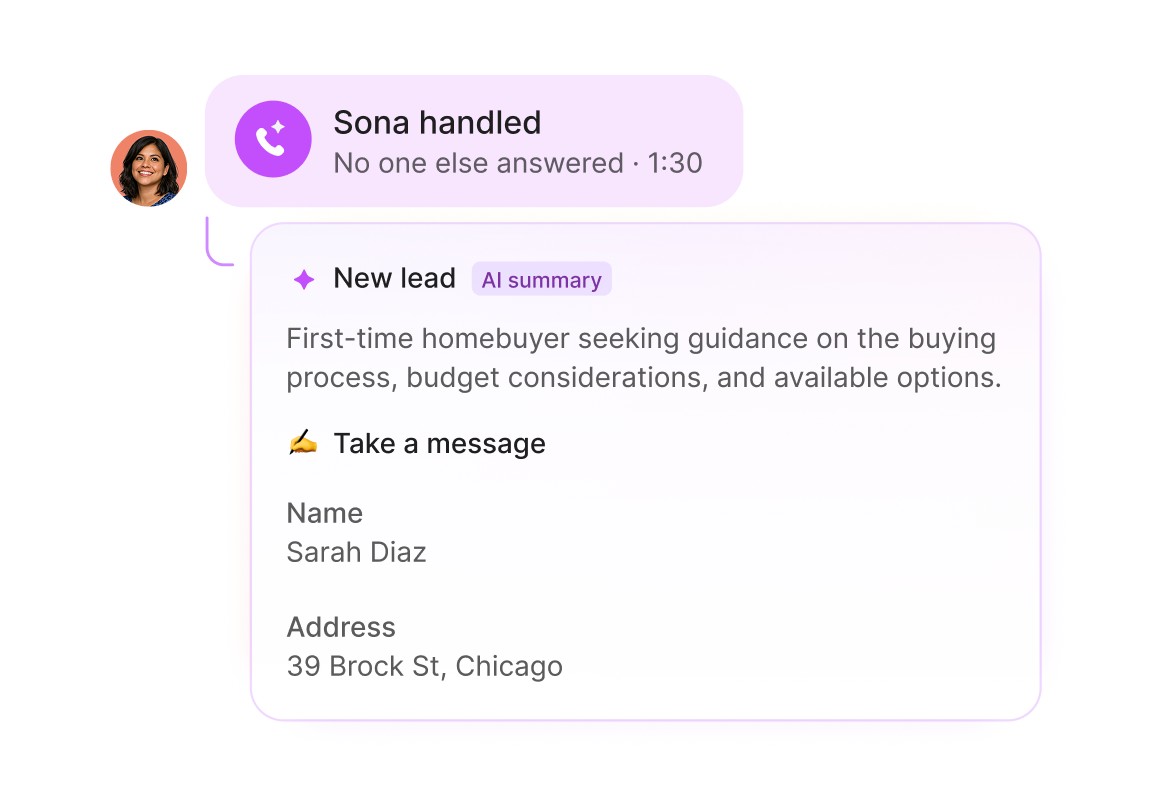
Sona is Quo’s AI agent that answers calls around the clock, which can be useful when you are heads-down on client work. Every plan includes 1,000 automation credits, and Quo counts one call as 100 credits, so the included allowance covers about 10 Sona-handled calls a month.
If you need more, Quo sells credit tiers:
| Tier | Price | Included credits | Overage per call |
|---|---|---|---|
| Tier 1 | $0/mo | 1,000 (10 calls) | $1.00 |
| Tier 2 | $25/mo | 4,000 (40 calls) | $0.75 |
| Tier 3 | $49/mo | 10,000 (100 calls) | $0.65 |
| Tier 4 | $99/mo | 25,000 (250 calls) | $0.55 |
| Tier 5 | $199/mo | 60,000 (600 calls) | $0.45 |
For a freelancer, the practical approach is to switch Sona on only for after-hours or busy blocks, watch the count for a month, and then decide whether a paid tier makes sense. Ten calls a month is plenty for many solo businesses; a freelancer running paid ads to a phone number may burn through it in a week.
Costs That Sit Outside the Plan Price
Before you commit, list the small extras Quo publishes on its pricing page:
- Extra phone numbers: $5 per month each, useful if you want a separate number for a second business or a toll-free line.
- Texting registration: $19.50 one-time, plus $1.50 to $3 per month.
- International calls and texts: US and Canadian numbers are included; other countries are billed per minute or per message using credits.
- Automated SMS via the API, Zapier or Make: 1 cent per outgoing segment.
- Taxes and fees are added at checkout.
For a solo freelancer on Starter with yearly billing, the realistic first-year cost is the $180 plan plus the one-time $19.50 registration and the monthly messaging fee, before any extra numbers or credits.
One Limitation to Know: 2FA Codes
Quo’s own FAQ notes that many services do not allow virtual numbers for two-factor authentication during registration or verification. Quo recommends keeping your personal number for account sign-ups and using Quo for everything else. In practice: keep your bank, email and payment platform logins on your personal number, and put Quo on your website, invoices and proposals.
Connecting Quo to the Rest of Your Stack
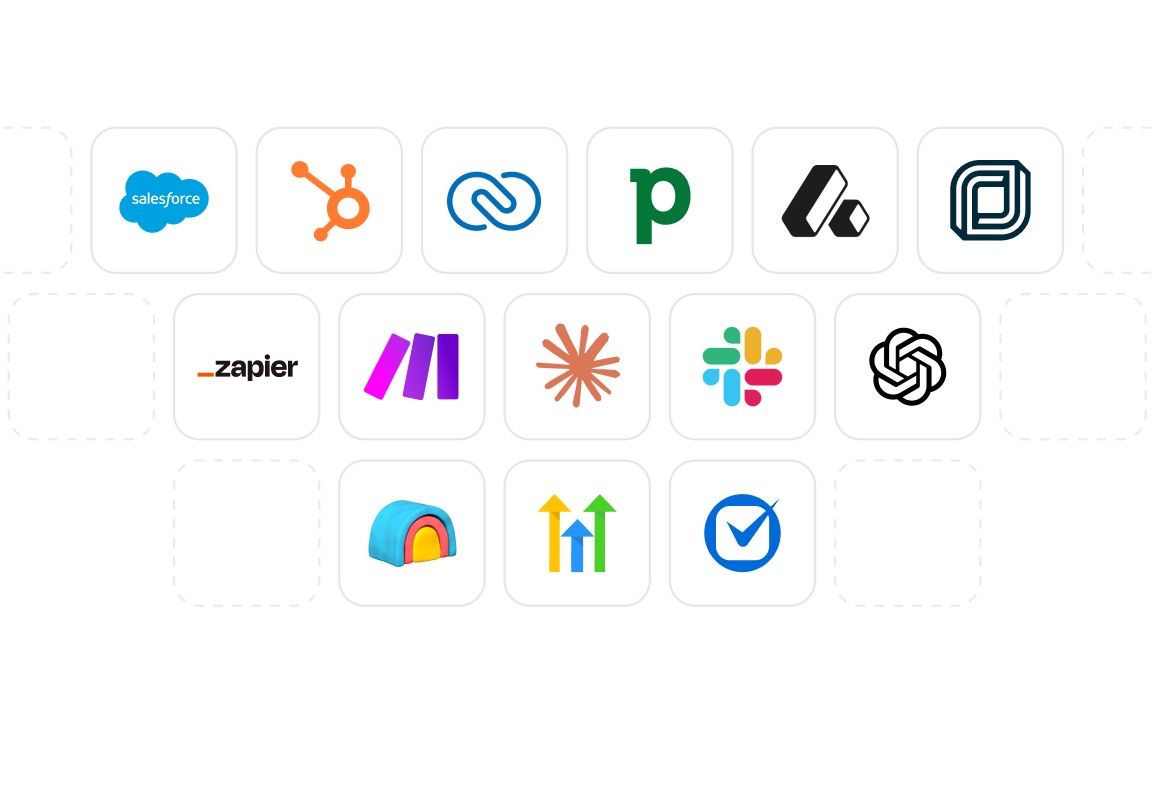
Quo lists integrations with email notifications, Slack, Zapier and Make, Google Contacts and webhooks, plus CRM connections such as HubSpot, Salesforce, Zoho CRM, Pipedrive and Attio. For a freelancer, importing Google Contacts is the quick win, so known clients show up by name. If your business email runs on Google Workspace, my walkthrough on setting up Google Workspace for freelancers with one user and several aliases follows the same idea: one professional identity, kept separate from your personal accounts.
Is Quo Right for Your Freelance Business?
Quo makes sense if clients call or text you regularly, you work from one device but want two identities on it, and most of your clients are in the US or Canada. It is less compelling if clients rarely phone you, or if most of your calls are international, because those are billed separately.
For a solo freelancer, start on Starter during the 7-day trial, register for texting straight away, set business hours and auto-replies, and test Sona on the included credits. Upgrade to Business only if you find yourself wanting automatic recordings and summaries of every client call.
Get a business number with Quo
FAQ
Is Quo the same as OpenPhone?
Yes. Quo is the current name of the business phone service formerly called OpenPhone, and its pricing page still refers to OpenPhone in places.
How much does Quo cost for one freelancer?
Starter is $19 per user per month on monthly billing, or $15 per month billed $180 a year. As a solo user, that is your plan price before add-ons such as extra numbers or texting registration fees.
Does Quo use my mobile minutes?
No. Quo says it runs over your internet connection, Wi-Fi or mobile data, rather than your phone plan’s minutes.
Can I keep my existing business number?
Yes. Quo says it helps port numbers from other carriers for free, though additional phone number costs still apply if you add more than the one included per user.
Can I use my Quo number for two-factor authentication codes?
Often not. Quo notes that many services do not accept virtual numbers for 2FA registration and recommends using your personal number for that.