
Disclosure: some links on this page may be affiliate links. If you buy through them I may earn a commission at no extra cost to you. Prices below were checked on Superhuman’s official pricing pages today.
For most freelancers, email is not one tool among many. It is the office. Proposals go out by email, clients approve by email, invoices get chased by email, and half the calendar is set up in reply threads. So when people ask me whether a premium email client is worth paying for, my answer is usually “maybe, if it changes how you work in the place you already spend the most time”.
Superhuman Mail is the best-known paid email client for Gmail and Outlook users, and its pricing has changed shape since it became part of the wider Superhuman suite alongside Grammarly, Docs and Go. There are now two ways to get the mail app as an individual: a mail-only Starter plan and a suite-wide Business plan. This post compares the two from the point of view of a one-person business, because for a freelancer the right choice depends less on features and more on which other tools you already pay for.
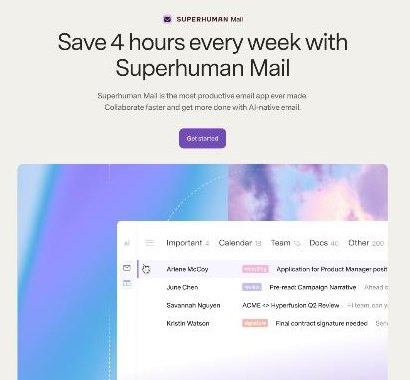
What Superhuman Mail Does, Briefly
Superhuman Mail is an email app that sits on top of your existing Gmail or Outlook account. You keep your address and your provider; Superhuman replaces the interface you use to read, sort and answer mail. The official page describes it as built for teams that use Gmail or Outlook and claims it saves users four hours a week, which is the company’s own figure rather than something I can verify.
The features the product page highlights are the ones that matter to a freelancer:
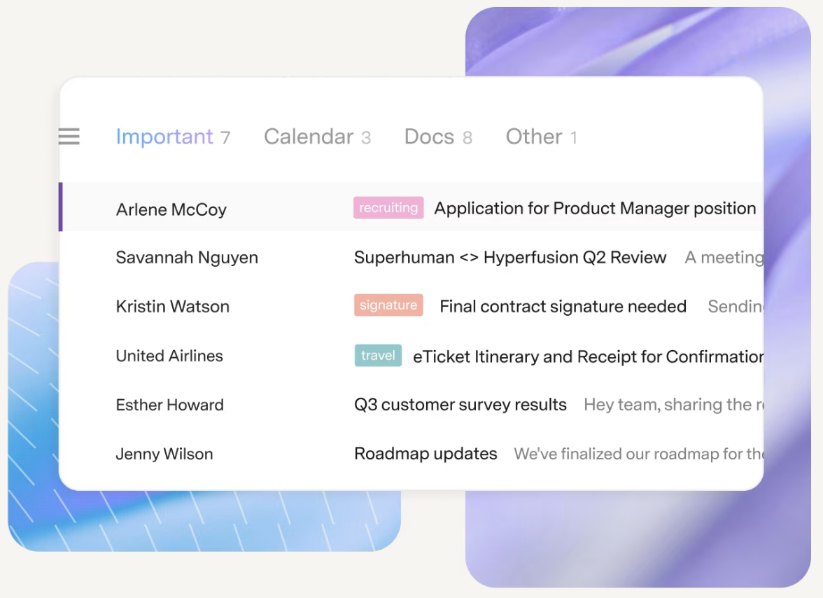
- Split Inbox separates email from chosen senders or tools (your VIP clients, Google Docs comments, Notion, Asana) into their own tabs, so client mail does not drown under notifications.
- Remind Me lets you choose a follow-up time when you send, for example two days, and reminds you if there is no reply.
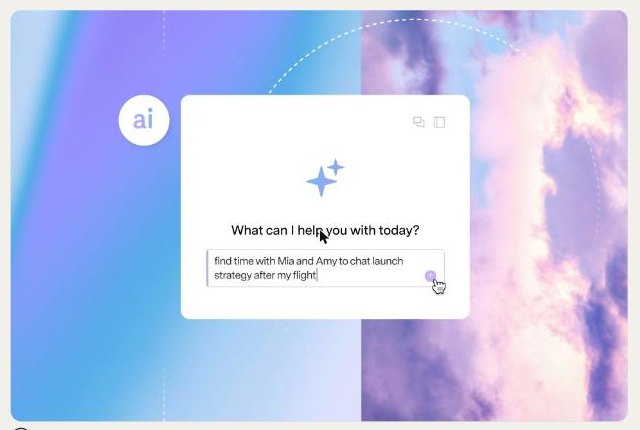
- Superhuman AI organises the inbox and drafts replies; on higher plans it can draft and send fully written emails if you allow it.
- Shared conversations and comments let you share a live view of a thread with someone else, who can comment even without Superhuman.
Superhuman Mail Pricing, Checked Today
Superhuman has two pricing pages that are easy to confuse: one for the whole suite and one for Mail only. Here is what each showed when I checked.
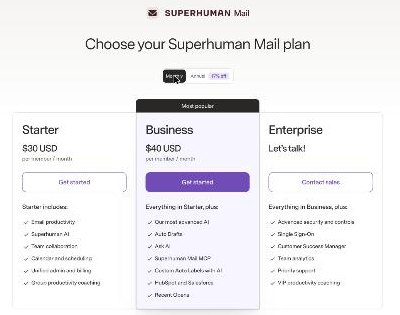
Mail-only plans
| Plan | Billed annually | Billed monthly | What it adds |
|---|---|---|---|
| Starter | $25 per member / month | $30 per member / month | Email productivity, Superhuman AI, team collaboration, calendar and scheduling, unified admin and billing, group productivity coaching |
| Business | $33 per member / month | $40 per member / month | Everything in Starter, plus the most advanced AI, Auto Drafts, Ask AI, Superhuman Mail MCP, Custom Auto Labels with AI, HubSpot and Salesforce, Recent Opens |
| Enterprise | Contact sales | Advanced security, SSO, customer success manager, team analytics, priority support | |
Suite plans
On the suite page, the Free plan ($0) and Pro plan ($12 per member per month annually, $15 monthly) include Grammarly, Docs and Go, but not Mail. Mail first appears in Business, at the same $33 annually or $40 monthly, and Business there includes Mail, Grammarly, Docs and Go together.
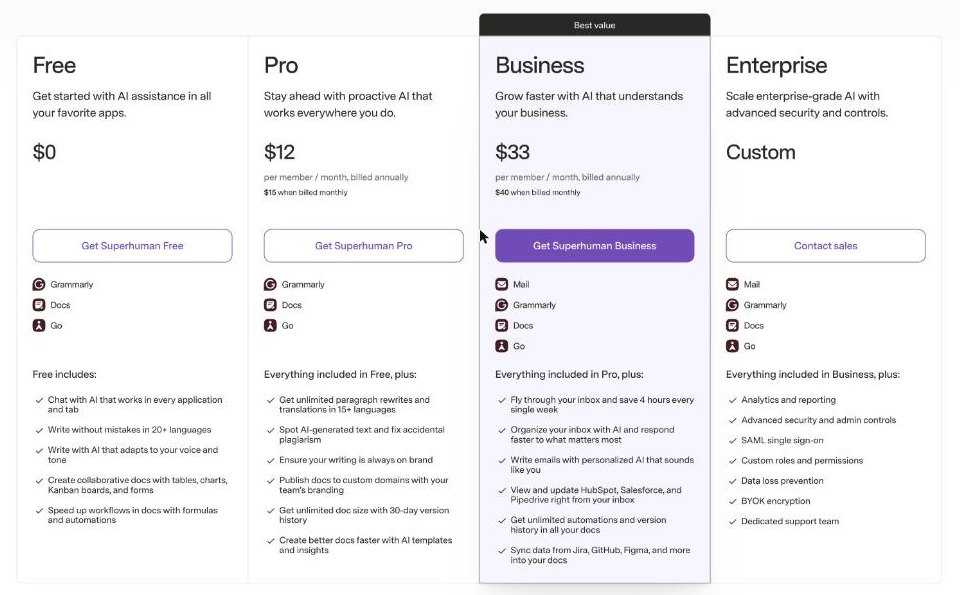
That is the detail that makes this a real decision for freelancers. The gap between Mail Starter and Business is $8 a month on annual billing. Business adds the stronger AI features in Mail, and, according to the suite page, it also brings in Grammarly, Docs and Go at the Business level.
Starter or Business? Three Freelancer Profiles
Instead of comparing every row of the feature table, here is how I would think about it for three kinds of one-person businesses I see often.
Profile 1: You only want a faster inbox
You answer a steady stream of client mail, you want keyboard-driven speed, Split Inbox and follow-up reminders, and you already have a writing tool you like. Starter fits. It includes the core email productivity features, Superhuman AI, and calendar and scheduling. At $25 a month annually, it is the cheapest way into Superhuman Mail.
Profile 2: You write a lot of email and already pay for Grammarly
This is where the maths changes. If you currently pay separately for a Grammarly plan, check what you would drop. The suite page lists Grammarly as part of Business, so moving to Business could replace one subscription with another, with Mail included. I cannot tell you the exact saving because it depends on what you pay today and whether your current Grammarly plan matches what Business includes. But it is the first comparison I would run. I wrote about Grammarly separately in my piece for non-native English speakers, and the same logic applies here: the writing help matters most when English is not your first language.
Profile 3: You run a small client pipeline from the inbox
If you track leads in HubSpot, Salesforce or Pipedrive, the suite page lists CRM integrations (read-only for Pipedrive) at Business, and the Mail plan page lists HubSpot and Salesforce under Business. You also get Auto Drafts, Ask AI and Custom Auto Labels with AI. If an inbox that drafts replies and labels incoming leads is the point, Business is the plan to try.
How I Would Set It Up Around Clients
Whichever plan you choose, the value for a freelancer comes from a few setup decisions rather than from the app itself.
- Make one split per active client. Split Inbox is built for this: put your current clients’ domains into their own lane so nothing from a paying client sits under newsletters.
- Use Remind Me on every proposal and invoice. Set a reminder when you send. If the client does not reply in the time you chose, it comes back to you, and you stop keeping a mental list of who owes you an answer.
- Turn repeated replies into snippets. Superhuman lists snippets among its productivity features. If you already use a text expander, keep it for things outside email; I covered that in my TextExpander setup.
- Share threads instead of forwarding. When you work with a subcontractor or virtual assistant, share the live conversation so they can comment without you forwarding every reply.
Where Superhuman Mail Is Not the Right Fit
- You use an email provider other than Gmail or Outlook. The product is built for those two. If you are on a privacy-first provider, look at that provider’s own apps instead; I compared plans in my Proton Mail post.
- Your email volume is low. If you get a handful of client emails a day, the default Gmail or Outlook app is probably enough, and the subscription is hard to justify.
- You want one inbox for every app. Superhuman is an email client. If what you need is a single list of tasks from email, Slack and your project tool, a universal inbox like Akiflow solves a different problem.
- You need a free tier for email. The suite’s Free and Pro plans do not include Mail, so there is no free way to use the Superhuman email app.
A Quick Cost Check for a Year
For a solo freelancer paying annually, the numbers from the official pages are straightforward:
- Mail Starter: $25 x 12 = $300 per year.
- Business: $33 x 12 = $396 per year.
- On monthly billing: Starter $360 and Business $480 over twelve months.
A simple way to judge it: if the app saves you even one billable hour a month, Starter pays for itself at most freelance rates. Whether it actually saves that time depends on how much of your day is spent in the inbox, so run the comparison against your own hours rather than the marketing claim.
See Superhuman’s current plans on the official site.
Pros and Cons
Pros
- Works on top of your existing Gmail or Outlook account
- Split Inbox and Remind Me map well to client email and follow-ups
- Mail-only Starter plan is a cheaper entry point than the full suite
- Business bundles Mail with Grammarly, Docs and Go
- Shared conversations help when you work with subcontractors
Cons
- No free plan includes the email app
- The strongest AI features (Auto Drafts, Ask AI) are Business-only
- Only for Gmail and Outlook accounts
- Two pricing pages (suite and Mail-only) make the choice confusing
Verdict
Superhuman Mail makes sense for freelancers whose work really does run through email. If you only want speed, Split Inbox and reminders, Mail Starter is the plan to try. If you also pay for a writing tool, or you want the inbox to draft and label for you, price out Business against what you already spend, because the bundle can change the answer. Either way, decide on your own email volume and hourly rate, not on the four-hours-a-week headline.
FAQ
How much does Superhuman Mail cost?
The Mail-only Starter plan is $25 per member per month billed annually or $30 monthly. Business is $33 per member per month billed annually or $40 monthly. Enterprise is priced through sales.
Is there a free version of Superhuman Mail?
No. Superhuman’s Free and Pro suite plans include Grammarly, Docs and Go, but Mail is only included from Business upward, or through the Mail-only Starter plan.
Does Superhuman Mail work with Gmail and Outlook?
Yes. Superhuman says the app is built for people and teams using Gmail or Outlook. You keep your existing account and address.
What is the difference between Superhuman Mail Starter and Business?
Business adds Superhuman’s most advanced AI, Auto Drafts, Ask AI, Superhuman Mail MCP, Custom Auto Labels with AI, HubSpot and Salesforce integrations, and Recent Opens. On the suite page, Business also includes Grammarly, Docs and Go.
Is Superhuman Mail worth it for a solo freelancer?
It can be if email is where you spend most of your working day. If your inbox is light, the default Gmail or Outlook apps are usually enough.