Basecamp now sells a plan with “Freelancer” in its name. At $29 a month it sits between the one-project free tier and the $79 Pro plan, and its tagline on the pricing page is “Get organized, impress your clients.” It is easy to read that and assume it was built exactly for you. Maybe it was. But two numbers on that plan decide whether it works for your business, and neither of them is the price: three active projects and five users.
The second number is the one people misread. Basecamp’s own pricing FAQ answers the question directly: clients, contractors and guests are included in the user count. Every person you add counts. So before choosing the Basecamp Freelancer plan, do a headcount of your actual client work. This guide walks through that count, shows where each Basecamp tier stops making sense for a solo business, and covers the features the Freelancer plan leaves out.
What the Basecamp Freelancer plan includes
According to Basecamp’s pricing page, the Freelancer plan costs $29 per month and includes:
- Up to 3 active projects. Archived or deleted projects do not count against the total.
- 10 GB of storage
- 5 users maximum, with no per-user fees
- “Bring your own AI agents”, with CLI access and skills for agents you run on your computer
- ChatGPT and Claude AI connectors
- 24/7/365 support
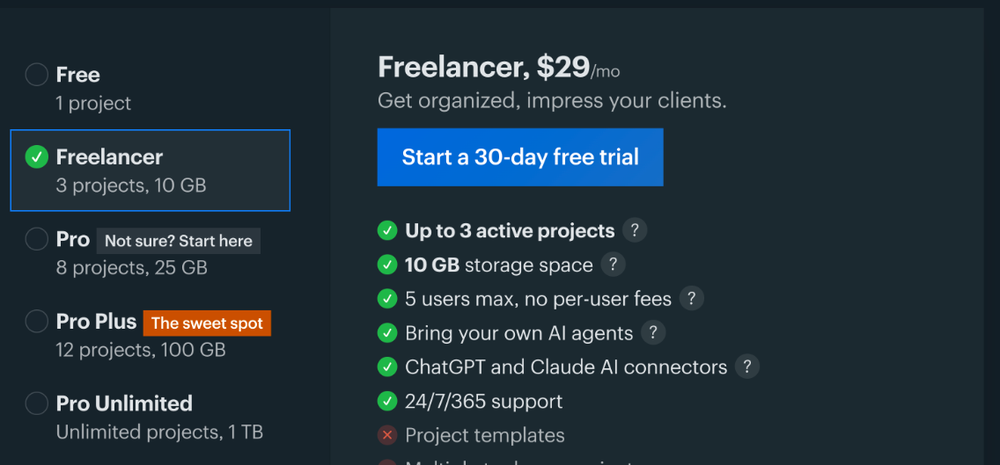
The same page marks several features as not included on Freelancer: project templates, multiple tools per project, time tracking, enhanced admin features and annual billing. I come back to what those gaps mean in practice below.
You can try it for 30 days without a card. Basecamp’s FAQ says it does not ask for a credit card on the free account or any free trial, and that you only enter one at the end of the trial if you want to continue.
Headcount 1: who counts as a user
The pricing FAQ is short and unambiguous: every person you add is counted, including clients, contractors and guests. Only Pro Unlimited removes the cap.
On the Freelancer plan, that means five seats in total, and one of them is you. The practical capacity looks like this:
- You: 1 seat
- Clients and contractors combined: 4 seats
Four seats sounds like plenty until you list real projects. A website build might involve the client’s founder, their marketing lead and your developer. That is three seats for one project, leaving one for everyone else. A copywriter with three retainer clients, each with one point of contact, fits comfortably. A designer who works with a subcontractor on every job and whose clients like to loop in a colleague does not.
A quick way to count
Write down your busiest month from the last year. For each active client, list every person who would genuinely need to log in: not everyone who receives an email from you, only those who would comment, approve or upload files. Add your regular subcontractors. If the total, plus you, is five or fewer, the Freelancer plan’s user limit is fine. If it is six to ten, look at Pro. Above that, see the tier list further down.
Headcount 2: what “active project” means for you
The second limit is three active projects. Basecamp is clear that archived or deleted projects do not count, so you can have dozens in the archive. Only three can be active at the same time.
For freelancers, the question is how you map clients to projects. There are two common approaches:
- One project per client. Each retainer client gets one project that stays open for as long as you work together. Three active clients is your ceiling.
- One project per engagement. Each job gets its own project and is archived when delivered. Three simultaneous jobs is your ceiling, but you can cycle through many clients a year.
Because people are counted per account rather than per project, archiving a finished project frees a project slot, but the client stays a user until you remove them. If you cycle through engagements, build “remove the client’s access” into your offboarding along with archiving the project, or the user limit will fill up long before the project limit does.
Client mode: why clients can share your projects
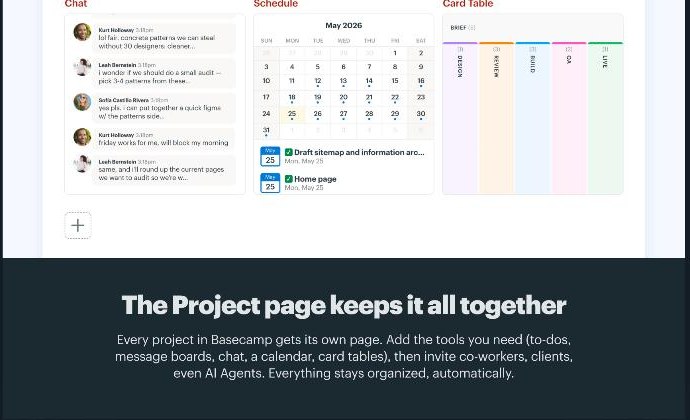
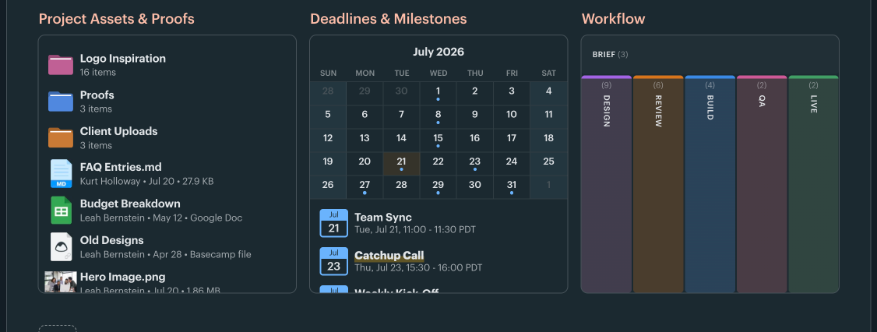
One reason freelancers tolerate a tight user limit in Basecamp is how clients see the work. Basecamp’s features page describes a Client mode that lets you decide what clients should and should not see, project by project. You can hide unfinished work, keep conversations on the record and still collaborate in the same place.
That matters for a solo business because it means you do not need a separate internal project for every client project. Drafts, notes to your subcontractor and rough schedules can live in the same project as the client-facing deliverables, with only the parts you choose visible to the client. On a plan capped at three active projects, not having to duplicate each project is a real saving.
What the Freelancer plan leaves out
The missing features are worth thinking through before you commit, because some of them are the ones freelancers ask for most.
No project templates
Pro and above include project templates, described as reusable project and to-do list templates with the same structure, workflows and setup across projects. On Freelancer you rebuild each project by hand. If your work follows the same steps every time, such as discovery, draft, revisions and delivery, templates save setup time and, more importantly, stop steps being forgotten.
One of each tool per project
Freelancer does not include multiple tools per project. Pro lets you add multiple message boards, chat rooms, card tables or other tools to a single project. On Freelancer, each project gets one of each. For most solo projects, that is enough. It becomes limiting if you like to keep, say, a separate card table for each deliverable inside one client project.
No time tracking
Time tracking is not included on Freelancer or Pro. Basecamp lists it from Pro Plus upwards. If you bill hourly, you will need a separate time tracker on the Freelancer plan anyway. I have covered options such as Harvest for retainer and fixed-fee work on this site.
No annual billing
The Freelancer plan is monthly only. That is good for flexibility but means there is no annual discount on this tier.
Every Basecamp tier through a freelancer’s eyes
- Free, $0: one project for personal use, 1 GB, up to 3 users. The FAQ says you can delete the project and start another, but you can only keep one at a time. Fine for testing Basecamp with a single client; not a long-term home for client work.
- Freelancer, $29/month: 3 active projects, 10 GB, 5 users. Fits a solo business with a small, steady client roster.
- Pro, $79/month: up to 8 active projects, 25 GB, up to 10 users, plus project templates and multiple tools per project. The step up if you hit either the user or project limit, or want templates.
- Pro Plus, $99/month: 12 projects, 100 GB, 15 people, and time tracking.
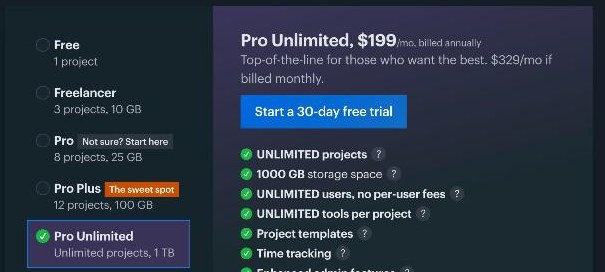
- Pro Unlimited, $199/month billed annually ($329/month if billed monthly): unlimited projects and users, 1 TB storage, unlimited tools per project, templates and time tracking. Extra storage beyond 1 TB costs $50 per month per terabyte, according to the FAQ.
For most freelancers, the real comparison is Freelancer versus Pro. The jump is $50 a month, and what you buy is room: five more people, five more active projects, templates and multiple tools per project.
Three freelancer profiles, three answers
The retainer writer
Three ongoing clients, one contact each, no subcontractors. That is four users and three projects. The Freelancer plan fits exactly, with one spare seat. The missing templates hardly matter because each project stays open for months.
The project-based designer
Four to six jobs a year, two running at once, a developer on most of them, and clients who often bring a second reviewer. Busy months can need you, the developer and two people per client: six users. The project limit is fine; the user limit is not. Pro is the realistic plan, or the Freelancer plan with a firm “one reviewer per client” rule.
The small studio of one
Five or more active clients, a rotating bench of contractors, hourly billing. Freelancer is too small on both counts, and even Pro lacks time tracking. Pro Plus is the first tier that matches, at $99 per month. At that price, compare carefully with other tools, because per-user pricing elsewhere may be cheaper for a small team.
How Basecamp compares on the “who can I invite” question
The user cap is the main thing to compare across tools, because it is where freelancers usually get surprised. I looked at the same question for Trello for freelancers, for ClickUp guests and for Asana’s free plan. Basecamp’s approach is different from per-seat tools: you pay a flat price with no per-user fees, but within a fixed headcount that includes your clients. If your client list is small and stable, that flat price is easy to budget. If it grows, the next tier is a bigger jump than adding one seat elsewhere.
Who should use the Basecamp Freelancer plan, and who should not
A good fit if you:
- Work with up to three clients at a time and can keep total logins, including clients and subcontractors, at five.
- Want clients to see a tidy project page, with Client mode hiding your working drafts.
- Prefer a flat monthly price with no per-user fees and no annual commitment.
Look elsewhere, or at Pro, if you:
- Regularly have more than four other people involved at once.
- Run repeatable projects and want templates.
- Bill by the hour and want time tracking inside your project tool.
Verdict
The Basecamp Freelancer plan is a sensible, flat-priced home for a small client roster, and Client mode is a genuine advantage over tools where clients see everything. But read the five-user limit as five people in total, including you and every client. Do the headcount for your busiest month before the 30-day trial ends. If you come out at five or fewer, the Freelancer plan is good value. If you come out higher, the honest choice is Pro, or a different tool that charges per seat.
FAQ
How much is the Basecamp Freelancer plan?
Basecamp lists the Freelancer plan at $29 per month, with up to 3 active projects, 10 GB of storage and up to 5 users. It is billed monthly; annual billing is not included on this plan.
Do clients count as users on Basecamp?
Yes. Basecamp’s pricing FAQ says every person you add is counted, including clients, contractors and guests. Only Pro Unlimited includes unlimited users.
Do archived projects count towards Basecamp’s project limit?
No. Archived or deleted projects do not count. On the Freelancer plan, only three projects can be active at once.
Does the Basecamp Freelancer plan include time tracking?
No. Time tracking is marked as not included on the Freelancer and Pro plans. It is listed from Pro Plus upwards.
Do I need a credit card to try Basecamp?
No. Basecamp says it does not require a credit card for the free account or for free trials, and you only enter one if you choose to continue after the trial.