Disclosure: some links in this guide are partner links. If you sign up through them I may earn a commission, at no extra cost to you. It does not change what I recommend.
The worst email I can send a client is the one that starts “your website was hacked”. The second worst is “a plugin on your site has a serious vulnerability, I’m updating it now”, followed two hours later by “the update broke the booking form”. This guide is about avoiding both. It walks through how I would use Patchstack inside a WordPress care plan: what it does when a plugin vulnerability is published, what the client should hear and when, and which plan a freelancer or small agency actually needs.
It is not a general security round-up. It is one routine, built around the moment a vulnerability lands on a site you maintain, and how to turn that moment into something the client sees as part of the service rather than a crisis.
Why vulnerabilities, not malware, are the real care plan problem
Most of my client sites are not attacked because they are interesting. They are attacked because they run a plugin version with a known, published weakness, and automated tools scan for exactly that. The fix is usually “update the plugin”. The problem is the time between the vulnerability being public and you being able to update safely.
On a simple brochure site, that window is short: you update and move on. On a site with WooCommerce, a booking plugin, a custom child theme and a page builder, a rushed update can break something the client cares about more than a theoretical risk. So you either update blind and hope, or you wait and stay exposed.
Patchstack’s own agency page describes this exact tension: rushing updates can break functionality or conflict with custom code, and Patchstack says it keeps websites secure until an update can be safely tested. That is the gap the rest of this routine is built around.
What Patchstack does, in plain terms
Patchstack connects to your WordPress sites through its plugin and looks at what each site is made of: core version, plugins and themes. Patchstack calls this Software Composition Analysis (SCA). It compares that list against its vulnerability database and, when one of your components is affected, it can deploy a targeted mitigation rule for that specific vulnerability. Patchstack calls the system RapidMitigate.
On its pricing page Patchstack lists, among other things:
- Automatic vulnerability detection with contextual prioritisation
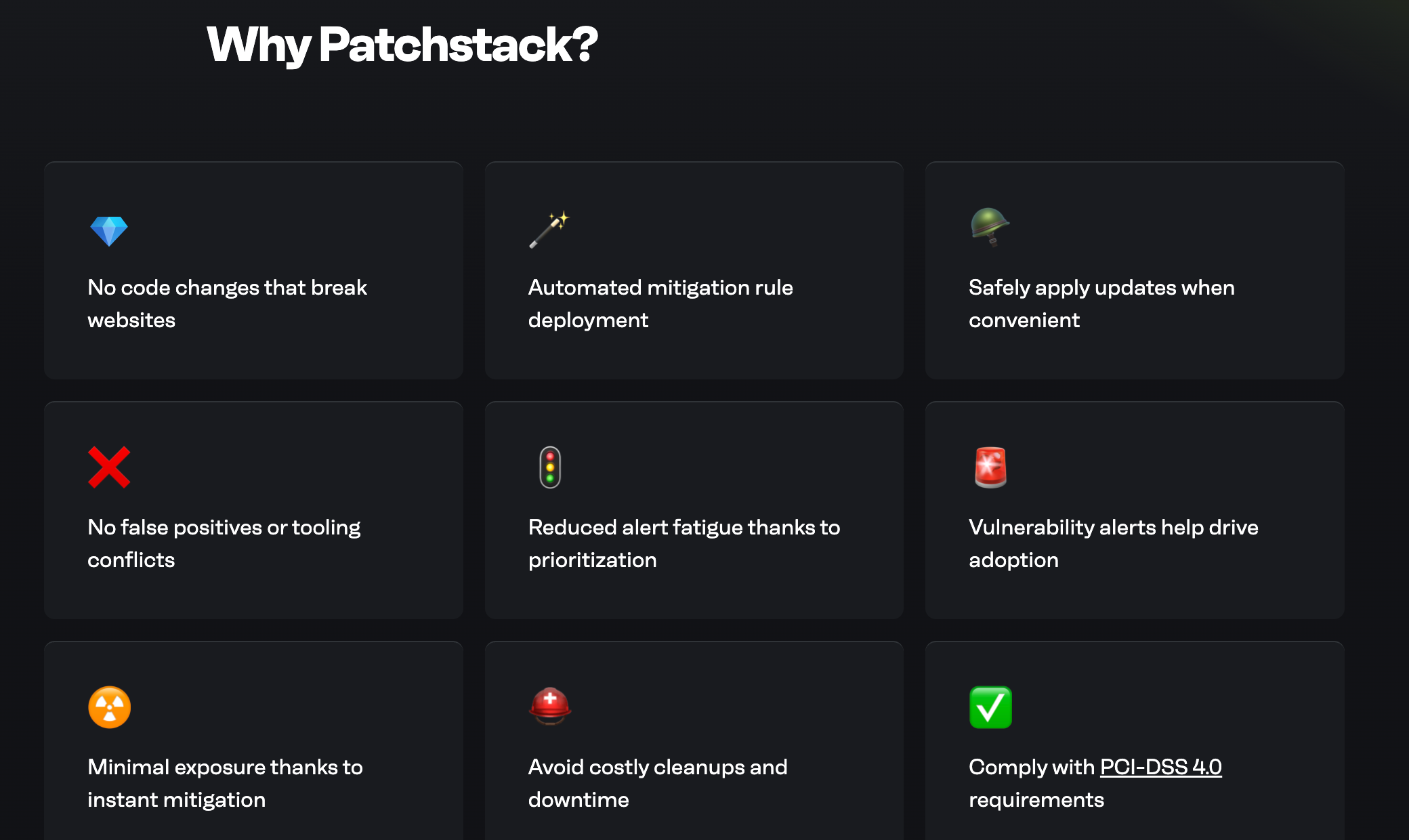
- Automated mitigation rule deployment, with no code changes to your site
- Prioritisation based on KEV (known exploited vulnerabilities) to reduce alert fatigue
- A community IP blocklist module and an advanced hardening module for WordPress-specific threats
- Unlimited custom protection rules
- WP-CLI support for installation and API integration into existing workflows
- Data retention of up to 24 months
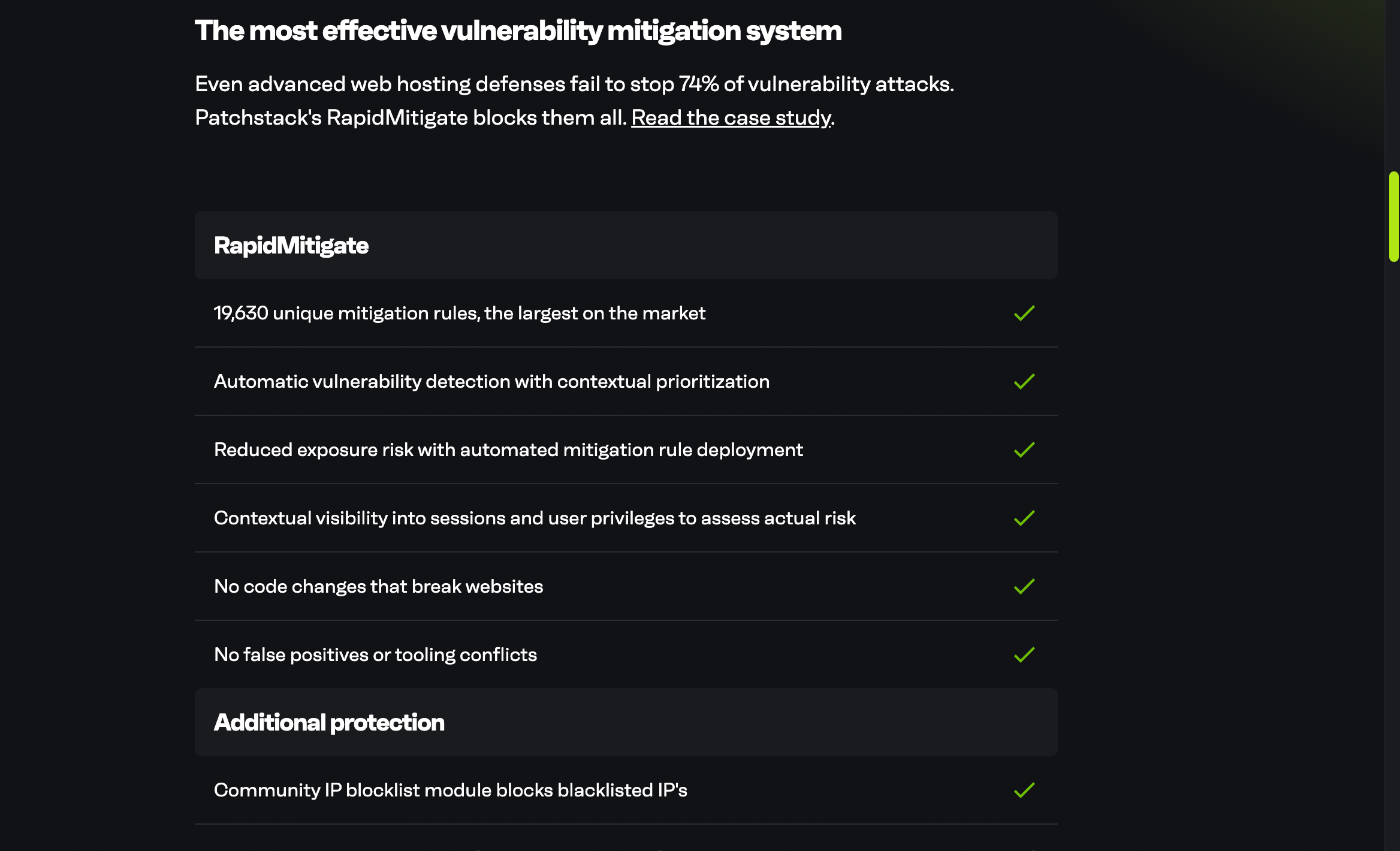
Patchstack also makes some bigger claims there, such as vulnerability intelligence and mitigation up to 48 hours ahead of competitors, and a count of mitigation rules that it describes as the largest on the market. I cannot verify those from the outside, so I treat them as the vendor’s claims. What matters for the routine below is simpler: you get told when a site is affected, and the site can be protected against that specific issue while you plan the update.
The routine: from alert to client email
Here is the five-step routine I would run on every care plan site with Patchstack connected.
Step 1: let the alert come to you
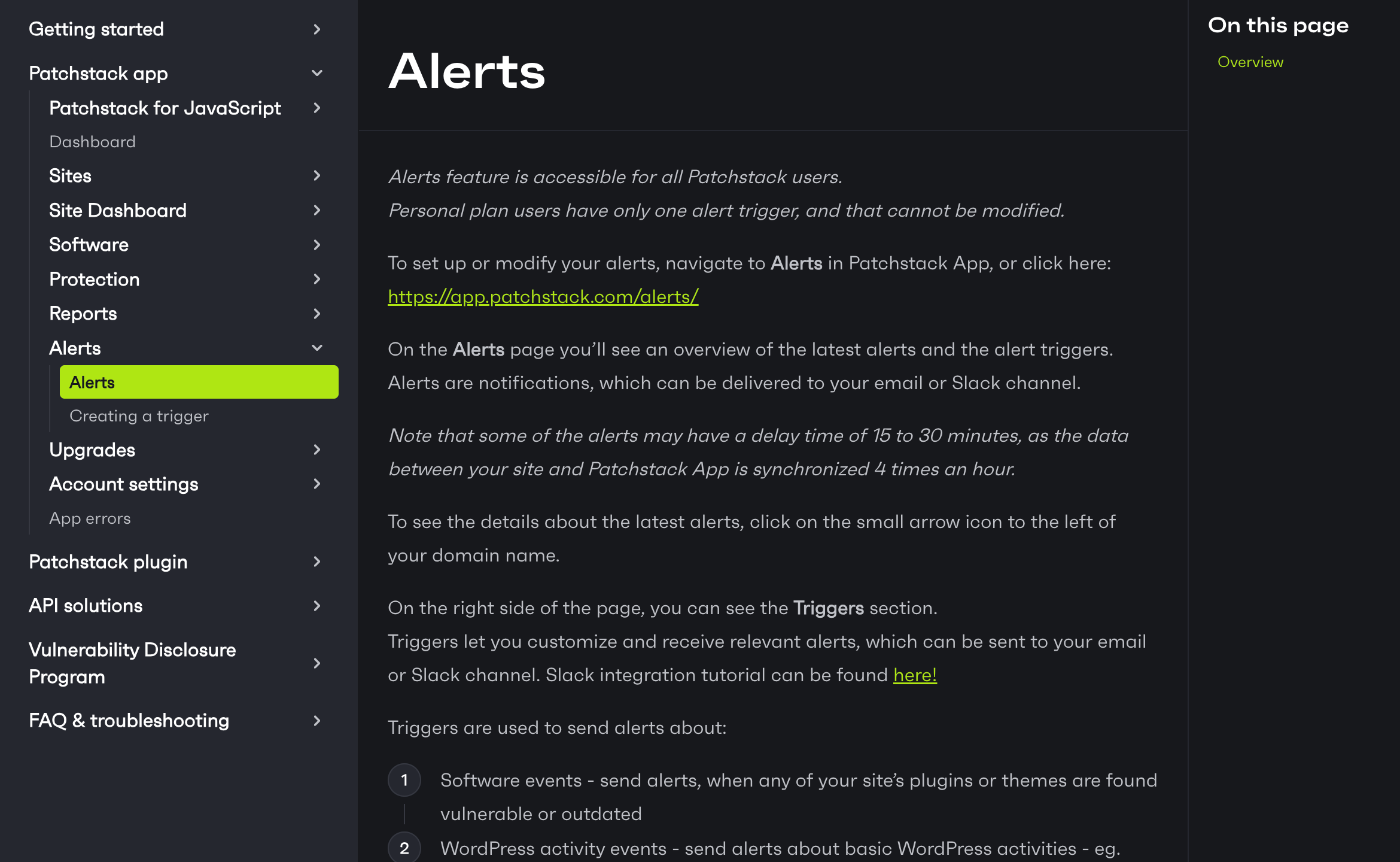
Patchstack’s documentation explains that alerts can be delivered by email or to a Slack channel, and that you can set up triggers for different events. The ones that matter here:
- Software events: a plugin or theme on the site is found to be vulnerable or outdated.
- Site events: a site has not connected to Patchstack for 3 days. This one is easy to overlook, but it is how you notice a client has deactivated the plugin or the site has gone down.
The docs also note that some alerts can be delayed by 15 to 30 minutes, because sites sync with the Patchstack app four times an hour. That is fine for this routine. It just means Patchstack is not a live uptime monitor, and you should not use it as one.
I send these alerts to a dedicated Slack channel rather than my inbox. A vulnerability alert sitting between invoices and newsletters is how things get missed.
Step 2: check what the site is exposed to
When an alert lands, open the site in the Patchstack app and answer three questions before you touch anything:
- Which component is affected, and is a patched version already available?
- How serious is it? Patchstack’s prioritisation is designed to separate the issues being actively exploited from the long tail.
- Is a mitigation rule active for it on this site?
If a patched version exists and the plugin is a simple one, just update. If the plugin is central to the site, such as a checkout, booking or membership plugin, this is where the routine earns its money.
Step 3: update on your schedule, not the attacker’s
With mitigation in place, the job changes from “update now” to “update properly”. For me that means testing the update on a staging copy first. I covered how I spin up short-lived staging servers in my guide to running freelance staging servers on Vultr by the hour. Test the parts of the site that use the plugin, then update production during the client’s quiet hours.
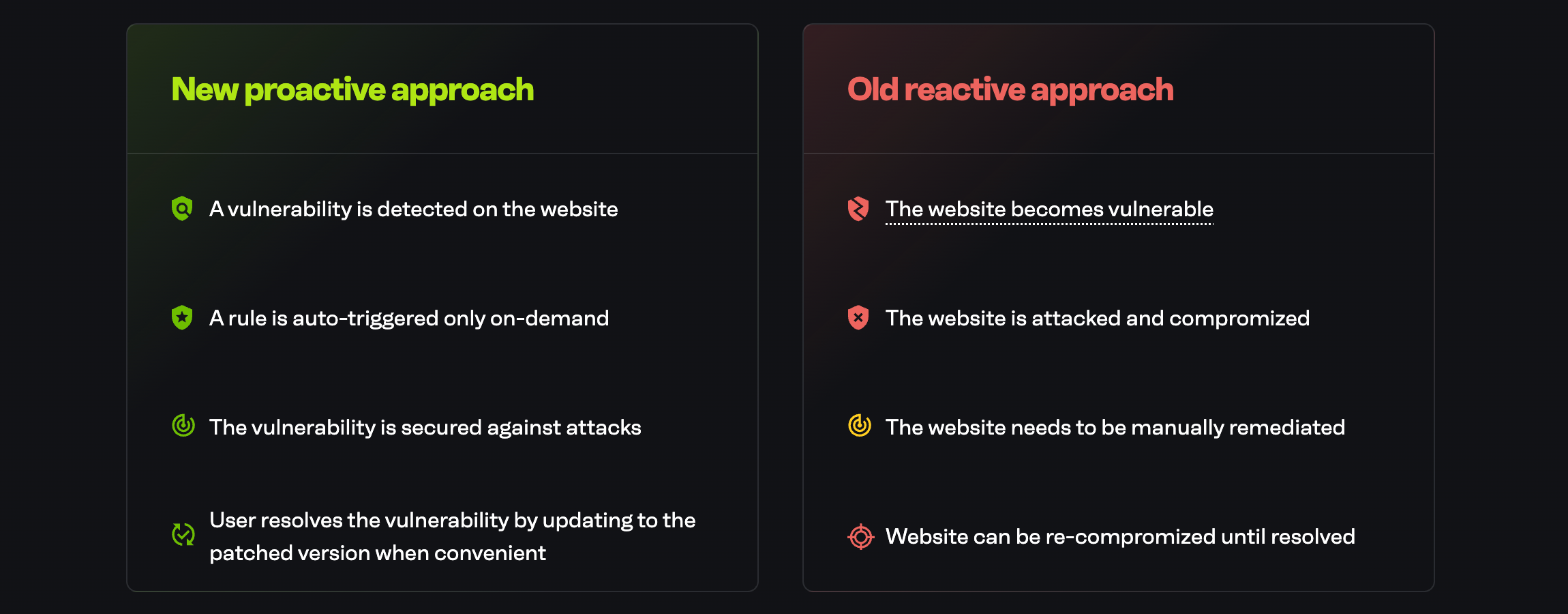
Patchstack’s agency page describes this as the user resolving the vulnerability by updating to the patched version when convenient. Mitigation buys time. It is not a reason to leave an outdated plugin on the site for months.
Step 4: tell the client, briefly and calmly
This is the step most freelancers skip, and it is the one that makes a care plan feel worth paying for. Clients do not need a security lecture. They need to know that something happened, that it was handled, and that their site is fine. Here is the kind of message I would send, written in my own words:
Hi Sarah, a quick note from your website care plan. A security issue was published this week in one of the plugins your site uses (the events calendar plugin). Your site was protected against it within our security monitoring, so there was no risk to your visitors or your data. I tested the fixed version on a copy of your site, and updated the live site on Tuesday evening. Nothing for you to do. It will also appear in your monthly report.
Short, specific, no jargon, and it ends with “nothing for you to do”. Every one of these emails is a small reminder of what the care plan fee covers.
Step 5: show it again in the monthly report
Patchstack’s documentation describes two kinds of PDF security reports. A Snapshot report shows the current security situation of a site and is free for all Patchstack users. A Developer report is a periodic report with security suggestions and improvements, available on the Developer and Enterprise plans, and it can be scheduled to generate automatically every week or month. The pricing page also lists white label reports as a new feature on the Developer plan.
I attach the report to the same monthly email as the rest of the maintenance summary. If you already build care plan reports from your management tool, as I described in my ManageWP care plan tiers guide, the Patchstack report sits next to it as the security section.
Patchstack pricing for freelancers and small agencies
This is what Patchstack’s pricing page shows today. Check it again before you buy, because security pricing changes often.
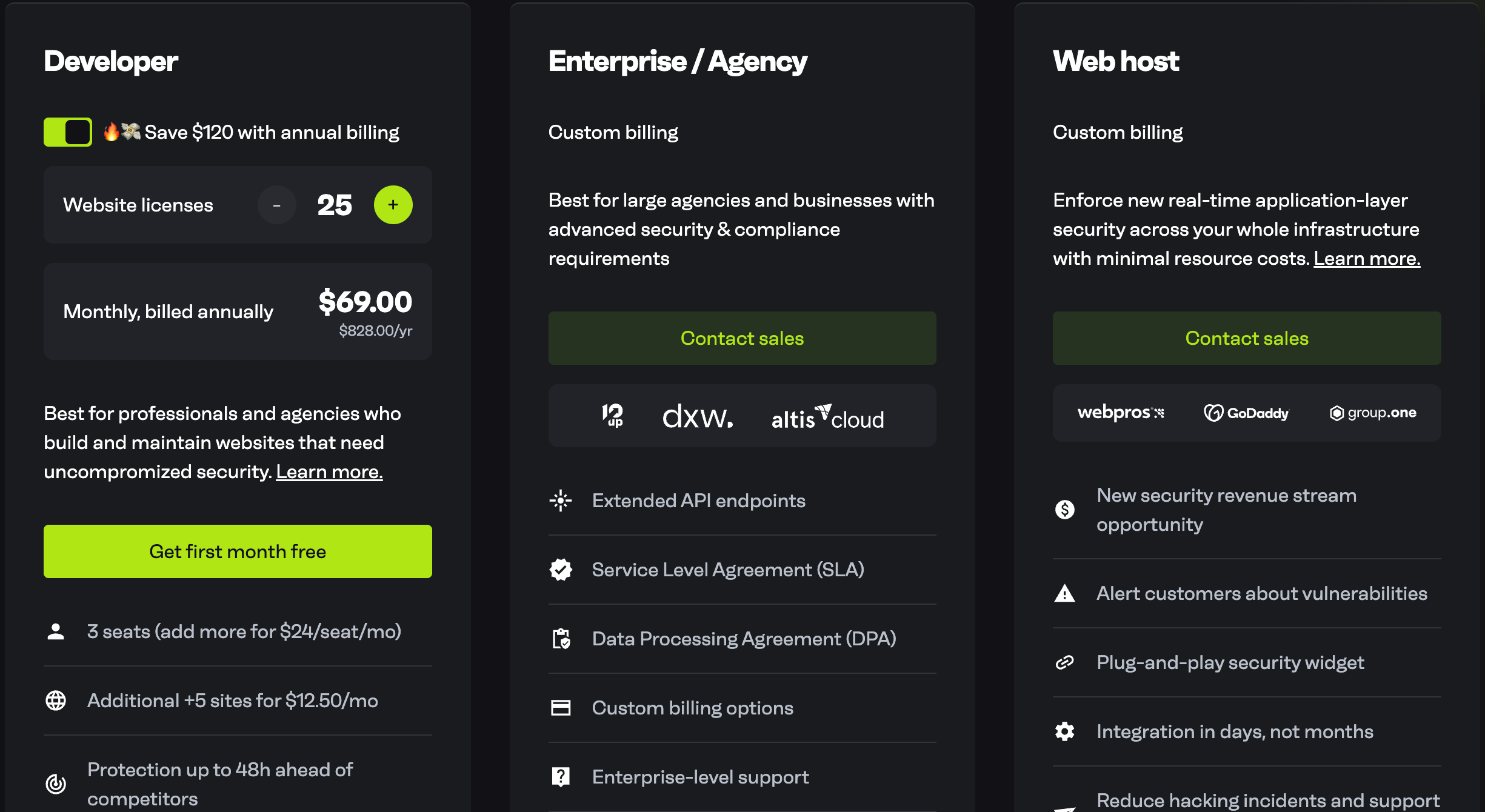
| Plan | Price | What you get |
|---|---|---|
| Developer | $69/month billed annually ($828/year) for 25 site licences; Patchstack’s docs list $79/month on monthly billing | 3 seats (more at $24/seat/month), extra sites in blocks of 5 for $12.50/month, rapid mitigation, API integrations, white label reports |
| Enterprise / Agency | Custom billing | Extended API endpoints, SLA, DPA, custom billing options, enterprise-level support, white label reports |
| Web host | Custom billing | For hosting companies rolling Patchstack out across their infrastructure |
The Developer card currently shows a “Get first month free” offer, and the pricing page mentions a 30-day money-back guarantee, with VAT calculated at checkout.
Is there still a free plan?
The pricing page today only shows Developer, Enterprise / Agency and Web host. Patchstack’s documentation still describes a free Personal tier with 3 site slots that detects vulnerable software and notifies you, with protection available per site for $5 a month, and its alerts documentation notes that Personal users get one alert trigger that cannot be modified. Because the public pricing page no longer lists it, confirm what is available when you sign up rather than planning a care plan around it.
The maths for a care plan
Work out the cost per site, not per month. On annual billing, the Developer plan’s $69 a month across 25 sites is about $2.76 per site per month if you fill all 25 slots. If you only have 10 care plan clients, it is $6.90 per site. Either way it is a small line in a care plan you probably charge for monthly, and it is easy to justify if it saves you even one emergency clean-up a year.
The seat count matters more than people expect. Three seats covers you, a developer and a virtual assistant. A fourth person costs $24 a month on top.
What Patchstack does not do
Being clear about this protects you when a client asks “so we’re fully secure now?”
- It is not a backup. You still need off-site backups you have tested restoring.
- It is not a malware clean-up service. Patchstack’s focus is on stopping known vulnerabilities from being exploited.
- It is not uptime monitoring. The sync runs four times an hour, and the “site not connected for 3 days” trigger is a connection check, not a downtime alert.
- It does not replace updates. Mitigation covers the gap while you test. The update still has to happen.
- It cannot fix weak passwords or a compromised admin account. Basic account hygiene is still on you and the client.
Who should not buy Patchstack
I would skip it if:
- You maintain only one or two sites and update them yourself every week. The value grows with the number of sites.
- Your clients’ sites are simple, with a handful of well-maintained plugins, and you are comfortable updating everything immediately.
- Your host already provides vulnerability mitigation at the server level and you have checked what it actually covers.
- You do not offer, or do not want to offer, a paid care plan. Patchstack makes most sense when its cost is built into a monthly fee.
Is Patchstack worth adding to a care plan?
For a freelancer or small agency looking after ten or more WordPress sites, I think yes. The real product is not the dashboard. It is the change from “update everything immediately and hope nothing breaks” to “know about the problem, be protected against it, update properly, tell the client”. That routine is easier to sell, easier to run, and much calmer than the alternative.
Start with the free first month on the Developer plan, connect your most plugin-heavy client sites first, set alerts to a channel you actually watch, and send your first calm “nothing for you to do” email the next time a vulnerability lands.
FAQ
What does Patchstack do?
Patchstack monitors the plugins, themes and core version on your WordPress sites, alerts you when one is affected by a known vulnerability, and can deploy a targeted mitigation rule for that vulnerability until you update.
How much does Patchstack cost?
On Patchstack’s pricing page today, the Developer plan is $69 a month billed annually ($828 a year) for 25 sites, with 3 seats. Patchstack’s docs list $79 a month on monthly billing. Enterprise / Agency and Web host plans are custom priced.
Does Patchstack have a free version?
Patchstack’s documentation describes a free Personal tier with 3 site slots and vulnerability notifications, but the current public pricing page does not list it. Check what is offered when you sign up.
Does Patchstack replace plugin updates?
No. Mitigation protects a site against a specific vulnerability while you test the update. You still need to update to the patched version.
Can I send Patchstack reports to clients?
Yes. Snapshot reports are free for all users, scheduled Developer reports are available on the Developer and Enterprise plans, and the pricing page lists white label reports on the Developer plan.
How quickly do Patchstack alerts arrive?
Patchstack’s documentation says some alerts can be delayed by 15 to 30 minutes, because site data syncs with the app four times an hour.