
Fixed-price freelance work has a particular kind of stress. The client does not care how many hours the logo, the landing page or the report takes. They care about the date. And the date is usually decided weeks before you know what else will land in the same week. The Motion AI calendar is built around exactly that problem: you give it tasks with durations and deadlines, and it decides when each piece of work happens, then rebuilds the plan whenever your day changes.
This review looks at Motion through one lens only: running several fixed-deadline client projects at once as a solo freelancer. It is not about protecting focus time in general, and it is not a feature tour. It is about whether letting software place your work on the calendar actually helps you hit client dates, and what it costs to find out.

What the Motion AI calendar actually does
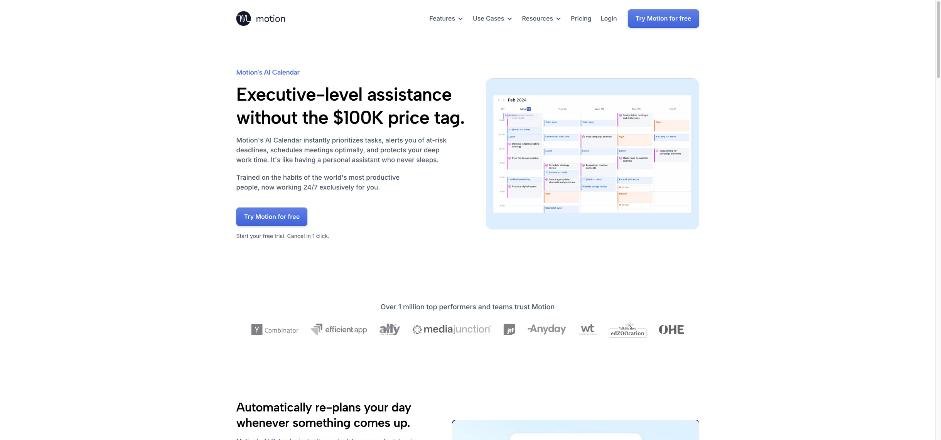
Most calendars only show what you have already decided. Motion’s pitch is that it makes the decision for you. On its AI Calendar page, Motion says it prioritizes tasks, alerts you to deadlines at risk, schedules meetings and protects deep work. In practice that comes down to four behaviors that matter for client work:
- It places tasks by deadline, duration and priority. You do not drag a task into Tuesday at 2 pm. You tell Motion the task takes three hours and is due Friday, and it finds the time.
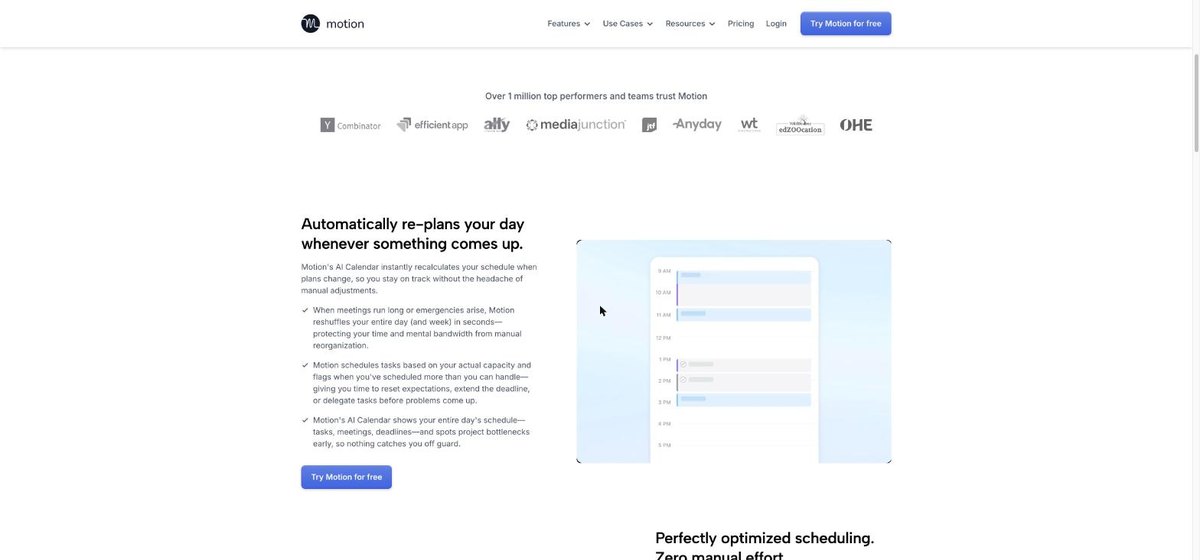
- It re-plans when things change. Motion says that when meetings run long or emergencies come up, it reshuffles your day and week in seconds.
- It flags overload. According to Motion, it schedules tasks against your actual capacity and warns you when you have planned more than you can handle, so you can reset expectations, extend a deadline or delegate before the problem arrives.
- It keeps the most important work in place. Motion says your highest-priority work stays on the calendar when schedules shift, so minor interruptions do not push out a key deadline.
There is also a booking feature: you can embed your Motion calendar on your website so prospects book time in the slots you choose.
Why fixed-deadline work suits an auto-scheduler
Hourly work forgives bad planning: if a task runs long, you bill more. Fixed-price work does not. The risk sits entirely with you, and it hides in the gap between “due Friday” and “when will I actually do it”. Most freelancers fill that gap with optimism, then discover on Thursday that three projects all assumed the same afternoon.
An auto-scheduler closes that gap early. The moment you enter a task with a duration and a deadline, it has to find real hours for it. If those hours do not exist, you find out on Monday, not Thursday. That early warning is the main reason to use Motion for client work, and it matters more than any individual feature.
Setting up client projects so the schedule is honest
Motion can only plan as well as the information you give it. Three habits make the difference.
Break deliverables into tasks of two to four hours
A task called “Website redesign, 30 hours, due the 15th” tells the scheduler almost nothing. Split it into pieces you could finish in one sitting: wireframes, homepage copy, mobile layout, client review fixes. Smaller tasks give Motion room to fit work around meetings, and they show you progress the client can see.
Pad estimates for review rounds
Freelance projects rarely fail on the first draft. They fail on the second and third round of feedback that nobody scheduled. Add a separate task for each expected revision round, with its own duration. If the client never asks for changes, you get the time back.
Set internal deadlines, not client deadlines
If the client expects files on Friday, give the last task a Thursday deadline. Motion will plan to that date, and your buffer stays a buffer rather than becoming working time.
When a client emergency lands mid-week
This is the scenario where an AI calendar either earns its place or does not. A retainer client calls on Wednesday morning: something is broken and it needs two hours today.
With a manual calendar, you move the urgent task in, then spend twenty minutes shuffling everything else and hoping nothing breaks. With Motion, you add the urgent task with today’s deadline and let it re-plan. The rest of the week shifts around it. If the shift pushes a fixed-price deliverable past its deadline, the capacity warning is your cue to act, while there is still time to do something about it.
That last point is the useful one for freelancers. An overload warning on Wednesday gives you a professional conversation: “I can do this today, which moves the draft for Client B from Thursday to Friday morning. Does that work?” Without it, you find out on Thursday night and the conversation becomes an apology.
Where Motion fits next to other planners
Motion is not the only tool that schedules work for you, and the right pick depends on what you are trying to protect. If your main problem is guarding deep work across several client calendars, I looked at that in Reclaim.ai for freelancers juggling client calendars. If you prefer to plan your own day by hand each morning, Sunsama mapped to client hours is the more deliberate approach. Motion is the choice when you want the software to make the placement decisions and you mainly care about hitting deadlines.
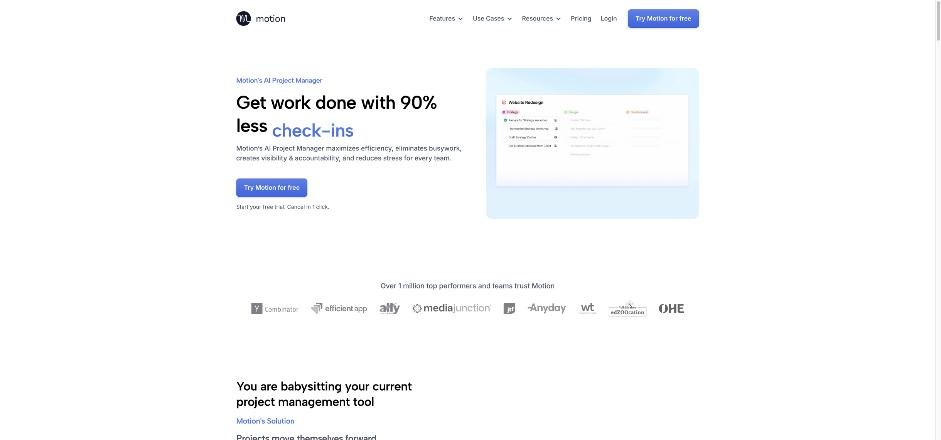
Motion also goes beyond the calendar. The current product lists AI projects and tasks, AI meetings, AI docs and notes, an AI task planner, and an AI writer. Its project manager page focuses on fewer status check-ins and on predicting delays. For a solo freelancer, the calendar and tasks are the core; the rest is useful only if you want to move your client docs into Motion too.
Integrations that matter for client work
Motion lists integrations with Zapier, Zoom, Google Meet, Gmail, Outlook, Siri, HubSpot, Salesforce, Teams and Slack, and says it connects with hundreds more. There is also an API for creating and managing projects and tasks. For a freelancer, the useful ones are usually your mail and video tools, plus Zapier if you want new client requests from a form or inbox to become Motion tasks automatically.
Pricing: Individual or Teams, monthly or annual
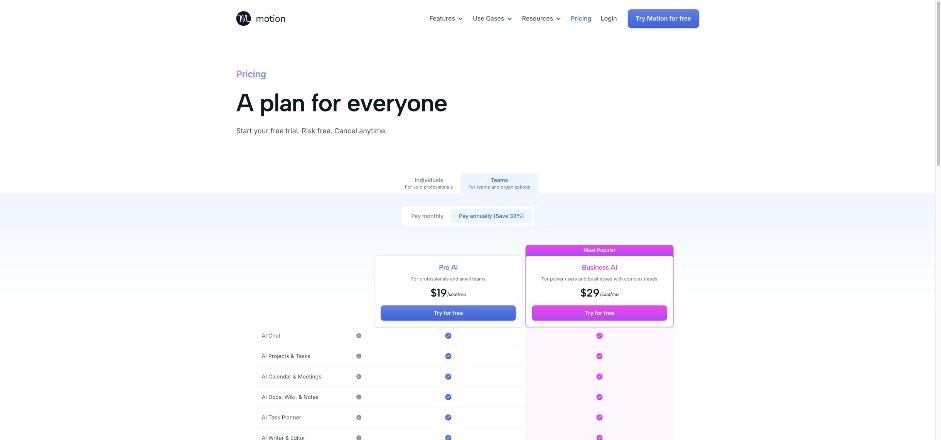
Motion’s pricing page splits plans into Individuals and Teams, each with a monthly or annual toggle (annual is labeled “Save 33%”). These are the prices the page showed when I checked:
| Plan | Individuals, monthly | Individuals, annual | Teams, monthly | Teams, annual |
|---|---|---|---|---|
| Pro AI | $49/mo | $29/mo | $29/seat/mo | $19/seat/mo |
| Business AI | $69/mo | $39/mo | $49/seat/mo | $29/seat/mo |
Both plans list AI chat, AI projects and tasks, AI calendar and meetings, AI docs, the AI task planner, the AI writer, unlimited storage, iOS, Android and desktop apps, and integrations. Pro AI includes 7,500 AI credits and Business AI includes 15,000. Extra credits are sold per 100, and the per-credit rate shown is lower on Business AI and on annual billing. The comparison also lists items such as team capacity planning, dashboards, Gantt charts, time tracking, permissions and priority support, so check which tier includes the ones you need.
What a solo freelancer will actually pay
For one person, the Individuals Pro AI plan is the starting point: $49 a month billed monthly, or $29 a month on annual billing. That gap is large, so do not commit to annual until a trial has proved the habit sticks. Motion offers a free trial and says you can cancel in one click.
The Teams prices per seat are lower than the Individuals prices. Before you try to sign up for Teams on your own to save money, check with Motion whether a single seat is allowed on a team plan. I could not confirm that on the pricing page, so I am not assuming it.
Where Motion falls short for freelancers
- It is expensive for a calendar. At $49 a month on monthly billing, Motion costs more than many full project tools. It has to save real time or real deadlines to justify itself.
- It needs honest estimates. If your task durations are fantasy, Motion will build a confident schedule on bad data.
- A moving calendar takes getting used to. Some people find it unsettling that tasks change time slots during the day. If you like a fixed plan, this will grate.
- AI credits add a usage dimension. The plans include a credit allowance, with extra credits for sale. Watch your usage during the trial so there are no surprises.
Who should use Motion this way, and who should not
Motion suits freelancers who run three or more fixed-price projects at once, take regular ad hoc requests from retainer clients, and struggle more with “when” than with “what”. It also suits anyone who has missed a deadline because the week filled up quietly.
It is a poor fit if you mostly work on one project at a time, bill hourly and rarely face deadline clashes, or prefer to plan your day by hand. In those cases a simpler task app, such as the setup in my TickTick Eisenhower Matrix review, will cost less and do the job.
Verdict
The Motion AI calendar is at its best when deadlines are fixed and your week is not. It turns “due Friday” into actual hours on the calendar, rebuilds the plan when a client emergency lands, and warns you early enough to renegotiate rather than apologize. The price is the main obstacle for a solo freelancer, so run the trial with real client projects, broken into small tasks with honest estimates, and only then decide between monthly and annual billing.
FAQ
What does the Motion AI calendar do?
It schedules your tasks automatically based on deadlines, duration and priority, re-plans your day when meetings run long or new work arrives, and warns you when you have scheduled more than you can handle.
How much does Motion cost for one person?
On the Individuals plans, Pro AI is $49 a month billed monthly or $29 a month billed annually, and Business AI is $69 monthly or $39 annually.
Does Motion have a free trial?
Yes. Motion’s pricing page offers a free trial and says you can cancel at any time.
How many AI credits do Motion plans include?
Pro AI includes 7,500 AI credits and Business AI includes 15,000. Additional credits are sold per 100.
Is Motion good for fixed-price freelance projects?
It can be, if you split deliverables into small tasks with honest durations and internal deadlines. Its main benefit is showing you a deadline clash early, while you can still adjust the plan.
Can clients book time through Motion?
Motion says you can embed its AI Calendar on your website so prospects can book the time slots you choose.