Disclosure: some links on this page may be affiliate links. If you sign up through them I may earn a commission at no extra cost to you.
Most freelancers already run a sales pipeline. It just lives in Gmail as a mess of starred threads, labels and a mental list of “people I should follow up with.” Streak CRM for Gmail is built on the idea that you should keep that pipeline where it already is, inside the inbox, and add stages, fields and reminders on top of it instead of moving everything into a separate CRM tab you forget to open.
Instead of reviewing every feature, I mapped one typical freelance pipeline onto Streak, stage by stage: lead, discovery call, proposal, signed, in progress, invoiced and paid. For each stage I checked what Streak’s pricing page and product pages say you get, and which plan you need for it. The prices and limits below are taken from Streak’s site today.
What Streak is, and what the free plan is not
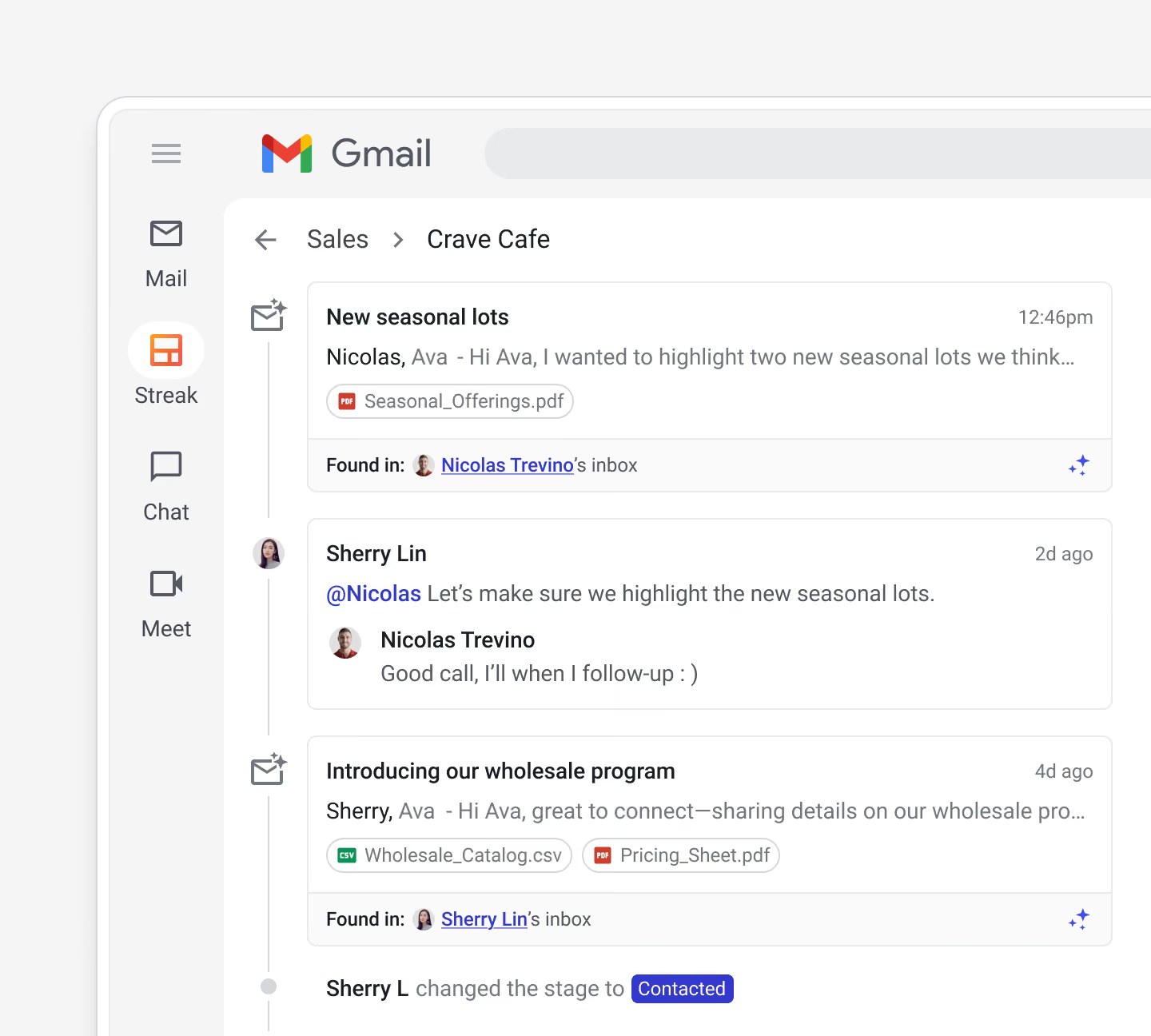
Streak is an extension that adds a CRM to Gmail. Pipelines show up in the Gmail sidebar, each email thread can be attached to a deal, and each deal gets a panel with its stage, contacts, recent activity and custom fields. The homepage pitches it as “the Gmail CRM for high-performing sales teams,” which tells you who Streak mainly sells to. A solo freelancer can still use it, but should read the pricing with that in mind.
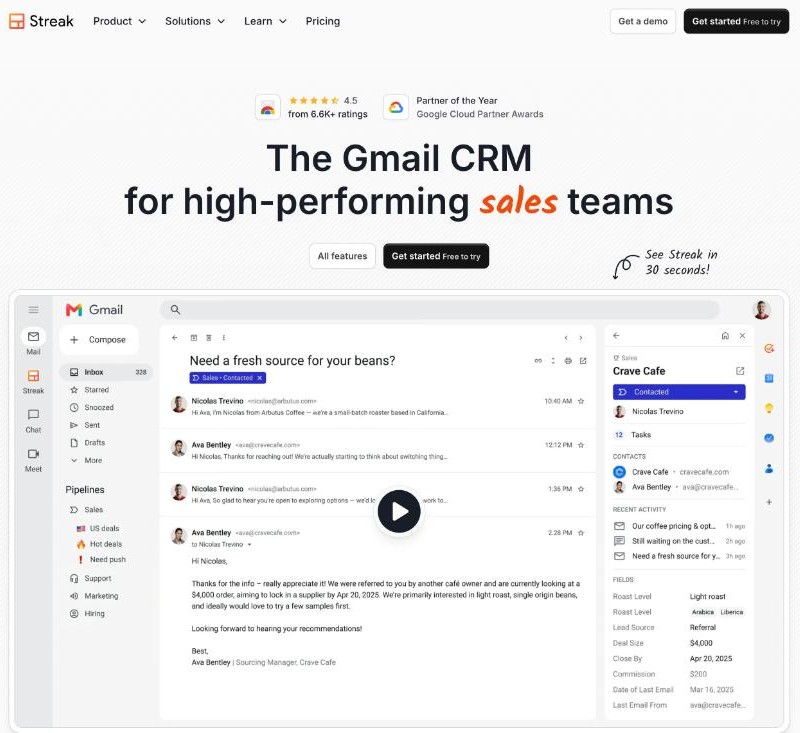
The first thing to know is that the free plan is not a free CRM. Streak’s FAQ says the free plan includes email and link tracking, email snippets, 50 mail merge sends per day, Streak Share for creating public links to email threads, and a thread splitter. It also says plainly that the free plan “does not include CRM pipelines.” Pipelines, stages and records start on Pro.
That makes the decision simple: the free tools are useful on their own, but if you want the pipeline in this article, you are paying for Pro at least.
Stage 1: Lead
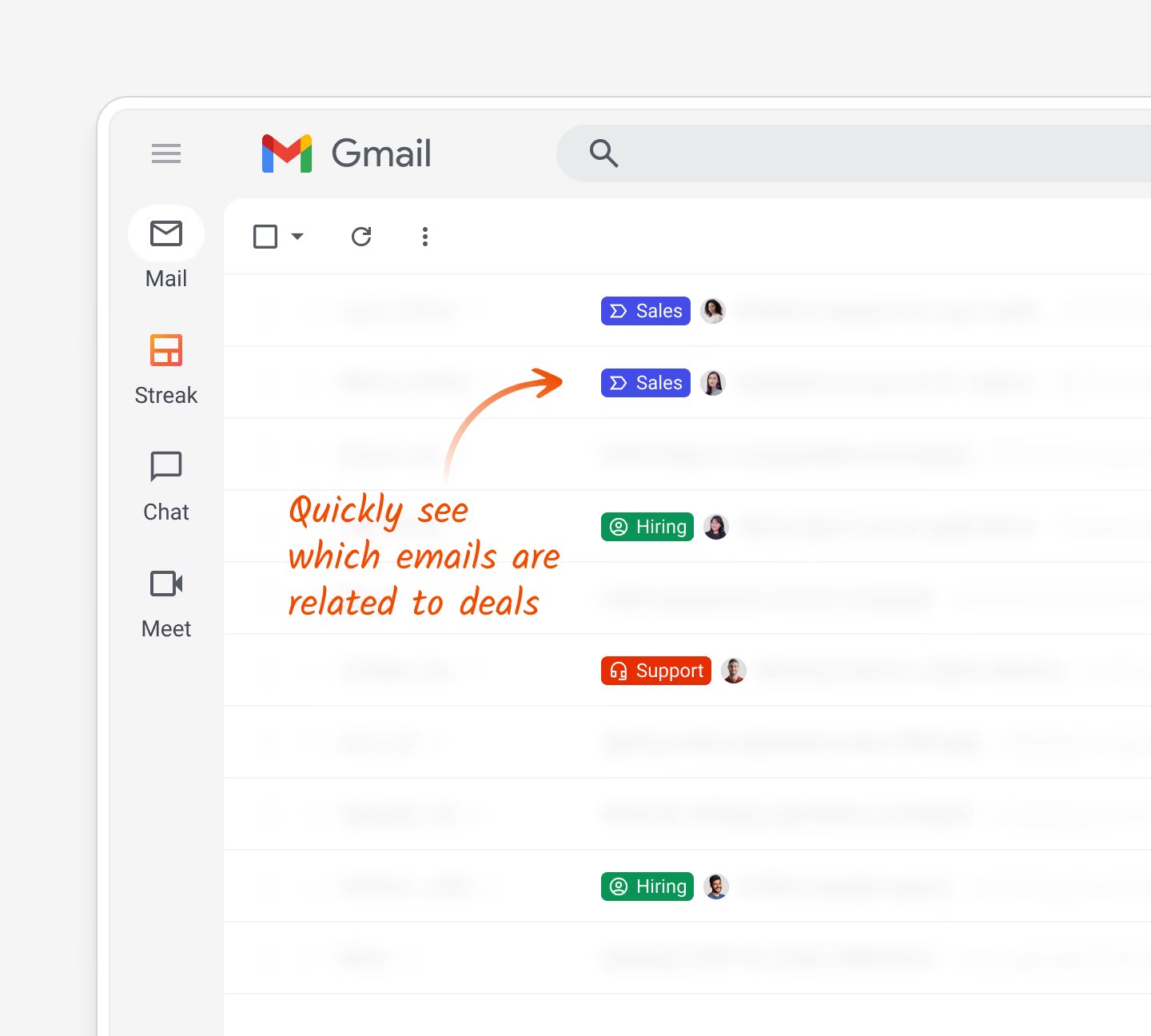
A lead arrives as an email, a contact form submission or a message on LinkedIn. In Streak, the email thread becomes a record in your pipeline (Streak calls these records “boxes”), and the thread is tagged with its pipeline and stage right in your inbox.
Two lead sources matter for freelancers:
- LinkedIn. The pricing page lists a LinkedIn integration on every paid plan, described as creating new Streak leads directly from a LinkedIn profile page.
- Forms and booking links. Direct integrations with Calendly, Google Forms, Typeform and Slack, plus Zapier, are listed only from Pro+ up. On Pro, a form submission that lands in Gmail can still be added to the pipeline by hand.
If your intake form already lives elsewhere, such as the one I described in my Tally project brief form, Pro means one manual click per lead. Pro+ is where that click goes away.
Stage 2: Discovery call
This is where most freelance deals stall, because nobody sends the follow-up after the call. Streak’s Pro plan includes tasks and reminders, plus call logs and meeting notes where you can “take notes and add suggested follow-up tasks.”
The useful habit here is to create one task before you hang up: “send summary and next step by tomorrow.” If you record calls, keep the recording in your call tool and paste the summary into the deal. I covered why a call record protects freelancers in my post on Fathom’s free plan as a call record.
Streak also lists AI meeting agendas generated from past conversations. Each agenda uses one AI credit, and Pro includes 20 credits per user per month, so this is something to use for important calls rather than every call.
Stage 3: Proposal sent
The proposal stage is where Streak’s “magic” fields earn their keep. The pricing page describes custom fields plus magic fields that update automatically with data like last reply, time in stage and email activity.
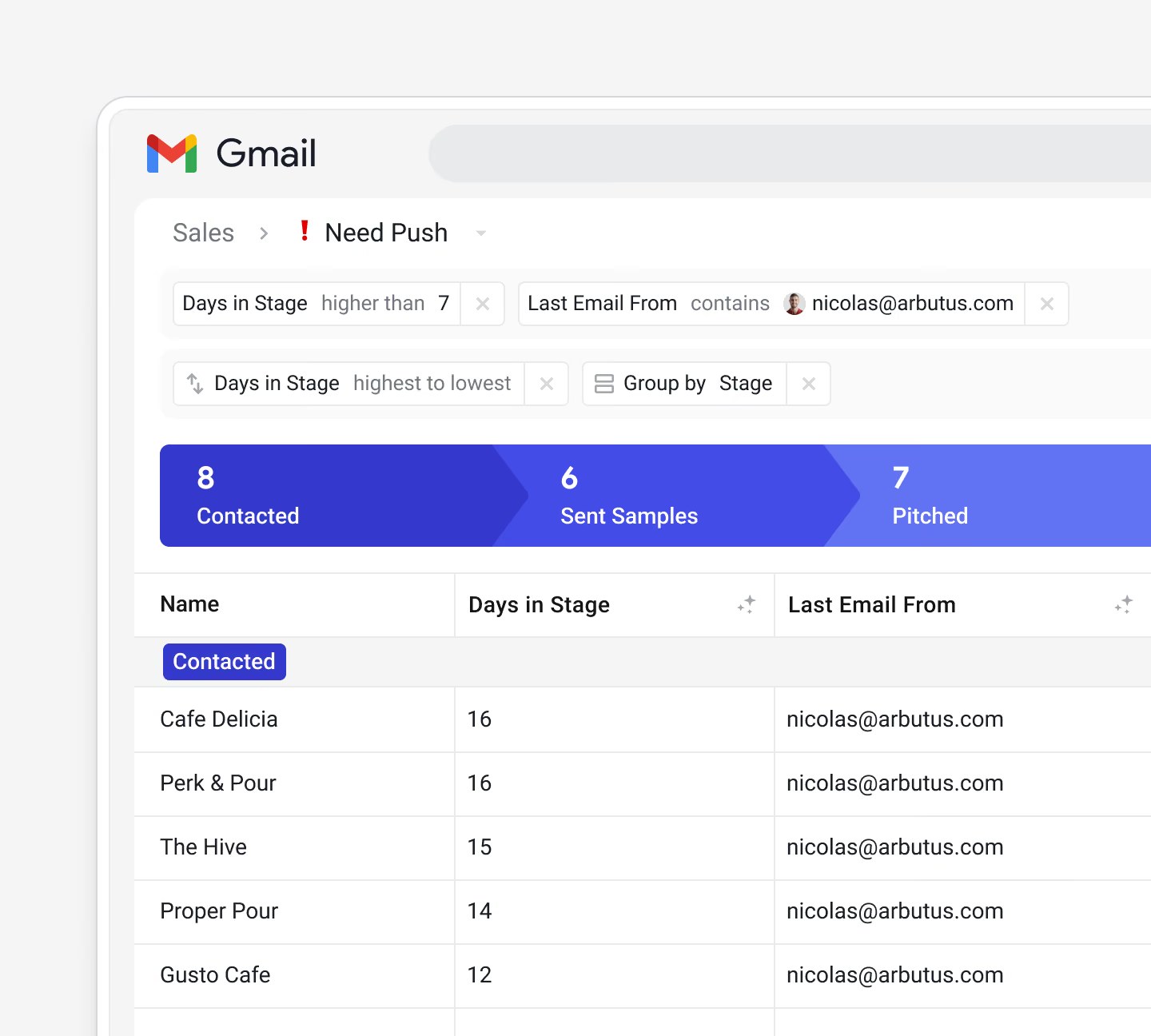
For freelancers, two columns are worth adding on day one:
- Time in stage. Sort the Proposal Sent stage by this and you have your follow-up list without thinking about it.
- Last reply. If the client has gone quiet for a week, you see it in the pipeline instead of discovering it a month later.
Email and link tracking, included even on the free plan, tells you whether the proposal email was opened and whether the link was clicked. I would treat that as a hint, not proof, because tracking is never perfectly reliable. If you send proposals from a dedicated tool, my walkthrough of a Better Proposals template covers the document side; Streak covers the chasing.
Stage 4: Signed
When a client signs, the deal moves to Signed and the useful information is already in one place. Streak can auto-extract email attachments into the deal, upload files, or add files from Google Drive, so the signed contract and the brief sit next to the thread that produced them.
Custom fields carry the details you will need later: project fee, deposit paid, start date. Streak also supports formula columns, where you describe the calculation and Streak AI turns it into a formula. For a freelancer, a simple “fee minus deposit” column is enough to see what is still owed across all signed projects.
Stages 5 to 7: In progress, invoiced, paid
Many freelancers stop using their CRM at the signature. I would keep going, because the last three stages are where money is lost: a project that drags on, an invoice that was never sent, a payment that is two weeks late.
- In progress: use tasks for milestones and the deal timeline as your record of what the client approved and when.
- Invoiced: add an “invoice sent” date field. Streak is not an invoicing tool, so the invoice itself comes from your accounting app.
- Paid: sort the Invoiced stage by time in stage to see who is late.
On Pro+, automations can create tasks, add comments, send notifications, update records or email customers based on rules. A rule such as “create a follow-up task when a deal has been in Invoiced for 14 days” is exactly the kind of chore that is worth automating, but it requires Pro+.
Pricing, in freelancer terms
| Plan | Billed annually | Billed monthly | AI credits per user per month | Pipeline features |
|---|---|---|---|---|
| Free | $0 | $0 | None listed | No pipelines; email tools only |
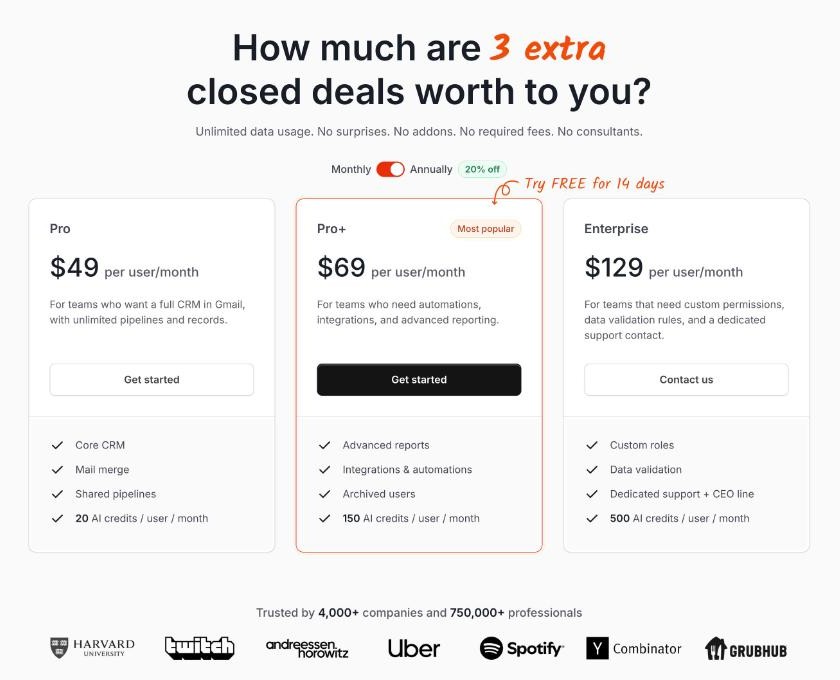
| Pro | $49/user/month | $59/user/month | 20 | Unlimited pipelines and records, magic fields, tasks, LinkedIn |
| Pro+ | $69/user/month | $89/user/month | 150 | Adds automations, direct integrations, Zapier, advanced reports |
| Enterprise | $129/user/month | $159/user/month | 500 | Adds custom roles, data validation, dedicated support |
Prices are in USD. A few details matter for a one-person business:
- Pro is $588 a year on annual billing. That is a real cost for a freelancer. A useful test is whether one recovered deal a year, a proposal you would otherwise have forgotten to chase, covers it.
- The 14-day trial is of Pro+, not Pro. The FAQ says the trial includes integrations, automation and 1,000 AI credits. Be careful to judge the trial by the Pro features if Pro is what you plan to buy, or you may build a workflow around automations you will lose.
- AI credits do not roll over. Deal summaries, deal Q&A, meeting agendas and autofill from the timeline cost 1 credit each, and autofill with web research costs 2. Extra credit packs start at 1,000 credits for $100 a month, which is more than most freelancers should spend.
- Everyone on a team pays the same plan. If you bring in a part-time assistant, they need a paid seat on your plan; Streak has no view-only pricing.
Who should use Streak, and who should not
Streak fits freelancers who live in Gmail, close a steady flow of projects from email conversations, and lose money to forgotten follow-ups. The pipeline sits where the work already happens, so you are more likely to keep it updated.
It is a poor fit if you work from Outlook or another mail client, since Streak is built for Gmail. It is also more than you need if you sign a handful of long projects a year; in that case the free email tools plus Gmail labels, and maybe a tool like SaneBox to keep client mail visible, will do the job for far less.
My take
Streak CRM for Gmail is the most natural CRM for a freelancer whose clients all arrive by email, because it turns threads you already have into a pipeline instead of asking you to copy them somewhere else. Pro covers the full lead-to-paid pipeline in this article, including the magic columns that make follow-ups almost automatic. Pro+ is only worth it if you want leads from forms and booking tools to create themselves, or rules that chase late invoices for you. Start the trial knowing which of the two you are testing.
FAQ
Is Streak CRM for Gmail free?
Streak has a free plan with email and link tracking, snippets, 50 mail merge sends per day, Streak Share and a thread splitter. The free plan does not include CRM pipelines; those start on Pro.
How much does Streak cost for one person?
Pro costs $49 per user per month billed annually, or $59 billed monthly. Pro+ is $69 annually or $89 monthly, and Enterprise is $129 annually or $159 monthly, all per user.
Does Streak have a free trial?
Yes. Streak offers a 14-day free trial of the Pro+ plan, which includes integrations, automation and 1,000 AI credits.
Does Streak work with Outlook?
Streak is built as a CRM for Gmail and Google Workspace. If your business email runs on Outlook, look at a different CRM.
Do unused Streak AI credits roll over?
No. Streak’s FAQ says credits do not roll over. Additional credit packs are available if you need more.