A freelance proposal is only as good as the discovery call behind it. The client mentions a deadline in passing, a budget ceiling in a half-sentence, a stakeholder who “will want to see it before launch”, and if you were busy typing, half of that never reaches the proposal. If you were busy listening, half of it never reaches your notes. Most freelancers I know pick one, and the scope creep that follows is the price.
That is the gap I wanted to look at with Granola for freelancers. Not “is Granola a good AI note-taker” in general, but one narrow workflow: can it let you listen properly on a discovery call and still walk away with notes solid enough to draft a proposal from, without dropping a bot into the client’s meeting?
All plan details and features below come from Granola’s own homepage and pricing page as they appear today.
Why the “no bot” part matters on a discovery call
Most AI note-takers work by sending a bot participant into the call. On an internal team meeting nobody minds. On a first call with a prospective client, a stranger tile labelled “Notetaker” can set the wrong tone before you have said a word, and some clients’ IT policies remove unknown participants automatically.
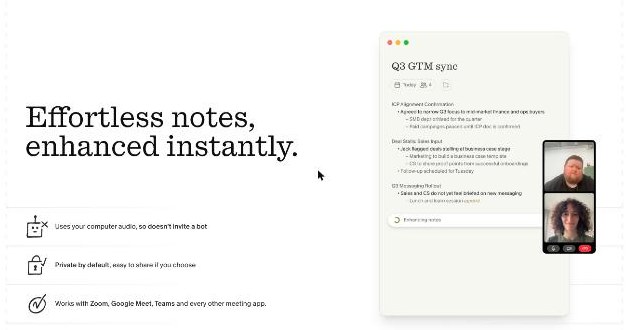
Granola works differently. Its homepage says it “uses your computer audio, so doesn’t invite a bot”, that it is private by default and easy to share if you choose, and that it works with Zoom, Google Meet, Teams “and every other meeting app”. The pricing comparison lists bot-free, device-audio capture on every plan, including the free one.
For freelancers this has a practical upside beyond optics: it works on whatever platform the client picks. You do not need a separate integration for the client who insists on Teams and the one who sends a Google Meet link.
Bot-free is not the same as invisible
No bot does not mean you should record a client silently. Tell them at the start that you use an AI notepad so you can focus on the conversation. Granola’s pricing table includes a setting called “Let people know you’re using Granola”, controlled per user on the Basic and Business plans (and enforceable by admins on Enterprise), so use it. If a client asks what happens to the audio, Granola lists “Audio deleted after transcription” on every plan, which is a reasonable answer for most small projects. For clients with strict confidentiality requirements, read Granola’s security and policy pages before the call, not after. I went through a similar confidentiality check for a dictation tool in my Wispr Flow review, and the same questions apply here.
Before the call: a discovery template does half the work
Granola lets you create customized note templates on every plan. This is the most underused feature for freelancers, because a discovery call is the same shape every time. Before your next call, build one template with the headings your proposal needs:
- The problem in the client’s words (quote, do not paraphrase)
- Desired outcome and how they will judge success
- Scope: what is in, what is explicitly out
- Deadline and any fixed dates (launches, events, board meetings)
- Budget signal: a range, a ceiling, or “not discussed”
- Decision-maker and anyone else who must approve
- Assets and access you will need from them
- Red flags you noticed
Because Granola uses meeting context to write the notes, a template steers the summary towards the sections you care about rather than a generic recap. And if a heading stays empty after the call, that is useful too: it tells you which question you forgot to ask before you write a single line of the proposal.
On the Business plan, Granola also syncs with your calendar and prepares a Brief before external meetings, covering who is attending, what you discussed last time and what matters now. Pre-meeting briefs are not included on Basic. For a first discovery call there is no “last time”, so the Brief earns its keep on the second and third calls, when you are negotiating scope.
During the call: write less, listen more
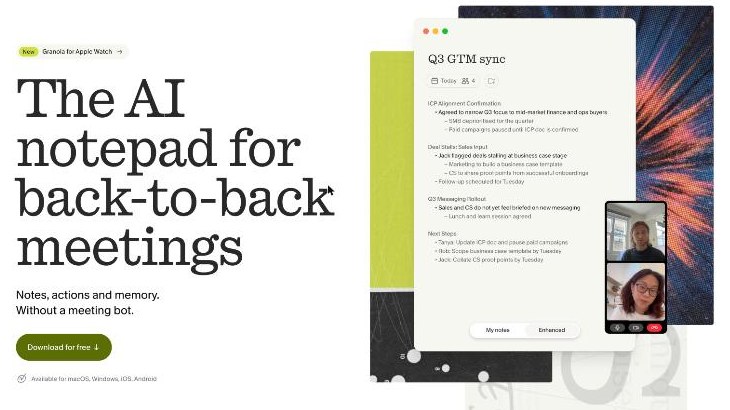
Granola’s approach is a notepad, not just a recorder. You type as much or as little as you like during the meeting, and Granola combines your notes with what it transcribed to produce cleaner, structured notes afterwards. Its homepage frames this as “Don’t choose between listening and taking good notes.”
On a discovery call, the trick is to type only the things you would want emphasised: a figure, a date, a name, a phrase that sounded like a hidden requirement. Those short jottings act as signposts, and the enhanced notes fill in the context around them. Speaker tagging is listed on every plan, which helps later when you need to know whether the founder or their colleague asked for that extra feature.
After the call: from notes to proposal draft
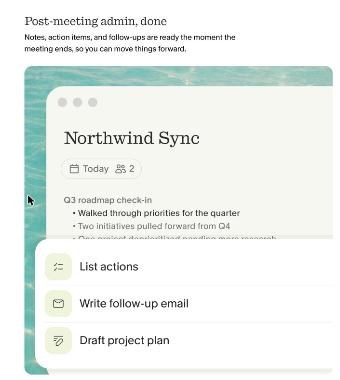
This is where the workflow pays off. Granola says notes, action items and follow-ups are ready the moment the meeting ends, and its homepage shows options like List actions, Write follow-up email and Draft project plan. Granola’s plan comparison also lists a feature called Recipes on every plan, while dedicated follow-up emails are listed for Business and Enterprise only.
Here is the sequence I would use:
- Read the enhanced notes against your template. Fix anything the AI misheard, especially numbers and names. AI notes are a draft, not a record.
- Send a recap the same day. A short email that restates the problem, scope, deadline and next step, written from the notes. Asking the client to reply “yes, that’s right” turns a conversation into a written agreement on scope before you price anything.
- Use the Draft project plan option as a skeleton, then rewrite it in your own words with your own milestones and pricing logic. Never paste AI output straight into a proposal.
- Move the confirmed scope into your proposal tool. If you use a structured template, the sections map neatly; my walkthrough of a Better Proposals template for freelancers shows one way to lay it out.
The recap email is the step that protects you. Months later, if a client says “we agreed that was included”, you have their written reply, not just an AI summary.
Ask your past calls before the follow-up call
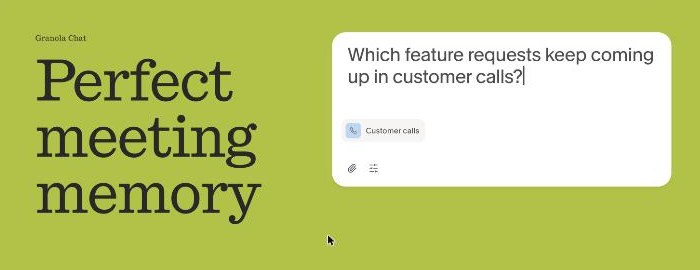
Granola also offers AI chat within and across meetings on every plan. For a freelancer this is useful when a project needs three or four calls before it is signed. Before the scoping call, you can ask something like “what did this client say about the deadline across our calls?” and get an answer that spans all of them. On Basic, the chat model is set automatically; Business adds model selection.
Granola pricing for a one-person business
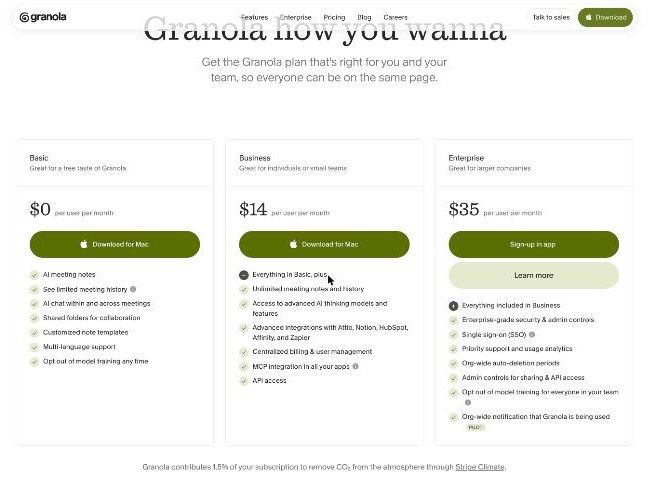
| Plan | Price | What matters for freelancers |
|---|---|---|
| Basic | $0 per user per month | AI meeting notes, bot-free capture, templates, recipes, AI chat, 30 days of meeting history |
| Business | $14 per user per month | Unlimited notes and history, pre-meeting briefs, follow-up emails, integrations with Notion, HubSpot, Attio, Affinity and Zapier, API access |
| Enterprise | $35 per user per month | SSO, admin controls, org-wide policies; not aimed at solo freelancers |
The 30-day history limit is the real decision point
Granola’s comparison table lists meeting history as 30 days on Basic and unlimited on Business. For freelancers, that limit matters more than any AI feature. A sales cycle that starts with a discovery call in one month and ends with a signed proposal six weeks later outlasts the free plan’s history window. So does a project where you want to refer back to the original call when scope starts to drift.
My rule of thumb: if your typical project goes from first call to signature in under a month, and you copy the confirmed scope into your proposal or CRM straight away, Basic is enough. If you rely on the original discovery notes during delivery, or you want Granola to push notes into Notion or HubSpot automatically, Business at $14 a month is the realistic plan.
Granola vs a recording note-taker
It is worth being clear about what Granola does not give you. Because it is built around notes and transcripts rather than video, and lists audio as deleted after transcription, you are not keeping a replayable recording of the call. If your protection strategy depends on being able to replay exactly what a client said, a recording tool is the better fit; I covered that approach in my piece on Fathom’s free plan as a call record. Granola’s strength is the opposite: a lighter footprint in the client’s meeting and notes that are ready to work with immediately.
Who should use Granola, and who should not
Good fit: freelancers who run several discovery and scoping calls a week, work across whatever video platform each client chooses, and want notes structured around the proposal they are about to write.
Not a fit: freelancers who need a video recording as evidence, those whose clients forbid any AI processing of calls, and anyone who rarely has calls (a free plan you open once a month will not change much).
Verdict
Granola fits the discovery-call-to-proposal workflow unusually well. No bot joins the client’s meeting, a custom template turns every call into the same proposal-ready structure, and post-meeting recipes give you a recap and a plan skeleton within minutes. The free Basic plan is a genuine way to test it, but its 30-day history makes Business the practical choice for longer sales cycles. Whatever plan you use, the habit that matters most is the same-day recap email that gets the client to confirm scope in writing.
FAQ
Does Granola join my Zoom or Google Meet call as a bot?
No. Granola says it uses your computer’s audio rather than inviting a bot, and that it works with Zoom, Google Meet, Teams and other meeting apps.
Is Granola free for freelancers?
Yes, the Basic plan is $0 per user per month and includes AI meeting notes, templates, recipes and AI chat, with 30 days of meeting history. Business is $14 per user per month for unlimited history.
Should I tell clients I am using Granola?
Yes. Tell them at the start of the call. Granola has a “Let people know you’re using Granola” setting that each user controls on the Basic and Business plans.
Does Granola keep the audio of my client calls?
Granola’s pricing page lists “Audio deleted after transcription” on all plans, along with configurable transcript retention per user.
Can Granola write a follow-up email after a discovery call?
Granola offers recipes on every plan, and dedicated follow-up emails are listed on Business and Enterprise. Always check and edit the draft before sending it to a client.