Disclosure: some links in this guide are partner links. If you sign up through them, this site may earn a commission at no extra cost to you. It does not change what Fastmail charges you.
A freelancer who still sends proposals from a free webmail address is leaving trust on the table. Setting up Fastmail custom domain email fixes that for a few dollars a month, and Fastmail is a popular choice because it is a paid, ad-free provider with privacy features that suit people who sign up for a lot of tools. But the pricing page has a trap for anyone shopping on price alone: the cheapest business plan cannot send from your own domain at all.
This guide walks through which Fastmail plan a one-person business should actually pick, how to set up addresses so each client and each tool gets its own lane, and the few features that matter more for freelancers than the storage numbers everyone compares.
The Basic plan trap
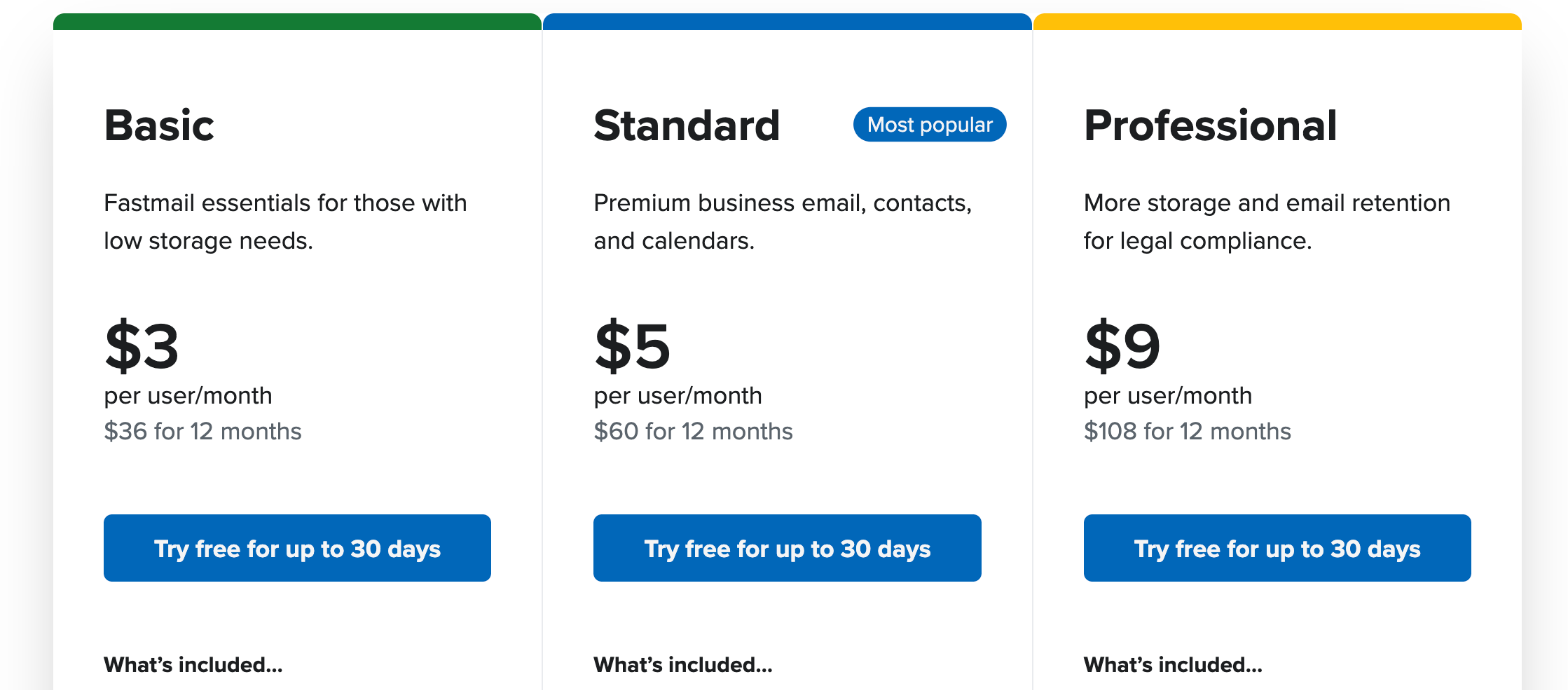
Fastmail sells two families of plans: Individual & Family, and Business. On the Business tab, the plans with yearly billing selected are listed as:
- Basic: $3 per user per month ($36 for 12 months), or $4 month to month.
- Standard: $5 per user per month ($60 for 12 months), or $6 month to month.
- Professional: $9 per user per month ($108 for 12 months), or $10 month to month.
Basic looks like the obvious choice for a solo freelancer. It is not. Fastmail’s own comparison table marks three features as not supported on Basic that matter for client work:
- Use your own domains (you@yourname).
- Scheduled Send.
- Use with third-party apps, such as Outlook or iPhone Mail.
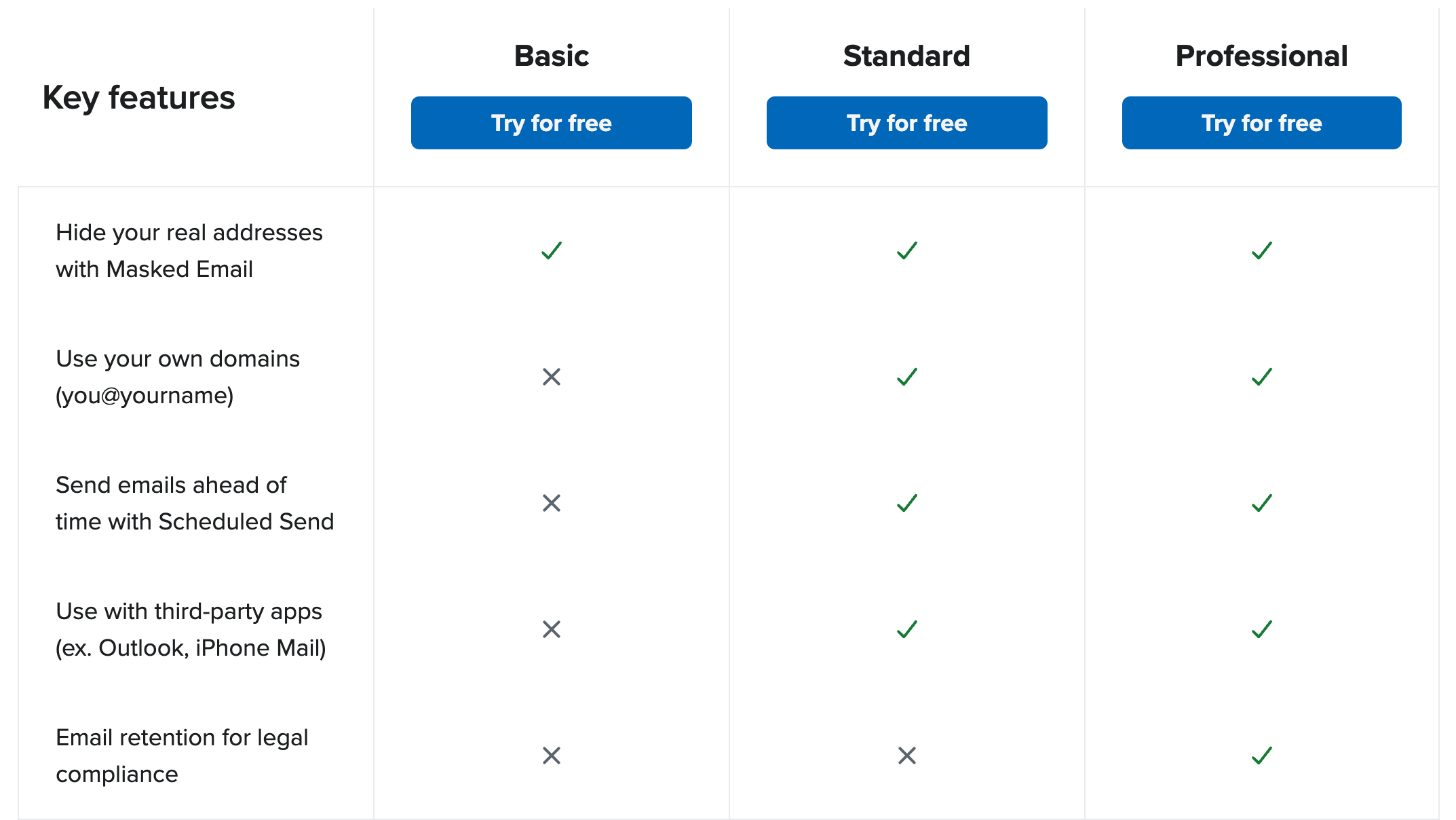
Basic also comes with 6 GB of total storage per user, against 60 GB on Standard. If the whole reason you are moving to Fastmail is a professional address on your own domain, Basic does not do the job. The real starting point is $5 a month on yearly billing.
Individual or Business Standard: which one for a freelancer?
Here is the part that surprises people. On the Individual & Family tab, the Individual plan costs the same as Business Standard: $5 a month on yearly billing ($60 for 12 months), or $6 month to month. It also includes your own domains, Masked Email, Scheduled Send, 60 GB of total storage (50 GB for mail, calendars and contacts plus 10 GB for files), and use with third-party apps.
So for a solo freelancer, the two plans are close. The difference is in what each one is built around:
| Individual | Business Standard | |
|---|---|---|
| Price (yearly billing) | $5/month ($60/year) | $5/user/month ($60/year) |
| Price (monthly billing) | $6/month | $6/user/month |
| Total storage | 60 GB | 60 GB per user |
| Own domain | Yes | Yes |
| Masked Email | Yes | Yes |
| Scheduled Send | Yes | Yes |
| Shared addresses like support@ | Not listed | Yes |
| Shared company calendars and address book | Not listed | Yes |
My rule of thumb:
- Pick Individual if you work alone and expect to stay that way. You get everything a freelancer needs on your own domain, and you can keep personal and work addresses in one account.
- Pick Business Standard if you sometimes bring in a subcontractor or assistant who should send from your domain, or if you want a shared hello@ address that more than one person answers.
- Pick Professional only if a client contract or your industry requires an email retention archive. Fastmail lists that as the Professional plan’s extra, along with 150 GB of storage per user.
All Fastmail prices are tax-exclusive, and the pricing page says you can change plans or cancel at any time. Every plan offers a free trial of up to 30 days.
Setting up your domain
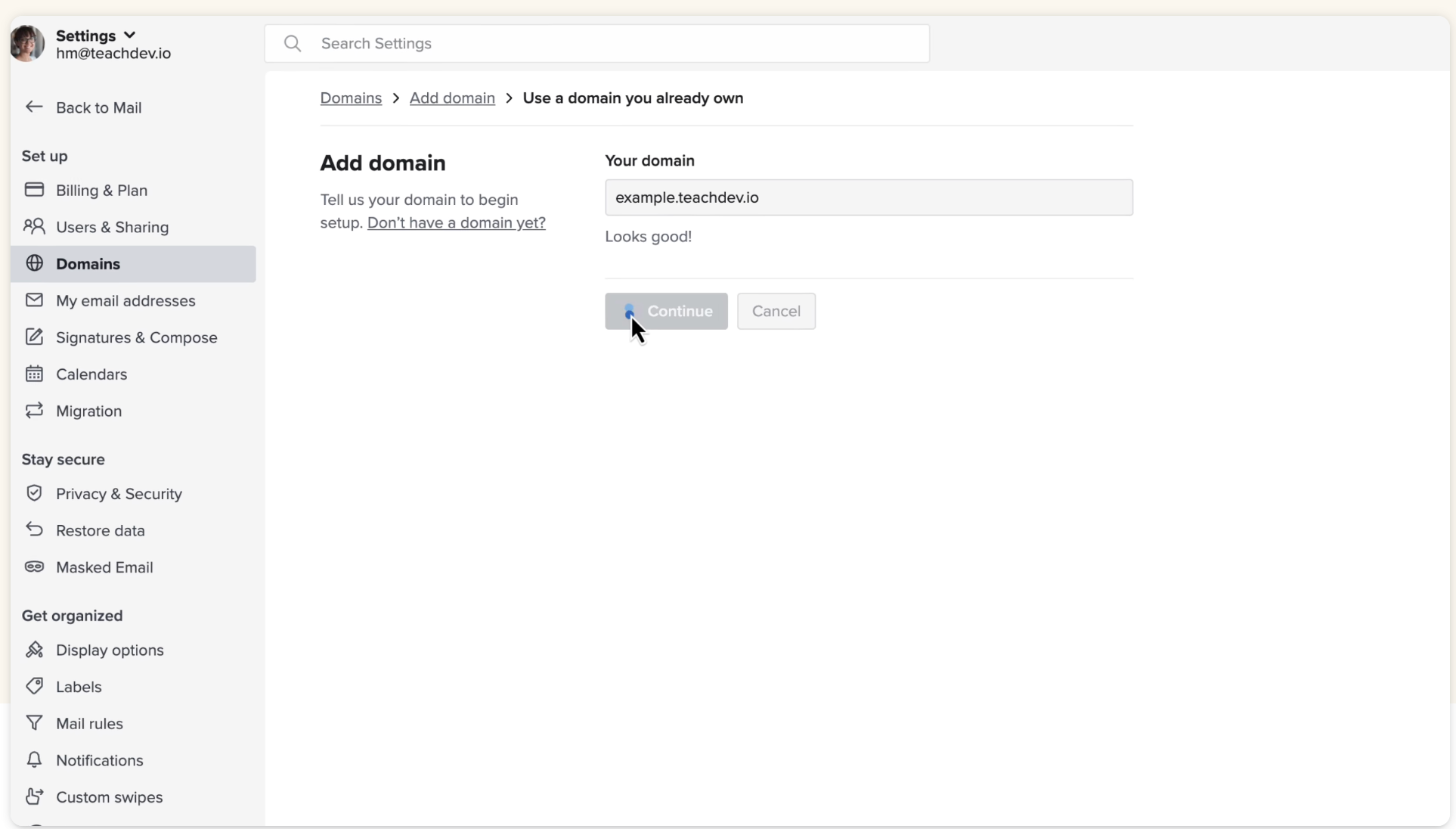
You need to own a domain first. Fastmail’s domain page says its setup wizard guides you through the technical details, and the settings screen starts with a simple “Add domain” step for a domain you already own.
A few practical points before you start:
- Do it on a quiet day. Changing where your domain’s mail goes affects every address on it. Start the switch when you are not waiting on a client’s signed contract.
- Bring your old mail with you. Fastmail lists easy migration from your old provider among its features, so you do not have to start with an empty inbox.
- Choose your data residency. Fastmail lets you choose primary data residency in the EU or the USA. If you work with European clients who ask about data location, that is a useful answer to have ready.
One domain, many lanes: how to structure addresses
The point of owning a domain is not only looking professional. It is control. Fastmail’s domain features give a freelancer more structure than most people use.
Aliases for each kind of mail
Fastmail describes aliases as extra addresses that route to the inbox of one or more users, or even to an external address like your CRM. They come free with domain hosting. A simple layout for a freelancer:
- hello@ on your website and business card, for new enquiries.
- billing@ on invoices, so payment replies are easy to filter.
- yourname@ for ongoing client conversations.
Because aliases can also forward to an external address, enquiries to hello@ can be copied into a CRM that accepts email. If you are building a simple pipeline, I covered moving a freelance lead spreadsheet into HubSpot’s free CRM, which is one place those copies can land.
A catch-all for typos and old addresses
Fastmail supports a catch-all (wildcard) alias that collects mail sent to unknown addresses at your domain. For a freelancer this rescues messages sent to a misspelled name or an old address you printed years ago. If one of those addresses starts attracting spam, Fastmail lets you turn off individual addresses.
Reply from the address the client used
Fastmail says it can automatically reply from the address a message was sent to. If a client writes to hello@, your reply goes out from hello@ instead of switching to another address mid-thread. It is a small thing that keeps conversations tidy.
More than one brand
Fastmail allows up to 100 domains in one account, and you can create users and aliases from any of them, or mirror one domain onto another. Freelancers who run a personal portfolio domain and a separate studio name can manage both from one login.
Masked Email: the feature freelancers underrate
Freelancers sign up for a lot of tools: free trials, design resources, job boards, invoicing apps, webinars. Every sign-up shares your address. Masked Email gives each login a unique address so your real one stays private.
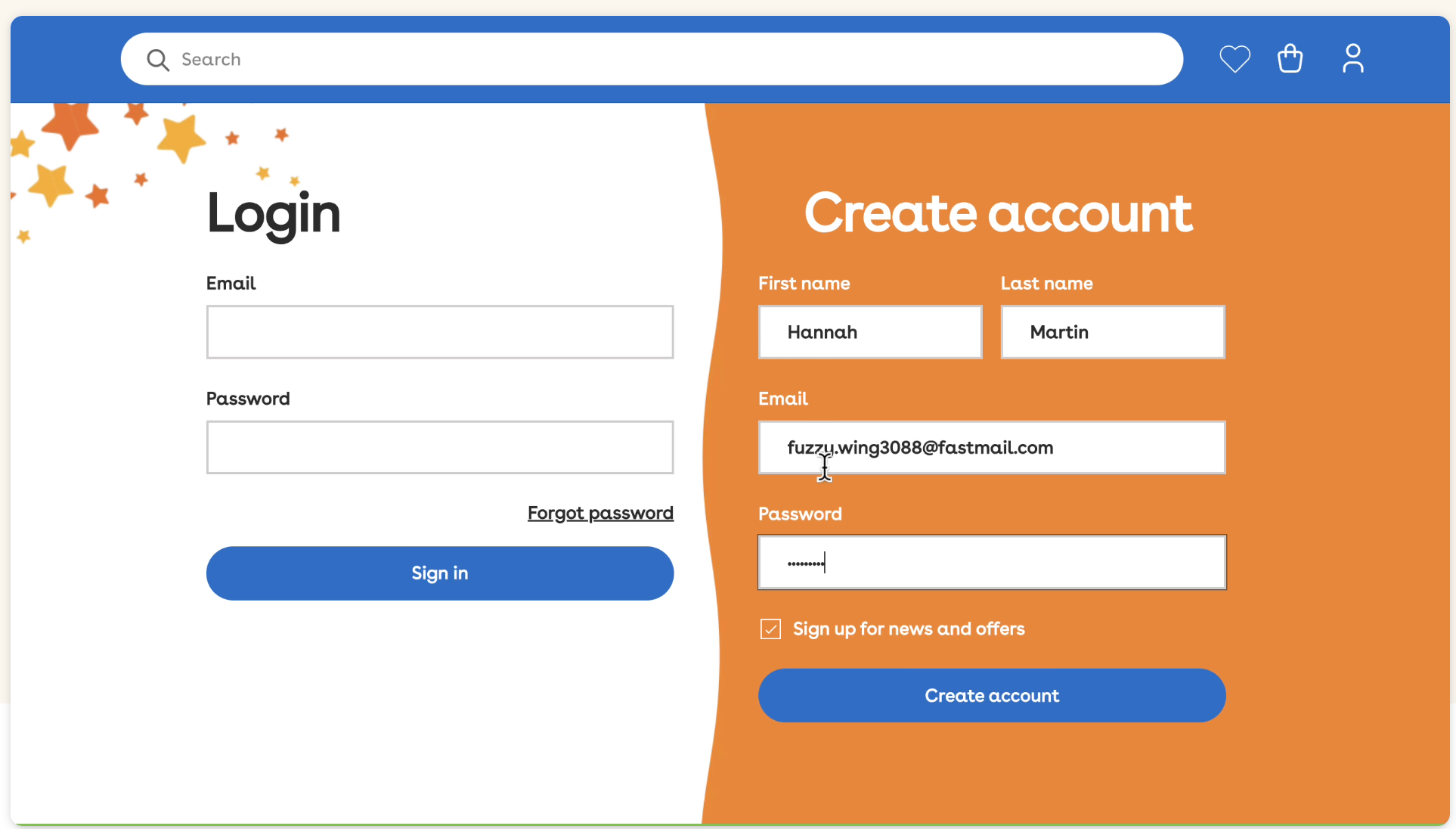
According to Fastmail, companies have no way of linking different Masked Email addresses together, you can turn off any address that starts receiving spam, and you will know which site leaked it. Messages to masked addresses are marked with a masked icon and show the label you gave the address, which helps spot a phishing email pretending to come from a service you trust.
Two details make this work well for freelancers:
- Password manager integration. Fastmail says you can connect 1Password or Bitwarden so a new masked address is created as you sign up for a site. If you already use one of them, I compared them for freelance work in 1Password for freelancers and Bitwarden Premium for freelancers.
- Your own domain is optional. Masked addresses can use Fastmail’s shared domain or your own. Fastmail notes the trade-off: your domain is less anonymous, but the addresses stay portable if you ever leave.
My suggestion: use masked addresses for tools and trials, and keep your domain addresses for people. Your client-facing inbox stays clean, and a tool that gets breached cannot expose the address your clients use.
Scheduled Send for clients in other time zones
Many freelancers work at odd hours or for clients several time zones away. Fastmail’s Scheduled Send lets you write a message now and have it arrive when you choose. Fastmail’s own example is making sure your email is at the top of the inbox when the recipient opens their laptop on Monday morning.
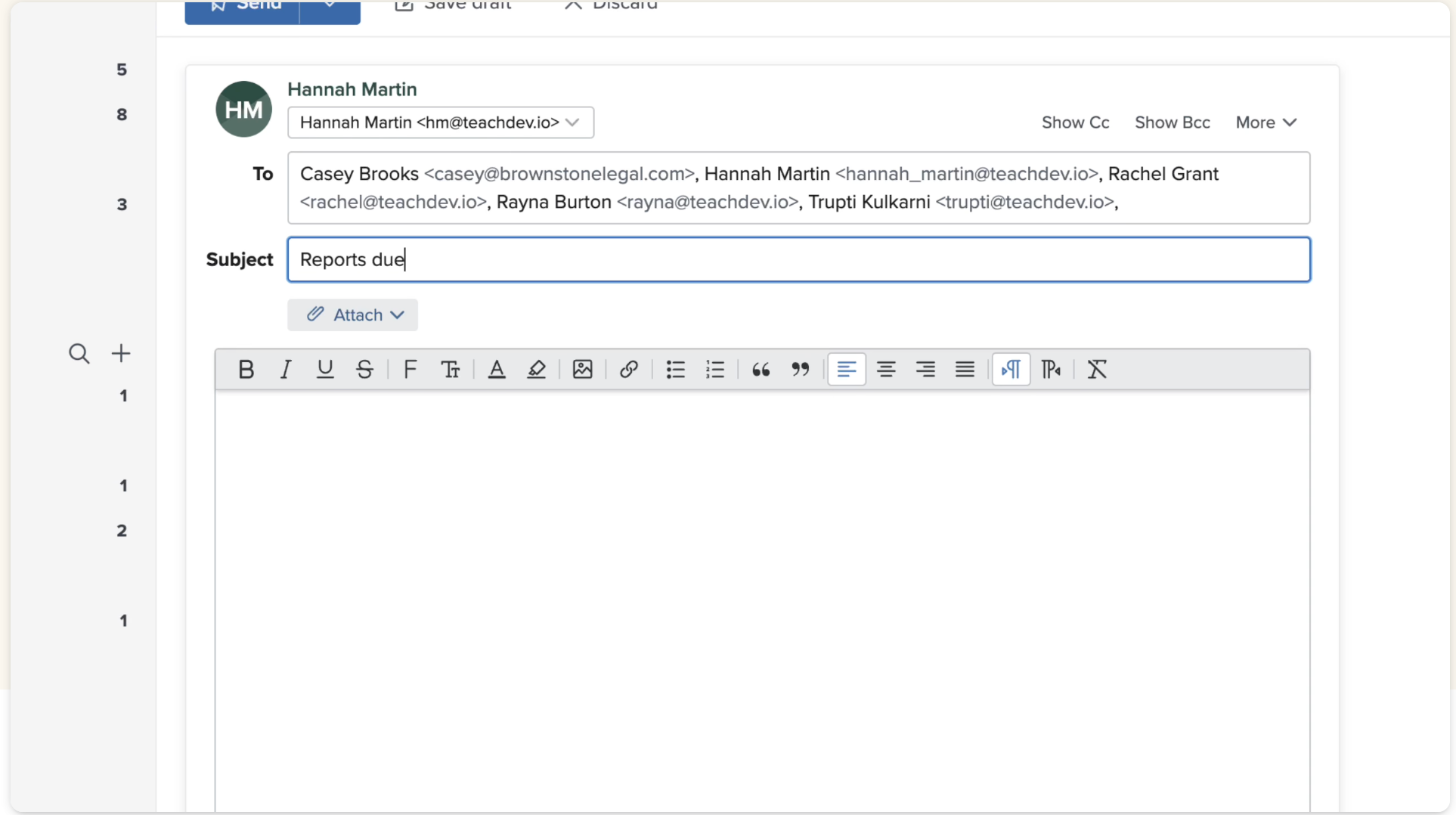
For freelancers this does two things. Proposals land at the start of the client’s working day instead of the middle of their night. And clients do not learn that you answer messages at 2 a.m., which helps set boundaries. Remember that Scheduled Send is one of the features missing from Business Basic.
Smaller features that help client work
- Private memos on messages. Fastmail lets you add a private note, reminder or payment details to a message. Useful for “invoice sent on this date” next to the client’s approval email.
- Snooze and mute. Snooze brings a message back when you want to deal with it, and muting removes a noisy thread from your inbox.
- Rules. Automatic sorting with rules keeps billing@ replies and tool notifications out of your main view.
- Calendars and contacts. Every plan includes calendars and contacts alongside mail, so client meetings and addresses sit in one account.
- Offline support. Fastmail lists offline reading, drafting and searching, which helps when you work on trains or in cafés with poor Wi-Fi.
Who should look elsewhere
- Freelancers who live in Google Docs and Drive. If your clients share everything through one office suite, staying in that suite’s email may be simpler.
- Anyone who needs strict end-to-end encryption by default. Fastmail describes robust encryption, but if your clients demand an encrypted-mail provider, compare it with options like the ones in my Proton Mail guide for freelancers.
- People who only need a forwarding address. If you just want mail to your domain forwarded to an existing inbox, a full mailbox plan may be more than you need.
The short version
For a solo freelancer, Fastmail Individual at $5 a month on yearly billing is the plan to start with: your own domain, Masked Email for tool sign-ups and Scheduled Send for clients abroad, all included. Move to Business Standard at the same price if someone else needs to send from your domain. Skip Business Basic, because it does not support custom domains at all.
FAQ
Can I use my own domain on Fastmail Basic?
No. Fastmail’s Business comparison table lists “Use your own domains” as not supported on Basic. It is included on Standard, Professional and the Individual, Duo and Family plans.
How much does Fastmail cost for a freelancer with a custom domain?
Individual and Business Standard both cost $5 a month on yearly billing ($60 a year) or $6 month to month. Prices exclude tax.
Is there a free trial?
Yes. Fastmail offers a free trial of up to 30 days on its plans.
How many domains can I add?
Fastmail says you can add up to 100 domains in one account and create users and aliases from any of them.
Does Masked Email work with password managers?
Yes. Fastmail says you can connect 1Password or Bitwarden to create Masked Email addresses as you sign up for sites.
Can I use Fastmail with Outlook or iPhone Mail?
Yes, on Individual, Standard and Professional. Third-party app access is not included on Business Basic.