Disclosure: some links on this page may be affiliate links. If you sign up through them I may earn a commission at no extra cost to you.
Most write-ups on TidyCal pricing stop at the headline: a $29 lifetime deal instead of a monthly scheduling subscription. For a freelancer, that sounds like the end of the decision. It is not. TidyCal’s own comparison table shows a 1% platform fee on paid bookings processed through Stripe on the Free and Lifetime plans, and no platform fee on Pro. Once you take paid bookings, that 1% is a cost that grows with your income, while Pro is a flat price.
So the useful question is not “lifetime or subscription?” It is: at what level of paid bookings does Pro become cheaper than the plan you paid once for? This article works through that math with freelancer examples, then covers the non-fee reasons to switch, such as branding and custom domains. All prices and features come from TidyCal’s official pricing page as published today.
What TidyCal Is
TidyCal is a booking page tool whose lifetime plans are sold on AppSumo. Its homepage pitch is “Get booked. Get paid.” You create an account, get a shareable booking page, add your services, connect a calendar and share the link. Clients pick a time and can pay when they book.
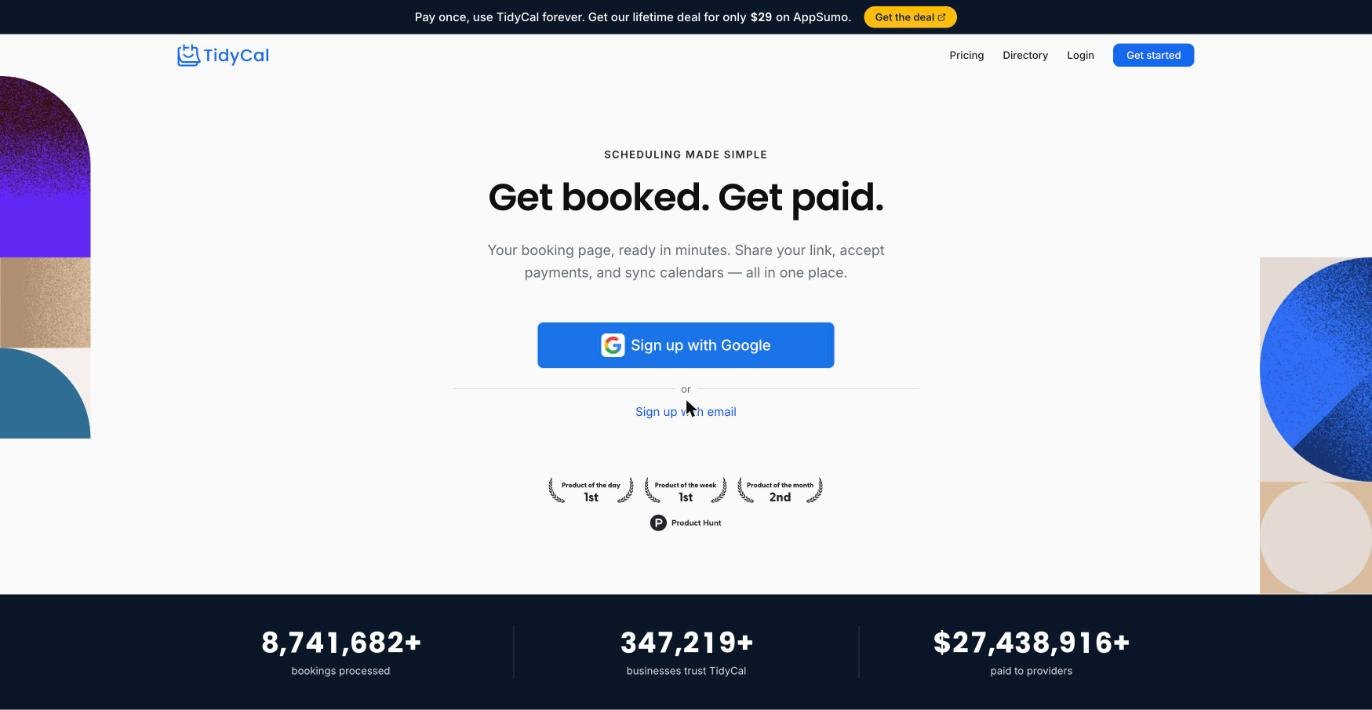
For freelancers, the features that matter most are available on every plan, including Free: unlimited bookings, unlimited booking types, paid bookings, recurring and package bookings, your own booking page and translation. Stripe and PayPal payments, discount codes and a Calendly importer are also listed on all plans.
TidyCal Pricing at a Glance
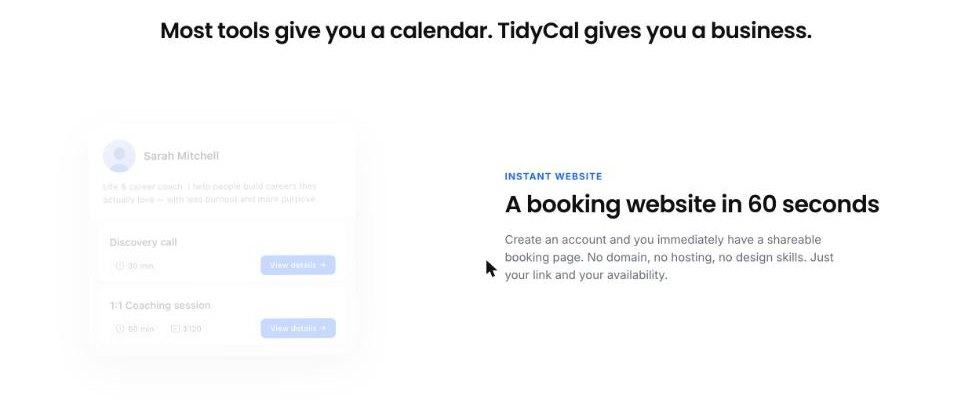
The pricing page lists four plans:
- Free: $0, forever free. One connected calendar.
- Individual Lifetime: $29, one-time payment, bought on AppSumo. Adds auto-created Zoom, Google Meet and Teams links, group bookings, an AI booking assistant, custom emails and analytics, 10 calendar connections and a small TidyCal logo.
- Agency Lifetime: $79, one-time payment, bought on AppSumo. Adds round robin and collective meetings, a dedicated team booking page and 10 SMS reminders a month for the US and Canada.
- Pro: $12 per month, or $99 billed annually (shown as $8.25 per month). Adds no TidyCal branding, a custom domain, priority support, unlimited calendar connections, unlimited SMS reminders and no platform fees.
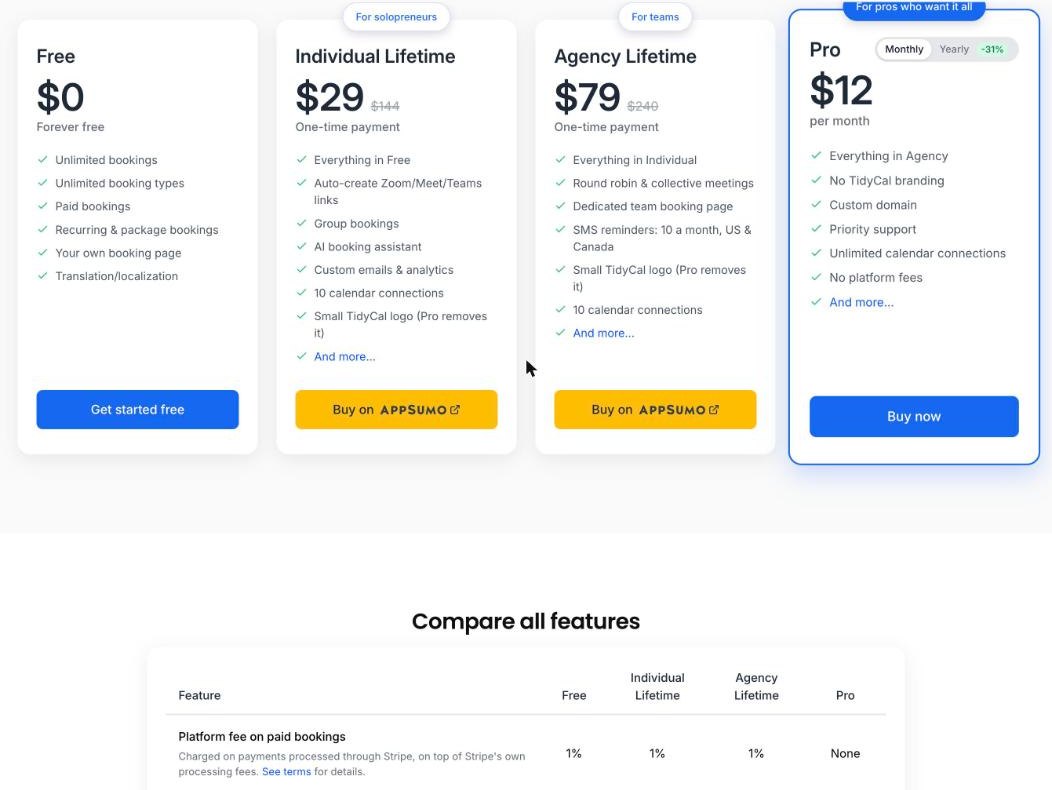
The row that drives this article sits at the top of the comparison table: “Platform fee on paid bookings.” Free, Individual Lifetime and Agency Lifetime show 1%. Pro shows “None.” TidyCal describes the fee as charged on payments processed through Stripe, on top of Stripe’s own processing fees, and points to its terms for details.
The 1% Fee Math for Freelancers
Stripe’s own processing fees apply whatever plan you choose, so I leave them out. The only cost that changes between plans is TidyCal’s 1%.
If you already own a Lifetime plan
Your $29 or $79 is spent. The real comparison is the 1% fee versus Pro’s subscription:
- Pro billed annually: $99 per year. 1% of $9,900 is $99, so Pro becomes cheaper once you take more than about $9,900 a year in paid bookings through Stripe.
- Pro billed monthly: $12 x 12 = $144 per year. The break-even rises to about $14,400 a year in paid bookings.
If you are choosing for the first time
In the first year, Individual Lifetime costs $29 plus 1% of bookings, while annual Pro costs $99. They meet at $7,000 of paid bookings, because $29 + $70 = $99. Over three years, Lifetime costs $29 plus 1% of three years of bookings, while Pro costs $297. That break-even works out at roughly $8,900 a year in paid bookings.
Three freelancer examples
- The consultant with paid discovery calls. Ten paid 30-minute calls a month at $50 is $6,000 a year. The 1% fee is $60. Lifetime wins.
- The coach selling session packages. Four clients a month buying a $300 package is $14,400 a year. The 1% fee is $144, more than annual Pro at $99. Pro wins on fees alone, before counting branding or a custom domain.
- The designer who books calls but invoices projects elsewhere. If paid bookings are close to zero because project fees go through an invoicing tool, the 1% is close to zero too. Lifetime wins easily.
The third case is common. Many freelancers use a booking page for free calls and send project invoices through a separate tool. If that is you, the fee question barely applies, and I would focus on the features below instead. I compared invoicing options in my guide to Stripe Invoicing for freelancers.
What Paid Bookings Look Like in TidyCal
Before you do the math on your own numbers, it helps to know which kinds of income actually pass through TidyCal. The homepage highlights three:
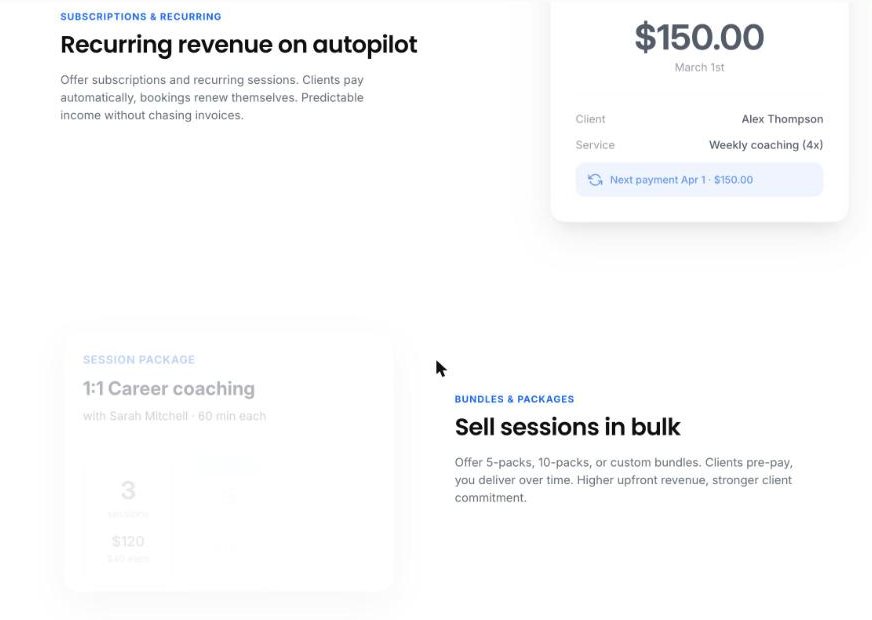
- Recurring sessions and subscriptions. Clients pay automatically and bookings renew. TidyCal lists recurring bookings and subscriptions through Stripe on all plans.
- Packages and bundles. TidyCal’s homepage mentions 5-packs, 10-packs and custom bundles that clients pre-pay. Package bookings are on all plans.
- One-off paid sessions. Clients pay when they book, through Stripe or PayPal.
Packages and subscriptions are exactly what push freelancers past the break-even. A coach who moves from single sessions to monthly packages can double the money running through the booking page without adding a single client. That is the moment to rerun the numbers.
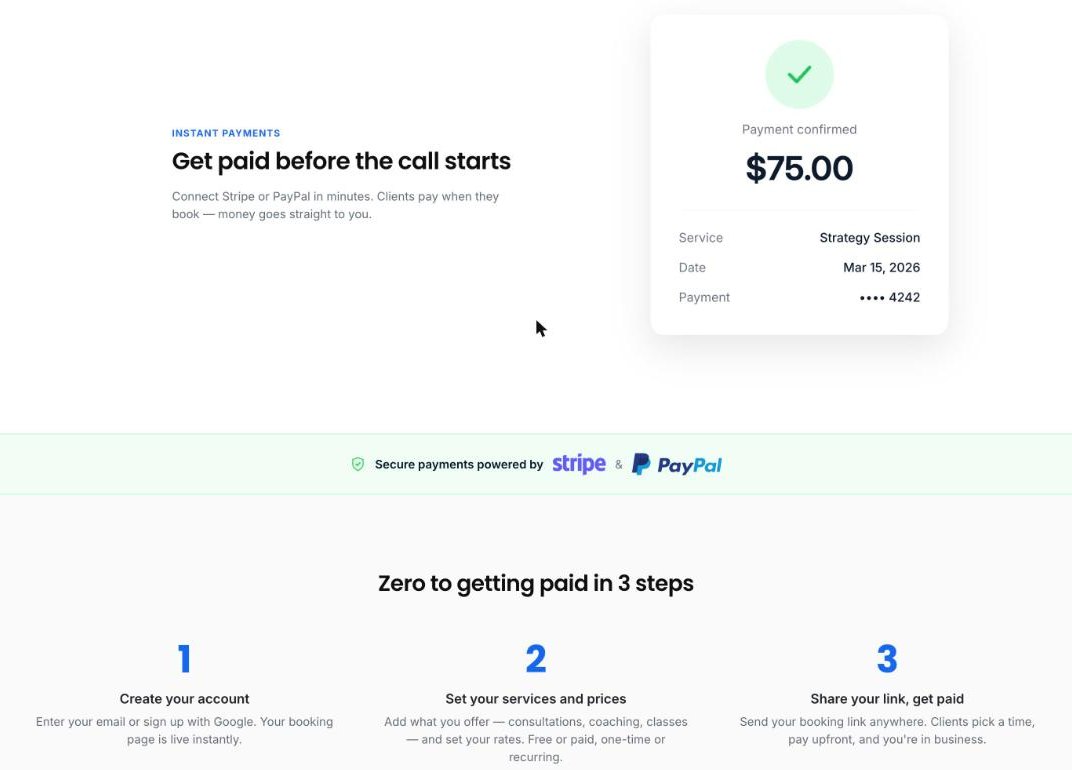
One detail to check for yourself: the comparison table describes the platform fee as applying to payments processed through Stripe. PayPal is also supported on all plans, but the pricing page does not spell out whether the same fee applies there. Read the terms linked from the pricing page before relying on PayPal to avoid it.
Reasons to Choose Pro That Have Nothing to Do With Fees
Even below the break-even, some freelancers will want Pro for these reasons:
- No TidyCal branding. Lifetime plans show a small TidyCal logo. If your booking page is part of a premium offer, that logo can look out of place.
- Custom domain. Pro is the only plan with a custom domain for your booking page, for example a schedule subdomain on your own site. Pro supports one custom domain for your personal page and one per team.
- Unlimited calendar connections. Lifetime plans allow 10. That is plenty for most freelancers, but someone juggling several client workspaces could hit it.
- Unlimited SMS reminders. Agency Lifetime includes 10 SMS reminders a month for the US and Canada. Pro removes the cap. If no-shows cost you money, reminders matter.
- Priority support. Useful if your booking page is the front door of your business.
Reasons to Stay on Lifetime
- Your paid bookings are modest. Under the break-even, the 1% costs less than Pro.
- The core features are already there. Unlimited booking types, packages, recurring bookings, Stripe and PayPal, discount codes and Zoom, Meet or Teams links are all on Individual Lifetime.
- You value a fixed cost. A one-time payment means your scheduling tool never becomes another monthly bill during a slow quarter.
- You can cancel Pro later anyway. TidyCal says Pro can be cancelled from account billing settings, and the account then stays on Free or on the Lifetime plan you own. Buying Lifetime first and adding Pro later keeps your options open.
A Simple Rule for Deciding
- Add up the money clients paid you through your booking page in the last 12 months, through Stripe.
- Multiply by 1%.
- If the result is above $99, annual Pro saves money on fees. If it is above $144, even monthly Pro does.
- If it is below, ask whether branding, a custom domain or unlimited SMS reminders are worth the difference to you.
Rerun this check whenever you raise prices or launch packages. The answer changes with your business.
How TidyCal Fits Next to Other Booking Tools
If you are still choosing a scheduler, I have covered two alternatives on this blog. Cal.com’s free plan suits freelancers who want an open, flexible booking setup, and Calendly for client intake is the familiar option many clients already recognise. TidyCal’s case rests on low fixed cost: a usable Free plan, a one-time Lifetime price, and a Pro plan that only makes sense once your booking page handles real money.
My Verdict
For most freelancers, the $29 Individual Lifetime plan is still the sensible starting point. The 1% platform fee is small while paid bookings are small, and the core tools for selling calls, packages and recurring sessions are all included. Treat the fee as a signal rather than a problem: once 1% of your yearly Stripe bookings passes $99, your booking page has become a real revenue channel, and annual Pro pays for itself while removing the branding and adding your own domain.
FAQ
Does TidyCal charge a fee on paid bookings?
Yes, on some plans. TidyCal’s comparison table shows a 1% platform fee on paid bookings processed through Stripe for the Free, Individual Lifetime and Agency Lifetime plans, on top of Stripe’s own fees. Pro has no platform fee.
How much is TidyCal Pro?
Pro costs $12 per month, or $99 billed annually, which TidyCal shows as $8.25 per month.
Where do I buy the TidyCal lifetime deal?
The Individual Lifetime ($29) and Agency Lifetime ($79) plans are one-time payments sold on AppSumo. Pro is bought directly on TidyCal.
Can I take payments on the free TidyCal plan?
Yes. Paid bookings, Stripe and PayPal, package bookings and recurring bookings are listed on the Free plan. The 1% platform fee applies to Stripe payments on Free.
Can I use my own domain with TidyCal?
A custom domain for your booking page is a Pro feature. Lifetime plans use TidyCal’s domain and show a small TidyCal logo.
What happens if I cancel TidyCal Pro?
According to TidyCal, your account stays on the Free plan, or on the Lifetime plan you own if you bought one.